
White Label Mobile Applications for Restaurant Growth
· Thibault Le Conte
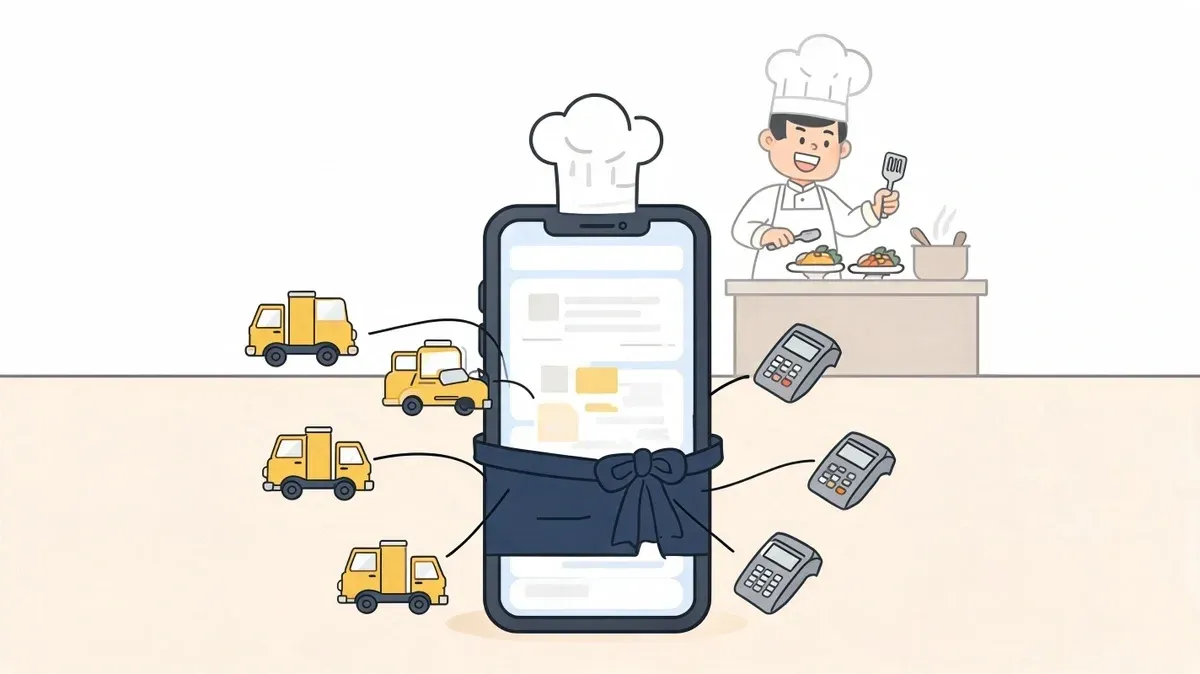
The usual moment this conversation starts is not in a strategy meeting. It starts during service.
A manager is standing between the expo line and the front counter while tablets from Uber Eats, DoorDash, and Grubhub keep chiming. Someone on staff is retyping orders into the POS. A modifier gets missed. A side is wrong. A driver arrives early. The kitchen blames the front. The front blames the apps. The owner sees labor going up and margins getting tighter.
That’s where white label mobile applications matter. Not as a trendy app project, but as an operations tool. If your restaurant can route orders cleanly, keep menu data aligned, and give customers a direct branded ordering experience, you gain control over speed, accuracy, and repeat business.
Most articles stop at branding. Restaurant operators need more than a logo on a screen. They need to know whether the app connects properly to the POS, how delivery orders flow into daily operations, and whether the long-term economics hold up.
Why Your Restaurant Needs Its Own Branded App
A branded app gives your restaurant a digital front door that you control. That matters when third-party delivery keeps growing and your staff is stuck managing too many disconnected systems.
The broader market shift is already underway. The food delivery and restaurant sectors are increasingly adopting white-label mobile apps, and businesses are using pre-built branded experiences in a crowded app market with over 3.5 million Android apps, 1.6 million iOS apps, total app revenue of $935 billion, and a projected 8.58% CAGR to $755.50 billion by 2027. By 2025, nearly 40% of businesses had integrated these solutions to improve operations and customer engagement, according to AppMySite’s overview of white-label mobile app adoption.
The real problem isn’t marketing
Restaurant owners often think the app question is about visibility. In practice, it’s usually about workflow.
If a customer orders from your branded app and that order lands cleanly where your team already works, the app reduces friction. If your team has to babysit another dashboard, print another ticket, or manually re-enter another order, the app becomes one more burden.
Your restaurant doesn’t need another screen. It needs fewer handoffs between screens.
A branded app can also shift part of your business away from pure marketplace dependence. That won’t eliminate delivery apps, and it shouldn’t. Uber Eats and DoorDash can still play a role. But your own app gives regular customers a direct channel to place orders without making your restaurant invisible behind someone else’s marketplace listing.
What control looks like in daily restaurant operations
A good branded app helps with three practical things:
- Cleaner ordering flow so customers see your menu, your upsells, and your brand instead of a generic listing
- Better order handling because the goal is to avoid staff retyping the same order into the POS
- Stronger repeat business because direct channels are easier to support with offers, reminders, and loyalty tactics over time
For operators exploring this path, it also helps to see how the customer-facing experience fits into the menu side of the business. This guide on restaurant menu apps is useful because menu presentation and order flow are tightly connected.
Understanding White Label Apps for Food Tech
Think of a white-label app like a bakery making a high-quality cake base. The hard work is already done. Your restaurant adds the frosting, the colors, the name, and the final presentation. Customers experience it as your product, not the bakery’s template.
That’s the simplest way to understand white label mobile applications. You’re not paying to invent the app from zero. You’re adopting a ready-made system that can be branded and configured for your restaurant.
What you customize and what you don’t
The visible parts are usually the easiest to understand:
- Branding elements like your logo, colors, and app name
- Menu presentation including categories, photos, and featured items
- Customer experience choices such as pickup, delivery, notifications, and payment options
What you usually don’t build from scratch is the heavy infrastructure underneath. The vendor maintains the core app framework, update process, security work, and base functionality. That’s why these systems are often delivered as SaaS products.
For restaurant operators, that distinction matters. You’re buying speed and practicality, not raw software ownership.
Why restaurants choose this model instead of custom builds
The custom-versus-template decision isn’t unique to restaurants. It’s a common software decision across industries. If you want a plain-language explanation of how that trade-off works, Pratt Solutions’ software decision guide is a solid reference because it frames the issue as fit, cost, and operational complexity rather than hype.
In food tech, white-label usually wins when the core needs are known. Most restaurants need ordering, payments, menu management, notifications, and reliable integrations more than they need unusual app mechanics.
A custom app can make sense if your business model is unusual or your workflow is highly specialized. But many restaurants don’t need a software moonshot. They need something dependable that staff can readily use.
Practical rule: If your biggest headaches are order entry, menu consistency, and delivery coordination, start by fixing operations before chasing custom features.
For a broader look at the software category itself, this overview of food delivery management software is worth reading. It helps separate customer-facing app features from the operational systems that keep service moving.
Key Benefits for Restaurant Operations
The biggest value of white label mobile applications isn’t that they look polished. It’s that they can improve the way work moves through the restaurant.
A lot of owners look at app projects and assume they’ll be expensive, slow, and hard to maintain. That’s true of many custom builds. It’s not automatically true of white-label platforms.
According to SDH’s guide to white-label app development, white-label mobile applications can reduce development costs by up to 75% or more, with solutions starting around $5,000 versus $20,000+ for custom development. For restaurants, that can mean launching branded ordering without the $30,000 to $150,000 upfront investment often associated with more complex custom apps.
Faster launch, less technical drag
If you’re opening a new location, adding delivery, or trying to centralize online orders before a busy season, speed matters.
A white-label setup usually works better than a custom project when you need to get live without months of product scoping, revisions, and engineering delays. That gives operators a chance to focus on menu setup, staff training, and promotion instead of software troubleshooting.
Better staff productivity on the floor
The labor angle is easy to miss if you only evaluate the app as a marketing channel.
Every time a cashier or shift lead has to re-enter an order from a third-party tablet into the POS, you’re paying twice for the same order handling. You’re also creating more opportunities for missed modifiers, wrong items, and delayed tickets. In a busy lunch rush, that’s where margin leaks happen.
A well-integrated app helps staff spend more time on guests, handoff quality, and line speed instead of data entry.
- Front counter teams spend less time jumping between devices
- Kitchen staff get cleaner tickets when the order flow is structured properly
- Managers deal with fewer order disputes caused by avoidable input mistakes
This is also where integrated systems matter more than app cosmetics. For operators comparing options, this resource on the integrated POS system side of the business is useful because the app only pays off if the order flow connects to core restaurant operations.
Brand ownership matters more than most operators think
When customers order through your own branded channel, your restaurant controls the experience more directly. You can shape how menu items appear, how promotions are presented, and how repeat orders are encouraged.
That doesn’t mean third-party delivery disappears. It means your business isn’t limited to borrowed shelf space inside someone else’s marketplace.
Here’s a useful walkthrough on the operational impact of delivery-connected ordering:
Maintenance is easier when the vendor carries the technical load
Restaurants rarely benefit from owning a large software maintenance burden. Updates, compatibility fixes, security patches, and app store changes are ongoing work.
With a white-label model, that responsibility usually sits with the platform provider. That can make the economics much more practical for smaller operators who want a serious digital ordering channel without building an in-house software team.
Integrating Your App with POS and Delivery Services
This is the part that decides whether a white-label app helps your restaurant or just gives you a prettier problem.
If a customer places an order in your branded app, the ideal path is simple. The order should flow into your POS, appear correctly for the kitchen, and update the right systems without anyone retyping it. The same logic applies when orders come from Uber Eats or DoorDash. The point of integration is to create one operating rhythm, not multiple disconnected order streams.
What a clean order flow looks like
In plain terms, the process should work like this:
- The customer places an order in your branded app.
- The app sends the order data to the integration layer.
- The POS receives the order with the right items, modifiers, and totals.
- The kitchen works from the POS-driven workflow instead of from a second manual process.
- The staff tracks fewer exceptions because the data moves automatically.
That sounds obvious, but many restaurants are still working around broken flows.
If you run Clover or Square, the practical question isn’t whether a vendor says “we integrate.” The question is what kind of integration they mean. Does order data move one way or two ways? How are modifiers handled? What happens when menu items change? How are cancellations or edits reflected?
A vendor can demo a nice storefront and still leave your team doing manual cleanup behind the scenes.
Why multi-tenant architecture matters
Non-technical explanation first. Many white-label app providers use one strong shared system in the background and then customize the customer-facing layer for each restaurant. That’s how they keep costs down while still offering branded apps.
The technical term for that is multi-tenant architecture. According to XceedBD’s technical guide to white-label apps, this model lets a single software instance serve multiple clients while isolating each client’s data. The same source says it can deliver cost efficiencies of 60% to 70% compared to single-tenant setups, and that admin panels can help restaurants reduce manual entry errors by up to 80% when integrations are working properly.
Where restaurants should be skeptical
Integration claims deserve pressure testing. A restaurant doesn’t benefit from “connected” software if staff still need to monitor exceptions all shift long.
Ask how the platform handles:
- POS syncing when a menu changes in Clover or Square
- Delivery aggregator orders from Uber Eats, DoorDash, and Grubhub
- Modifier mapping so kitchen tickets stay accurate
- Operational fallbacks when an app, API, or internet connection has issues
The product side matters too. If you want a useful outside perspective on how food delivery platforms should be designed around real business needs, product strategy for food delivery apps offers a helpful framework.
For restaurants dealing with edits, substitutions, and exception handling, the mechanics of change order integration are especially important. A system that can only pass simple orders but struggles with changes will create operational drag quickly.
What works and what doesn’t
What works is boring in the best sense. Orders arrive where staff expect them. Menus stay aligned. Exceptions are rare. Managers don’t need a second training manual just for online orders.
What doesn’t work is a setup where the branded app looks clean, but the operation behind it is held together by workarounds. In restaurant delivery, that gap shows up fast.
How to Select Your White Label App Vendor
Many restaurant owners choose vendors based on the demo. That’s understandable, but it’s usually the wrong test.
The polished demo shows branding, menu photos, and a customer checkout flow. It rarely shows the hard part. The hard part is whether the app fits your actual restaurant operations.
According to WeWeb’s white-label guide on integration gaps, most discussions focus on cosmetic customization and skip the operational challenge of connecting a white-label app to business systems like POS platforms. That gap matters because the quality of order flow determines whether the platform reduces manual work or creates new friction.
What to evaluate first
Start with integration maturity, not appearance.
A vendor that supports your restaurant well should be able to explain how orders move from customer checkout to POS intake, where data is transformed, how menu sync works, and what happens when something breaks. If they stay high-level, keep pushing.
Ask vendors to walk through one real order from phone to kitchen ticket, including edits and failures.
Vendor Selection Checklist for Your Restaurant App
Evaluation Criteria Why It Matters Question to Ask Vendor POS integration depth A shallow connection can leave staff doing manual reconciliation How exactly do orders flow into my POS, and what fields are mapped? Delivery app consolidation Restaurants need one workflow, not separate devices and re-entry Which delivery platforms do you connect, and how are those orders unified? Menu synchronization Mismatched menus create cancellations, refunds, and staff confusion How do menu updates sync between the app, POS, and delivery channels? Change handling Order edits and cancellations expose weak systems quickly What happens when an order changes after it’s submitted? Support responsiveness When integration fails during service, slow support is expensive What support do you provide during live operating hours? Data access Operators need visibility into customer and order data What customer, order, and reporting data do I control and export? Update process App updates can help or disrupt daily operations How are updates rolled out, and how do you prevent service disruption? Contract flexibility Restaurants need options if pricing or fit changes later What happens if I outgrow the platform or want to leave?
Questions that reveal weak vendors fast
Some vendors sound strong until you ask operational questions. These usually separate serious providers from surface-level resellers:
- Show me a failed order scenario. What alerts fire, and who fixes it?
- Explain your menu mapping process. Who handles the setup and ongoing adjustments?
- Tell me what isn’t customizable. Every white-label product has limits.
- Define your support boundaries. Does support stop at the app, or does it include integration troubleshooting too?
The right vendor won’t just promise efficiency. They’ll describe the workflow in enough detail that you can see your own restaurant inside it.
Analyzing Costs and ROI for Your Restaurant App
The setup price is only the opening number. The actual decision lives in total cost of ownership.
Many white-label app pitches focus on affordability but stay vague about what happens later. That’s a problem for restaurants where margins are tight and software spend has to justify itself in operations, not just appearance.
According to AppMySite’s analysis of white-label app costs, the long-term costs of ownership are often underexplained. Ongoing SaaS fees, per-order charges, scaling costs, and dependency on the provider can change the economics materially over time.
The cost categories to review carefully
When you evaluate a vendor, break costs into plain buckets:
- Initial setup costs for branding, onboarding, app configuration, and integration work
- Recurring platform fees charged monthly or annually
- Transaction-related charges if the provider prices around order volume or usage
- Support and change costs for menu work, feature requests, and integration adjustments later
The danger isn’t just paying more. It’s agreeing to a low entry price and discovering later that growth makes the platform less attractive, not more.
A practical restaurant ROI lens
Restaurants should evaluate ROI using operating gains, not vanity metrics. The useful formula is straightforward:
ROI thinking = labor saved from less manual entry + fewer costly order mistakes + added direct-order revenue - total cost of ownership
That keeps the decision anchored in service realities.
For example, if your staff spends meaningful time each day re-entering marketplace orders, that labor has a cost. If order mistakes create comps, refunds, or remakes, those have a cost too. If a branded app helps convert some repeat guests into direct buyers, that creates upside.
Don’t ask whether the app is cheap. Ask whether it removes enough friction to pay for itself.
A restaurant KPI framework helps here because the app should support broader operational goals, not stand alone as a tech purchase. This guide to KPI of restaurant performance is a useful reference point when you want to measure order accuracy, labor efficiency, and channel mix more consistently.
Your Quick-Start Plan for Launching a Branded App
Friday dinner rush is not the time to learn that your branded app sends modifiers one way, DoorDash sends them another, and your Clover or Square setup handles neither cleanly. Launches go well when you treat the app as an operations project first and a marketing project second.
Step 1
Run a one-shift order-flow audit before you talk to vendors.
Have the shift manager track every online order for one full service period. Use a simple sheet with five columns: order source, where the order first appears, whether anyone re-enters it, how long that touch takes, and whether anything gets changed before it reaches the kitchen. Include your website, phone orders entered into POS, Uber Eats, DoorDash, and any tablet or middleware in the store.
At the end of that shift, you should be able to answer three practical questions: where labor is being wasted, where errors are being introduced, and which channel causes the most friction during peak volume.
Step 2
Write a one-page Minimum Viable Integration document.
Keep it plain. A restaurant owner should be able to fill this out in 15 minutes. Include:
- POS in use: Clover, Square, or another system
- Order channels to connect on day one: branded app, web ordering, Uber Eats, DoorDash
- Menu sync requirement: one menu source or manual updates by channel
- Modifier rule: how combos, add-ons, and substitutions must appear in the POS and on kitchen tickets
- Payment flow: who processes payment and where refunds are issued
- Delivery setup: in-house drivers, aggregator delivery, or both
- Service-hour support need: who answers when orders fail on a Saturday night
- Failure plan: what staff does if orders stop syncing for 20 minutes
This document keeps demos honest. If a vendor cannot map its product to this sheet clearly, the sales process is ahead of the actual fit.
Step 3
Use demos to test edge cases, not homepage features.
Ask the vendor to show a live flow for a complicated order, not a basic burger and fries ticket. Use an order with modifiers, a scheduled pickup time, a promo code, and a delivery handoff. Then ask what happens if you 86 an item in the POS at 5:30 p.m. Does that change reach the branded app and the delivery channels fast enough to prevent bad orders, or does your staff still need to patch things manually?
That answer affects labor, refunds, and guest satisfaction more than app design ever will.
Step 4
Pilot in one location or one order window first.
A controlled launch works better than rolling the app across every store at once. Start with one unit, or limit the first phase to pickup orders only. Watch ticket timing, menu sync accuracy, refund handling, and who owns support when something breaks. If you run multiple locations, compare whether each store follows the same menu structure and modifier logic. In practice, that inconsistency causes more integration trouble than the software itself.
Step 5
Approve the deal only after you see the operating model in writing.
The contract should spell out onboarding work, menu setup responsibility, POS connection scope, aggregator connection scope, support hours, change-request fees, and who handles outages. If a vendor promises that Uber Eats, DoorDash, Clover, or Square “integrates,” ask what that means in your store. Order injection, menu sync, status updates, and refund workflows are different pieces of work. Restaurants get into trouble when they hear one word and assume all four are included.
The best white label mobile applications reduce manual touches, protect order accuracy, and shift repeat guests toward direct ordering without creating a second system your team has to babysit.
If you want a faster path to cleaner delivery operations, direct ordering, and POS-connected order flow, you can start onboarding with OrderOut in just a few clicks through the free onboarding dashboard.