
What Is Reconcile? A Practical Guide for Your Restaurant
· Thibault Le Conte
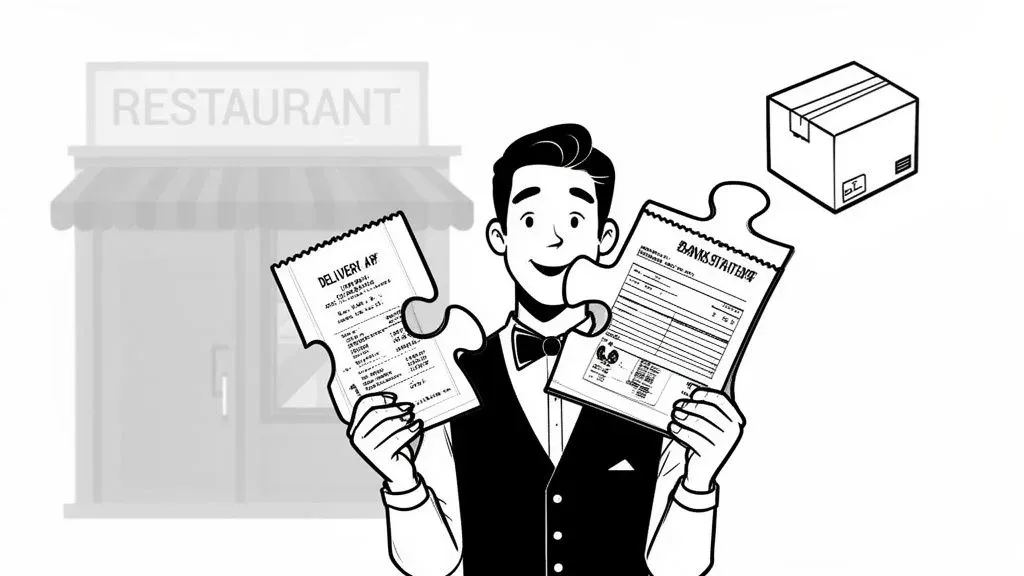
Ever tried balancing your personal checkbook? To reconcile in a restaurant is the same core idea, just on a much bigger and more critical scale. In simple terms, you’re matching two sets of records—like your delivery app sales and your POS reports—to make sure the numbers line up. It’s the essential process of confirming that the money you think you earned is the same amount that actually landed in your bank account. For a restaurant, this isn’t just about accounting; it’s about plugging profit leaks.
What Is Reconciliation and Why It Matters for Restaurant Operations
At its heart, reconciliation is a financial health check for your restaurant. It’s the task of comparing different financial documents to hunt down discrepancies, stop profit leaks, and keep your books clean. This isn’t just a chore for your accountant; it’s a powerful tool that boosts restaurant efficiency and protects your bottom line.
Why it matters for your restaurant: Without reconciliation, you’re flying blind. You don’t know if delivery apps are paying you correctly, if cash is going missing, or if you’re losing money to waste. It’s a direct hit to your profitability and a huge drain on staff time.
For a great primer on the fundamentals, this guide on how to reconcile bank statements breaks down the core process.
The Three Pillars of Restaurant Reconciliation
For restaurants, this process usually boils down to three key areas where money and data can easily get mismatched. Getting these right is fundamental to strong restaurant operations.
- Restaurant Delivery Sales vs. POS Integration Data: Do the sales reported by third-party apps like Uber Eats and DoorDash match what your own point-of-sale system, like a Clover or Square terminal, recorded?
- Bank Deposits vs. Sales Reports: Does the total cash and credit card revenue deposited into your bank account match your daily sales reports?
- Physical Inventory vs. System Data: When you do a stock count, does the amount of food on your shelves match what your inventory software says you should have?
Actionable Insight: Think of reconciliation as your best defense against common profit killers. It helps you catch incorrect delivery payouts, find missed sales, and uncover untracked food waste before they snowball into huge problems. This directly reduces errors and saves your staff valuable time.
Skipping reconciliation is a costly mistake. A tiny, undetected error, like a single $5 discrepancy on a DoorDash payout, doesn’t seem like much. But over a year, that small leak can turn into thousands of dollars in lost revenue.
The Real Cost of Neglecting Reconciliation
Every transaction you don’t reconcile is a potential hole in your financial boat. It could be an incorrect commission fee from a delivery partner, a simple data entry mistake by an employee, or a missing order that was never paid for. These things quietly drain your profits day after day.
By making reconciliation a regular habit, you shift from reacting to financial fires to proactively preventing them. It’s a small investment of time that directly boosts your bottom line and improves staff productivity.
The 3 Key Areas of Restaurant Reconciliation
When we talk about reconciliation in a restaurant, it’s not just one big, vague task. It’s really about checking your numbers in three critical areas where money and products are constantly moving. Getting these three right is the bedrock of a financially sound restaurant.
Think of it like a three-legged stool. If one leg is wobbly, the whole operation is at risk of tipping over. Each one protects a different, vital part of your business—from the cash drawer to your delivery app payouts to the food on your shelves.
1. Restaurant Delivery App vs. POS Reconciliation
This is where modern restaurants face the biggest challenges—and the most hidden losses. In simple terms, this is the process of matching up every single order from services like DoorDash and Uber Eats with the sales data you have in your own Point-of-Sale (POS) system.
Why it matters: You’re answering one crucial question: did we actually get paid the right amount for every order that went out the door? You need to verify things like:
- Order Totals: Does the sale amount on the delivery app report match the ticket in your Square POS?
- Commission Fees: Did they take their 20%, or did they accidentally charge you 25% on a few orders?
- Missing Orders: Is there an order in your POS that’s completely missing from the delivery app’s payout report?
- Adjustments and Refunds: If a customer was refunded, was it processed correctly on both systems?
Real-World Example: Imagine you’re a busy cafe using DoorDash. At the end of the week, your DoorDash report says they’re paying you for 100 orders. But when you check your POS, you see 105 DoorDash orders were fulfilled. Without reconciliation, those five missing orders—and the revenue they represent—are gone for good. This is a common error that directly eats into your profits. Automating this check with a Clover POS integration can immediately flag these missing payments, saving you time and recovering lost money.
2. Bank Reconciliation
This is the classic financial check every business owner should be doing. Simply put, you’re matching the cash and credit card deposits logged in your POS with what actually lands in your official bank account.
Actionable Insight: A daily bank reconciliation is your best defense against both internal theft and sneaky payment processing errors. It’s the final proof that the money you earned actually made it to the bank, which is vital for restaurant efficiency.
This simple check is what catches a cash drawer coming up short, a credit card batch that didn’t settle properly, or incorrect fees from your bank. If you wait until the end of the month to do this, finding the source of a discrepancy becomes a wild goose chase.
3. Inventory Reconciliation
The final piece of the puzzle shifts from money to physical goods. Inventory reconciliation is all about comparing what you think you have on hand (your theoretical inventory) with what’s actually sitting on your shelves (your physical inventory).
Why it matters: When those two numbers don’t match, it’s a huge red flag pointing to problems like:
- Employee Theft: High-value items like liquor or prime cuts of meat going missing.
- Food Waste: Inconsistent portioning from the kitchen or ingredients expiring before use.
- Supplier Errors: You signed for a full case of chicken, but the supplier only delivered a partial one.
If your system says you should have 20 pounds of ground beef, but a physical count shows only 15, you’ve lost five pounds. That’s five pounds of potential profit gone, whether it was due to waste, theft, or a receiving error. This is how you spot that leak and plug it, directly impacting your cost of goods sold.
Common Discrepancies in Restaurant Reconciliation
Discrepancy Type Where It Happens (Example) Financial Impact Incorrect Commission Fees A delivery app charges you 25% instead of your agreed-upon 20% on a dozen orders. Direct revenue loss. You’re paying more than you should, cutting directly into your profit margin on every affected sale. Missing Orders An order appears in your POS system but is completely absent from the delivery app’s payout report. Total loss on the order. You paid for the food and labor, but received $0 in revenue for it. Unaccounted for Refunds A customer was refunded through the app, but it wasn’t logged in your POS, making your sales look higher than they are. Inflated revenue numbers. This skews your financial reporting and can lead to poor business decisions. Cash Shortages The cash counted from a register at the end of the night is less than what the POS report says it should be. Immediate cash loss. This points to either cashier error, a faulty process, or potential internal theft. Delayed Batch Settlements Your credit card batch from a busy Friday night doesn’t deposit into your bank account until Tuesday. Cash flow problems. The money isn’t available when you expect it, which can make it hard to pay suppliers or staff on time. Inventory Shrinkage Your records show 10 bottles of a premium vodka, but a physical count only finds 8. Lost profit and skewed data. You’ve lost the cost of the product and the potential revenue, plus your recipe costing becomes inaccurate.
Spotting these issues is the entire point of reconciliation. By turning this process into a routine, you protect your cash flow, reduce errors, and ensure you’re keeping every dollar you earn.
Your Step-by-Step Manual Reconciliation Checklist
Ready to take control of your numbers? Manually reconciling your delivery app reports against your POS data is one of the most important habits for a restaurant operator. It takes diligence, but this process gives you the power to see exactly where your money is going and catch costly errors before they snowball.
This process essentially traces the journey of an order—from the third-party app, through your POS, and finally into your bank account.
The crucial thing to understand here is that each step affects the next. A small mismatch between your DoorDash report and your POS system creates a ripple effect that throws off your final bank deposit.
The 5 Steps to Manual Reconciliation
Follow this checklist to build a consistent and effective reconciliation routine. The goal is to make this a standard part of your restaurant operations, just like cashing out a register at the end of the night.
-
Gather Your Reports: First, you need to pull your documents. This means getting the weekly or daily summary report from each delivery service (like DoorDash or Uber Eats) and the matching daily sales report from your POS system, such as your Square end-of-day summary.
-
Align the Time Periods: This sounds simple, but it’s a common mistake. Compare apples to apples. If you’re looking at a weekly DoorDash summary that runs from Monday to Sunday, you need to pull the sales reports from your POS for that exact same seven-day period.
-
Match the Grand Totals: Start with a bird’s-eye view. Does the total sales figure on the delivery app report come close to what your POS recorded for that app? If there’s a big gap, that’s a major red flag.
-
Cross-Reference Individual Orders: Now it’s time to zoom in. Match individual order IDs or customer names between the two reports. This is the most time-consuming step, but it’s where you’ll pinpoint specific problems like a missing order or a mismatched subtotal.
-
Investigate Discrepancies: Once you find a mismatch, dig in and find out why. The usual suspects are incorrect commission deductions, outdated menu prices, or customer refunds that were never recorded on your end.
Real-World Example: The manager of a local pizzeria followed this exact method. While comparing her weekly Uber Eats payout to her Clover POS reports, she kept noticing a small but consistent gap. After cross-referencing individual orders, she found the culprit: an outdated price for their most popular pizza was costing them $50 per day from that one app alone. This manual check immediately recovered over $1,500 a month in lost revenue, a direct boost to profitability.
Your Practical Next Step
This manual checklist is a powerful tool for getting a handle on your finances. By turning this process into a habit, you’re building strong restaurant operating procedures that actively protect your bottom line. The key takeaway is that regular reconciliation provides the hard data you need to run a smarter, more profitable restaurant, turning abstract numbers into real insights that plug financial leaks.
Why Discrepancies Happen in Food Tech and How to Prevent Them
Fixing reconciliation errors is a good start, but stopping them before they even begin is where you really boost restaurant efficiency. Discrepancies are rarely random; they’re usually symptoms of a crack in your operational foundation. Getting to the root of these issues is key to building a more resilient and profitable business.
Solving Manual Data Entry Errors
First, let’s talk about “tablet hell”—the chaotic juggle of multiple delivery tablets. This is a huge source of reconciliation nightmares. Every time a server has to manually punch an Uber Eats order into your Clover POS, the door for human error swings wide open. A simple typo, like keying in $15.09 instead of $15.99, creates a discrepancy that eats up precious time to hunt down later.
Why it matters: These little mistakes are especially painful with ongoing labor shortages. With 70% of operators saying they can’t fill open positions, every minute of your team’s time counts. Manually entering orders into a Square POS is a time sink that leads to high error rates. You can learn more about how the labor shortage is impacting restaurants in this in-depth industry analysis.
The most direct fix for this is POS integration. When orders from delivery apps flow automatically into your main system, you eliminate the manual entry step completely. This one piece of food tech solves the problem at its source, dramatically cutting down on errors and freeing up your staff to focus on the customer experience. For more on this, check out our guide on the benefits of change order integration.
Preventing Pricing and Menu Chaos
Another big reason for mismatches is menu inconsistency. If a burger is $14 on DoorDash but rings up as $15 in your POS, every sale of that burger throws your numbers off. The same thing happens with 86’d items. If a customer orders a dish on an app that you’ve run out of, you’re left dealing with a canceled order and an accounting hiccup.
Real-World Example: A quick-service spot was constantly battling pricing errors. They put a simple process in place: whenever a price changed, it was updated on both their Uber Eats menu and their Clover POS at the same time using an integration tool. This small change cut their reconciliation errors by 75% and saved the manager hours of admin work every single week. This is a clear win for both cost savings and staff productivity.
The solution here is to manage your menu from one central place. Modern POS integration platforms let you update menus, change prices, and mark items as unavailable from a single dashboard, and then push those updates to all your delivery partners instantly.
Your Practical Next Step
Stop thinking of discrepancies as just a part of doing business. See them as valuable feedback highlighting weak spots in your restaurant’s operations. By tackling the root causes—manual entry and menu chaos—with smart food tech and better processes, you can stop these errors in their tracks. You’ll save time, reduce your team’s frustration, and protect your bottom line.
Ready to stop manual entry and sync your menus automatically? Get started for free with OrderOut at https://dashboard.orderout.co and see how seamless POS integration can transform your business.
Putting Your Reconciliation on Autopilot with POS Integration
A manual checklist is a decent start, but it’s a band-aid on a problem that needs a real fix. To permanently solve your reconciliation headaches and improve restaurant efficiency, you have to look at modern food tech. The only way to truly get ahead is with automation that ends the soul-crushing grind of matching reports by hand.
Automation software builds a digital bridge between third-party apps like DoorDash and your restaurant’s POS system. This direct POS integration acts as a central nervous system for your orders, ensuring every single transaction is captured correctly the moment it’s made.
The Power of POS Integration in Restaurant Operations
Picture this: an order from Uber Eats comes in. Instead of a tablet screaming for attention while an employee manually punches the details into your Square POS, the order just appears. Instantly. Correctly. That one simple action wipes out the human error that causes most discrepancies in the first place.
Why it matters: This isn’t just about saving a few minutes. It slashes data entry mistakes by over 90%, giving your team their time back. Your manager who used to burn an hour a day wrestling with spreadsheets can now glance at an automated summary and be done in minutes. That’s a huge boost to staff productivity. Find out more about the tools that make this happen in our guide to food delivery management software.
This becomes even more crucial when you look at growing revenue streams like catering. Unreconciled catering orders can have error rates as high as 15-20%, a massive hit to your profits. With 97% of operators expecting their catering business to grow, getting platforms like DoorDash integrated directly into your POS is non-negotiable. You can dig into these restaurant catering trends in this detailed report.
From a Time Sink to a Time Saver
Bringing in automation isn’t just about catching mistakes after they happen; it’s about building a fundamentally more efficient and profitable business.
Actionable Insight: Automation turns reconciliation from a reactive, time-draining chore into a proactive, strategic advantage. It gives you the clean, reliable data you need to make smarter financial decisions, saving significant time and money.
By automating, you immediately improve:
- Staff Productivity: Your team is freed from mind-numbing admin work, letting them focus on activities that actually make you money.
- Financial Accuracy: Your sales reports become a source of truth you can actually trust, taking the guesswork out of financial planning.
- Reduced Costs: You stop bleeding money from manual errors, missed revenue, and wasted hours of labor.
For a restaurant looking to master its finances, exploring the top small business accounting software options can be a total game-changer.
Your Practical Next Step: Stop wasting valuable hours fighting fires you can prevent. The path forward is to connect your delivery apps directly to your POS, whether you use Clover or another system. It’s an investment that quickly pays for itself in higher productivity, accurate financials, and a much healthier bottom line.
Start your free onboarding with OrderOut in just a few clicks at https://dashboard.orderout.co.
Your Next Steps Toward Perfect Reconciliation
When you pull it all together, smart, consistent reconciliation isn’t just another task on the checklist. It’s a fundamental part of running a modern restaurant.
Choosing to stick with manual methods means you’re choosing to accept high costs. You’re talking about real money slipping through the cracks from missed orders, precious labor hours burned on mind-numbing data entry, and major business decisions being made with shaky numbers.
On the flip side, the rewards of bringing in an automated system are obvious and almost immediate. When you let technology do the heavy lifting, you get your time back, slash the expensive errors that plague manual spreadsheets, and finally get financial reports you can trust.
Moving From Reactive To Proactive
The real takeaway here is simple: taking control of your financial data means taking control of your restaurant’s future. Instead of constantly putting out fires after they’ve already cost you money, you can build a more resilient and profitable business. This shift is crucial for improving restaurant efficiency and delivery operations. To see how all the pieces fit together, check out our guide on POS software integration.
Your path forward starts right now with two straightforward actions:
- Assess Your Current Process: Take an honest look at your reconciliation workflow. Where are the gaps? What information is missing? Where are the financial leaks really coming from?
- Explore Automation: See for yourself how a direct integration can permanently plug those gaps, giving you a serious boost in efficiency while protecting your hard-earned bottom line.
Practical Next Step: Ready to stop chasing down discrepancies and start building a stronger business? You can solve these challenges today. Start your free onboarding with OrderOut in just a few clicks.
A Few Common Questions About Restaurant Reconciliation
Jumping into any new process in your restaurant is bound to bring up a few questions. Let’s tackle some of the most common ones that pop up when owners and managers first start getting serious about reconciliation.
How Often Should I Be Reconciling My Accounts?
For delivery app sales vs. your POS, daily reconciliation is the gold standard. Catching a small mistake the very next day is a simple fix. Trying to track down that same error a month later can turn into a huge, time-consuming mess that hurts your restaurant’s efficiency.
If daily checks aren’t possible, aim for a weekly reconciliation at the absolute minimum.
Actionable Insight: The faster you spot a discrepancy, the easier it is to resolve. A quick daily check-in might only take a few minutes, but it can literally save you thousands of dollars over a year by reducing errors and saving time.
What’s the Biggest Reconciliation Mistake Restaurants Make?
The most damaging mistake is simply not doing it. The second biggest mistake? Only glancing at the top-line numbers. Many managers figure if the total sales from their DoorDash report look about right compared to their POS, everything must be fine.
But the real profit killers are hiding in the details. They’re tucked away in individual order line items—things like incorrect commission fees, missing refunds, and other small charges that slowly but surely bleed your revenue dry. You have to dig into each transaction to see what’s actually happening.
Can I Handle Reconciliation Myself?
Of course! As a restaurant manager, you’re in the perfect position to handle the daily operational reconciliation between apps like Uber Eats and your Clover or Square POS. You’re closest to the action and will be the first to spot when something looks off.
That being said, it’s a good idea to have a professional bookkeeper or accountant handle the bigger month-end tasks, like bank and balance sheet reconciliation. It’s a team effort: you and your managers keep the daily operations accurate, and your accountant ensures the big-picture financials are solid.
By making reconciliation a non-negotiable part of your daily routine, you stop leaving money on the table and take back control of your finances. If you’re looking to automate the whole process and boost your restaurant’s efficiency, OrderOut can handle it for you.