
What Is a POS System? Your Guide to Better Restaurant Operations
· Thibault Le Conte
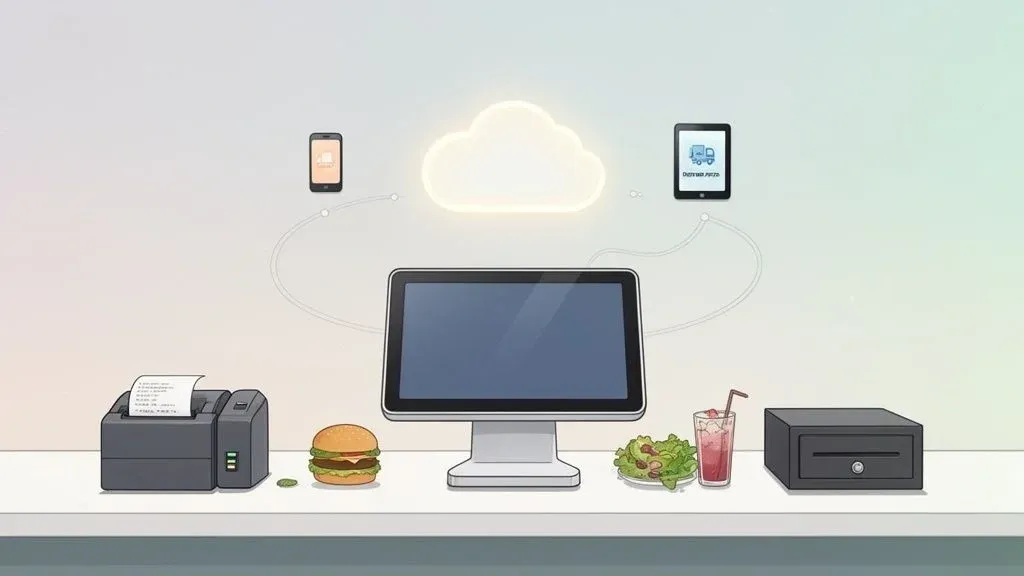
A Point of Sale (POS) system is the central hub of your restaurant. In simple terms, it’s where you handle all your sales. But a modern POS is much more than a fancy cash register. Think of it as the brain of your entire business, connecting your front-of-house, kitchen, and back-office operations into one smart, streamlined system. It handles everything from customer orders and payments to inventory and sales reports, all from a single screen.
This technology is what allows your team to take an order at a table, send it instantly to the kitchen, process a credit card payment, and track that sale without ever writing on a paper ticket. For restaurant owners, this means fewer errors, faster service, and more time to focus on the guest experience.
The Command Center for Your Restaurant Operations
Imagine running a busy dinner service with handwritten tickets, a separate credit card machine, and an Excel sheet for inventory. It’s chaotic and prone to mistakes. A POS system brings order to that chaos by becoming the single source of truth for your restaurant. It connects every moving part, from the host stand to the kitchen line, ensuring everyone is on the same page.
When a server punches in an order, the POS sends it to the kitchen display, processes the customer’s payment, and updates your sales reports and inventory levels in real-time. This seamless flow is crucial for turning tables faster and keeping guests happy, which is essential to succeeding in the unique demands of the Restaurants and Hospitality industry.
Why a Modern POS is a Game-Changer for Restaurant Efficiency
The right POS system has a direct and immediate impact on your efficiency and, ultimately, your bottom line. Instead of your staff wrestling with different tools for taking orders, processing payments, and pulling reports, everything lives in one unified system. This dramatically reduces manual work, freeing up staff to focus on what really matters: delivering fantastic service.
This leads to a much smoother workflow, fewer costly errors, and a significant boost in staff productivity. For instance, a modern POS like Square can instantly show you which hours are your busiest or which menu items are your top sellers. With that data, you can build smarter staff schedules and fine-tune your inventory, directly cutting labor costs and reducing food waste.
Quick Breakdown: What a POS System Does for Your Restaurant
Core Function What It Means for You Real-World Impact (Time/Cost Savings) Order & Payment Processing One central place to take orders, send them to the kitchen, and process all payment types. Faster service, fewer ordering errors, and a more professional checkout experience for customers. Reduces time spent per table. Sales Reporting & Analytics Instantly track sales, identify top-selling items, and monitor performance trends. Make data-driven decisions on menu pricing and staffing instead of guessing. Saves money by optimizing your menu and labor. Inventory Management Automatically deducts ingredients from stock as menu items are sold. Prevents running out of popular dishes, reduces food waste, and simplifies reordering. Directly cuts food costs. Customer Relationship Management (CRM) Collects customer data to track visit history, preferences, and build loyalty programs. Encourage repeat business with targeted marketing and personalized service. Increases customer lifetime value.
A POS system automates complex daily tasks, giving you more time to focus on growing your business instead of getting stuck in the weeds of daily operations.
The Foundation of Modern Food Tech and POS Integration
In today’s restaurant world, your POS is the foundation that all your other food tech plugs into. It’s the central hub that allows different systems to communicate seamlessly.
- Online Ordering Platforms: Ensures orders from your website land directly in your kitchen’s workflow.
- Third-Party Delivery Apps: Services like DoorDash or Uber Eats can feed orders straight into your POS, eliminating the need for manual entry and reducing errors.
- Payment Processors: Securely manages credit cards, Apple Pay, and gift cards without clunky, separate terminals.
A truly great POS doesn’t just record what you’ve sold; it actively helps your restaurant run better by automating the tedious tasks that used to eat up your staff’s time. This is where you’ll see the biggest return on your investment—moving from manual work to an automated workflow that reduces errors and saves labor costs.
The magic that allows these different tools to talk to each other is called POS integration. You can learn more about how these connections supercharge your operations in our guide to https://www.orderout.co/blog/integrated-point-of-sale-systems/. By picking a system that plays well with others, like Clover, you’re not just buying a piece of hardware; you’re future-proofing your business to handle the demands of restaurant delivery and online ordering.
Understanding POS Hardware and Software
A POS system is made of two parts that must work together perfectly: hardware and software. The easiest way to understand it is to think of your smartphone. The physical phone is the hardware, but all the apps that make it useful are the software. Both are essential to run a modern restaurant efficiently.
The hardware is all the physical equipment your team uses every day, built to withstand the pace of a busy service. The software is the brain behind it all, giving that hardware its purpose and power to manage your restaurant operations.
Essential POS Hardware for Your Restaurant
Your POS hardware is at the center of every transaction, from taking an order to swiping a credit card. While every restaurant’s setup is a bit different, most rely on a few core pieces to keep things moving smoothly.
- Touch-Screen Terminal: This is your command center. Most modern systems use a responsive tablet, making it easy for staff to punch in orders quickly and accurately.
- Card Reader: A fast, secure payment terminal is non-negotiable. It should handle everything—chip cards, contactless payments like Apple Pay, and traditional swipes—to make paying easy for your guests.
- Receipt Printer: Even in a digital world, many customers want a paper receipt. A reliable, high-speed printer is a must-have for them and for your kitchen tickets if you aren’t using a kitchen display system (KDS).
- Cash Drawer: For cash transactions, you need a secure drawer. Modern drawers connect to your POS and open only during a cash sale, which helps reduce mistakes and theft.
These physical tools are the foundation of your point of sale operation.
The Software That Powers Your Restaurant Operations
If the hardware is the body, the software is the brain. POS software is the program your staff interacts with to manage everything. It’s what transforms a simple tablet into a powerful business tool designed specifically for how restaurants work.
This is where all the real work gets done. The software lets your servers send orders directly to the kitchen, split a complex check between six people, see which tables are open, and apply discounts with a few taps. It’s also your window into the business, providing sales reports that show exactly what’s selling, what’s not, and where you can improve efficiency.
Here’s how it all connects: A server takes an order on a tableside tablet (hardware). The POS software instantly sends that order to the kitchen. When the guests are ready to pay, the server processes their payment with a card reader, and the software records every detail for your reports. This smooth, integrated flow is what boosts staff productivity and reduces errors.
Why It Matters: Hardware and Software in Sync
A POS system only shines when its hardware and software are perfectly synchronized. A great example is a lightweight tablet running powerful software. It allows servers to take orders right at the table, eliminating wasted steps to a stationary terminal. This one change can make your staff far more productive, reduce order errors, and help you turn tables faster, directly impacting your revenue.
Many restaurants now choose flexible hardware like iPads because they offer the right balance of performance and price. To see if that’s a good move for your restaurant, check out our guide on using an iPad for POS systems in restaurants. Ultimately, choosing components designed to work together means fewer tech headaches and a team that can stay focused on the customer.
On-Premise vs. Cloud POS Systems: A Key Food Tech Decision
Choosing the right type of POS system is a major decision for any restaurant owner. It comes down to two main options: on-premise and cloud-based systems. In simple terms, this choice determines where your restaurant’s data is stored and how you access it.
An on-premise POS system is the traditional approach. All your restaurant’s data—every sale, order, and report—is stored on a physical server located inside your restaurant. This is a closed-loop system, which means it can keep running even if your internet goes down.
The more technical side is that you are responsible for maintaining that server and its software. This often means a large upfront investment in hardware and licenses, plus the ongoing headache of manual software updates and security maintenance.
The Modern Choice: Cloud-Based POS Systems for Restaurant Delivery
On the other hand, cloud-based POS systems are the flexible, modern solution most restaurants use today. Instead of a server in your back office, all your data is stored securely online in “the cloud.” This is a huge advantage for restaurant operations because it means you can access your sales data, pull reports, or update your menu from anywhere with an internet connection.
This is technically known as a “Software as a Service” (SaaS) model, which turns a huge one-time expense into a predictable monthly subscription. Better yet, the provider handles all the technical heavy lifting, like security and software updates, so your system is always running the latest version without you lifting a finger. If you want to learn more, our guide on SaaS for restaurants breaks it all down.

This flowchart shows that no matter which route you take, every POS is a combination of the physical hardware you can touch and the smart software that makes it all work.
On-Premise vs. Cloud POS: Which is Better for Restaurant Operations?
This table breaks down how each system stacks up on the factors that matter most to a restaurant owner, focusing on efficiency and cost savings.
Feature On-Premise POS System Cloud-Based POS System Why It Matters for Restaurants Initial Cost High (hardware, software licenses) Low (often monthly subscription) Lower entry cost for new or growing restaurants. Data Accessibility Local access only Accessible from anywhere with internet Check sales on your phone; manage multiple locations easily. Maintenance Your responsibility (IT staff/owner) Handled by the provider Frees up your time and saves on IT support costs. Software Updates Manual installation required Automatic and seamless Always have the latest features and security without downtime. Offline Functionality Fully functional without internet Limited or no functionality (depends on provider) On-premise has an edge if internet is unreliable. POS Integration Often limited and complex Simple to connect with other apps Easily add restaurant delivery apps like DoorDash.
Why This Choice Impacts Your Restaurant’s Efficiency
The choice between on-premise and cloud directly impacts your daily workflow and ability to adapt to new technology like third-party delivery.
A cloud-based system like Clover or Square gives you incredible agility. For example, a restaurant manager can check live sales on their phone while at the market to decide if they need to buy more produce for the dinner rush. This real-time insight, only possible with a cloud system, helps prevent running out of a bestseller and reduces waste.
The Takeaway: For most modern restaurants—especially those looking to integrate with delivery apps like DoorDash and Uber Eats—a cloud-based POS is the clear winner. The lower upfront cost, automatic updates, and remote access provide the operational freedom needed to stay competitive and efficient. The right system removes friction, freeing you up to focus on what you do best: serving amazing food.
Key POS System Features for Smarter Restaurant Operations

A modern POS is more than a cash register; it’s a powerful toolkit designed to solve the real, everyday challenges of running a restaurant—from a slammed kitchen to tracking every last onion. Understanding these features helps you see a POS not as a cost, but as an investment that directly saves you time and money.
Order and Table Management: The Core of Restaurant Efficiency
At its heart, a restaurant POS must excel at taking orders. This isn’t just about punching in a burger and fries. It’s about effortlessly handling complex special requests—like “extra pickles, no onions, severe nut allergy”—without slowing down your server or creating chaos in the kitchen. A great system makes modifiers easy and sends clear instructions to the cooks, which cuts down on mistakes that lead to wasted food and unhappy customers.
Equally important is table management. A modern POS gives you a visual layout of your dining room. You can see at a glance which tables are occupied, which are ready for new guests, and how long each party has been seated. This isn’t just a neat graphic; it’s an actionable tool that helps your host seat guests faster and turn tables more efficiently, maximizing your revenue during a busy dinner rush.
Real-Time Inventory Tracking to Reduce Food Costs
Running out of your most popular dish on a Friday night is a restaurant nightmare. A modern POS helps you avoid this with real-time inventory tracking. In simple terms, every time a server rings in an order, the system automatically subtracts the ingredients from your stock levels.
The payoff is immediate and significant:
- Slash Food Waste: You know exactly what you have, so you stop over-ordering ingredients that will spoil. This directly reduces your food costs.
- Prevent “86-ing” Menu Items: Automatic low-stock alerts notify you when it’s time to reorder essentials, ensuring you never disappoint a customer.
- Boost Menu Profitability: By linking ingredient costs to menu prices, you can see which dishes are your true money-makers and adjust your menu for maximum profit.
This transforms inventory from a weekly guessing game into a precise, data-driven process that protects your bottom line.
Reporting and CRM: Turning Data into Action
Your sales data is a goldmine, and a good POS gives you the tools to dig in. Strong reporting and analytics transform thousands of individual sales into simple, actionable insights. In seconds, you can identify your busiest hours, your top-performing servers, and the menu items customers love most. This data empowers you to build smarter staff schedules, refine your menu, and design promotions that actually drive sales, saving you money on labor and marketing.
If you’re looking for a deeper comparison of what different systems offer, check out our guide on the best POS systems for restaurants.
Your POS shouldn’t just tell you what you sold; it should help you understand who you sold it to. That’s where Customer Relationship Management (CRM) comes in.
Built-in CRM tools help you create a database of your guests. You can track visit frequency, note their favorite orders, and build loyalty programs that encourage repeat business. A simple “welcome back!” or remembering a regular’s drink order is what turns a first-time visitor into a loyal fan. Of course, managing customer data means handling payments securely and efficiently, an area where dedicated payment processing expertise can offer valuable guidance.
By putting these features to work, your POS becomes the engine driving your restaurant’s efficiency and profitability.
The Power of POS Integration for Restaurant Delivery
In today’s restaurant world, a POS system that can’t connect to other tools is like a smartphone without internet. It might handle the basics, but you’re missing out on its true power. The real magic for modern restaurants happens with POS integration—getting your system to automatically “talk” to all the other software you rely on, especially for restaurant delivery.
Think of your POS as the central hub for your restaurant’s technology. Instead of your team manually entering information from one system into another, everything flows automatically. This is absolutely critical for managing the non-stop growth of online ordering and delivery from apps like DoorDash and Uber Eats.
Escaping “Tablet Hell” with POS Integration
Without integration, restaurant counters become a chaotic mess of tablets for Uber Eats, DoorDash, and other delivery services, all ringing and beeping at once. For every single order, a staff member has to stop what they’re doing, grab the tablet, and manually punch the details into your main POS system.
This manual process is slow, inefficient, and a recipe for disaster. It’s incredibly vulnerable to costly mistakes—a simple typo can lead to the wrong meal being made, wasting food and damaging your reputation. Every second your team spends re-keying orders is a second they aren’t helping the paying guests in your dining room, hurting both service and staff productivity.
From Accountability to Automation in Food Tech
At its core, the point of sale has always been about making operations smoother and cutting down on loss. This idea dates back to 1879, when saloon owner James Ritty invented the first cash register to stop his bartenders from pocketing cash. He called it “Ritty’s Incorruptible Cashier” to bring accountability to the process. You can discover more insights about POS history on Qualtrics.com.
Today, that same spirit of preventing loss continues, but the challenge has evolved. Instead of just theft, restaurants now battle the costly errors from manual order entry. Modern POS integration tools tackle this head-on by connecting delivery apps directly into systems like Clover or Square, eliminating the human error that hurts your bottom line.
By connecting your delivery apps directly to your POS, you turn a chaotic, high-stress process into a smooth, automated workflow. An order from Uber Eats appears in your kitchen just like an in-house ticket, with zero manual input required. This saves time, cuts errors, and boosts staff productivity.
This is how you turn delivery from a headache into a profitable revenue stream. Integration frees up your staff, slashes order mistakes, and creates a unified system where all your tech works together seamlessly.
Your Practical Next Step: Look at your counter. If your team is juggling multiple tablets and manually entering delivery orders, it’s time to explore POS integration. This single change can drastically reduce errors and give your staff their valuable time back, directly boosting your profitability. You can start streamlining for free at https://dashboard.orderout.co.
How Direct Delivery Integration Boosts Your Bottom Line
If you’ve ever felt the pain of “tablet hell,” you know the problem. The solution is direct delivery integration. In simple terms, it’s a smart bridge that connects all your third-party delivery apps—like DoorDash and Uber Eats—directly into the restaurant POS system you already use. No more juggling a half-dozen buzzing tablets. Just one seamless flow of information.
Technically, this is achieved through an API (Application Programming Interface) that allows different software to communicate. When an order comes in through DoorDash, the integration instantly sends it to your Clover POS system or Square POS system. The ticket prints in the kitchen exactly like a dine-in order, completely removing the need for manual entry.
The Immediate Impact on Restaurant Operations
This isn’t a minor tweak; it’s a fundamental improvement that saves real time and money from day one.
First, you drastically reduce costly order errors. A simple typo during manual entry can lead to the wrong dish being made. That single mistake costs you food, labor, and a potential bad review. By automating the process with POS integration, you achieve 100% order accuracy, protecting both your profit margins and your reputation.
Second, you give your staff their time back. Instead of being tied to the counter re-keying orders, your team can focus on what they do best: taking care of the guests in your restaurant. For example, without manual entry for Uber Eats orders, your host is free to greet customers and manage the waitlist, leading to better service and faster table turns.
Every $20 order mistake you prevent does more than just save you the cost of food. It protects your restaurant’s reputation and frees up your team to create a better guest experience, turning a high-stress process into a smooth, profitable revenue channel.
From Digital Transformation to Daily Efficiency
Using technology to improve restaurant operations isn’t new. Back in 1973, IBM launched the first computerized POS, which McDonald’s famously adopted to manage orders and inventory. That innovation turned the POS from a cash register into the brains of the operation. Today, direct delivery integration is a similar leap forward, taking the chaos of modern delivery and turning it into a streamlined, error-free system that boosts staff productivity.
The Financial Benefits for Your Bottom Line
The operational wins from direct POS integration are clear and measurable. Once your delivery orders flow automatically, you’ll see key improvements:
- Increased Staff Productivity: Your team can handle a much higher order volume without stress because they’re focused on hospitality, not data entry. This reduces labor costs per order.
- Faster Order Throughput: Orders get to the kitchen faster and with perfect accuracy, meaning you can fulfill more deliveries during the dinner rush and increase revenue.
- Enhanced Customer Satisfaction: Fewer mistakes lead to happier customers, better ratings on delivery apps, and ultimately, more orders.
This kind of POS integration is no longer a luxury. It’s essential for any restaurant that wants to make delivery a truly profitable part of its business. For a deeper dive, our guide on how integration with POS systems works breaks it all down.
Your Practical Next Step: Calculate how much time your staff spends typing in delivery orders each day. With a direct POS integration, you can convert all those lost hours back into productive, customer-facing work and eliminate costly errors for good.
You can start the process right now. It takes just a few clicks to begin onboarding for free at https://dashboard.orderout.co and transform your delivery operations into an efficient, profitable machine.
Your Next Step: A Simple Plan to Improve Restaurant Efficiency
A modern, fully integrated POS system is the engine that powers a successful restaurant. You’ve seen what a POS system is and how it can boost efficiency, slash errors, and provide the data you need to grow your profits. It’s the central nervous system that brings order to the chaos of a busy service.
But you don’t need a massive, intimidating project to improve your operations. The single most impactful first step you can take is to solve the biggest headache for most restaurants: manually entering third-party delivery orders. Fixing this one issue can instantly free up your staff and stop costly mistakes from eating into your margins.
Your First Actionable Insight: Tame the Delivery Chaos
Instead of treating delivery as a necessary evil that clutters your counter with tablets, you can make it a smooth, integrated part of your daily workflow. The solution is direct POS integration. It turns a stressful, error-prone task into an automated process that just works.
By connecting your delivery apps directly to your POS, you can reclaim all those hours your team spends typing in orders. This frees them up to focus on what matters most: taking care of the guests in your restaurant.
Here’s why POS integration is a game-changer for your restaurant operations:
- Boost Staff Productivity: With automatic order entry, your staff can handle more customers and turn tables faster. No more double-duty as data-entry clerks.
- Eliminate Costly Errors: Automation means 100% order accuracy. This drastically reduces food waste and protects your reputation on delivery apps.
- Improve Your Bottom Line: Every minute saved and every mistake prevented adds up. This simple change makes restaurant delivery a far more profitable part of your business.
A great POS system does more than just take payments—it unlocks efficiency. Integrating your delivery services is the lowest-hanging fruit for saving time, cutting costs, and making your team’s jobs a whole lot less stressful.
Taking Your Practical Next Step
Switching from manual entry to an automated system is easier than you think. If you’re already using a popular platform like the Clover POS system or the Square POS system, a solution is just a few clicks away. You don’t need to overhaul your entire tech stack to see a huge improvement in how your restaurant runs.
It’s time to take control of your restaurant operations and set your business up for success. Automating your delivery orders isn’t just about adding new food tech; it’s a direct investment in a smarter, calmer, and more profitable restaurant.
Ready to stop juggling tablets and start streamlining your restaurant operations? You can connect your delivery apps directly to your POS today. Start onboarding for Free in a few clicks.