
What Is Aloha POS System A Guide to Restaurant Operations
· Thibault Le Conte
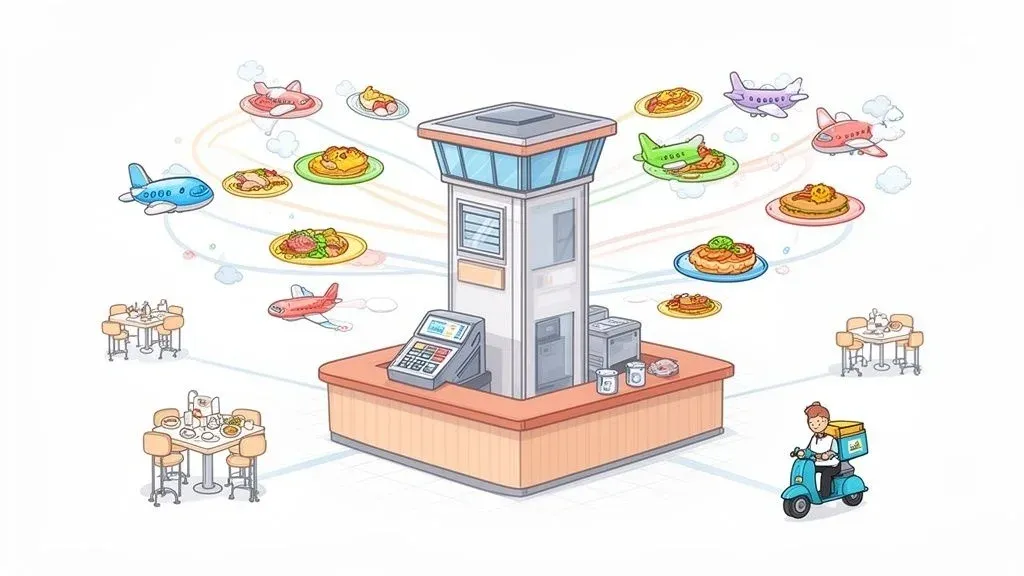
If you’ve ever worked in a restaurant, you know the controlled chaos of a dinner rush. Orders flying, tickets printing, tables turning. At the center of it all, acting like an air traffic controller, is the point-of-sale (POS) system. For countless restaurants, that system is Aloha POS.
In simple terms, Aloha POS is the central nervous system for your entire restaurant. It’s the digital hub that connects your servers, your kitchen, and your back office, making sure everyone is working from the same playbook. It’s built from the ground up to handle the intense, fast-paced world of food and beverage service, helping you improve efficiency and streamline your delivery operations.

What Is The Aloha POS System?
At its most basic, Aloha POS is the platform where your staff punches in orders and processes payments. But that’s just scratching the surface. Its real job is to manage the complex flow of information that keeps a restaurant humming along, reducing errors and boosting staff productivity.
Technically speaking, Aloha started as a traditional on-premise system, meaning all the hardware and the main server lived right there in your restaurant. While those legacy systems are still incredibly common due to their reliability, Aloha has evolved to offer more modern, cloud-connected solutions that give operators more flexibility for POS integration with modern food tech.
To get a quick handle on what defines Aloha, here’s a simple breakdown of its core identity.
Aloha POS at a Glance Key Characteristics
Characteristic Simple Explanation Industry Focus Built specifically for restaurants, from QSRs to fine dining. Architecture Traditionally an on-premise system, but has evolved to include cloud capabilities. Reliability Known for being a workhorse; it’s designed to be stable even when the internet isn’t. Customization Highly configurable to match a restaurant’s specific workflows and needs. Integration Features a large ecosystem of third-party partners for hardware and software.
This combination of reliability and deep industry focus is why you’ll still find it powering some of the biggest names in the business.
Why Your POS Is The Key To Restaurant Efficiency
It’s easy to dismiss a POS as just a fancy cash register, but a good one is the difference between a smooth service and a complete meltdown. When implemented correctly, it becomes a powerful tool for boosting productivity and slashing errors—which directly impacts your bottom line.
- Order Accuracy: It’s the digital messenger that makes sure the kitchen gets the “burger, no onions, extra pickles” order exactly as the customer said it. Fewer mistakes mean less food waste (cost savings) and happier guests.
- Payment Speed: With integrated payments, you can close out checks faster. That means quicker table turns and more revenue during your busiest shifts.
- Data-Driven Decisions: Every single transaction is a piece of data. Aloha captures it all, telling you which dishes are selling, when you’re busiest, and who your top-performing servers are. This isn’t just trivia; it’s the intel you need for smarter inventory and staffing choices, leading to significant time savings for managers.
For restaurant owners juggling a full dining room and a constant stream of orders from Uber Eats and DoorDash, your POS is the gatekeeper to sanity. Without a connected system, you’re stuck with manual entry, which is slow, frustrating, and a recipe for disaster.
Imagine a DoorDash order pops up on a separate tablet. A server has to stop what they’re doing, walk over, and manually punch that entire order into Aloha. That’s a bottleneck. It’s a moment where a mistake can happen. It’s a delay that could turn a good experience into a bad one. This is why POS integration is critical for modern restaurant delivery.
This is precisely why a solid, well-integrated POS is no longer optional. To get a better handle on the fundamentals, you can check out our complete guide on what a POS system is and how it fits into the bigger picture of restaurant tech.
The Core Features That Power Your Restaurant
Think of your Aloha POS as more of a command center than a cash register. It’s a suite of tools built from the ground up to solve the real-world headaches that restaurants deal with every single day. Instead of just rattling off a list of features, let’s look at what’s actually inside the system and how it boosts your restaurant efficiency, delivery speed, and staff productivity.

Seamless Order and Menu Management
During a chaotic dinner rush, keeping the kitchen and front-of-house in perfect sync is everything. That’s what great order management does. When a server punches in an order, it shoots directly to the right kitchen station, complete with every modifier. This digital line of communication cuts down on verbal mistakes and keeps the whole operation flowing smoothly, reducing errors and saving time.
In the same way, solid menu management helps you avoid that awkward moment when you have to “86” a best-seller. You can update item availability across all your terminals in real-time, which means servers can’t take orders for a dish you just ran out of. This directly improves restaurant operations and customer satisfaction.
Integrated Payment Processing
One of the biggest levers you can pull to improve efficiency is how fast you turn tables. Integrated payment processing puts that whole cycle into overdrive. Servers can handle payments right at the table or terminal instead of running a card over to a separate machine and back.
This isn’t just a nice-to-have anymore; it’s essential for modern food tech. Systems like Square use integrated payments to make checkout fast and painless, which is a huge part of the customer experience. Aloha delivers that same speed, cutting down guest wait times and freeing up your staff to help other tables. That directly translates to more revenue potential per shift.
Advanced Inventory and Staff Tools
A modern POS like Aloha goes way beyond just ringing up sales. Its inventory control tools are vital for your restaurant’s financial health. You get real-time, ingredient-level tracking tied to every sale, so you know exactly how many steaks you have left in the walk-in. This data is the backbone for implementing a robust food cost calculator that shows you your true profitability and helps slash waste and save costs.
Aloha’s dominance in the food tech world is hard to miss. The system holds a commanding 29.1% market share in the restaurant POS segment, a number that speaks volumes about its deep, industry-specific design.
The employee management tools are just as powerful. They centralize everything from time clocks and scheduling to payroll reports, saving your managers hours of tedious admin work. That’s more time they can spend on the floor, coaching the team and talking to guests, which boosts staff productivity. If you want to see how these features compare across the board, take a look at our guide on the best restaurant point-of-sale software. Other major players, like Clover, also prove how crucial these integrated back-office functions are for a productive restaurant.
At the end of the day, these core features all work together to give you a more controlled, predictable, and profitable business. They connect the dots between every sale, every ingredient, and every staff member, turning chaotic moments into a streamlined process.
On-Premise vs. Cloud Aloha: The Critical Difference for Your Restaurant Operations
Picking between an on-premise and a cloud-based Aloha POS is a huge decision. It’s the kind of choice that sets the entire technical foundation for your restaurant. Think of it this way: an on-premise system is like owning a house, while a cloud system is like renting a high-tech apartment. Each impacts your restaurant’s efficiency, cost, and ability to handle delivery.
The On-Premise System: Your Local Powerhouse
In simple terms, an on-premise system means all your software and sales data live on a physical server tucked away in your back office. Its biggest selling point? Rock-solid reliability. Because everything runs locally, your POS can keep taking orders and payments even if your internet goes down. For a busy restaurant where downtime means lost money, this is a massive advantage.
The technical trade-off is that you’re on the hook for all system maintenance, software updates, and data backups. If that server crashes on a busy Friday night, it’s your problem to solve. That can mean expensive emergency IT calls and the risk of losing data if your backups weren’t perfect, leading to high unforeseen costs.
The Cloud System: Your Agile Command Center
A cloud-based system, like NCR Aloha Cloud, is a completely different animal. It works more like a subscription you’d pay for Netflix. Your data isn’t stored on a machine in the back; it’s kept securely online. This setup gives you incredible flexibility. You can pull up sales reports, tweak menu items, and check on your team from anywhere with an internet connection—be it your couch or a beach. This directly improves management efficiency.
Technically, this model also shifts the maintenance headache from your plate to the provider’s. Updates roll out automatically in the background, so you always have the latest features and security fixes without lifting a finger.
The real game-changer with the cloud is how easily it plays with modern restaurant tech. Plugging in third-party delivery services or new analytics tools is way simpler because cloud systems are built to connect.
Integrating a platform like DoorDash, for instance, is far smoother with a cloud POS. The system is designed from the ground up to “talk” to other online services via APIs (Application Programming Interfaces), which cuts down on setup headaches and makes the whole operation more reliable. This focus on POS integration is why so many operators are looking into the world of SaaS for restaurants. It lets them adapt on the fly without being chained to physical hardware.
Mastering POS Integration for Modern Restaurant Delivery
Picture a chaotic Friday night. Your front-of-house team is drowning in a sea of tablets—one for DoorDash, another for Uber Eats, a third for Grubhub. Every time an order dings, someone has to drop what they’re doing, decipher the ticket, and manually punch it all into your Aloha POS. It’s a recipe for disaster.
That scene isn’t just a headache; it’s a massive operational bottleneck that costs you time, money, and staff sanity. This is where POS integration stops being a “nice-to-have” and becomes absolutely essential for any restaurant serious about delivery.
The Role of POS Integration in Restaurant Operations
At its heart, a good POS integration tool acts like a universal translator for your food tech. It builds a digital bridge that connects all those third-party delivery apps directly to your Aloha POS system. Instead of orders piling up on separate tablets, they flow straight into your main workflow, popping up on your Kitchen Display System (KDS) just like an order taken in-house.
This connection completely automates a tedious, error-prone manual process. The payoff is immediate and actionable:
- Drastically Fewer Errors: When you eliminate manual order entry, you slash the kind of mistakes that kill your margins—think wrong modifiers or completely missed items. This directly reduces food waste and saves money.
- Massive Time Savings: Your team gets back hours every single week. Instead of being tablet jockeys, they can focus on what they do best: taking care of the guests right in front of them, boosting staff productivity.
- Unified Reporting: All your sales data, whether from a dine-in customer or an Uber Eats order, gets funnelled into one place. You get a crystal-clear, accurate picture of your business without having to Frankenstein reports together.
The diagram below shows you exactly how this data pipeline works, making sure every transaction is captured cleanly from the start.

As you can see, a proper integration takes all those chaotic inputs and channels them into a single, manageable data stream. It’s order from chaos.
POS Integration in the Real World
Let’s be real. Think about two kitchens. In the first, you have staff yelling order details across the line while tablets are beeping nonstop. It’s pure stress. In the second, delivery orders print from the KDS in a clean, standard format, letting the line cooks work methodically and efficiently. This is the power of a streamlined restaurant delivery system.
This isn’t some theoretical benefit; it’s a tangible change to your kitchen’s workflow that lowers stress and boosts output. This shift toward total connectivity is exactly why Aloha POS is a giant in the industry, powering operations for over 17,604 companies. They’re leaning into this, too—innovations like the NCR Aloha Cloud now directly integrate with services like DoorDash. It’s the same principle we see with restaurants connecting platforms like Clover and Square to consolidate their orders, which has been shown to slash manual entry errors by up to 50%.
A connected POS is a profitable POS. By automating the flow of information, you’re not just buying software; you’re investing in a calmer kitchen, a more productive team, and a more accurate financial overview of your business.
If you want to get into the nitty-gritty of how it all works, check out our guide on POS software integration.
The next step is to take a hard look at your own delivery setup. If your team is stuck in “tablet hell,” it’s time to find an integration solution that can finally bring some order to the chaos.
Weighing the Pros and Cons of Aloha POS
Let’s be honest—no single POS is the perfect choice for every single restaurant. To figure out if Aloha is right for you, you have to look at the good, the bad, and the ugly. Aloha has earned its stellar reputation for a reason, but like any heavy-duty piece of equipment, it has its quirks and trade-offs.
Getting a clear picture of this balance is the only way to know if it will truly fit the unique rhythm of your restaurant.
Where Aloha POS Really Shines
Aloha’s biggest win is its sheer power and depth of features. This thing is a workhorse, built to handle the controlled chaos of the busiest restaurant environments—from a QSR with a dozen terminals firing at once to a massive fine-dining hall with complex seating charts. It’s not a generic, off-the-shelf system; it’s a specialist tool forged in the fire of the food and beverage industry, designed to maximize restaurant efficiency.
Another huge plus is its proven ability to scale. Aloha can run a single neighborhood coffee shop just as reliably as it can a national franchise with hundreds of locations. That kind of scalability offers serious peace of mind. You know you won’t outgrow your POS and face a painful, expensive migration a few years down the road.
Finally, the reporting and analytics are incredibly granular. The system sucks in a ton of data, transforming simple sales into genuine business intelligence. You can dive deep into menu engineering, see exactly how your labor costs stack up against sales, and pinpoint your most profitable times of day. This lets you make smart, data-backed decisions that actually move the needle. To see how these capabilities compare to others, check out our detailed restaurant POS system comparison.
Potential Drawbacks to Keep in Mind
On the flip side, there are a few limitations to be aware of. All that power and complexity can mean a steeper learning curve for your team, especially compared to the newer, simpler systems on the market. You absolutely have to invest time in proper training to make sure your staff can actually use all those powerful features.
The upfront cost can also be a hurdle. While cloud-based options are changing the game, the traditional on-premise Aloha hardware required a significant initial investment. That perception still lingers and is a real consideration for operators watching every penny.
The system’s immense power is also a core part of its challenge. While highly customizable, achieving deep, tailored configurations often requires specialized technical assistance. This isn’t a “plug-and-play” solution for complex needs; it’s a professional-grade tool that may require an expert to set up perfectly.
Because of its on-premise roots, a lot of the data security falls on your shoulders. You’re responsible for maintaining standards like ISO and PCI DSS compliance when you’re handling payments. While its massive adoption, powering somewhere between 13,886 to 17,604 companies, speaks to the trust it’s earned, it also highlights just how critical proper security management is.
Ultimately, picking Aloha is an investment in an enterprise-level system. For restaurants that need its rock-solid stability and deep functionality, the pros easily outweigh the cons.
The next question to ask yourself is: how complex is my operation? If you’re juggling intricate workflows and have ambitious plans for growth, Aloha’s strengths will probably feel like a perfect match.
What’s Your Next Move? Let’s Get Your Restaurant Running Smoothly
So, what’s the big takeaway here? Aloha POS is an absolute workhorse, a command center for your entire restaurant. But its real power isn’t just what it does out of the box—it’s what happens when you connect it to the rest of your modern food tech through smart POS integration.
Think about it. Integrating your systems is how you finally get rid of the manual, soul-crushing tasks that bog down your team and eat into your profits. You stop just managing the daily chaos and start building a genuinely efficient, more profitable, and future-ready business.
Your Aloha POS goes from being a simple cash register to the true heart of your operation, connecting everything from your dining room to your online orders. Fewer mistakes, happier staff—it’s that simple.
The most immediate win? Solve the delivery order nightmare once and for all. Stop juggling a dozen tablets and manually punching in orders. Connect every single delivery platform straight into your POS and watch your kitchen workflow transform overnight.
Your Practical Next Step: Ready to see what that feels like? You can start streamlining your operations and ditching the manual entry headaches right now. Find out how to connect everything by visiting the OrderOut dashboard and get started for free today. It’s a small step that delivers a huge impact on your bottom line and your team’s sanity.
Your Aloha POS Questions, Answered
Let’s tackle some of the most common questions restaurant owners have when they’re figuring out what Aloha POS is and if it’s the right fit for them.
How Much Does Aloha POS Typically Cost?
There’s no simple answer here, because Aloha doesn’t come in a one-size-fits-all box. The final price tag really depends on what your restaurant needs. Think about factors like the specific hardware you pick, which software features are must-haves, and how many terminals you need on the floor.
Your cost will also swing depending on whether you go for a classic on-premise system or a more modern cloud-based subscription. The only way to get a real number is to ask for a custom quote built around your restaurant’s unique setup.
Can Aloha POS Work for a Small Cafe?
You bet. Aloha might have a reputation for being the go-to for massive chains, but that’s not the whole story anymore. Their newer solutions, especially Aloha Cloud, are built with smaller, independent spots in mind.
This means you can get your hands on the same powerful, enterprise-level tools without the massive upfront cost. It’s a solid choice for a local cafe, a neighborhood bistro, or a single-location quick-service joint. You’re getting a system that can grow with you.
The biggest challenge with any POS integration is ensuring a stable, real-time connection that won’t buckle during your busiest hours. Data must map perfectly—from menu items to modifiers—to prevent costly order errors and keep the kitchen running smoothly.
What Is the Biggest Challenge of POS Integration?
Hands down, the main headache is making sure the link between your POS and third-party apps like DoorDash stays rock-solid. If that connection drops during the dinner rush, it’s a recipe for disaster—we’re talking missed orders, angry customers, and a kitchen in chaos.
This is exactly why a dedicated integration partner is a non-negotiable for modern delivery. They do the heavy lifting on the tech side to make sure everything just works, keeping the data accurate and reliable. That way, you can focus on running your restaurant, not playing IT support. It’s the same reason other top systems, like Clover and Square, depend on these stable connections to make their food tech run without a hitch.
Ready to eliminate manual entry errors and streamline your delivery operations? With OrderOut, you can connect all your delivery platforms directly to your POS system. Start onboarding for free in just a few clicks at https://dashboard.orderout.co.