
Uber Eats For Restaurants: A Guide To Boosting Online Sales
· Thibault Le Conte
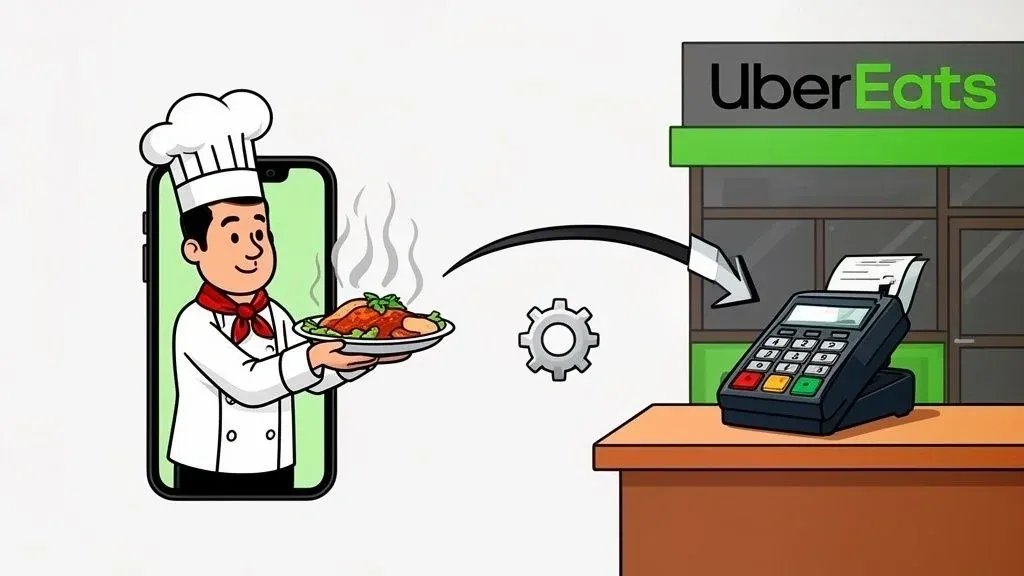
For any restaurant owner, thinking about Uber Eats is about more than just delivery. It’s a powerful marketing and sales channel that puts your menu right in front of millions of hungry customers. But with this surge in business comes a big operational question: how do you manage a brand-new stream of digital orders without letting your in-house service slip? This is where food tech, specifically POS integration, becomes critical for restaurant efficiency.
This guide will provide actionable insights into how you can leverage Uber Eats to increase sales while streamlining your restaurant operations, saving time, and reducing costly errors.
What Partnering With Uber Eats Really Means For Your Restaurant

Jumping on board with Uber Eats is like opening a second, digital front door for your restaurant. In simple terms, you’re making your menu available to a huge online audience. This brings you squarely into the world of off-premise dining, where food is made in your kitchen but eaten somewhere else. Technically, this means integrating a third-party sales channel into your existing workflow.
Why it matters: Embracing off-premise dining through platforms like Uber Eats is essential for modern restaurant growth. It taps into a massive customer base actively looking for delivery options. To get a better handle on this, check out our guide on what off-premise really means for your business at https://www.orderout.co/blog/off-premise-means/.
The Opportunity and The Challenge
Let’s be clear: the opportunity is more orders and more revenue. It’s a fantastic way to keep your kitchen busy, especially during typically slow hours. But this opportunity brings a significant operational challenge.
Every single Uber Eats order lands on a separate tablet. This creates a completely new workflow that operates outside of your main Point of Sale (POS) system. This means a team member has to:
- Keep an eye on the Uber Eats tablet for a new order notification.
- Manually punch every single item and modifier into your restaurant’s POS.
- Double-check that the ticket prints correctly for the kitchen.
Why it matters: This manual process is slow and a breeding ground for mistakes. A simple typo can easily turn into a wrong order, an unhappy customer, and a damaging online review. This directly impacts staff productivity, increases costs from remaking orders, and hurts your restaurant’s reputation.
Why Efficient Food Tech Integration Matters for Restaurant Delivery
The scale of Uber Eats is just staggering. The platform exploded from 80,000 restaurant partners in 2017 to over 1 million today, giving you access to a customer base of more than 95 million people. Trying to tap into that market without the right tools is like trying to bail out a boat with a teaspoon.
Manually entering orders from the Uber Eats tablet into your Clover or Square POS quickly turns into chaos during a rush. This is where POS integration comes in.
Real-World Example: Imagine a busy Friday night. Without integration, your host is juggling the phone, walk-in guests, and the Uber Eats tablet. An order comes in, they mis-type “no onions” as “extra onions,” and the kitchen makes it wrong. The result is a lost customer and wasted food. With a POS integration like OrderOut, that same Uber Eats order would have automatically appeared in the Clover or Square system and printed in the kitchen correctly, without anyone touching it. This technology has been shown to slash order errors by up to 90%.
Why it matters: Success with Uber Eats isn’t just about getting more orders—it’s about handling them efficiently. Your goal should be to make a delivery order feel exactly like an in-house order to your kitchen staff. This boosts staff productivity, reduces costly errors, and ensures a consistent customer experience.
Takeaway: Partnering with Uber Eats is a strategic move that requires a strategic upgrade to your restaurant operations. To truly cash in on the platform’s incredible reach, you need a system that automates the entire order-to-kitchen process, making your restaurant delivery seamless and error-free.
Understanding The Uber Eats Partnership Model And Fees
Jumping onto Uber Eats can put your restaurant in front of a massive new audience, but you have to get a handle on the costs to make sure it’s actually making you money. Simply put, Uber Eats charges a commission on each order. Think of this fee as paying for marketing, access to millions of customers, and a delivery driver fleet you don’t have to manage.
Technically, this commission covers payment processing, customer support, fraud protection, and driver logistics. Getting clear on how this works is the first step to turning third-party restaurant delivery into a profitable revenue stream.
Breaking Down The Commission Structure
Uber Eats offers a few different partnership plans, so you can pick one that makes sense for your budget and goals. The exact percentages can shift depending on your city and the plan you choose, but they generally fall into three main buckets.
- Delivery Commission: This is the full-service package, usually running from 15% to 30%. Your restaurant gets featured on the app, and Uber handles the payment and delivery.
- Pickup Commission: When a customer orders through the app but picks it up themselves, the fee drops significantly—often to around 6%. Here, you’re paying for the app’s marketing reach, not the delivery.
- Online Ordering (Webshop): If you use Uber’s software to take orders directly from your own website, you can get a 0% commission rate. You’ll still cover standard credit card processing fees, but Uber doesn’t take an extra cut.
Why it matters: Understanding these tiers allows you to control your costs. For example, promoting customer pickup can significantly increase your profit margin on each order. This flexibility is key to building a sustainable delivery strategy.
A Practical Example: A $30 Order
Let’s break it down with a real number. A customer orders a $30 meal for delivery. You’re on a plan with a 25% delivery commission. Here’s what happens:
Order Total: $30.00
Uber Eats Commission (25%): -$7.50
Your Payout: $22.50
That $22.50 is what lands in your bank account, and from there, you still have to pay for your ingredients, your staff, and all the other overhead.
Why it matters: This calculation shows why you must price your delivery menu strategically. You need to ensure the extra business from Uber Eats easily covers these commissions and contributes to your profit. Factoring this into your pricing is a critical step for financial health.
Comparing Uber Eats Partnership Tiers
So, how do you pick the right plan? Uber Eats lays out a few tiers, and the trade-off is usually between a lower commission and getting more features or visibility on the platform.
Here’s a quick look at what that typically looks like:
Plan Tier Delivery Commission Pickup Commission Key Features Lite 15% 6% Most basic plan. Lower visibility in the app, customers must search for you. Best for existing customers. Plus 25% 6% Better visibility in the app homepage. Access to Uber One members. A good balance of cost and marketing. Premium 30% 6% Highest visibility. Top placement in the app, plus matching ad spend. Built for maximum growth and new customers.
Real-World Example: A new pizza shop wants to get its name out. They choose the Premium plan. The 30% commission is high, but the top placement in the app acts as a powerful marketing tool, bringing in dozens of new customers in the first month who otherwise would never have found them. This initial investment in visibility helps build a loyal customer base.
Why it matters: The right plan depends on your business goals. If you’re focused on growth, a premium plan’s marketing benefits might justify the higher cost. If you simply want an online ordering option for regulars, a basic plan maximizes your profit per order.
Takeaway: Before you sign anything, run the numbers. Calculate your profit margin on key menu items at each commission level. This quick analysis ensures every Uber Eats order is actually helping your bottom line and moving your business forward.
How to Set Up Uber Eats for Restaurant Operations Success
Signing up for Uber Eats is like opening a digital-only location of your restaurant. A strong start is critical to grab the attention of customers and ensure your kitchen doesn’t get overwhelmed. Simply put, you need to prepare your documents, build an online menu, and configure your settings. Technically, this involves optimizing your digital storefront for conversion and setting operational parameters that match your kitchen’s capacity.
You’ll need basic documents on hand, like your business license, proof of ownership, and bank account info. Gathering this stuff ahead of time will speed up the whole process.
Crafting Your Digital Menu for Restaurant Delivery
Your dine-in menu is not your delivery menu. The best delivery menus are often smaller, focusing on dishes that travel well. This isn’t just about taste; it’s about the customer’s experience when they open the box. For a deep dive, check out this ultimate guide to food packaging containers.
Your menu’s performance comes down to three things:
- High-Quality Photos: People eat with their eyes, especially online. Bright, clear photos will dramatically boost your orders.
- Compelling Descriptions: Don’t just list ingredients. Tell a story. Use descriptive words to paint a picture of the flavors.
- Smart Pricing: Remember to account for Uber’s commission and packaging costs. Most restaurants price delivery items about 15-20% higher than their dine-in menu to protect their margins.
Why it matters: An optimized menu directly impacts sales and profitability. Great photos and descriptions act as your digital salesperson, while smart pricing ensures your restaurant delivery channel is a profit center, not a cost center.
Configuring Your Operations in the Merchant Dashboard
The Uber Eats Merchant Dashboard is your mission control. This is where you set the rules for how, when, and where you get orders. Getting these settings right is the secret to avoiding chaos during a dinner rush.
A classic mistake is leaving the default hours. Let’s say your kitchen closes at 9:30 PM, but you stop taking new tickets at 9:00 PM to start cleaning. Your Uber Eats hours need to reflect that 9:00 PM cutoff.
Real-World Example: A busy cafe forgets to update their holiday hours in the Uber Eats dashboard. They receive three orders on Christmas morning when they are closed. This leads to canceled orders, angry customer reviews, and a lower rating on the platform. A simple two-minute update would have prevented this.
Pro Tip: Always set custom hours for holidays or special events right in the dashboard. It takes two minutes and saves you from accidentally accepting orders when you’re closed, which protects your restaurant’s rating.
Why it matters: Proper dashboard configuration is crucial for operational efficiency. It prevents last-minute orders when your team is cleaning up, ensures accurate delivery zones for food quality, and protects your reputation by avoiding orders you can’t fulfill. This directly impacts staff productivity and customer satisfaction.
Takeaway: A successful launch on Uber Eats doesn’t happen by accident. By optimizing your menu, carefully dialing in your operational settings, and using great photos, you create a smooth experience for your customers and your kitchen crew, setting the stage for long-term success.
Escaping Tablet Hell: Streamlining Your Restaurant Operations
If you’ve ever worked a busy dinner rush with delivery apps, you know the sound—that relentless ping from a tablet. Each ping signals a new order, but it also kicks off a frantic, manual process that kills efficiency. This is “tablet hell.”
Simply put, an employee has to stop what they’re doing, walk over to the tablet, and manually punch every single item into your main Point of Sale (POS) system. Technically, this creates a disjointed workflow, introducing a significant point of failure between order acceptance and kitchen production.
The True Cost of Manual Order Entry for Restaurant Delivery
The problem with manual entry goes far beyond inconvenience. It’s a direct drain on your resources.
Every minute an employee spends juggling tablets is a minute they aren’t helping in-house guests or supporting the kitchen. This bottleneck slows down your entire operation.
Why it matters: Manual order entry makes it impossible to scale your delivery business. As order volume increases, the chaos multiplies, leading to higher error rates, increased staff stress, and diminishing returns. This directly hits your bottom line through increased labor costs and wasted food from incorrect orders.
This challenge is a direct result of growth. Uber Eats’ merchant base in the US grew by over 10%, contributing a massive $9.4 billion in new revenue for restaurants. But this flood of orders often overwhelms staff who are stuck re-keying orders. You can discover more insights about this growth in the official Uber Merchant Impact Report.
How POS Integration Improves Restaurant Efficiency
Imagine this: an Uber Eats order comes in, and instead of a tablet pinging, a ticket instantly and automatically prints in your kitchen—just like an in-house order. There’s no manual entry, no risk of typos, and no delay. This is the power of direct POS integration for your restaurant operations.
Platforms like OrderOut act as a bridge, connecting your Uber Eats account directly to your existing POS system. This food tech completely eliminates the need for a separate tablet.
- Eliminates Manual Entry: Orders flow straight into your POS, saving dozens of staff hours per week.
- Drastically Reduces Errors: Removing the human re-keying element virtually eliminates mistakes.
- Boosts Staff Productivity: Your team can stop being data-entry clerks and focus on preparing food and serving customers.
This infographic shows the simplified, three-step process for getting your restaurant live on the Uber Eats platform.
This visualization highlights that the setup itself is straightforward, making the operational workflow the most critical piece to optimize for long-term success.
Real-World Example: Clover And Square POS Integration
This isn’t just a theoretical concept. If your restaurant runs on a popular POS like Clover or Square, an integration service connects them seamlessly.
The moment a customer confirms their order on Uber Eats, the data is instantly translated and sent to your POS.
Why it matters: This automation transforms your restaurant delivery process from a stressful, error-prone task into a smooth, efficient revenue stream. It directly increases staff productivity and reduces the costs associated with incorrect orders, making your delivery business more profitable. If you’re tired of the operational chaos, explore our guide on the problems with using tablets in restaurants.
How POS Integration Unlocks Restaurant Efficiency
When you bring Uber Eats into your restaurant, the idea is to boost sales, not create more work. Direct POS integration is the secret to making third-party delivery truly profitable. Simply put, it connects your delivery apps to your kitchen automatically. Technically, an integration platform uses an API to translate order data from Uber Eats into a format your POS system can understand and process.
This single connection unlocks huge efficiencies that go straight to your bottom line.

Why it matters: An Uber Eats order flies directly into your POS, prints a ticket in the kitchen, and shows up in your sales reports—all without human intervention. This huge bump in staff productivity lets your team focus on cooking great food and taking care of guests, not punching in orders from a tablet. This saves time, reduces labor costs, and improves service speed.
Sync Menus and Eliminate Out-of-Stock Orders with Food Tech
One of the best parts of POS integration is automatic menu updates. Picture this: it’s a slammed Friday night, and you just sold the last of your signature burger. Without integration, a manager has to scramble to the Uber Eats tablet to 86 the item.
With integration, as soon as you mark that burger as “out of stock” in your Square POS, the system tells Uber Eats to remove it from your online menu in real-time.
Why it matters: This real-time sync is a game-changer for restaurant operations. It ensures menu consistency across all sales channels without any extra work, drastically reducing order errors and customer frustration. This protects your brand reputation and prevents revenue loss from canceled orders.
To keep your whole tech setup running smoothly, it’s worth looking into reliable managed IT services.
Consolidate Reporting for Clearer Restaurant Operations Insights
You can’t run a successful restaurant without a solid handle on your numbers. When delivery orders live on a separate tablet, your sales data is split. At the end of the night, someone is stuck trying to piece together reports.
POS integration cleans this up by funneling every sale—dine-in, pickup, or Uber Eats for restaurants delivery—into one place.
- Total Revenue at a Glance: Get a complete, accurate view of sales from a single dashboard.
- Simplified Accounting: End-of-day closeouts take minutes, not hours.
- Better Inventory Management: When all sales are tracked in the POS, you get sharper data on ingredient usage, which helps cut waste and control food costs.
Why it matters: Consolidated reporting provides a clear financial picture, empowering you to make smarter, faster decisions on everything from staffing to menu engineering. This improved data leads directly to better cost control and increased profitability. For a deeper look, check out our guide on understanding POS software integration.
Take the Next Step with Seamless POS Integration
The benefits are clear: direct POS integration cuts errors, saves labor, and provides the clean financial data you need to grow your restaurant delivery business. It turns a necessary headache into a powerful, streamlined part of your operation.
Actionable Next Step: You can find powerful integration tools right in the app marketplaces for major POS systems like Clover. It’s time to take control of your operations and make your food tech work for you.
Your Next Step: Streamline Delivery and Boost Your Bottom Line
To win with Uber Eats for restaurants, you need rock-solid operations. The single biggest leap you can make is to ditch manual tablet entry and embrace automation with POS integration. This is the key that unlocks real, scalable growth by cutting wasted time, stopping costly order mistakes, and making life easier for your team.
Set Your Restaurant Up for Success with Food Tech
Don’t let operational headaches throttle your restaurant’s potential. When you make food tech work for you, you’re setting your kitchen up to handle a flood of new orders without breaking a sweat. In today’s market, automation is a must-have for any restaurant serious about its delivery game.
Why it matters: The goal is simple: a delivery order should feel no different to your kitchen staff than an in-house ticket. Seamless POS integration makes that happen, turning a point of chaos into a smooth revenue stream. This directly impacts restaurant efficiency, staff productivity, and your bottom line.
Let’s break down the immediate wins:
- Time Savings: Your team gets back hours every week. That’s more time to focus on guests and food quality.
- Cost Savings & Error Reduction: Automated orders are accurate orders. This saves the cost of remaking food and protects your reputation.
- A Happier, More Productive Team: Removing a major source of stress allows your staff to focus on what they do best, improving overall service.
The path forward is clear. Connecting delivery apps like Uber Eats directly into your POS system—whether you’re using a Clover or Square setup—is the definitive move.
Practical Next Step: Ready to end the chaos and see your profits climb? Start your free OrderOut onboarding in just a few clicks at https://dashboard.orderout.co.
Frequently Asked Questions
Running a restaurant is complicated enough without adding delivery apps. If you’re considering Uber Eats, you probably have questions. Let’s get them answered.
How Much Does It Really Cost To Be On Uber Eats?
There’s no single price tag. Your costs depend on the plan you pick, but you can generally expect to pay a commission of 15% to 30% for delivery orders. They also have plans with lower commissions for pickup or if you use their online ordering tech on your own website.
Why it matters: The key isn’t just the fee; it’s about making sure your menu prices can support it and that the increase in order volume makes it worthwhile. POS integration helps protect your margins by reducing labor costs and eliminating expensive order mistakes.
Can I Use My Existing POS System With Uber Eats?
Yes, but Uber Eats doesn’t talk directly to most POS systems. You need a third-party integration platform to build that bridge.
Real-World Example: A service like OrderOut acts as a universal translator. It connects your Uber Eats account directly to popular systems like Clover or Square, so online orders shoot straight to your kitchen printers without anyone lifting a finger.
Why it matters: Direct POS integration is the only way to truly automate your delivery workflow, which is essential for handling a high volume of orders efficiently.
What Is The Biggest Operational Mistake With Uber Eats?
Hands down, the biggest mistake is sticking with the tablet they send you. Managing orders on a standalone tablet means a team member is chained to the device, manually re-typing every order into your main POS.
Why it matters: This manual workflow is slow, full of typos, and creates a massive bottleneck right when you get busy. It leads to wrong orders, frustrated customers, and a stressed-out team. The only long-term solution to this headache is direct POS integration. It’s the move you make when you’re ready to get serious about your restaurant delivery game.
How Does POS Integration Help With Menu Management?
It completely automates your menu updates. When you 86 an item or tweak a price in your POS, an integration service instantly syncs that change with your Uber Eats menu. No more frantic logins to the Uber Eats portal during a rush.
Why it matters: This simple connection prevents customers from ordering something you just ran out of and guarantees your pricing is always correct. It’s a huge time-saver that boosts staff productivity, reduces order errors, and ultimately protects your bottom line.
Ready to ditch the tablet chaos and make your delivery operations run smoothly? OrderOut connects Uber Eats directly to your POS, creating a smarter and more profitable workflow. Get started for free in just a few clicks.