
Uber For Merchants: Maximize Your Restaurant's Potential
· Thibault Le Conte
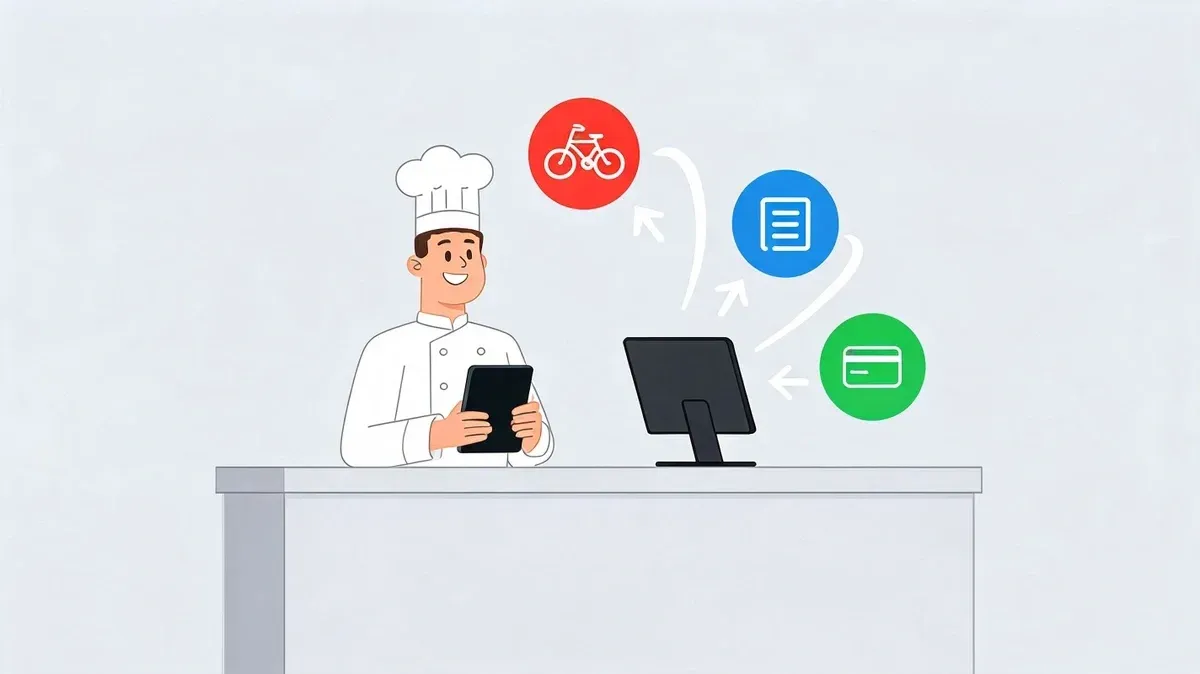
Dinner rush exposes every weak point in a restaurant’s delivery setup.
One tablet starts chiming for Uber Eats. Another lights up with a DoorDash order. Someone at the counter stops helping a guest, walks over, reads the ticket, keys it into the POS by hand, then shouts a modifier back to the kitchen because the printer missed it. A few minutes later, a driver arrives for the wrong bag.
That’s the problem most operators mean when they talk about modern delivery stress. It isn’t demand. It’s fragmentation. The idea behind uber for merchants is simple: bring scattered systems into one controlled workflow so delivery works like part of the restaurant, not like a second business running off to the side.
The Hidden Costs of Modern Restaurant Delivery
Most restaurants don’t lose control all at once. It happens one interruption at a time.
A manager adds Uber Eats because customers ask for it. Then DoorDash follows. Then another marketplace. Each app brings orders, but each app also brings another tablet, another alert, another menu to maintain, and another place where staff can make a mistake during a busy shift.
The obvious cost is frustration. The less obvious cost is what that frustration turns into inside daily restaurant operations.
Where tablet hell actually hurts
Manual entry sounds small until you watch it happen repeatedly across lunch and dinner. Staff stop what they’re doing, retype orders, confirm modifiers, and double-check prices. If the line is long or the kitchen is slammed, they skip checks just to keep up.
That creates a chain of avoidable problems:
- Order errors: Wrong modifiers, missed add-ons, duplicate entries, or items entered under the wrong POS button
- Labor waste: Front-of-house or expo staff spend time on data entry instead of guests and handoff coordination
- Menu drift: A price or item changes in one place but not another
- Refund pressure: A single wrong order can trigger comps, remakes, and negative reviews
Most delivery platforms explain how to get listed and market your store. They usually don’t explain the real operational work required to connect delivery cleanly to your existing POS.
That gap matters. Business.com’s overview of Uber Eats for restaurants notes that major delivery platforms often give useful guidance on setup and promotion but offer little transparency around technical integration with POS systems like Clover or Square. For owners, that means the true cost of adoption often shows up after go-live, not before.
Delivery chaos spreads beyond the kitchen
The back office feels it too. When orders are split across apps and manually re-entered, reconciliation gets messy. Staff receipts, marketplace deposits, refunds, and adjustments become harder to track cleanly at month-end. That’s one reason operators also look at tools like Receipt Router’s expense guide when tightening up the financial side of multi-channel delivery.
Tablet hell isn’t just annoying. It’s expensive, distracting, and completely solvable.
What ‘Uber for Merchants’ Means for Your Restaurant
At a practical level, uber for merchants means using one system to manage many delivery channels.
The easiest way to think about it is a universal remote. You don’t want one remote for the TV, another for the speakers, and a third for the streaming box. You want one control surface that handles the whole setup. In a restaurant, that control surface should be your POS and the systems attached to it.
One hub beats three tablets
Delivery apps are powerful customer acquisition channels. But left disconnected, they force your team to operate in fragments. A proper POS integration turns those fragments into a single workflow.
That means:
- Orders land in one place: Staff don’t bounce between delivery tablets and the register
- Kitchen communication stays consistent: Tickets print or route the same way regardless of where the order came from
- Managers get cleaner oversight: One operating view beats piecing together three dashboards during service
- Restaurant delivery becomes scalable: Adding another marketplace no longer means adding another manual process
The scale of the opportunity is why this matters. Uber Eats supports over 1.5 million active merchant partners globally across more than 11,000 cities and municipalities on six continents, with over 60% being SMBs. In 2024, it facilitated deliveries to 140 million customers and generated $74.6 billion in gross bookings according to Uber’s merchant growth update. That’s not a side channel anymore. It’s mainstream restaurant demand.
Consolidation creates control
Operators often think the decision is whether to be on Uber Eats, DoorDash, or both. The better question is whether those channels run inside a controlled system.
Practical rule: Don’t judge delivery apps only by the orders they bring in. Judge them by how cleanly they fit into your existing restaurant delivery workflow.
A disconnected setup can still produce sales. It just does it with more friction. An integrated setup gives you a better shot at protecting margin, staff focus, and service quality while still capturing marketplace demand.
If you want a broader look at how businesses turn fragmented on-demand workflows into a unified operating model, this guide to on-demand services is a useful companion read.
Comparing Manual vs Integrated Delivery Workflows
The difference between manual and integrated delivery isn’t theoretical. You can see it on the floor in under five minutes.
In the manual version, every order creates an interruption. In the integrated version, every order follows the same path as an in-house ticket. That’s the shift that changes restaurant operations.
What the manual workflow looks like
A DoorDash or Uber Eats order hits the tablet. Someone notices it, opens it, reads the details, and keys the order into the POS by hand. If there are modifiers, they have to choose the closest matching buttons. If the menu names don’t match exactly, they improvise.
Then the order gets pushed to the kitchen the same way a phone order would. That creates several failure points:
- A staff member misses the alert
- An item gets entered incorrectly
- A modifier gets dropped
- The wrong prep station receives the ticket
- Pickup timing gets out of sync with the kitchen pace
This is why operators feel like delivery “steals” labor. The apps don’t just add tickets. They add administrative handling to every ticket.
What the integrated workflow changes
With integration, the order flows directly from the marketplace into the POS. The kitchen sees it in the same structured format every time. Staff don’t need to re-enter anything, and they don’t have to translate app language into POS language on the fly.
A common example is a restaurant receiving third-party orders and sending them straight into a Clover terminal or a Square-based setup instead of relying on a side tablet. The process feels less like app management and more like normal service.
A good integrated workflow doesn’t remove oversight. It removes repetitive data entry so staff can focus on execution.
Here’s the simplest side-by-side view:
Workflow stage Manual tablet process Integrated process Order receipt Staff watch multiple tablets Orders feed into the POS automatically Data entry Staff retype each order No retyping required Kitchen handoff Depends on manual accuracy Routes through the normal kitchen flow Error risk High during busy periods Lower because the order isn’t re-entered Staff attention Pulled away from guests and expo Kept on service and handoff
Restaurants exploring this shift usually start by looking at the mechanics of food delivery management software because the key benefit isn’t just software adoption. It’s workflow redesign.
What actually works during a rush
The best setup is boring. Orders appear where the team expects them. Modifiers are mapped correctly. The kitchen doesn’t need a separate mental model for delivery. Managers aren’t babysitting tablets.
What doesn’t work is asking already-busy staff to serve as human middleware between apps and the POS.
How POS Integration Platforms Connect Your Food Tech
In plain language, a delivery integration platform acts like a translator.
Uber Eats sends an order in its format. DoorDash sends an order in another. Your POS expects its own structure. The integration layer receives the incoming order, matches it to the right menu items and modifiers, and sends it into the POS in a format the system understands.
That’s how disconnected food tech becomes one operational workflow.
The simple version
If your restaurant uses Clover or Square, the integration platform sits between the delivery apps and the POS.
The flow is straightforward:
- A customer places an order on a delivery app.
- The integration platform receives the order and matches the menu items.
- The POS accepts the translated order as if it came through a normal digital channel.
- The kitchen gets the ticket through the same process the team already knows.
That’s the business value. Less retyping, fewer handoffs, and fewer avoidable mistakes.
The technical version that matters to operators
Reliability matters more than clever features. During a rush, the question isn’t whether a platform has a polished dashboard. The question is whether the order gets through cleanly every time.
Uber’s own engineering approach gives a useful benchmark. Uber’s microservice architecture overview describes a domain-oriented system that isolates processes to prevent cascading failures. In practical terms for merchants, that approach supports delivery-to-POS syncing with latency under 200ms and 99.9% uptime for critical merchant operations, even during peak periods.
You don’t need to be an engineer to care about that. It means one problem in one part of the stack is less likely to take down the whole order flow.
What a strong integration should handle
A dependable platform should do more than pass raw orders through. It should support the parts of daily service that break first when systems are loosely connected.
Look for these capabilities:
- Menu translation: Item names, sizes, add-ons, and modifiers need clean mapping
- Price consistency: Delivery menus and POS records need to stay aligned
- Error handling: If one system hiccups, the issue should be isolated, not spread
- Operational visibility: Managers need a clear way to see when an order synced and where it landed
If your order flow depends on staff checking three apps “just in case,” you don’t have automation. You have a manual backup plan pretending to be a system.
There’s a back-office angle too. Once delivery orders flow reliably into your POS, the accounting side gets cleaner. Operators dealing with multi-system financial data often face similar translation issues, which is why resources on integrating accounting data with QBO API are useful for understanding how clean system-to-system handoffs reduce reconciliation headaches.
For a deeper look at the mechanics behind connected restaurant systems, this overview of an integrated POS system is worth reviewing.
Your Implementation Roadmap for Delivery Automation
Most owners overestimate how technical this has to be and underestimate how important the setup details are.
The goal isn’t to “do digital transformation.” The goal is to make sure an order from a delivery app appears correctly in your POS, reaches the kitchen without manual intervention, and follows the same logic every time. That’s a manageable project if you approach it in the right order.
Start with an operations audit
Before you connect anything, write down your current stack.
You need to know:
- Which delivery apps are live at each location
- Which POS system is installed and whether all stores use the same setup
- How kitchen tickets are routed today
- Who owns menu updates across channels
- Where errors usually happen during service
This sounds basic, but it saves a lot of confusion. Restaurants often think they have a delivery problem when they really have a menu governance problem or a location-by-location setup inconsistency.
Choose compatibility before features
A long feature list doesn’t help if the connector is shaky with your actual systems.
When evaluating a partner, ask practical questions:
- Does it support your exact POS environment?
- Can it handle the delivery apps you already use?
- How does it map modifiers and combos?
- What happens if a menu item in the app doesn’t match the POS?
- Who helps when a location goes live and something needs adjustment?
A solid launch depends more on compatibility and support than on flashy extras.
Menu mapping is where success gets decided
This is the step operators rush, and it’s the step that determines whether automation helps or hurts.
Every delivery item must map to the correct POS item. Every modifier must behave correctly. “No onions,” “extra cheese,” combo choices, and side substitutions need to route exactly the way the kitchen expects.
Field note: Spend more time testing edge cases than best-case orders. Simple burgers sync easily. Modifier-heavy family meals expose bad mapping fast.
A good test plan includes common orders, weird orders, high-modifier orders, and items that frequently cause confusion.
Go live in a controlled way
Don’t flip everything on at once if you can avoid it. Start with one location or a quieter service period. Watch the first wave of orders closely. Confirm that tickets print correctly, prep stations receive what they should, and pickup handoff timing still works.
Training should be short because the new process is simpler than the old one. Staff mainly need to know:
- Where integrated orders appear
- What to do if an order looks wrong
- Who to contact for support
- How to avoid duplicate manual entry
The target state is simple. Staff should stop touching tablets for routine order entry. Managers should stop policing app alerts. The kitchen should trust the ticket in front of them.
If you’re organizing the rollout across channels, this guide to an online order management system provides a useful framework for tightening the process.
Calculating the ROI of Your POS Integration
The cleanest way to evaluate delivery integration is to ignore hype and do the math with your own numbers.
Marketplace demand can absolutely grow a restaurant’s sales, but the real question is whether your operation can capture that demand efficiently. According to Uber’s 2022 merchant impact report, 86% of US merchants experienced revenue growth after joining Uber Eats, with a median increase of 10%, and 82% reported greater profitability compared with operating without the platform. Integration doesn’t create that marketplace demand by itself, but it helps you keep more of the upside by reducing operational drag.
The three buckets that matter
For most restaurants, ROI comes from three places:
- Labor recovered: Time staff no longer spend re-entering delivery orders
- Errors avoided: Fewer comps, remakes, refunds, and guest complaints caused by manual mistakes
- Increased capacity: Better throughput because the team spends less time on admin work
A simple formula works well:
Monthly ROI = labor savings + error-related savings + throughput gain - monthly integration cost
Sample ROI Calculation for Delivery Integration Monthly
Metric Calculation Your Monthly ROI Labor savings Staff hours previously spent on manual order entry x hourly labor cost Enter your number Error-related savings Monthly cost of remakes, refunds, and comps tied to delivery entry mistakes Enter your number Throughput gain Additional contribution from orders your team can handle more smoothly Enter your number Integration cost Monthly software and support cost Subtract this number Net monthly ROI Total savings and gains minus integration cost Enter your number
How to make the estimate credible
Don’t guess from memory. Pull a recent period and review actual shifts.
Use a short working session with your manager or shift lead:
- Count how often staff manually enter third-party orders.
- Estimate how long each entry takes in real conditions.
- Review delivery-related refunds and remakes.
- Look for service bottlenecks that disappear when manual re-entry is removed.
This is also where finance and operations should align. If your sales reports, marketplace payouts, and POS records don’t line up cleanly, ROI gets buried in messy data. A practical way to tighten that side of the process is to understand how teams reconcile the difference between sales activity and what is reflected in reporting.
What owners usually miss
Many operators only count direct labor. They forget the cost of distraction.
When a lead cashier is entering app orders instead of handling the line, or a manager is fixing ticket mistakes instead of watching expo, the restaurant pays for that too. Integration works best when you measure it as an operational cleanup, not just as a software purchase.
Common Pitfalls in Delivery Integration and How to Avoid Them
Most delivery integration problems come from shortcuts, not from the idea itself.
The technology can be solid and the outcome can still disappoint if the restaurant rushes setup, ignores reporting, or chooses a partner based on price alone. These are the mistakes I see most often in restaurant delivery rollouts.
Bad menu mapping breaks trust fast
If an app item doesn’t map correctly to the POS, staff lose confidence in the entire system. One bad modifier can make them go back to checking every order manually, which defeats the point.
Avoid that by testing real-world orders before launch and reviewing mappings whenever your menu changes. Treat item setup like an operating procedure, not a one-time task.
Consolidated data is wasted if nobody reviews it
Some restaurants integrate successfully, then keep making decisions as if their sales channels are still separate.
That’s a miss. Once orders are centralized, managers should review patterns in delivery mix, problem items, refund causes, and timing issues. Clean data only helps if someone uses it to improve menu structure, staffing, and service flow.
Restaurants don’t benefit from integration just because the systems connect. They benefit when managers use the cleaner workflow and cleaner data to make better operating decisions.
The cheapest connector can become the most expensive choice
A weak partner usually reveals itself under pressure. Sync delays show up on busy nights. Support gets slow when a location has a live issue. Staff create workarounds, and before long the restaurant is halfway back to manual operations.
Pick for reliability, support quality, and proven compatibility with your POS. In delivery integration, stability is a feature.
The Next Step to Streamline Your Restaurant Operations
The phrase uber for merchants only matters if it solves a real operating problem.
For restaurants, that problem is fragmented delivery. Too many tablets, too much re-entry, too many preventable mistakes, and too much staff attention wasted on moving data from one screen to another. The fix is to bring delivery into the same controlled workflow as the rest of the business through POS integration.
That shift changes delivery from a source of chaos into a channel your team can handle confidently. Orders move faster. Staff stay focused on service. Managers get better visibility. The kitchen works from one consistent process instead of juggling parallel systems.
The next step should be simple. Audit your current delivery apps, confirm your POS environment, and move toward a setup where orders sync directly instead of passing through a human bottleneck.
As a practical place to start, begin onboarding with OrderOut for free and connect your delivery apps to your POS in just a few clicks.
If you’re ready to get out of tablet hell and bring Uber Eats, DoorDash, and other delivery channels into one cleaner workflow, OrderOut gives restaurant operators a direct path to simpler order management, fewer manual errors, and better day-to-day control.