
Uber Eats Portal: The 2026 Manager's Guide to Efficiency
· Thibault Le Conte
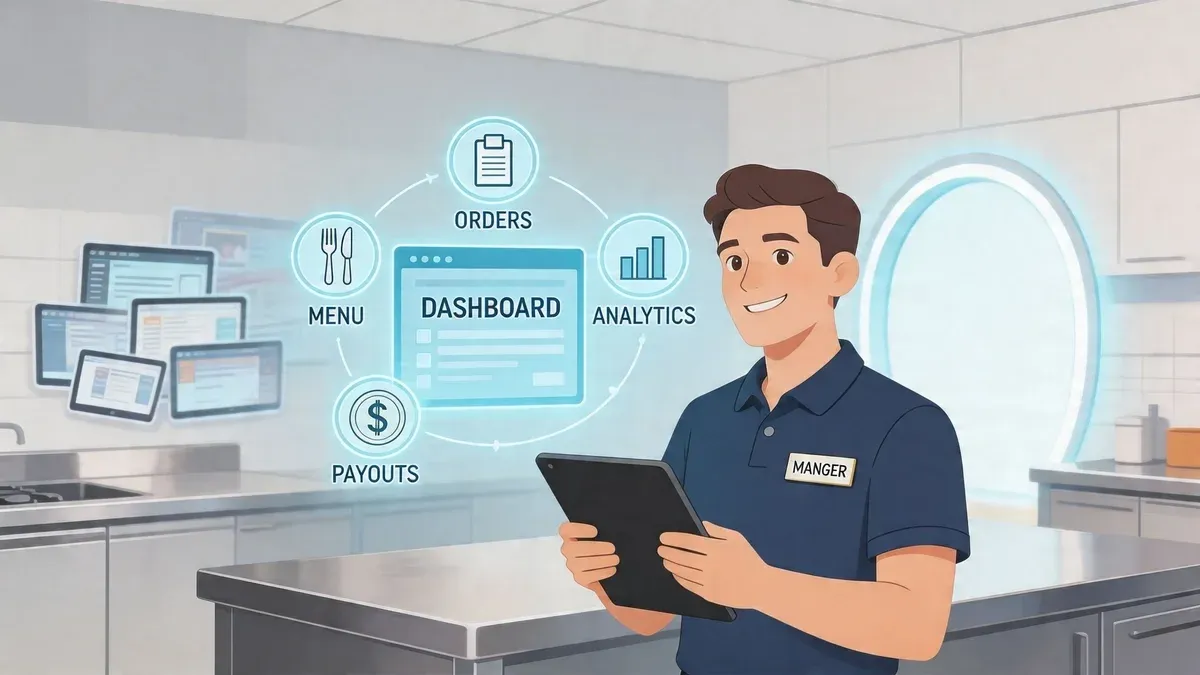
Friday at 7:15 p.m., the host stand is backed up, the expo line is full, and one tablet starts chirping again. A cashier taps accept on an Uber Eats order, then retypes the ticket into the POS while a cook asks whether the burger gets no onion or extra onion. Somebody guesses. Somebody moves on. Ten minutes later, the customer calls because the drink is missing and the pickup time in the app no longer matches what the kitchen can produce.
That mess is common. It isn’t usually caused by bad staff. It’s caused by a broken workflow.
Most restaurants don’t struggle with the idea of delivery. They struggle with the gap between one delivery platform’s tablet and the systems that run the store. The uber eats portal gives operators useful control over menus, orders, payouts, reporting, and availability. But on its own, it’s still only one part of the job. If your team has to keep jumping between the portal, the kitchen, and the POS, you’re still paying for delivery with labor, mistakes, and lost focus.
The operators who get the most out of Uber Eats treat the portal as a control center, not a standalone island. They use it to monitor performance, fix issues quickly, and shape menu strategy. Then they connect it to the rest of the stack so staff aren’t stuck doing clerical work during peak service.
If your current process still depends on tablet watching and manual re-entry, this guide will help you clean that up. The goal isn’t more software. The goal is fewer touches, fewer mistakes, and a delivery setup that works during a rush, not just during a demo. If you’re rethinking that workflow, this guide on an online order management system is also a useful companion.
Introduction The End of Tablet Chaos
The restaurant teams I see struggle most with delivery usually have the same symptom. They own the portal, but they don’t own the process.
A manager logs into Uber Eats Manager in the morning, updates an item, checks yesterday’s payout, maybe pauses a location for a staffing issue, then goes back to floor operations. By dinner, the portal becomes reactive. Staff hear alerts, accept orders, type them elsewhere, and hope menu changes made earlier are still accurate on every system. That’s where profitable delivery starts leaking margin.
The cost isn’t only a wrong modifier or missed side. It’s interruption. Every manual handoff steals attention from guests, slows the line, and creates reconciliation work later.
Practical rule: If a delivery order requires a human to copy information from one screen into another, the process is still fragile.
The portal matters because it’s where Uber gives restaurants control. But control isn’t the same thing as efficiency. A tablet can tell you what came in. It can’t stop duplicate entry, fix disconnected reporting, or make your kitchen less dependent on whoever happens to be nearest the screen.
Three signs your setup is overdue for cleanup:
- Orders depend on one person: When only one employee knows how to accept, edit, or resolve Uber orders, service gets risky fast.
- Menu updates live in multiple places: If you change price, availability, or modifiers manually across systems, drift is inevitable.
- End-of-day reporting takes detective work: When sales live in one dashboard and the POS tells a different story, managers waste time chasing answers.
Restaurants don’t need more dashboards. They need the delivery channel to behave like a normal part of restaurant operations. That’s the difference between using the uber eats portal and making it operational.
What Is the Uber Eats Portal Your Restaurant’s Digital HQ
The simplest way to think about the uber eats portal is this. It’s your store dashboard for everything tied to your Uber Eats business. If the app is what customers see, the portal is what operators use to run the channel behind the scenes.
That matters because delivery isn’t just an order feed. It’s hours, menus, prep times, order flow, disputes, payouts, and visibility. If you don’t manage those pieces actively, the platform starts managing them for you.
What lives inside the portal
In plain language, the portal is where you handle the business side of Uber Eats. You can manage menu items, review incoming orders, check store status, monitor payouts, and pull reports on sales and operations.
Under the hood, it’s a web-based merchant platform tied to your restaurant account. Uber positions it as the place where merchants access reports on sales, customer orders, and operational metrics. That scale matters because Uber Eats grew from $0.6 billion in revenue in 2017 to $13.7 billion in 2024, with over 1 million partnered restaurants globally, according to Business of Apps’ Uber Eats statistics.
Why operators should care
For a small restaurant, it’s easy to treat Uber as “just another tablet.” That’s the wrong frame. The portal is closer to a second front-of-house system for off-premise business.
Use it well and you can:
- Control availability: Pause items or stores before the kitchen gets buried.
- Spot sales patterns: Review which items move and when demand hits.
- Reduce avoidable friction: Fix prep times, menu presentation, and store details before customers complain.
A lot of restaurants also benefit from tightening the in-store side of communication. If your line, pickup shelf, and waiting area are all competing for attention, clear digital signage in restaurants can reduce confusion for staff and guests while the portal handles the platform side.
Treat the portal like a manager’s station for delivery, not a passive reporting tool you open only when something goes wrong.
Navigating Core Features of the Uber Eats Manager
The portal has plenty of tabs, but most operators live or die by three functions. Menus. Orders. Reporting. If those are clean, the rest gets easier.
Menu management that doesn’t create downstream problems
A menu in the portal isn’t just a digital copy of your dine-in menu. It needs to reflect how delivery works.
That means using clear item names, accurate modifier groups, realistic prep expectations, and item availability that matches what the kitchen can execute. If a customer can order a combination your line can’t produce consistently, the problem started in setup, not in service.
Good menu maintenance usually includes:
- Tight item structure: Keep categories logical so staff can find and verify items quickly.
- Modifier discipline: Only include choices the kitchen can fulfill without guesswork.
- Availability control: Mark items unavailable as soon as stock or labor says they should be.
When restaurants ignore this, ticket errors multiply. If you need a stronger handoff from the ordering screen to production, an order ready screen workflow can help staff manage timing and pickup status more clearly.
Live order handling during service
The portal operates functionally, not administratively. Incoming orders need a response. Staff accept them, monitor status, deal with out-of-stocks, and keep timing realistic.
The mistake I see often is treating acceptance like the only important action. It isn’t. The full job is managing the order lifecycle so the kitchen, customer, and courier all receive accurate signals.
A practical approach looks like this:
Portal task What staff should do Why it matters Accept new order Confirm the kitchen can produce it now Prevents avoidable cancellations and delays Mark item unavailable Update immediately when stock runs out Stops repeat errors on the same menu item Adjust prep flow Keep order status aligned with actual production Reduces courier wait and customer frustration
Financials and reporting that actually inform decisions
The reporting side of the uber eats portal is where many managers underuse the system. They look at payout totals and stop there.
The better use is operational. Check sales by time period, compare item performance, review order trends, and look for patterns that call for action. If one item sells well but creates remakes, that matters. If a daypart brings volume but strains labor, that matters too.
Review portal reports with one question in mind: what should the kitchen, menu, or staffing look like next week because of what happened this week?
Reporting should shape decisions, not just confirm deposits.
The Daily Grind Common Restaurant Operations Workflows
A standalone portal creates a very specific kind of busy work. It looks manageable at first because each step is simple. Accept the order. Read the ticket. Type it into the POS. Send it to the kitchen. Mark progress. Reconcile later.
But simple doesn’t mean efficient.
Here is the manual workflow many restaurants still run:
- Tablet alert comes in
- An employee opens the order
- They accept it on Uber Eats
- They re-enter each item and modifier into the POS
- They print or fire the kitchen ticket
- Someone checks whether the portal and POS match
- A manager later compares portal reports with POS sales
Every one of those handoffs is a place where speed drops and mistakes enter. During a rush, staff don’t retype carefully. They retype fast.
Where the friction actually shows up
The first problem is labor drag. Even when the team gets the order right, somebody had to stop doing something else to handle it. In a high-volume environment, those interruptions stack up across the shift.
The second problem is inconsistency. One cashier may understand modifiers perfectly. Another may shorthand them or miss a nested choice. The system depends on individual attention instead of process design.
The third problem is reconciliation. Managers end up comparing platform sales, POS records, refunds, and item counts across disconnected systems. If you’ve ever had to reconstruct a shift from screenshots and receipts, you already know the cost.
User reviews and market research have highlighted this issue directly. They report 20-30% order inaccuracies from disjointed systems caused by manual data entry between Uber’s dashboard and a restaurant POS, as summarized in the verified data provided for this article.
A lot of this also points back to process discipline. Strong restaurant operating procedures help, but procedures alone won’t solve a workflow that still requires duplicate entry.
What doesn’t work
Restaurants usually try one of three fixes before changing the system:
- Assigning one tablet person: This reduces confusion but creates a bottleneck.
- Training staff harder: Helpful, but training can’t eliminate repetitive copy-paste work.
- Checking tickets manually at expo: Better than nothing, but it catches errors late.
Those are patches. They don’t remove the root problem, which is that the order lives in one system and the restaurant runs on another.
The Solution to Manual Entry POS Integration for Food Tech Efficiency
The clean fix is POS integration. In plain terms, that means the Uber order doesn’t stop at the tablet. It moves directly into the point-of-sale system your team already uses.
Instead of reading from one screen and typing into another, the order appears in the POS with its items and modifiers, then routes to the kitchen the same way other house orders do. That changes delivery from a side process into a standard operating flow.
Why integration matters in real restaurant operations
When delivery orders hit the POS automatically, staff get time back immediately. The cashier doesn’t have to transcribe. The manager doesn’t have to double-check every modifier. The kitchen sees cleaner tickets.
The business case is stronger than convenience alone. Verified data for this article notes that manual data entry between Uber’s analytics dashboard and a restaurant’s POS can lead to 20-30% order inaccuracies from disjointed systems, and that unified platforms can improve profitability through error reduction.
That tracks with what operators see on the ground. Fewer handoffs usually means:
- Less rework: Fewer remakes, fewer missing items, fewer phone calls
- Faster throughput: Orders reach production without waiting for a staff member
- Cleaner reporting: Sales and order activity line up more closely with actual store operations
How the connection works
Non-technical version first. Uber sends order information to the integrated system, which then passes it into the POS so staff can act on it without re-entering anything.
The technical version is that Uber Eats Marketplace APIs use a webhook-driven architecture for real-time order processing, with new orders triggering notifications to the connected system for immediate acceptance, denial, or update handling, as described in Uber’s Eats developer getting started guide. The same verified data notes that this setup is designed to automate flow from customer placement to POS synchronization and reduce manual entry errors.
The practical takeaway isn’t the API terminology. It’s that reliable integrations remove humans from repetitive transfer work and keep humans focused on exceptions.
Where this fits with Clover and Square
If your store runs on Clover or Square, integration matters even more because those systems already anchor daily restaurant operations. Delivery should flow into that same operational center, not sit beside it.
Restaurants using Clover through OrderOut or Square through OrderOut use that bridge to pull delivery app orders into the POS workflow instead of managing them as separate streams. That’s the point where the uber eats portal becomes a control layer rather than a duplicate order terminal.
Order edits and exceptions still need supervision. Integration doesn’t remove management. It removes clerical labor.
If you’re evaluating this shift, one useful lens is change management. A delivery integration affects tickets, kitchen pacing, and staff habits. This guide on change order integration is worth reviewing before rollout.
What to watch before you switch
Not every integration setup is equal. Ask these questions:
- Does the system map modifiers correctly? Bad mapping automates bad data.
- Who owns menu sync? One source of truth is far safer than editing in multiple places.
- What happens when an order fails? You need a clear alert and fallback process.
- How are cancellations or out-of-stocks handled? Exception management matters as much as order flow.
The right setup reduces admin work. The wrong one just hides the same problems behind new software.
Best Practices for Restaurant Delivery Success
A well-run portal is useful. A well-run portal plus disciplined delivery strategy is where margin improves.
The strongest operators don’t treat Uber Eats as a passive sales channel. They shape how the store appears, what customers can find, and how off-platform relationships develop over time.
Build menus for discovery and execution
Menu structure affects both visibility and kitchen consistency. Verified data for this article notes that Uber’s search backend indexes stores and menus at large scale, and that syncing hierarchical menus like Categories → Items → Modifiers through APIs can boost visibility and orders by 25% in tests.
That doesn’t mean adding more clutter. It means organizing clearly.
A practical menu for restaurant delivery should do two things at once:
- Help customers find items quickly
- Help the kitchen produce exactly what was sold
If your category names are vague, modifier trees are messy, or duplicate items exist in multiple sections, discovery suffers and ticket quality drops. Clean hierarchy is both a marketing move and an operations move.
Use promotions carefully
The portal gives restaurants tools to run offers and increase exposure, but not every promotion is healthy. A buy-one-get-one campaign can fill a slow daypart. It can also bury a kitchen and destroy item margin if the product choice is wrong.
Start with constrained promotions. Pick items that travel well, have controlled food cost, and don’t trigger a long modifier chain. Review results in the portal and judge success by operational quality as much as order volume.
A promotion that increases orders but creates late tickets, bad ratings, or remake-heavy production isn’t a win.
For restaurants trying to strengthen demand beyond the app ecosystem, broader local visibility also matters. Solid SEO services for restaurants can help your brand show up when customers search directly for delivery, catering, or takeout options in your area.
Monitor reviews like an operator, not just a marketer
Ratings and reviews are often treated as reputation management only. They’re also process feedback.
If customers repeatedly mention cold fries, missing sauces, or confusing combos, those comments point to operational fixes. Packaging may need work. Modifier defaults may be wrong. Pickup timing may be off.
Use review patterns to answer questions like:
Review pattern Likely cause Operational response Missing add-ons Modifier or expo miss Tighten ticket checks and modifier setup Food arrives poorly Packaging or hold time issue Rework packaging and prep timing Order not as expected Menu naming mismatch Rewrite item descriptions and structure
Recapture the relationship where you can
Third-party delivery platforms are powerful, but they don’t give restaurants the same customer ownership as first-party ordering. That’s a real limitation.
A practical response is simple. Include inserts that invite future direct ordering, loyalty enrollment, or SMS signup where appropriate for your business. Use packaging, bag stuffers, and post-order touchpoints to build a relationship the platform doesn’t fully provide.
This has to be done thoughtfully and within platform rules. But restaurants that rely only on marketplace traffic usually stay dependent on marketplace economics.
Troubleshooting Common Uber Eats Portal Issues
When the portal causes trouble, speed matters more than theory. Most issues are operational, not mysterious.
Restaurant shows unavailable during open hours
Problem: Customers can’t order even though the store should be live.
What to check:
- Store status: Make sure the location wasn’t manually paused.
- Special hours: Holiday or custom hours often override normal service windows.
- Menu availability: If core categories are unavailable, the store may effectively appear closed.
If this keeps happening, assign one manager to own store-hours audits each week.
Orders aren’t appearing or printing
Problem: Staff hear about an order late, or not at all.
Try the basics first. Confirm the tablet or connected device has internet access, notifications enabled, and power. Then confirm your POS or printer workflow is active if you use an integrated setup.
If the issue repeats across shifts, don’t leave it as a “sometimes” problem. Escalate it like an IT issue and document the exact failure point. This guide to restaurant IT support is useful for setting that process up.
Payouts don’t look right
Problem: The deposit doesn’t match what the team expected.
Start in the portal’s financial and order reporting views. Trace one order at a time instead of comparing only daily totals. Look for refunds, adjustments, canceled tickets, or timing differences in payout windows.
Most payout disputes become easier once you stop asking “why is the total off?” and start asking “which specific orders explain the difference?”
Menu changes aren’t reflecting correctly
Problem: An item still appears live after a change, or a removed modifier keeps showing up.
First, confirm where your source of truth is. If you use an integration or menu sync tool, editing in multiple places can create conflict. Restaurants should decide whether the portal or the connected menu system owns edits, then stick to that rule.
Conclusion Your Next Step Toward Full Automation
The uber eats portal is worth learning because it gives restaurants real control over delivery operations. But control alone doesn’t fix a workflow built on duplicate entry, scattered reporting, and constant interruption.
The practical path is straightforward. Use the portal to manage the channel. Use integrated restaurant operations to remove hand typing, reduce ticket mistakes, and keep staff focused on production and guests.
If your team still treats delivery as a side process managed by a tablet, that’s the bottleneck to solve next. Clean menus, better reporting, and sharper promotions all matter. They matter more when the order flow itself is stable.
If you’re ready to turn Uber Eats into a cleaner POS-driven workflow, start with OrderOut and complete free onboarding in a few clicks through the OrderOut dashboard.