
TouchBistro POS System: A 2026 Restaurant Guide
· Thibault Le Conte
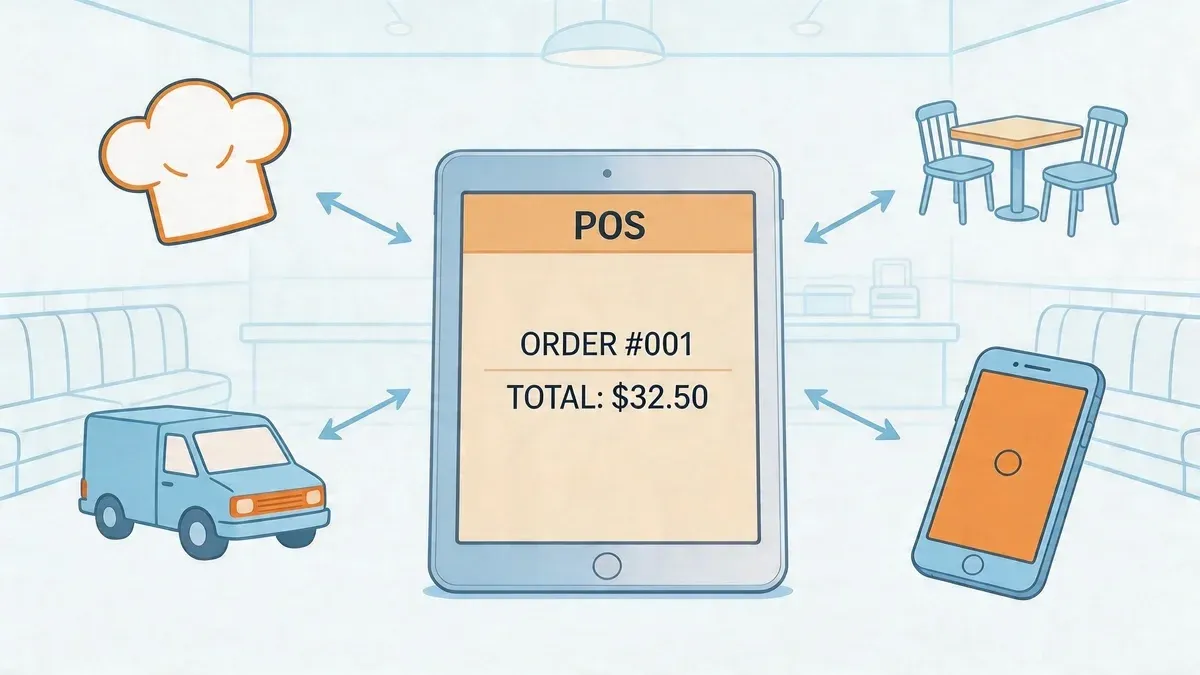
Friday night, the dining room is full, the host stand is backed up, and the kitchen is already juggling dine-in, pickup, and delivery. One tablet pings for Uber Eats. Another lights up for DoorDash. A server is still writing a modifier on paper because they’re trying to move fast. The manager is bouncing between the expo line, the bar, and the office, knowing the sales report at the end of the shift won’t tell one clean story.
That’s the moment restaurant tech stops feeling like support and starts feeling like extra labor.
A good POS should remove friction, not create new jobs for your team. The reason so many operators keep looking at the touchbistro pos system is simple. It was built around restaurant workflows, not generic retail checkout. That matters when you’re dealing with table turns, coursing, split checks, floorplans, modifiers, and service timing that can change by the minute.
Is Your Restaurant Tech Working For You or Against You
The easiest way to judge your stack is this. During a rush, does your team spend more time serving guests or feeding software?
If your staff is retyping delivery orders, walking handwritten tickets to terminals, and checking multiple dashboards to understand one shift, your systems are working against you. The cost isn’t just annoyance. It shows up in missed modifiers, slower service, burned-out staff, and managers making decisions from incomplete reports.
TouchBistro usually enters the conversation when an operator has outgrown patchwork tools. They want one system for floor management, order flow, payment handling, and reporting. That’s a reasonable goal. Restaurant teams need fewer handoffs and fewer screens, especially when labor is tight and training time is limited.
There’s also a broader infrastructure issue behind all this. Many owners don’t need a deep IT education, but they do need a simple understanding of how connected systems affect uptime and speed. If you want a practical primer on that side of the equation, this overview of cloud computing solutions for small business is useful because it explains why connected tools either simplify work or create hidden complexity.
Busy restaurants don’t break because one tool fails. They break because five tools don’t talk to each other.
The operators who get the best results from restaurant tech don’t buy the most features. They build around one question. What helps the staff move faster with fewer mistakes?
That’s where TouchBistro gets a lot right. It also has one weakness modern restaurants can’t ignore.
What Is the TouchBistro POS System
TouchBistro is a restaurant-specific POS platform built around Apple hardware and restaurant service flow. In plain terms, it’s a system designed for places that deal with menus, modifiers, tables, seats, checks, staff permissions, and kitchen communication every day. It isn’t trying to be everything for every kind of business.
For operators, that distinction matters. A restaurant POS has to do more than take payments. It has to help hosts manage tables, servers send accurate orders, bartenders move quickly, and managers understand what happened during service.
Why restaurant operators pay attention to it
TouchBistro was founded in 2010 and has grown to serve over 29,000 restaurant locations worldwide. It also received a 9.4/10 editors’ score from Business News Daily in 2026, according to this TouchBistro review summary. Those numbers don’t mean it’s perfect, but they do tell you it’s not an untested niche platform.
Its strongest fit is usually with full-service restaurants, bars, cafes, and other operations that need table-aware service. That includes floorplans, split bills, seat tracking, and reporting that makes sense to a dining room manager, not just an accountant.
If you’re newer to POS terminology, this short guide on what a POS system is gives the right baseline before you compare restaurant-specific options.
What makes it different from generic systems
TouchBistro’s core identity is simple:
- It’s iPad-centered: The system is built around Apple devices, which many staff members already find familiar.
- It’s restaurant-first: The workflows are designed for hospitality service, not retail shelves.
- It includes operational modules: Ordering, reservations, loyalty, online ordering, and reporting are part of the broader ecosystem.
- It’s built for live service conditions: The design makes sense when tables move, guests split checks, and menus change by daypart.
That last point matters most. In restaurants, “easy to use” isn’t a nice bonus. It affects training speed, ticket accuracy, and how well your team performs when the room is full.
The best POS for a restaurant isn’t the one with the longest feature list. It’s the one your staff can use correctly when service gets messy.
Core Features Driving Restaurant Efficiency and Profit
TouchBistro’s value shows up in the day-to-day mechanics of service. Not in marketing language. In fewer order mistakes, cleaner handoffs, and better visibility into what the restaurant is selling.
Tableside ordering and floor control
The system’s iPad-based workflow is one of its most practical strengths. Servers can take orders at the table, apply modifiers in the moment, and send tickets without returning to a stationary terminal. In busy dining rooms, that reduces lag between guest request and kitchen action.
The floorplan side matters too. When hosts, servers, and managers are looking at the same live table map, they can make faster decisions about seating, pacing, and section balance. That helps avoid the small breakdowns that wreck a shift, like double-seating one server or losing track of where a large party is in the meal.
For operators comparing platforms, this article on an integrated POS system is worth reading because it explains why connected workflows beat isolated tools in daily operations.
Inventory and menu controls
This is one area where TouchBistro can directly protect margin if the setup is done well. According to CardFellow’s TouchBistro review, TouchBistro’s inventory management with low-stock alerts and scheduled menus can help avert 15% to 20% of potential stockouts and reduce kitchen waste by 10% to 15% by hiding unavailable items automatically.
That’s the practical version of the feature. If the kitchen is out of a special, the POS should stop selling it. If brunch ends at a certain time, the lunch menu should take over without staff having to remember every switch manually.
A few quick examples where this helps:
- Happy hour menus: You can schedule price and item changes so staff doesn’t manually swap menus during service.
- High-demand items: Low-stock alerts help the team react before a server promises something the kitchen can’t produce.
- Delivery menus: If an item is unavailable, removing it quickly lowers the risk of refunds, substitutions, and bad guest experiences.
Reporting that actually helps managers act
Good reporting is useful only if it changes what a manager does tomorrow. TouchBistro gives operators visibility into sales by category, staff performance, discounts, and item-level movement. That means managers can answer practical questions fast.
For example:
Operational question What the POS should show Which menu items are carrying the shift Item and category sales trends Who is discounting too often Staff-level check and discount activity When labor feels mismatched to demand Time-based sales and staffing patterns Which sections are underperforming Sales by section and server
That’s where a restaurant-specific system earns its keep. The report isn’t just a ledger. It becomes a coaching tool, a menu tool, and a staffing tool.
Practical rule: If a report doesn’t help you change prep, staffing, pricing, or training, it’s not operational reporting. It’s paperwork.
Native modules and selected partner tools
TouchBistro also has an advantage many operators like. It keeps several important functions inside its own ecosystem, including online ordering, loyalty, and reservations. That can reduce the need to stitch together too many unrelated products.
It also connects with known restaurant tools like 7shifts for scheduling, MarketMan for inventory, and Deliverect for order aggregation, as described in the verified materials above. For the right operator, that can create a cleaner stack than trying to build every function from scratch.
The catch is that not every modern sales channel is covered equally well. Delivery is where the clean story starts to break.
Evaluating the TouchBistro Ecosystem Pros and Cons
TouchBistro is strong when a restaurant needs disciplined dine-in operations. It’s weaker when the business depends heavily on outside delivery apps. That split is important because many buyers look at a POS demo and focus on order entry, not on what happens when three delivery channels hit the kitchen at once.
Where it performs well
The first major advantage is usability in a restaurant setting. TouchBistro runs on a 100% iPad and Mac-based architecture, and that tableside workflow can reduce order errors by up to 30% based on the industry benchmarks cited in Tech.co’s TouchBistro review. The plain-English takeaway is simple. Portable ordering reduces the chances that a server writes something down, misreads it later, and enters it wrong.
The second advantage is service flow. TouchBistro understands tables, seats, modifiers, split checks, and floor movement in a way many general systems don’t. If you manage a dining room instead of a counter-only concept, that matters every shift.
Third, its offline-friendly design is appealing for operators who can’t afford service interruptions. Restaurants need to keep moving when connectivity is unstable. A system built with continuity in mind lowers operational risk.
If you’re still comparing options, this roundup of restaurant POS systems is useful because it helps frame where TouchBistro fits in the broader market.
Where operators run into friction
The biggest limitation is delivery connectivity. TouchBistro handles core restaurant operations well, but many operators discover that the delivery side of the stack needs extra planning. That’s not a niche problem anymore. For plenty of restaurants, delivery is now part of normal service, not a side channel.
The Apple-only environment can also be a trade-off. Some owners like the consistency. Others don’t want to standardize around iPads and Macs or manage replacement hardware that way.
Then there’s the add-on question. A platform can look clean in a demo and become more layered in practice once you start adding the modules, workflows, and external tools your operation needs.
A practical buyer’s lens
Use this lens before you commit:
- Choose TouchBistro confidently if your business is table-service heavy, your staff will benefit from iPad ordering, and you want restaurant-first workflows.
- Pause and map your stack first if a large share of your orders come from Uber Eats, DoorDash, or similar channels.
- Stress-test the daily workflow before signing. Ask who enters delivery orders, where modifiers live, how refunds are tracked, and how end-of-day reporting combines channels.
TouchBistro can be the right core POS. It just shouldn’t be mistaken for a complete answer to every modern restaurant workflow.
Solving the Restaurant Delivery Integration Challenge
Delivery is where many TouchBistro evaluations get too polite. A lot of reviews mention online ordering, then move on as if third-party app operations will somehow sort themselves out. They won’t.
If your restaurant uses Uber Eats and DoorDash, the hard question isn’t whether your POS can ring in an order. It’s whether your staff has to become the integration layer.
What tablet hell looks like in practice
Here’s the common pattern. A delivery tablet beeps. Someone on staff reads the order, re-enters it into the POS, checks modifiers, prints it to the kitchen, and hopes nothing was missed. Then another app order arrives during the lunch rush. Then another.
That manual process isn’t just annoying. According to NerdWallet’s TouchBistro review, TouchBistro’s lack of native integrations with major third-party delivery apps like Uber Eats and DoorDash creates a significant operational gap, and manual handling can reduce profitability by 5% to 10% per order due to errors.
That number gets attention, but the operational story is even more important. Manual re-entry creates four recurring problems:
- Staff distraction: Your best people get pulled away from guests to do data entry.
- Modifier errors: Missing add-ons, allergy notes, and side choices create remakes and refunds.
- Ticket timing issues: Orders hit the kitchen later than they should.
- Fragmented reporting: Delivery sales live in one place, POS sales in another, and reconciliation becomes management homework.
Delivery only looks profitable on paper if you ignore the labor and mistakes hidden inside manual entry.
Why this gap matters more now
A modern restaurant has to think in channels. Dine-in, pickup, direct online ordering, and third-party delivery all affect the same kitchen, labor schedule, and product mix. If one channel enters the operation through a side door, the whole system gets noisier.
That’s why operators should spend a few minutes understanding the basic idea of system integration. You don’t need technical jargon. You just need to know that when systems connect properly, your team stops retyping the same information across multiple tools.
A delivery workflow should feel like one order stream, not four unrelated ones.
What a better workflow looks like
Restaurants using more open app ecosystems often solve this problem through marketplace connections. For example, Clover supports app-based delivery connectivity through the OrderOut app for Clover, and Square does the same through the OrderOut app in Square App Marketplace. That model is easier for operators because it reduces hand-entry and centralizes order flow.
TouchBistro users need to think in the same way, even if the route is less direct. The practical objective is clear:
Manual workflow Integrated workflow Staff reads delivery tablet Order enters system automatically Staff retypes items and modifiers Menu mapping handles item transfer Kitchen waits for manual entry Kitchen receives order faster Managers reconcile separate systems Reporting is cleaner and easier to trust
If you want a deeper operational breakdown of how these workflows change service, this guide on change order integration is worth reviewing.
A short walkthrough helps make the point clearer:
How to build a complete restaurant delivery stack
For a TouchBistro-based restaurant, the smart move is to think in layers.
- Use TouchBistro as the operational core for dine-in service, table management, reporting, and in-house order flow.
- Map every outside ordering channel you currently use. That includes Uber Eats, DoorDash, and any pickup platforms.
- Identify where staff still re-enter information by hand. That’s the waste.
- Add a bridging layer that consolidates third-party orders and routes them into your operating workflow with less manual handling.
- Audit the kitchen experience. If expo still has to decipher mismatched tickets, the integration isn’t finished.
This is the part too many operators skip. They buy a POS, then “deal with delivery later.” Later becomes every shift.
The modern standard isn’t just a good POS. It’s a good POS plus reliable restaurant delivery connectivity. Without that, your team is still patching the system together by hand.
Planning Your TouchBistro Implementation and Setup
A smooth TouchBistro rollout usually has less to do with software and more to do with preparation. Most implementation problems come from sloppy menu data, weak network planning, unclear staff permissions, or rushed training.
Start with operations, not hardware
Before you buy stands, printers, and payment devices, map your service model. A bar with heavy tab volume needs a different setup than a cafe, and a full-service dining room needs a different floorplan and printer logic than a fast casual line.
Write down these basics first:
- Order paths: Dine-in, pickup, direct online, and third-party delivery.
- Prep destinations: Which items go to kitchen, bar, dessert station, or expo.
- Menu rules: Required modifiers, timed menus, unavailable items, and combos.
- Staff roles: What hosts, servers, bartenders, and managers should each be allowed to do.
This is also a good time to review practical restaurant IT support considerations so your internet, devices, and peripherals don’t become the weak link.
Build a clean menu and floorplan
Menu setup should be treated like an operations project, not data entry. Modifier groups, naming consistency, category structure, and item routing all affect speed and accuracy later. If your digital menu is messy, service will be messy.
The same goes for floorplans. TouchBistro works best when the virtual floor matches the physical room. Sections, seat counts, and table layouts should reflect how the team serves guests, not how the room looked during the architect’s first draft.
A POS rollout succeeds when the digital version of the restaurant matches the physical one.
Train for real shifts
Avoid abstract training sessions that happen in a back office with fake scenarios only. Run your staff through the actions they’ll perform under pressure. Opening a table, splitting a check, moving guests, handling modifiers, voiding mistakes, and closing a shift.
A practical rollout sequence looks like this:
- Manager testing first so leadership understands the setup thoroughly.
- Small-group server training focused on common live tasks.
- Kitchen and bar printer checks during a controlled service window.
- Soft launch on a lower-risk daypart before a peak shift.
The best implementation plan is boring. That’s a compliment. It means the team knows what to do, the menu behaves correctly, and the first busy service doesn’t turn into a repair project.
Understanding TouchBistro Pricing and Contracts
Most owners ask the wrong pricing question first. They ask, “What’s the monthly fee?” The better question is, “What will this system cost once it matches how we operate?”
With TouchBistro, that usually means thinking beyond base software. The complete cost picture includes the core POS, Apple hardware, payment processing, and any add-on modules you need for online ordering, loyalty, reservations, or other functions. The exact package depends on your concept, so the right move is to price the full stack, not the headline number from a sales call.
Where operators underestimate cost
The first blind spot is hardware. iPads, stands, printers, kitchen routing, receipt printers, cash drawers, and card readers all shape the implementation budget. Even when the software is the focus of the conversation, hardware often determines how smooth service will be.
The second blind spot is add-ons. A system can look affordable until you realize the workflows you care about most sit in extra modules. Owners should ask for a written breakdown of every component they’ll need on day one, not just the base platform.
The third blind spot is processing. Payment processing terms affect long-term cost more than many buyers expect. Flat-rate pricing is easy to understand. Interchange-plus can be more nuanced. The important thing is to ask how pricing works for your specific average ticket and volume profile, then compare that against your current costs.
Questions to ask before you sign
Bring these questions to the sales conversation and insist on direct answers:
- What is included in the base subscription? Ask for a feature-by-feature list, not a summary.
- Which functions require add-on modules? Especially online ordering, loyalty, reservations, and reporting enhancements.
- What hardware is mandatory? Confirm exactly which Apple devices and peripherals are supported for your setup.
- How does payment processing work? Ask how rates are structured and whether terms change by volume or contract.
- What is the contract length? Get clear on renewal terms, cancellation rules, and any exit conditions.
- What support is included after launch? Clarify onboarding, training help, and post-install assistance.
How to think about return
A restaurant shouldn’t buy a POS because it’s cheap. It should buy one because it removes labor friction, lowers mistakes, and gives managers clearer control over service.
That return can come from faster order entry, fewer voids, better inventory handling, and stronger reporting discipline. But only if the system is implemented properly and paired with the rest of the tools your operation needs. Price matters. Workflow fit matters more.
Frequently Asked Questions for Restaurant Operators
Is TouchBistro a good fit for full-service restaurants
Yes, often. It’s especially well suited for operators who need floorplans, tableside ordering, seat-level service flow, split checks, and restaurant-specific reporting. If your business depends on dining room coordination, TouchBistro usually makes more sense than a generic checkout system.
If your operation is heavily centered on third-party delivery, evaluate the integration path just as seriously as the dine-in features. A strong front-of-house POS doesn’t automatically solve off-premise complexity.
What happens if my internet goes down
TouchBistro is commonly chosen by restaurants that want continuity during outages because it supports offline-capable operation through its broader architecture and payment setup, as noted in the verified materials above. In practical terms, that means operators should still confirm exactly which actions remain available during an outage and what the sync process looks like after service is restored.
That’s an implementation question, not just a sales question. Test it before you need it.
Can TouchBistro help increase online order volume
It can, especially if you use its own online ordering tools well. According to TouchBistro’s 2026 POS Performance Insights Report, Canadian venues using TouchBistro’s Online Ordering feature saw a 14% increase in average transactions within the first three months. That shows the upside of integrated digital ordering when the menu, workflow, and promotion strategy are aligned.
The important distinction is this. Direct online ordering and third-party delivery integration are related, but they aren’t the same operational challenge.
How long does setup and data migration take
There isn’t one universal timeline because menu complexity, staff readiness, hardware scope, and data quality all change the workload. A simple cafe with a clean menu moves faster than a multi-station full-service restaurant with layered modifiers and multiple sales channels.
The better approach is to judge readiness by milestones, not promises. Menu cleaned, hardware tested, printer routing confirmed, permissions set, and staff trained on live scenarios. If those pieces are solid, the launch is usually manageable.
Should I compare TouchBistro with Clover and Square
Yes, especially if delivery and app connectivity matter to your business. TouchBistro is strong on restaurant-first workflows. Clover and Square can be attractive when you want access to app marketplace-style flexibility for add-on functions. The right answer depends on whether your operation is more constrained by dine-in complexity or by multi-channel integration needs.
For most operators, the decision should come down to this. Which setup gives your team the fewest manual tasks during the busiest hour of the week?
If you’re using TouchBistro or considering it, the smartest next step is to close the delivery integration gap before it becomes a daily labor problem. Restaurant owners who want to streamline third-party orders and reduce manual entry can start with OrderOut, then begin onboarding in a few clicks through the free setup dashboard.