
Toast Software For Restaurants: Maximize Operations
· Thibault Le Conte
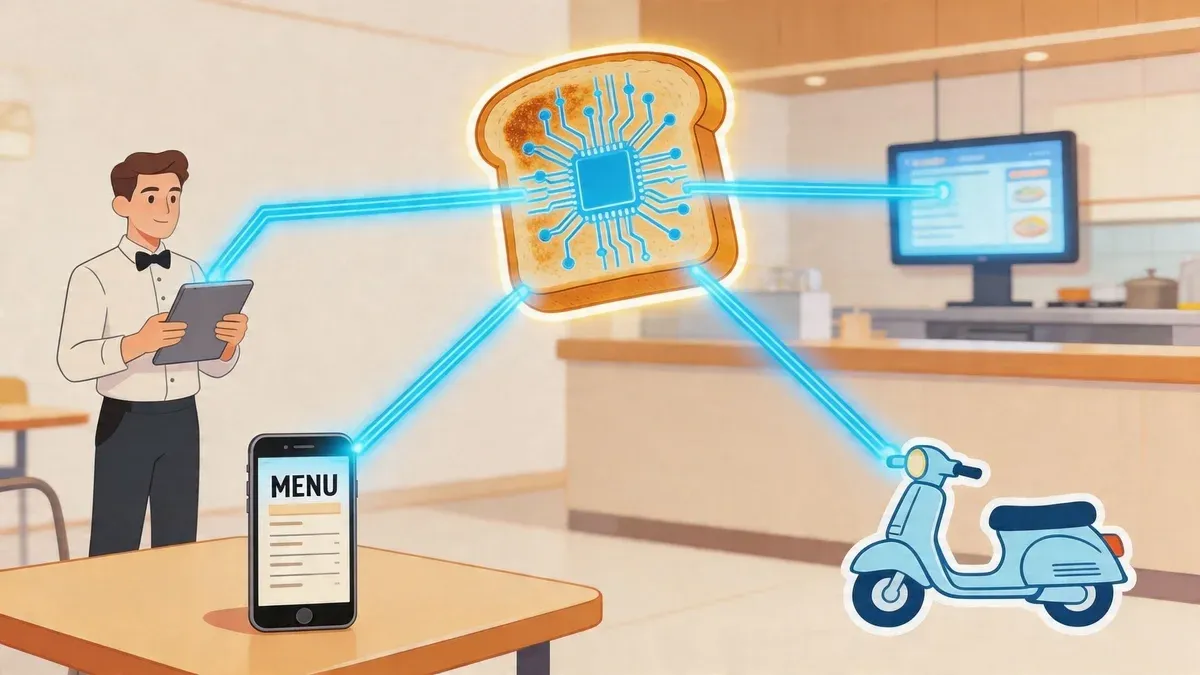
Friday dinner service starts at six. By six-fifteen, a host is quoting wait times from memory, a server is walking paper tickets to the kitchen, a manager is checking one tablet for DoorDash, another for Uber Eats, and a third screen for online orders. A cook is asking which burger gets no onion. Someone re-enters a delivery order by hand. Someone else notices the fries modifier got missed.
That kind of chaos isn’t a staffing problem alone. It’s often a systems problem.
When owners search for toast software for restaurants, they’re usually trying to solve something bigger than payment processing. They want fewer mistakes, faster service, clearer reporting, and less stress during the rush. They want one place where orders, payments, kitchen flow, labor, and guest data connect instead of fighting each other.
The promise of modern restaurant tech is simple. One connected system should help the front of house, the kitchen, and the back office work from the same information. The catch is that not every “all-in-one” setup stays all-in-one once third-party delivery enters the picture.
What Is a Modern Restaurant Operating System
A modern restaurant operating system is the digital backbone of the business. In plain terms, it’s the main system that keeps orders, payments, kitchen production, staff workflows, and reporting connected.
Older setups were usually built in pieces. The POS handled transactions. A separate tablet handled delivery. A printer spat out kitchen tickets. Scheduling lived in another login. Payroll lived somewhere else. None of those tools were wrong on their own. The problem was the gaps between them.
What this looks like in real life
Take a neighborhood burger spot on a Friday night. A dine-in guest orders from a server. A pickup customer places an online order. A delivery order comes in through Uber Eats. If those orders land in different places, your team has to stop and translate the information manually.
That creates three problems fast:
- Staff lose time: Every re-entry step steals attention from guests and food quality.
- Errors multiply: Missed modifiers, wrong timing, and duplicate tickets become common.
- Managers lose visibility: Sales, labor, and item performance data sit in separate systems.
A modern operating system fixes that by acting like a shared control center. Orders should move directly to the right screen. Payment data should feed reports automatically. Menu changes should update across channels without a manager touching five systems.
A good restaurant system doesn’t just record transactions. It reduces decisions your staff shouldn’t have to make during a rush.
The industry shift is real, not a passing software trend. As noted in this market analysis of leading restaurant platforms, leading cloud-based providers served over 164,000 locations as of 2026 projection, up 22% year over year, and this technology captured an estimated 15% of all U.S. restaurant payment volume. That matters because it shows operators are moving away from legacy, disconnected systems at scale.
Why owners care now
Margins are tight. Labor is inconsistent. Delivery is no longer optional for many operators. That means restaurant software has to do more than ring up checks. It has to help a smaller team handle more order volume with fewer mistakes.
If you’re comparing systems, start with the idea of a connected operating system, not just a cash register. This guide to an integrated POS system for restaurants is a useful way to think about what “connected” should mean in day-to-day operations.
Unpacking the Core Features of an All-in-One Platform
Owners often hear the phrase “all-in-one” and assume every tool does the same job. It doesn’t. True value comes from how each module supports a specific daily pain point.
The POS and order hub
The point of sale, or POS, is where orders and payments enter the system. In simple terms, it’s the place your team uses to ring in a burger, split a check, apply a discount, or close out a table.
Technically, this hub does much more. It stores item details, modifiers, tax handling, payment records, and service timing. When it’s built well, every other module pulls from the same transaction data.
That matters because the POS shouldn’t be an island. If a server enters “salad, dressing on side,” the kitchen should see that exact instruction without anyone repeating it.
The kitchen display system
A kitchen display system, or KDS, replaces paper tickets and verbal relays with a digital order queue. The plain-language benefit is immediate. Cooks can see what came in, what’s urgent, and what needs to fire next.
On the technical side, the KDS organizes orders by station, timing, and status. It can help pace tickets and reduce the mess that happens when printers jam or handwritten notes are unclear.
For a line cook, that means less guessing. For a manager, it means cleaner production flow.
Online ordering and table management
Direct online ordering lets guests place pickup or delivery orders through your own digital channels. Table management helps hosts and servers track seating, waitlists, and reservations.
These seem like separate functions, but they’re closely related. A system that sees both in-house and off-premise demand gives managers a more realistic view of capacity. If the kitchen is buried with delivery tickets, the dining room should not keep promising impossible timing.
A practical example is this. A busy casual restaurant might accept direct pickup orders while also turning tables quickly with handheld ordering and digital seating views. That combination helps staff move guests through the experience with less bottlenecking.
Inventory, labor, and guest data
Back-office tools often sound boring until food cost spikes or payroll errors hit. Inventory management connects sales to stock movement. Labor tools connect scheduling, time tracking, and payroll. Customer tools support loyalty, promotions, and repeat visits.
Instead of explaining these in the same pattern, it helps to compare the problem each one solves:
Module Daily problem it addresses Why it matters Inventory management You run out of key items or over-order perishables Better stock control protects margins Labor and scheduling You overstaff slow periods or scramble during peaks Smarter scheduling reduces waste and stress Customer management You don’t know who returns or what they order Better guest data supports retention
The strongest platforms connect these modules instead of treating them like add-ons. According to this restaurant software review, restaurants using unified platforms report average revenue 30% higher than the U.S. industry mean, with features that can accelerate table turns by 25% and reduce labor costs by 10% to 15% through scheduling and real-time performance tracking.
Practical rule: If a feature sounds impressive but doesn’t remove a real step from your team’s day, it probably won’t improve operations.
If you’re evaluating this category specifically, this overview of POS software for restaurants can help translate feature lists into operational value.
How Integrated Food Tech Drives Restaurant Efficiency
A connected platform matters because it changes the path an order takes through the restaurant.
A server taps an order into a handheld. The kitchen sees it instantly. Inventory updates in the background. Payment closes at the table instead of at a fixed terminal. The manager reviews service patterns that night instead of waiting for someone to build a spreadsheet later.
Fewer handoffs means fewer mistakes
Every manual handoff creates risk. A handwritten ticket can be misread. A spoken modifier can be forgotten. A delivery order retyped from a tablet can lose details. Integrated food tech reduces those translation points.
That’s why connected systems tend to feel faster even before a restaurant changes staffing levels. Staff aren’t walking information around the building. The system is doing that part.
A common confusion for owners is this: efficiency doesn’t always mean “do more with fewer people” on day one. Sometimes it means your current team stops wasting energy on avoidable admin tasks. That alone can improve service.
The labor problem is really a training problem too
Many operators buy advanced features and then wonder why the gains don’t show up. In a labor-constrained market, technology only helps if staff can use it without friction.
As covered in this 2026 labor and adoption discussion, only 60% of restaurants fully implement advanced features like guest self-ordering because of training hurdles, while U.S. restaurant labor turnover remains near 70%. That tells you something important. The best feature on paper can fail in practice if the interface is hard to learn.
For a new owner, that means asking a sharper question. Don’t ask only, “Does it have handhelds?” Ask, “Can a new hire use them confidently during a rush?”
A simple system often beats a feature-rich system nobody fully adopts.
Speed helps the whole guest journey
Restaurant efficiency isn’t only back-of-house. It also shows up in the guest experience. Faster ordering, clearer pacing, and cleaner communication all affect whether a guest comes back.
In this context, digital presentation also matters. If you’re building online ordering menus or delivery listings, your photos carry part of the selling job. A practical guide like BeauPlat’s article on how to master food photography and lighting for restaurants can help operators improve conversion without changing the menu itself.
Here is a short walkthrough that helps visualize how connected restaurant operations work in practice:
Where the gains usually show up first
In my experience, owners usually notice the benefits in three places first:
- Service flow: Servers spend less time walking back and forth to terminals.
- Kitchen clarity: Cooks work from cleaner, more consistent ticket information.
- Manager visibility: End-of-day review gets easier because sales and labor data live together.
If your team says, “We keep touching the same order three times,” you don’t have a people issue first. You have a workflow issue.
For operators dealing with rising off-premise volume, this guide to food delivery management software is worth reviewing because delivery adds a second layer of complexity to everything described above.
The Hidden Gap in Restaurant POS Integration for Delivery
Many owners often find themselves blindsided.
An all-in-one restaurant platform can run dine-in service beautifully and still break down the moment third-party delivery enters the building. The sales demo feels complete. The actual shift starts when Uber Eats, DoorDash, and Grubhub orders begin arriving on separate tablets that don’t feed cleanly into the main POS.
What owners think they’re buying
Most owners hear “end-to-end platform” and assume all order channels will land in one operational flow. That’s a fair assumption. If your dine-in, pickup, and direct online orders can connect, you expect marketplace delivery to connect too.
Often, that isn’t what happens.
Instead, the restaurant ends up with this workflow:
- A delivery app sends an order to a separate tablet.
- A staff member notices the alert.
- Someone manually re-enters the order into the POS.
- The kitchen receives the retyped version.
- If a modifier was missed, the restaurant eats the remake or the guest gets a bad experience.
That process is slow, but the bigger problem is inconsistency. During a quiet afternoon, staff may catch everything. During a rush, they won’t.
Why this hurts margins more than owners expect
Delivery already puts pressure on labor and margins. If your staff must babysit tablets and re-key orders, the cost isn’t just time. It’s interruptions, missed items, delayed firing, and frustrated guests.
According to this analysis of delivery integration gaps, restaurants report 20% to 30% higher error rates in order consolidation when effective third-party delivery integration is missing. The same source notes that this manual work can cost 2 to 5 hours of staff time daily, and that’s especially painful when delivery represents 15% to 20% of revenue for many U.S. SMB restaurants.
Those numbers explain why some operators feel like their dining room software is modern but their delivery workflow still feels stuck in the past.
The last unconnected step often becomes the most expensive one because it shows up during your busiest hours.
A real-world example with Uber Eats and DoorDash
Let’s make this concrete. A guest orders a combo meal on Uber Eats and swaps sides. Another order hits from DoorDash with allergy notes. If those tickets don’t flow directly into the restaurant’s core system, someone must act as a human bridge.
That doesn’t scale. It also creates a strange mismatch. The restaurant may have polished front-of-house workflows while off-premise orders still depend on copy-and-paste labor.
That’s why owners evaluating software need to ask harder questions than “Do you support delivery?” A better question is, “Do marketplace orders enter my POS and kitchen workflow automatically, with modifiers intact, without double entry?”
If the answer is vague, you’ll likely need a separate integration approach. This explainer on change order integration for restaurants is useful because it focuses on what happens when orders need to move between systems cleanly.
How to Perfect Your Restaurant Delivery and POS Integration
The fix is not another tablet.
The fix is a proper integration layer that connects marketplace orders to the POS your team already uses. In software terms, people often call this middleware. In restaurant terms, it’s the bridge that removes double entry.
Before and after the right setup
The easiest way to understand integration is to compare the old workflow with the better one.
Situation Without integration With integration Order arrives from DoorDash Staff reads tablet and retypes order Order flows into POS automatically Kitchen receives ticket Ticket may reflect re-entry errors Ticket matches original order details Inventory and reporting Data is split across platforms Data is cleaner and easier to review Rush periods Staff gets pulled into admin work Staff stays focused on service and production
That change sounds simple, but it affects the whole shift. The host isn’t answering tablet alarms. The expo isn’t checking whether the POS copy matches the app copy. The manager isn’t sorting through channel-by-channel confusion at close.
Why centralization works
When delivery platforms sync directly into the POS, the order behaves more like any other order in the restaurant. It appears in a familiar workflow, reaches the kitchen faster, and preserves details better.
As explained in this delivery-to-POS integration overview, centralizing orders from multiple delivery platforms directly into the POS can reduce order errors by up to 50% in high-volume settings. The same source says API-driven synchronization can cut kitchen ticket times by 20% to 30% during peak hours by removing manual entry bottlenecks.
For operators, the practical point is straightforward. Good integration saves labor twice. First, by removing re-entry work. Second, by preventing the mistakes that create remakes and guest complaints.
How this looks with common POS systems
This isn’t theoretical. Restaurants already use bridge tools to connect delivery channels into common POS systems such as Clover and Square.
That matters because many owners assume they need to rip out their existing setup to fix delivery chaos. Often they don’t. They need a cleaner way for delivery orders to enter the systems they already trust.
A few practical signs that your integration setup is working:
- Modifiers arrive cleanly: Extra sauce, no cheese, allergy notes, and combo selections show up correctly.
- Kitchen flow stays consistent: Delivery orders follow the same production logic as in-house orders.
- Managers get usable reporting: Sales aren’t scattered across disconnected dashboards.
- Staff training gets easier: New hires learn one order workflow instead of several.
If you’re sorting through integration options, this guide to an online order management system for restaurants can help you map what “centralized ordering” should include before you commit.
An Evaluation Checklist for Modern Restaurant Software
Software demos are built to feel smooth. Real restaurant shifts are not. That gap is why owners need a checklist before signing anything.
Use these questions when you’re evaluating toast software for restaurants or any other modern platform. The goal isn’t to find the longest feature list. The goal is to find the system that fits your operating reality.
Core functionality questions
Start with the fundamentals. If the basics are clumsy, advanced tools won’t rescue the system.
- Order handling: Can staff enter dine-in, pickup, and direct online orders quickly, with modifiers easy to find?
- Kitchen communication: Does the kitchen receive clear digital tickets, and can stations manage pacing without verbal rescue?
- Payment flow: Can servers close checks efficiently at the table or at a fixed terminal, depending on service style?
- Reporting quality: Do managers get useful daily visibility into sales patterns, labor flow, and menu movement?
Integration and openness questions
At this stage, many buying mistakes happen. Owners hear “integrated” and assume “open.”
Ask directly:
- Third-party delivery connection: Do Uber Eats, DoorDash, and Grubhub orders flow directly into the POS without double entry?
- Modifier integrity: Will special instructions arrive exactly as the guest entered them?
- Data portability: Can you export the reporting data you need without friction?
- Compatibility: If you use another tool for accounting, loyalty, scheduling, or menu sync, how well does the platform connect?
Ask vendors to describe the exact order path from a marketplace app to the kitchen. If they answer in general marketing language, keep digging.
Cost and contract questions
Price isn’t just the monthly software fee. Owners should look at the full operational cost of the decision.
Here are the questions I recommend putting in writing:
Category Question to ask Hardware What devices are required, and can any current equipment stay in use? Training Who trains the staff, and what happens when you onboard new hires later? Support What support is available during service hours, weekends, and holidays? Contract terms What are the cancellation terms, and what happens if the system isn’t a fit?
Support and rollout questions
Even a strong system can fail with a weak launch. Restaurants don’t have the luxury of long technical transitions.
Ask about these practical rollout details:
- Menu build: Who owns setup, testing, and modifier accuracy before go-live?
- Shift readiness: How do they prepare your team for the first live weekend?
- Issue escalation: If online ordering or kitchen routing breaks mid-service, who responds and how fast?
- Multi-location growth: If you expand later, does the setup stay manageable?
The best software decision usually comes from matching technology to workflow, not from chasing the biggest brand or the most polished sales pitch.
The Final Ingredient Your Action Plan for Restaurant Tech
A strong restaurant platform can bring order to the dining room, speed up the kitchen, and give managers better visibility. That’s the foundation.
But the foundation isn’t the whole building.
The missing piece for many operators is delivery integration. That’s where the promise of “all-in-one” often breaks. If third-party marketplace orders still live on separate tablets and depend on staff re-entry, the restaurant is carrying hidden labor costs all day. The software may be modern at the front counter and outdated at the delivery station.
The practical takeaway is simple. A modern restaurant tech stack needs two things working together:
- A reliable core operating system for orders, payments, kitchen flow, labor, and reporting
- A clean delivery integration layer so marketplace orders enter that system automatically
When those two pieces work together, the benefits stack up. Staff handle fewer repetitive tasks. Kitchens see cleaner tickets. Managers get more trustworthy data. Guests get a more consistent experience whether they dine in, pick up, or order from Uber Eats and DoorDash.
Operators should also remember that better systems create room for better growth. Once service operations are stable, marketing gets easier because the restaurant can deliver on the demand it creates. If that’s your next challenge, this guide to the best marketing strategies for restaurants is a useful next read.
Great restaurant tech doesn’t win because it has more screens. It wins because your team stops doing the same work twice.
Your next step is to audit your current order flow tonight. Watch one dine-in order, one direct online order, and one marketplace delivery order from start to finish. If they don’t follow one clean path, that’s the bottleneck to fix first.
If your restaurant is tired of tablet chaos and manual order entry, OrderOut helps connect delivery apps like Uber Eats, DoorDash, and Grubhub directly into your POS so your team can work from one unified workflow. Restaurant owners can start onboarding for free in just a few clicks at the OrderOut dashboard.