
A Restaurant Owner's Guide To Choosing The Right POS System
· Thibault Le Conte
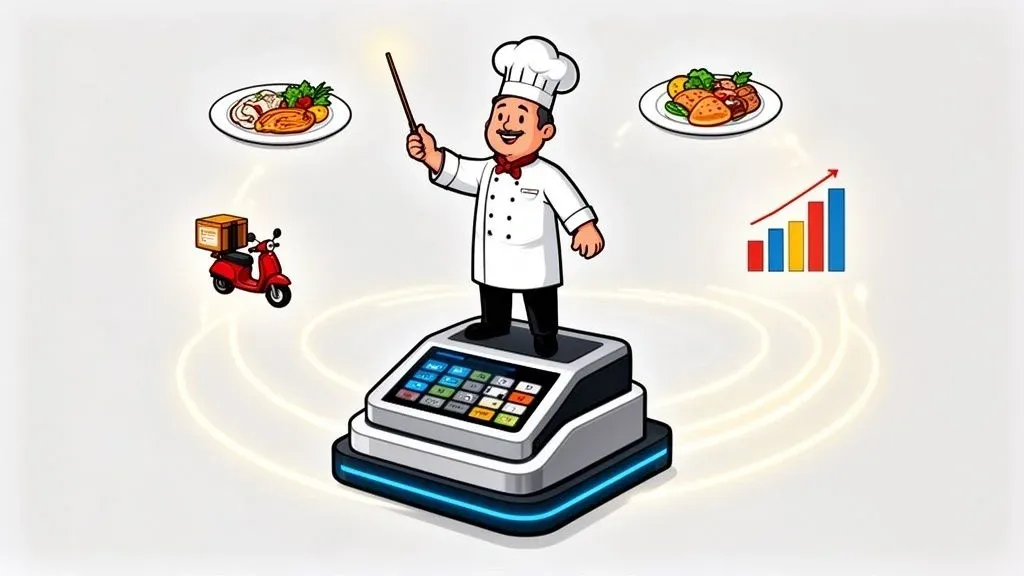
A modern Point of Sale (POS) system is the central nervous system of your entire restaurant, not just a digital cash register. While you might be searching for specific brands, it’s more important to understand that the best platforms act as a complete command center for your operation, going way beyond just processing payments. This guide will explain what a modern restaurant POS does, why POS integration is critical for efficiency, and how to implement one to grow your business.
What A Modern Restaurant POS Actually Is
In simple terms, a traditional cash register is just for taking money. A modern restaurant POS, however, is the conductor of your entire operation. It ensures every part of your business—from hosts and servers to the kitchen and even your delivery apps—works together perfectly. This shift from a simple payment tool to a comprehensive management platform is key to improving your restaurant operations.
- Why it matters: A unified system reduces chaos and errors. When your front-of-house, kitchen, and delivery services are all connected through the POS, orders are faster and more accurate. This directly improves customer satisfaction and saves you money on remade dishes.
To get a clearer picture, let’s look at how a modern POS stacks up against the old way of doing things.
Modern POS System Vs Traditional Cash Register
Feature Traditional Cash Register Modern Restaurant POS Primary Function Basic transaction processing and cash management. Central hub for all restaurant operations. Order Taking Manual entry only, limited to on-site orders. Accepts orders from dine-in, online, and third-party apps. Reporting Basic end-of-day sales totals (Z-reports). Detailed, real-time analytics on sales, inventory, and staff. Inventory No real-time tracking; requires manual counts. Automatically deducts ingredients from inventory with each sale. Staff Management A separate punch clock is needed. Built-in time tracking, scheduling, and performance reports. Customer Data Gathers no customer information. Builds customer profiles and manages loyalty programs.
As you can see, the difference is night and day. A modern POS isn’t just an upgrade; it’s a completely different tool designed to solve today’s operational challenges by boosting staff productivity and cutting costs.
Beyond The Cash Drawer
A true restaurant POS is built to handle the unique chaos of the restaurants and hospitality industry. It becomes the single source of truth that connects every critical part of your business.
Its core jobs include:
- Order Management: It flawlessly captures orders from every channel—in-person, your website, or delivery apps—and fires them directly to the kitchen.
- Kitchen Communication: Instead of paper tickets, it uses Kitchen Display Systems (KDS) to organize orders, slash ticket times, and virtually eliminate costly mistakes.
- Staff Management: You can manage employee time clocks, build schedules, and pull performance reports, all from one dashboard.
- Inventory Control: It tracks every ingredient used in real-time, helping you dodge the dreaded “86” and cut down on food waste.
- Customer Relationships: It lets you run loyalty programs and collects valuable customer data you can use to bring people back.
The market numbers tell the same story. The global Restaurant POS Systems market hit USD 12.3 billion in 2024 and is expected to explode to USD 30.48 billion by 2035, all because restaurants are finally going digital. Cloud-based systems are the clear favorite, making up 61% of all new setups thanks to their flexibility. You can dig into the full report on these market trends from Market Research Future.
Why POS Integration Matters for Restaurant Operations
The real magic of a modern POS is its ability to “talk” to all your other tools. Without POS integration, your host is stuck at a tablet manually punching every Uber Eats and DoorDash order into the POS. This process is slow, creates errors, and is a massive waste of staff time. You can learn more in our guide on the meaning of POS in a restaurant.
A fully integrated system acts as a single source of truth. It connects your delivery apps, accounting software, and marketing platforms, giving you a complete picture of your restaurant’s health and performance.
- Why it matters: Integration automates tedious tasks, saving time and money. For example, when a DoorDash order automatically appears in your POS, you eliminate manual entry errors, which prevents food waste from remade orders. This frees up your staff to focus on serving in-house guests, improving everyone’s experience.
Platforms like Square and Clover feature app marketplaces that allow you to connect third-party services directly. This helps you kill off those manual tasks, reduce mistakes, and give your team the freedom to focus on what actually matters—taking care of your guests.
Actionable Insight: Ready to see how seamless POS integration can transform your restaurant delivery operations? You can start onboarding for free with OrderOut in just a few clicks.
Core POS Features That Drive Restaurant Profitability
A modern POS can feel like a maze of features, but only a handful truly make a difference to your bottom line. We’re not talking about bells and whistles; we’re talking about the tools that solve the real-world headaches that chip away at your profits. Think of these as the essential digital tools for streamlining your restaurant operations.
Streamline Service with Tableside Ordering
In plain language, tableside ordering means your servers take orders on a handheld device instead of a notepad. Those orders are sent straight to the kitchen instantly, without the server needing to walk to a stationary terminal.
This simple change has a massive impact:
-
Boosts efficiency: Servers can manage more tables at once, which means faster table turns and more customers served during busy hours. This directly translates to higher revenue.
-
Improves staff productivity: With less time spent running back and forth, your team can focus on creating a great guest experience. Better service leads to bigger tips and happier staff, while eliminating errors from messy handwriting.
-
Why it matters: Faster service means more table turns per shift. If you can serve just one extra table per hour because of increased efficiency, the revenue gain over a year is significant. This also reduces staff stress and improves morale.
Command Your Kitchen with KDS Food Tech
A Kitchen Display System (KDS) is a digital screen that replaces paper order tickets in your kitchen. Incoming orders appear in real-time, organized by how long they’ve been waiting. It’s a key piece of food tech that brings order to a chaotic back-of-house.
Your cooks know exactly what to make, in what order, and can see everything at a glance.
A KDS brings method to the madness of a busy service. It cuts down ticket times, guarantees orders are made correctly, and gives you a bird’s-eye view of your kitchen’s performance, so you can spot and solve bottlenecks on the fly.
- Why it matters: A KDS dramatically reduces order errors and ticket times. Imagine a busy brunch service. A KDS can automatically route egg dishes to the sauté station and pancake orders to the griddle, ensuring everything for a table is ready at the same time. This coordination is impossible with paper tickets and leads to better food quality and happier customers. You can explore a wide variety of options in our complete restaurant POS systems list.
Unlock New Revenue with Online Ordering
Today, having your own online ordering system is non-negotiable. While delivery apps are great for finding new customers, an ordering channel built into your POS is where you make real profit. A good POS lets you launch a branded ordering website where customers order directly from you for pickup or delivery. Those orders then appear in your POS and KDS just like an in-house order.
-
Massive Cost Savings: You completely avoid the punishing commission fees from third-party apps, which can run as high as 30% of every order.
-
Own Your Customer Data: When customers order direct, you get their information. That data is gold for building loyalty programs and running your own marketing campaigns.
-
Why it matters: Direct online ordering is a huge profit booster. A restaurant doing $5,000 a week in Uber Eats sales could be paying up to $1,500 in commissions. By shifting even half of that to a direct, commission-free channel, you add $750 directly to your bottom line every week. Systems like Clover and Square are known for their deep integrations, which help unify the flow from the customer’s first click to the final prep in the kitchen.
Actionable Insight: If your staff is still manually typing in online or phone orders, you are losing money to wasted time and inevitable mistakes. Automating this is one of the quickest ways to improve your restaurant operations.
Understanding Hardware Needs and Pricing Models
Figuring out the costs and components of a new restaurant POS can feel overwhelming. The key is to think of your hardware as a custom toolkit for your restaurant—you only need the tools that solve your specific operational problems. The right hardware is the physical backbone of your workflow, designed to fix your biggest headaches, like a chaotic host stand or a bottleneck between servers and the kitchen.
Essential POS Hardware Components for Restaurant Operations
For most restaurants, the toolkit comes down to a few key pieces. Each one plays a specific role in improving your restaurant operations and efficiency.
- Terminals: This is your command center, usually a stationary touchscreen where your team manages orders, payments, and other core tasks.
- Handhelds: For full-service restaurants, these portable devices are a game-changer. Servers take orders and payments at the table, dramatically speeding up service and turning tables faster. This directly increases revenue potential.
- Kitchen Display Systems (KDS): A KDS is your ticket to a calmer kitchen. By replacing paper printers with a digital screen, you reduce lost tickets and communication errors, track order times, and keep the line organized.
- Card Readers: Modern payment terminals must be flexible, handling chip cards, NFC (tap-to-pay), and digital wallets like Apple Pay to give every guest a quick, secure payment option.
Don’t forget what ties it all together: a solid network. A weak Wi-Fi signal can bring your entire operation to a halt. Resources like this UK office network wiring installation guide offer great technical pointers for ensuring your restaurant’s connectivity is rock-solid.
Decoding SaaS Subscriptions and Upfront Costs
When budgeting for a new POS system, you’re looking at two types of costs: the upfront price for hardware and the ongoing software fees.
Hardware Costs: This is the one-time spend on physical gear—terminals, handhelds, and printers. Some providers sell starter kits, while others might lease it to you as part of a contract.
Software-as-a-Service (SaaS) Fees: This is your recurring subscription, usually paid monthly, to use the POS software. This fee covers regular software updates, customer support, and cloud data storage.
- Why it matters: Understanding the total cost of ownership is crucial. A “$0 down” hardware offer might seem appealing, but it often means a higher monthly fee or a long-term contract. Always calculate the total cost over 2-3 years to see which model is truly more affordable for your business.
The SaaS model means you’re investing in a service that’s always improving. For instance, major platforms like Square and Clover constantly release updates with new features and security improvements. If you’re leaning toward a tablet-based setup, our guide on iPad POS for restaurants has more specific advice.
Actionable Insight: Before talking to a sales rep, map your restaurant’s floor plan and pinpoint your biggest bottlenecks. Is it the line at the counter? The time servers waste walking to a terminal? This exercise will help you choose hardware that solves real problems instead of just buying shiny tech.
How POS Integration Solves Delivery Chaos
For any restaurant manager, the constant pinging from delivery tablets signals a frantic, error-prone process. This is “tablet hell”—a cluttered counter where staff have to stop everything to manually punch orders from DoorDash, Uber Eats, and Grubhub into the main POS. This manual entry is a huge bottleneck that wastes time and leads to mistakes. This is exactly where POS integration becomes essential.
What Is Restaurant Delivery POS Integration?
In simple terms, a POS integration platform acts as a bridge between your delivery apps and your main POS system. It automatically grabs every order from all your third-party apps and feeds them directly into your POS.
An Uber Eats order instantly appears on your kitchen display screen just like an order taken by a server. No more shouting, no more juggling tablets. The process is fully automated, eliminating human error and turning a chaotic workflow into a smooth, efficient operation. This gives you a powerful tool to manage your restaurant operations and restaurant delivery.
As the chart shows, a solid POS foundation is the first step toward unlocking these powerful integrations.
The Real-World Impact of Restaurant Delivery Integration
Let’s compare two scenarios. A busy pizza shop without integration has a host frantically copying delivery orders from three tablets into their Square terminal. An order for “large pepperoni, no mushrooms” is punched in as “large pepperoni, with mushrooms.” The result is an angry customer, a remade pizza, and a direct hit to profits.
Now, imagine that same scene with restaurant delivery integration. That pizza order from Uber Eats flows directly into the POS and appears on the kitchen screen, 100% accurate. The host is free to greet guests, improving the experience for everyone.
The change leads to a massive jump in staff productivity and virtually eliminates order mistakes. By automating this single task, restaurants often reclaim hundreds of staff hours a year and protect their margins from costly errors.
- Why it matters: This direct flow of information is modern food tech at work. With cloud-based POS systems dominating the market, connecting different platforms is more important than ever. For example, an integration service can send DoorDash orders straight to a Clover system, cutting out hours of manual work and saving thousands of dollars in labor costs and error reduction annually. The data gathered also helps you fine-tune your menu for better profitability. If you want to dive deeper, our guide on POS software integration breaks down the entire process.
Manual Delivery Management Vs. Integrated POS Workflow
The operational difference between handling delivery orders manually versus using an integrated system is stark. It affects everything from staff stress levels to your bottom line.
Operational Task Manual Process (Multiple Tablets) Integrated Process (With OrderOut) Order Entry Staff manually re-enters every order from each tablet into the POS. Orders from all apps automatically appear in the POS and KDS. Error Rate High. Typos and misinterpretations are common during re-entry. Near zero. Orders are transmitted with 100% accuracy. Staff Focus Divided between tablets, in-house guests, and POS entry. Focused entirely on in-house guests and core service tasks. Order Speed Slow. Significant lag between tablet alert and kitchen ticket. Instant. Orders are sent to the kitchen the moment they’re placed. Menu Management Must update menus and 86 items on each delivery app separately. Update once in the POS, and changes sync across all connected apps. Reporting Fragmented. Sales data is split across multiple platforms, requiring manual consolidation. Centralized. All sales data (in-house and delivery) lives in one POS report.
Actionable Insight: An integrated workflow doesn’t just save time—it fundamentally changes how your restaurant operates for the better, making it more efficient and profitable.
Your Step-By-Step Implementation Roadmap
Switching your restaurant’s POS system can feel like performing open-heart surgery on your business. But with a solid game plan, it’s a completely manageable project. We’ve boiled the process down into three core phases to ensure a painless transition that improves your restaurant operations without causing chaos.
Phase 1: Pre-Launch Preparation
Proper preparation is the key to a smooth launch. Don’t rush this part.
-
Menu and Floor Plan Programming: This is your foundation. Program every single item, modifier, and price point into the POS. Then, make sure your digital floor plan exactly mirrors your dining room for flawless table management.
-
Staff Training Sessions: The key is hands-on practice. Use a training mode and let your team run fake orders, split checks, and process payments. This builds confidence and muscle memory.
-
Create “Cheat Sheets”: Create simple, one-page guides for common tasks—like voiding an order or looking up a loyalty member. Laminate them and keep them by the terminals.
-
Why it matters: Taking these steps is the single best way to boost staff productivity from day one. A well-prepared team is a confident team, which means fewer errors and less stress during the transition.
Phase 2: Go-Live Day
The big day should feel controlled, not chaotic. Timing and support are everything.
Pro Tip: Never go live on a Friday or Saturday night. Schedule your launch for your slowest period, like a Tuesday morning. This creates a low-pressure environment where your team can learn without the stress of a full house.
Make sure a POS expert or a designated “super user” from your team is on-site to help. Having someone who can answer questions instantly prevents small hiccups from derailing service.
Phase 3: Post-Launch Monitoring
The job isn’t done after you launch. The first few weeks are about fine-tuning the system and gathering feedback. For a closer look at what that support involves, check out our guide on what POS system integrators do.
Talk to your staff constantly. They’re on the front lines and will have the best ideas for making the workflow smoother. At the end of each day, check your reports to confirm that sales, taxes, and payouts are all tracking perfectly. This is your final confirmation that your new POS integration with platforms like Square or Clover is working as it should.
Actionable Insight: You now have a clear, step-by-step plan for upgrading your restaurant’s technology. It’s time to move from planning to doing.
Frequently Asked Questions About Restaurant POS Systems
When shopping for a new POS, a few big questions always come up. Here are straightforward answers to help you make an informed decision.
How Difficult Is It to Train Staff on a New POS System?
This is a top concern for many owners. The good news is that modern systems are designed to be intuitive. If your staff can use a smartphone, they can learn a new POS. Most front-of-house staff can master taking orders and payments within a single training shift. The key is to run practice sessions in “training mode” before going live to build confidence.
Can I Integrate My Existing Delivery Apps Like DoorDash?
Yes, and you absolutely should. A proper POS integration is the solution to “tablet hell.” Integration services connect your delivery apps like Uber Eats and DoorDash directly to your central POS. An order from DoorDash can flow straight into your Square or Clover system and appear in the kitchen, just like an in-house order.
This automation is fundamental to efficient restaurant operations. It turns the chaos of multiple delivery channels into a smooth, profitable, and error-free part of your business, saving hundreds of hours in labor and preventing costly mistakes.
What Happens if My Internet Goes Down?
A critical question for any cloud-based system. Modern POS systems have a built-in “offline mode.” If your internet drops, the system continues to operate, allowing you to take orders and securely swipe credit cards. All transaction data is stored locally and syncs to the cloud once your connection is restored. You won’t lose a single sale, ensuring your revenue flow is protected.
Practical Next Step: Ready to eliminate delivery headaches and streamline your restaurant’s workflow? With OrderOut, you can connect all your delivery apps directly to your POS, saving time, reducing errors, and boosting staff productivity.
Start onboarding for Free in a few clicks and see the difference for yourself.