
OrderOut for Third-Party Food Delivery Services: What Is It and How Does it Work?
· Thibault Le Conte
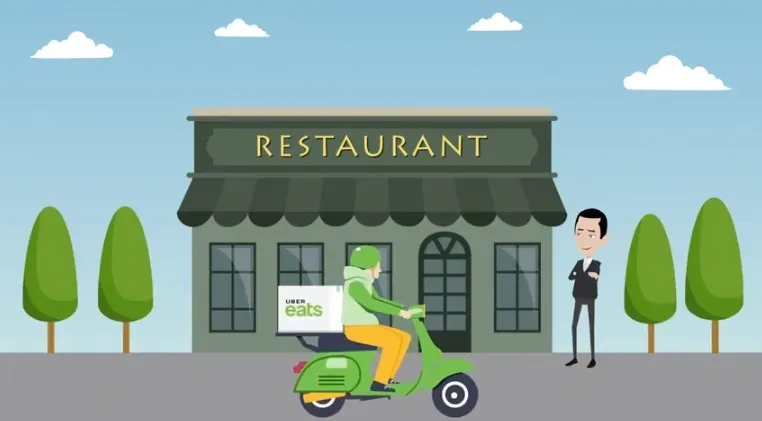
While the popularity of third-party food delivery services has been on the rise in recent years, the Covid-19 pandemic fueled a substantial increase in demand. Small restaurants and consumers alike-who otherwise would not have turned to these services-found themselves utilizing them regularly. Restaurant owners discovered the profitability of offering food delivery services and consumers realized the convenience. Despite this, problems quickly surfaced for restaurant owners and staff. The founders of OrderOut had fortunately already anticipated these dilemmas and were prepared with a solution.
What Is OrderOut?
OrderOut is an app developed in 2018 for use with point-of-sale restaurant systems (POS). The app is designed to allow restaurants to integrate multiple third-party food delivery service accounts into their existing point-of-sale systems. This streamlines the process of receiving orders and allows restaurants to partner with as many services as they wish to maximize their visibility and boost their revenue.
Why Do Restaurants Need OrderOut for Third-Party Food Delivery Services?
When a restaurant owner decides to partner with one third-party food delivery service, they limit themselves to the clientele who use that particular service. To maximize revenue, it is best to have multiple food delivery partners. The problem lies in managing all of these partnerships long-term. This is because each third-party food delivery service provides the restaurant with a specific tablet to receive orders on. Multiple partnerships mean that the restaurant owner and staff members have to manage multiple tablets to keep up with incoming orders. For example, a restaurant that partners with Uber Eats, Eat24, and GrubHub will be responsible for managing orders on three tablets in addition to their typical over-the-phone or brick-and-mortar orders.
Because restaurants are already fast-paced environments, adding the extra tasks of managing these tablets is often disastrous. Orders may not be checked frequently which means they are left sitting for long periods of time and when they are received, each order must be manually entered into the restaurants existing point-of-sale system. This means orders are delayed and the risk of errors is increased as each one is transferred from one system to another. The end result is unsatisfied customers, due to lengthy wait times or order mistakes and stressed out staff members.
The Solution: Integrate Multiple Third-Party Food Delivery Services and Ditch the Tablets
1. Sign Up and Self-Onboard
During this process, you create an account and then select your Clover POS and the third-party food delivery services your restaurant uses.
2. Account Setup
Next, you install OrderOut using a simple plug-and-play method. This only takes a few minutes and then you are able to connect your menus. Using our central menu technology, you can quickly make changes to all of them at once.
3. Go Live and Ditch the Tablets
In a few clicks, your restaurant is able to ditch the tablets and begin accepting orders from all of your third-party food delivery service partners through your existing POS.
How OrderOut Works
Powered by intuitive technology, OrderOut operates seamlessly and continuously detects and accepts orders based on accuracy.
OrderOut transmits these orders automatically to your POS so that your staff can begin preparing them immediately—without the need to manually enter each order into the system.
Without delays caused by failing to check tablets for orders or errors from manually entering orders into the system, restaurant staff is able to prepare orders quickly for delivery.
The Benefits of OrderOut for Third-Party Food Delivery Service Integration
With OrderOut for third-party food delivery service integration, restaurant owners can harness all of the profitability of these partnerships without the hassle. There are no tablets to track, no added stress to staff members, and no bad reviews due to errors or lengthy delays. Restaurants instead streamline the process and are able to accept more orders, while also gaining access to OrderOut’s valuable analytics data.
Install OrderOut and Get Started
Want to install OrderOut on the Clover POS system? Get started now and begin accepting orders today.