
Master the 8 Step of Service for Modern Restaurants
· Thibault Le Conte
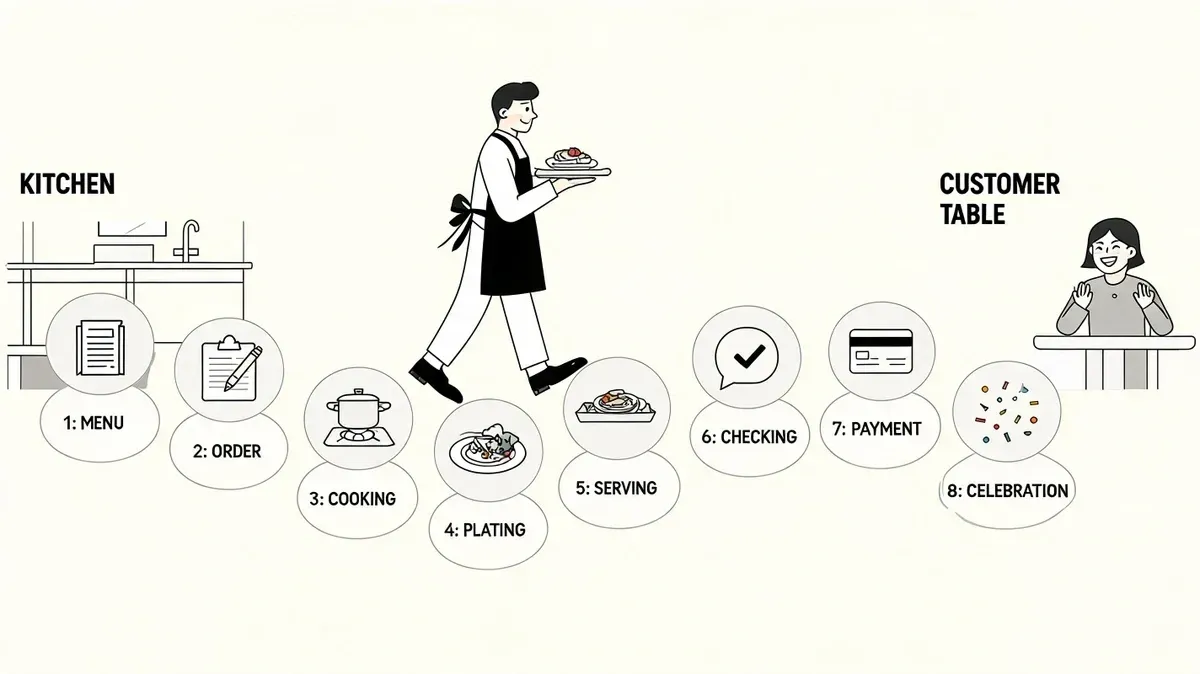
Saturday night at 7:15 p.m. is when weak service systems show up in plain view. Three delivery tablets are chiming, the POS has a separate queue, a driver is waiting at the host stand, and the kitchen is asking which ticket is real. In that environment, small misses turn into expensive ones. A modifier gets lost, a pickup time slips, a bag leaves without a side, and the store pays for it in refunds, remakes, and labor that should have gone to production.
For a delivery-focused restaurant, step of service is an operating blueprint. It defines how an order enters the business, how it moves through the POS and kitchen, how exceptions get caught, and how the handoff happens without guesswork. In a dining room, service starts with the greeting and ends with payment. In off-premise operations, service starts at order receipt and ends when the correct, verified order leaves with the right driver.
Service basics still drive outcomes. The lesson is straightforward. Consistency at a few high-impact moments shapes the guest experience and the store’s margin more than operators often expect.
That is why delivery service steps need to be built around systems, not memory. If order intake, routing, prep timing, quality checks, and handoff rules are vague, the team spends the rush reacting instead of executing. Restaurants usually fix the front end first with an online order management system that consolidates channels and reduces manual re-entry, but the greatest gain comes from connecting each step all the way through the line.
The eight steps below examine service through an operational lens: fewer order errors, faster ticket flow, better use of labor, and tighter coordination between the POS, KDS, payment tools, and delivery channels. That is how step of service turns from a training document into a profit protection system.
1. Order Receipt and Acknowledgment
The first step of service for delivery is simple. Every incoming order has to land in one place, get acknowledged fast, and show clear status to the team. If that doesn’t happen, the rest of the shift becomes damage control.
Restaurants that run Uber Eats, DoorDash, and Grubhub on separate tablets usually hit the same problem. Staff hear a chime, glance at one screen, and miss the other two. Then someone manually re-enters the ticket into the POS while the kitchen waits. That delay creates bad prep timing before a single pan gets hot.
With a consolidated dashboard, the order enters once and the team acts once. That’s why operators using a proper online order management system usually clean up the front end of service first. One view beats three tablets every time.
What good acknowledgment looks like
The acknowledgment step isn’t only about hitting “accept.” It means the restaurant confirms the ticket is real, readable, and workable.
Use this sequence:
- Verify modifiers immediately: Staff should check for missing sides, allergy notes, and unusual requests before the ticket moves deeper into production.
- Match the order to capacity: If the kitchen is backed up, don’t pretend the food will be ready sooner than it will.
- Create visible status cues: The expediter, cashier, and kitchen should all see whether an order is new, in progress, packed, or ready for pickup.
Operational rule: The best time to catch a bad order is in the first few seconds after it arrives, not when a driver is waiting at the counter.
A real-world example is a restaurant running delivery through Clover with OrderOut. Instead of assigning one employee to babysit tablets, the store gets a single flow of incoming orders inside the POS environment. That frees the cashier to handle guests and the kitchen to cook, rather than translate app tickets into house language.
What doesn’t work is relying on memory. If the host says, “I saw that one come in,” but nobody accepted it in the system, you don’t have a process. You have hope.
2. Order Kitchen Display System Routing
Once the order is accepted, it has to go to the right station without anyone playing traffic cop. That’s where KDS routing becomes a core step of service, not just a kitchen convenience.
If burgers, fries, salads, and desserts all print on the same ticket stream, staff waste time decoding instead of cooking. In a busy kitchen, that confusion spreads fast. Grill starts late, fryer overfires, and expo can’t tell what’s holding the order.
A routed kitchen display changes the pace of the line. Burgers go to grill. Fries go to fryer. Cold items go to prep. If you run multiple concepts from one kitchen, the system should separate those tickets automatically instead of asking staff to sort them by eye.
A practical setup example is a restaurant using an order ready screen for kitchen coordination so staff can see where each ticket stands before a driver arrives.
Here’s the visual logic most kitchens need.
Routing rules that help instead of hurt
Bad KDS configuration creates a digital mess faster than paper ever did. The routing has to follow the kitchen, not an idealized floor plan from setup day.
A few rules hold up well in practice:
- Map the current line first: Build routing around how your stations already work during a rush.
- Send only relevant items: Don’t flood every screen with every modifier if the station doesn’t need that information.
- Use urgency carefully: Too many red alerts train staff to ignore all red alerts.
A KDS should remove decisions from the line. If cooks still have to ask where a ticket belongs, the setup isn’t finished.
This matters for restaurant delivery because timing starts here. If sushi prep gets a ticket late because the burger station had to call it out, the driver still shows up on time, but the food doesn’t. The system should carry that coordination burden so the staff can focus on execution.
3. Special Instructions and Allergy Verification
A Friday dinner rush exposes weak allergy handling fast. A delivery ticket hits the POS with “peanut allergy” buried between sauce modifiers, the line is already stacked, and nobody is sure whether the dish can be made safely. If the system does not force that decision early, staff make it under pressure, and that is where expensive mistakes happen.
Special instructions and allergy notes need different workflows. “No onions” is a preference. “Shellfish allergy” is a risk decision that should be acknowledged, verified, and tracked inside the POS and KDS before production starts.
Use the tech to separate those two paths. Allergy-related modifiers should trigger a high-visibility alert, require acknowledgment from the kitchen or expo, and stay attached to the item through prep, packing, and handoff. That adds seconds to the process. It also cuts remake risk, refund risk, and the far bigger cost of sending out unsafe food.
Build one response that the system can enforce
Restaurants get into trouble when allergy handling lives in memory instead of workflow. One shift lead asks for a verbal callout. Another relies on the printed note. A third tells the cook to “be careful.” None of that scales across dine-in, pickup, and third-party delivery.
A workable standard is simple:
- Flag allergy notes at order receipt: The alert should appear before prep starts, not halfway through the ticket.
- Require active acknowledgment: Someone on the line or at expo needs to confirm they saw the allergy alert.
- Verify item feasibility: Staff need a clear yes or no on whether the dish can be made safely as ordered.
- Log the action in the system: If your POS records acknowledgments, substitutions, or manager approvals, use that record.
The operational trade-off is real. Extra verification can slow a station during peak periods. I still recommend it because a slightly longer ticket time is cheaper than a comp, a chargeback, or a guest complaint that turns into a training failure review.
This is also where menu data quality matters. If allergy-relevant ingredients are inconsistent in the POS, staff cannot trust the modifiers they see. Operators cleaning up ingredient-level menu mapping usually improve allergy handling and stock control at the same time. A tighter restaurant inventory management workflow inside the POS supports both.
What fails in practice is poor visibility. Tiny receipt text, vague abbreviations, and app notes that do not pass cleanly into the kitchen create avoidable risk. If the station cannot see the note clearly and confirm it was handled, the process is incomplete.
4. Inventory and Ingredient Availability Check
One of the most expensive mistakes in restaurant delivery is selling food you can’t make. It wastes kitchen time, frustrates guests, and drags staff into apology mode during the rush.
Inventory has to sit inside the step of service, not beside it. The check should happen before production starts, while there’s still time to stop the order, substitute intelligently, or disable the item across channels.
That’s especially important when you’re listed on multiple apps. If one manager marks an item out on Uber Eats but forgets DoorDash, you’ll keep overselling from the second channel. Operators using integrated inventory workflows try to avoid that by syncing availability from the POS outward instead of editing every app one by one. For restaurants exploring tighter stock control inside delivery-heavy restaurant operations, this guide to restaurant inventory management workflows is a useful operational reference.
Where operators usually get this wrong
Most inventory failures aren’t caused by bad counting. They’re caused by delayed updates.
Common weak points include:
- End-of-shift logging: By the time staff update stock after service, the damage is already done.
- No last-item rule: If two people think they’re selling the final portion, both may be right from their screen.
- Channel-by-channel edits: Manual menu updates break down during peak demand.
I prefer simple guardrails over complex theory. If an item is high velocity, set a tighter depletion process around it. If a seasonal ingredient is limited, assign one person to control its availability across all channels.
The best inventory process isn’t the most detailed one. It’s the one your team can still follow during a slammed shift.
A practical example is a fast-casual restaurant on Square using live menu control to pull an item before the kitchen gets trapped in remake conversations. That saves time twice. Staff don’t prep something unavailable, and they don’t spend the next ten minutes fixing the sale.
5. Order Timing and Queue Management
Queue management is where restaurant operations either feel smooth or feel impossible. It decides whether the kitchen cooks in sequence or in panic.
Every order doesn’t deserve the same timing logic. A burger and fries for pickup, a large family bundle for a driver, and a salad with heavy modifications should not all hit the same queue lane the same way. When operators ignore that, easy tickets get buried behind complex ones and driver wait time starts stacking up at the front.
Good queue management balances prep time, station load, and pickup reality. If a driver is three minutes away and the order needs twelve minutes, the system should show that tension early. If the kitchen has a surge of fried food, the line needs a way to hold or resequence before quality drops.
Operators working on speed-driven restaurant delivery often benefit from studying how quick service restaurant workflows handle sequencing, throughput, and station discipline.
Timing rules that actually hold up
A lot of managers build ideal ticket times from recipes, then wonder why the line misses them. Real timing has to reflect labor, distractions, and volume.
Use a practical approach:
- Build prep times from actual shifts: The line’s real output matters more than theoretical cook charts.
- Sequence by complexity: Start longer, more technical items early so simple items can close the order later.
- Account for pickup patterns: Some drivers arrive early. Some arrive late. Your queue should absorb both without wrecking quality.
I also recommend assigning one person, even temporarily, to watch order flow during peak windows. That role doesn’t need fancy language. It just needs authority to hold, fire, or resequence tickets before the kitchen gets overloaded.
What doesn’t work is treating ETA as a promise the kitchen must somehow meet no matter what. A better system updates timing based on capacity and protects food quality first.
6. Payment Processing and Fraud Prevention
Friday at 7:15 p.m. a guest calls claiming they were charged for extra toppings that never arrived. The driver is gone, the kitchen is buried, and the marketplace dashboard shows one total while the POS shows another. If payment records are weak, the manager loses time, refunds money on incomplete information, and still may not resolve the dispute correctly.
Delivery payment is an operations issue as much as a finance issue. The guest may pay through a third-party app, but the restaurant still has to reconcile what was ordered, what changed, what the kitchen fulfilled, and what settled into the POS. That record needs to be clean enough to support chargebacks, platform disputes, end-of-day close, and menu analysis.
The restaurants that handle this well do two things. They reduce mismatch at the point of sale, and they keep enough proof to defend revenue later.
What to document every time
Fraud prevention at store level usually comes down to process discipline, not clever policy. Managers need a record that holds up under pressure.
Keep these records every time:
- Modification history: Save added items, removed items, substitutions, and note changes tied to the final total.
- Completion proof: Keep timestamps and, if the order value or dispute risk justifies it, photos from pack-out.
- Settlement checks: Reconcile platform payouts against POS records daily so short pays, duplicate charges, and missing adjustments get caught while the trail is still fresh.
- Exception flags: Mark high-risk patterns such as repeated refund requests, unusually large modifier stacks, or multiple failed payment attempts tied to the same customer profile.
Consolidated order reporting helps because it gives the manager one place to review exceptions instead of comparing tablet screens, printed tickets, and POS receipts by hand. That saves labor, but the bigger benefit is control. Stores spot pricing mismatches faster, catch failed menu syncs earlier, and spend less time arguing with incomplete records.
Adoption matters here. Teams use controls that are easy to learn and show value fast, a point noted in Count’s user adoption rate benchmark overview. In restaurants, that usually means tighter POS integration, fewer manual steps, and a shorter path from setup to daily use.
An integrated Clover or Square setup with delivery reporting creates a much clearer audit trail than screenshots and handwritten notes. That matters when a marketplace asks for proof, when accounting reviews settlement gaps, and when ownership wants to know where margin is leaking.
Payment control also connects to food safety and refund risk. If an order sits too long, arrives cold, and triggers a complaint, the store often absorbs the cost whether the payment cleared cleanly or not. Basic holding and transport standards, including Monopack ltd temperature guidelines, help reduce the kind of quality failures that turn into preventable payment disputes.
7. Order Packing and Food Quality Control
Friday at 7:15 p.m., the line is full, delivery tickets are stacking, and a perfect entrée still turns into a refund because the fries steamed out in a sealed box and the salad got packed beside it. Pack-out decides whether the kitchen’s work survives the trip.
For a delivery-focused operation, this step is an operational control point. Staff confirm item count, modifier accuracy, packaging fit, label clarity, and holding condition before the order leaves the shelf. If that check happens inside the POS and expo flow instead of on memory and handwritten notes, error rates drop and remake costs usually follow.
A good QC station also protects labor. One trained packer can stop the mistakes that cost the most to fix later: missing sauces, wrong sides, unlabeled allergy requests, drinks left off, and hot items packed in a way that ruins texture by the time they arrive.
Pack for the trip, not the pass
Food that looks right at expo can still fail in transit. Packaging has to match travel time, steam release, product weight, and how the bag will be handled by a driver who may be carrying three orders at once.
The practical fix is standardization. Build pack-out rules by menu item and tie them to your restaurant delivery system so the same packaging, labels, and final checks appear every time the order prints or lands on the screen. That reduces training time and keeps quality from changing with every shift.
A few habits consistently pay off:
- Separate hot and cold items: Keep salads, desserts, and bottled drinks away from hot entrées whenever possible.
- Label for action, not decoration: Include item names, key modifiers, and handling notes that help both staff and drivers.
- Check temperature before sealing: Follow safe handling practices and internal standards aligned with practical food safety guidance such as Monopack ltd temperature guidelines.
- Match packaging to the product: Fried food needs venting. Saucy items need containers that hold heat without leaking. Drinks need carriers that reduce spill risk.
One bad bag can wipe out the margin on several good orders.
I tell operators to treat pack-out like final inspection in a factory. The trade-off is simple. Adding a dedicated check can cost a little labor during peak periods, but skipping it usually costs more in refunds, negative reviews, wasted food, and support time. For high-volume delivery stores, that is usually an easy decision.
8. Handoff and Driver Communication
A driver walks in during Friday dinner rush. Two bags are on the shelf, one drink carrier is still at expo, and the tablet already shows the order as ready. That is how refunds start.
Handoff is the final control point in a delivery-focused operation. If the wrong driver takes the order, if staff forget a cold item, or if nobody communicates that a dessert must stay upright, the guest blames the restaurant, not the platform. The labor is already spent. The food cost is already committed. A bad handoff turns a completed order into a margin leak.
This step works best when pickup is tied to the same restaurant delivery system that manages order flow upstream. Staff need one clear status for each order: not ready, ready for verified pickup, or handed off. That sounds simple, but it fixes a common problem. Stores mark orders ready too early to protect prep-time metrics, then drivers arrive, wait, and crowd the front. The short-term metric looks better. The operation gets worse.
The handoff routine should be brief and consistent:
- Verify the order before release: Match the driver name, platform, and order number to the bag.
- Confirm all components are present: Check drinks, sauces, desserts, and any separate hot or cold items before pickup.
- Give handling notes out loud: Call out allergy orders, fragile packaging, and items that must stay upright.
- Update status only at the actual handoff: Mark the order complete when it leaves with the correct driver, not when it hits the shelf.
I usually recommend two pickup paths. Standard orders can go to a labeled shelf. Orders with alcohol, allergy notes, large catering bags, or high ticket value should require staff release. That adds a few seconds at the counter, but it cuts down on wrong-driver pickups and missing-item claims that cost far more to fix later.
Good handoff is less about hospitality language and more about control. Clear pickup zones, accurate ready signals, and driver confirmation reduce remake costs, shorten driver dwell time, and keep the line moving during peak periods. In a modern step of service, the order is not finished when it is packed. It is finished when the right driver leaves with the right order, with no confusion.
8-Step Service Comparison
Step 🔄 Implementation Complexity Resource Requirements ⚡ Efficiency Impact 📊 Outcomes & ⭐ Advantages 💡 Ideal Use Cases / Tips Order Receipt and Acknowledgment Medium, requires POS + platform integrations and uptime guarantees Integration work, reliable network, POS connectors, staff training ⚡ High, eliminates manual entry delays 📊 Accurate capture, audit trail; ⭐ reduces order loss and speeds processing Train staff, enable alerts, test integrations off-peak Order Kitchen Display System (KDS) Routing High, needs kitchen workflow redesign and hardware deployment KDS screens, software integration, technical support, staff retraining ⚡ High, increases throughput and reduces errors 📊 Better consistency and faster fulfillment; ⭐ reduces waste and confusion Map workflow first, roll out station-by-station, use color-coding Special Instructions and Allergy Verification Medium, requires protocol changes and POS highlighting Staff training, POS allergen flags, documentation, dedicated tools/equipment ⚡ Moderate, adds processing time but prevents serious incidents 📊 Strong safety outcomes; ⭐ reduces liability and increases customer trust Standardize color codes, require verbal confirmation, log acknowledgments Inventory and Ingredient Availability Check Medium–High, accurate real-time tracking and supplier sync needed Inventory system, regular audits, supplier integrations, disciplined entry ⚡ Moderate, prevents cancellations and stock-related delays 📊 Lower carrying costs and fewer out-of-stocks; ⭐ improves menu reliability Run weekly audits, set thresholds, auto-disable items when depleted Order Timing and Queue Management High, needs predictive timing, data, and driver ETA integrations Historical POS data, queueing software, driver ETA feeds, staff training ⚡ High, reduces delivery times and balances kitchen load 📊 More orders/hour and fewer refunds; ⭐ improves ratings and driver satisfaction Collect baseline cook times, add buffer %, sync with driver ETAs Payment Processing and Fraud Prevention High, PCI compliance and multi-processor reconciliation required Secure payment gateways, fraud detection tools, reconciliation staff ⚡ Moderate, reduces fraud losses though settlements may lag 📊 Fewer chargebacks and predictable cash flow; ⭐ protects revenue and reputation Reconcile daily, flag high-risk orders, keep photo/documentation for disputes Order Packing and Food Quality Control Medium, workflow and QC standards needed; scalable challenge QC staff, quality packaging, thermometers, checklists, training ⚡ Moderate, may add time but dramatically cuts refunds 📊 Fewer incorrect/cold deliveries and higher ratings; ⭐ boosts repeat orders Use laminated checklists, assign QC during peaks, use insulated packaging Handoff and Driver Communication Medium, requires multi-partner coordination and real-time updates Driver notifications, tracking tools, dedicated handoff staff, signage ⚡ Moderate–High, reduces pickup variance and missed deliveries 📊 Higher on-time rates and fewer disputes; ⭐ improves overall delivery reliability Set realistic ready times, use visual cues, confirm addresses, take photos
Your Next Step Integrate and Automate
Friday at 6:30 p.m., the dining room is full, three delivery apps are firing at once, and a cashier is still retyping orders from a tablet into the POS. That is not a service model. It is expensive patchwork.
The modern step of service for delivery-heavy restaurants lives or dies on system handoffs. If order receipt, kitchen routing, modifiers, stock status, timing, payment, packing, and pickup all sit in different places, staff spend the shift translating information instead of producing food and handing off accurate orders. The result is familiar. Longer ticket times, missed allergy notes, menu items left live after they sell out, avoidable refunds, and labor spent cleaning up errors that software should have prevented.
The fix is straightforward. Connect the sales channels to the POS, route tickets directly to the kitchen, and keep menu availability synced across platforms. Give the team one operating system for service instead of a stack of tablets, paper tickets, and verbal workarounds.
That change matters most during rushes.
If you’re running on Clover with OrderOut integration or Square with OrderOut in the app marketplace, staff can stop re-entering the same order multiple times. Managers get a cleaner view of incoming demand, order status, and channel performance. That saves labor in the short term and makes it easier to spot where margin is slipping, whether the issue is remake volume, delayed pickups, or poor menu availability discipline.
Adoption decides whether the tech pays off. Amplemarket’s framework for customer adoption notes that teams using more of a product’s core features tend to report stronger satisfaction. The restaurant version of that lesson is simple. A good integration only creates value if the staff use the shared workflow, trust the order flow, and stop building side systems on paper or in group texts.
Start with a short audit tonight. Count every manual re-entry, every device switch, every call to the kitchen asking whether an order is ready, and every refund caused by a bad handoff between systems. Those are not minor annoyances. They are the exact places where your step of service is leaking time and profit.
For restaurant owners who want to fix those breaks quickly, the easiest move is to start onboarding with OrderOut. You can get started in a few clicks through the free OrderOut onboarding dashboard. For a broader look at useful restaurant software, you can also discover chef apps and kitchen tools.
If you’re ready to reduce tablet chaos, tighten restaurant delivery timing, and connect your POS to the apps your team already uses, OrderOut is built for that job. It brings Uber Eats, DoorDash, and Grubhub into one workflow so your staff can spend less time re-entering tickets and more time running service well.