
A Restaurant Owner’s Guide to Square Up Integration
· Thibault Le Conte
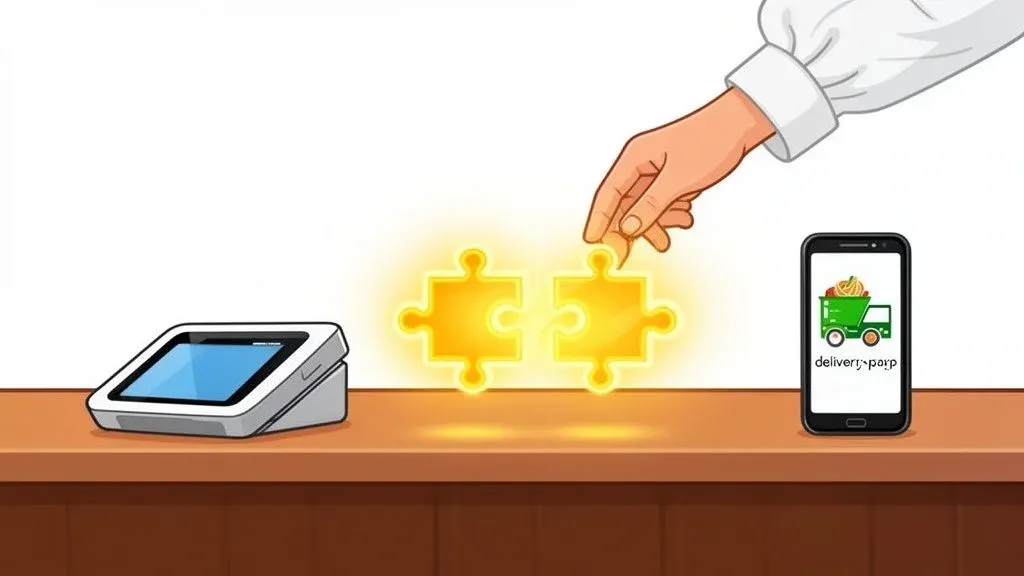
If you’ve ever felt that sinking feeling during a dinner rush as you juggle multiple tablets, frantically punching Uber Eats and DoorDash orders into your POS, you know there has to be a better way. There is. Integrating your delivery platforms with your Square POS acts as a central nervous system for your restaurant, automatically feeding every single online order directly where it needs to go.
This one connection is more than just a convenience; it’s a fundamental operational shift. Why it matters: It lets your staff get back to what they do best—creating amazing food and looking after your guests—which directly impacts restaurant efficiency and customer satisfaction.
Why A Square Up Integration Is A Game Changer For Restaurant Operations
For most restaurants, the “ping” of a new online order brings a mix of emotions. It’s great to get the business, but it also kicks off a clunky, manual process. Someone has to stop what they’re doing, grab the right tablet, read the order, and then carefully re-enter every detail into the main POS. It’s slow, prone to costly mistakes, and clutters your valuable counter space.
A Square Up integration completely eliminates this chaotic workflow. In simple terms, it builds a direct digital bridge between your third-party delivery apps (like DoorDash or Uber Eats) and your point-of-sale system. This creates one smooth, automated pipeline for every order that comes in. Technically, this is done using an API (Application Programming Interface), which is a secure set of rules that allows the different software systems to talk to each other without any manual work from your staff.
The End Of Manual Order Entry and Costly Errors
Imagine a world where no one on your team has to act as the human go-between for your delivery tablets and your POS. The integration does that job instantly and without a single mistake. This isn’t a small tweak; it’s a massive boost to your restaurant’s efficiency and a direct way to reduce costs from errors.
Why it matters: Manual entry mistakes can affect a staggering 30-40% of orders in a non-integrated setup. These aren’t just typos; they are lost revenue from incorrect pricing, missed modifiers, and wasted food. By automating this process, you protect your bottom line. Plus, sellers who adopt Square’s full software suite—including these critical third-party integrations—tend to see about 9% higher sales because the unified data gives them a clearer picture of what’s happening in real-time.
To make it easy, you can find trusted integration partners like OrderOut directly in the Square App Marketplace. Using a verified app ensures you get a secure and reliable connection between all your different platforms and your Square POS.
To really see the difference, let’s compare the daily grind of manual entry with the flow of an automated system.
Manual Order Entry vs Automated POS Integration
Operational Task Manual Process (Without Integration) Automated Process (With Square Integration) New Order Arrival Staff hears a tablet alert, stops current task to accept the order. Order is automatically accepted and injected into the Square POS. Order Entry Manually re-types every item, modifier, and customer note into Square. All order details, including special requests, appear in the KDS instantly. Menu Updates Manually update menus and 86’d items on each delivery platform. Update the menu once in Square, and it syncs across all connected platforms. Reporting & Analytics Pull separate reports from Square, Uber Eats, DoorDash, etc., and try to merge them. All sales data is consolidated in Square, providing a single, accurate report. Staff Focus Staff is distracted, dividing attention between in-house guests and tablets. Staff can focus entirely on food quality and the in-person customer experience.
The table tells the story. Automation isn’t about replacing people; it’s about freeing them from tedious, repetitive tasks so they can focus on work that actually grows the business—improving staff productivity and the guest experience.
A Single Source Of Truth For Your Food Tech
A direct integration elevates your POS from a simple cash register to the true command center of your entire operation. By consolidating everything, you get a crystal-clear, accurate overview of your business performance without having to spend hours patching together reports from a half-dozen different platforms.
Why it matters: By automating the flow of information, you’re not just saving a few minutes per order. You’re building a more resilient, scalable, and profitable business foundation. This move toward a central hub is at the heart of modern restaurant management, making integrated point-of-sale systems non-negotiable for anyone serious about growth.
Ultimately, a Square Up integration transitions your restaurant from a reactive, manual environment to a proactive, automated one. This connection is the crucial first step toward better accuracy, a more productive staff, and the kind of data you need to make truly smart decisions.
Practical Next Step: Ready to stop the tablet chaos and reduce costly errors? You can start by connecting your delivery platforms for free. Get started at https://dashboard.orderout.co where restaurant owners can start onboarding for Free in a few clicks.
Preparing Your Restaurant for a Smooth POS Integration
Before you connect a single app, a little prep work can save you from a world of headaches. Think of it as setting up your kitchen’s mise en place before a Saturday night rush—a bit of groundwork now ensures the whole service runs without a hitch. This prep is the key to a successful Square Up integration that improves restaurant efficiency from day one.
First, let’s do a quick tech checkup. In simple terms, make sure your Square for Restaurants software is up to date. Why it matters: Developers are constantly pushing out updates with security patches and new features that integration partners depend on for a solid connection. It only takes a few minutes and will prevent most common setup problems.
Organize Your Digital Menu for Restaurant Delivery Success
Your menu in Square is the absolute foundation of your entire online ordering ecosystem. If your digital menu is a mess, you’re asking for order errors and unhappy customers. Take a little time to clean it up before you integrate.
Make sure every single item has:
- A clear, customer-friendly name: Think “Spicy Chicken Sando” instead of an internal code like “ITM_402_SPCY_CHK.”
- A concise and appealing description: What makes it great? Mention the key ingredients and flavors.
- A high-quality photo: We eat with our eyes first, and people are far more likely to order something they can see.
This isn’t just about looking good; it’s about accuracy. The names and IDs you use in your POS need to be easily matched to what’s on DoorDash or Uber Eats. Getting this right is a core concept of effective POS software integration.
Structuring Modifiers and Options Correctly
The real magic—and where most restaurants trip up—is in the modifiers. These are all the choices your customers make, like pizza toppings, salad dressings, or steak temperatures. In Square, you manage these through modifier groups.
Why it matters: Setting up your modifier groups logically now is the single most important thing you can do to prevent order mistakes and reduce food waste. If a customer can order “extra cheese” on DoorDash, that exact “extra cheese” modifier must exist and be correctly priced within a modifier group linked to that pizza in your Square POS.
For example, a restaurant like a local pizzeria using Clover for their POS would have a “Pizza Toppings” group with pepperoni, mushrooms, and olives. By structuring these properly in Square first, the integration software knows exactly how to translate a custom order from Uber Eats into a perfect ticket for your kitchen. Getting this right dramatically cuts down on errors and lets your staff focus on the food, which boosts productivity.
Finally, get all your login credentials for your third-party delivery platforms in one place. I also highly recommend assigning one person—maybe a manager or a trusted shift lead—to own this integration project. Having a single point person keeps things from getting confusing and ensures the process stays on track.
Practical Next Step: Your first actionable step is to audit your Square menu. Spend 30 minutes this week cleaning up item names and ensuring your modifier groups are logical and accurate. This groundwork is what turns your integration into a powerful tool for your business. To get started with our best in class solution you can start onboarding for Free in a few clicks here https://dashboard.orderout.co.
Connecting Delivery Apps to Your Square POS: A Step-by-Step Guide
Alright, all that prep work is about to pay off. This is where we actually build the digital bridge that lets your delivery platforms and Square POS talk to each other automatically. Let’s walk through it—I’ll keep it simple and show you just how manageable this whole process really is for your restaurant operations.
Everything kicks off in the Square App Marketplace. Think of it as Square’s own app store, filled with trusted tools that expand what your POS can do. This is where you’ll find an integration partner like OrderOut, which was built to solve the messy problem of syncing delivery orders with your kitchen. Finding a verified partner here is key, as it guarantees the connection is secure and plays by Square’s rules.
Authorizing the Connection Securely
Once you’ve found your integration app, the next move is to give it permission to access specific data from your Square account. In simple terms, it’s a secure, one-click authorization, much like using your Google account to sign into a new website. You are not sharing any sensitive payment information.
Why it matters for your restaurant operations: Granting this access allows the software to:
- Pull your menu: It needs to see your items and modifiers to match them to what customers see on delivery apps.
- Inject new orders: This is the magic part—how orders from DoorDash or Uber Eats pop up right on your POS, saving time and eliminating manual punching.
- Read sales data: This helps pull all your revenue into one place for cleaner, more accurate reporting, reducing time spent on admin.
Technically, this authorization creates what’s called an API (Application Programming Interface) connection. An API is just a set of rules that lets different software programs communicate. It’s the backbone of your Square Up integration that makes the whole automated workflow possible.
Linking Your Restaurant Delivery Platforms
With the main bridge to your Square POS now built, the last piece of the puzzle is connecting your individual delivery accounts. You’ll simply sign into your DoorDash, Uber Eats, and other accounts from a single, unified dashboard provided by your integration partner.
The system will then show all your connected platforms in one clean interface. This becomes your new command center for all things online ordering. For example, once linked, every order from the DoorDash app will flow through the integration partner and appear on your Square KDS just like an in-house order.
This final step is what creates a true single source of truth for your sales and operations. If you want to see a real-world example, our guide on integrating DoorDash with Square dives deeper into how this works with a major platform.
And that’s it! Your ordering platforms can now talk directly to your POS integration, paving the way for a more efficient, profitable, and less chaotic restaurant.
Practical Next Step: Ready to connect your own delivery apps? You can start onboarding for Free in a few clicks.
Getting Your Menu and Modifiers Mapped Out
With your accounts linked, it’s time to tackle the most critical step of the entire process: menu and modifier mapping. In simple terms, you’re teaching the integration software how to translate an order from a delivery app into a perfect kitchen ticket. You’re drawing a direct line from the “Classic Burger” on your Uber Eats menu to the item you call “CL-Burger” in your Square POS.
Why it matters: If you nail this part, order errors will practically vanish. Your kitchen will get a flawless ticket every single time, which reduces food waste, saves money, and boosts staff productivity. No more guesswork for your team.
This quick diagram lays out how the whole thing works, from finding the app to getting your systems in sync.
As you can see, once you’re connected, that “sync” step is what automates everything and makes a real difference in your day-to-day restaurant operations.
Taming Those Complex Modifiers
Mapping is easy for simple items, like a can of soda. But where restaurants often get tripped up is with items that have tons of customizations.
Let’s take a “Build-Your-Own Salad” as a classic example. You’d start by mapping the main item—the “Salad Bowl.” From there, you have to meticulously map every single option a customer can add. This means you need to connect:
- “Extra Avocado” on DoorDash to the “Avocado” modifier in your POS.
- “Grilled Chicken” on Uber Eats to the “Add Chicken” modifier in your POS.
Technically, the integration relies on unique item IDs (like SKUs or PLUs) working behind the scenes. However, the key takeaway for a manager is that you must create an intentional connection for every single choice, no matter how small.
Why it matters: Getting this right eliminates the nightmare of manual double-entry. Those small errors can easily cost restaurants 5-10% in lost revenue each year from incorrect charges and wasted food. The integration ensures orders from all your different apps land in one unified place, which is a massive operational win.
Real-Time Inventory and Menu Control for Restaurant Delivery
One of the biggest payoffs from a properly mapped menu is gaining real-time control over your inventory across every single platform. This feature completely changes how your team handles stock during a busy shift.
Picture this: you just sold your last piece of salmon. Instead of a manager scrambling to grab three different tablets to 86 the item, they just mark it as “sold out” once in your Square POS. The integration instantly picks up on that change and automatically pulls the salmon from your DoorDash, Uber Eats, and any other connected menus.
Why it matters: This simple action saves your staff significant time and prevents disappointing customers with out-of-stock items, which improves your restaurant’s reputation on delivery apps. For a deeper dive into organizing your digital menu, check out our guide on how to better use your restaurant menu data.
Taking the time to map everything correctly is the best investment you can make in your restaurant’s efficiency. It’s the foundation that makes your entire food tech stack work together.
How to Handle Common Integration Issues
Even the most seamless tech setup can have an off day, and your Square Up integration is no different. The good news? Most hiccups are minor and can be fixed in minutes. My goal here is to give you an actionable playbook so your team can quickly diagnose and solve these little problems, keeping downtime to a minimum and orders flowing.
Let’s walk through a classic scenario. A DoorDash order pops up on your Square POS, but the ticket never prints in the kitchen. Before you panic, just remember the issue is almost always one of two things: a simple connection problem or a local hardware setting.
Troubleshooting Common Scenarios in Your Restaurant Operations
Another one I see all the time is a menu discrepancy. Your staff knows you have plenty of cheesecake, but it’s showing as “sold out” on Uber Eats. This is a dead giveaway for a menu sync issue. It probably means the integration missed a recent update.
Here’s how to approach these common challenges with a cool head and a clear plan.
-
Order Accepted, No Kitchen Ticket: First, check the connection status in your integration partner’s dashboard. All green? Then the problem is almost certainly local. Walk over to your Square POS and check the kitchen printer settings. Why it matters: A simple printer reboot or network refresh fixes this more often than not, saving you from a lengthy support call and keeping the kitchen running smoothly. For a deeper dive, check our guide on fixing common printer connection issues.
-
Item Wrongly “Sold Out”: This points directly to your menu sync. The actionable fix is to log into your integration dashboard and trigger a manual menu refresh. This forces the system to pull the very latest menu availability from Square and blast it out to all your delivery platforms, clearing up the conflict in seconds.
-
Modifiers Not Appearing Correctly: A customer orders a burger with “No Onions,” but the ticket just says “Burger.” The culprit is your modifier mapping. You’ll need to jump back into the menu mapping section of your integration setup and double-check that the “No Onions” modifier from the delivery app is properly linked to the right modifier in your POS.
Here’s a great rule of thumb to teach your team: “Check the source, then check the destination.” Is the order correct on the delivery platform (the source)? If yes, is it correct in the integration dashboard? If yes again, then the breakdown is happening at the POS or printer (the destination).
This simple framework helps managers find the root cause in seconds. By following these steps, you can solve over 90% of minor integration issues in less than five minutes, keeping your restaurant operations humming.
Practical Next Step: Print this troubleshooting checklist and post it near your POS station. Empower your shift leads to solve these common issues on their own, saving you time and stress. Or get started with a system that has your back: you can start onboarding for Free in a few clicks.
Using Your Integrated Data to Grow Your Restaurant
Once your Square Up integration is running, your POS becomes the command center for your entire operation. All that sales data, now flowing neatly into one place, is a goldmine of information. This is where you can stop guessing and start making decisions backed by real numbers to improve efficiency and profitability.
By pulling together performance data from all your channels—your dining room, DoorDash, Uber Eats—you get a single, accurate view of your restaurant’s health.
Turning Raw Data Into Actionable Insights
This unified data lets you spot trends and opportunities that were completely invisible before. For example, a quick glance at your reports in Square might show that your “Family Meal Deal” is a weekend knockout on Uber Eats but a total dud for dine-in customers.
Why it matters: That’s a powerful insight. It tells you exactly where to aim your marketing budget and which promotions will give you the most bang for your buck, directly boosting your delivery profitability. You can make smarter decisions about menu engineering, staffing, and inventory.
Best Practices for Your Restaurant Operations
To make sure this powerful system keeps working for you, a little routine maintenance goes a long way.
First, get a quarterly menu review on the calendar. Use your sales data to find the dishes that aren’t selling on delivery platforms. You can then decide whether to tweak the recipe, improve the photos, or just cut it from the menu to simplify things for your kitchen staff, increasing their productivity.
It’s also crucial to make training new staff on this integrated workflow a non-negotiable part of onboarding. They need to understand that when they 86 an item in the POS, it disappears from all your online channels instantly. Plus, having all this detailed data in one spot is a game-changer for mastering food cost percentage calculation—a must-do for improving your profit margins.
When you put these habits into practice, your POS integration becomes more than just a tool; it becomes a strategic asset that helps build a healthier bottom line.
Practical Next Step: This month, block out one hour to review your consolidated sales reports in Square. Identify your single best-selling and worst-selling item on delivery platforms and create one action plan based on that data. See what your data can tell you by getting started at https://dashboard.orderout.co.
Common Questions About Square Up Integration
If you’re thinking about integrating Square with your delivery apps, you probably have a few questions. Let’s get right into the most common ones we hear from restaurant owners.
What’s the Real Cost?
This is usually the first question. The good news is that Square itself doesn’t charge you anything extra to access its API for these kinds of connections.
The cost comes from the integration partner—the service that actually builds and maintains the bridge between Square and the delivery platforms. These partners typically charge a monthly subscription. Why it matters: Think of it as swapping the high cost of manual order entry errors and wasted staff time for a predictable monthly fee. The time saved, error reduction, and increased staff productivity usually pay for the service many times over.
How Long Does It Really Take to Set Up?
Getting the basic connection authorized between your accounts is surprisingly fast—we’re talking just a few minutes.
The real work is mapping your menu. This is where you tell the system how an item on a delivery app corresponds to an item in your Square POS. If you have a straightforward menu, you could be done in under an hour. But if you’re dealing with a large, complex menu with tons of modifiers, you’ll want to set aside a few hours to get it just right.
Ready to stop juggling tablets and manually punching in orders? With OrderOut, you can link all your delivery apps directly to your Square POS and manage everything from one spot. Start onboarding for free in just a few clicks.