
Top Software for Catering: Boost Your 2026 ROI
· Thibault Le Conte
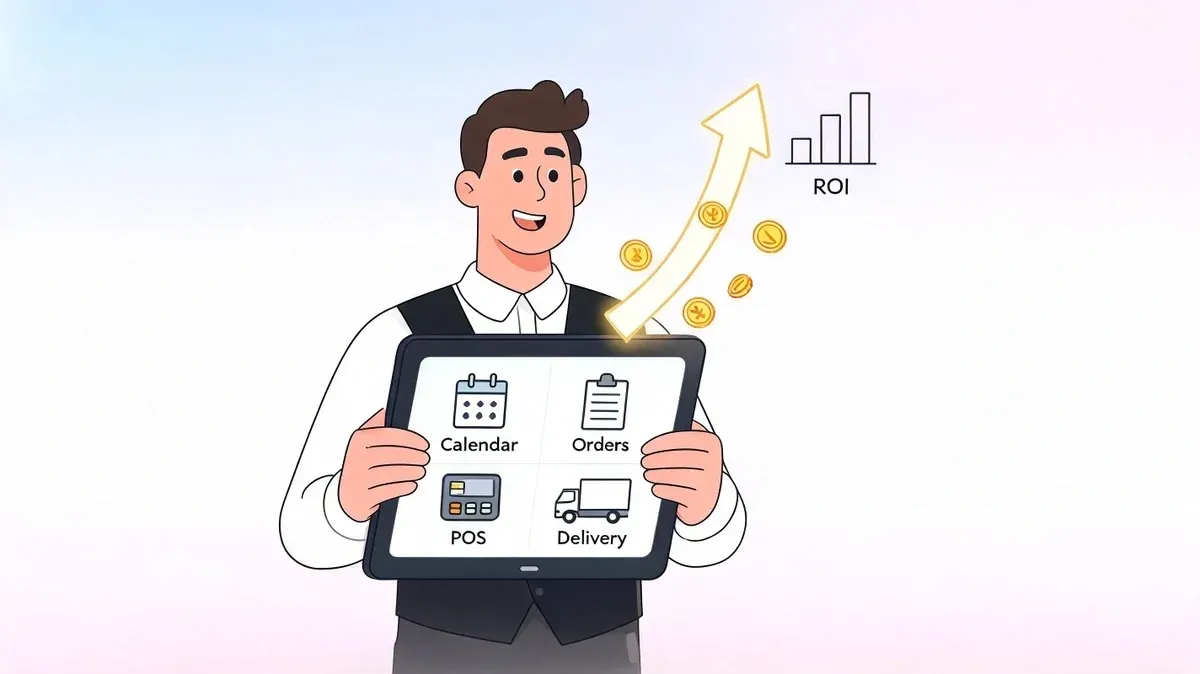
Friday at 10:30 a.m. is when weak catering systems usually get exposed. A manager is answering a corporate lunch call, someone in the kitchen is asking whether the gluten-free tray is for pickup or delivery, and three tablets are lighting up with orders from Uber Eats, DoorDash, and Grubhub. Meanwhile, the POS has no idea any of this is happening until someone manually types it in.
That is the central problem with software for catering. Most operators don’t need another dashboard. They need fewer places where information can go wrong.
The good systems bring quoting, production, invoicing, and delivery together. The great systems go one step further and connect that workflow to restaurant delivery and POS integration, so the order that starts on a phone, website, or app ends up in the same operational flow. That’s where labor gets tighter, errors drop, and managers get their time back.
The Hidden Costs of Manual Catering Management
Manual catering management looks cheap until you count what it breaks. The spreadsheet itself is cheap. The missed modifier, the duplicate invoice, and the remake because someone copied the wrong delivery time are not.
A common pattern in restaurants is “tablet hell.” Catering orders come in by email, website form, voicemail, and delivery apps. One manager keeps details in a notebook. Another updates a shared sheet. The kitchen works from a printed prep list that may already be outdated. By the time the order goes out, nobody is fully sure which version is right.
That chaos isn’t a niche problem. The catering software market analysis from Straits Research says the global catering software market was valued at USD 1 billion in 2024 and is projected to reach USD 2.84 billion by 2033, growing at a CAGR of 12.3%, while U.S. restaurants alone generate USD 899 billion in sales. That growth reflects a simple reality: restaurants are trying to digitize operations because the old manual methods stop working once volume increases.
Where manual systems fail first
The first failure point is usually order capture. A customer says “same setup as last time, but no dairy and add beverages,” and that detail gets buried in a text thread.
The second is handoff. Sales hears one thing, the kitchen sees another, and delivery gets a third version.
The third is inventory visibility. If catering and daily restaurant operations pull from the same stock but track it separately, someone will run out of a core item at the worst time. A simple fix starts with tighter inventory discipline, and this guide to restaurant par levels in inventory is worth reviewing if your prep team is constantly reacting instead of planning.
Most catering errors don’t start in the kitchen. They start when order details move from one person or system to another.
Operators opening or expanding a catering arm should also pressure-test their process basics. A resource like this setting up a catering business checklist is useful because it forces you to look at workflow, staffing, and service model before you buy tools.
What the hidden cost actually looks like
Manual systems create three expensive behaviors:
- Managers become data-entry staff. Instead of selling, confirming, and solving customer issues, they retype orders from one system into another.
- Front and back of house work from different facts. That’s how you get incorrect invoices, missed add-ons, and late delivery departures.
- Every rush period gets harder. Volume doesn’t scale because your process depends on memory and heroics.
If your catering business still relies on screenshots, sticky notes, and side conversations, the issue isn’t discipline. The issue is that the workflow has outgrown the tools.
What Is Catering Software Really?
Software for catering is often explained like it’s a calendar with some invoices attached. That undersells it. In a restaurant operation, good catering software acts more like a control center that keeps sales, kitchen production, delivery, and customer communication aligned.
If you’re still thinking of it as a digital planner, use a better comparison. It’s the difference between a flip phone and a smartphone. A flip phone handles one task at a time. A smartphone connects everything around the task. Catering software should do the same for restaurant operations.
The three jobs it should handle
At a practical level, the system needs to run three parts of the business.
Order management
This is the front door. Orders can start as a website request, a phone call, a recurring office lunch, or a delivery app transaction. Good software keeps customer details, menus, timing, notes, and changes in one record instead of scattering them across email and text.
That matters because catering work changes constantly. Headcount shifts. Delivery windows tighten. One person on your team needs to open the order and know what’s happening immediately.
Event execution
Many operators use this moment to discover whether they bought a true catering tool or just another admin app. The software should help the kitchen prep the right quantities, give staff clear event details, and keep service or delivery aligned with timing.
For restaurants handling both dine-in and off-premise volume, cloud access matters. Teams need to see updates from anywhere, which is one reason many operators are moving toward cloud-based restaurant software instead of desktop-bound tools and disconnected files.
Practical rule: If your team still has to ask, “Which version is the final one?” the software isn’t doing its job.
Financial control
A lot of systems can generate a quote. Fewer can help you understand whether the order was worth taking. Financial control means menu costing, invoicing, payment tracking, and reporting that helps you spot margin problems before they become habits.
What catering software is not
It’s not generic project management software with a food label on it. Tools built for broad task management don’t understand kitchen timing, item modifiers, prep sheets, event packages, delivery routing, or restaurant POS dependencies.
It’s also not a POS replacement. Your POS handles core sales and transaction flow. Catering software should manage the complexity around future-dated orders and event execution. The strongest setups connect those functions instead of forcing staff to choose one or the other.
When software for catering works well, nobody talks about the software. They talk about fewer mistakes, faster confirmations, smoother prep, and less confusion on busy days.
Core Features That Drive Restaurant Efficiency
A long feature list doesn’t help if the features don’t solve restaurant problems. The useful way to evaluate software for catering is to ask a tougher question: what operational mistake does this feature prevent?
BEOs, production sheets, and one source of truth
Banquet Event Orders matter because they stop departments from improvising. Sales, kitchen, prep, and delivery all work from the same event details instead of passing around separate notes.
In practice, systems earn their keep by managing these complexities. If an order includes a noon setup, labeled vegan trays, sternos, and an on-site contact, those details need to live in one place. If they’re spread across a quote, an email reply, and a text message, someone will miss one.
A similar rule applies to production sheets. The kitchen needs aggregated prep information, not a scavenger hunt through individual orders.
CRM and repeat-order visibility
Restaurants often think of CRM as a sales term, but in catering it’s operational. A client record should show prior orders, preferences, billing instructions, dietary notes, and communication history. That reduces repeated questions and makes reorder business easier to handle.
This is especially valuable with office managers and recurring corporate accounts. If your team can pull up a customer and immediately see “deliver to the side entrance, call reception, no onions on sandwich platters,” service gets smoother and faster.
Invoicing, costing, and the reporting gap
Automated invoicing matters because it removes one more manual handoff. The faster you convert completed orders into accurate invoices, the less cash gets stuck in follow-up.
The harder issue is profitability. As Better Cater’s review of catering management software points out, many catering software platforms fall short in providing real-time profitability analytics across different service models. Operators need reporting that segments profitability by order source and service type. Without that, you can’t easily compare a staffed event against a drop-off lunch or a direct website order against an app-driven order.
If software tells you revenue but not margin by service type, you still have a visibility problem.
That reporting gap matters for restaurant delivery because mixed models are now common. One kitchen may handle direct catering, office drop-offs, and third-party app demand in the same day. If you’re reviewing platforms for that environment, this overview of food delivery management software is a good parallel reference.
Features that usually pay for themselves
- Menu costing tools: These help operators spot items that sell well but underperform on margin.
- Automated status tracking: Staff spend less time chasing updates and more time executing.
- Customer history: Returning clients order faster when your team already knows their preferences.
- Centralized notes and modifiers: This is one of the simplest ways to reduce remake risk.
Buying software based solely on feature count is ineffective. While many systems include quoting, CRM, and reports, the vital question is whether those features reduce friction between the order, the kitchen, and the final handoff.
How to Choose the Right Catering Software for Your Restaurant
The best software for catering depends on your operating model. A drop-off heavy restaurant needs something different from a banquet venue, and both need something different from a multi-location brand running catering alongside restaurant delivery.
That’s why selection should start with workflow, not demos. If you don’t know where your bottleneck is, every platform will look fine for the first thirty minutes.
Start with your actual service mix
Write down what you really sell, not what you call it internally. Some businesses say they’re “doing catering” when they’re mostly handling large scheduled deliveries. Others are managing full-service events with rentals, staffing, and long planning cycles.
Those are different businesses. One needs speed and routing. The other needs deeper event coordination.
The market is clearly moving toward digital adoption. According to The Insight Partners’ catering software market coverage, over 55% of catering services now use digital systems for menu creation and logistics, 60% of adopters report significant efficiency gains, and AI analytics can improve operational efficiency by up to 30% through better demand forecasting. The takeaway for operators is straightforward: digital tools matter, but only when they fit the way your restaurant operates.
Use a short decision table
Evaluation Criteria What to Look For Why It Matters for Your Restaurant Ease of use Staff can create, update, and confirm orders without long training If the team avoids the system, accuracy falls apart fast Catering workflow fit Support for quotes, production, delivery, and invoicing that match your model Event-heavy and drop-off-heavy operations need different strengths POS integration Clean connection to the POS you already use Re-entry creates delays, labor waste, and avoidable mistakes Multi-channel order handling Ability to deal with website, phone, and delivery-app orders together Fragmented intake creates duplicate work Reporting quality Visibility by order source, service type, and location You need to know what’s profitable, not just what sold Scalability Can handle more locations, more users, and more order volume Switching systems mid-growth is painful Support and onboarding Responsive training and implementation help Good software still fails when setup is sloppy
The trade-offs most owners miss
Some platforms are strong at event administration but weak on real-time operations. Others are easy to use but shallow once volume grows. Some look polished in a demo and create extra work because staff still have to export, import, or manually reconcile information.
Use these filters when you evaluate options:
- Choose fit over flash. A smaller feature set that matches your workflow beats a giant suite your team won’t use.
- Test changes, not just creation. Anyone can enter a clean order. Ask the vendor to edit a live one with timing, headcount, and delivery updates.
- Look at the kitchen view. Managers may love a sales screen that the prep team hates.
- Push on integration early. If the answer to data syncing is “your team can always enter it manually,” move on.
The right choice is usually the system that reduces handoffs, not the one that promises to do everything.
Mastering POS and Restaurant Delivery App Integrations
The biggest missed issue in catering technology isn’t quoting, calendar views, or event paperwork. It’s the integration layer between catering operations and the live order flow coming from third-party channels.
A standalone catering platform can still leave you with the same old problem. Orders arrive in one place, but your POS, kitchen, and reporting live somewhere else. Staff end up acting like middleware.
That gap is now a known weakness in the market. As noted in Caterease coverage of catering software gaps, many platforms focus on internal management but lack direct integration with third-party delivery platforms like Uber Eats and DoorDash, which forces manual entry and raises error risk for businesses juggling traditional catering and delivery models.
Why the integration layer matters more than another feature
For restaurant operations, the hard part isn’t storing order information. It’s moving that information accurately between systems without relying on a manager to babysit every step.
Take a simple example. A large scheduled order comes through Uber Eats. The customer selected a delivery time, item modifications, and contact notes. If that order has to be re-entered into your POS, three bad things happen:
- Someone spends labor on copy-paste work
- The chance of modifier or timing errors goes up
- Sales data gets fragmented across systems
If that same order flows directly into a POS like Clover or Square, the kitchen works from the same operational source as the rest of the business. That’s where restaurant delivery starts to feel manageable instead of chaotic.
A catering system without POS integration can become just another silo.
What good POS integration actually looks like
At the non-technical level, you want one order entered once and used everywhere else.
At the technical level, that means reliable syncing between order channels and the POS, including item details, modifiers, timing, customer data, and status updates. It also means the sync has to be fast enough that the kitchen isn’t waiting on a delayed handoff.
A useful way to think about it is this:
Scenario What happens operationally No integration Staff monitor tablets, emails, and phone orders, then manually key everything into the POS Partial integration Some orders sync, but catering details or modifiers still need cleanup Full integration mindset Orders from website, phone workflow, and delivery apps feed a central operational flow tied to the POS
For restaurants evaluating this stack, this guide on change order integration is worth reading because the pain usually appears when orders change after submission, not when they first arrive.
The real-world test
Ask every vendor to show this exact workflow: a delivery-app order comes in during lunch, appears correctly in the POS, reaches the kitchen with no re-entry, and remains visible in reporting.
If they can’t show that, the software may be fine for internal administration but weak for modern food tech operations.
Here’s a quick visual example of the integration mindset in action:
Restaurants that handle both catering and app-driven demand need a single operational truth. Without it, every new order channel adds revenue opportunity and process risk at the same time.
Calculating the ROI of Your Catering Software Investment
Software for catering should pay back in labor, throughput, and waste control. If it doesn’t, you bought a nicer admin layer instead of a better operating system.
The cleanest numbers available come from automated workflow benchmarks. According to CaterZen’s 2026 buyer’s guide for catering software, automated catering platforms can reduce average order processing time by 40-60% compared to manual systems. The same source says multi-location caterers can handle 20% higher order volumes without increasing staff, and predictive inventory management can cut food waste by 15-20%.
A simple ROI framework
You don’t need a finance team to estimate return. Use three buckets.
-
Labor saved
Count how much manager or cashier time goes into re-entering catering and delivery orders, updating changes, and fixing preventable mistakes. -
More orders without more payroll
If the workflow gets tighter, your team can handle more volume before you need another coordinator. -
Less waste
Better production planning and inventory forecasting reduce over-prep and duplicate purchasing.
Operator check: If your staff spends peak hours typing orders into the POS, your software cost is already being offset by wasted labor.
Where owners usually miss the gain
Many operators only look at subscription price. That’s too narrow.
Savings often show up in places like:
- Fewer remakes from missed modifiers
- Cleaner invoice turnaround for corporate accounts
- Lower food waste because prep is based on better demand visibility
- More manager time for selling and customer follow-up
If you want to tighten the margin side before or during implementation, it helps to review your core menu economics. This walkthrough on how to calculate food cost percent pairs well with any catering software evaluation because reporting is only useful if your underlying cost assumptions are sound.
A software investment is easy to justify when it removes manual order entry and helps the same team execute more cleanly. It’s much harder to justify if you still need workarounds outside the system.
Your Next Steps to Automated Catering Operations
Most restaurants don’t need a full digital transformation project. They need one clean operational decision: stop letting orders live in multiple places.
Start with an audit. Track where catering and large-order information enters the business today. Phone calls, web forms, Uber Eats, DoorDash, email, handwritten notes, and staff text messages all count. If one order can touch three systems before the kitchen sees it, that’s your bottleneck.
Then book a small number of demos. Two or three is enough if you ask the right questions. Don’t let vendors stay at the feature-tour level. Make them show your real workflow, including order edits, delivery timing, POS sync, and reporting by order source.
A practical three-step plan
-
Map the current process
List every handoff from customer inquiry to production to invoice. Circle every point where someone retypes data. -
Demo for operational reality
Use real examples like recurring office lunches, app orders, and mixed pickup-delivery days. If the workflow breaks under common scenarios, the platform isn’t ready. -
Prioritize consolidation
The goal isn’t more software. It’s fewer disconnected systems and fewer manual touches.
This same automation mindset has helped firms well outside hospitality too. If you want a broader view of how process automation improves response time and consistency, this overview of digital automation for local B2B firms is a useful comparison.
The operators who get the best results usually keep the objective simple. One order, one flow, one source of truth for the team. That’s what turns food tech from overhead into ROI.
If you want to stop re-entering delivery orders and connect apps like Uber Eats, DoorDash, and Grubhub directly into your POS, start with OrderOut. Restaurant owners can get set up quickly by starting free in the OrderOut onboarding dashboard.