
Your Guide to Simphony Point of Sale for Restaurant Growth
· Thibault Le Conte
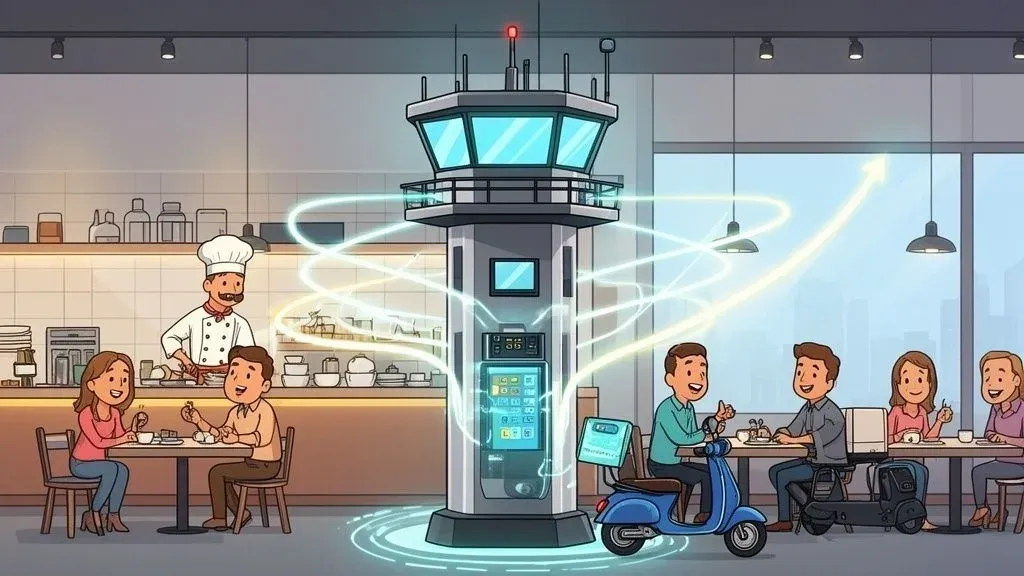
If you’re in the restaurant industry, you’ve almost certainly heard of Oracle Simphony POS. But what exactly is it? In simple terms, think of it as the central nervous system for your entire restaurant—a powerful command center that connects every single part of your business. It’s so much more than a digital cash register; it’s the engine that coordinates orders, payments, inventory, and customer data to make sure your operation runs like a well-oiled machine. This guide will show you how to leverage this system to improve your restaurant’s efficiency and profitability.
What Is Simphony Point of Sale? A Guide for Restaurant Operations
Let’s start with a clear analogy. Imagine Simphony Point of Sale is the air traffic control tower for your restaurant. A tower’s job is to manage every takeoff, flight path, and landing to prevent chaos in the skies. In the same way, Simphony coordinates every order, payment, and inventory detail to ensure a seamless experience for your guests, from the moment they walk in to the moment they pay the bill. Why does this matter? Because a smooth workflow means faster service, fewer mistakes, and happier customers who come back.
Technically, it’s a cloud-based platform that links the host stand, the dining room floor, kitchen printers, and back-office reporting into one cohesive unit. Without that central hub, different parts of your restaurant operate in silos, which almost always leads to costly errors, frustrating delays, and lost revenue. If you want to brush up on the basics, our guide on what a POS system is and how it works is a great place to start.
This kind of unified system isn’t just a nice-to-have anymore; it’s becoming essential. The global point of sale market is seeing explosive growth, which tells us the entire industry is shifting toward integrated food tech. In 2026, the market was valued at USD 44.6 billion and is projected to hit a staggering USD 138.92 billion by 2034. This boom is driven by the demand for seamless POS integration in hospitality, where transaction speed is critical for cutting checkout times and boosting efficiency. Get the full details on POS market growth projections on Fortune Business Insights.
Breaking Down The Core Functions
At its heart, Simphony POS handles several critical tasks that directly impact your bottom line. Understanding these functions makes it clear why a robust POS is a fundamental tool for any modern restaurant looking to improve efficiency.
To make it easy to see how these functions connect to real-world benefits, here’s a quick breakdown.
Simphony POS Core Functions at a Glance
Core Function Simple Explanation Why It Matters for Your Restaurant Order Management Routes orders from any source (server, kiosk, app) directly to the right kitchen station. Reduces errors by eliminating misheard orders and lost tickets, leading to faster prep and happier customers. Payment Processing Securely handles all payment types—credit cards, mobile wallets, cash, and gift cards. Speeds up checkout, minimizes payment disputes, and gives your guests a smooth, professional experience. Inventory Control Tracks ingredients in real-time as you sell menu items, automatically deducting from your stock. Prevents stockouts of popular dishes and cuts down on food waste, directly saving you money. Reporting & Analytics Gathers sales, staff, and customer data and turns it into easy-to-read reports. Provides clear insights into what’s working (and what’s not), so you can make smarter business decisions.
These capabilities work together to give you total control over your restaurant’s day-to-day operations. By automating and connecting these core jobs, you free up your team to focus on what really matters: serving amazing food and giving your guests a memorable experience.
The Real-World Impact On Restaurant Operations
Let’s put this into a real-world scenario. Picture a busy Saturday night at a restaurant without a system like Simphony. They’re juggling separate tablets for DoorDash, Uber Eats, and Grubhub. An order comes in, and a stressed staff member has to stop what they’re doing to manually punch it into the main POS. It’s slow, and it’s a recipe for human error—a mistyped modifier or a completely missed item leads to an incorrect order, an unhappy customer, and a direct hit to your profits from refunds and remakes.
Now, imagine that same restaurant with Simphony connected to a POS integration tool like OrderOut. That DoorDash order flows automatically and instantly into Simphony and appears on the kitchen display system (KDS) in seconds. No one has to touch it.
The benefits are immediate:
- Time savings for your staff, who can now focus on in-house guests, increasing staff productivity.
- Error reduction in the kitchen, as orders are 100% accurate, which reduces food waste.
- Higher throughput across the board because the workflow is seamless, boosting efficiency.
This is the tangible power of a centralized Simphony Point of Sale system. It’s not about fancy tech; it’s about making your restaurant delivery and in-house operations run smarter, faster, and more profitably.
Key Features That Drive Restaurant Efficiency
Any POS can list a dozen features, but with a system like Simphony, it’s not about the list—it’s about how those tools work together to solve real-world restaurant problems. We’re talking about features that directly lead to less waste, faster service, and more money in the bank.
Think of it like a high-performance engine. A pile of impressive parts isn’t enough; they have to be engineered to work in perfect harmony. That’s the core idea behind Simphony. Each feature is a solution to a specific, high-stakes headache that every restaurant owner or manager knows all too well.
If you want to get a better handle on how these systems fit together, our guide on integrated point of sale systems is a great place to start.
Centralized Menu Management for Food Tech Consistency
Picture this: you need to increase the price of your signature steak or 86 a sold-out special. In a less sophisticated setup, a manager might have to run around updating every single terminal by hand. It’s slow, it’s a recipe for mistakes, and it’s a complete waste of time during a chaotic dinner rush.
Simphony’s centralized menu management completely eliminates that problem. You make a change just once, and it instantly pushes that update to every POS terminal, self-service kiosk, and even your online ordering platforms. That one click ensures your pricing is always consistent and stops servers from taking orders for items you no longer have, saving time and preventing customer frustration.
Real-Time Inventory Control to Reduce Food Waste
There are few things worse than running out of your best-selling burger on a packed Saturday night. It’s a classic manager’s nightmare that leads to lost revenue and unhappy customers. Simphony’s inventory control is built to stop that from happening.
Here’s how it works: when a server punches in an order for a burger, the system automatically deducts one patty, one bun, and a few slices of cheese from your digital stock count. This gives you a live, accurate picture of what’s actually on your shelves.
- Actionable Insight: The system sends you an alert when key ingredients are running low, so you have plenty of time to reorder before you’re in trouble.
- Cost Savings: By seeing exactly what’s selling and what’s not, you can fine-tune your purchasing and stop ordering ingredients that just end up in the bin.
This transforms your inventory from a constant guessing game into a data-driven science, saving you money on both missed sales and wasted food.
Powerful Analytics for Smarter Restaurant Operations
Raw sales data is just a jumble of numbers. The real value comes from turning that data into insights you can actually act on. This is where the Simphony Point of Sale truly shines—it translates complex data into clear, easy-to-read reports that show you what’s really going on.
You can instantly spot your most (and least) profitable dishes, pinpoint your busiest hours, and even track individual server performance. This kind of information is pure gold for optimizing your menu, building smarter staff schedules, and creating promotions that actually drive sales.
Simphony’s detailed reporting can give you the specific sales and cost data needed to calculate your Excel formula gross margin, offering a clear window into your restaurant’s financial health. For instance, a report might reveal that while your fish tacos are popular, their low margin and high prep time make them far less profitable than your chicken wings. With that knowledge, you can strategically feature more profitable items and engineer your menu for better financial results.
Customer Relationship Management (CRM)
Making your regulars feel special is one of the oldest tricks in the hospitality playbook. Simphony’s CRM tools bring that classic strategy into the digital age. The system helps you track customer visit frequency, average spend, and even their favorite dishes.
This data allows you to move beyond generic, one-size-fits-all promotions. You could set up a campaign to automatically send a “we miss you” discount to guests who haven’t stopped by in 60 days, or surprise a loyal customer with a free dessert on their birthday. These small, personalized touches are what build real loyalty and turn casual visitors into your biggest fans, driving repeat business.
Choosing Your Simphony Deployment Model
So, you’ve decided that Simphony Point of Sale is the right system for your restaurant. That’s a big step, but the next question is just as important: how will you actually run it? You’ve got two main options on the table—a traditional on-premise setup or a modern cloud-based system.
Figuring out which one is right for you is a big decision. Think of it like this: an on-premise system is like owning your own server rack filled with your favorite movies on physical discs. All the hardware and software are physically located inside your restaurant. You’re in complete control, and the show goes on even if your internet cuts out.
On the flip side, a cloud system is more like a Netflix subscription. All your critical data and software live online, managed by Oracle’s team. You can access it from anywhere, on any device, and you never have to worry about manual software updates. It’s all about flexibility.
On-Premise Simphony: A Traditional Powerhouse
For years, on-premise POS systems have been the trusted workhorses of the restaurant industry, and for one main reason: reliability. All the heavy lifting happens on a local server tucked away in your back office, so you’re not dependent on a spotty internet connection to keep the doors open. If your ISP has a bad day, your operation doesn’t grind to a halt.
This kind of stability is why fixed POS systems still dominate the market. Globally, these terminals held about 60% of the POS market share in 2023. In North America, the number is even higher, with over 75% of physical retail locations relying on them. Why does this matter for your restaurant delivery? When you’re trying to sync orders from platforms like DoorDash directly to your kitchen, downtime simply isn’t an option—it’s lost money.
Key benefits of going on-premise include:
- Offline Functionality: Your restaurant keeps running, taking orders and processing payments, even without an internet connection.
- Total Control: You own the hardware and have direct oversight of your data and security protocols.
- Fast Processing: With everything running on your local network, transaction speeds can be incredibly quick.
The trade-off, of course, is a bigger upfront investment for the hardware. You’ll also need someone on your team or a vendor who can handle maintenance and updates. A key feature here, especially for hospitality businesses, is the system’s capacity for seamless hotel PMS integration, which can be a game-changer for operational efficiency.
Cloud Simphony: The Future of Food Tech Flexibility
Opting for a cloud deployment of Simphony gives you a more modern, subscription-based experience. The standout advantage is sheer accessibility. A manager can check real-time sales reports from their couch, while a multi-unit franchisee can push a menu price change to every single location instantly from one central dashboard. If this sounds appealing, you might want to read our deeper dive into the benefits of cloud-based restaurant software.
Why restaurants are moving to the cloud:
- Lower Upfront Costs: You get to skip the hefty initial bill for buying and setting up your own servers.
- Remote Accessibility: Keep a pulse on your business from anywhere you have an internet connection. It’s freedom.
- Automatic Updates: Your software always has the latest features and security patches, without you lifting a finger.
The main thing to keep in mind is the internet dependency. While most cloud POS systems today have some kind of offline mode, it’s usually not as robust as a true on-premise solution. Ultimately, the choice comes down to what your business values more: the bulletproof reliability of an on-premise system or the modern flexibility and lower entry cost of the cloud.
The Hidden Costs of Manual Restaurant Delivery Entry
For any modern restaurant, the explosion in food delivery is a mixed blessing. While platforms like Uber Eats and DoorDash bring in a flood of new customers, they can also unleash total chaos on your operations if you’re not prepared. This chaos usually has a name: “tablet hell.” We’ve all seen it—that corner of the counter cluttered with a half-dozen ringing, blinking devices, each one demanding a staff member’s immediate attention.
This setup forces one of your already-stressed employees to act as a full-time data entry clerk, manually punching every single delivery order into your Simphony Point of Sale system. This isn’t just a minor hassle. It’s a constant source of friction that quietly bleeds profits and chips away at your hard-earned reputation. Every manually entered order is an open invitation for expensive mistakes, slower service times, and a frustrated kitchen staff.
The Domino Effect of a Single Mistake
Picture a busy Saturday night. Your dining room is full, the phone is ringing, and the delivery orders are pouring in. A host, trying to manage the waitlist, quickly types a DoorDash order into the Simphony terminal. In the rush, they make one tiny mistake—“no onions” gets entered as “extra onions.”
That single typo sets off a costly chain reaction:
- Wasted Food and Labor: The kitchen makes the order exactly as it was entered—incorrectly. When the customer complains, you have to remake the entire dish from scratch, wasting both food and your cook’s valuable time.
- Lost Revenue: To make it right, you’ll likely issue a refund or credit. That’s pure profit straight out of your pocket for that order.
- Negative Online Reviews: The customer, now annoyed by the mistake and the delay, heads straight to the delivery app to leave a one-star review. That public complaint can scare away countless future customers.
- Decreased Staff Productivity: Instead of focusing on in-house guests or new orders, your team is now tied up handling a complaint and a remake, causing a bottleneck for everyone else.
This isn’t some rare, hypothetical scenario. In high-volume restaurants, manual entry errors happen every single day. Each one is a small but painful hit to your profitability and brand. For a closer look at how to get these workflows under control, check out our guide on choosing an online order management system.
The true cost of manual entry isn’t just the few seconds it takes to type in an order. It’s the compounding damage from mistakes, refunds, and the slow erosion of customer trust that really hurts your business.
Why POS Integration Matters for Restaurant Delivery
This is exactly why automated POS integration has become a non-negotiable tool for any restaurant running Simphony Point of Sale. A good integration solution acts as a seamless digital pipeline, automatically pushing orders from all your delivery apps directly into Simphony.
Think about other systems you rely on, like when restaurants use Clover or Square for payments. Integration is what makes them work smoothly and without constant supervision. By getting rid of manual entry for delivery orders, you solve several critical problems at once. Order errors drop to nearly zero, your staff is freed up to actually focus on hospitality, and every single sale is tracked accurately without fail.
The conclusion is simple: continuing to manually punch in orders is a direct drain on your money, time, and team morale. The answer isn’t to ditch delivery apps—it’s to automate the connection to your Simphony system and finally put an end to the human error that comes with “tablet hell.”
How OrderOut Unlocks Simphony’s Full Potential
So, you’ve invested in a powerful Simphony Point of Sale system, but your counter is still cluttered with delivery tablets, and your team is manually punching in every single order. Sound familiar? This is where OrderOut comes in. We built it to be the essential bridge connecting third-party delivery apps—like DoorDash and Uber Eats—directly into your Simphony POS.
Think of OrderOut as an automated pipeline for your orders. When a customer orders from a delivery app, our software instantly and accurately pushes that order into your Simphony system. It shows up on your kitchen display screens (KDS) and prints from your kitchen printers exactly like an order taken in-house. No one has to touch a thing. Why does this matter? It eliminates human error, saves labor costs, and lets your team focus on serving guests.
From Manual Madness to Automated Efficiency
Let’s be honest: manually punching in orders is a massive drain on your restaurant. It’s slow, tedious, and a prime suspect for costly mistakes. Every time a staff member has to stop what they’re doing to re-enter an order from a tablet, you’re not just losing time—you’re opening the door to human error.
This is the all-too-common, and expensive, reality of handling delivery orders by hand.
The “tablet hell” shown above almost always leads to mistakes, which in turn leads to lost profit from remakes, refunds, and wasted ingredients. OrderOut completely eliminates that manual step, breaking the cycle for good.
This move toward automation isn’t just a trend; it’s a fundamental shift in the industry. The U.S. POS software market was valued at USD 4.7 billion in 2024 and is projected to hit USD 9.8 billion by 2032. A huge driver of this growth is integrated software that consolidates orders, which is exactly what savvy managers are using to cut down on errors and manage the ever-increasing volume of delivery orders. You can see more data on these U.S. POS software market trends on PS Market Research.
Manual Entry vs OrderOut Integration
The difference between managing orders by hand and using an automated solution is night and day. Here’s a quick breakdown of how daily tasks change when you connect OrderOut to your Simphony POS.
Operational Task Manual Process (Without OrderOut) Automated Process (With OrderOut) Order Entry Staff manually re-types each order from a tablet into the POS. Orders are injected directly and instantly into the POS. Zero manual entry. Kitchen Communication Orders are fired to the kitchen only after manual entry, causing delays. Orders are fired to the KDS/printers the moment they’re accepted. Error Handling Frequent mistakes (missed items, wrong modifiers) lead to remakes and comps. Orders are 100% accurate to what the customer submitted online. Staff Focus FOH staff are distracted by tablets, taking focus away from in-house guests. Staff can focus entirely on providing great service to dine-in customers. Financial Reporting Delivery sales must be manually reconciled with POS reports, a tedious process. All sales data is unified in Simphony for clean, accurate, and instant reporting.
As the table shows, automation doesn’t just save a few seconds here and there; it fundamentally changes your workflow for the better, giving you back time, money, and peace of mind.
The Clear Benefits of Full POS Integration
Once you stop manually entering data, the positive effects are felt across your entire operation. It’s about more than just convenience—it’s about improving efficiency, accuracy, and your bottom line. We’ve proven this with thousands of restaurants using popular systems like Square and Clover.
Here’s what you can expect for your restaurant:
- Slash Order Errors & Costs: With automated entry, typos and missed modifiers simply disappear. The order that hits your kitchen is 100% accurate, which means far less food waste and fewer refund requests.
- Save Hours of Labor & Boost Productivity: Imagine what your team could do with the time they currently spend hunched over tablets. They can now focus on serving in-house guests, turning tables faster, and creating a better overall customer experience.
- Gain a Unified Source of Truth: All your sales—dine-in, takeout, and third-party delivery—are consolidated right inside your Simphony Point of Sale. This gives you a complete, accurate picture of your revenue for cleaner reporting and much smarter business decisions.
By connecting your delivery platforms directly to Simphony, you stop treating your delivery business as a separate, chaotic entity and start managing it as an integrated and profitable part of your core operation.
It’s time to stop letting manual processes dictate your workflow. Consolidating your entire delivery business into your POS is a strategic move to boost restaurant efficiency and protect your hard-earned margins. With a unified system, you can handle a higher volume of delivery orders without having to hire more staff or compromise the quality of your service.
Your Practical Next Step
The takeaway here is simple: while a Simphony Point of Sale is an incredible tool, you can’t unlock its full power until it’s integrated with all of your revenue streams. OrderOut provides that crucial link, turning a chaotic, error-prone process into a smooth, automated workflow.
This means more accurate orders, a more productive staff, and a healthier bottom line. You can explore how OrderOut’s restaurant delivery integration works and see for yourself how it can solve some of your biggest operational headaches.
Stop letting manual errors and tablet chaos drain your profits. It’s time to take the next logical step toward smarter restaurant operations.
Your Next Steps to Smarter Restaurant Operations
We’ve covered a lot of ground. It’s clear that Simphony Point of Sale is a powerhouse system, but its real magic for a modern restaurant happens when you connect it directly to your third-party delivery services. By using an automation partner to bridge the gap, you can finally move from juggling a dozen tablets to running one streamlined, efficient operation.
The first step is a mental one. Stop thinking of your restaurant delivery business as a chaotic, separate headache. Start treating it as a fully integrated and highly profitable extension of your dining room. That shift in perspective is what opens the door to smarter operations.
A Quick Reminder of What’s at Stake
Let’s boil it down to what really matters for your restaurant’s health. When you automate the link between platforms like Uber Eats or DoorDash and your Simphony Point of Sale, the positive changes are immediate and easy to measure.
- Give Your Staff Back Their Time: You’ll instantly free up hours every single day by getting rid of manual order entry. This time savings means your team can stop being data-entry clerks and get back to focusing on the guests right in front of them, increasing staff productivity.
- Slash Costly Order Errors: Automation all but eliminates the typos and mistakes that come from punching in orders by hand. That means less wasted food, fewer comped meals, and a dramatic drop in the bad reviews that come from sending out the wrong food. This directly reduces costs.
- See the Whole Picture: All your sales—from dine-in guests to every single delivery app—flow into one place: Simphony. This gives you a crystal-clear view of your business, making it easy to make smart decisions about your menu, staffing, and marketing.
The big takeaway is this: manual entry is costing you more than just time. It’s costing you money, frustrating your team, and hurting your reputation. POS integration is how you take back control.
Your Immediate Next Step
It’s time to put an end to “tablet hell” for good. This isn’t a new concept—systems like Clover and Square have long shown that POS integration is the only way to scale a delivery business without adding chaos. The exact same logic applies to your Simphony system.
The most effective move you can make for your restaurant right now is to connect your delivery platforms to your POS. It’s the single best way to boost your efficiency and protect your profit margins.
You can begin by exploring a tool designed for exactly this purpose. The onboarding process for OrderOut is straightforward and free to start. In just a few clicks from the dashboard, you’ll be on your way to a much more manageable and profitable restaurant.
Start your free onboarding at OrderOut now!
Answering Your Top Questions About Simphony POS
If you’re running a restaurant, you’ve probably got questions about adding new food tech to your workflow. Let’s tackle some of the most common ones we hear about connecting third-party delivery services with a Simphony Point of Sale, so you can get clear, practical answers.
How Difficult Is It to Integrate OrderOut With My Simphony Setup?
In simple terms, it’s very easy because our team handles it for you remotely. You don’t have to deal with technicians coming on-site or installing any clunky hardware, which means almost zero disruption to your restaurant’s daily grind.
On the technical end, our team handles the secure connection between OrderOut and your Simphony Point of Sale API. This allows order data to flow seamlessly, saving you the time and expense you’d normally sink into an on-site technician’s visit. This is a huge time saver for busy restaurant managers.
How Does OrderOut Handle Menu Changes and Availability?
Think of it as a master key for all your online menus. When you 86 an item or tweak a price in Simphony, that change automatically ripples out across your delivery apps like Uber Eats and DoorDash.
This completely gets rid of that tedious, error-prone task of logging into each delivery app to make the same update over and over. Your actionable next step is to make changes in one place and trust they are updated everywhere. This ensures consistent pricing and availability, which means happier customers and no more lost sales from an outdated menu.
The real value isn’t just in the convenience; it’s in the time you get back and the mistakes you avoid. A single, central menu sync can save hours of admin work every week and ensures your customers always see the correct menu, building trust and keeping them coming back.
What Is the Typical ROI for Using OrderOut With Simphony?
Most restaurants feel the positive impact on their bottom line almost immediately. The return on investment (ROI) comes from a few key improvements to your restaurant efficiency.
First, you’ll see a big drop in labor costs. When you stop having staff manually punch in every single delivery order, you get back countless hours. That time can be spent doing what matters most: taking care of the guests right in front of them, improving staff productivity.
Second, slashing order entry errors to nearly 100% means less food waste, fewer refunds, and a dramatic drop in costly remakes. For example, restaurants using similar integrations for other POS platforms like Clover or Square have proven they can handle a huge influx of delivery orders without hiring more people. That boost in productivity and accuracy translates directly into more profit.
Ready to put an end to manual order entry and make your restaurant run smoother? With OrderOut, you can connect your delivery apps directly to your Simphony Point of Sale and get back in control. Start onboarding for Free in just a few clicks.