
10 Essential Restaurant Standard Operating Procedures Examples for 2026
· Thibault Le Conte
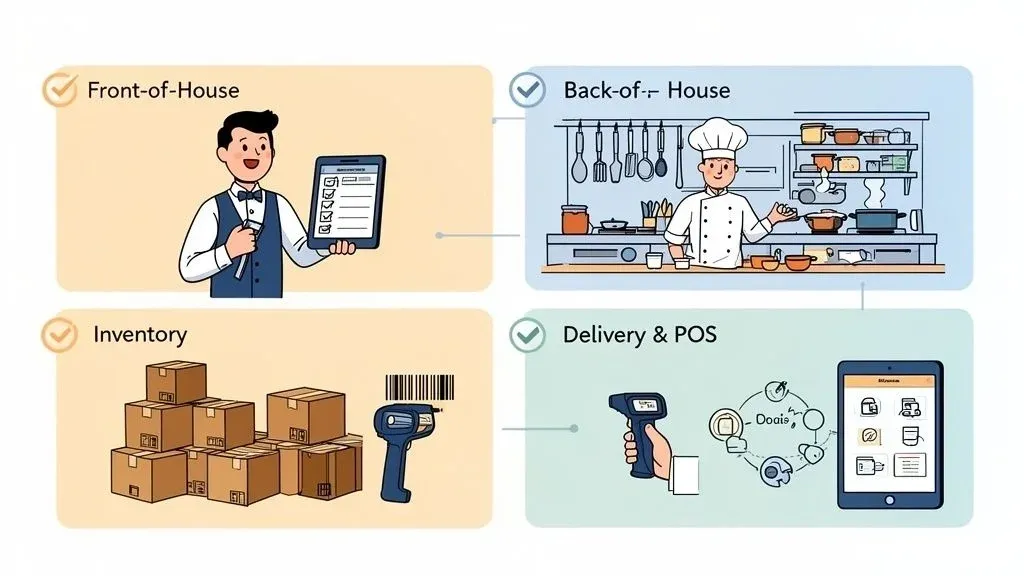
Running a restaurant is more than just great food; it’s about creating a consistent, efficient, and profitable system. In simple terms, Standard Operating Procedures (SOPs) are the secret ingredient that transforms kitchen chaos into a smooth, scalable operation. Think of them not as rigid rules, but as a playbook for excellence, guiding your team to perform tasks correctly and consistently every time. This consistency is the foundation of quality service and operational efficiency. Why does this matter? Better efficiency means faster delivery and happier customers.
A well-defined SOP for order handoffs, for example, ensures that a DoorDash driver gets the right order quickly, improving delivery times and customer satisfaction. This directly impacts your restaurant’s efficiency and profitability. Without it, you risk mix-ups, delays, and negative reviews that directly impact revenue. Strong procedures are the backbone of a successful restaurant, especially when integrating food tech like a Square POS system with third-party delivery platforms. This POS integration is key to automating tasks and reducing errors.
This guide breaks down 10 essential restaurant standard operating procedures examples, providing a blueprint you can immediately adapt. We will move beyond theory and provide actionable insights for everything from order acceptance to driver handoffs. You will learn how to build a repeatable process that saves money, reduces critical errors, and empowers your staff to operate flawlessly. Our goal is to give you a concrete framework for building a more resilient and profitable restaurant operation.
1. SOP for Restaurant Delivery Order Receipt and Acceptance
An Order Receipt and Acceptance SOP is a documented workflow that standardizes how your restaurant receives, confirms, and processes incoming orders from third-party delivery apps. This procedure is fundamental because it’s the first step in your restaurant’s delivery process. It directly impacts speed, accuracy, and customer satisfaction right from the start. The goal is to eliminate the chaos of managing multiple tablets and prevent costly manual entry errors, ensuring every order from platforms like Uber Eats or DoorDash is instantly and accurately sent to your kitchen. This process is a core part of effective restaurant operations.
Without this SOP, staff are left juggling multiple devices, leading to missed orders, incorrect modifications, and significant delays. A well-designed SOP, especially when powered by POS integration, bridges the gap between your delivery partners and your kitchen. For a deeper look into the technology that powers this, you can explore the fundamentals of an order management system.
Strategic Breakdown and Implementation
This SOP is most effective when it moves from manual to automated processes.
- Manual Stage: A host manually transcribes an order from an Uber Eats tablet into the restaurant’s Clover POS. This is slow and prone to human error, like mistyping an address or missing a “no onions” modifier. The cost is time, and the risk is an unhappy customer.
- Automated Stage: A restaurant using Square with an integration platform automatically accepts a DoorDash order. The system instantly validates the items, checks them against the POS menu, and prints the ticket in the kitchen—all without human intervention. This saves significant staff time and reduces order errors to nearly zero.
Actionable Takeaways for Your Restaurant
To build a robust Order Receipt and Acceptance SOP, focus on these key steps:
- Map Your Menus: Ensure item names, prices, and modifier options on your delivery apps perfectly match those in your POS system. This is the foundation for successful POS integration and automation.
- Establish Auto-Acceptance Rules: Configure your system to automatically accept all incoming orders. This cuts confirmation times from minutes to seconds, improving your performance score on delivery apps and boosting restaurant efficiency.
- Create a Downtime Protocol: What happens if the internet goes down? Your SOP must include a backup plan, such as having staff monitor delivery app tablets directly and manually input orders until the system is restored.
- Train and Test: Before going live, run several test orders to confirm they flow from the app to the kitchen printer correctly. Schedule dedicated training time for all staff to understand the new, streamlined workflow.
2. SOP for Kitchen Station and POS Integration
A Kitchen Station and Order Routing SOP is a system that dictates how individual food items within an order are sent to the correct preparation areas in your kitchen. For high-volume establishments, this is a critical procedure. It ensures cooks at the grill, fry, and assembly stations receive only the tickets relevant to them. The objective is to create a seamless, assembly-line-like workflow, preventing bottlenecks and ensuring that different components of a meal are ready simultaneously, which is essential for fast restaurant delivery.
Without a defined routing SOP, all tickets print at a single station, forcing a chef or expeditor to manually read and shout out orders. This leads to confusion, delays, and a higher chance of errors. A well-implemented SOP, often powered by food tech like a modern POS or a restaurant kitchen display system, automates this distribution, turning a chaotic kitchen into a synchronized and efficient operation.
Strategic Breakdown and Implementation
This SOP transitions a kitchen from a generalized to a specialized production model.
- Manual Stage: A central printer spits out a long ticket for a DoorDash order containing a burger, fries, and a salad. The head cook reads the ticket, yells “One burger, one fry!” to the grill and fry cooks, and then prepares the salad themselves, creating a single point of failure. This is slow and inefficient.
- Automated Stage: A quick-service restaurant using a Square POS receives the same order. The system automatically sends the burger item to the grill station’s printer, the fries to the fryer’s KDS screen, and the salad to the cold prep station’s printer—all happening at the same time and without manual intervention. This POS integration boosts staff productivity and cuts down prep time.
Actionable Takeaways for Your Restaurant
To build an effective Kitchen Station and Order Routing SOP, implement these steps:
- Categorize Every Menu Item: Within your POS, assign each item and modifier to a specific prep station (e.g., “Grill,” “Fryer,” “Sauté,” “Expo”). This is the foundational data for all routing rules in your restaurant operations.
- Use Conditional Routing: Configure your system to handle modifiers. For example, a “Grilled Chicken Salad” ticket should go to both the grill station (for the chicken) and the salad station (for the assembly).
- Create Visual Cues: Use different colored ticket paper or on-screen KDS colors to distinguish between order types. For instance, white tickets for dine-in, yellow for takeout, and pink for Uber Eats to signal different packaging and timing needs.
- Establish a Clear Communication Protocol: Define how stations communicate. For example, the grill cook must call out “Burger up!” to the expo station when the item is ready for assembly, ensuring all components are synchronized for efficient delivery.
3. SOP for Restaurant Delivery Time Management
A Delivery Time Estimation and Management SOP is a systematic approach for calculating, communicating, and updating delivery ETAs for third-party app orders. This is a critical procedure because it directly manages customer expectations, a key factor in satisfaction and reviews. The goal is to provide accurate time windows that reflect real-time kitchen and driver conditions, minimizing “where is my order?” calls and preventing negative ratings from late deliveries. This directly impacts your restaurant delivery success.
Without this SOP, restaurants often rely on default app estimates or pure guesswork, leading to a disconnect between the promised time and the actual delivery time. This damages customer trust and can hurt your performance metrics on platforms like Uber Eats. A well-defined SOP, particularly when integrated with your POS data, ensures estimates are based on reality, not wishful thinking.
Strategic Breakdown and Implementation
This SOP evolves from static, generic estimates to dynamic, data-driven predictions.
- Manual Stage: A manager manually adjusts the “prep time” on a DoorDash tablet during a rush, increasing it from 15 to 25 minutes. This is a reactive, inconsistent process that relies on a human remembering to make the change and guessing the right amount of buffer time. This can lead to inaccurate estimates and dissatisfied customers.
- Automated Stage: A restaurant using a POS system like Clover integrated with its delivery platforms automatically analyzes the current order queue. It calculates a precise prep time for a new Grubhub order based on the number of tickets ahead of it and historical item cook times, then pushes that accurate estimate back to the app. This POS integration leads to happier customers and better ratings.
Actionable Takeaways for Your Restaurant
To build an effective Delivery Time Estimation and Management SOP, focus on these data-centric steps:
- Establish Baseline Prep Times: Analyze your POS data to determine the average cook time for every menu item under normal conditions. This data is the foundation of all your estimates and a key part of smart restaurant operations.
- Create Dayparting Profiles: Your kitchen is faster on a Tuesday afternoon than a Friday night. Create different estimation profiles for peak hours, off-peak hours, and weekends to reflect this reality.
- Factor in Order Volume: Your SOP should dictate how estimates scale with the number of active orders. For example, add one minute to the ETA for every three tickets currently in the queue. This keeps estimates realistic as you get busier.
- Monitor and Adjust: Regularly compare your estimated delivery times against the actual times recorded in delivery app analytics. If there is a consistent gap, adjust your baseline times or buffer rules to close it and improve accuracy.
4. SOP for Order Accuracy Verification in Restaurant Operations
An Order Accuracy Verification SOP is a quality control checkpoint that ensures every order is correct and complete before it leaves the kitchen. This is a vital procedure because it directly prevents costly refunds, negative reviews, and customer dissatisfaction. The goal is to establish a systematic review process that catches errors, from missing items to incorrect modifications, before they reach the customer. Why it matters: Fewer errors mean more profit and better customer retention.
This SOP is the last line of defense against mistakes that damage your reputation and bottom line. Without it, restaurants risk sending out incomplete meals or, even worse, orders with allergens that were supposed to be omitted. A robust verification process confirms that the physical order perfectly matches the customer’s request, ensuring a positive experience that encourages repeat business for your restaurant delivery service.
Strategic Breakdown and Implementation
The effectiveness of this SOP scales with its integration into the workflow, moving from a simple manual check to a tech-assisted system.
- Manual Stage: A front-of-house staff member at a busy cafe manually compares a packed bag against a printed DoorDash ticket. They might miss that a sandwich was supposed to have “no mayo” because they are rushing to hand off the order to a waiting driver. This manual step is a common point of failure.
- System-Assisted Stage: A fast-casual chain using an integrated Square POS has a dedicated “expediter” station. The expediter uses a checklist on a tablet that highlights all special modifications and allergy notes from an Uber Eats order, forcing a deliberate verification before the bag is sealed with a tamper-proof sticker. This food tech solution dramatically reduces errors and improves staff productivity.
Actionable Takeaways for Your Restaurant
To build a reliable Order Accuracy Verification SOP, implement the following steps:
- Assign a Quality Controller: Designate one person per shift (an expediter or manager) as the final checkpoint for all outgoing orders. This creates ownership and accountability for order accuracy.
- Use Physical Checklists: Print order tickets with large fonts and clear check-boxes next to each item and modifier. Staff must physically tick off each component as they place it in the bag.
- Flag and Double-Check Modifications: Train your system or staff to flag all orders with special requests or allergy notes. These orders should undergo a two-person verification process before being cleared for delivery.
- Incorporate Detailed Receipts: To ensure every order is accurate and transparent for the customer, it’s crucial to utilize tools like a flawless itemized receipt template, which details all items and costs. Place this receipt inside the sealed bag.
5. SOP for Payment Processing with POS Integration
A Payment Processing and Reconciliation SOP is a documented workflow for tracking, verifying, and balancing financial transactions from third-party delivery apps against your restaurant’s records. This procedure is critical because it ensures every dollar earned through platforms like DoorDash and Uber Eats is accounted for. The goal is to establish a system that accurately tracks revenue, identifies commission fee discrepancies, and maintains a clear financial picture. This improves your restaurant’s financial efficiency.
Without this SOP, restaurants often face a tangled mess of payouts, fees, and chargebacks, making it nearly impossible to determine the true profitability of their delivery channels. A well-defined procedure, especially when you have strong POS integration with your accounting software, provides the financial clarity needed to make strategic decisions. It highlights which platforms are most profitable and flags any costly payment errors before they compound.
Strategic Breakdown and Implementation
This SOP transitions from reactive financial clean-up to proactive, automated financial management.
- Manual Stage: A bookkeeper manually downloads weekly payout reports from DoorDash and Uber Eats, comparing them line by line against POS sales data in an Excel spreadsheet. This is a time-consuming process that is highly susceptible to human error and often fails to catch small but significant discrepancies. The cost is hours of manual labor each week.
- Automated Stage: A restaurant using a Square POS system integrates its sales data directly with accounting software. The system automatically categorizes revenue from each delivery app, flags payout amounts that don’t match expected totals, and provides a daily dashboard view of financial health, reducing reconciliation time from hours to minutes. This automation saves both time and money.
Actionable Takeaways for Your Restaurant
To build a robust Payment Processing and Reconciliation SOP, focus on these key steps:
- Segregate Revenue Streams: In your accounting software, create separate revenue accounts for each delivery partner (e.g., “Sales - Uber Eats,” “Sales - DoorDash”). This provides a clear, at-a-glance view of performance by channel.
- Establish a Daily Routine: Designate a specific time each day for a manager or owner to review the previous day’s delivery sales against the payout reports. Consistency is key to catching issues early.
- Track Fees and Commissions: Your SOP must include a step for verifying that commissions and fees charged by the delivery apps match your agreement. Create a separate expense account to track these costs accurately.
- Generate Variance Reports: Implement a weekly or monthly process to generate a variance report that compares expected revenue with actual deposits. This report should be the primary tool for identifying and investigating any discrepancies.
6. SOP for Efficient Restaurant Delivery Handoffs
A Driver Handoff and Order Pickup SOP is a set of guidelines that governs how prepared orders are securely and efficiently transferred to third-party delivery drivers. This procedure is a critical component of restaurant operations because it’s the final touchpoint before an order leaves the premises. Its purpose is to ensure order accuracy, maintain food quality, and establish a clear chain of custody, preventing costly mix-ups and theft. A smooth handoff process leads to faster restaurant delivery times and better customer ratings.
Without a defined process, restaurants risk handing off the wrong meal, creating long driver wait times that hurt app performance, and dealing with customer complaints about cold or damaged food. This SOP creates a controlled, predictable system for the fast-paced world of off-premise dining, safeguarding both your reputation and your bottom line by improving restaurant efficiency.
Strategic Breakdown and Implementation
The effectiveness of this SOP scales with the volume of delivery orders a restaurant handles.
- Manual Stage: An employee at a small cafe simply calls out an order number when a Grubhub driver arrives. The driver confirms the name, grabs the bag from the counter, and leaves. This is simple but prone to error if multiple orders for “John” exist.
- Automated Stage: A high-volume quick-service restaurant using Clover designates a specific pickup zone with a dedicated team member. When a DoorDash driver arrives, they provide their order number, which the staff member verifies on a tablet, scans the order receipt, and then retrieves the sealed, labeled bag from a designated warming area. This systematic approach reduces errors and wait times.
Actionable Takeaways for Your Restaurant
To create a seamless and secure Driver Handoff and Order Pickup SOP, implement these steps:
- Establish a Designated Pickup Zone: Create a clearly marked area for drivers to wait, away from the main dining and ordering areas. This reduces congestion and confusion for both staff and dine-in customers.
- Implement a Verification Protocol: Mandate that staff ask for and visually confirm the order number on the driver’s app before releasing any food. This single step prevents the vast majority of order mix-ups.
- Use Tamper-Evident Packaging: Invest in sealed bags or stickers that clearly show if an order has been opened post-handoff. This protects food integrity and provides a layer of security.
- Create a Problem-Solving Flowchart: What happens if a driver never shows up or an order is damaged? Your SOP must outline the steps to cancel the order in the POS, remake the food, and contact platform support.
7. SOP for Inventory Management and Delivery Menu Syncing
An Inventory and Ingredient Management SOP is a systematic process for tracking stock levels and syncing them with your online menus. This procedure is critical for high-volume delivery operations because it prevents the costly and frustrating experience of accepting an order you cannot fulfill. The primary goal is to maintain real-time inventory accuracy, automatically disabling menu items on platforms like DoorDash or Uber Eats the moment a key ingredient runs out. This improves restaurant efficiency and customer trust.
Without this SOP, restaurants risk overselling popular items, leading to angry customers, negative reviews, and refund processing headaches. A well-executed inventory SOP, especially when linked to your POS via an integration tool, ensures your digital storefront accurately reflects what’s actually available in your kitchen. This creates a reliable and trustworthy customer experience, boosting repeat business.
Strategic Breakdown and Implementation
This SOP evolves from reactive manual counts to proactive, automated stock management.
- Manual Stage: A manager notices the kitchen is low on avocados during the lunch rush. They must then frantically log into each delivery tablet (Uber Eats, DoorDash, Grubhub) to manually 86 the guacamole and avocado toast, often after an order has already been placed and needs to be canceled. This is a huge time sink and source of customer frustration.
- Automated Stage: A fast-casual restaurant using a modern POS like Clover has its avocado inventory tracked at the ingredient level. Once the count hits a preset low threshold, a POS integration platform automatically removes all avocado-based items from every third-party marketplace menu in real-time, preventing any new orders from coming through. This automation saves time and prevents costly errors.
Actionable Takeaways for Your Restaurant
To create a dependable Inventory and Ingredient Management SOP, implement these steps:
- Sync POS Inventory to Delivery Platforms: The core of this SOP is food tech. Use a system that connects your POS inventory directly to your delivery app menus, ensuring they are always in sync.
- Set Automated Reorder Points: Analyze sales data to determine the minimum stock level for key ingredients. Configure your system to send alerts or automatically place supplier orders when inventory hits these points.
- Conduct Weekly Variance Reports: Regularly compare your theoretical inventory (what the system says you should have) with your actual physical count. Investigate significant discrepancies to identify issues like waste, theft, or portioning errors.
- Forecast for Peak Demand: Use historical sales data from busy periods (like weekends or holidays) to proactively increase stock levels of high-demand items, ensuring you can meet customer demand without running out.
8. SOP for Staff Training on Food Tech and Restaurant Operations
A Staff Training and Protocol Documentation SOP is a systematic approach to onboarding, training, and continuously educating employees on all operational standards. This is a critical procedure because it ensures every team member executes tasks consistently, especially complex ones like managing integrated delivery orders. The goal is to create a well-oiled machine where every employee understands their role, the technology they use (like your POS), and the service standards they must uphold. Better training leads to higher staff productivity.
Without a formal training SOP, knowledge is passed down inconsistently, leading to varying service quality, repeated mistakes, and operational chaos. A documented training program ensures that whether you’re training a new hire or updating a veteran on a new POS feature, the information is standardized, accurate, and accessible. This framework is the backbone of operational excellence and is essential for scaling a restaurant’s success.
Strategic Breakdown and Implementation
Effective training moves from informal, on-the-fly instruction to a structured, repeatable program.
- Manual Stage: A manager shows a new host how to manually enter an Uber Eats order into the restaurant’s Clover POS during a busy Friday night shift. The training is rushed, key details about modifiers are missed, and the new hire feels overwhelmed and prone to error.
- Automated Stage: A multi-location franchise uses a digital learning platform with video modules. A new employee watches a tutorial on how their POS integration with their Square POS works, completes a quiz, and then performs a supervised dummy order test before their first live shift. This structured approach reduces training time and improves retention.
Actionable Takeaways for Your Restaurant
To build a robust Staff Training and Protocol Documentation SOP, focus on these key steps:
- Create a Master Operations Manual: Document every single procedure, from opening duties to processing a DoorDash refund. Use checklists, flowcharts, and screenshots to make the information easy to digest.
- Develop Role-Specific Training Paths: The kitchen staff needs different training on order tickets than the front-of-house staff who might handle customer calls. Tailor onboarding materials for each specific role.
- Implement a “See One, Do One, Teach One” Model: First, the trainee observes an experienced staff member. Next, they perform the task under supervision. Finally, they explain the process back to the trainer to confirm understanding.
- Schedule Regular Refresher Sessions: Use monthly team meetings to review common errors, introduce new menu items, or reinforce protocols. This is a core part of effective manager duties in a restaurant that keeps the team sharp.
9. SOP for Performance Monitoring and Problem Escalation
A Performance Monitoring and Problem Escalation SOP is a systematic guide for tracking key delivery metrics, identifying performance issues, and defining clear steps for resolution. This procedure is crucial for maintaining high standards on third-party apps and protecting your brand reputation. The goal is to move from a reactive “firefighting” mode to a proactive approach, catching and resolving issues like late orders or inaccurate tickets before they result in negative reviews and lost customers. Why it matters: It directly impacts your restaurant’s efficiency and online reputation.
Without this SOP, restaurants often miss the early warning signs of operational drag. A slow kitchen, for instance, might lead to a dip in your DoorDash on-time rating, which can lower your visibility on the app and impact future sales. A well-defined monitoring and escalation process ensures that performance data is consistently reviewed and that every team member knows exactly who to contact and what to do when a problem arises.
Strategic Breakdown and Implementation
This SOP transitions a restaurant from being data-blind to data-driven in its daily operations.
- Manual Stage: A manager notices a bad Uber Eats review mentioning a cold meal. They speak to the kitchen staff, but without data, they can’t pinpoint if the issue was food prep time, driver wait time, or something else. The “fix” is a guess, and the problem is likely to reoccur.
- Automated Stage: A multi-location chain uses a central dashboard to monitor its delivery KPIs. A manager sees that one location’s cancellation rate on orders integrated with their Square POS has spiked by 15%. The SOP triggers an immediate alert to the regional manager, who investigates and discovers a recurring menu item syncing error, allowing for a swift, targeted fix. This data-driven approach saves time and prevents revenue loss.
Actionable Takeaways for Your Restaurant
To create an effective Performance Monitoring and Problem Escalation SOP, implement these steps:
- Define Your Core KPIs: Focus on critical metrics: on-time preparation rate, order accuracy, cancellation rate, and customer ratings. Set clear, realistic performance targets for each.
- Establish Escalation Triggers: Determine specific thresholds that trigger action. For example, if the on-time rate drops below 95% for two consecutive days, the SOP should dictate an automatic review by the general manager.
- Create a Daily Review Habit: Dedicate 10-15 minutes each morning for a designated manager to review a performance dashboard. This huddle helps spot negative trends before they escalate into significant problems.
- Assign Clear Responsibilities: Your SOP must explicitly state who is responsible for monitoring data, who investigates issues (e.g., FOH vs. BOH manager), and who has the authority to implement solutions, such as temporarily disabling a problematic menu item.
10. SOP for Food Tech Integration and System Troubleshooting
A Technology Integration and System Troubleshooting SOP provides a clear, step-by-step guide for managing the connections between your various software platforms, like delivery apps and your POS. This is one of the most critical SOPs for the modern eatery, as it outlines how to handle technical glitches, system failures, and routine maintenance. The goal is to minimize downtime, prevent data loss, and ensure that a small tech issue doesn’t halt your entire restaurant’s delivery operation.
Without this SOP, a simple internet outage or API disconnection can cause chaos, leading to missed orders, incorrect financial reporting, and frustrated staff. A well-documented troubleshooting plan empowers your team to quickly identify, address, and resolve common problems without needing to wait for IT support. Implementing this for operational excellence leverages broader principles of process and automation to build a resilient, tech-forward workflow.
Strategic Breakdown and Implementation
This SOP transitions a restaurant from a reactive “what-do-we-do-now” state to a proactive, prepared one.
- Reactive Stage: The connection between DoorDash and the restaurant’s Square POS fails. The staff doesn’t notice for 20 minutes, resulting in multiple missed orders and angry customers. The manager frantically searches for a support number, wasting valuable time and losing revenue.
- Proactive Stage: A POS integration platform flags a connection error with the Clover POS. The SOP immediately instructs the on-duty manager to switch to the backup protocol: using a dedicated tablet to manually input orders while the system automatically attempts to reconnect. The issue is logged, and operations continue with minimal disruption, saving the restaurant from lost sales.
Actionable Takeaways for Your Restaurant
To build an effective Technology Integration and Troubleshooting SOP, implement these steps:
- Map Your Tech Stack: Document every software connection, including APIs, login credentials, and dependencies. A clear map helps pinpoint the source of a failure quickly.
- Create a Downtime Protocol: Define the exact steps to take when a system fails. This should include switching to manual order entry, notifying customers of potential delays, and the criteria for switching back to automated systems.
- Establish an Escalation Ladder: Who is the first point of contact for a tech issue? What if they are unavailable? Document a clear chain of command and maintain an updated list of vendor support contacts. For more details on this, you can learn about the intricacies of a solid POS software integration.
- Schedule Regular Health Checks: Implement a daily or weekly checklist to confirm all systems are online and communicating correctly. This proactive measure can catch issues before they impact service.
10-Point Restaurant SOP Comparison
SOP Title Implementation Complexity 🔄 Resource Requirements 💡 Expected Outcomes ⭐📊 Ideal Use Cases Key Advantages ⚡ Order Receipt and Acceptance SOP High 🔄🔄🔄 — multi-API integration, mapping rules Integration effort, POS/KDS access, staff training ⭐⭐⭐ — 📊 60–80% reduced processing time, fewer entry errors Restaurants consolidating Uber Eats/DoorDash/Grubhub orders ⚡ Eliminates manual entry; reliable routing and audit trail Kitchen Station and Order Routing SOP Medium 🔄🔄 — rule definitions, station mapping Menu configuration, KDS setup, periodic tuning ⭐⭐⭐ — 📊 Improved throughput, reduced prep bottlenecks Busy kitchens with distinct stations (QSR, pizza, multi-cuisine) ⚡ Optimizes flow; better labor allocation Delivery Time Estimation and Management SOP Medium 🔄🔄 — algorithmic rules, data feeds Historical data, traffic integration, monitoring ⭐⭐ — 📊 Fewer late deliveries; improved ratings and fewer penalties Locations needing accurate ETAs (high delivery volume) ⚡ More accurate ETAs; reduced late-delivery risk Order Accuracy Verification SOP Low–Medium 🔄🔄 — checklist/process change, photo capture Staff QA role, packing station time, possible camera tools ⭐⭐⭐ — 📊 Lower refunds/chargebacks; higher ratings High-complexity orders, allergy-sensitive or premium services ⚡ Reduces incorrect orders; increases customer trust Payment Processing and Reconciliation SOP Medium 🔄🔄 — accounting rules, mapping settlements Accounting setup, bank feeds, reconciliation tools ⭐⭐⭐ — 📊 Faster closing, ~70–80% less manual reconciliation Multi-platform revenue tracking, multi-location chains ⚡ Accurate financials; visibility by platform Driver Handoff and Order Pickup SOP Low–Medium 🔄🔄 — verification steps and documentation Staff at pickup, ID checks, packaging materials ⭐⭐ — 📊 Fewer wrong pickups/theft; documented handoffs High-volume pickup windows, multi-location outlets ⚡ Secures chain of custody; preserves food quality Inventory & Ingredient Management SOP High 🔄🔄🔄 — item-level tracking, sync logic Barcode/stock systems, POS inventory, supplier links ⭐⭐⭐ — 📊 Fewer stock-outs; reduced waste; menu sync Restaurants with tight ingredient constraints or specials ⚡ Prevents oversells; improves purchasing decisions Staff Training & Protocol Documentation SOP Medium 🔄🔄 — curriculum creation and rollout Time for training, materials, ongoing updates ⭐⭐ — 📊 Fewer errors, faster onboarding, consistent ops High-turnover or multi-location operations ⚡ Increases consistency; builds staff competence Performance Monitoring & Problem Escalation SOP Medium 🔄🔄 — KPI definition, dashboards, alerts Dashboard tooling, data collection, review cadence ⭐⭐⭐ — 📊 Early issue detection, continuous improvement Operations seeking SLA adherence and quality control ⚡ Proactive issue resolution; data-driven fixes Technology Integration & System Troubleshooting SOP High 🔄🔄🔄 — APIs, redundancy, backup procedures Technical staff or vendor support, monitoring tools ⭐⭐⭐ — 📊 Reduced downtime, faster incident resolution Tech-dependent restaurants, chains with integrations ⚡ Minimizes downtime; documented recovery procedures
Turn Your Playbook into Profit: Your Next Step to Operational Excellence
Throughout this guide, we’ve explored a comprehensive collection of restaurant standard operating procedures examples, moving from abstract concepts to actionable blueprints. We’ve dissected everything from the initial order receipt and kitchen routing to the final driver handoff and technology troubleshooting. The goal was not simply to provide a checklist but to reveal the underlying strategy that turns a good restaurant into a great, scalable operation. The core takeaway is this: consistency is not an accident. It is the direct result of intentional design, clear documentation, and rigorous implementation. By improving restaurant efficiency through SOPs, you create a more profitable business with less stress.
By establishing these SOPs, you are essentially creating your restaurant’s unique operational DNA. This playbook ensures that every team member, from the newest hire to the most seasoned manager, understands their role and executes their tasks to the same high standard, every single shift. This removes ambiguity, reduces the cognitive load on your staff, and minimizes the costly errors that erode profit margins and damage your reputation on platforms like Uber Eats and DoorDash. A missed order modification or a delayed handoff is not just a mistake; it’s a crack in the customer experience foundation. Well-defined SOPs are the cement that fills those cracks before they form.
From SOPs on Paper to Profits in Practice
The true power of the restaurant standard operating procedures examples we’ve covered is unlocked when they are integrated seamlessly into your daily workflow, supported by smart technology. Manual processes are the enemy of efficiency. Think about the time lost juggling multiple delivery tablets, manually keying orders into your POS, or reconciling payments at the end of a chaotic night. Each manual touchpoint is a potential failure point.
This is where the strategic integration of your Point of Sale system becomes a non-negotiable asset for modern restaurant operations. A robust POS integration acts as the central nervous system, connecting your front-of-house, back-of-house, and third-party delivery services into a single, cohesive unit. This is why food tech is so critical for success today.
Strategic Insight: Your SOPs define what needs to be done. Your POS integration automates how it gets done. By connecting your delivery apps directly to your kitchen printer via your POS, you automatically execute your Order Receipt, Kitchen Routing, and Order Accuracy SOPs with minimal human intervention.
For instance, a restaurant using a Clover POS can leverage its extensive app marketplace to find solutions that bridge this gap. Similarly, businesses built on the Square ecosystem can integrate powerful tools that streamline their entire delivery funnel. This technological layer transforms your SOPs from static documents into dynamic, automated workflows that save time, slash errors, and boost staff productivity.
Your Actionable Roadmap to Implementation
Feeling overwhelmed by the possibilities is normal. The key is to start small, be methodical, and build momentum. Do not try to implement all ten SOPs at once. Instead, identify your single biggest operational bottleneck.
- Identify the Pain Point: Is it order entry errors? Slow kitchen ticket times for delivery? Inconsistent driver handoffs? Use your own observations and team feedback to pinpoint the area causing the most friction.
- Choose One SOP: Select the corresponding SOP from this article as your starting point. Use the provided template and adapt it to your restaurant’s specific layout, staff structure, and menu.
- Train and Document: Hold a brief team meeting to introduce the new procedure. Explain the “why” behind it, focusing on how it makes their job easier and improves the guest experience. Make the documented SOP easily accessible, both in a physical binder and digitally.
- Integrate and Automate: This is the crucial step. Implement a technology solution that automates the manual labor associated with your chosen SOP. If order entry is your problem, integrating your delivery platforms with your POS is the highest-impact action you can take.
- Measure and Refine: Track the relevant metrics. Did order accuracy improve? Did ticket times decrease? Gather feedback after a week and make small adjustments. Once this SOP is running smoothly, move on to the next biggest pain point.
By following this iterative process, you create a culture of continuous improvement. Your restaurant becomes a learning organization, constantly evolving to become more efficient, resilient, and profitable. The foundation you lay with these SOPs is what will support your growth for years to come. Your practical next step is to pick one SOP and begin implementation this week.
Ready to stop juggling tablets and eliminate manual order entry for good? OrderOut seamlessly integrates all your delivery platforms like DoorDash and Uber Eats directly with your POS system, automating your most critical SOPs. See how our technology can transform your operations by visiting OrderOut and get started for free at our dashboard in just a few clicks.