
The Ultimate 2026 Restaurant POS Systems List: 12 Top Picks For Efficiency
· Thibault Le Conte
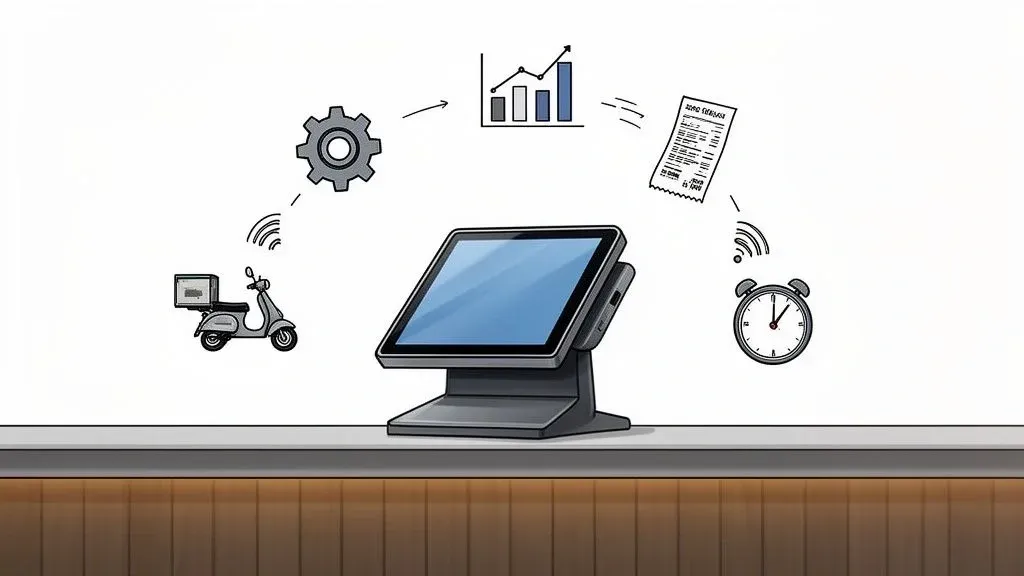
Your Point of Sale (POS) system is the central nervous system of your restaurant. In simple terms, it’s the digital hub where all your orders, payments, and customer information come together. It connects everything from your front-of-house staff to the kitchen and out the door with delivery drivers. A modern POS dictates how efficiently your team works, how accurately orders are processed, and how seamlessly you can integrate with essential services like Uber Eats and DoorDash. Choosing the right one directly impacts restaurant efficiency, dramatically reducing manual work and slashing order errors, which saves you time and money. It frees up your staff to focus on the guest experience, boosting productivity and customer satisfaction.
This guide moves beyond generic marketing claims to provide an actionable restaurant pos systems list tailored for restaurant owners and managers. We dive into the critical details: key features, realistic pricing, and ideal restaurant types for each platform, focusing on the “why it matters” for your restaurant operations. For those planning a new venture, understanding how technology fits into the bigger picture is crucial; for more on the initial stages, check out this guide on how to start a coffee shop. Our analysis focuses on what truly matters for your bottom line: efficiency, delivery, and seamless POS integration.
You’ll find detailed profiles of leading systems, complete with screenshots and direct links. We also explore value-added resellers and software comparison sites to broaden your search. Each entry includes an honest look at its strengths and limitations, particularly concerning its ability to integrate with third-party delivery aggregators. This curated list is designed to help you confidently select the tech hub that will streamline your restaurant operations, boost staff productivity, and ultimately drive your restaurant’s success.
1. Square for Restaurants
Square for Restaurants offers a flexible and accessible entry point into modern point-of-sale technology. It adapts the well-known Square ecosystem specifically for food service, providing a streamlined platform that is remarkably easy to set up. Think of it as a starter kit for restaurant tech that can grow with you. Its major appeal lies in its month-to-month flexibility and a robust free plan, making it an excellent choice for new restaurants or those hesitant to commit to long-term contracts. This flexibility helps new owners reduce upfront costs and risks.
The platform provides a complete solution that includes integrated payment processing, a range of hardware options (from countertop registers to handheld terminals), and Square Online for creating a commission-free ordering website. This all-in-one approach simplifies restaurant operations for many types of dining establishments, cementing its place on any restaurant pos systems list.
Key Features for Restaurant Operations and Food Tech
Square excels with its user-friendly interface and rapid deployment. Key features like menu management, coursing for full-service dining, and table mapping are available even on its free tier. The included Square Online functionality allows restaurants to quickly launch their own takeout and delivery service, integrating directly with the POS.
For businesses looking to optimize their restaurant delivery operations, Square integrates with third-party aggregators like DoorDash through solutions like OrderOut. This connection is vital for managing orders from multiple platforms without manual entry, which directly reduces errors and saves staff time during busy shifts. Understanding how an integrated POS system can streamline these workflows is crucial for modern restaurant efficiency.
Ideal Restaurant Type
Square is highly versatile, making it a great fit for cafes, food trucks, quick-service spots, and bars. Its free and low-cost plans are particularly attractive to new ventures and small to medium-sized businesses. While it can support full-service restaurants, establishments with highly complex enterprise needs may find its controls less granular than specialized systems.
Pros & Cons
-
Pros:
- Fast Setup & Flexibility: Get started quickly with no long-term commitment.
- Transparent Pricing: Clear, flat-rate payment processing fees.
- Strong Ecosystem: Seamlessly connects with Square Payroll, Marketing, and other business tools.
-
Cons:
- Paywalled Advanced Features: Core functions like seat management are locked behind paid Plus plans.
- Limited Enterprise Control: May not offer the deep customization required by large, multi-unit chains.
- Hardware Dependency: Works best within the Square hardware ecosystem.
Website: https://squareup.com/us/en/point-of-sale/restaurants
2. Clover — Food & Beverage POS
Clover is a hardware-centric POS platform known for its sleek, consumer-friendly devices and versatile software. While it serves various retail sectors, its Clover Dining software is specifically tailored for F&B workflows, offering features for both front-of-house and back-of-house operations. Think of Clover as a customizable smartphone for your restaurant; you start with a powerful device and then add the apps you need. The system’s main draw is its accessibility, being available through a vast network of banks and independent sales organizations (ISOs).
The platform provides a complete ecosystem with its own payment processing and a range of hardware, from the handheld Clover Flex to the comprehensive Station Duo countertop system. Its most significant advantage is a robust App Market, which allows restaurant owners to customize their system with specialized third-party applications for inventory, loyalty programs, and advanced POS integrations. This customization is key to improving restaurant efficiency by tailoring the tech to your specific needs.
Key Features for POS Integration and Restaurant Delivery
Clover excels with its physical device lineup and user-friendly interface. The Clover Flex handheld device is a popular choice, enabling servers to manage orders, split checks, and process payments directly at the table. This simple action boosts efficiency and customer turnover, which directly increases revenue potential. The Clover Dining software includes critical features like custom floor plan management, pre-authorization for bar tabs, and item-level coursing.
The platform’s strength lies in its App Market, allowing for deep customization. Restaurants can add functionalities as needed, such as connecting to delivery aggregators like Uber Eats through the OrderOut app for Clover or adding advanced employee management tools. This POS integration eliminates manual order entry from tablets, saving significant staff time and reducing costly errors.
Ideal Restaurant Type
Clover is an excellent fit for small to mid-sized restaurants, cafes, and bars that value polished hardware and the flexibility to add software features over time. It is particularly well-suited for businesses that prefer to acquire their POS system through their existing banking relationship or want more options for financing hardware.
Pros & Cons
-
Pros:
- Polished Hardware: Offers a range of sleek, modern, and user-friendly devices.
- Extensive App Market: Enables high levels of customization through third-party integrations.
- Broad Reseller Network: Widely available through banks and ISOs with various financing options.
-
Cons:
- Variable Pricing: Costs and contract terms can differ significantly depending on the reseller.
- Higher Hardware Costs: The initial investment for Clover devices can be higher than some competitors.
- Proprietary System: You are generally locked into Clover’s hardware and payment processing.
Website: https://www.clover.com/pos-solutions/food-beverage
3. SpotOn — Restaurant POS
SpotOn has emerged as a formidable player in the restaurant POS systems list, offering a flexible and powerful suite of tools designed to compete on both price and functionality. It combines modern hardware, like handhelds and stations, with deeply integrated software for reservations, waitlisting, online ordering, and labor management. This provides a comprehensive solution for various restaurant environments, acting as a single command center for your entire operation.
The company’s approach focuses on providing an all-in-one ecosystem that scales with a restaurant’s needs, backed by 24/7 support. This integrated model aims to streamline restaurant operations by reducing the need for multiple third-party vendors—a significant pain point for many operators seeking to improve restaurant efficiency and reduce software subscription costs.
Key Features and Use Cases
SpotOn stands out with its tiered pricing, including a “$0/month” Quick Start plan that makes it accessible for new or smaller businesses. Its integrated reservations and waitlist tools are a key feature, allowing restaurants to manage front-of-house operations directly within the POS without a separate subscription, which saves money and simplifies training.
The platform also includes robust labor management tools through SpotOn Teamwork, helping with scheduling, tip pooling, and payroll reporting. For restaurants focused on off-premise dining, SpotOn offers native online ordering, QR code ordering, and seamless POS integrations with major third-party delivery apps, ensuring that your restaurant delivery workflow is smooth and error-free.
Ideal Restaurant Type
SpotOn is well-suited for a broad spectrum of independent restaurants, from quick-service cafes to full-service dining rooms and small to mid-sized multi-location groups. Its competitive pricing and comprehensive feature set make it particularly attractive to operators looking for an all-in-one solution without the enterprise-level price tag.
Pros & Cons
-
Pros:
- Competitive Pricing Tiers: Offers flexible plans, including a free entry-level option, making it accessible.
- Comprehensive Feature Suite: Integrates POS, reservations, labor, and marketing tools in one platform.
- Strong Customer Support: Provides 24/7 support and has garnered positive user ratings.
-
Cons:
- Processing Minimums: Some plans may have transaction volume requirements to consider.
- Nuanced Plan Details: The full cost and feature set can require careful review with a sales representative.
- Custom Bundles: Tailored packages often necessitate direct engagement with the sales team.
Website: https://www.spoton.com/pricing/
4. TouchBistro
TouchBistro is a leading iPad-based POS system designed with the fast-paced environment of full-service restaurants in mind. Its platform is built from the ground up for iOS, creating an intuitive and seamless experience for staff already familiar with Apple products. The system emphasizes mobility and tableside service, aiming to enhance guest interactions and operational efficiency directly from the dining room floor. This means servers spend less time running to a fixed terminal and more time with guests, improving service speed and staff productivity.
The platform’s strength lies in its comprehensive suite of tools tailored for managing a bustling restaurant. It combines core POS functions with integrated reservations, online ordering, loyalty programs, and marketing add-ons. This modular approach allows restaurant owners to build a technology stack that precisely fits their needs without paying for unnecessary features, providing better cost control.
Key Features for Restaurant Operations
TouchBistro’s tableside ordering and floor plan management are its flagship features. Servers can use iPads to take orders, fire them to the kitchen, and process payments directly at the table, which significantly reduces order errors and speeds up service. The dynamic floor plan gives hosts and managers a real-time view of table status, improving seating efficiency.
Its robust offline mode ensures service continuity, allowing your restaurant to operate without interruption if the internet goes down. For growing businesses, its built-in guest engagement modules for reservations and loyalty help create a complete customer relationship management ecosystem, a key consideration for improving customer retention and a highlight of this food tech solution.
Ideal Restaurant Type
TouchBistro is an excellent choice for full-service restaurants, cafes, breweries, and wineries that prioritize tableside service and operate primarily within the Apple ecosystem. Its intuitive interface is well-suited for establishments that require powerful floor and table management capabilities to handle high-volume service periods effectively.
Pros & Cons
-
Pros:
- Intuitive Interface: The iOS-native design is easy for staff to learn and use.
- Modular Add-Ons: Restaurants can customize their system by adding features like loyalty or online ordering.
- Strong Full-Service Focus: Excels at tableside ordering, payment processing, and floor management.
-
Cons:
- iOS-Only: The system is limited to Apple hardware, restricting device choices.
- Rising Costs: Adding multiple modules for reservations, loyalty, and marketing can significantly increase the monthly subscription cost.
- Integration Limitations: While it integrates with many apps, the ecosystem may be less open than some competitors.
Website: https://www.touchbistro.com/
5. WebstaurantStore — POS partnerships and offers
While not a direct POS software provider, WebstaurantStore has earned its place on this restaurant POS systems list by serving as a crucial hardware and logistics hub for the industry. Known as a massive restaurant supply e-commerce site, it also facilitates POS system adoption through partnership programs and offers significant discounts on the essential hardware needed to run any modern point-of-sale setup. This simplifies the procurement process, a key part of improving restaurant operations.
This unique position allows restaurant owners to source everything from terminals and receipt printers to cash drawers and kitchen display system (KDS) mounts from a single, trusted vendor. For operators looking to build or upgrade their tech stack, WebstaurantStore simplifies the often-complex process of procuring compatible peripherals, often at a competitive price point, especially for members of its WebstaurantPlus program. This saves valuable time and can lead to significant cost savings.
Key Features and Use Cases
WebstaurantStore excels in bundling and convenience. A standout feature is its deep discounts on POS hardware for WebstaurantPlus members, which can make the initial investment in a new system more manageable. Instead of navigating multiple vendors for a KDS, a payment terminal, and networking gear, operators can source all components in one order, improving procurement efficiency.
The platform streamlines procurement by connecting restaurateurs with software vendors through partner lead forms for systems. This creates a one-stop-shop experience where you can research a software solution and simultaneously purchase the physical equipment required to run it, all with the benefit of preferred delivery rates and nationwide shipping.
Ideal Restaurant Type
WebstaurantStore is an invaluable resource for virtually any restaurant type, from a new cafe owner purchasing their first POS bundle to an established multi-location group standardizing its hardware across all sites. It is particularly beneficial for independent restaurateurs and small chains who are price-conscious and value the efficiency of sourcing from a single supplier.
Pros & Cons
-
Pros:
- Trusted Restaurant Supplier: A well-known and reliable source with nationwide shipping.
- Bundled Savings: Significant hardware discounts are available, especially for members.
- Easy Sourcing of Peripherals: Simplifies the procurement of compatible accessories.
-
Cons:
- Indirect Software Sales: POS software is offered via partner programs, not direct checkout.
- Membership for Best Deals: The most attractive offers often require a paid WebstaurantPlus membership.
- Focus on Hardware: Primarily a hardware and supply vendor, not a software support specialist.
Website: https://www.webstaurantstore.com/services/lightspeed/
6. CDW — POS Systems Category
CDW operates not as a POS software provider but as a major enterprise-grade reseller and integrator. In simple terms, they are a large-scale supplier of the physical tech gear you need to run your restaurant. It offers a vast catalog of POS hardware, peripherals, and related technology components. For restaurant groups planning large-scale rollouts, custom setups, or requiring specific hardware that might not come standard with an all-in-one system, CDW provides the necessary infrastructure, logistics, and solution design services.
Their value proposition is centered on procurement and fulfillment. Instead of sourcing hardware from multiple vendors, a restaurant can work with CDW to acquire everything from touch monitors and receipt printers to barcode scanners and kitchen display systems (KDS). This B2B focus ensures access to commercial-grade equipment with robust support and financing options, making it a critical partner for complex hardware deployments and improving restaurant operations at scale.
Key Features and Use Cases
CDW excels in providing a comprehensive catalog of POS hardware from leading manufacturers. This allows restaurant operators or their IT partners to build a bespoke system perfectly tailored to their operational needs, whether it’s sourcing ruggedized tablets for a patio or specific thermal printers for a high-volume kitchen.
Their solution consulting services are another key differentiator. For multi-location chains, CDW’s team can help design a standardized hardware stack, manage logistics for nationwide rollouts, and provide ongoing support. This simplifies the otherwise complex process of outfitting new locations consistently and efficiently, a core challenge in scaling restaurant operations and a major time-saver.
Ideal Restaurant Type
CDW is best suited for large, multi-location restaurant groups, franchise organizations, and enterprise-level clients with dedicated IT teams or system integrators. It is also an invaluable resource for restaurants with unique or demanding hardware requirements that cannot be met by bundled, proprietary systems. Single-location operators may find the scale of their offerings overwhelming.
Pros & Cons
-
Pros:
- Broad Hardware Selection: Extensive catalog of in-stock POS terminals, printers, and peripherals.
- Proven B2B Fulfillment: Expertise in managing complex logistics and large-scale deployments.
- Solution Consulting: Offers expert guidance for designing and implementing custom hardware solutions.
-
Cons:
- Hardware-Centric Offering: Primarily a hardware reseller; software is typically sourced separately.
- Quote-Based Pricing: Much of the pricing requires creating a business account or contacting a sales representative.
- Not an All-in-One Solution: Requires operators to integrate hardware with a separate POS software provider.
Website: https://www.cdw.com/content/cdw/en/products/point-of-sale.html
7. POSGuys (POS Value‑Added Reseller)
Unlike all-in-one software providers, POSGuys operates as a value-added reseller (VAR). This means they specialize in providing and supporting the physical hardware components—the touchscreens, printers, and scanners—that power a restaurant’s POS. They offer a comprehensive catalog of POS kits, individual hardware pieces, and essential supplies. Their key differentiator is expert guidance and post-sale support, helping restaurateurs select the right equipment to match their specific software, like Clover or Square, and operational needs. This service reduces the headache of a DIY setup, saving time and preventing compatibility errors.
This approach is ideal for businesses that have already chosen their software but need a reliable partner to source, configure, and support the hardware infrastructure. POSGuys can pre-configure entire systems before shipping them, simplifying the on-site installation process for restaurant owners and managers, which directly improves staff productivity from day one.
Key Features and Use Cases
The primary service from POSGuys is their curated restaurant POS bundles and an extensive à-la-carte hardware catalog. This allows a restaurant to purchase a complete, pre-vetted setup or simply replace a single receipt printer or barcode scanner. Their free technical support on purchased items is a significant benefit, providing a crucial lifeline when hardware issues arise, reducing potential downtime and lost revenue.
For growing businesses, their dedicated account managers and custom ordering pages streamline the process of outfitting new locations. This ensures consistency across multiple sites and simplifies procurement, making them a valuable partner in any growing restaurant’s tech stack and overall restaurant operations.
Ideal Restaurant Type
POSGuys is an excellent resource for any restaurant type, from a small independent cafe to a large multi-location chain, that needs to purchase or upgrade POS hardware. They are particularly beneficial for operators who are migrating to a new POS software platform but want to source their hardware independently or for those who need expert advice on hardware compatibility.
Pros & Cons
-
Pros:
- Strong Customer Support: Renowned for excellent technical support and expert pre-sale guidance.
- One-Stop Hardware Sourcing: A comprehensive catalog for all POS hardware needs.
- Hardware Compatibility Expertise: Helps match the right hardware to your existing POS software.
-
Cons:
- Software Is Separate: You must arrange software licensing directly with providers or through other partners.
- Potential Lead Times: Specialized or custom-configured hardware may have variable shipping times.
- Focus on Hardware: Services are centered on equipment, not integrated software solutions.
Website: https://posguys.com
8. eBay — Restaurant POS bundles
For restaurant owners focused on budget-conscious solutions or sourcing specific hardware, eBay presents a unique and valuable resource. Unlike traditional POS providers, eBay is an online marketplace where you can find a vast array of new and refurbished restaurant POS hardware. This includes everything from terminals and receipt printers to cash drawers and barcode scanners from countless US-based sellers. This makes it an unconventional but practical entry on any restaurant pos systems list, especially for those needing replacement parts or secondary units at a lower cost.
This platform allows you to source hardware independently from software, giving you the flexibility to build a system with components from different brands. You can compare prices on identical items from multiple sellers, ensuring you find the most cost-effective option for your restaurant operations, which is a key way to manage startup costs or reduce replacement expenses.
Key Features and Use Cases
eBay’s primary strength lies in its extensive selection and competitive pricing for both new and used equipment. Seller ratings and detailed item histories provide a layer of transparency, while buyer protections like the eBay Money Back Guarantee offer security for your purchases.
This is particularly useful for a restaurant that needs to quickly replace a broken receipt printer or wants to set up a low-cost test environment before committing to a full system rollout. This approach allows for quick problem-solving and reduces financial risk. Financing options are also often available through services like PayPal Credit, making larger hardware purchases more manageable.
Ideal Restaurant Type
eBay is best suited for tech-savvy restaurant owners or managers who are comfortable sourcing and verifying hardware compatibility themselves. It’s an excellent option for startups on a tight budget, established restaurants looking for cost-effective replacement parts, or multi-location businesses needing to standardize hardware across different sites without being locked into a single vendor’s ecosystem.
Pros & Cons
-
Pros:
- Cost-Effective Sourcing: Access to new and refurbished hardware at significantly lower prices.
- Wide Selection: Find specific models or components that may no longer be available from primary vendors.
- Flexibility: Purchase hardware without being tied to a specific software or payment processing contract.
-
Cons:
- Variable Support: Warranty and customer support depend entirely on the individual seller.
- Compatibility Risks: You must ensure the hardware is compatible with your existing POS software before purchasing.
- No All-in-One Service: Lacks the integrated setup, training, and ongoing support of a dedicated POS provider.
Website: https://www.ebay.com
9. G2 — Restaurant POS Software Category
While not a POS system itself, G2 is an indispensable resource for any restaurant operator creating a shortlist. It’s a peer-to-peer review marketplace where real users share detailed feedback on software, including a comprehensive category dedicated to restaurant POS systems. In simple terms, it’s like a TripAdvisor for business software. This platform provides an unbiased layer of validation, helping you look past marketing claims and understand how a system performs in a real-world restaurant environment.
Instead of offering a direct product, G2 aggregates user-generated data, presenting it through its proprietary Grid® reports, side-by-side comparisons, and detailed product profiles. This allows you to filter options based on company size, restaurant type, and specific features, making it a powerful tool for narrowing down your choices in the crowded restaurant POS systems list. This research phase is critical for ensuring your chosen food tech actually improves restaurant efficiency.
Key Features for Restaurant Tech Research
G2’s primary value lies in its user review rankings and Grid® reports, which plot systems based on user satisfaction and market presence. This visual data helps quickly identify category “Leaders” and “High Performers.” You can read recent, unfiltered reviews to gauge the quality of customer support, ease of implementation, and the true cost of ownership.
For instance, if you are comparing two systems like Square and Clover, you can use G2’s comparison tool to see how actual users rate them on specific criteria like POS integration and ease of use. This peer-driven insight is crucial for making a well-informed final decision and avoiding costly mistakes.
Ideal Restaurant Type
G2 is useful for every type of restaurant, from a single-location startup exploring free POS options to a multi-national chain vetting enterprise-level solutions. Its powerful filtering capabilities allow operators to find relevant reviews and data specific to their business size and operational needs.
Pros & Cons
-
Pros:
- Authentic User Feedback: Provides fresh, user-generated insights from a large volume of reviews.
- Vendor Claim Validation: Helps you verify marketing promises and identify potential red flags.
- Focus on Support & Usability: Offers valuable signals on customer support quality and ease of use.
-
Cons:
- Sponsored Placements: Visibility on the platform can be influenced by paid sponsorships.
- Not a Direct Vendor: It’s a research tool; you must still contact vendors directly for demos and quotes.
- Review Variability: The quality and detail of individual reviews can vary significantly.
Website: https://www.g2.com/categories/restaurant-pos
10. Software Advice — Restaurant POS comparison
Software Advice, a Gartner-owned company, serves not as a POS system itself but as an invaluable research and advisory platform. It’s like having a free consultant guide you through the complex world of restaurant technology. It provides a comprehensive directory where restaurant owners can compare a wide range of POS solutions, access detailed buyer guides, and understand cost structures across the industry. This makes it a crucial first stop for anyone new to the market or looking to upgrade an existing system.
The platform streamlines the often overwhelming process of selecting the right technology. It offers free, personalized advisory calls with software experts who can help you build a shortlist of vendors that match your specific operational needs, business size, and budget. This guidance-first approach demystifies the complex landscape of food tech and helps you make a faster, more confident decision, which is a huge time-saver for busy restaurant managers.
Key Features for Restaurant Operations
The core strength of Software Advice lies in its powerful filtering and comparison tools. Users can sort the restaurant POS systems list by essential features, deployment type (cloud-based vs. on-premise), and the scale of their business. This allows for an efficient side-by-side evaluation of different systems, saving countless hours of independent research.
The free advisory calls are a standout feature, connecting you directly with an expert to discuss your unique requirements. This service is particularly useful for identifying the best restaurant point of sale software without the pressure of a direct sales pitch. They help you narrow down options—like finding systems with strong restaurant delivery and POS integration capabilities—before you even engage with vendor demos.
Ideal Restaurant Type
This platform is ideal for any restaurant owner or manager, especially those who are purchasing their first POS system or feel overwhelmed by the number of options available. It is equally valuable for established businesses looking to ensure they are making a well-informed decision when switching providers. It caters to all segments, from small cafes to large, multi-location enterprises.
Pros & Cons
-
Pros:
- Neutral Guidance: Provides unbiased advice to help first-time buyers navigate the market.
- Efficient Shortlisting: Quickly generates a vetted list of vendors tailored to your needs.
- Useful Pricing Context: Offers clear overviews of entry, mid, and high-tier system costs.
-
Cons:
- Shared Lead Information: Your contact details may be shared with matched vendors.
- Indirect Process: It is a research tool, not a direct path for purchasing software.
- Vendor-Focused: The recommendations are limited to the vendors listed on their platform.
Website: https://www.softwareadvice.com/retail/restaurant-pos-software-comparison/
Your Next Step: From List to Action
Navigating the extensive restaurant pos systems list can feel overwhelming, but you now have the foundational knowledge to make a strategic decision for your business. We’ve explored a variety of options, from all-in-one platforms like Square and Clover to value-added resellers and massive marketplaces. The core takeaway is simple: your POS system should be the central nervous system of your restaurant operations, not just a digital cash register.
The right system acts as a force multiplier for restaurant efficiency. It’s the critical link that connects your front-of-house, kitchen, and the burgeoning world of online ordering and restaurant delivery. A poor choice leads to disconnected workflows, manual data entry, and frustrated staff. A strategic choice, however, streamlines every transaction, reduces costly errors, and gives you invaluable data to grow your business.
From Information to Implementation: Your Action Plan
Transforming this knowledge into a tangible improvement for your restaurant requires a clear, methodical approach. Don’t try to evaluate every option at once. Instead, follow these steps to narrow your focus and identify the perfect fit.
-
Define Your Non-Negotiables: Before you look at another feature list, write down your top three operational priorities. Is it speed for a high-volume QSR? Is it detailed inventory management for a fine dining establishment? Or is it seamless POS integration with delivery apps like DoorDash and Uber Eats? This core list will be your compass.
-
Create a Shortlist: Revisit the restaurant pos systems list in this article. Select two or three systems that align perfectly with your non-negotiables and restaurant type. For example, a small cafe might shortlist Square and Clover, while a larger multi-location business might look closer at SpotOn.
-
Focus on the True Cost of Ownership: Look beyond the monthly subscription fee. Factor in payment processing rates, hardware costs (terminals, printers, kitchen display systems), and any additional fees for essential integrations or premium support. A lower monthly fee can be misleading if the transaction percentages are significantly higher, impacting your overall cost savings.
-
Prioritize Third-Party Restaurant Delivery Integration: This is no longer an optional feature; it’s a critical component of modern restaurant operations. Manually entering orders from multiple delivery tablets is a major source of errors and a significant drain on staff productivity. Ask potential providers specifically how they integrate with services like Grubhub and DoorDash. A system that requires manual entry for delivery orders is a system that creates an operational bottleneck.
The Most Important Question to Ask
When you engage with sales demos, ask this crucial question: “How does your system automate the flow of a third-party delivery order from the customer’s app directly to my kitchen printer, without any manual re-entry from my staff?”
The answer to this question will reveal how much time, money, and frustration you will save. A truly integrated POS system, especially one connected to an aggregator like OrderOut, ensures that an order placed on Uber Eats appears in your POS and on your kitchen display system just like an in-house order. This is the key to unlocking true restaurant efficiency in the delivery era, boosting staff productivity and error reduction.
By following this focused approach, you can move confidently from this comprehensive restaurant pos systems list to implementing a solution that actively supports your growth, enhances customer satisfaction, and boosts your bottom line. Your practical next step is to choose two vendors from this list and book a demo this week.
Ready to eliminate manual delivery order entry and connect your POS to every major delivery app? OrderOut syncs orders from platforms like Uber Eats and DoorDash directly into your restaurant’s POS system, saving you time and preventing costly mistakes. Onboard for free in just a few clicks and see how automation can transform your delivery operations.