
Restaurant POS System Comparison: An Actionable Guide for Owners
· Thibault Le Conte
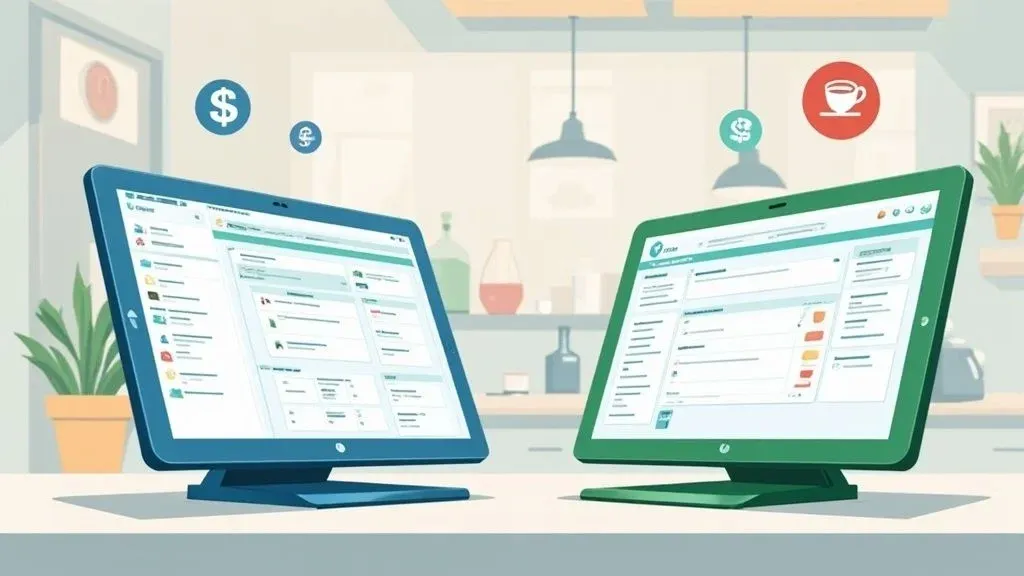
Choosing a restaurant Point of Sale (POS) system feels like picking the central nervous system for your business. In simple terms, you’re deciding between an old-school, on-premise system that lives in your back office and a modern, cloud-based platform that you can access from anywhere. For today’s restaurant, cloud-based systems are the clear winner, acting as a true command center by connecting all your tools, from delivery apps to inventory management, into one streamlined operation. This integration is crucial for restaurant efficiency, saving you time and preventing costly errors.
Choosing Your Restaurant’s Central Hub

Think of your POS system as the engine of your restaurant. It does far more than just take payments; it’s the heart of your entire operation, managing orders, tracking sales data, and organizing staff. Moving from a simple cash register to a modern POS is one of the most impactful upgrades you can make to boost staff productivity and reduce errors.
The main difference is where your data is stored. On-premise systems keep everything on a local server in your restaurant, meaning you are responsible for maintenance, security, and updates. It’s a hands-on approach that can be costly and complex.
The Rise of Cloud-Based Food Tech
Cloud-based systems, in contrast, store your data securely on remote servers accessed via the internet. This is a game-changer for restaurant operations. For a restaurant owner, this means you can check real-time sales reports from your phone or update the menu from home. This flexibility is vital for managing multiple locations or simply staying on top of your business without being chained to the back office.
The restaurant POS market is booming because so many operators are switching to cloud solutions for their efficiency gains. Valued at $12.30 billion in 2024, the market is projected to hit $30.48 billion by 2035. This growth is fueled by the fact that over 70% of new POS setups are cloud-based, a direct result of the cost and time savings they offer.
Why it matters: The real power of a cloud-based POS is its ability to integrate with other food tech. It becomes the central hub that connects your ordering, delivery, and management tools into a single, cohesive system, eliminating data silos and tedious manual work. This directly improves restaurant efficiency and reduces errors.
This connectivity transforms a restaurant’s workflow. For instance, a cloud-based POS like Clover can automatically pull in orders from delivery apps like Uber Eats, sending them straight to your kitchen printer. This eliminates the need for a staff member to manually re-enter the order, saving time, preventing mistakes, and getting food to the customer faster. To get a better sense of how these tools fit together, you might want to check out our guide on the best restaurant management software.
On-Premise vs. Cloud-Based POS: A Quick Comparison
Feature On-Premise POS Cloud-Based POS Data Storage Local server at the restaurant Remote, secure cloud servers Accessibility On-site access only Anywhere with an internet connection Upfront Cost High (server hardware, installation) Low (often subscription-based) Updates Manual, often requires a technician Automatic, seamless software updates Integration Limited and complex Easy integration with apps & services
Understanding these fundamentals is the first step in any restaurant POS system comparison. Ultimately, choosing a system that grows with you and connects to other technologies is the key to streamlining your operations, handling restaurant delivery efficiently, and boosting your bottom line.
Actionable Next Step: Connect your delivery platforms to your POS to eliminate manual entry. You can start onboarding with OrderOut for Free in just a few clicks at https://dashboard.orderout.co.
Key Criteria for Your POS System Comparison
When you compare restaurant POS systems, it’s easy to get lost in features. To make a smart choice, you need to focus on what actually impacts your daily operations and profit. Let’s evaluate these systems based on how they perform during a chaotic Saturday night dinner rush.
Think of the POS as your restaurant’s command center. The right one makes everything run smoothly. The wrong one becomes a bottleneck, frustrating your staff and slowing down service. Let’s dig into the core functions you need to get right to improve your restaurant operations.
Intuitive Order and Table Management
First, a POS must handle the basics flawlessly: taking orders and managing tables. In simple terms, your staff should be able to punch in a complex order, split a check, and see the status of every table at a glance—all without needing extensive training.
A clunky system slows down service, leading to longer ticket times and costly mistakes. An intuitive system lets a new server get up to speed in a single shift. This is a direct cost saving on training and reduces errors like a forgotten allergy note. For example, a server using a system like Square can add a “no onions” modification in two taps, not five, which is a clear boost to staff productivity.
This infographic shows what restaurant owners like you are prioritizing.

As you can see, inventory tracking is a massive concern, with table and order management following closely.
Real-Time Inventory Tracking
Good inventory management is the unsung hero of a profitable restaurant. A basic POS might just subtract a “burger” from your sales count. A powerful system offers ingredient-level tracking. This is the technical part: every time a burger is sold, the system automatically deducts one bun, one patty, and the exact portion of lettuce from your live inventory count.
Why it matters: This level of detail is a game-changer for restaurant efficiency. It gives you real-time low-stock alerts, preventing you from 86’ing a popular dish during peak hours. It also highlights potential waste or theft, giving you the data to tighten food costs and save money. You can learn more about how different tools help by exploring various restaurant technology solutions.
A POS without granular inventory control is like driving without a fuel gauge. You might be fine for a while, but eventually, you’ll run out of gas at the worst possible moment, bringing your entire operation to a halt and costing you sales.
Flexible Payment Processing and POS Integration
Today, customers expect to pay how they want, whether with a credit card, Apple Pay, or a gift card. Your POS must handle all of it securely and quickly. Slow payment processing can ruin the guest experience and disrupt your service rhythm.
Beyond that, POS integration is non-negotiable. Your system must connect to the other tech you use, especially third-party delivery apps like Uber Eats and DoorDash. A POS that integrates directly with these services, such as Square or Clover, saves you from the nightmare of manual order entry. This direct connection is key to error reduction and speeding up your restaurant delivery process.
Your Practical Next Step: Before you watch a single demo, create a checklist based on these three pillars: Order Management, Inventory Tracking, and POS Integration. Rank them based on your restaurant’s specific needs. This simple framework will keep your comparison focused on what your business actually needs to succeed.
Ready to streamline your delivery operations? Connect your POS to every major delivery app. Start onboarding for Free in just a few clicks at https://dashboard.orderout.co.
Square Vs Clover: A Head-to-Head Comparison

When you’re choosing between two POS heavyweights like Square and Clover, a simple feature list isn’t enough. This decision is a cornerstone of your operation, so a detailed restaurant pos system comparison is essential. The right system depends entirely on your restaurant’s unique workflow, business model, and future goals.
Let’s look at this through the lens of real-world restaurant scenarios to see which system will truly boost your efficiency and bottom line.
User Experience And Staff Training
The best POS should be intuitive, especially during a dinner rush. A clunky interface means more training time, more mistakes, and more stress for your staff. This is where Square and Clover differ significantly.
Square for Restaurants is known for its clean, simple design. If you run a bustling coffee shop or a quick-service spot, this simplicity is a game-changer. New employees can genuinely learn to take orders and payments in under an hour. Why it matters: This is a massive time saving on training, which directly improves staff productivity from day one.
Clover, on the other hand, is a powerful, customizable toolkit. Its strength lies in its massive app market, allowing you to tailor almost everything. This is great for a full-service restaurant needing specific workflows, but it comes with a steeper learning curve.
This is the classic trade-off: simplicity vs. customizability. If getting new hires up to speed quickly is your top priority, Square has the edge. If you need a system you can mold to complex operations, Clover’s depth is its biggest selling point.
Hardware Flexibility And Upfront Costs
Your POS hardware is part of your restaurant’s workflow. Both companies offer sleek, modern hardware, but their sales models are different.
Square’s approach is direct and transparent. You can buy anything from a simple card reader to a full register kit with kitchen display systems (KDS) from their site. This is perfect for a new restaurant that wants to start lean and expand later. For more insight on enhancing the platform, check out the recent OrderOut and Square POS partnership.
Clover’s hardware is typically sold through third-party resellers like banks. This means pricing and support can vary. You have great hardware options—from the portable Clover Flex to the all-in-one Station Duo—but you must read the fine print of your agreement.
Software Tiers And App Ecosystems
Both Square and Clover use a subscription model with different software tiers.
Square’s software tiers are straightforward:
- Free Plan: A powerful option for new or small spots, handling basic ordering and payments.
- Plus Plan: For a monthly fee, you get advanced tools like table management and detailed reporting.
- Premium Plan: Custom pricing for large, multi-location restaurant groups.
Clover’s main advantage is its App Market. It’s like an app store for your POS, with specialized tools for everything from advanced inventory to loyalty programs. This allows for incredible customization, but be aware that multiple app subscriptions can add up.
Choosing a POS is just one piece of the puzzle. As you evaluate systems, it’s helpful to understand the broader e-commerce landscape. For a look at other popular platforms, this Shopify vs WooCommerce vs BigCommerce platform guide offers valuable context.
Square vs Clover Feature Comparison for Restaurants
The table below breaks down key differences to help you see which system aligns better with your restaurant’s specific needs.
Feature Square for Restaurants Clover Best For Quick-service, cafes, food trucks, and restaurants prioritizing ease of use. Full-service restaurants, bars, and businesses needing deep customization via apps. Pricing Model Transparent monthly SaaS fees ($0 to $60+/month) plus processing fees. Varies by reseller; often involves monthly software fees and different processing rates. Hardware Purchased directly. Flexible, modular options available for any size business. Purchased through third-party resellers. Wide range of proprietary devices. User Interface Highly intuitive, clean, and minimalist design. Very low training time. Powerful and highly customizable, but can be more complex with a steeper learning curve. Integrations & App Market Growing marketplace with key integrations, including a native OrderOut connection. Extensive App Market with hundreds of third-party apps for specialized functions. Payment Processing Built-in processing with flat-rate, predictable fees. Typically tied to the merchant account from the reseller; rates can vary.
Ultimately, both are powerful platforms for different types of restaurateurs. Square prioritizes a seamless, ready-to-go experience, while Clover provides a flexible foundation to build upon.
Your Practical Next Step
Your choice between Square and Clover should come down to your service model. If you run a high-volume, straightforward business like a food truck or cafe, Square’s simplicity is a strong contender. If you operate a full-service restaurant with complex needs and want to fine-tune every workflow, Clover’s app ecosystem gives you the flexibility to build the exact system you need.
Finding the Right POS for Your Restaurant’s Pace
Choosing a POS system isn’t about finding the most features; it’s about finding one that matches your restaurant’s rhythm. A bustling food truck operates differently from a fine-dining spot, and your POS needs to be in sync with that reality. This is the secret to a smooth, efficient operation.
The wrong system creates daily headaches and forces your staff into clunky workarounds. The right one empowers your team to deliver faster, more accurate service. This single decision impacts everything from employee stress to your bottom line.
For QSRs and Fast-Casual: Speed is Everything
In Quick-Service Restaurants (QSRs), cafes, and food trucks, speed is king. Every second saved in the ordering and payment process means more customers served. The best POS for this environment must be simple to use, with minimal training time.
This is where a system like Square for Restaurants excels. Its intuitive interface allows a new hire to become confident in one shift. Why it matters: This is a huge time saving for businesses with high staff turnover and directly improves staff productivity.
Consider these tools to keep the line moving:
- Mobile Terminals: Staff can take orders in line on a handheld device, sending them to the kitchen before the customer even reaches the counter.
- Customer-Facing Screens: Guests can confirm their order and pay quickly, reducing errors and speeding up transactions.
- Offline Mode: For food trucks at festivals with spotty Wi-Fi, this is a lifesaver. You can keep taking card payments without a connection.
This focus on speed is why Square is so popular in these settings. In the U.S., QSRs claimed over 27% of the POS market share in 2022, driven by their need for hyper-efficient systems.
For Full-Service Restaurants: The Command Center
Full-Service Restaurants (FSRs) are different. Here, it’s about managing a complex service ballet: table layouts, reservations, and multi-course pacing.
In this environment, a flexible platform like Clover shows its strength. Its massive app marketplace lets you build a POS perfectly molded to your restaurant’s needs.
Why it matters: A full-service restaurant’s POS is the central nervous system connecting the front of house to the kitchen. It orchestrates everything from reservations to payment, and a smooth POS integration is key to restaurant efficiency.
For example, a busy bistro using a Clover app for reservations can link it directly to their floor plan. The host sees which tables are open and manages the waitlist with precision. This seamless POS integration helps turn tables faster and improves the guest experience.
Your Practical Next Step
Write down your restaurant’s top three operational needs. If your list includes “speed of service,” “easy staff training,” and “mobile ordering,” a system like Square is likely your best fit. If it includes “table management,” “custom reports,” and “specialty integrations,” a flexible platform like Clover is where you should start your search. This simple exercise points you directly to the food tech designed to solve your specific problems.
Ready to connect your new POS to every delivery app? Get started with a free account at https://dashboard.orderout.co.
Why POS Integration Is a Game Changer for Delivery

If you’re in the restaurant business, you know the dreaded row of tablets—one for DoorDash, one for Uber Eats, all demanding attention. This is “tablet farming,” and it’s a killer for efficiency.
Every time an order comes in, a staff member has to stop, find the right tablet, and manually punch every detail into your main POS. It’s slow, frustrating, and prone to expensive mistakes. A seamless POS integration is the only way out of this operational nightmare.
Unifying Restaurant Operations for Good
True integration creates a single, unified workflow. When orders from all your delivery partners flow directly into your central POS system, they appear on your Kitchen Display System (KDS) just like any other order. No more manual entry. No more tablet-tapping.
This direct connection is powered by integration platforms that bridge systems like Clover or Square with major delivery apps. The result is a massive improvement in your restaurant operations efficiency. For more details, our guide on essential point of sale integrations is a great resource.
Why it matters: By eliminating manual order entry, you systematically remove a major point of failure in your workflow. This leads to higher accuracy, faster ticket times, and a less stressed-out team, directly impacting your restaurant’s efficiency and bottom line.
Mobile POS systems have already helped QSRs achieve a 25% reduction in order wait times. With online ordering integrations projected to make up about 55% of all restaurant sales by 2025, syncing your digital storefronts with your POS is essential for staying competitive.
The Tangible Benefits of Integrated Delivery
A proper POS integration quickly pays for itself through time and cost savings. The chaos of tablet farming disappears, and you gain real benefits:
- Fewer Order Errors: When orders go straight from the customer’s app to your kitchen, the risk of human error plummets. This means less food waste and happier customers.
- Faster Ticket Times: Cutting out manual entry shaves minutes off every order, improving your overall speed and delivery times.
- More Productive Staff: Free your team from being tablet jockeys. They can focus on in-house guests and ensuring every order is perfect.
- Clean, Consolidated Data: All your sales data—from dine-in, takeout, and every delivery app—is funneled into one place. This gives you a clear picture of your business performance.
A streamlined system becomes even more powerful when you consider how to automate customer service to handle delivery questions and keep customers informed.
Your Practical Next Step
Don’t let manual data entry sabotage your investment in food tech. Prioritizing POS integration is one of the smartest things you can do to protect your profits and sanity. The first step is to connect your POS to a solution that brings all your delivery partners under one roof.
You can start onboarding for Free in a few clicks at https://dashboard.orderout.co.
Making Your Final Decision and Taking Action
You’ve done the hard work of comparing top restaurant POS systems. You’ve seen how Square offers a clean, get-started-now experience, while Clover provides deep customization. Now it’s time to move from research to reality.
The right POS should feel like a natural part of your service, not a piece of technology your team has to fight. When you get it right, the benefits—smoother shifts, fewer errors, and a more productive staff—show up almost immediately.
Your Pre-Commitment Checklist
Before you sign on the dotted line, run your top choice through this final check to ensure it aligns with your restaurant’s daily rhythm.
- Does the workflow fit our service style? Be honest. Is it designed for the rapid pace of a QSR, or does it have the nuance for fine dining?
- What’s the real total cost? Add up the monthly subscription, payment processing fees, hardware price, and any must-have third-party apps.
- How well does it handle delivery integration? This is a dealbreaker. Your POS must connect seamlessly with DoorDash, Uber Eats, and other platforms to avoid the chaos of manual entry.
Why it matters: A feature-packed POS is useless if it creates operational friction. To get a real return on your investment, ensure your POS talks directly to your third-party delivery apps. This is the key to maximizing restaurant efficiency.
The Final, Critical Step: POS Integration
Once you’ve chosen a system, the most important action is to connect it to all your delivery channels. You’re investing in new food tech to make things easier, so don’t let that investment be wasted on the tedious process of manual order entry. This step truly makes your new POS the command center for your entire restaurant operations.
For a clear guide on getting set up, check out our step-by-step OrderOut integration onboarding tutorial.
Actionable Next Step: Bring your operations together and stop manual entry for good. Connect your new POS to all the major delivery apps by starting the free onboarding process at https://dashboard.orderout.co. It only takes a few clicks.
Frequently Asked Questions
Jumping into a restaurant POS system comparison can be overwhelming. Getting the right answers is crucial for picking the best food tech and avoiding costly headaches.
The most important feature to look for is POS integration. A POS that can’t connect to your delivery apps like DoorDash and Uber Eats is just a glorified cash register. A truly integrated system becomes the command center for your entire restaurant operation, boosting efficiency and reducing errors.
Choosing Between Popular Options
If you’re starting out or running a smaller spot, Square is often a fantastic choice. Its pricing is straightforward, and its intuitive interface means you can get your team trained quickly, saving time and money.
Clover, on the other hand, is built for customization. Its large app marketplace lets you tailor the system to your specific workflow, making it a great option for restaurants with unique operational needs or plans to scale. Your best bet is to get a demo of both to see which clicks with your team.
“Sure, you can always switch your POS system down the road, but it’s a massive pain. You’re looking at moving years of sales data, ripping out old hardware, and retraining your entire staff from scratch. It’s so much easier to pick a system that can grow with you from day one.”
Look for POS systems that offer different software plans or add-on modules. This flexibility allows the system to expand as your business does, saving you from a painful overhaul later.
Your Practical Next Step: Get your delivery orders and kitchen operations in sync. OrderOut connects your POS directly to all the top delivery apps, so you can finally ditch manual order entry for good. This is a crucial step for improving restaurant efficiency and staff productivity.
Start your free onboarding in just a few clicks at https://dashboard.orderout.co.