
Your Guide to a Restaurant Order Management System
· Thibault Le Conte
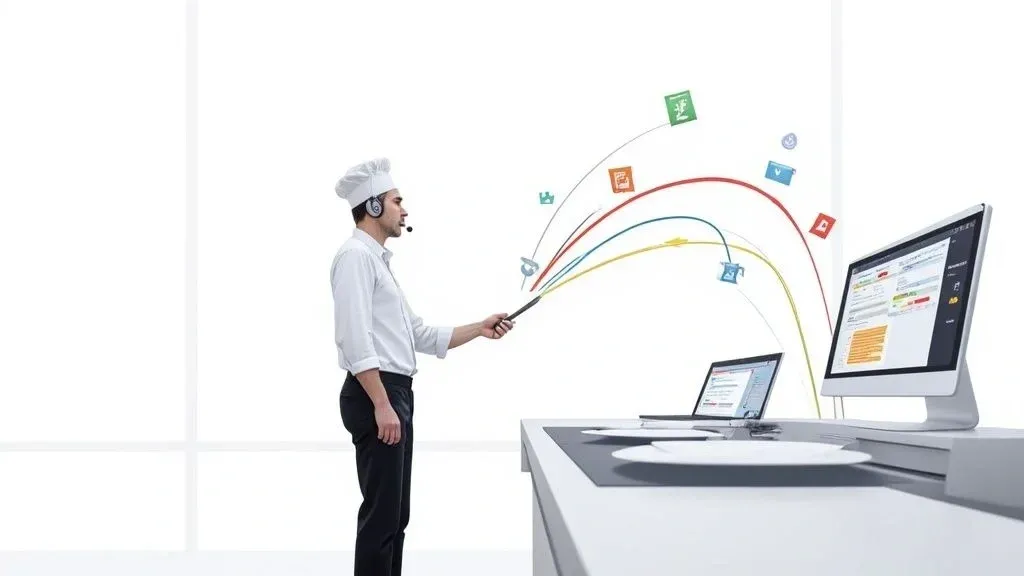
Think of a restaurant order management system as the central hub for your entire operation. In simple terms, it’s the one place where every single order—whether it comes from your website, a delivery app like Uber Eats, or a customer at the counter—lands in a single, organized stream.
This system gets rid of the chaos of juggling a half-dozen tablets and manually punching in tickets. Why it matters for your restaurant: This directly leads to drastically fewer errors, faster service, and a much smoother kitchen. It’s the secret to turning operational stress into a well-oiled machine, saving you time and money on costly mistakes and improving staff productivity.
Bringing Order to Restaurant Kitchen Chaos
Imagine the peak dinner rush. Orders are flying in from your website, DoorDash, Uber Eats, and walk-in customers. You’ve got a symphony of dings and alerts from different tablets, creating a high-stress environment where mistakes are bound to happen.
This is exactly where a restaurant order management system steps in to act as your kitchen’s air traffic controller.

It’s the central nervous system for your restaurant. It grabs every order from every channel and lines them up neatly in one unified queue. From a technical standpoint, this is called order aggregation. It means no more juggling devices and no more manually entering delivery app tickets into your Point of Sale (POS).
To see the difference, here’s a quick, actionable look at how daily tasks change.
Before and After an Order Management System
Operational Task Before System (Manual Process) After System (Automated Process) Taking an App Order Staff hears an alert, finds the right tablet, and manually punches the order into the POS. Risk: High chance of typos and errors. The order automatically appears in the POS and prints directly in the kitchen. Benefit: Eliminates manual errors and saves time. Menu Updates Log into each delivery platform separately to 86 an item or change a price. Risk: Inconsistent menus and angry customers. Update the menu once in the system, and it syncs across all connected platforms. Benefit: Reduces menu management time by 90%. End-of-Day Reporting Manually add up sales from each tablet and reconcile them with POS reports. Risk: Time-consuming and prone to accounting mistakes. All sales data is consolidated in one place, providing an accurate, instant overview. Benefit: Saves hours on reconciliation and provides clear business insights.
As you can see, the impact goes way beyond just taking orders; it touches nearly every part of your daily workflow, boosting efficiency and cutting costs.
Transforming Restaurant Operations with Food Tech
This kind of food tech isn’t a luxury anymore—it’s a core part of running a successful restaurant today. By automating how information flows from the customer to the kitchen, you get valuable time back for your staff.
Instead of paying an employee to stand there watching tablets and re-typing orders, they can focus on what really matters: helping customers and making sure the dining experience is top-notch. For more practical advice, check out our guide on mastering restaurant management.
This isn’t just a small shift; it’s part of a huge industry trend. The global market for these systems is poised to grow significantly from 2025 onward, all thanks to the boom in digital food ordering. These platforms are becoming essential for things like order aggregation and menu management, helping restaurants cut down on mistakes and serve customers faster. You can read the full research about these market trends to see where the industry is heading.
Why Direct POS Integration Matters for Restaurant Delivery
The real game-changer with a modern restaurant order management system is its ability to plug directly into your Point of Sale (POS) system. For example, an order placed on Uber Eats can show up on your Clover or Square POS in seconds, with zero manual input required.
This direct connection is the difference between a chaotic kitchen and a well-oiled machine. It guarantees accuracy, reduces ticket times, and ensures your financial reporting is always correct because every single sale is captured automatically.
At the end of the day, this technology turns operational chaos into predictable, reliable efficiency. It sets the stage for fewer mistakes, a happier staff, and customers who keep coming back.
Must-Have Features for Modern Restaurant Operations
When you’re shopping for an order management system, it’s easy to get lost in a sea of features. But not all of them are created equal. The right system isn’t just a digital inbox for orders; it’s the command center for your entire operation, designed to fix your biggest headaches like order errors and slow kitchen times.
To make sure you’re investing in a tool that actually boosts your efficiency, accuracy, and bottom line, focus on the features that provide actionable results.
This infographic breaks down what a truly modern system looks like.

As you can see, a complete system does way more than just take orders. It creates a full operational loop, from the customer’s click to data-driven business decisions.
Multi-Channel Order Aggregation
Let’s start with the big one: order aggregation. Simply put, this feature pulls every single order—whether it’s from DoorDash, Grubhub, your website, or anywhere else—onto one clean screen. It turns the chaos of a dozen different apps into one calm, organized queue.
Why it matters: This eliminates “tablet hell.” Your staff won’t have to juggle multiple devices, each dinging with its own unique alert. This immediately frees them up and reduces staff stress. Instead of someone acting as a human router, punching orders from one tablet into the POS, they can focus on what matters: helping guests. The time saved is huge, and you’ll see a massive drop in those costly manual entry mistakes.
Real-Time Menu Synchronization
Next up is real-time menu synchronization. Picture this: it’s the middle of the dinner rush, and you’ve just sold the last of your signature brisket. Without a synced menu, a manager has to log into every single delivery app, one by one, to mark the brisket as sold out. This is a manual, error-prone process that often gets forgotten, leading to canceled orders and unhappy customers.
With a synchronized system, you can “86” an item once, and that change instantly populates across every single one of your online menus. This simple action prevents order failures, protects the customer experience, and saves your team from a constant, frustrating task.
This is a non-negotiable piece of food tech for managing your restaurant’s delivery service. For example, if you’re using a POS like Square, any menu update you make there can automatically ripple out to all your connected delivery partners like DoorDash. It’s an actionable way to reduce errors and improve customer satisfaction.
Analytics and Reporting Tools
Finally, don’t overlook analytics and reporting. A good order management system doesn’t just pass orders along; it collects incredibly valuable data with every transaction. It turns that firehose of raw order information into actionable insights you can use.
With solid analytics, you can finally answer big questions without spending hours in a spreadsheet:
- Which delivery platform is actually my most profitable? Get a real side-by-side look at sales volume and ticket averages.
- When are my peak delivery hours? Use hard data to optimize staff schedules and kitchen prep times, reducing labor costs.
- What are my online best-sellers? Find out which items are killing it on delivery so you can double down on marketing or engineer a more profitable menu.
This data-driven approach takes the guesswork out of running your restaurant, letting you make smarter decisions that directly impact your profits.
Key Takeaway: When you’re evaluating systems, make sure these three pillars—aggregation, menu sync, and analytics—are rock solid. Getting this foundation right will lead to a more efficient, less stressful, and more profitable restaurant. The next step is making sure that system plays nicely with the tech you already have.
Why Seamless POS Integration Is a Game-Changer
If you’re still manually punching third-party delivery orders into your Point of Sale (POS), you’re fighting a battle you can’t win. It’s a slow, tedious process that secretly chips away at your restaurant’s efficiency. This is where POS integration steps in, not just as a handy tool, but as a complete operational overhaul.
Think of it this way: an order management system that syncs with your POS builds a direct data pipeline from the delivery apps straight to your kitchen. An order placed on DoorDash doesn’t sit on a tablet waiting for a busy staff member. Instead, its data is transmitted via an API directly to your kitchen display system (KDS) in seconds. This works with major POS systems like Clover and Square without anyone lifting a finger.
What was once a clunky, multi-step headache becomes a smooth, automated flow that saves precious time and, more importantly, protects your revenue.
Eliminating Costly Manual Errors
Let’s be honest, the biggest win with POS integration is slashing human error. Every single time an employee has to re-type an order from a delivery tablet into the POS, there’s a risk. A “no onions” request gets missed. An allergy note is overlooked. An entire side dish is forgotten.
These aren’t small mistakes; they’re expensive ones. They result in wasted food, the cost of re-making and re-delivering an order, and the kind of negative reviews that can tank your reputation. When the order data is sent directly from the app to your system, it arrives exactly as the customer intended.
By getting rid of manual entry, you’re doing more than just saving a few seconds on each order. You’re building a more reliable and professional restaurant delivery operation that safeguards your bottom line and reputation with every ticket that comes in.
This kind of connected technology is becoming standard. In fact, the market for POS restaurant management systems is projected to hit USD 56.9 billion by 2035, a massive jump fueled by the demand for hyper-efficient, integrated operations. You can see for yourself how technology is reshaping the industry and why getting on board is so crucial.
Boosting Staff Productivity and Focus
Without integration, your front-of-house team is stuck playing the role of data-entry clerk. They’re constantly babysitting a chorus of pinging tablets instead of focusing on the guests right in front of them. It’s not a great use of their talent or your payroll dollars.
Once you automate order entry, you free up your team to do what they do best:
- Elevating the guest experience for your dine-in customers.
- Managing the hand-off to delivery drivers without chaos.
- Upselling and taking phone orders with their undivided attention.
This screenshot shows exactly how an app like OrderOut can bring all your delivery platforms together within a Square POS system.

As you can see, it creates one central hub where every delivery service is unified, simplifying everything into a single dashboard. A truly connected system also becomes the backbone of an amazing omnichannel customer experience, ensuring every interaction with your restaurant feels seamless. If you want to get into the nitty-gritty, you can find answers to some frequently asked questions about POS integration.
Your Takeaway: For any modern restaurant, seamless POS integration isn’t just a “nice-to-have”—it’s non-negotiable. It’s the key to minimizing errors, empowering your staff, and building a more profitable operation that’s ready to scale.
To see how this all comes together, explore solutions that offer free onboarding. You can get started in just a few clicks at https://dashboard.orderout.co.
How to Boost Your Restaurant’s Delivery Efficiency
Let’s be honest, third-party delivery apps are here to stay. For most restaurants today, they’re a critical source of revenue. But managing them can feel like pure chaos. If your counter is cluttered with a growing “tablet farm” constantly beeping and flashing, you know exactly what I mean.
This is where a solid restaurant order management system becomes your secret weapon. It’s the tool that takes all that noise and turns it into a real competitive edge. It starts by pulling every single order from DoorDash, Grubhub, and all the others into one clean, simple screen. Just that one change immediately gets rid of the need for your staff to jump between multiple devices, saving them from constant distraction.
From Tablet Farms to a Single Source of Truth
The magic of a centralized system really kicks in with automation. Think about your current process: an order comes in, a staff member has to notice it, accept it, then walk over to your POS and manually punch it in. A good order management system does all of that in a split second, automatically. This is the foundation of efficient restaurant operations.
A unified dashboard doesn’t just clean up your counter—it creates a single, reliable source of truth for your entire delivery business. This clarity is essential for identifying bottlenecks and making data-driven decisions that improve profitability.
By automatically accepting and printing orders, tickets get fired to the kitchen the instant they’re placed. This shaves precious minutes off your prep times, which has a massive ripple effect on delivery speed. Quicker prep means faster handoffs to drivers, which means hotter, fresher food for your customers. That’s how you earn those five-star reviews and increase customer loyalty.
Driving Efficiency and Customer Satisfaction
When you can see every single outgoing order in one place, you gain a level of insight that’s impossible to get from juggling a half-dozen tablets. You can see which platforms are popping at any given time, track an order’s status from start to finish, and spot a potential delay before it turns into an angry phone call. This is what it means to be in control of your restaurant delivery business.
This isn’t just about making things easier; it’s about taking back command.
- Fewer Mistakes: When orders are sent automatically, you eliminate the human error from manual entry that leads to incorrect orders, wasted food, and frustrated customers. This directly reduces costs.
- Faster Service: Sending orders directly to the kitchen line cuts down the time from when a customer clicks “confirm” to when the driver picks it up. Speed is everything in delivery.
- More Productive Staff: Your team can stop babysitting tablets and get back to what they do best—helping in-house guests and making sure every order that leaves the kitchen is perfect. This boosts staff productivity and morale.
At the end of the day, all this efficiency adds up to a much better experience for your customer. And happy customers, the ones who get their food fast and exactly as they ordered, are the ones who come back again and again. If you’re curious about the tech that makes this connection possible, you can learn more about the role of a powerful delivery API in restaurant tech.
Takeaway: Stop letting the chaos of delivery apps run your kitchen. A restaurant order management system lets you turn that operational headache into a smooth, profitable, and scalable part of your business. The journey to a smarter operation begins with consolidation.
To see how you can unify your delivery apps for free, you can start onboarding in just a few clicks at https://dashboard.orderout.co.
How to Choose the Right System for Your Restaurant
Picking the right piece of food tech for your restaurant is a huge decision. Get it right, and your operations will run smoother than ever. Get it wrong, and you’ve just created a whole new set of headaches for yourself and your staff.
The market for this kind of software is already massive—estimated at USD 5.79 billion in 2024 and still climbing. With so many options out there, it’s easy to get distracted by flashy features. The real secret is to cut through the noise and focus on what will actually make a difference to your daily grind and your bottom line.

It’s no surprise that cloud-based systems are leading the charge, capturing over 54% of the market. In simple terms, this means the software runs online, making it more flexible and affordable than the clunky, on-premise solutions of the past. For restaurant owners, this is great news; it means more powerful and accessible tools are within reach.
First, Figure Out What You Actually Need
Before you even look at a single demo, take a hard look at your own restaurant operations. Where are the real bottlenecks?
Are you losing money because staff are constantly making manual entry mistakes from all the different delivery apps? Is the dreaded “tablet farm” on your counter causing chaos during the dinner rush? Pinpointing your biggest frustrations will give you a clear, actionable map to follow when you start shopping around.
If you’re just starting out or planning a big operational change, getting these details down in a business plan is crucial. This handy Cafe Business Plan Template can help you think through everything from staffing to the technology you’ll need. When you have that kind of clarity, you’re in a much better position to pick a system that solves your actual problems.
A Practical Checklist for Making Your Choice
Once you know what you’re trying to fix, you need a smart way to compare your options. The table below breaks down the must-have criteria to help you evaluate potential systems like a pro. Think of it as your checklist for finding a true partner for your business.
| Key Evaluation Criteria for Order Management Systems |
| :--- | :--- | :--- |
| Feature/Criteria | What to Look For | Why It Matters for Efficiency & Cost |
| POS Integration | Does it connect seamlessly with your exact POS system (e.g., Clover, Square)? | This is non-negotiable. Without solid POS integration, you’re just swapping one manual task for another, defeating the purpose of reducing errors and saving time. |
| Delivery App Compatibility | Does it support all the delivery services you use, like DoorDash, Grubhub, and Uber Eats? | A system that only works with half your partners is only half a solution. You need one hub for every order to truly streamline your restaurant delivery. |
| Scalability | Can it handle more orders, new locations, and additional delivery partners without breaking a sweat? | The software you choose today shouldn’t hold you back tomorrow. You need a system that grows with your business, not one you’ll outgrow. |
| Ease of Use | Can a new host or server learn it in minutes during a busy shift? Is the interface clean and intuitive? | If your team finds it confusing, they won’t use it correctly. Simplicity is key to adoption, which directly impacts staff productivity and reduces training time. |
| Transparent Pricing | Is the pricing model straightforward? Are there hidden fees for setup, support, or extra features? | You need predictable costs to manage your budget. Avoid surprises by looking for clear, flat-rate or tiered pricing to protect your bottom line. |
| Reliable Support | Is customer support available when you actually need them (like a Friday night)? Do they have a reputation for being responsive? | When something goes wrong mid-service, you can’t afford to wait. Fast, effective support is essential to keeping your operations running and preventing lost revenue. |
Looking at potential software through this lens helps you move beyond the sales pitch and focus on what really counts for your restaurant’s success.
The Bottom Line: Your final decision should be a balanced look at these key areas. Don’t get wowed by a long list of features you’ll probably never touch. The best choice will always be the system that integrates perfectly, is a breeze for your staff to use, and can support your vision for the future—all at a price that makes sense.
Making the right call here isn’t just about buying software; it’s an investment in a calmer, more profitable future for your restaurant.
What’s the Next Step?
We’ve covered a lot of ground here—from what a restaurant order management system actually is, to why it absolutely must play nice with your POS, and how to pick the right tech for your restaurant. If there’s one thing to take away from all this, it’s that sticking with manual order handling is costing you more than you think. The errors, the wasted staff time, the frantic tablet-tapping… it all adds up to lost revenue and increased stress.
Pulling all your online orders into one place isn’t just a “nice to have” anymore. It’s an actionable strategy to stop bleeding money on mistakes, improve staff productivity, and deliver the fast, consistent service that keeps customers coming back. The impact is real, and you’ll feel it almost immediately, from a calmer kitchen to a healthier bottom line.
The best way to grasp how much this can change your daily operations isn’t to read another article. It’s to see it in action.
Look for a system that lets you get started without a huge commitment or a complicated setup. A free, easy onboarding process means you can test the waters and see the results for yourself, without any risk. It’s the quickest way to find out just how much smoother your restaurant can run when you finally tame the delivery beast.
Ready to take control and bring some sanity back to your kitchen? You can get started in just a few clicks.
Start Streamlining Your Orders for Free
Frequently Asked Questions
Jumping into new restaurant tech can feel a bit overwhelming, and you probably have a few questions. Let’s tackle some of the most common ones that restaurant owners ask when they’re thinking about an order management system.
How Much Technical Skill Is Needed to Use This System?
Honestly, almost none. These systems are designed for the fast-paced, non-stop environment of a restaurant, not a tech company. In non-technical terms, if your staff can use a smartphone, they can use this. The interfaces are clean, intuitive, and built so your team can pick them up in minutes, not days. The whole point is to make your life easier, not to throw another technical puzzle at you.
Getting started with most modern, cloud-based platforms is a breeze. Hooking up your delivery apps like DoorDash or Uber Eats is usually just a matter of plugging in your account details. The system does all the heavy lifting behind the scenes, leaving your team with one simple, unified screen to manage every order. This is a huge win for staff productivity.
Will an Order Management System Replace My POS?
Not at all. Think of it as a powerful upgrade for the POS you already have. A good restaurant order management system is the missing link that connects all your different online ordering channels directly into your existing POS. It complements your setup; it doesn’t try to replace it.
So, when a new order pops up on Grubhub, it instantly flows into your Clover or Square system as if a customer placed it right at the counter. This POS integration is the secret sauce. It keeps your sales records, inventory levels, and financial reporting all in one place, giving you a single source of truth for your entire operation.
What Is the Main Benefit of Consolidating Delivery App Orders?
In a word: efficiency. The biggest advantage is cutting through the operational chaos and stopping the expensive mistakes that chaos causes. Juggling multiple tablets, each with its own frantic “ding,” while manually punching every order into the POS is a recipe for disaster. It’s slow, stressful, and practically guarantees errors.
By funneling every single order—from every single platform—onto one screen that injects it straight into your kitchen, you create a simple, elegant, and nearly foolproof workflow.
This single, actionable change dramatically boosts order accuracy, speeds up your kitchen, and lowers the stress level for your entire team. And what does that lead to? Happier customers who get the right food, faster. That’s how you build a loyal following for your restaurant delivery and keep them coming back. The system quickly pays for itself just by preventing those costly mistakes and saving your staff’s precious time.
Ready to see how simple it can be to take control of your orders? With OrderOut, you can start onboarding for free in just a few clicks and experience a more efficient, profitable operation. Get started today.