
Restaurant Online Reservation System: Grow Your Business
· Thibault Le Conte
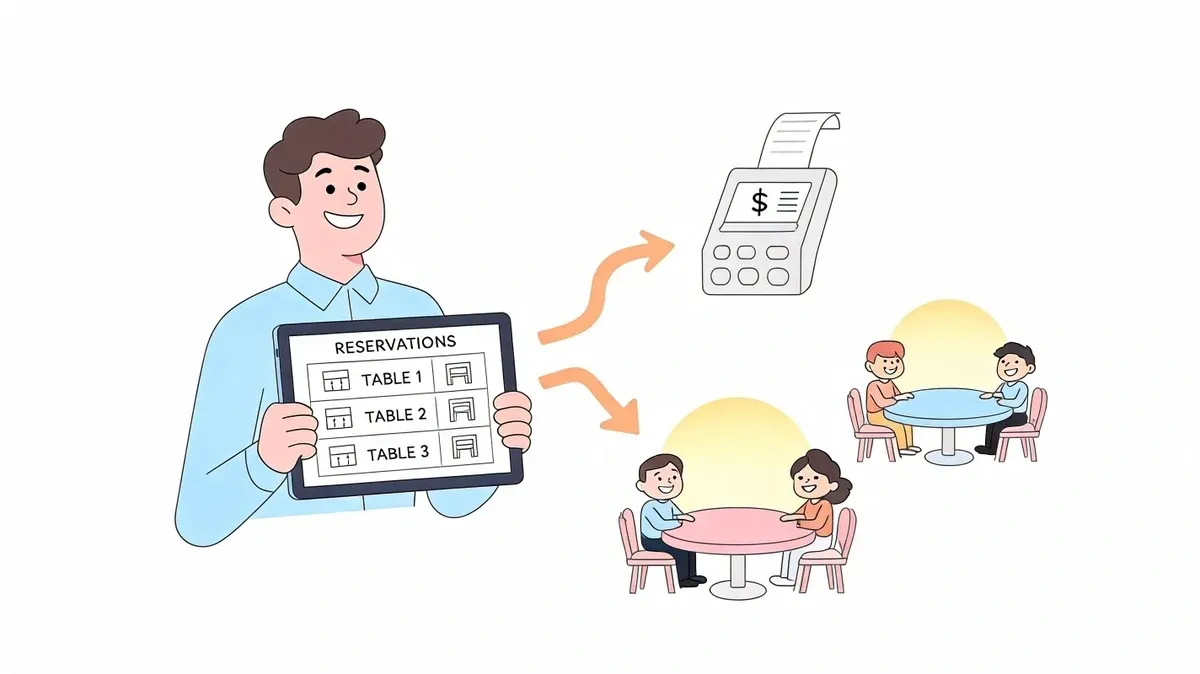
Friday dinner service exposes weak systems fast. The phone rings while a host is seating walk-ins, a server asks whether table 12 is reserved, and somebody flips through a notebook trying to decode rushed handwriting from an afternoon call. A party shows up early. Another calls to push back by twenty minutes. Meanwhile, delivery tickets from Uber Eats and DoorDash are stacking up in the kitchen.
Most operators don’t need more “technology.” They need fewer moving parts and fewer avoidable mistakes.
A strong restaurant online reservation system solves the obvious problem of taking bookings online. The bigger value is operational. It gives the front of house a live view of who’s coming, when tables should turn, and how dine-in demand fits with the rest of the business. When that reservation flow connects properly to your POS and delivery stack, your team stops managing three separate realities and starts working from one.
Why Your Restaurant Needs More Than a Phone and a Notebook
Manual reservation handling breaks down at exactly the moment you can least afford it. During the rush, the host stand becomes a traffic jam. Calls interrupt greetings. Notes get missed. Staff rely on memory when the floor changes by the minute.
That approach also creates invisible costs. A missed call can be a lost booking. A scribbled note can become a double seating. A reservation taken by phone but never shared clearly with the rest of the team leads to the worst kind of problem: a guest arrives expecting order, and your staff is improvising.
Manual booking hurts service before guests even sit down
A notebook feels simple because there’s no training curve. But simple on paper often means fragile in practice. If one host writes things one way and another host writes them differently, your process already depends on interpretation instead of clarity.
The issue isn’t just reservations. It’s interruption. Every phone booking pulls someone away from greeting guests, managing the waitlist, or helping turn tables efficiently. If you’re trying to tighten service standards, your booking method has to support that effort. Stronger restaurant operating procedures only work when the reservation process itself is consistent.
Practical rule: If your team has to ask “Did anyone write that down?” during service, the system is too loose.
What an online system changes immediately
A restaurant online reservation system acts like a reliable assistant that never stops working. Guests can book without calling. Your host can see availability instantly. Managers can set rules for party size, timing, and table pacing instead of leaving every decision to whoever answers the phone.
That means fewer interruptions and cleaner execution. It also gives your team a more professional way to handle changes like cancellations, late arrivals, and waitlist movement.
The shift is emotional as much as operational. The room feels calmer when the host isn’t juggling a ringing phone, a paper book, and a line at the door. Calm service usually leads to better service.
Understanding the Modern Restaurant Online Reservation System
The easiest way to explain a modern reservation platform is this: it’s air traffic control for your dining room. It helps you decide who lands where, when they arrive, how long they stay, and what happens when conditions change.
Instead of treating reservations as isolated appointments, the system manages the flow of service. That includes table availability, pacing, guest notes, waitlists, and communication.
The three parts that matter most
At a practical level, most systems have three working parts:
- Guest booking interface. This is the piece on your website or booking page where diners choose a time, party size, and date.
- Floor and table dashboard. This is what the host or manager uses to assign tables, manage turns, and adjust the room in real time.
- Guest record. This stores useful details like prior visits, seating preferences, or service notes your team may want next time.
Those parts work best when they’re connected. A guest books online. The reservation appears on the floor dashboard. Staff sees the timing and any notes before the guest arrives. Nothing has to be copied from one place to another.
Why cloud tools became the default
Most operators now want access from more than one device. A manager may check the floor from the office, a host may update the waitlist from the stand, and an owner may review activity remotely. That’s one reason cloud-based solutions account for about 61% of market share, according to restaurant reservation software market data. The same source notes that North America holds about 35% of the market, while Asia-Pacific is moving quickly as restaurants adopt digital tools for peak-hour reservations and customer analytics.
For most independent restaurants, cloud software is the practical choice because it’s easier to update, easier to access, and easier to scale across shifts or locations.
A cloud setup also makes security and uptime part of the buying decision, not an afterthought. If your reservation widget lives on your site, basic web hygiene matters. Consequently, resources on safeguarding business assets with X8 Web Design prove useful, especially for owners who haven’t reviewed site security in a while.
What staff should expect from the system
A good reservation platform should reduce judgment calls, not create new ones. Your host shouldn’t need to guess whether a two-top can be squeezed in between larger bookings. The system should make availability rules visible and manageable.
Here’s the plain-language test. If your team can open the dashboard and answer these questions quickly, you’re on the right track:
Question What the system should show Who is arriving next? Upcoming reservations by time and party size Which tables are turning soon? Live table status and expected turnover Can we fit a walk-in? Current availability against reservation pacing Do we know this guest? Notes, preferences, and visit history
For operators comparing tools, cloud-based restaurant software is worth reviewing as part of the wider tech stack, not as a standalone purchase.
Unlocking Restaurant Efficiency and Growth with Core Features
Restaurants don’t adopt reservation software because it looks modern. They adopt it because the right features remove friction, protect revenue, and help staff move faster.
That shift is already visible in the market. Seventy-five percent of restaurants now accept reservations, up from 43% in 2021, and 59% of diners prefer online reservations, according to industry data on online restaurant reservation systems. Guests have changed their behavior. Operations need to catch up.
Features that earn their keep
The best features aren’t the flashiest ones. They’re the ones your staff uses every shift.
- 24/7 online booking lets guests reserve when your team is off the clock. You stop relying on business hours to capture demand.
- Automated reminders and confirmations reduce the manual work of calling or texting guests one by one.
- Digital waitlists help the host manage walk-ins without losing track of sequence or promised times.
- Guest notes and profiles give your team context before service starts.
- Reporting tools show booking patterns, busy windows, and pressure points that are hard to spot from memory alone.
A reservation feature matters only if it changes a shift, not just a software demo.
Where the operational gains show up
The first payoff is labor efficiency. If the host spends less time answering the phone, that person can stay focused on greeting, seating, and controlling the door. That alone improves flow.
The second payoff is table discipline. When booking rules and turn assumptions are set properly, the room runs with fewer gaps and fewer surprises. You don’t solve every service issue with software, but you do remove a lot of preventable confusion.
The third payoff is guest experience. A diner who books easily, gets a confirmation, and is seated with minimal friction is more likely to feel that your operation is organized before the first drink order is taken.
What works and what usually disappoints
What works:
- Clear booking rules for party size, time slots, and seating areas
- Reminder workflows that are automatic and easy for staff to manage
- A clean host dashboard that new team members can learn quickly
What doesn’t:
- Too many manual overrides that let staff break pacing rules constantly
- Complicated settings nobody updates after launch
- A reservation tool that lives apart from the rest of restaurant operations
If you’re building a manager toolkit, these kinds of workflow decisions belong alongside the rest of your best apps for restaurant managers, because reservation discipline affects the whole shift, not just the host stand.
Connecting Your Reservations with POS and Restaurant Delivery
At 6:45 p.m. on a Friday, the room looks manageable from the host stand. Then delivery orders stack up, the kitchen falls behind, and the next seating wave walks into a service bottleneck no one saw early enough. That problem usually starts with disconnected systems, not bad staff.
A reservation tool should do more than hold tables. It should feed the same operating picture your managers use to run the shift. When reservations, POS data, and off-premise order flow live in separate places, the team ends up making timing decisions from partial information. When those systems connect, reservations become a control point for the whole service, not a side tool for the front door.
What disconnected systems cost you during service
The failure is rarely dramatic. It shows up as small operational misses that pile up over a shift.
- The host accepts another four-top because the floor chart looks open, while the kitchen is already buried in third-party delivery tickets.
- A manager throttles tables in one system, but the updated pacing never reaches the team using the POS.
- Guest notes, party details, or seating changes get entered twice.
- No one can answer capacity questions quickly because the information sits in different apps.
Checkmate’s overview of online reservation management and POS synchronization explains the operational value clearly. Real-time syncing reduces manual entry, cuts avoidable errors, and gives staff a shared view of incoming demand.
What integration changes on a real shift
Start with the host stand. If reservation status, guest notes, and table timing appear inside the POS workflow or a connected dashboard, the host is not maintaining a separate version of reality. That lowers training time and reduces the usual “wait, which system is right?” conversations during a rush.
Then look at the kitchen. Dine-in pacing and delivery volume compete for the same line capacity, even if different staff members manage them. A connected setup lets managers see both before they create a bottleneck. That is the practical value of using reservations as the hub. They stop being a calendar and start acting like an intake layer for the entire operation.
Operators using Clover or Square should judge reservation software by the same standard they use for payments and order routing. If staff still has to reconcile bookings, walk-ins, and delivery pressure by memory or side conversations, the integration is not doing enough.
Operator note: The host stand, the POS, and the expo line should react to the same demand signal.
The single view that actually helps managers
The goal is one usable operating view. That does not require one vendor for everything. It requires clean data flow between the systems that matter.
A manager should be able to check one screen and answer four questions fast:
- How many tables are due in the next hour?
- Which reservations will affect pacing because of party size or seating length?
- How much off-premise demand is already committed?
- Can the kitchen handle both without slowing the room?
If those answers live in separate tabs or separate people, the shift gets harder than it needs to be.
This short overview helps show how integrated workflows support the bigger operating picture.
The trade-offs owners should test before rollout
Integration quality varies. Some systems sync both ways and update fast. Others pass limited data, rely on middleware, or break at the exact moment volume spikes. I tell clients to test the ugly scenarios before signing a long contract. What happens if the POS connection drops? Which fields stop syncing first? Can the host still work accurately without creating cleanup later?
That matters more than a polished demo.
For a useful benchmark, review what a modern integrated POS system for dine-in, delivery, and reporting should coordinate. The best reservation setup is the one that helps the floor, kitchen, and management team work from the same numbers during a live shift.
How to Select the Best Reservation System for Your Operations
Selection gets easier when you stop asking, “What has the most features?” and start asking, “What will my staff use correctly on a busy Saturday?”
A restaurant online reservation system should fit the operation you already run. Fine dining, casual full service, fast casual with limited tables, and multi-location groups don’t need the same setup.
Start with the non-negotiables
A few criteria should be mandatory.
Decision area What to look for POS integration Clean syncing with your existing POS and operational workflow Ease of use Hosts and managers can learn the basics quickly Reminder tools Automated confirmations and follow-ups Flexibility Rules for turns, party sizes, and service windows Support Help when service is live, not only during office hours
This lines up with broader market direction. Key technical selection criteria now include smooth POS integration, user-friendly interfaces, and automated reminder systems. Advanced systems are also introducing AI-powered intelligent table allocation and dynamic pricing to optimize revenue, according to restaurant reservation software market analysis.
Ask questions tied to your real shift
Don’t sit through a polished demo and leave with generic impressions. Ask direct operational questions.
- If my host changes a table assignment, where does that update appear?
- If we run behind on turns, how easy is it to adjust the floor without breaking the whole night?
- If a guest books online and then orders repeatedly as a regular, can my team see useful context?
- If I add a second location, does the setup scale cleanly?
- If the internet or integration stumbles, what backup process keeps service moving?
These are better buying questions than “Does it have AI?” because they reflect what hurts during service.
Watch out for pricing traps and workflow friction
Two systems can look similar in a demo and behave very differently in practice. One may charge in a predictable way. Another may become expensive as booking volume rises or as you add modules your team thought were already included.
Workflow friction is even more expensive than software fees. If a system forces the host to keep separate notes on paper because the screen is too slow or too rigid, that tool isn’t solving the problem.
Buy the system your Friday night team can operate cleanly, not the one with the slickest sales deck.
A final filter is training. If you can’t onboard a new host in an afternoon, the software is probably too complicated for the value it provides. This situation emphasizes the importance of broader restaurant IT support planning. The tool has to be maintainable, not just impressive.
Your Implementation Checklist for a Smooth Launch
Friday at 6:30 p.m. is a bad time to learn your reservation rules do not match your dining room, your POS is lagging, and your host is writing fixes on scrap paper. Launch week decides whether the system becomes the operating hub for service or just another screen the team works around.
A good rollout starts with integration discipline. Reservation settings need to match the way the restaurant runs across dine-in, POS, and delivery. If those systems disagree on timing, table status, or guest details, the host stand absorbs the mess.
Pre-launch setup
Set up the room first. Build the digital floor plan to match the physical floor, including blocked tables, patio sections, bar seats, and any tables you combine during peak service. If the map is off by even two tables, pacing breaks fast.
Then set turn times based on reality, not optimism. Lunch, dinner, weekends, tasting menus, and large parties should not all inherit the same default. I usually tell operators to pull recent POS ticket-close times and compare them against what managers think the turns are. The POS history is often less flattering, but much more useful.
Next, test the integration path end to end.
- Create test reservations and confirm they appear correctly for the host.
- Check POS behavior so seated, ordered, and closed checks line up with reservation status where your setup supports that sync.
- Verify guest data flow so names, notes, tags, and contact details do not get lost or duplicated.
- Review delivery impact if your kitchen capacity changes by time slot. A reservation system should support service pacing, not ignore what is happening on the delivery side.
- Write fallback steps for internet issues, sync delays, or duplicate bookings.
Guest messaging matters too. Confirmation texts, late-arrival policies, and reminder timing should reflect your service model. A fine dining room needs different wording than a high-volume casual concept trying to turn tables aggressively.
Launch day priorities
Treat launch day like a managed test service.
Assign one manager to own the rollout for the shift. That person watches booking flow, table assignment logic, POS sync, and staff questions. Clear ownership avoids the common problem where three people make small changes and nobody knows why the system behavior changed at 7:15.
Use a short operating checklist before doors open:
- Confirm availability rules for each daypart and section.
- Check reminder and confirmation messages on a real device.
- Run one final test booking and walk it through arrival, seating, and closeout.
- Verify the host knows the fallback process if the sync stalls.
- Watch the first hour closely for table mismatches, duplicate entries, or bad pacing.
Keep the workaround temporary. If the team falls back to paper for one issue, return them to the system as soon as the issue is resolved. Otherwise the reservation platform never becomes the shared source of truth.
Post-launch tuning
The first week is for adjustment, not perfection.
Review the first few services with the host, a floor manager, and someone who understands the POS side. Ask where the process slowed down. Look for patterns such as turn times set too short, table combinations missing from the floor plan, or guest notes not surfacing where staff need them. Fix the workflow, not just the symptom.
This is also the right time to look beyond bookings. If reservations are feeding cleaner guest data into your operating stack, that information can support repeat-visit campaigns and smarter local outreach. For that next layer, the guide to restaurant marketing by Titan Blue is a useful reference.
The best launch gives your team a reliable operating process, clear backup steps, and one connected view of dine-in demand, POS activity, and delivery pressure.
Tracking Your ROI and Mastering Restaurant Operations
If you only measure success by total reservations, you’ll miss the point. The better question is whether the system improved how the restaurant runs.
Track outcomes your staff can feel and management can verify. Look at reduced time spent answering booking calls. Review whether the host stand is handling walk-ins more smoothly. Compare table pacing before and after launch. Check whether guest complaints about booking friction have dropped. If your reservation data connects to POS activity, you can also judge whether your seating plan is producing cleaner service windows and a more stable flow of revenue.
What to review every month
- Booking channel shift toward online instead of phone
- No-show and late-arrival patterns after reminders are active
- Table turnover discipline by daypart
- Staff time saved from less manual entry and fewer confirmation calls
- Guest feedback that mentions ease of booking or smoother arrival
Reservation performance also supports marketing. Once your booking flow is under control, it makes sense to pair operations data with retention work and visibility strategy. For teams looking at that next layer, this guide to restaurant marketing by Titan Blue is a useful companion read.
The core takeaway is simple. A restaurant online reservation system isn’t just a digital calendar. When it connects properly to your POS and delivery workflows, it becomes part of your operating system. That’s where the return comes from.
If you want to simplify bookings, reduce manual entry, and connect dine-in demand with the rest of your operation, take the next step with OrderOut. Restaurant owners can start onboarding for free in just a few clicks through the OrderOut dashboard.