
Unlocking Your Restaurant Menu Apps Strategy
· Thibault Le Conte
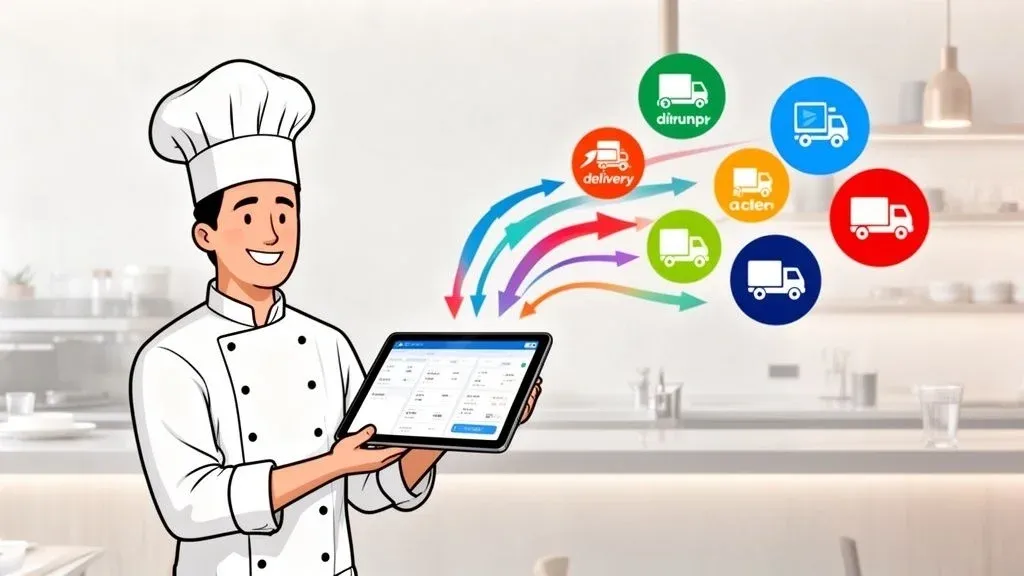
If you’ve ever walked into a restaurant during a dinner rush, you’ve probably seen it: a counter littered with tablets, each one beeping and flashing with orders from a different delivery app. This is the reality for many restaurants—a chaotic scramble to keep up.
That’s where restaurant menu apps come in. In simple terms, they act as a universal translator for all your online orders, saving your staff from having to manually punch every single one into your point of sale (POS) system. This guide provides actionable insights for restaurant owners to turn that chaos into efficiency and profit.
So, What Exactly Is a Restaurant Menu App?
Think of all those third-party delivery platforms—DoorDash, Uber Eats, Grubhub—as separate, noisy phone lines ringing at once. Without a central system, your staff has to answer each call, write down the order, and then run it back to the kitchen. It’s a recipe for mistakes and a huge drain on your restaurant’s efficiency.
A restaurant menu app solves this by creating a digital bridge between those delivery platforms and your restaurant’s central hub: the Point of Sale (POS) system.
Instead of your team juggling tablets, the app catches every order from every platform and feeds it directly into your main system. An order placed on Uber Eats instantly appears on your kitchen display or printer, looking just like a ticket from a server on the floor. No one has to touch a thing.
Why This POS Integration Changes Everything
This single connection brings an immediate sense of calm to your restaurant operations. It dramatically cuts down on manual entry mistakes and frees up your staff to focus on what truly matters—taking care of the guests right in front of them. The goal is to automate a repetitive, error-prone task to boost efficiency and your bottom line.
Here’s why it matters:
- Fewer Mistakes & Cost Savings: When order entry is automated, you eliminate the typos that lead to wrong orders, wasted food, and lost revenue. What the customer taps on their app is exactly what your kitchen sees, significantly reducing costly errors.
- More Staff Productivity: Your team is no longer stuck babysitting tablets. This is a huge productivity gain, letting them handle more tables, upsell desserts, or simply provide better service to in-house diners.
- One Source of Truth: All your sales data gets funneled into one place. Instead of trying to piece together reports from four different delivery services, everything is consolidated right in your POS for clear, actionable insights.
For example, many restaurants run on a Square POS system. By using a menu app to integrate their Uber Eats and DoorDash accounts, any order that comes through those platforms flows directly into Square. It prints in the kitchen and gets logged in sales reports automatically, saving time and preventing errors.
This kind of automation is fundamental to running a more profitable and less stressful restaurant. If you want to see how this fits into the bigger picture, you can learn more about the components of a complete food online ordering system.
This guide is here to show you how to use these apps to turn your delivery operation from a source of headaches into a smooth, money-making part of your business.
Practical Takeaway: Take a hard look at your current delivery workflow. If manual order entry is eating up time and causing mistakes, implementing a restaurant menu app is the most direct and actionable fix you can make.
How Restaurant Menu Apps Improve Your Operations
So, what does a restaurant menu app actually do for your daily workflow and, more importantly, your bottom line? Let’s get practical. The most immediate impact you’ll see is a sharp drop in manual order entry mistakes. We’ve all been there—a small typo when punching an order from a delivery tablet can lead to the wrong meal, wasted food, and a refunded order. Those little errors eat away at your hard-earned profits.
By creating a direct, automated line from the customer’s app straight to your kitchen, you’re essentially building a firewall against simple human error. This isn’t just about saving a few bucks here and there; it’s about making your entire restaurant delivery operation more stable and predictable.
Free Up Your Staff and Boost Productivity
The next big win is the huge productivity boost for your team. In today’s tight labor market, every minute of your staff’s time is gold. Instead of having one person chained to a counter juggling a sea of tablets, a menu app lets a smaller team handle a much higher volume of orders with way less stress.
This automation frees your staff to focus on what actually improves the guest experience and generates revenue. They can spend more time with in-house diners, upsell that extra glass of wine, or just make sure the front-of-house is running like a well-oiled machine. You’re not just making their jobs easier; you’re empowering them to be more productive.
Why It Matters: The goal of this food tech is to take the most repetitive, error-prone task away from your team. This allows you to reallocate labor to areas that directly generate revenue and improve customer satisfaction—a critical advantage for any modern restaurant.
This shift has a powerful ripple effect. When your team isn’t scrambling to manually enter orders, they’re less stressed and more engaged. That translates directly into better service and a more positive atmosphere for everyone.
Speed Up Orders, Improve Accuracy, and Earn Better Ratings
Faster, more accurate orders are the lifeblood of a successful delivery business. Automating the process with a menu app shaves precious minutes off the time it takes from the moment a customer taps “place order” to when the ticket prints in your kitchen. That speed and precision lead directly to happier customers and significant time savings.
When diners get their food quickly and exactly as they ordered it, they’re far more likely to leave glowing reviews on platforms like Uber Eats and DoorDash. Better ratings mean more visibility on these apps, which brings in more orders and creates a powerful cycle of growth. Beyond just streamlining the order, integrating a dedicated loyalty application for restaurants can take this a step further, encouraging those happy customers to keep coming back.
Simplify Your Admin with Centralized Menu Management
Let’s talk about the administrative relief. Manually updating menus across multiple delivery platforms is a tedious, time-consuming nightmare. A centralized menu management system lets you update a price, tweak a description, or 86 a dish across all your platforms from a single dashboard.
- Update Once, Apply Everywhere: Change an item’s price in your main system, and it automatically syncs across DoorDash, Grubhub, and Uber Eats.
- Instantly 86 Items: Mark an item as “out of stock,” and it’s immediately unavailable everywhere, preventing those frustrating orders for items you don’t have and reducing errors.
- Centralized Reporting: All your delivery sales data is consolidated in one place and integrated directly with your POS, whether it’s a system like Clover or Square.
This isn’t a niche trend; it’s a fundamental shift. In the rapidly evolving restaurant landscape of 2026, digital menu technologies are changing how we all handle orders. The global e-menu market was valued at $619.37 million in 2025 and is expected to climb to $659.53 million in 2026. This growth is a direct reflection of the industry’s move toward the kind of contactless, efficient ordering these apps provide. You can find more insights on the current state of the industry on Restaurant.org.
Practical Takeaway: Adopting a restaurant menu app isn’t just an investment in convenience. It’s an actionable strategy to build a more resilient, profitable, and efficient restaurant by improving staff productivity and reducing operational costs.
How POS Integration Unlocks Peak Efficiency
So, how does all this automation actually work? The secret sauce is POS integration. In simple terms, it builds a direct, digital bridge connecting delivery platforms like DoorDash and Uber Eats straight to your restaurant’s brain—the Point of Sale (POS) system.
Instead of orders from different apps piling up on a bunch of tablets, they travel instantly across this bridge. An order appears on your kitchen display screen (KDS) or ticket printer just like one placed by a server inside the restaurant. No more manual re-entry, no more juggling devices, and far less room for human error.
This clean, automated process is the key to turning online orders into a cycle of repeat business.
As you can see, when orders flow automatically, you increase profits and create happier customers. It’s a powerful growth loop for your entire delivery operation.
The Technical Side of POS Integration
Technically, this bridge is made possible by an API (Application Programming Interface). Don’t let the name intimidate you. An API is simply a set of rules that lets different software programs talk to each other and share information securely. It’s like a translator and a messenger rolled into one, managing the flow of data between your delivery apps and your POS.
To get the most out of a menu app, it needs to integrate flawlessly with your POS. This is where tools like an API integrations platform come in, managing the technical details. When a customer orders on DoorDash, the API delivers that information to your menu app, which then translates it into a language your POS understands and sends it straight to the kitchen.
For your day-to-day restaurant operations, this is a game-changer because it creates total consistency.
Why it Matters: A solid POS integration ensures your menu items, add-ons, and prices are perfectly synchronized everywhere. The “Large Fries” on Uber Eats is the exact same item code as the “Large Fries” in your POS. This guarantees the order is sent, printed, and tracked correctly every single time, drastically reducing errors and saving your staff’s time.
This synchronization eliminates one of the biggest headaches—and hidden costs—in a modern restaurant.
The Impact on Efficiency and Profitability
Without POS integration, you’re essentially paying staff to be data-entry clerks, a low-value task with a high risk of error. Once you automate, you free up that labor for tasks that actually improve the guest experience and drive revenue. The switch from manual to automated ordering directly benefits your bottom line.
- Error Reduction: Automated orders are 100% accurate to what the customer submitted. This dramatically reduces the cost of remakes, comps, and refunds from order entry mistakes.
- Time Savings: Your team isn’t wasting precious minutes punching tickets from tablets into the POS. That time can be spent helping in-house guests, turning tables faster, or getting orders out the door quicker.
- Unified Data: All your sales data from every delivery platform flows into one place: your POS. You get a single, accurate snapshot of your performance without having to manually patch together reports from different sources.
For instance, connecting your Uber Eats account to a Clover POS system means every order is automatically recorded, inventory gets updated in real-time, and sales reports are unified—all without anyone lifting a finger. To dive deeper into this, check out our full guide on the benefits of an integrated POS system.
Practical Takeaway: Stop thinking of POS integration as just another tech feature. It’s a core business strategy. It’s the engine that transforms the chaos of third-party delivery into a smooth, profitable, and scalable part of your operation.
Must-Have Features in Your Restaurant Menu App
Picking the right menu app for your restaurant is a huge decision. They aren’t all built the same, and the features you choose will make or break your operational efficiency and, ultimately, your bottom line. Think of this as your buyer’s guide—an actionable rundown of the non-negotiable features that solve real-world problems and deliver results you can actually see.
When you’re looking at different options, you have to look past the slick marketing. Focus on the core functions that will genuinely make your day-to-day life easier. The right toolset can turn a simple app into the command center for your entire operation, saving you time, money, and a whole lot of headaches.
Consolidate Your Orders with Multi-Platform Aggregation
First things first, you need multi-platform aggregation. This is the magic that pulls all your orders from DoorDash, Uber Eats, Grubhub, and others onto a single screen. Instead of your team juggling a half-dozen tablets all beeping at once, every single order pops up in one clean, organized place.
It’s the only way to restore sanity to your front counter and improve your restaurant delivery workflow.
- Ends Tablet Chaos: Your counter space is no longer a cluttered mess of devices and charging cords. It immediately reduces stress and visual noise for your staff.
- Centralized Control: Your team can manage the entire delivery workflow from one dashboard, which means better focus and fewer mistakes.
- Faster Order Acknowledgment: When everything is in one spot, you can accept new orders much faster. This simple act can boost your performance ratings on the delivery apps themselves.
Getting all your orders into one place is the first, most important step toward streamlining your entire delivery process.
Never Sell an Out-of-Stock Item Again with Real-Time Menu Syncing
Next up is real-time menu syncing. This feature lets you update your menu in one place and have it instantly pushed out everywhere online. When you run out of that signature burger, you can 86 it with a single click, and it immediately shows up as “unavailable” on every single platform.
This is all about protecting the customer experience and preventing costly errors. Nothing sours a relationship faster than a customer ordering their favorite dish, paying for it, and then getting a call back saying it’s out of stock. That almost always leads to a canceled order and, often, a bad review that hurts your business.
Why It Matters: Real-time syncing is your best defense against operational hiccups and customer frustration. It guarantees your online menus are an honest reflection of what’s actually in your kitchen, protecting both your revenue and your hard-earned reputation.
Feature Checklist for Restaurant Menu Apps
To make the evaluation process easier, think of it as a checklist. The table below breaks down the essential features you should look for and explains exactly why they matter for a busy restaurant.
Essential Feature Why It Matters for Your Restaurant Impact on Efficiency & Profitability Multi-Platform Aggregation Consolidates all delivery orders (DoorDash, Uber Eats, etc.) into a single tablet. Eliminates “tablet hell,” reduces staff stress, and speeds up order confirmation times. Real-Time Menu Syncing Lets you 86 items or change prices once and have it update across all online menus instantly. Prevents overselling out-of-stock items, which reduces order cancellations and protects your reputation. POS Integration Automatically sends orders from the app directly to your Point of Sale system, no manual punching needed. Drastically cuts down on labor costs and eliminates costly human errors during order entry. Menu Management Tools Provides an easy-to-use interface for creating, editing, and managing different menus for different platforms or dayparts. Saves hours of administrative work and allows for quick promotional updates or price adjustments. Analytics & Reporting Tracks sales data, top-selling items, peak hours, and platform performance. Offers data-driven insights to optimize your menu for profitability and make smarter staffing decisions.
This checklist isn’t just about finding an app; it’s about finding a partner in your restaurant’s success. The right features don’t just add convenience—they directly contribute to a more efficient and profitable operation.
Demand Flawless POS Integration and Powerful Analytics
The single most important feature, however, is rock-solid POS integration. This is the digital handshake that sends orders directly from your delivery apps to your Point of Sale system without anyone having to manually punch them in. Before you commit to anything, confirm the app integrates perfectly with your specific POS, whether it’s a popular system like Square or another provider. If you want to get into the weeds, you can learn more about the importance of restaurant menu data and how it makes these connections possible.
Finally, you have to insist on powerful analytics and reporting. This data is your roadmap to a smarter, more profitable menu. Good reports will clearly show you:
- Top-Selling Items: Know which dishes are your stars and which ones are duds.
- Peak Delivery Hours: Find out exactly when you need to schedule more staff to improve productivity.
- Most Profitable Platforms: See which delivery partner is actually driving the most value.
This data-driven approach is quickly becoming the industry standard. With 81% of operators seeing a rise in delivery sales and 68% automating their online ordering, these tools are no longer a luxury. As you can see from these industry trends on TouchBistro.com, technology that unifies delivery apps and POS systems is now essential for survival.
Implementing Your App: An Actionable Guide
Rolling out a new menu app is about more than just installing new food tech. A great launch comes down to smart planning. Getting the setup right the first time is what separates a smooth, profitable system from a chaotic mess that costs you time and money.
Think of it like setting up your kitchen for a busy service. If you just throw ingredients on the shelves, you’re in for a rough night. But with methodical prep and a clear plan, you set your team up for success. We’ll walk you through that proven process right now.
Step 1: Start with a Thorough Tech Audit
Before you do anything else, you need a complete picture of the technology you’re already using. This audit is non-negotiable. It’s the only way to know if a potential menu app will actually play nice with your existing systems.
Just ask yourself a few key questions:
- What POS are we running? Is it a modern cloud system like Square, or an older, on-premise server?
- Which delivery platforms are we on? Make a list of every single one, from DoorDash and Uber Eats to any local services you use.
- What other software is critical? Think about your inventory, accounting, or loyalty programs that rely on sales data.
This simple list becomes your blueprint for compatibility. The goal is to find a menu app that can seamlessly “talk” to every piece of software on that list, creating one unified command center for your restaurant operations.
Step 2: Master Your Menu Mapping
This is it. If there’s one place where restaurants get tripped up, it’s with incorrect menu mapping. This is the process of linking an item on a delivery app (like your “Classic Burger”) directly to its corresponding item in your POS. Even a tiny mismatch can break the entire system.
Why It Matters: The software needs an exact match to work. If your POS lists an item as “Lg. Coke” but Uber Eats has it as “Large Coca-Cola,” the system sees two different things. The order won’t sync, and your staff will be right back to punching it in by hand, defeating the purpose and causing errors.
You have to take the time to go through your menu, line by line. Check every single item, modifier, and add-on to make sure the names, prices, and IDs are identical across your online menus and your POS. It might feel tedious, but this upfront work is what ensures a 99% success rate for automated orders, virtually eliminating errors and saving hours of labor.
Step 3: Train Your Team and Go Live Methodically
With your tech stack audited and your menu perfectly mapped, the final piece is your people. Don’t just drop a new app on them and expect them to love it. You have to sell the “why.” Explain that this new tool is here to get rid of their most annoying task: manually entering orders from a wall of tablets. Show them how it boosts their productivity.
When you’re ready to launch, resist the urge to flip every switch at once. A phased rollout is always safer.
- Start with One Platform: Connect just one delivery partner first—say, DoorDash. Let it run for a couple of days to make sure everything is flowing correctly.
- Gather Staff Feedback: Your team is on the front lines. Ask them what’s working and what’s not. They’ll spot hiccups you’d never see from the back office.
- Connect Remaining Platforms: Once that first integration is solid, you can start bringing your other delivery services online, one at a time.
This careful, step-by-step process minimizes disruptions and lets you squash small bugs before they turn into major problems. If you want to get deeper into the technical nuts and bolts, our guide on navigating change order integration challenges is a great resource.
Practical Takeaway: A successful implementation isn’t a race; it’s about precision. By auditing your tech, meticulously mapping your menu, and bringing your team along with a phased rollout, you’ll turn your new app into a powerful asset instead of another operational headache.
How to Measure Your Success and ROI
So, you’ve invested in a menu app. Was it worth it? Answering that question means looking past the obvious bump in top-line revenue. The real proof is in the details—the specific ways this tech makes your restaurant more efficient and, ultimately, more profitable.
To really see the return on your investment (ROI), you need to track a few key performance indicators (KPIs). These numbers give you the hard data to show exactly how automation is paying for itself.
Pinpoint the Reduction in Order Errors
First up, let’s talk about mistakes. Before you had an app automatically punching in orders, how often did you deal with a wrong order? Every one of those mistakes—whether it led to a comped meal, a refund, or food in the trash—was a direct hit to your bottom line.
The best way to measure this is to set a baseline. For a month before your app goes live, meticulously track every refund, remake, and complaint tied to an incorrect delivery order. Once your app is running smoothly, track that same data for another month.
Why It Matters: The difference between those two numbers is pure profit you’ve clawed back. When a system automatically sends an order from DoorDash straight to a Clover POS, it removes the chance of human error. No more mistyped modifications or missed items. This directly reduces costs and waste.
Calculate Labor Hours and Costs Saved
Your team’s time is money. Think about how many hours a week someone used to stand there, manually re-entering orders from a tablet into your POS. This is a huge, often overlooked, area for savings, and it gives you a powerful ROI metric: Labor Hours Saved.
Figuring this out is an actionable step you can take today:
- Time the Task: Clock how long it takes, on average, for a staff member to punch in a single delivery order by hand.
- Count the Orders: Get a solid count of your total delivery orders for a typical week.
- Do the Math: Multiply the time per order by your total orders. That’s how many hours of your team’s time you get back every single week, directly boosting staff productivity.
This isn’t just about cutting costs. It’s about reallocating that time to things that actually improve the guest experience, like double-checking bags or helping customers at the counter. It’s a direct boost to your restaurant operations.
Monitor Your Increase in Order Throughput
When orders are sent to the kitchen the second a customer places them, everything moves faster. This improved speed is your Increase in Order Throughput—the number of delivery orders your kitchen can accurately push out per hour.
Instead of getting bogged down by manual entry during a rush, your team can just focus on cooking and packing. You’re suddenly able to handle a higher volume of orders without sacrificing quality or overwhelming your staff. This means more sales and time savings during those critical dinner and weekend peaks.
For restaurants on a Square POS, this kind of seamless integration allows orders to fly through the system, maximizing your revenue potential when it matters most. If you want to dig even deeper into this, our guide on using data analytics for restaurants is a great resource.
Your Next Step to a More Efficient Restaurant
We’ve walked through how restaurant menu apps have gone from a nice-to-have upgrade to a core part of running a modern restaurant. This isn’t just about adding more tech; it’s your most direct path to a calmer, more controlled, and more profitable kitchen. It’s time to get out from under the pile of tablets and stop letting the chaos dictate your day.
By automatically feeding orders from platforms like DoorDash and Uber Eats straight into your POS, these apps save precious time, cut down on costly mistakes, and free up your staff. You finally get to take back control of your delivery operations, turning a major source of stress into a powerful part of your business.
Why Taking the Next Step Matters
Making this change is probably more straightforward than you think. But putting it off means you’re actively choosing to live with the daily friction. Every day you wait is another day you’re paying staff to punch in orders, risking mistakes that hurt your reputation and your wallet, and missing out on the speed that customers notice and reward with great reviews.
The Takeaway: The single biggest win from a menu app is getting rid of manual order entry. This one change creates a massive ripple effect, improving order accuracy, boosting staff morale, and letting you handle more business without hiring more people. It is a direct and actionable way to improve restaurant efficiency.
Think about it: connecting your delivery partners to a Clover or Square POS with an integration app means your team stops being data-entry clerks. They get to go back to doing what they do best—making incredible food and giving customers a great experience.
Implement a Solution That Works for You
If you’re ready to make your restaurant run smoother and finally end the madness of manual order entry, the next move is to pick a solution that does the heavy lifting for you. Look for a system that connects easily with the POS and delivery apps you already use, supported by a team that genuinely understands the pressures of restaurant operations.
The goal is to find a tool that feels less like another piece of software and more like a reliable new crew member—one that works quietly in the background to make sure every single order is perfect.
As a practical next step, it’s time to explore a solution that aligns with your operational needs.
Ready to see how a streamlined system can transform your restaurant? You can start onboarding for Free in a few clicks.