
Top strategies for restaurant kitchen display systems
· Thibault Le Conte
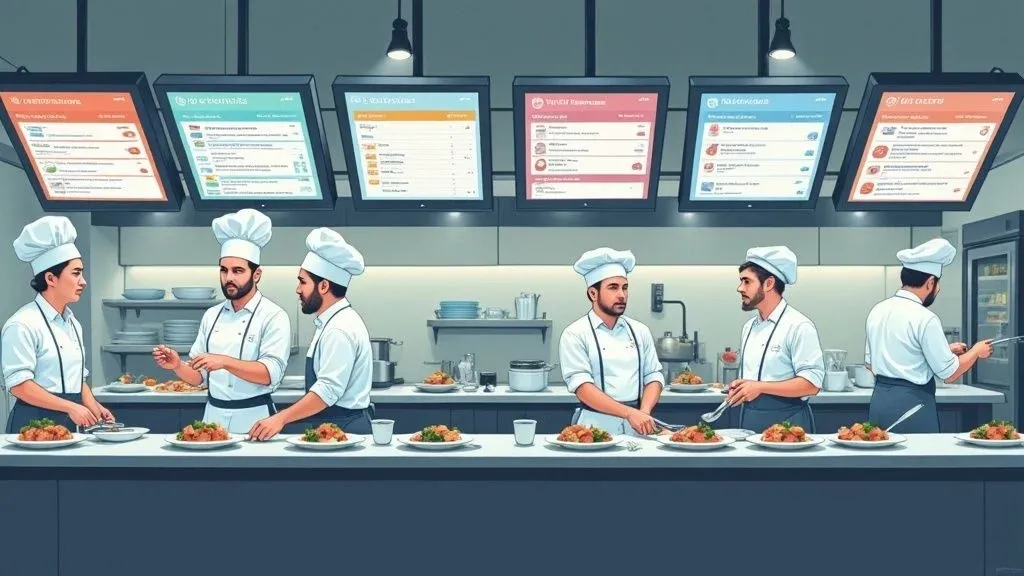
Imagine the chaotic ballet of a busy restaurant kitchen: tickets flying, orders being shouted, and the constant risk of a misplaced slip bringing the whole operation to a halt. A Kitchen Display System (KDS) is the digital choreographer that brings order to that chaos. In simple terms, it’s a system of screens that replaces old-school paper tickets, acting as the central communication hub for your kitchen.
This technology is a game-changer for restaurant efficiency. Instead of relying on handwritten notes and shouted modifications, a KDS turns your kitchen into a streamlined, perfectly synchronized machine. Why does this matter? Because a smoother kitchen means faster service, fewer mistakes, and happier customers—all of which drive your bottom line.
What Is a Restaurant Kitchen Display System

At its heart, a KDS is all about improving the information pipeline from your front-of-house to your kitchen. When a server punches an order into a POS system, or a customer orders from a delivery app like DoorDash, that order instantly appears on a screen for the chefs. This isn’t just a minor tech upgrade; it’s a fundamental change that has a massive ripple effect on your entire restaurant’s operations.
Bringing a KDS into your kitchen is a strategic move to tap into serious operational efficiencies and boost staff productivity. The U.S. food and beverage industry pulled in over $660 billion in sales in 2023, a staggering number that shows just how much revenue is on the table for well-run restaurants. A KDS is a key tool for capturing a bigger piece of that pie by ensuring orders are managed flawlessly, reducing costly errors. You can read the full research about the KDS market to see just how quickly this technology is growing.
To really appreciate the difference, let’s compare the old way with the new.
Traditional Paper Tickets vs Modern KDS
Feature Paper Ticket System Kitchen Display System (KDS) Order Transmission Manual; servers walk tickets to the kitchen. Instant; orders appear on screen as they’re placed. Readability Depends on handwriting; often hard to read. Clear, standardized digital text. Durability Easily lost, damaged by spills, or smudged. Digital and permanent until cleared. Order Modifications Requires shouting or running back a new ticket. Updates appear in real-time on the existing order. Tracking & Timing Relies on guesswork or manual timers. Automatically tracks ticket times and alerts staff. Data & Reporting None. All insights are anecdotal. Collects data on ticket times, item prep, and more.
This table shows a clear story: moving to a KDS isn’t just an improvement, it’s a complete operational overhaul that eliminates the guesswork and vulnerabilities of paper-based systems, leading to significant time savings and error reduction.
The Immediate Impact on Restaurant Operations
Making the switch from paper tickets to digital screens delivers a handful of powerful benefits that you’ll notice right away. This piece of food tech is designed to solve some of the most common and frustrating kitchen headaches.
- Fewer Mistakes: Say goodbye to errors from messy handwriting or lost tickets. This means less food waste, lower costs, and happier guests who get exactly what they ordered.
- Faster Service: Orders pop up on screen the second they’re entered, allowing your cooks to get a head start. The result is a noticeable drop in ticket times.
- A More Productive Team: With a KDS, your staff can stop wasting time walking tickets to the kitchen or yelling modifications across the pass. This creates a calmer, more focused, and far more efficient work environment.
- Crystal-Clear Communication: The KDS becomes the single source of truth for every order. Everyone, from the line cook to the expeditor, is looking at the same information, ensuring the whole team is perfectly in sync.
A KDS provides the clarity and organization needed to manage a high-volume kitchen. By digitizing the order flow, you’re not just buying screens; you’re investing in a system that boosts efficiency, reduces costly mistakes, and ultimately improves your bottom line.
This digital hub is the bedrock of any modern, high-performing kitchen. Now, let’s dig into the specific features that make these results possible and how they connect with your POS for maximum impact.
Core Features That Drive Kitchen Efficiency
To really get what makes a kitchen display system so powerful, you have to look past the screen itself and at the specific features that make the magic happen. These aren’t just fancy gadgets; they’re purpose-built tools designed to fix the daily headaches of a busy kitchen, turning chaos into a smooth, coordinated operation. Every feature is there to make you faster, more accurate, and ultimately, more profitable.
The most basic—but most important—feature is the real-time order display. The second an order is punched into the POS, it flashes onto the KDS screen. This simple function kills “runner lag,” that dead time when a server is physically walking a paper ticket back to the kitchen. It might only save seconds per order, but during a slammed dinner rush, those seconds add up fast and get cooks firing orders almost instantly. This directly improves restaurant efficiency and staff productivity.
Visual Cues and Smart Order Routing
A good KDS speaks a visual language, conveying a ton of information with a quick glance. Instead of a jumbled mess of paper tickets, orders are neatly organized with color-coded statuses. A brand-new order might show up in white, one in progress in yellow, and an order that’s dragging on too long might flash red. This lets a chef scan the line and know exactly where things stand without having to read a single ticket.
Another game-changer is smart routing. In technical terms, this is an automated workflow that sends specific order items to designated prep stations. Imagine a ticket comes in for a steak, a salad, and fries. The system automatically pings the steak order to the grill station’s screen, the salad to the garde manger station, and the fries to the fryer’s screen.
This kind of automation is huge for restaurant operations because:
- Less Confusion: Your team only sees the items they need to make, cutting out the noise and reducing the chance of mistakes.
- Better Focus: Cooks can zero in on their specific tasks, which leads to higher quality food and faster prep times.
- Synced-Up Service: The system can even help coordinate the timing, ensuring all dishes for a single table are ready to go out at the same time.
Data Analytics for Smarter Decisions
Maybe the most valuable feature in a modern KDS is its brain—the ability to collect and analyze kitchen data. The system tracks everything, but the gold lies in its detailed cook time analytics. It meticulously records how long every single ticket—and even every individual menu item—takes to prepare, from the moment it hits the screen to the moment it’s marked as complete.
This isn’t just about timing your cooks with a stopwatch. It’s about finding the hidden roadblocks in your workflow. By digging into cook time data, you can see exactly where the bottlenecks are—maybe one station is constantly behind, or a particular dish is just too complicated for a busy Friday night.
This information gives you concrete insights to optimize your kitchen layout, adjust staffing schedules, or even tweak a menu item to make it easier to prepare. For a deeper look at optimizing your entire order flow, check out our guide on building a better restaurant order management system. At the end of the day, these analytics are what allow you to make smart, data-backed decisions that cut down ticket times, boost your team’s productivity, and turn your kitchen into a profit-driving machine.
KDS and POS Integration for Restaurant Delivery
A kitchen display system is only as good as its connection to your Point of Sale (POS) system. Think of them as two halves of your restaurant’s brain—they need to talk to each other instantly and perfectly. Without that vital link, a KDS is just a digital bulletin board. With it, your KDS becomes the nerve center of your entire kitchen.
When a server punches in an order on a POS terminal, a solid integration means that ticket flashes onto the correct kitchen screen in a split second. There’s no lag, no one has to re-enter anything, and the risk of a misheard order disappears completely. For example, when an order is placed on a Clover POS, the KDS instantly displays it, creating a single source of truth from counter to kitchen.
This infographic lays out how a KDS takes an order from a simple ticket to a finished dish, ready to go.

As you can see, the system manages the entire journey—displaying the order, sending items to the right stations, and even tracking performance data. It’s all about creating a super-efficient workflow.
Why POS Integration Matters for Modern Restaurants
In the restaurant world, speed and accuracy are everything. This digital handshake between your KDS and POS is what makes them possible, and it’s essential for managing a high-volume restaurant delivery service.
Imagine an order comes in from Uber Eats. When it’s automatically pulled into your POS, a tight integration ensures it’s instantly fired over to the correct KDS station without anyone lifting a finger. This level of automation is why POS integration matters: it eliminates the manual mistakes that lead to wasted food, costly remakes, and unhappy customers. Most importantly, it gets orders out the door faster for both your dine-in guests and your delivery customers. If you want to dive deeper into how these connections work, check out our guide to POS system integration.
A fully integrated KDS and POS system is the backbone of modern restaurant operations. It aligns every part of your business around a single goal: getting accurate orders out to happy customers as quickly as possible. This isn’t just a tech upgrade; it’s a strategic move to boost productivity and profitability.
There’s a reason the global KDS market is taking off. Research has shown that cutting a customer’s wait time by as little as 7 seconds can actually increase sales. That’s a direct financial payoff for running an efficient system. This growth is being fueled by restaurants that are turning to digital food tech to improve the customer experience and make their kitchens run smoother. You can discover more insights about the KDS market growth on astuteanalytica.com.
Practical Next Step: Check Your Integration
The big takeaway here is that a KDS should never be an island. When you make sure it’s communicating perfectly with your POS, like one from Square, you’re building a foundation for speed, accuracy, and efficiency. This integration is the first real step toward turning your kitchen into a well-oiled machine. Before choosing a KDS, confirm it has a seamless, proven integration with your existing POS.
Transforming Restaurant Delivery and Takeout with Food Tech

As off-premise dining continues to surge, a kitchen display system has become the secret weapon for managing the sheer volume of delivery and takeout orders. Think of it as the air traffic controller for your kitchen, preventing the pile-ups and gridlock that happen when orders from every direction hit at once.
The days of staff juggling a sea of tablets—one for DoorDash, another for Uber Eats—are officially over. A well-integrated KDS pulls every single order into one clean, manageable queue on a single screen. This small change brings instant order to the chaos and frees up your team to focus on what they do best: cooking. This directly boosts staff productivity and reduces the time and cost associated with managing multiple platforms.
Taming the Delivery Rush with Smart Food Tech
The real magic of a KDS for restaurant delivery happens during peak hours. The best systems have features specifically designed to keep your kitchen from getting swamped when the dinner rush hits hard.
One of the most powerful tools is order throttling. In simple terms, this feature acts like a digital valve for your kitchen’s workflow. If the line is getting slammed, you can use the KDS to automatically pause incoming orders from third-party apps or add a few extra minutes to quoted prep times. This simple adjustment prevents an avalanche of tickets your team can’t handle, which keeps food quality high and your staff from burning out.
Managing kitchen capacity with throttling means you’re taking control of the rush instead of letting the rush control you. This proactive approach to restaurant operations prevents costly mistakes and protects your reputation for reliable, quality service.
Improving the Customer and Driver Experience
A KDS is also a game-changer for communicating with customers and delivery drivers. By tapping into real-time kitchen data, the system can generate much more accurate prep time quotes for customers. This manages expectations from the start and cuts down on those dreaded “Where’s my food?” phone calls.
On top of that, the system can fire off automated notifications the second an order is marked “ready.” This simple alert tells a waiting DoorDash driver the exact moment to head to your restaurant, slashing driver wait times.
This has a direct, positive impact on your business:
- Hotter, Fresher Food: When drivers aren’t waiting around, food spends less time sitting on the counter. It gets to the customer’s door hot and fresh.
- Better Reviews: A smooth, quick delivery experience leads directly to happier customers and better ratings on delivery apps.
- Stronger Driver Relationships: Drivers absolutely prefer picking up from efficient restaurants. Before you know it, your location becomes a go-to spot for them.
The bottom line is clear: a KDS is a non-negotiable piece of food tech for any restaurant serious about delivery and takeout. It turns a potential point of chaos into a real competitive advantage. For example, using a system that integrates directly with the Square App Marketplace ensures all your delivery orders flow seamlessly from your POS to your kitchen.
Ready to see how this can work in your kitchen? You can start onboarding for Free in a few clicks and begin getting your operations in order today.
Choosing and Implementing the Right KDS

Deciding to bring a restaurant kitchen display system into your kitchen is a huge step forward. But picking the right one and getting it set up properly? That takes a bit of planning. The goal isn’t just to buy some new tech; it’s to find a system that fits your kitchen’s rhythm today and can keep up as you grow. A good choice will pay for itself in less chaos, reduced errors, and happier staff.
The very first thing to do is vet your options by asking some tough questions. Think of it less like a purchase and more like hiring a critical new team member.
Key Questions to Ask KDS Providers
Before you even think about signing a contract, you need clear answers. A little homework now will save you a world of hurt during a busy dinner rush.
- POS Integration: How well does it actually play with my POS system? Whether you’re running on Clover or Square, a clunky connection is a non-starter. You need seamless, real-time data transfer.
- Hardware Durability: Let’s be honest—kitchens are rough. Are the screens, mounts, and bump bars built to handle the heat, grease, and constant tapping? A consumer-grade tablet just won’t cut it.
- User Interface: Is it actually easy to use? Your team is busy, and they don’t have time for a system that feels like rocket science. They should be able to pick it up in a single shift, not a week-long training course.
- Scalability: What happens when I grow? If I add a delivery-only virtual brand or open a second location, how hard is it to add another station? It should be simple.
The global KDS market is booming, with big chains leading the charge in 2023. This just goes to show how critical these systems have become for efficiency. North America is expected to be the biggest market, largely because of the sheer number of fast-food joints and diners whose customers demand speed and accuracy.
A Simple Roadmap for KDS Implementation
Once you’ve made your choice, a solid game plan for implementation is what separates a smooth launch from total chaos. Don’t rush it. This is an actionable plan you can implement right away.
- Plan Your Layout: Get a blueprint of your kitchen and map out exactly where each screen will go. Think about line-of-sight for your grill, fry, and expo stations. The idea is to make the workflow feel natural and cut down on unnecessary steps.
- Conduct Staff Training: Block out time for training when things are slow. Let your cooks and expos get their hands on the system, run a few fake orders, and get comfortable without the pressure of a live service. For a peek at how this works, check out our guide on the OrderOut integration onboarding process.
- Run a Pilot Test: Before you ditch paper tickets for good, run both systems side-by-side for a service or two. This is your chance to iron out any wrinkles and let your team build confidence before the KDS goes fully live.
Your KDS implementation is more than a technical setup; it’s a change in your kitchen’s culture. By involving your team and planning the rollout carefully, you ensure the new food tech is embraced as a tool that makes their jobs easier, not harder.
As we all become more focused on sustainability, it’s also worth thinking about the environmental side of things. When you upgrade, it’s a good idea to look into strategies for reducing electronic waste to handle your old gear responsibly.
Ultimately, it comes down to this: find a tough, intuitive KDS that works seamlessly with your POS, and roll it out with a clear, deliberate plan. That careful approach is the surest way to unlock huge improvements in your kitchen’s speed, accuracy, and bottom line.
Wrapping It Up: Your Kitchen’s Next Big Win
So, what’s the final verdict? A modern restaurant kitchen display system is so much more than a fancy screen for your orders. Think of it as a strategic investment right into the heart of your restaurant’s ability to succeed—boosting your efficiency, accuracy, and ultimately, your profits.
When you finally ditch those messy paper tickets, you’re not just tidying up. You’re unlocking faster service, slashing order mistakes, cutting down on food waste, and giving your staff a calmer, more organized place to work. The takeaway here is simple: moving to a digital system is the clear next step for any restaurant that’s serious about growth. To see how a KDS fits into the bigger picture, check out our complete guide on restaurant technology solutions.
This isn’t just about getting with the times. It’s about building a stronger, more efficient, and more profitable business, starting from your kitchen. Every minute you save and every mistake you prevent goes straight to your bottom line.
Your Practical Next Step: Assess your current kitchen workflow. Identify one key bottleneck—like order mistakes or slow ticket times—that a KDS could solve immediately. Then, explore a system that directly addresses that pain point. You can get started in a few clicks to see how a modern KDS can help.
Got Questions About Kitchen Display Systems? We’ve Got Answers.
Jumping into a major kitchen upgrade like a Kitchen Display System (KDS) is a big decision, and it’s smart to have questions. This isn’t just another piece of equipment; it’s a whole new way of running your kitchen. Let’s tackle some of the most common things restaurant owners ask.
What’s the Real Cost of a KDS?
The price tag on a KDS usually breaks down into two parts: the one-time cost for hardware like screens and mounts, and a recurring monthly software subscription. It’s easy to see that initial investment and hesitate, but that’s missing the bigger picture.
Think of it this way: a KDS is an investment that pays for itself. You’ll see the returns almost immediately through fewer order mistakes, less food waste, and faster ticket times. All of that adds up to more money in your pocket and a more productive team. It’s a clear example of cost savings through improved restaurant operations.
Is a KDS Overkill for My Small Cafe or Food Truck?
Not at all. The days when KDS setups were only for massive restaurant chains are long gone. Today’s systems are incredibly flexible and can be scaled to fit any operation.
Many modern, cloud-based solutions don’t require a ton of hardware. You can often run a powerful system on a simple, durable tablet connected to your POS. This makes it a perfect, budget-friendly tool for small cafes, food trucks, and ghost kitchens that need to be hyper-efficient in a small footprint.
The right KDS fits your kitchen, not the other way around. Imagine a food truck using a system like Square to manage the lunch rush. A single tablet KDS can turn chaos into a smooth, orderly process, proving that great tech isn’t about size—it’s about smarts. This shows how POS integration delivers real-world benefits, even for the smallest businesses.
How Hard Is It to Get My Staff Trained Up?
This is a big one, and the good news is that the best KDS providers design their software to be dead simple. The interfaces are clean and intuitive, often feeling more like an app you’d use on your phone than a complex piece of business software.
Training is usually a breeze. Most kitchen staff get the hang of it after just one or two hands-on sessions. The trick is to launch it during a slow shift. This gives your team the space to play around and build confidence without the pressure of a Saturday night rush, making for a much smoother switch and boosting staff productivity from day one.
Upgrading your kitchen is one of the clearest paths to boosting efficiency and your bottom line. At OrderOut, we help you make that switch without the headaches. Start onboarding for Free in a few clicks and see for yourself how a modern KDS can change the game for your restaurant.