
Restaurant IT Support: A Practical Guide for Modern Operations
· Thibault Le Conte
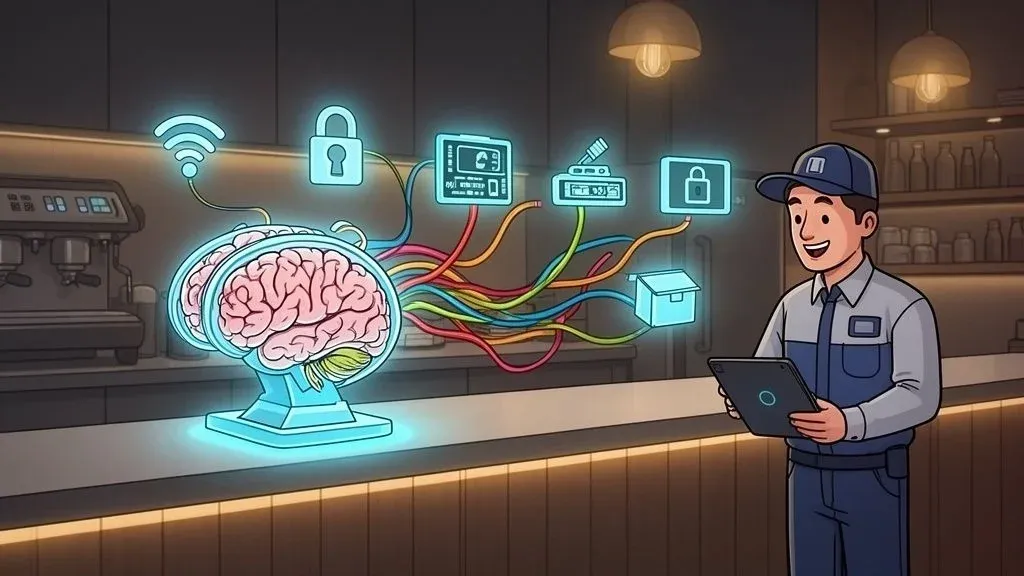
Think of your restaurant’s technology like the kitchen’s expo line. It’s the central hub where everything comes together—orders from the dining room, tickets for the grill, payments from customers, and alerts from delivery apps. Restaurant IT support is the specialized service that keeps this entire digital line running without a single hiccup.
In simple terms, it’s about making sure your tech works when you need it most. Technically, it involves proactively managing the entire web of hardware and software that powers every single transaction, from the moment a customer orders on Uber Eats to the final credit card swipe at the table. This guide will show you how to leverage IT support to boost efficiency, streamline delivery, and improve your bottom line.
What Is Restaurant IT Support And Why It Matters
At its core, restaurant IT support provides the specialized technical expertise needed to keep your digital operations humming. This isn’t your standard-issue computer help desk. It’s support from pros who understand the unique pressures of the food service industry—from the chaos of a slammed Saturday night to the constant stream of incoming online orders.
Why it matters: When your technology fails, you lose money. A glitchy POS, a down Wi-Fi network, or a broken delivery integration directly leads to lost sales, frustrated staff, and unhappy customers. Effective IT support prevents these issues, saving you time and reducing errors.
A single hour of POS downtime on a Friday night can cost a restaurant more than a month of professional IT support. This makes it a crucial investment in restaurant efficiency, not an optional expense.
The Foundation Of Modern Restaurant Operations
The days of a simple cash register are long gone. Today’s restaurants depend on a complex, interconnected ecosystem of food tech. Professional IT support is the glue that holds these systems together, directly impacting your bottom line through improved efficiency and rock-solid reliability.
Here’s a quick look at the core components of a modern restaurant’s tech stack and why they need dedicated support.
Technology Component Why It’s Critical For Restaurant Operations Example Impact of Failure Point of Sale (POS) System This is the heart of your restaurant, processing every order and payment. If it’s down, you’re out of business. An unresponsive POS screen during peak hours leads to lost sales and frustrated customers. Network & Wi-Fi Connects everything from POS terminals and kitchen printers to guest Wi-Fi and delivery tablets. A weak network causes restaurant delivery orders from DoorDash to fail, creating chaos. Kitchen Display System (KDS) The digital command center for your kitchen staff, replacing paper tickets. A frozen KDS screen means the kitchen stops getting orders, grinding service to a halt. Payment Processors The hardware and software that handle all credit card and digital wallet transactions securely. A reader that won’t process chip cards forces manual entry, slowing down checkout lines and reducing staff productivity. Third-Party Integrations Software that connects your POS with delivery apps, online ordering, or inventory management. Failed POS integration means staff must manually re-enter every online order, risking costly errors.
A failure in any one of these areas can cause a domino effect that disrupts your entire operation. A dedicated IT team’s job is to prevent these failures before they happen.
Let’s zero in on a few key areas where IT support is absolutely vital:
- POS System Stability: Your Point of Sale is your cash register. IT support makes sure it’s always online, processing payments, and sending orders to the kitchen correctly. Whether you’re running a system like Square or Clover, uptime is everything.
- Network and Wi-Fi Reliability: A spotty or overloaded network can bring your entire operation to its knees. It impacts handheld ordering devices, kitchen printers, and payment terminals. For a deeper dive, you can learn more about how to resolve common issues in our guide on fixing printer connection problems.
- POS and Delivery Integration: Nobody has time to manually punch in orders from Uber Eats and DoorDash tablets, especially when it’s busy. A solid IT framework is what allows integration tools to work their magic, automatically syncing online orders with your POS. This frees up your staff and slashes costly order mistakes.
Ultimately, investing in strong restaurant IT support is about building a more resilient business. It prevents operational chaos, protects you from revenue loss, and gets you ready to handle the demands of a fast-paced, digital-first market.
What Does Restaurant IT Support Actually Do?
Good restaurant IT support isn’t just about calling someone when a printer breaks. Think of it less like a repair service and more like a strategic partner who keeps your entire operation running smoothly, your data secure, and your business efficient.
These core services are the foundation of any modern, profitable restaurant. They ensure your tech works for you, not against you, especially during that chaotic dinner rush.
Bulletproof POS System Management
Your Point of Sale (POS) system is the heart of your restaurant. If it goes down, your business grinds to a halt. The number one job of any IT support team is to ensure your POS—whether it’s a modern system like Square or Clover—is always online.
Why it matters: A stable POS means faster table turns, more orders processed, and happier guests. This isn’t just about fixing it when it’s broken. It includes:
- Proactive Monitoring: Keeping a constant watch on your system’s health to spot and fix glitches before they crash your service mid-shift.
- Rapid Troubleshooting: When disaster strikes, having someone on call who can get you back online fast, minimizing lost sales.
- Software Updates & Maintenance: Routinely updating your POS software is crucial for security and unlocking new features that improve your workflow.
Rock-Solid Network and Wi-Fi Stability
Your restaurant’s network is the invisible system that connects every piece of critical hardware. It’s what lets your servers’ handhelds talk to the kitchen and what powers the credit card terminals.
Why it matters: Imagine a server’s tablet loses its Wi-Fi signal after taking a complex order for a table of six. The order is lost. They have to apologize and re-take it, all while other tables are waiting. This small tech failure creates a domino effect of slow service, reduced staff productivity, and frustrated customers.
Great IT support ensures your network is built to handle the chaos of a packed house. They’ll set up a reliable guest Wi-Fi network that’s completely separate from your operational one, so your payment and ordering systems always have the bandwidth they need.
Critical Data Security and PCI Compliance
In a world where restaurants are increasingly tech-dependent, security has become vital. Protecting your customers’ payment info isn’t optional—it’s a legal and ethical requirement. The average cost of a data breach has soared to USD 4.44 million globally, often from threats like POS malware. You can explore the 2026 industry insights on NexusTek to see how restaurants are beefing up their tech strategies.
A top-notch IT partner will:
- Implement firewalls to shield your network from cyberattacks.
- Ensure your payment systems are PCI compliant, protecting you from crippling fines.
- Set up automated data backups so a hardware failure doesn’t wipe you out.
Game-Changing Food Tech Integrations
This is where IT support goes from a defensive measure to an offensive weapon for growth. Your restaurant likely uses a dozen different apps: delivery platforms, online ordering widgets, and inventory tools. POS integration is the magic that makes them all work together seamlessly. To see how this all connects, check out our guide on order management systems.
Why it matters: The most powerful integration is connecting third-party delivery apps like Uber Eats and DoorDash directly to your POS. This single move eliminates “tablet hell.” No more staff manually punching in orders, a process that is a breeding ground for expensive mistakes. By automating this flow, you immediately reduce order errors, cut food waste, and free up your team to focus on guests.
Streamline Operations With Smart POS Integration
This is where your technology stops being a collection of separate tools and starts working as a unified team. Let’s talk about POS integration—the process of making different software systems in your restaurant communicate automatically. It’s the key to turning chaos into efficiency, and it usually starts with tackling the biggest headache for most modern restaurants: the dreaded cluster of delivery tablets.
Imagine the common “before” scene: multiple tablets from platforms like DoorDash or Uber Eats are beeping incessantly. A frantic host is juggling these devices, manually punching every single order detail into your main POS system. The risk of mistakes is enormous, leading to incorrect orders, food waste, and unhappy customers.
Now, picture the “after”: a single, integrated system where a DoorDash order appears in your Square POS just like an order taken in-house, with no manual entry required. This is the power of a modern integration platform.
From Tablet Hell To Automated Heaven
An integration platform acts as a universal translator for all your food tech. It catches incoming orders from every third-party delivery app and funnels them directly into your primary POS system, automatically.
Why it matters: The impact on your restaurant operations is immediate. Instead of your staff acting as “tablet jockeys,” they’re freed up to focus on what they do best: serving guests. This shift from manual data entry to a fully automated workflow is a huge win for staff productivity, error reduction, and morale.
An integrated POS system doesn’t just make life easier; it turns your delivery business from a source of stress into a seamless, profitable revenue stream. It allows you to accept more online orders without adding more chaos.
This visual shows how all these essential services flow through a well-managed IT framework, from your POS to your network and security.
The diagram highlights a crucial point: a strong foundation in POS, networking, and security is what makes advanced functions like POS integration work reliably.
The Real-World Benefits Of Restaurant Delivery Integration
Automating your restaurant delivery workflow isn’t just about convenience; it delivers measurable improvements straight to your bottom line.
Operational Task Manual Process (Without Integration) Automated Process (With POS Integration) Order Entry Staff manually re-types every order from a tablet into the POS. Orders appear automatically in the POS; no re-typing needed. Order Accuracy High potential for human error (wrong items, missed modifiers). 100% order accuracy as data is transferred directly. Speed to Kitchen Delayed by manual entry, especially during rushes. Order is sent to the kitchen instantly upon customer submission. Staff Focus Front-of-house staff is distracted, juggling tablets and POS. Staff can focus entirely on in-person guests and operations. Menu Syncing Manually update menus and 86 items on each delivery platform. Update the menu once in the POS, and it syncs everywhere.
Think about the financial impact:
- Drastic Error Reduction: Automation eliminates manual entry mistakes, saving you money on redos, customer refunds, and wasted food.
- Increased Staff Productivity: By removing tedious re-keying, your team can handle a higher volume of both in-house and delivery customers, boosting labor efficiency.
- Faster Speed of Service: Orders hit the kitchen instantly, cutting down ticket times and improving your customer satisfaction scores on delivery apps.
The boom in restaurant tech is reshaping how we run our businesses, but it all depends on having ironclad restaurant IT support. Online ordering isn’t a side hustle anymore; with 47% of consumers favoring mobile options, it’s a primary revenue driver. You can dig deeper into how restaurants are using tech to solve these problems on 360iResearch. If you’re managing a big change like this, you might find our guide on how to navigate an order integration transition helpful.
Your Practical Next Step: Look at your front counter during a busy dinner rush. If you see staff juggling multiple tablets, you’ve just found your biggest opportunity for improvement. An integration tool for your Clover or Square POS will pay for itself quickly in reduced errors and reclaimed staff time.
Choosing Your Support Model: In-House vs. Managed Services
Alright, you understand what restaurant IT support involves. Now, the big question is who handles it? You have two main options: hiring a full-time tech expert (in-house) or partnering with an outside company called a Managed Service Provider (MSP).
Think of it this way: you can hire a full-time handyman who’s always on-site, or you can have a full-service property management company on call for a flat fee. Each approach has its place, depending on your restaurant’s size and complexity.
The In-House IT Model
This means putting a dedicated IT person on your payroll. They are on-site and can jump on problems immediately.
Why it might not work: For most small and medium-sized restaurants, this path is full of hurdles:
- Hefty Cost: A good IT professional commands a high salary plus benefits. This is a significant fixed cost.
- Skill Gaps: No single person is an expert in everything. Your IT guru might be great at networking but know little about your specific Clover POS quirks or restaurant delivery app integrations.
- Availability Issues: What happens when your one tech expert goes on vacation or gets sick? Your entire tech operation is at risk.
The Managed Service Provider (MSP) Model
An MSP is an external company you hire to manage your technology for a predictable monthly fee. Instead of one person, you get an entire team of specialists—experts in networking, security, POS systems, and food tech. To get a better handle on the basics, this guide on What Is Managed IT Services is a great place to start.
For the typical restaurant owner, an MSP delivers enterprise-grade IT expertise at a small-business price. It turns IT from a reactive, costly headache into a proactive, strategic part of your restaurant operations.
The upsides are compelling:
- Predictable Costs: You pay a flat monthly rate, making budgeting easy. This is almost always more cost-effective than a full-time hire.
- A Bench of Experts: You get a whole team. When your POS acts up, a POS specialist handles it. If there’s a security scare, a cybersecurity pro takes the lead.
- 24/7/365 Coverage: An MSP never sleeps or takes a holiday. You have support during your most critical hours—nights, weekends, and holidays.
Imagine it’s a packed Saturday night and your delivery orders from DoorDash suddenly stop flowing into your Square POS. With an MSP, a technician is ready to diagnose the problem right then and there, saving you from significant lost revenue. This modern tech stack is often built on cloud systems, which you can learn more about in our guide to cloud-based restaurant software.
Your Practical Next Step: For most small to medium-sized operations, an MSP will provide more value, deeper expertise, and better peace of mind. Start researching MSPs that specialize in hospitality—they’ll understand the unique pressure points of our industry, from POS integration to delivery management.
How To Select The Right IT Support Partner
Choosing the right partner for your restaurant IT support is like hiring a head chef. You need someone with a specific skill set who won’t buckle under pressure. It’s about finding a team that gets the unique rhythm of a restaurant, not a generic computer repair company. The right partner prevents problems, while the wrong one is just another fire to put out.
Vet For Restaurant-Specific Experience
First, your IT partner must speak your language. A general IT firm might be great at fixing office computers, but do they understand the chaos when the connection to Uber Eats drops during dinner rush?
When you’re interviewing potential partners, get specific:
- POS System Fluency: Ask them about their experience with systems like Clover or Square. They should be able to discuss common issues and best practices.
- Familiarity with Delivery Platforms: A huge part of modern restaurant operations is juggling third-party delivery apps. They need to know how platforms like DoorDash integrate with your POS.
- Knowledge of PCI Compliance: Make sure they have a deep understanding of PCI compliance to keep your transactions secure and help you avoid crippling fines.
Understand The Service Level Agreement (SLA)
The SLA is your contract. It defines what your IT partner promises to deliver. For a restaurant, you need to focus on two critical terms:
- Response Time: How quickly they promise to acknowledge your issue.
- Resolution Time: How quickly they promise to fix the issue.
Why it matters: A promise to fix a crashed POS “within 24 hours” is useless when you have a line of hungry customers. Demand an SLA with a guaranteed response time of minutes, not hours, especially during your peak business hours.
As you evaluate partners, it’s also smart to understand their support structure. When exploring the best IT model for your restaurant, it’s essential to grasp the differences between things like a helpdesk vs service desk to make an informed decision.
Prioritize 24/7 Support That Matches Your Hours
Your restaurant doesn’t run on a 9-to-5 schedule, so your IT support shouldn’t either. The most critical moments for your technology are your busiest hours—nights, weekends, and holidays. A catastrophic failure is far more likely at 7 PM on a Friday than at 10 AM on a Tuesday.
Make sure any partner you consider offers true 24/7/365 support with live technicians you can actually talk to. A partner that supports you during your peak hours directly boosts your restaurant’s efficiency by minimizing costly downtime. For more on this, check out our guide on the benefits of an integrated POS system.
Your Practical Next Step: Create a short checklist. When you talk to a potential IT partner, ask them directly about their experience with your specific POS, their SLA for resolution time during peak hours, and if they offer real, 24/7 live support. Their answers will tell you if they’re ready for the heat of your kitchen.
Your Next Steps To Smarter Restaurant Operations
Let’s pull this all together. Solid restaurant IT support is an investment in making your restaurant run smoother and more profitably. It’s the engine that drives modern restaurant operations, turning potential chaos into a competitive edge.
But knowing this is only half the battle. The real magic happens when you take action. Here is a simple, actionable plan to start building a more resilient restaurant today.
Your 3-Step Action Plan
Getting a handle on your tech doesn’t need to be overwhelming. Focus on what gives you the biggest headaches to see real results, fast.
-
Audit Your Current Tech: During a peak rush, walk through your restaurant and pinpoint your single biggest technology frustration. Is it the lagging network, a clunky POS, or the endless beeping of delivery tablets? Find the real problem.
-
Automate Where It Hurts Most: Don’t try to fix everything at once. Zero in on that one problem you just identified. For most restaurants, that weak link is manually punching in delivery orders. This is your biggest opportunity to boost staff productivity and slash order mistakes. A great real-world example is using an integration service to connect Uber Eats directly to your Clover POS, eliminating manual entry.
-
Evaluate Your IT Support Strategy: Are you always firefighting, just reacting to problems? Or do you have a partner who helps you get ahead of them? Decide if your current support truly understands the demands of food tech, like complex POS integrations and delivery management.
The single most impactful step you can take today is to eliminate the chaos of delivery tablets. This one change directly addresses order accuracy, staff productivity, and overall operational efficiency, delivering immediate and measurable returns.
Your Immediate Next Step
While a full tech audit is a great long-term goal, you can make a huge difference right now. The most common headache for almost every restaurant is the swarm of different delivery apps.
Streamlining your restaurant delivery process by connecting platforms like Uber Eats directly to your POS is the fastest way to bring order to your operations. This simple automation gives your staff precious time back, cuts down on costly order mistakes, and builds a stronger foundation for your technology.
Ready to automate your delivery orders and improve your restaurant’s efficiency? Get started for Free in just a few clicks.
Common Questions We Hear About Restaurant IT
If you’re running a restaurant, you’ve got a lot on your plate—and tech questions shouldn’t add to the stress. Here are some straightforward answers to the questions we hear most often from operators just like you.
My Restaurant Is Small. Do I Really Need Professional IT Support?
Yes, absolutely. In simple terms, even a small restaurant relies on technology for its most critical functions: taking payments (POS) and sending orders (Wi-Fi). What happens when one of them goes down during the Friday night rush?
Why it matters: The cost of just one hour of downtime can easily be more than a whole month of managed IT support. Professional IT isn’t a luxury; it’s a safety net that saves you time and prevents lost revenue by catching problems before they happen.
What Is The Biggest Mistake Restaurants Make With Their Technology?
Hands down, the biggest mistake is taking a reactive “firefighting” approach to restaurant IT support. Many operators wait for something to break—the POS freezes, the internet cuts out—before calling for help. This always leads to stressful downtime, unhappy customers, and lost sales.
The smarter move is to be proactive. Technically, this means having a plan for regular maintenance, security checks, and smart POS integration that makes your systems work together seamlessly. This shift saves a massive amount of money, time, and headaches.
A proactive approach to IT stops problems before they start. It turns your technology from a constant source of stress into a real asset for growth.
How Can Better IT Support Help With POS And Delivery Integration?
Great IT support is the bedrock of a smooth integration. An experienced IT partner ensures your network is stable, fast, and secure—an absolute must-have for any integration tool to work reliably.
Why it matters: They connect the technical dots. They’ll make sure systems like Clover or Square are set up correctly to talk to your other software. If Uber Eats orders suddenly stop showing up in your POS, a good IT team can instantly diagnose if it’s a network, hardware, or software glitch, preventing a major loss in sales.
How Can I Reduce Manual Order Entry Errors From Delivery Apps?
The best way to eliminate these mistakes is with automation. Instead of having a staff member frantically punching orders from three different tablets into your POS, you can use an integration service.
This software acts as a bridge, connecting restaurant delivery platforms like DoorDash directly to your POS and kitchen printers. Orders fly in automatically. This one change removes the risk of someone mistyping an order, reducing food waste and freeing up your staff to focus on dine-in guests.
Ready to stop juggling tablets and eliminate order entry errors for good? With OrderOut, you can connect all your delivery apps directly to your POS system. Get started for Free in just a few clicks.