
Regulations for a Food Truck: Your Guide to Getting Licensed and Profitable
· Thibault Le Conte
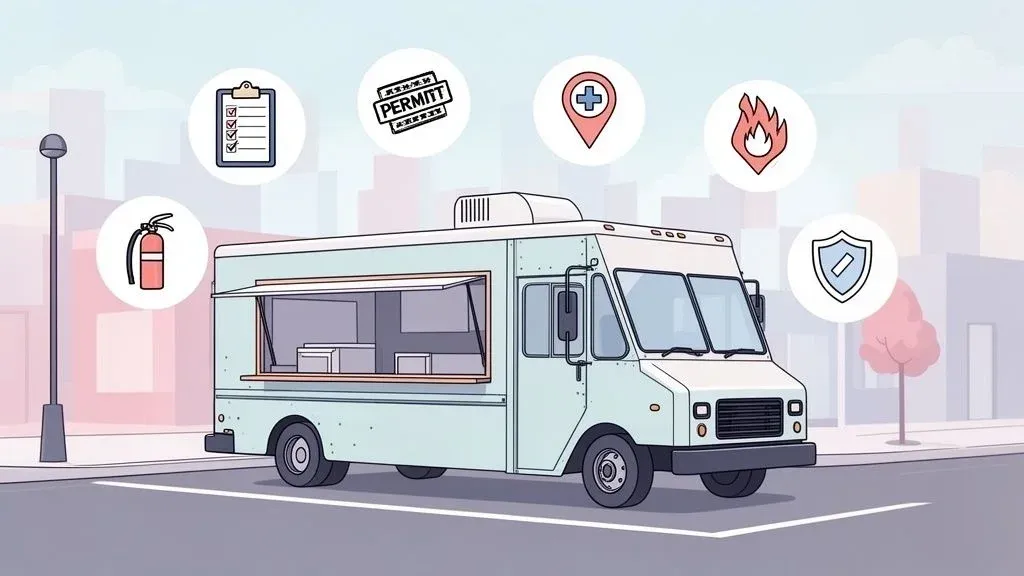
You’ve poured your heart into creating the perfect menu, your truck wrap looks incredible, and you’re ready to start serving hungry customers. But there’s a catch, and it’s a big one: the dizzying world of regulations for a food truck. This isn’t just a bit of paperwork; it’s the rulebook you must follow to operate legally. Failing to navigate these rules is often the single biggest roadblock that keeps great food trucks parked on the sidelines.
The key isn’t just to do it, but to have a smart game plan for navigating the bureaucracy from day one. Why does this matter? Getting your licenses and permits quickly means you can start generating revenue faster. A streamlined process directly boosts your restaurant’s efficiency, prevents costly delays, and lets you focus on what’s important: making great food and growing your business.
Your Essential Food Truck Regulations Checklist
It’s easy to get overwhelmed by the mountain of paperwork. The best way to approach it is to see it as a series of checkpoints you need to clear before you can legally hit the streets and start making money. The path to your grand opening is paved with permits, inspections, and specific codes that can feel completely different from one town to the next.
I’ve seen it happen time and again: a new owner has a fantastic concept and a fully-equipped truck, but they’re stuck in neutral for weeks—or even months—drowning in applications. Every day your truck sits idle is a day of lost revenue. An organized approach to compliance isn’t just about avoiding fines; it’s about maximizing your profitability from the start.
The Major Hurdles in Food Truck Compliance
So, what are these checkpoints? The average food truck in the U.S. has to juggle at least six different permits, licenses, or registrations just to open its window. In some cities, getting all that sorted out can take up to 37 business days. That’s a long time to have your investment sitting idle.
To make it actionable, let’s group the requirements into a few main categories. This will help you create a real plan of attack. Think of this table as your high-level map for the compliance journey ahead.
Key Food Truck Permit and License Categories at a Glance
Regulatory Category What It Covers Common Requirement Example Business & Tax Establishing your company as a legal entity and registering for taxes. Getting an Employer Identification Number (EIN) and a state sales tax permit. Health & Safety Proving your food, equipment, and handling procedures are safe for the public. A food manager certification and a passing grade on a health department inspection. Vehicle & Fire Ensuring the truck itself is road-legal and the kitchen equipment is fire-safe. A commercial vehicle registration and a fire suppression system inspection (NFPA 96). Zoning & Parking Following local rules about where and when you can operate your truck. Securing a mobile food vendor permit that specifies approved operating zones and hours.
Each of these categories represents a different government agency you’ll likely have to work with, from the local health department to the DMV.
It’s also a smart move to look at general business requirements beyond just the food industry. For instance, a resource like this starting a business in Florida checklist gives you a good sense of all the foundational steps, no matter what kind of company you’re launching.
Practical Next Step: Your first task is to create a checklist based on these categories. Call your local city hall and health department to get the specific forms for each one. Getting organized upfront will save you countless hours and reduce the risk of costly errors.
With this framework in mind, your next step is to dive into each of these categories. Let’s break them down one by one so you can build a clear, actionable checklist to get your food truck on the road and finally start earning.
Securing Your Core Business and Health Permits
Let’s get down to the two documents that truly matter when you’re starting out: your business license and your health department permit. Think of them as two sides of the same coin. The business license makes your truck a legitimate company, while the health permit proves your food is safe to serve. A single mistake on these applications can lead to frustrating delays that drain your startup funds before you’ve even sold your first taco.
These documents are the bedrock of your operation, and as this guide on Food Truck Permit Requirements explains, they are absolutely non-negotiable.
The Business License: Your Ticket to Operate
Before you can even think about your menu, your truck has to exist as a legal business. That’s what the business license is for. It’s your official green light from the state and local government to operate.
First, you’ll need a federal Employer Identification Number (EIN). Simply put, an EIN is like a Social Security Number for your business. You’ll get this from the IRS, and you’ll need it for everything from filing taxes to setting up your POS system and hiring employees.
Next, you’ll register your business name. If you plan on calling your truck something creative like “The Burrito Bus” instead of just your own name, you’ll probably need to file for a “Doing Business As” (DBA).
Why This Matters for Efficiency: Getting your business license and EIN sorted out early is a game-changer. These are the keys you need to open a business bank account, apply for loans, and get your payment processing set up with a POS system like Square. Without them, you’re stuck in administrative limbo, which costs you time and money.
Passing the Health Department Gauntlet
If there’s one hurdle that trips up new owners, it’s the health permit. The health department needs to be certain that every inch of your mobile kitchen is up to code. This process isn’t a one-and-done deal; it’s a multi-stage journey.
It all begins with a plan review. You’ll submit detailed blueprints of your truck’s layout, showing exactly where everything is. They’ll want to see:
- A three-compartment sink for washing, rinsing, and sanitizing.
- A totally separate handwashing station with its own hot and cold running water.
- All your refrigeration and hot-holding equipment.
- The placement of your food prep surfaces.
Once they approve your plans, you move on to the pre-operational inspection. This is where an inspector comes to your physical truck to make sure it was built exactly as shown on the blueprints. A huge piece of this puzzle is having certified staff. Most cities require at least one person on the truck at all times to hold a food handler certification, like the common ServSafe credential. If you’re new to this, you can learn more about the food handler certification cost and what it entails.
I once saw a mobile coffee truck get its launch pushed back by two weeks for something that seemed so small. Their onboard freshwater tank was just a few gallons smaller than the city code required. That tiny oversight forced them into a costly and time-consuming replacement before they could get their permit. This is a perfect real-world example of how a small error can directly impact your launch timeline and budget.
Practical Next Step: Be meticulous. When you submit your plans, don’t guess. Measure everything twice and confirm that your equipment specs match local health codes before you buy anything. This proactive step can save you thousands in costly retrofits and weeks of lost revenue.
Sorting Out Vehicle, Fire, and Commissary Rules
Think of your food truck as having two personalities: it’s a road-worthy vehicle and a professional kitchen. This dual identity means you have to meet two completely different sets of safety codes, and inspectors for both are notoriously strict. Get one wrong, and your restaurant operations could be dead in the water.
On the vehicle side, your truck has to be fully legal to drive on public roads. This means meeting all Department of Transportation (DOT) standards. It’s the basic stuff—proper registration, working lights, and safe tires—but it’s non-negotiable. The kitchen side is where things get more specialized. Your cooking setup must comply with specific fire safety codes to protect you, your staff, and the public.
Getting Fire Safety Right with Food Tech Codes
The single most important piece of safety gear in your mobile kitchen is the fire suppression system. This is the automated system built into your ventilation hood, ready to douse a grease fire in seconds.
The technical standard for this is called NFPA 96, which is set by the National Fire Protection Association. When a fire marshal inspects your truck, they’ll be looking for proof that your system is:
- Installed and certified by a qualified professional.
- Properly sized to cover every single heat-producing appliance.
- Inspected regularly, with up-to-date service tags clearly visible.
Why This Matters for Restaurant Operations: Your fire suppression system is like an insurance policy you hope you never use. A working, certified system saves your truck, your business, and potentially your life. Trying to cut corners here is a surefire way to fail your inspection, leading to costly delays and lost income.
Why You Need a Commissary Kitchen
Beyond the truck itself, most health departments will require you to use a commissary kitchen. This is simply a licensed, commercial-grade kitchen that acts as your “home base” for all the tasks you can’t do on the truck. You can’t prep food in your garage or wash equipment with a garden hose; a commissary gives you a clean, regulated space for things like food prep, deep cleaning, and waste disposal. These shared kitchens operate on a similar model to ghost kitchens, which you can read about in our guide on what are ghost kitchens.
Your commissary isn’t just a regulatory checkbox; it’s a vital part of your operational workflow. A well-chosen commissary directly boosts your efficiency, reduces on-truck labor, and helps you manage inventory more effectively.
Finding a Commissary to Boost Efficiency
When you sign a commissary agreement—a document you’ll need to show the health department—you’re not just renting a sink. A great commissary should offer more. Look for one with:
- Secure overnight parking for your truck.
- Plenty of dry, cold, and freezer storage so you aren’t making daily supply runs.
- Approved stations for filling fresh water tanks and dumping wastewater.
- Generous prep space with access to larger equipment, like big mixers or ovens.
For example, a taco truck could do all its heavy lifting at the commissary. The team could spend the morning slow-cooking meats and making salsa, keeping the truck clear for the lunch rush. This simple change can dramatically improve staff productivity and speed up service, letting you serve more customers every single day.
Practical Next Step: Don’t just pick the cheapest commissary. Visit at least two or three options and ask about their peak hours and storage availability. Choosing one that fits your workflow can drastically cut down on prep time and increase your daily sales capacity.
Getting your permits is like getting a driver’s license—it just means you’re allowed on the road. Zoning and parking rules are the traffic laws that tell you where you can drive, when you can stop, and how long you can stay. Getting this wrong doesn’t just mean a ticket; it can kill a whole day’s revenue and send potential customers home hungry.
Finding that perfect spot with tons of foot traffic is less about luck and more about knowing the local playbook. A great location can make your day, but parking in the wrong one—even by a few feet—can get you fined or told to pack it up and leave.
Cracking the Code on Parking and Zoning Rules
Zoning and parking laws are hyper-local. What works in one town is a big no-no in the next. While the specifics will vary, most of these regulations tend to fall into a few predictable buckets.
You’ll almost certainly run into some version of these:
- Proximity Rules: Cities often want to protect their brick-and-mortar restaurants, so they create buffer zones. This means you might be banned from operating within 50 to 500 feet of an established eatery.
- Time Limits: That prime metered spot downtown? It’s not yours for the day. Most public parking has strict time limits, and food trucks are expected to follow them.
- Designated Food Truck Zones: On the bright side, many cities are embracing food truck culture and setting aside specific areas for mobile vendors. These zones are gold because they’re usually in high-traffic areas and the rules are crystal clear.
It helps to remember why these rules exist: they’re a balancing act between mobile businesses, brick-and-mortar shops, and the public’s right to clear sidewalks and parking.
This Isn’t Just About Fines—It’s About Restaurant Efficiency
Knowing the rules isn’t just a defensive move to avoid tickets; it’s a core part of your business strategy. If you have to pack up and move your truck every two hours, you’re not just losing sales—you’re disrupting your workflow and creating a confusing experience for customers trying to find you.
This is where planning and technology help. Imagine mapping out your week in advance, hitting the downtown lunch rush in a two-hour commercial zone, then moving to a park with more lenient evening rules. You can use your social media to broadcast your location in real-time. This is the mobile version of the what off-premise means for restaurants concept, turning your truck’s mobility into a serious competitive edge. Instead of being a headache, these rules become a guide for building a dynamic route that boosts your revenue.
Practical Next Step: Before you serve a single customer, find your city’s official mobile food vending ordinance. It’s usually a PDF on the city government website. Find it, print it, and highlight the key rules on proximity and time limits. This one document is your key to avoiding fines, maximizing selling time, and boosting your staff productivity.
Integrating Your POS with Delivery App Rules
Running a successful food truck today is about more than just what happens at the service window. You’re not just navigating the maze of traditional regulations for a food truck; you’re also dealing with the digital world of food tech. Your Point-of-Sale (POS) system sits right at the intersection of these two worlds, making it one of the most important tools in your arsenal.
A modern POS is far more than a digital cash register. It’s the command center for your entire restaurant operation. It helps you track sales, manage inventory, and accurately calculate sales tax—all critical for financial compliance. But its biggest impact on efficiency comes from how it handles online orders.
The Impact of POS Integration on Restaurant Delivery
Imagine a busy lunch service where you’re taking an in-person payment while an order from DoorDash pops up on the same screen. That’s the kind of seamless workflow you get with POS integration. This level of organization is essential for keeping your records straight for tax time, a cornerstone of regulatory compliance.
This brings us to a second, unofficial set of “rules”—the ones dictated by third-party delivery apps. Platforms like Uber Eats and DoorDash have their own strict standards for performance. Failing to meet them can hit your revenue just as hard as a government fine. They grade you on:
- Menu Accuracy: Your online menu must match what’s in your kitchen.
- Order Fulfillment Times: They track how quickly you accept and prep an order.
- Order Accuracy: Sending out the wrong items leads to refunds and bad reviews.
Breaking these platform-specific rules can get you temporarily suspended or even booted off the app. For a truck relying on restaurant delivery for income, that’s a financial catastrophe.
Boosting Restaurant Efficiency with Food Tech
Here’s where the rubber meets the road. Manually juggling three different delivery tablets while serving a line of people is a recipe for chaos. During a lunch rush, your crew is forced to re-enter every single delivery order into the main POS. It wastes precious minutes and is a huge source of errors.
This is what a properly integrated system looks like on a platform like Square.
The screenshot above shows how an integration tool acts as a bridge, connecting all your delivery services directly to your main sales system. By automating this link, you completely remove the need for your team to be tablet jockeys.
Using a service that syncs these apps directly with your POS—like an integration for Clover or Square—is a game-changer. All your incoming orders from DoorDash, Grubhub, and Uber Eats flow straight into your POS and print to the kitchen, just as if the customer was standing at your window. You can dive deeper into how this works in our guide to POS software integration.
Why This Matters for Your Bottom Line: This POS integration is a massive win for staff productivity and profitability. It dials down the stress during your busiest hours, slashes expensive order-entry mistakes by up to 99%, and lets your team focus on cooking and serving. This directly translates to faster service, happier customers, and higher revenue.
Practical Next Step: Take a hard look at how your POS is handling delivery orders right now. If your team is still drowning in a sea of tablets, it’s definitely time to find an integration that automates the whole process. It will save you time, money, and a whole lot of headaches.
8. Your Final Compliance and Launch Checklist
You’ve wrestled with the permits, deciphered the codes, and figured out where you can legally park. Now comes the final push before you open the service window. This last step is all about organizing your operations so your launch day is smooth and profitable, not chaotic.
Think of your paperwork as your business’s suit of armor. Before you fire up the grill, get all your critical documents—your business license, health permit, fire safety certificate, and proof of insurance—into a single, clearly labeled binder. This binder lives on the truck, no exceptions. You never know when an inspector might decide to pay you a visit.
Finalizing Your Paperwork and Food Tech
The last few documents are your financial safeguards. They involve getting the right insurance coverage and making sure you’re set up to handle taxes from day one.
- Business Insurance: At a minimum, you’ll need General liability insurance for customer-related incidents and Commercial auto insurance for the vehicle itself.
- Sales Tax Permit: You must register with your state’s tax department to legally collect and pay sales tax. A good POS system can handle the calculations, but you absolutely need the official permit first.
Once the paperwork is squared away, it’s time to think about how your technology will work together.
This is the goal: your POS system acts as the central brain, pulling in orders from all your delivery apps. It eliminates juggling multiple tablets and creates one clean, simple workflow for your team.
Your Four-Step Launch Plan
With all your documents in hand, you’re finally ready for the fun part. Here’s a simple action plan to get you from paperwork to paying customers.
- Finalize All Documents: Double-check that your insurance policies are active and your sales tax permit is on hand. Put the physical copies into that onboard compliance binder.
- Set Up Your Technology: Now’s the time to get your tech talking. If you use a system like Clover or Square, connect it to your delivery platforms. This ensures every online order goes straight to your kitchen without manual entry.
- Conduct a Soft Launch: Before your big public debut, do a trial run. Invite friends and family over for a private service. It’s a low-pressure way to test your entire process—from taking an order to swiping a credit card. You’ll quickly spot any kinks in your system. For tips on building these workflows, take a look at these restaurant standard operating procedures examples.
- Announce Your Grand Opening: Once you feel confident, it’s go-time. Blast your location, hours, and launch date across social media.
Your Practical Next Step: Getting a handle on the regulations for a food truck is just the start. The real magic happens when you build a system where every sale—in-person or online—is fast and error-free. This is how you make sure all that hard work with compliance turns directly into profit from day one.
Common Questions About Food Truck Regulations
Getting a food truck on the road involves jumping through a lot of hoops, and it’s completely normal to have questions. Let’s tackle some of the most common ones.
First, the big one: money. What should you budget for all the required permits? The costs can swing wildly depending on where you’re located, but a realistic range is anywhere from $500 to $7,000. This ballpark figure covers essentials like your business license, health permit, fire safety certificate, and vehicle registration. Expect to land on the higher end if you’re in a major city.
Operating Across Different Cities
Once you’re permitted, you might wonder if you can take your truck to a neighboring town for a big event. Can you operate in multiple cities with just one set of permits?
Unfortunately, the answer is almost always no. Most permits are tied to the specific city or county that issued them. If you want to legally sell in another jurisdiction, you’ll likely need to go through their application process. Factoring this into your restaurant operations plan from the start is crucial.
Finally, what’s the most common pitfall during a health inspection?
The top reasons a food truck fails a health inspection are almost always related to food temperature control (hot food not hot enough, cold food not cold enough), inadequate handwashing facilities, and cross-contamination risks.
The best way to sidestep these issues is through rigorous staff training and using detailed daily checklists. This proactive approach saves you from the massive headache and lost income of a forced closure, directly protecting your revenue.
Ready to make your food truck operations even more efficient? OrderOut integrates your delivery apps like DoorDash and Uber Eats directly into POS systems from partners like Clover and Square, eliminating manual entry and saving your team valuable time.
Start onboarding for Free in just a few clicks at https://dashboard.orderout.co.