
How to Reconcile the Difference in Your Restaurant's Delivery Finances for 2026
· Thibault Le Conte
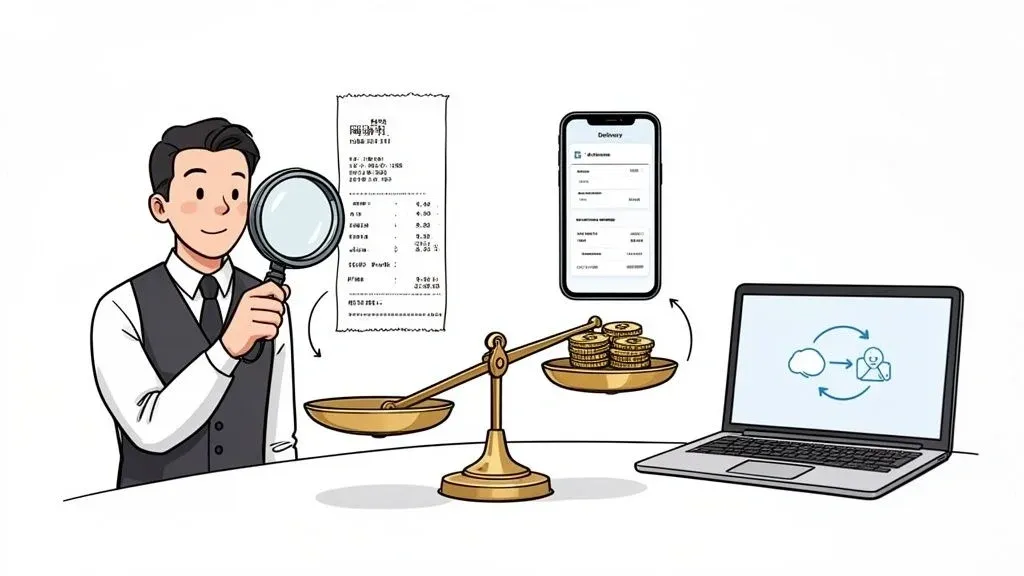
So, what does it actually mean to reconcile the difference between your delivery app payouts and your POS sales reports?
In simple terms, it’s comparing two sets of books—what the delivery app says you earned versus what your own cash register says you sold—to make sure they match. This isn’t just about checking that a lump-sum payment from Uber Eats or DoorDash landed in your bank account. True reconciliation means digging in to verify that every single order, fee, and refund has been accounted for correctly.
Why it matters for your restaurant: This process is crucial for restaurant efficiency. Without it, you are flying blind, leaving money on the table due to hidden errors, and wasting valuable staff hours on financial detective work instead of focusing on guests.
Why Delivery Payouts and POS Sales Reports Never Match
If you’ve ever stared at a payout report from a delivery app next to a sales report from your POS, wondering why the numbers are miles apart, you are not alone. This financial disconnect is a silent profit killer for restaurants everywhere.
The root of the problem is that your delivery apps and your internal sales data are telling two completely different stories. Your POS tracks what your kitchen makes, while the delivery app tracks what the customer paid, minus all their fees. When you don’t take the time to reconcile the difference between these stories, you’re letting money slip through the cracks.
The trouble starts when staff have to manually punch orders from a delivery app tablet into your POS. Each platform, from Uber Eats to DoorDash, has its own unique commission structure and fee schedule. When you rely on a staff member to manually enter that order into a POS like Square or Clover, you’re guaranteeing that small mistakes will happen. Those small mistakes add up fast.
The High Cost of Small Errors in Restaurant Operations
A single missed refund or an incorrectly applied promo code might not seem like a big deal. But what about a “ghost order” that was canceled but still shows up on a report? These little discrepancies directly chip away at your already thin margins.
Why it matters for your restaurant: This is a huge drain on staff productivity and your bottom line. Without a single, unified system for POS integration, your staff is forced to become financial detectives, wasting hours trying to cross-reference confusing spreadsheets. Restaurants with fragmented systems often see discrepancies of up to 15-30% on order totals, all thanks to manual errors. For a typical restaurant, that can easily mean thousands of dollars lost every single month, representing significant time and cost savings if resolved.
If you want to get back to basics on this, our guide on what it means to reconcile your restaurant’s finances is a great place to start.
Real-World Example: For a restaurant handling 200 delivery orders daily, automating reconciliation can prevent disputes and errors, saving as much as $5,000 per month. This is a direct boost to profitability.
Common Causes of Discrepancies Between Delivery Apps and POS
These mismatches aren’t random—they’re predictable and stem from specific gaps in your food tech stack. Pinpointing these common culprits is the first step to fixing the problem for good.
Source of Discrepancy Simple Explanation Impact on Your Restaurant Complex Commission Structures Each app charges different fees for marketing, delivery, and payment processing. It’s nearly impossible to know your actual profit on an order without a detailed breakdown, hurting your ability to make smart financial decisions. Manual Order Entry Staff manually type orders from a tablet into the POS. Human error is guaranteed. A wrong price or a missed modifier instantly creates a mismatch and reduces staff productivity. Delayed or Failed API Calls The digital “handshake” between the app and your POS fails. An order gets made and delivered, but it never shows up in your official sales data, leading to lost revenue and inventory chaos. Refund and Chargeback Lag A customer gets a refund from DoorDash, but your POS doesn’t know about it yet. Your books look balanced for a few days, then suddenly they’re off, creating confusion and inaccurate financial reports.
Ignoring this problem simply isn’t an option for any restaurant that wants to stay profitable. The time your team wastes on manual checks and the revenue you lose to un-caught errors are a major drag on both productivity and your bottom line.
Your Manual Workflow for Reconciling Restaurant Delivery Sales
If you’re not using an automated system yet, you absolutely need a solid manual process for reconciling your restaurant delivery app sales. Without one, you’re essentially guessing where your money is going.
Let’s walk through a practical workflow to get a handle on your numbers. Yes, it’s time-consuming, but doing this manually is infinitely better than ignoring the problem. It not only helps you find and fix costly errors but also highlights just how much time this tedious task drains from your week—time you could be spending on the floor or with your team. This process is a clear indicator of where restaurant efficiency can be improved.
This broken link in the data flow is where discrepancies are born. Let’s dig into how to find them.
Gathering Your Financial Puzzle Pieces
First, you need to gather your reports. For each delivery platform, you’ll need to pull two main reports for the period you’re checking.
- From the Delivery App (e.g., DoorDash, Uber Eats): Grab the payout summary report and the detailed order report, which lists every transaction, sale, tax, tip, and fee.
- From Your Point of Sale (e.g., Clover, Square): Pull the sales report for the exact same period, filtered to show only sales from the specific delivery platform you’re auditing.
Having these reports side-by-side is non-negotiable for finding errors.
Matching Orders and Verifying Totals
Now the detective work begins. The goal is to match every single order from the delivery app report to an entry in your POS.
Use the order ID number and transaction date/time to line things up. As you match each order, check these key numbers:
- Gross Sales: Does the food and drink total on the Uber Eats report match what’s in your Square POS for that same order?
- Taxes: Check the sales tax. Did the delivery app calculate it correctly, and does it match what your POS recorded?
- Refunds and Adjustments: If an order was refunded on DoorDash, make sure that credit appears on both reports. If not, your sales numbers will be artificially inflated, leading to inaccurate financial data.
Real-World Example: I worked with a restaurant owner in Chicago who discovered they were losing over $400 a month from this exact issue. Refunds were happening on Uber Eats but never got canceled in their Clover POS. That money was just vanishing until a manual reconciliation caught the error, highlighting a critical flaw in their restaurant operations.
Auditing Commissions and Fees for Better Restaurant Operations
Once your order totals are confirmed, it’s time to look at the fees. Commissions are one of the biggest costs of using delivery platforms, and you must ensure you aren’t being overcharged.
Run through this quick checklist for every payout:
- Commission Rate: Is the percentage charged the same as what’s in your contract?
- Marketing Fees: Any surprise charges for promotions you didn’t approve?
- Processing Fees: Are there separate credit card processing fees? Note them.
- “Other” Fees: Be suspicious of vague descriptions. Demand a clear explanation for any charge you don’t recognize.
Why it matters for your restaurant: This manual process is a grind. For a busy restaurant, this can take 5-10 hours per week. That’s a huge chunk of a manager’s time spent staring at spreadsheets, a major operational bottleneck. After going through this process, most operators realize they need a better way. Manually reconciling helps you understand the size of the problem; POS integration is what actually solves it, leading to massive time savings and error reduction.
Decoding Delivery App Fees to Improve Your Food Tech Strategy
The most frustrating part of reconciling your delivery sales is the payout report. Trying to match the money that hits your bank with the sales in your POS can feel impossible.
The disconnect happens because delivery apps deduct a whole slew of charges before you see a dime. This is where a direct POS integration becomes a game-changer for a modern restaurant. Without it, you’re just taking the app’s word for it, which is a fast track to leaking profits.
The Anatomy of a Delivery App Payout
So, where does the money actually go? Let’s walk through a typical payout report from a platform like Uber Eats. Imagine a customer places a $50 order.
Here’s a quick look at the deductions that chip away at your revenue:
- Commission Fee: This is the big one. It’s a percentage of the order subtotal. If your agreement is for a 25% commission, that’s $12.50 gone right off the bat.
- Marketing & Promotional Fees: Running a special? The cost of those promotions gets deducted directly from your payout.
- Payment Processing Fee: Every credit card transaction has a cost, usually around 2-3%.
- Error Charges & Adjustments: This is the catch-all for customer refunds for missing items or incorrect orders.
After all is said and done, that initial $50 order might only net you $30-$35. Without a line-by-line audit, you’re left wondering if those deductions were fair. For a deeper dive into how these platforms stack up, our guide on the differences between Uber Eats, DoorDash, and Grubhub is a great resource.
Auditing Fees to Protect Your Bottom Line
Auditing these fees isn’t just busywork—it’s a critical function for protecting your restaurant’s financial health. With platforms like DoorDash commanding 56% of the US market and Uber Eats holding 23% (according to oysterlink.com), you’re likely juggling multiple partners. Manually tracing every fee opens the door to significant, silent losses.
Why it matters for your restaurant: We’ve seen it firsthand. A bustling city restaurant can easily lose up to $50,000 a year from un-reconciled fees alone. This is where a direct POS integration becomes your secret weapon. Connecting your delivery apps to your Clover or Square system is like having an automated accountant. It doesn’t just record sales; it scrutinizes every single fee and deduction, instantly flagging anything that doesn’t add up. This saves dozens of hours in staff time and stops profit leakage, directly impacting cost savings and error reduction.
The Takeaway for Your Food Tech Strategy
The goal here is simple: stop being at the mercy of confusing payout reports and take command of your own financial data.
By auditing these fees, you get a crystal-clear picture of your profitability on every single order. This insight is power. It helps you make smarter business decisions, negotiate better terms, and protect your restaurant from costly errors. The first step is recognizing that the gross sale is just the beginning; the net payout is what actually counts.
Ready to put an end to the guesswork? You can take the first step toward flawless financial clarity at the OrderOut dashboard.
Why Mismatched Orders and Inventory Are More Than a Headache
Beyond spreadsheets, there’s a deeper reconciliation issue that can wreak havoc on your day-to-day operations: inventory. When your delivery apps and your kitchen aren’t communicating, you’re not just losing money—you’re setting yourself up for operational chaos and poor customer experiences.
Real-World Example: We’ve all seen it happen. A DoorDash ticket prints for your signature burger, but the kitchen just ran out. Before you can 86 the item in the app, another order for the same burger comes in. Now you have a canceled order, an angry customer, and the threat of a one-star review. These aren’t just minor slip-ups; they’re operational failures that damage your reputation.
The Snowball Effect of Unsynced Food Tech
Think about what happens when a delivery order shows up on a tablet but never fires to your POS. Your kitchen might make the food, but as far as your sales reports and inventory counts are concerned, that order is a ghost. It never existed. Suddenly, your sales data and labor metrics are completely skewed.
Why it matters for your restaurant: This problem multiplies fast. Restaurant operators tell us they see inventory reconciliation error rates as high as 20-25% due to these fragmented systems, which translates directly into wasted food and lost profits. A solid inventory stock management system is only truly effective when it has accurate, real-time data from your POS.
How Operational Glitches Become Financial Bleeding
Every one of these operational breakdowns hits your bottom line from all sides:
- Skyrocketing Food Waste: Without a real-time view of inventory, you’re stuck guessing.
- Drained Staff Productivity: Your team wastes valuable time tracking down missing orders or doing damage control with frustrated customers.
- Eroding Customer Trust: Consistently fumbling orders is the fastest way to lose a customer’s trust.
- Inaccurate Financials: When your POS data is polluted with errors, you can’t accurately gauge your restaurant’s performance.
Making Your POS the Single Source of Truth for Restaurant Efficiency
The only way to get ahead of this chaos is by establishing a single source of truth: your POS system. That happens when your delivery apps are integrated directly into it.
When everything is connected, an order from Uber Eats is injected instantly and automatically into your Clover or Square POS. Even more importantly, when your chef 86es an item in the POS, it’s immediately marked as unavailable across all your online storefronts. Just like that, you’ve eliminated a huge source of operational errors. To learn more about how this works, check out our guide on change order integration.
This direct connection has been shown to slash reconciliation errors by up to 95%, transforming your operations from reactive to proactive and leading to huge time savings. You can start creating that single source of truth at the OrderOut dashboard.
The Sanity-Saving Fix: Automating Reconciliation with POS Integration
After wading through the swamp of manual reconciliation, it’s painfully obvious that spreadsheets aren’t the answer. The real solution to reconcile the difference isn’t working harder—it’s working smarter with automation through direct POS integration.
Finally, A Single Source of Truth for Your Food Tech
So, how does it work? In simple terms, automation tools act as a digital bridge connecting your delivery partners directly to your point-of-sale system. A platform like OrderOut acts as a universal translator, allowing your DoorDash and Uber Eats channels to communicate flawlessly with your POS, whether you’re running Square or Clover.
Suddenly, everything is in one place. Every order, fee, tax, and tip is automatically captured and logged in real time. No more manual data entry, no more lag, and no more human error.
Get Your Time Back and Your Numbers Straight
Why it matters for your restaurant: The first thing you’ll notice is the incredible amount of time you reclaim. That 5-10 hours your manager spends every week hunting down discrepancies? It’s gone, a massive boost to staff productivity. That time can now be spent managing the floor and improving the guest experience.
But the time savings are just the beginning. The accuracy you gain is a true game-changer for your bottom line.
- Slash Costly Errors: Automation eliminates the small typos, missed orders, or miscalculated fees that slowly bleed your profits dry, leading to significant error reduction.
- See Your Profitability Now: See the true profit on every delivery order, as it happens.
- Clean Up Your Bookkeeping: Hand your accountant perfectly clean, categorized data. Month-end closing becomes faster, easier, and cheaper.
When you automate, you stop being a financial detective and become a data-driven strategist, making smarter decisions because you have numbers you can trust.
Manual Reconciliation vs. Automated POS Integration
The difference is stark. It’s not just about saving time; it’s about building a more resilient and profitable business. Seeing how an integrated POS system transforms operations can be a real eye-opener.
Feature Manual Reconciliation Automated with OrderOut Order Entry Staff manually enter orders, risking errors and wasting time. Orders are injected directly into the POS automatically, ensuring 100% accuracy and boosting staff productivity. Fee Tracking Managers must cross-reference complex reports to audit fees. All fees, commissions, and adjustments are automatically logged and categorized, saving hours of work. Reporting Financial reports are delayed and often contain inaccuracies. Get real-time, perfectly accurate reports on sales, costs, and net profitability for better decision-making. Staff Time Consumes 5-10 hours of valuable management time per week. Reduces reconciliation time to just minutes, freeing up staff for high-value tasks and delivering huge cost savings.
This isn’t about incremental improvement; it’s about fundamentally changing the financial health of your restaurant.
Your Practical Next Step: Take Control of Your Data
We’ve walked through the financial minefield that unreconciled delivery data creates. It’s a systemic risk to your profitability and a massive drain on your team’s time.
The good news is that you don’t have to be stuck in spreadsheet hell. Perfect reconciliation is achievable with the right tools. It’s time to take control back from the delivery apps.
This is what that control looks like. The OrderOut dashboard gives you a single source of truth, instantly flagging discrepancies.
Everything is laid out—every order, every fee, every payout—so you can spot problems in seconds, not days. If you’re weighing your options, our guide on choosing the right food delivery management software is a great place to dig deeper.
The Clear Takeaway: The goal is to move from being a financial detective to a data-driven strategist. With automated POS integration, you shift your focus from finding mistakes to making smarter decisions about your menu, pricing, and delivery partners. The guesswork has to end. You can stop chasing phantom numbers and finally get the financial clarity you need to grow your restaurant.
Ready to see it in action? Start onboarding for Free in a few clicks and experience what automated POS integration can do for your bottom line.
Common Questions on Reconciling Delivery App Differences
When you first dive into reconciling your delivery app reports, it’s natural to have questions. Let’s walk through some of the most common questions we hear from restaurant owners.
How Often Should I Reconcile My Delivery Sales?
Ideally, daily. For a high-volume restaurant, tackling this task every day helps you spot and fix problems before they spiral out of control, improving your daily restaurant operations. If daily isn’t feasible, you must reconcile at least once a week.
What Are the Most Common Errors I Should Look For?
From my experience, these are the top three culprits to watch for that impact your bottom line:
- Mismatched Order Totals: An order is punched into your POS for one price, but the customer was charged a different amount on the delivery app. This happens all the time with modifiers.
- Unrecorded Refunds: A customer gets a refund through DoorDash, but that order was never voided in your POS. This makes it look like you earned more than you actually did.
- Incorrect Commission Fees: The delivery platform might accidentally charge you a higher commission rate than what’s in your contract.
Key Takeaway: Consistent reconciliation isn’t just about finding lost money. It’s about building a solid financial habit that protects your profit margins and ensures the data you use for business decisions is accurate, boosting overall restaurant efficiency.
What If My POS Doesn’t Integrate With Delivery Apps?
This is a tough spot to be in, but it’s common. If your POS, like some setups of Clover or Square, doesn’t connect directly, you’re stuck doing it all by hand. This manual grind involves exporting reports and painstakingly matching transactions. It’s incredibly time-consuming and a recipe for human error, hurting staff productivity. If you need to brush up on the fundamentals, there are great primers on bookkeeping reconciliation that can help. Ultimately, a POS integration is the real solution.
Ready to put an end to the guesswork and wasted hours? With OrderOut, you can automate your delivery reconciliation and finally get total financial clarity. Start onboarding for Free in a few clicks.