
Quick Service Restaurant Software | Boost Your Restaurant Efficiency
· Thibault Le Conte
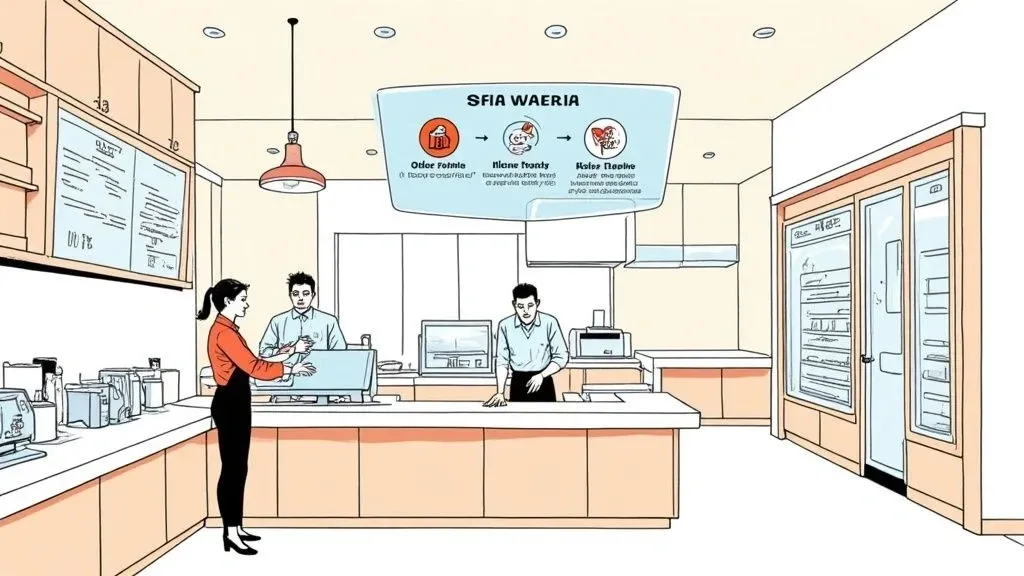
Think of quick service restaurant software as the digital command center for your entire operation. In simple terms, it’s a specialized system that weaves together customer orders, your kitchen, payment processing, and even those third-party delivery apps into a single, smooth workflow. This matters because, in the fast-paced world of QSRs, speed and accuracy are everything. This software is the key to achieving both, directly impacting your restaurant’s efficiency and profitability.
Technically speaking, this is accomplished through a central platform that uses APIs (Application Programming Interfaces) to communicate between different systems, like an Uber Eats tablet and your POS terminal, ensuring they all speak the same language. In the fast-food world, this level of integration isn’t just a nice-to-have; it’s essential for survival and growth.
The Digital Backbone of Modern QSRs: Boosting Restaurant Efficiency and Operations
Ever tried to direct traffic during rush hour with just a megaphone and a whistle? That’s what running a modern QSR without the right software feels like. This food tech is built specifically to solve the biggest headaches in the business—like missed orders from a sea of delivery tablets or garbled communication between the front counter and the kitchen line. Its main job is to bring a sense of calm and order to the chaos, directly boosting restaurant efficiency.

To really get why this software is so critical, you have to look at the bigger picture of the accommodation and food services industry. Customers expect their food fast and exactly as they ordered it. Technology is the only way to consistently meet those rising expectations and stay ahead of the competition.
Why It Matters: Actionable Insights for Your Restaurant
At its heart, this software is all about centralizing and automating jobs that used to be manual and full of potential mistakes. By connecting all the different parts of your business, it has a direct and immediate impact on staff productivity and your bottom line.
Here are the actionable benefits:
- Drastic Error Reduction: When orders from apps like Uber Eats and DoorDash are automatically punched into your POS, you can say goodbye to costly manual typing errors. This saves money on wasted food and redeliveries.
- Increased Staff Productivity: Your team is no longer juggling a half-dozen tablets. That frees them up to focus on what matters most: the customers standing right in front of them. This improves service speed and quality.
- A Smarter Kitchen Workflow: Orders are fired directly to Kitchen Display Systems (KDS), giving cooks clear, accurate instructions the second the order is placed. This streamlines your entire restaurant delivery process.
The industry is taking notice. The global restaurant management software market was valued at $6.54 billion in 2025 and is projected to more than double to $13.01 billion by 2030. This explosive growth is coming from QSRs that are hungry for tools that can simplify their processes and give customers a better experience.
Essentially, this software becomes a powerful hub for managing everything. To get a better sense of this, you might find our guide on how to pick the right restaurant order management software helpful.
The following table breaks down some of the most essential tasks these platforms handle and the real-world impact they have on day-to-day operations.
Table: Core Functions of Modern Food Tech Software
Function Impact on Restaurant Operations Order Aggregation Pulls all orders from delivery apps (Uber Eats, DoorDash, etc.) into one place. This stops staff from having to re-enter orders manually, which cuts down on mistakes and saves a ton of time. This is a core feature for efficient restaurant delivery management. Kitchen Display System (KDS) Sends orders directly to screens in the kitchen. This makes the cooking process faster, more accurate, and keeps the whole line organized, even during the busiest rushes. A key benefit of POS integration. Inventory Management Tracks ingredients in real time as orders come in. This helps you know exactly when to reorder supplies, preventing you from running out of popular items and reducing food waste. Reporting & Analytics Gathers data on sales, popular menu items, and peak hours. This gives you the insights you need to make smarter business decisions, like creating effective promotions or optimizing staff schedules.
Ultimately, this technology takes a bunch of disconnected tasks and turns them into a unified, efficient system. Now, let’s dig into the specific features that make all of this possible.
Key Features That Drive Restaurant Operations and Delivery
Modern quick service restaurant software is a world away from a simple digital cash register. It’s a complete operational toolkit, built specifically to handle the high-pressure, fast-paced world of a QSR. Don’t think of the features as abstract tech terms; think of them as specialized digital assistants, each one hired to do a critical job that makes your restaurant run smoother. They automate the tedious stuff, slash errors, and free up your actual staff to do what they do best: take care of customers.
The most crucial starting point is online ordering integration. Simply put, this feature is your 24/7 digital cashier, flawlessly catching every order that comes through your website or mobile app. Instead of a staff member being glued to the phone or manually punching in web orders, this tool pipes them straight into your POS system. This alone dramatically cuts down on expensive typos and creates a much better, faster experience for customers.
Optimizing Kitchen Workflow with POS Integration
Once an order is in, it needs to land in the kitchen instantly and accurately. That’s where Kitchen Display System (KDS) integration is an absolute game-changer. In simple terms, it’s a digital traffic controller for your kitchen. Technically, it creates a direct link between your POS and kitchen screens, beaming orders directly to the line. Gone are the days of messy, lost paper tickets. This simple change speeds up prep times and eliminates communication mix-ups between the front and back of the house, which is critical for efficient restaurant delivery.
Beyond just getting the order right, the best software keeps an eye on what’s in your walk-in. Inventory management tools automatically deduct ingredients from your stock levels in real-time with every sale. This simple function prevents that nightmare scenario of running out of your most popular item smack in the middle of a dinner rush, directly reducing food waste and protecting your profit margins.
By giving you a crystal-clear view of what you have, this feature directly cuts down on food waste and helps you nail your food costs. It replaces guesswork with hard data, improving your bottom line one ingredient at a time.
These are the core functions that transform a basic POS into a true command center for your entire operation.

This breakdown shows the pillars of great QSR software: organizing online orders, streamlining the kitchen, managing inventory, and building smart schedules. Getting a handle on these different pieces is essential for any owner, and you can dig deeper in our guide to restaurant technology solutions.
Managing Your Team and Customers
Finally, great software helps you manage your two most important assets: your people and your patrons.
- Employee Scheduling: This tool helps you build smarter schedules based on sales forecasts. You’ll know you have the right number of people on the floor for a rush without wasting money on labor during slow periods.
- Customer Relationship Management (CRM): A good CRM system is your secret weapon for repeat business. It helps you collect customer info, see what they love to order, and create targeted marketing or loyalty programs that keep them coming back.
You can see this in action with systems like Square and Clover, which bring all these features under one roof. For example, a single order from Uber Eats can simultaneously appear on the KDS, update your inventory count for burger patties, and log the customer’s purchase history—all in one seamless, automated action. This shows the power of POS integration for overall restaurant efficiency.
Takeaway: The best quick service restaurant software weaves these key features into one connected system. Each tool solves a specific operational headache, and together, they lead to faster service, less waste, and a happier, more efficient team. Now, let’s look at how all these pieces connect with your central POS.
Why Restaurant POS Integration Is a Game Changer
Think of your Point of Sale (POS) system as the brain of your restaurant. It’s where everything happens: payments get processed, sales are tracked, and orders are managed. But if that brain isn’t connected to the rest of your operation—especially your delivery apps—it becomes a major bottleneck instead of a powerful command center.
This is exactly why POS integration is one of the most essential tools in modern food tech. In non-technical terms, it means making your delivery apps talk directly to your cash register so you don’t have to be the middleman.
Picture the scene during a chaotic lunch rush. You’ve got tablets for Uber Eats and DoorDash all pinging at once. For every single order, a member of your team has to stop what they’re doing, walk over to a tablet, and manually punch every last detail into your main POS.
Every one of those manual entries is an opportunity for something to go wrong. A missed special instruction, an incorrect side dish, or even the wrong delivery address. These “small” mistakes quickly snowball into wasted food, expensive redeliveries, and, worst of all, unhappy customers. They also chew up valuable staff time, which is a direct hit to your productivity and labor costs.
Bridging the Gap in Your Restaurant Operations
This is where great quick service restaurant software steps in to act as a universal translator for your entire operation. It builds a seamless, sturdy bridge connecting all your third-party delivery platforms directly to your core POS system. Instead of juggling a dozen disconnected apps, everything flows neatly into one central hub.
Technically, this is done using an API (Application Programming Interface) that pulls order data from delivery services and pushes it directly into the POS software’s order queue. When an order comes in from any platform, the integration software grabs it automatically and feeds it straight into your POS. No more manual keying. No delays. And virtually no chance for human error. This one simple connection transforms your workflow from chaotic and reactive to smooth and controlled.
The real magic of POS integration is that it completely eliminates the soul-crushing “tablet hell” of double-entry. On average, this automation frees up 3-5 minutes per order—a time savings that can add up to hours of recovered labor costs every single day.
This isn’t just about shaving a few minutes off ticket times. It’s about making a fundamental upgrade to your restaurant’s speed, accuracy, and bottom-line profitability. By lifting the manual burden, you empower your staff to be more productive and focus on what truly matters: creating a great customer experience.
Real-World Impact on Restaurant Delivery and Efficiency
Let’s walk through a real-world example. A customer places a complicated order on DoorDash with a handful of custom modifications. Without integration, a staff member has to stop, read the ticket, switch over to the POS—whether it’s a Clover or Square terminal—and just hope they get every single detail right in the middle of a rush. This process is slow and full of risk.
Now, with POS integration in place, that same order appears on the POS and the Kitchen Display System (KDS) instantly and perfectly, just as the customer typed it. This doesn’t just guarantee order accuracy; it dramatically cuts down ticket times, which means food gets out the door faster and hotter. Getting the hang of these connections is crucial, and you can dive deeper into what makes for successful point of sale integrations in our more detailed guide.
The table below paints a clear picture of just how massive the difference is.
Manual Entry vs. POS Integration: A Time and Cost Comparison
The following table breaks down the practical differences in efficiency and accuracy between manually handling delivery orders and using a fully integrated software solution. The contrast is stark.
Task Manual Process (Without Integration) Automated Process (With POS Integration) Order Entry Staff manually types each order from a delivery tablet into the POS, taking 1-3 minutes. Orders are injected directly into the POS in seconds, with zero manual work. This saves significant labor cost. Error Rate High potential for typos, missed modifiers, and incorrect items, leading to food waste. 99.9% accuracy, as the system transfers the customer’s exact order, reducing error-related costs. Staff Focus Employees are distracted by tablets, leading to slower service for in-person guests. Staff can focus entirely on customer service and in-store operations, boosting productivity. Kitchen Workflow Delays between order receipt and kitchen prep; risk of lost paper tickets. Orders are fired to the KDS instantly, ensuring the kitchen starts prep immediately for faster restaurant delivery.
The Takeaway: There’s no two ways about it. Integrating your delivery platforms with your POS system is the single most effective move you can make to slash errors, increase speed, and boost your team’s productivity. It’s the bedrock of any modern, efficient QSR.
Ready to see this in action? Restaurant owners can start onboarding for Free in a few clicks at https://dashboard.orderout.co.
Mastering Restaurant Delivery Management with Food Tech
Third-party delivery apps have been a game-changer, opening up new ways to reach customers and boost sales. But let’s be honest—they’ve also brought a special kind of chaos into the kitchen. If you’re tired of juggling a sea of tablets from DoorDash, Uber Eats, and Grubhub, all pinging at once, you know it’s a perfect recipe for stress and expensive mistakes.
This is exactly where modern quick service restaurant software, a key piece of food tech, steps in to save the day.

This tech turns the frantic scramble of restaurant delivery management into a smooth, automated workflow. It acts like a central command center, funneling every single order from every platform onto one screen and then pushing it directly to your POS system via integration. Just like that, you’ve eliminated manual data entry, which is hands-down the biggest cause of order errors and a major drain on staff time.
Taking Control with Centralized Menu Management
One of the most powerful and actionable tools is centralized menu management. Picture this: it’s a slammed Friday night, and you’ve just 86’d your famous burger. Instead of scrambling to log into three or four different delivery app dashboards to mark it “sold out,” you just do it once, from a single control panel.
This is a massive time-saver. With a good system, you can:
- Update Prices Instantly: Need to adjust pricing for a new promo or rising food costs? Change it once, and it populates across every platform. This saves hours of administrative work.
- Add or Remove Items: Rolling out a seasonal special or ditching a slow-moving dish? A few clicks and your menu is updated everywhere.
- Ensure Consistency: You can finally stop worrying about customers seeing different menus on different apps. Everything stays identical and up-to-date, protecting your brand.
Making sure your menu items look their best is also key. To get a handle on the different photo and description rules for each service, it’s worth checking out resources on delivery platform photo requirements.
This level of control isn’t just a nice-to-have; it’s essential for your restaurant’s efficiency. The global quick service restaurant market was valued at around $1,055.48 billion in 2025 and is expected to skyrocket to $1,930.14 billion by 2032. That explosive growth is driven almost entirely by food delivery, making efficient operations more critical than ever.
Why It Matters for Your Bottom Line
When you integrate services like DoorDash and Uber Eats directly into your POS, you’re not just cleaning up the chaos—you’re building a more profitable operation. This POS integration directly impacts your bottom line by slashing labor costs spent on punching in orders and cutting down on food waste from costly mistakes. As we cover in our guide, mastering your third-party delivery service is no longer optional for success.
Think about how this works in a real kitchen. With a POS integration for a system like Clover or Square, a new Uber Eats order pops up, flows straight into the POS, and prints a ticket in the kitchen—all without a single staff member having to touch a tablet. This saves time, reduces errors, and improves staff productivity.
The bottom line is simple: taking control of your delivery operations means consolidating orders and centralizing menu updates. Using the right software reduces errors, saves your team a ton of time, and ensures every customer gets a great, consistent experience, no matter which app they used to order.
How to Choose the Right QSR Software for Your Restaurant Operations
Picking the right software for your quick service restaurant isn’t about chasing the “best” system on the market. It’s about finding the one that’s the perfect fit for your business, right now. To cut through the noise, you just need to ask a few straightforward questions that get to the heart of what will actually make your restaurant run smoother and more profitably.
The first, and most important, question is: what Point of Sale (POS) system are you using? Whether you’re running on Square or Clover, this is your starting point. Any software you consider must integrate flawlessly with the system that’s already the command center of your daily operations. Without seamless POS integration, the software won’t deliver the efficiency gains you need.
Pinpoint Your Biggest Challenge for an Actionable Solution
With that settled, get honest about your single biggest headache. Is your front-of-house team drowning in a sea of delivery tablets, each one beeping and demanding attention? Or is your kitchen crew constantly tripping over a disorganized flood of paper tickets?
Pinpointing this one core problem will instantly sharpen your focus.
- If delivery chaos is the culprit: You need software with top-notch order aggregation that funnels every third-party order into a single, clean dashboard. This directly impacts your restaurant delivery process.
- If the kitchen is the bottleneck: Look for a solution with a powerful Kitchen Display System (KDS) integration to get orders in front of your cooks instantly and logically. This improves restaurant operations at the core.
Knowing your main pain point helps you avoid paying for bells and whistles you’ll never use. It ensures you’re investing in a tool that solves a real, costly problem. If you need to take a step back and evaluate your core system, our restaurant POS system comparison guide is a great place to start.
Plan for Growth and Get Support
Finally, think about where you’re headed. The software that works perfectly for your single shop today might completely buckle when you open your second or third location. Scalability is essential. You want a partner that can grow with you, whether that means adding new storefronts, bringing on more delivery apps, or adopting the next big thing in food tech.
And don’t ever underestimate customer support. When something inevitably goes wrong during a Friday night rush, you can’t afford to wait. You need a real person who knows what they’re doing, and you need them now. Look into a company’s support reputation before you sign anything—it can be the difference between a minor snag and a full-blown meltdown.
The QSR world is moving fast, largely thanks to younger customers who expect things to be quick and digital. The U.S. QSR market is expected to rocket from $447.2 billion in 2025 to $731.6 billion by 2030, and technology is at the center of that growth. Your software choice is your ticket to ride that wave. You can explore more about these QSR industry statistics on restroworks.com.
Takeaway: A practical approach is the best one. Start with POS compatibility, zero in on your biggest operational problem, and make sure the solution is built to scale and backed by solid support. This simple framework will guide you to a decision that makes a real impact on your restaurant’s efficiency.
Ready to see what seamless integration can do for you? Restaurant owners can start onboarding for Free in a few clicks at https://dashboard.orderout.co.
What’s the Next Move for Your Restaurant?
We’ve walked through how the right QSR software can finally put an end to delivery app chaos, slash those expensive order-entry mistakes, and give your team their time back. If there’s one thing to remember, it’s this: automation and integration aren’t just nice-to-haves anymore. For a modern quick-service restaurant, they’re the foundation of a successful operation.
Connecting your delivery apps straight into your POS isn’t just another tech upgrade. It’s a fundamental change in how you manage your day-to-day business, turning a major headache into a smooth, automated process. You’re not just buying software; you’re investing in a calmer, more productive, and more profitable kitchen.
Think about it—the time your team spends manually punching in orders is time they could be helping customers or ensuring quality. Every error avoided is money saved on wasted food and redeliveries. The old way of doing things is actively costing you money and efficiency.
By finally closing the gap between services like DoorDash and your POS system, you take back the reins of your restaurant. No more tablet juggling, no more yelling orders across the kitchen, just a single, reliable stream of information that powers your entire operation.
The practical next step is to see this in action for yourself.
Take that next step. Restaurant owners can begin the free onboarding process right now and build a more efficient business today.
Your Top Questions About QSR Software Answered
Diving into new restaurant technology can feel like a lot to take on. Let’s clear things up with some straight-to-the-point answers to the questions we hear most often from restaurant owners.
What’s the Single Biggest Win I’ll Get from QSR Software?
The number one benefit is getting everything to run from one central hub, automatically. Think of it as the mission control for your entire restaurant. Instead of your staff juggling tablets for delivery apps, punching orders into the POS, and shouting back to the kitchen, this software pulls it all together into a single, clean dashboard.
This consolidation immediately speeds up your service, slashes the number of order mistakes, and frees up a ton of your staff’s time. This matters because it directly impacts your bottom line: faster service leads to happier customers, fewer errors mean less food waste and higher profits, and improved staff productivity reduces labor costs.
How Exactly Does the Software Connect My POS to Delivery Apps?
In simple terms, it creates a digital pipeline running straight from apps like DoorDash and Uber Eats directly into your restaurant’s point-of-sale system. That’s precisely what POS integration does. When an order comes in through a delivery app, the software instantly grabs every detail and pushes it right into your POS.
The magic behind this is something called an API (Application Programming Interface), which is a piece of code that acts as a secure messenger between the delivery platforms and your POS. For example, when an Uber Eats order is placed, their API sends the order data to your integration software, which then uses your POS system’s API to create the order automatically in your terminal. This means no more manually punching in order details from a tablet into your Square or Clover terminal, saving time and preventing errors.
Is This Kind of Food Tech Complicated or Expensive?
Not anymore. That old image of restaurant tech being a massive, costly headache is completely outdated. Today’s best QSR software is cloud-based and built to be incredibly user-friendly. This approach has some huge perks for restaurant owners:
- Low Initial Investment: Forget about a huge upfront payment. Most systems run on a flexible monthly subscription, making it much easier on your cash flow.
- Painless Setup: You can get up and running surprisingly fast. Many platforms offer free, guided onboarding that gets your delivery apps connected to your POS in just a few minutes.
The whole point is to get you operational fast, so you can start seeing the benefits—in both cost savings and staff productivity—almost right away. It’s about giving you powerful tools without the traditional IT nightmare.
So, what’s the bottom line? The right software is a fast, affordable, and incredibly simple way to improve your restaurant operations, making it a smart move for any QSR.
Ready to stop the madness of manual order entry and get your restaurant running like a well-oiled machine? OrderOut plugs your delivery apps directly into your POS system, saving you precious time and money.
Restaurant owners can start onboarding for Free in a few clicks at https://dashboard.orderout.co.