
A Practical Guide to the Best POS Systems for Restaurants List
· Thibault Le Conte
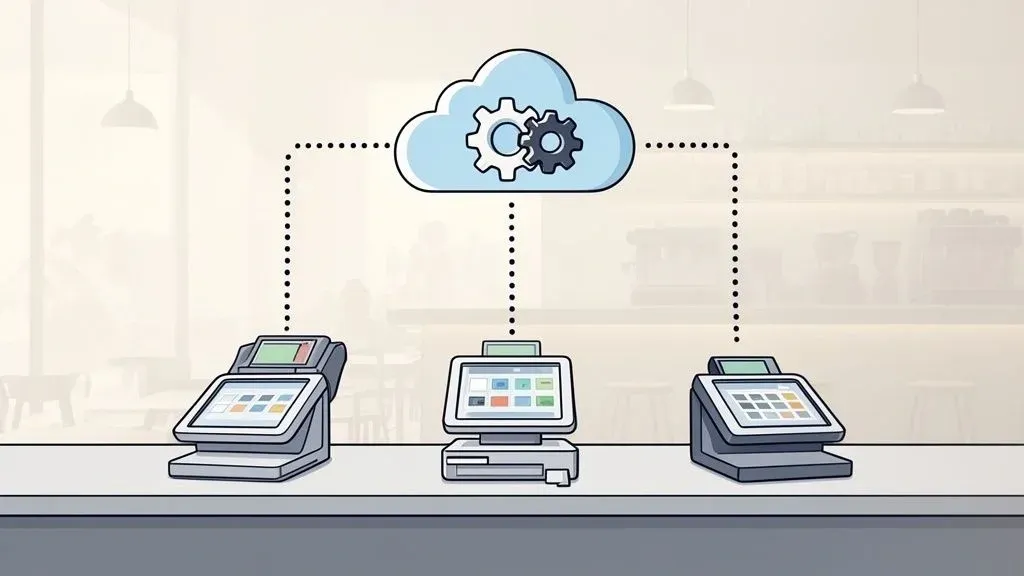
Choosing the right Point of Sale (POS) system is one of the most critical decisions a restaurant owner will make. It’s much more than a digital cash register. Think of it as the central nervous system for your entire restaurant—the technology that connects your orders, kitchen, payments, and delivery services into one smooth, efficient operation. This guide provides a clear, actionable pos systems for restaurants list and a practical framework for choosing a growth partner, not just another piece of equipment.
Choosing the Right Hub for Your Restaurant Operations
Your POS system is the foundation upon which your restaurant’s efficiency is built. It directly impacts how quickly customers are served, how accurately orders reach the kitchen, and how smoothly your entire team operates. A great POS system streamlines these processes, reducing stress for your staff and creating a better experience for your guests. Why it matters is simple: a more efficient restaurant is a more profitable one.
When you’re launching a restaurant business, it’s easy to underestimate the importance of a modern POS. It’s no longer just about processing credit cards. Today’s systems must manage complex restaurant operations, from tracking every ingredient to, most importantly, integrating with third-party delivery apps like DoorDash and Uber Eats. This POS integration is essential for eliminating the costly errors that occur when staff manually enters online orders, saving you both time and money.

Core Functions and Their Impact on Restaurant Operations
A solid POS system delivers real-world benefits that directly improve your bottom line and make your team’s job easier. Let’s look at how modern systems handle the daily challenges of restaurant operations.
For example, consider two popular systems, Clover and Square. Both are powerful, but they cater to different operational needs. Your choice depends on your specific situation—the complexity of your menu, your reliance on restaurant delivery, and your plans for growth. Understanding your unique needs is the first step. To learn more about this, you can explore how to choose the right POS integration software.
Operational Area Without Modern POS With Modern POS Order Management Manual ticket writing, high risk of human error. Digital orders sent directly to the kitchen, improving accuracy. Payment Processing Slower transaction times, limited payment types. Fast, secure payments including contactless and mobile options. Restaurant Delivery & POS Integration Staff manually enters every DoorDash/Uber Eats order. Orders are automatically injected into the POS system, saving time. Inventory Tracking Manual stock counts, frequent ingredient shortages. Real-time inventory updates, reducing food waste and costs.
Why It Matters: Every delivery order your team manually enters is a potential mistake. One wrong key press can lead to an incorrect order, a frustrated customer, and wasted food—all of which cost you money. Automating this with a robust POS integration instantly boosts accuracy and frees up your staff to focus on in-house guests. This is a direct upgrade to your restaurant’s efficiency and profitability.
The goal isn’t just to list features but to give you a practical way to make this crucial decision.
Your Practical Next Step
Before you look at any brands, take a moment to identify the top three operational headaches in your restaurant. Is it mistakes with delivery orders? Slow checkout lines? Wasted inventory? This simple exercise will help you focus on the POS features that will deliver the most significant impact on your business right now.
Ready to automate your restaurant delivery orders and eliminate manual entry for good? You can start onboarding for Free in a few clicks at https://dashboard.orderout.co.
Understanding the Evolution of Restaurant POS Technology
The restaurant POS market is evolving rapidly, driven by changing customer expectations. To make a smart investment, it’s essential to understand this food tech evolution. Diners now expect the convenience of contactless payments, the ease of online ordering, and personalized service. This isn’t a passing trend; it’s the new standard for running an efficient, customer-focused restaurant.
This demand for better food tech is fueling significant market growth. In 2024, the global restaurant POS systems market reached a value of $12.3 billion USD, and it’s projected to grow to $13.35 billion USD in 2025. Experts predict it will reach $30.48 billion USD by 2035, growing at a compound annual growth rate (CAGR) of 8.6% over the next decade.
The Rise of Cloud-Based and Automated Systems
One of the most important advancements in restaurant operations has been the shift to cloud-based POS systems. In simple terms, this means your sales data, menus, and reports are stored securely online instead of on a physical server in your back office. This technical shift has a massive impact on restaurant efficiency.
- Remote Management: You can access your POS from anywhere with an internet connection—your home, a supplier’s office, or on vacation—to check sales, update menu items, or monitor staff performance in real-time.
- Automatic Updates: The software updates automatically in the background, ensuring you always have the latest features and security without needing a technician.
- Scalability: Adding a new terminal or opening a new location becomes much simpler. The system grows with your business without requiring a major overhaul.
Why It Matters: A cloud-based POS gives you freedom and control. Imagine adjusting your happy hour pricing across all locations from your laptop in minutes or reviewing the nightly sales report on your phone. This level of access allows you to make faster, more informed decisions that directly impact your bottom line.
Automation Tackling Real-World Challenges in Restaurant Operations
Automation is now an essential tool for improving staff productivity, especially with ongoing labor shortages. A modern POS actively helps your team work smarter. For example, a restaurant without POS integration requires a staff member to manually enter every order from platforms like Uber Eats and DoorDash. It’s a slow, tedious process prone to costly errors.
Modern POS integration automates this entire workflow. An order placed on a delivery app flows directly into your POS and kitchen printers without any manual intervention. This food tech solution is a perfect example of how technology can directly boost your team’s productivity and reduce errors, a key theme in the latest hospitality technology trends.
Your Practical Next Step: Evaluate your current POS system. Are you tied to a back-office computer? Is your team wasting valuable time manually entering delivery orders? Answering these questions will reveal how much efficiency you can gain by upgrading your restaurant POS technology.
Must-Have Features in a Modern Restaurant POS System
When compiling a shortlist from a pos systems for restaurants list, it’s easy to get lost in features. To make the right choice, focus on the capabilities that will truly improve your daily restaurant operations and profitability. These are the core functions that transform a chaotic service into a smooth, efficient machine.
A modern POS is far more than a payment processor; it’s the command center for your entire business. Here’s what every restaurant owner should look for to boost efficiency, reduce costly errors, and empower their team.
Order and Payment Processing
The primary function of a POS is to handle orders and payments quickly and accurately. The interface your staff uses every day must be intuitive. If a system is difficult to learn or slows down service during a rush, it’s already costing you money.
Modern payment processing must also be flexible. Your system should handle:
- All Payment Types: This includes EMV chip cards, contactless options like Apple Pay and Google Pay, and traditional cash and card swipes.
- Easy Check Splitting: Servers should be able to split checks by item, person, or into equal shares in seconds. This small feature significantly improves the guest experience and helps turn tables faster.
- Offline Mode: Internet outages happen. A reliable offline mode allows you to continue accepting card payments and syncs all transactions once you’re back online, ensuring you never miss a sale.
Menu and Inventory Management
This is where a great POS system starts to pay for itself. Instead of guessing stock levels or manually updating menus across different platforms, the right system automates the entire process. In simple terms, it tracks your ingredients in real time. When a customer orders a burger, the POS automatically deducts the patty, bun, and cheese from your inventory. This provides a live view of your stock, preventing you from running out of a popular item mid-shift. This level of tracking directly reduces food waste and improves your profit margins.
Why It Matters: Real-time inventory syncing saves an incredible amount of time and prevents costly waste. If you run out of an ingredient, a well-integrated system can automatically remove that item from your in-house menus, your website’s online ordering portal, and third-party delivery apps like DoorDash—all at once. This single feature improves staff productivity and reduces errors.
Reporting and Analytics
Your sales data is a goldmine of actionable insights, but only if you can easily access and understand it. A powerful reporting feature transforms raw transaction data into clear, simple reports that help you make smarter business decisions.
You should be able to quickly see:
- Top-Selling Items: Identify your star dishes to promote them and spot underperformers that may need to be removed from the menu.
- Peak Business Hours: Use this data to optimize your staff scheduling, avoiding being understaffed during a rush or overstaffed during slow periods.
- Server Performance: Track key metrics like average check size and table turn times to recognize top performers and identify training opportunities.
To help you visualize these essential functions, we’ve put together a quick checklist.
Essential POS Feature Checklist for Modern Restaurants
Here is a quick-glance table summarizing the features you shouldn’t compromise on. Use this as a guide when evaluating potential systems.
Feature Category Core Functionality Why It Matters (Benefit) Order & Payment Processing Intuitive order entry, secure processing for credit/debit/contactless payments, flexible check splitting, offline mode. Speeds up service, improves guest experience, reduces training time, and ensures you never lose a sale due to internet outages. This directly impacts staff productivity. Menu & Inventory Management Real-time ingredient tracking, low-stock alerts, menu syncing across multiple channels (in-house, online, delivery apps). Drastically cuts down on food waste, prevents you from selling out of popular items, and saves hours of manual menu updates, leading to significant cost savings. Reporting & Analytics Sales reports by item/category, employee performance tracking, customer data insights, and labor cost analysis. Provides actionable data to optimize your menu, staff schedules, and marketing efforts, directly leading to increased profitability. Integrations Seamless connection with third-party delivery apps (like DoorDash, Uber Eats), online ordering platforms, accounting software, and loyalty programs. The goal is to create a single, unified system. Eliminates manual order entry, reduces human error to near zero, saves significant labor hours, and provides a smoother experience for both your staff and customers. This is key for restaurant delivery.
This checklist covers the foundational pillars. A POS that masters these four categories will provide a powerful engine to run your restaurant efficiently.
Third-Party POS Integration for Restaurant Delivery
For any modern restaurant, seamless POS integration with delivery platforms like Uber Eats and DoorDash is non-negotiable. Manually entering these orders is a massive time-waster and a primary source of costly mistakes. A single typo can result in a wrong order, an unhappy customer, and a direct hit to your profits.
This is where POS integration services become invaluable. For instance, a system like Clover or Square can be connected with a service like OrderOut. This integration automates the entire process, sending delivery orders directly into your POS and kitchen printers with zero manual work. It’s a game-changer for reducing errors, freeing up staff, and streamlining your entire restaurant delivery operation. This efficiency boost also improves your kitchen workflow, a topic we explore in our guide to restaurant kitchen display systems.
Your Practical Next Step: Evaluate your current setup against these four pillars. Where is your biggest bottleneck? Is it the flood of manual delivery orders, slow payment processing, or a non-existent inventory system? Answering this will show you exactly which feature will provide the biggest and fastest return on your investment.
Ready to automate your restaurant delivery orders and eliminate manual entry for good? You can start onboarding for Free in a few clicks at https://dashboard.orderout.co.
A Head-to-Head Comparison of Leading POS Systems
Sifting through the long list of restaurant POS systems can be overwhelming, but for most businesses, the choice often comes down to a few major players. To help you decide, we’re comparing two industry giants: Clover and Square. We’ll go beyond a generic feature list to analyze how each system performs in a real restaurant environment, helping you determine which is the best fit for your daily operations.
Our analysis will focus on the four key areas that impact your bottom line: pricing, hardware, core software, and the all-important POS integration ecosystem.
This decision tree helps visualize how to prioritize features based on what your restaurant truly needs, whether it’s managing orders, keeping tabs on inventory, or streamlining delivery.

Ultimately, the best choice comes from identifying your biggest operational challenge—be it messy order entry, inventory issues, or delivery chaos—and selecting the system designed to solve it.
Demystifying Pricing Models
Let’s start with pricing. Both Clover and Square offer seemingly simple models, but they are designed for different types of restaurants.
Square is known for its straightforward, flat-rate pricing. You pay a consistent percentage on every transaction, regardless of the card type. For smaller restaurants, cafes, or food trucks that need predictable monthly expenses, this is a major advantage. There are no hidden monthly fees, making it easy to forecast your processing costs.
Clover typically uses an interchange-plus pricing model. While more complex, this model can be significantly more cost-effective for high-volume restaurants. It separates the wholesale interchange fee (paid to the card-issuing bank) from the processor’s markup. This transparency can lead to lower overall fees for businesses with high transaction volumes.
Why It Matters: Square offers simplicity and predictability, making it ideal for new or smaller businesses. Clover provides a path to lower rates for high-volume restaurants that are comfortable with a more detailed pricing structure. Choosing the right model can lead to significant cost savings.
Evaluating Hardware Options
Your POS hardware is the physical tool your staff uses for every transaction. The right equipment ensures a smooth workflow, while the wrong choice can create bottlenecks during busy hours.
Square’s hardware is sleek, modern, and generally more affordable. From its basic mobile card reader to the all-in-one Square Register, the entire lineup is designed for easy, plug-and-play setup.
Clover offers a more modular and extensive range of hardware, such as the handheld Clover Flex for tableside ordering and the powerful Clover Station. This flexibility allows you to build a custom setup that fits your restaurant’s layout. However, Clover hardware is often locked to their system, which can be a drawback if you ever decide to switch processors.
For a deeper dive into hardware and software, check out our detailed restaurant POS system comparison.
Core Software Capabilities Out of the Box
Both systems offer powerful software, but their out-of-the-box features are geared toward different restaurant types.
Square for Restaurants is intuitive and user-friendly, requiring minimal training. Its strengths lie in its simple menu and staff management tools, making it a great choice for quick-service restaurants and cafes that need to get up and running quickly.
Clover’s software is built around its extensive App Market, offering a high degree of customization. While its core features are solid, its true power comes from adding specialized apps for advanced inventory management, loyalty programs, and more. This makes Clover an excellent choice for full-service restaurants with unique operational needs.
The All-Important POS Integration Ecosystem
A modern POS is only as good as the tools it connects with, especially third-party delivery platforms. Manually entering orders from DoorDash and Uber Eats is slow and prone to errors. This is where POS integration becomes a must-have for restaurant efficiency.
Both systems have built robust app marketplaces to address this.
- Clover offers numerous integration options through its App Market. You can connect OrderOut directly through its marketplace page to completely automate the flow of delivery orders into your system. Learn more on the Clover App Market.
- Square also features a powerful App Marketplace for seamless connections. Integrating with OrderOut ensures every delivery order appears in your POS automatically, reducing the operational burden on your team. You can explore the integration on the Square App Marketplace.
The ability of both Clover and Square to integrate with solutions like OrderOut elevates them from simple payment terminals to true command centers for your restaurant, directly improving efficiency and reducing costly errors.
Your Practical Next Step: Assess your primary needs. If predictable costs and ease of use are your top priorities, Square is likely the best fit. If you run a high-volume, full-service restaurant that requires deep customization, Clover’s ecosystem is designed for you.
Ready to automate your restaurant delivery operations? You can connect your platforms and start for Free in just a few clicks at https://dashboard.orderout.co.
Making an Informed POS Hardware Decision
Your POS hardware is the physical link between your staff, your customers, and every transaction. While software is the brain, hardware is the muscle that keeps your restaurant moving, especially during a busy service. We’re talking about the collection of devices—terminals, handheld readers, and kitchen printers—that make up your POS system.
Market trends confirm the importance of hardware. By 2025, hardware is projected to account for 52.70% of the global restaurant POS market. This growth is driven by restaurants upgrading from outdated systems to more durable and efficient units. Fixed terminals are expected to hold a 61.30% share, cementing their role as the industry’s workhorses.

Matching Hardware to Your Service Style
The ideal hardware setup must match your restaurant’s specific needs. Your floor plan, service style, and customer volume will determine which devices improve staff productivity.
Consider these scenarios:
- A Packed Bar: Requires multiple rugged, stationary terminals that can withstand spills and constant use. Speed and durability are paramount.
- A Nimble Food Truck: Needs a durable mobile POS (mPOS) tablet with a reliable card reader and a long-lasting battery.
- A Full-Service Dining Room: A combination of fixed terminals and handheld devices allows servers to take orders and payments at the table, improving efficiency.
Why It Matters: The wrong hardware creates immediate bottlenecks that hurt your business. A food truck struggling with a bulky terminal will slow down the line and lose sales. A busy bar with only one terminal leads to frustrated staff and unhappy customers, impacting both your revenue and reputation. Getting the hardware right is key to efficient restaurant operations.
Proprietary vs. Flexible Hardware Options
Another key decision is choosing between proprietary hardware—devices sold by and locked to a specific POS provider—and universal options like iPads. Proprietary hardware is purpose-built and typically comes with strong vendor support.
Using iPads can be a more budget-friendly and versatile option. We’ve even created a guide on using an iPad for POS systems in restaurants. This choice affects not only your upfront costs but also your long-term flexibility if you decide to switch software providers in the future.
Your Practical Next Step: Observe your restaurant during a busy service and identify points of friction. Where do orders get stuck? Where are servers waiting for an open terminal? The answers will reveal which hardware will solve your biggest operational headaches and provide the best return on investment.
Ready to streamline your restaurant delivery process and eliminate manual entry for good? You can start onboarding for Free in a few clicks at https://dashboard.orderout.co.
Why Top Operators Are Investing in POS Technology Now
Successful restaurant operators no longer view their POS system as a simple cash register. They see it as the central nervous system of their entire operation—a foundational investment that unlocks growth, efficiency, and resilience. This strategic mindset is driving a wave of POS upgrades across the industry. It’s a calculated move to solve pressing problems, from rising labor costs to the need for data-driven decision-making.
Driving Growth Through Strategic Food Tech Investments
The decision to invest in a modern POS is backed by data. The National Restaurant Association’s 2025 report revealed that 52% of restaurants plan to invest in new or upgraded point-of-sale systems. This trend spans the industry, with 50% of full-service and 55% of limited-service restaurants making the same move.
This data highlights a clear consensus: a modern POS is essential for operational excellence. For a fine-dining restaurant, this might mean tableside ordering devices that turn tables 15 minutes faster. For a quick-service restaurant, it could be self-service kiosks that reduce wait times and free up staff to focus on food quality. You can read the full analysis on restaurant POS statistics to learn more about these market trends.
Why It Matters: A modern POS acts as a force multiplier for your team. By automating tedious tasks like manually entering delivery orders or conducting inventory counts, you give your staff back valuable time and energy to focus on what truly grows the business: delivering an exceptional guest experience. This directly improves staff productivity and reduces errors.
Leveraging Automation for a Competitive Edge
In today’s competitive landscape, your POS should be your secret weapon for efficiency. Automation isn’t about replacing your team; it’s about empowering them. Imagine an Uber Eats order flowing directly from the app to your kitchen display system without any manual intervention. This simple POS integration eliminates a significant source of human error and saves precious minutes on every order, a key benefit for restaurant delivery.
Forward-thinking operators are also exploring emerging technologies like AI in restaurant operations to predict sales trends, optimize inventory, and personalize marketing. These tools, which often integrate with modern POS systems, turn data into actionable insights that boost your bottom line. The goal is to build a restaurant that is agile enough to adapt to any market changes.
Your Practical Next Step: Identify the single biggest time-waster your staff faces daily. Is it manually entering orders from multiple delivery tablets? Is it the endless cycle of inventory checks? Pinpointing this bottleneck will show you where a modern POS can deliver the fastest and most powerful return on your investment.
Ready to see how seamless POS integration can transform your restaurant operations? Get started with OrderOut for Free in just a few clicks at https://dashboard.orderout.co.
What’s Next? Making the Right POS Choice for Your Restaurant
You now have a roadmap to navigate the pos systems for restaurants list and create a shortlist that makes sense for your unique business. The process comes down to a few key decisions.
First, be honest about your daily operational challenges. Are you struggling with slow service during peak hours? Is your inventory management a constant guessing game? Or are multiple delivery tablets causing chaos for your front-of-house team? Identifying your biggest pain points will guide you toward a solution that addresses your specific needs.
Focus on What Actually Moves the Needle
Next, zero in on the features that will make a real difference. While advanced loyalty programs and analytics are appealing, prioritize core functions that save time and reduce errors. This includes intuitive order entry, real-time inventory updates, and clear reports that show what’s working and what isn’t.
Hardware is another critical piece of the puzzle. The needs of a busy quick-service counter are vastly different from those of a fine-dining restaurant with a large patio. The right combination of fixed terminals, handhelds like the Clover Flex, or tablets running a system like Square can dramatically improve your staff’s efficiency and service speed.
Why It Matters: This isn’t about finding the POS with the most features. It’s about finding the one that solves your top one or two operational nightmares right now. That’s how you’ll achieve the fastest and most significant return on your investment.
POS Integration is Everything
If you take one thing away from this guide, let it be this: prioritize seamless POS integration. The ability for your systems to communicate with each other is what transforms a good POS into the command center of your restaurant. This is especially true for managing the high volume of orders from third-party delivery apps.
Stop wasting valuable labor hours on manual order entry and losing money to the inevitable mistakes that come with it. It’s time to take the first step toward a more automated, connected, and profitable operation.
With OrderOut, you can finally eliminate the clutter of multiple tablets and forget about manual entry errors for good. We connect all your delivery platforms directly to your POS system, giving your team back their time and sanity.
Ready to see it in action? Get started for free in just a few clicks.