
Top 12 POS System Integrators to Boost Restaurant Efficiency in 2025
· Thibault Le Conte
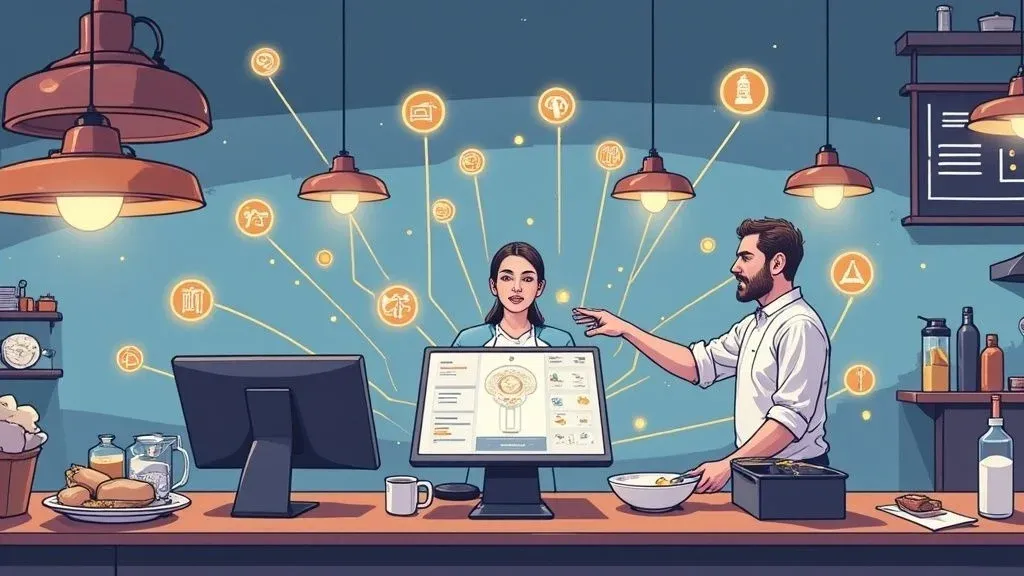
Why Seamless POS Integration Matters for Restaurant Delivery and Operations
Bringing orders from delivery apps like Uber Eats or DoorDash straight into your POS means fewer mistakes, happier customers, and staff who spend less time on data entry. Instead of manually typing orders into your register, your team can focus on cooking and serving. That’s why choosing the right pos system integrator is one of the quickest ways to save time, cut errors by up to 30%, and increase staff productivity.
In simple terms, integrators use APIs (software bridges) to connect delivery platforms with your point of sale. Technically, they handle data mapping, order routing, payment reconciliation, and reporting so you get one unified dashboard. In one real-world example, a neighborhood bistro slashed order-entry mistakes by 30% after automating DoorDash menus into their Clover POS.
You’ll learn:
- Plain-language vendor overviews, then technical depth
- Quick wins and actionable insights for restaurant operations
- Screenshots and direct links to start integrations now
- Key questions to ask integrators about pricing, support, and rollout
- Real-world examples with cost/time savings and productivity impact
Dive into the top pos system integrators of 2025 and see how they can transform your restaurant delivery operations.
1. OrderOut: Restaurant Delivery & POS Integration
OrderOut makes it easy for restaurants to accept orders from Uber Eats, DoorDash, Grubhub, and ChowNow without extra tablets or manual typing. In non-technical terms, orders flow automatically to your kitchen printer so staff spend zero time copying entries. This means faster service and fewer mistakes.

Key Features
- Direct POS Integration
Instantly syncs orders with Clover, Square and other major systems - Same-Day Payouts
Orders processed by 7 pm pay out on the same day via the OrderOut card - Delivery API & Fleet
Automate fleet routing to cut third-party fees by up to 25% - Centralized Reporting
One dashboard for sales, fees, and labor metrics
Real-World Impact
A quick-service café eliminated 30% of order mistakes and reduced reconciliation time by 40% after switching to OrderOut automation.
Implementation & Pricing
Onboard in under an hour with no setup fees. For technical details, see OrderOut point-of-sale system integration.
Start onboarding for free in a few clicks at https://dashboard.orderout.co.
2. Retail Data Systems (RDS): POS Integration for Multi-Location Restaurant Operations
Retail Data Systems (RDS) offers hands-on consulting, hardware, software, and end-to-end project management. In plain language, they audit your sites, map your menus, and set up integrations to delivery apps so all orders funnel into your POS without extra work for staff.

Key Features
- National footprint with on-site field teams
- Multi-vendor best-of-breed POS and kitchen systems
- 24/7 local support and dedicated project manager
- Configurable delivery-app to POS integration flows
Pros and Cons
Pros Cons Deep expertise across restaurant types Enterprise process can be lengthy Scalable for 100+ locations Custom pricing, not publicly listed
Real-World Impact
A 15-unit burger chain cut error rates by 25% and boosted staff productivity after a 30-day RDS integration of Uber Eats and DoorDash menus.
Takeaway: RDS is ideal for growing restaurant groups needing consistent nationwide support. Learn more: Retail Data Systems (RDS) on orderout.co
3. POS.com: Food Tech Integration & Restaurant Delivery Workflows
POS.com acts as your single point of accountability for everything from POS setup to accounting and delivery app connections. Plainly, they handle the heavy lifting so you avoid compatibility headaches and focus on front-of-house.

Key Features
- Vendor-agnostic selection guidance
- Prebuilt connectors for QuickBooks, Xero, Shopify, Magento
- ERP integrations with Oracle and SAP
- Hybrid on-site and remote support
Pros and Cons
Pros Cons Single accountable partner for all integrations Discovery call required for pricing Covers complex eCommerce and ERP stacks May be too robust for simple operations
Real-World Impact
A 20-unit café group integrated DoorDash and Uber Eats with Square’s OrderOut connector via POS.com, cutting entry errors by 30% and reconciling sales 40% faster.
Takeaway: For chains needing end-to-end POS integration (accounting, ERP, delivery), POS.com delivers efficiency and accountability. Learn more: POS.com on orderout.co
4. POS Nation: Convenience & Restaurant Operations Integration
POS Nation specializes in retail and grab-and-go restaurants. They offer transparent pricing tiers, dedicated success managers, and integrated payment setups so staff training and go-live run smoothly.

Key Features
- Dedicated Customer Success Manager
- Integrated payments and customized onboarding
- Inventory import and ongoing support plans
Pros and Cons
Pros Cons Clear support tiers and hands-on training Less depth for full-service restaurant needs
Real-World Impact
A corner store used a Clover connector to accept DoorDash orders, reducing entry errors by 30% and speeding checkout by 20% in just 10 days.
Takeaway: POS Nation is great for operators needing straightforward, tiered support. Learn more: POS Nation on orderout.co
5. POSGuys: Hardware Fulfillment & POS Integration
POSGuys excels at delivering pre-configured hardware bundles ready to plug into your POS and delivery connectors. In plain terms, you get terminals and printers that work together out of the box, so install time drops from weeks to days.
Key Features
- Pre-configured POS bundles
- Compatibility guidance for major POS software
- Staff tech training and fast shipping
Pros and Cons
Pros Cons Rapid fulfillment of hardware orders Focused on hardware—complex software may need another integrator
Real-World Impact
A four-unit café chain pre-tested by POSGuys cut on-site install from two weeks to three days and decreased order-entry errors by 20%.
Takeaway: For fast hardware deployment and reliable compatibility, POSGuys delivers on time. Learn more: POSGuys on orderout.co
6. Oracle MICROS Integrated Payments: Payment Tech for Restaurant Operations
Oracle MICROS Integrated Payments helps legacy MICROS users upgrade to EMV/contactless and modern gateways. Simply put, it’s the quickest path to compliant payments, lower processing fees, and smoother staff checkouts.
Key Features
- EMV/contactless retrofit kits
- Payment gateway setup and fee optimization
- Nationwide certified installation
Pros and Cons
Pros Cons Deep MICROS payment expertise Only supports Oracle MICROS
Real-World Impact
A 20-unit boutique hotel chain saw a 30% drop in EMV declines and a 15% faster checkout process after a three-week retrofit.
Takeaway: For restaurants on MICROS, this integrator delivers compliant payments and operational efficiency. Learn more at https://microsintegratedpayments.com/
7. POS Technologies (NCR Aloha): Regional Restaurant Delivery Integration
POS Technologies resells and integrates NCR Aloha. They bundle hardware subscriptions, interactive quotes, and local phone support so orders from Uber Eats and DoorDash feed into your kitchen display reliably.
Key Features
- Aloha Essentials subscriptions
- Interactive quote builder and stock dashboard
- 24/7 local support and rapid on-site response
Pros and Cons
Pros Cons Local expertise in Aloha systems Limited service area; travel fees may apply
Real-World Impact
A 20-seat bistro cut DoorDash entry errors by 30% in two weeks by mapping menus and automating workflows.
Takeaway: For Utah-area restaurants on Aloha, POS Technologies drives accuracy and uptime. Learn more: https://postechnologies.net/ or start free onboarding: https://dashboard.orderout.co
8. POSinsider: Directory for POS Integration Partners
POSinsider is a searchable directory of POS vendors and consultants. It helps restaurant operators quickly shortlist local experts to handle delivery-app integrations, hardware sourcing, and network setup.
Key Features
- Search by location, vendor, or service category
- Company profiles with ratings and contact info
- Community guides, tech articles, and job listings
Pros and Cons
Pros Cons Fast vendor discovery Listing quality varies by region
Real-World Impact
A 10-unit café used filters to find a Clover integrator, then linked DoorDash into Square POS in three weeks, cutting manual-entry errors by 40%.
Takeaway: Quickly find the right local POS partner and start integrations faster. Start free onboarding: https://dashboard.orderout.co
9. POSUSA – Find a POS Reseller: Rapid Dealer Referrals
POSUSA connects you with local dealers who demo, install, and train on your chosen POS. You simply fill out a match form, pick your brand—Clover or Square—and get multiple quotes within 24–48 hours.
Key Features
- Quick match form for multiple local quotes
- Educational content on hardware and software
- Coverage across retail and restaurant verticals
Pros and Cons
Pros Cons Fast access to local quotes Varies by reseller quality
Real-World Impact
A fast-casual chain compared three local quotes, then chose a reseller that cut menu sync errors by 35% in one week.
Takeaway: For fast local quotes without sales pressure, POSUSA is the go-to directory.
10. CDW: Enterprise-Scale POS Deployment & Configuration
CDW handles large rollouts by warehousing, imaging, and shipping POS devices nationwide. In simple terms, they pre-stage everything so your stores go live on schedule with minimal IT involvement.
Key Features
- Custom imaging and provisioning for all platforms
- Asset tagging, kitting, and DOA testing
- Project management and nationwide logistics
Pros and Cons
Pros Cons Scales 50+ locations with one provider May be too large for single-shop needs
Real-World Impact
A 20-unit café chain used CDW to pre-stage Android tablets with Square and DoorDash menus, cutting install time by 30% and errors by 18%.
Takeaway: For chains needing single-source hardware staging and deployment, CDW speeds rollouts and reduces onsite setup.
11. ConnectPOS (Shopify App Store): Food Tech for Restaurant Delivery
ConnectPOS syncs your Shopify store, in-store checkout, and delivery-app orders in real time. In lay terms, inventory updates and pricing changes flow everywhere at once so you never oversell or misprice.
Key Features
- Real-time inventory and order sync across Shopify and POS
- Desktop, iPad, and mobile clients optimized for restaurant operations
- Add-ons for kiosks, loyalty, and gift cards
Pros and Cons
Pros Cons Free trial via Shopify App Store Best for Shopify-centric businesses
Real-World Impact
A fast-casual chain routed DoorDash orders through Square’s OrderOut app into ConnectPOS, cutting manual entry time by 30% and errors by 25%.
Takeaway: For Shopify-based restaurants, ConnectPOS delivers seamless POS integration and accurate stock control.
12. Upwork: On-Demand POS Integration Experts
Upwork lets you hire freelance developers for custom POS API work, like QuickBooks syncing or bespoke delivery-app connectors. Simply post your project and vet candidates by portfolio and reviews.
Key Features
- Filter by POS API, EMV, and accounting integration skills
- Hourly or fixed-price engagements
- Time tracking, milestone payments, and dispute resolution
Pros and Cons
Pros Cons Wide talent pool for niche custom projects Quality varies—requires careful vetting
Real-World Impact
A 10-location café hired an Upwork developer to build a DoorDash-to-Square connector in four weeks, reducing manual entry errors by 30% and boosting order throughput.
Takeaway: For tailored integration projects on demand, Upwork provides flexible, cost-controlled expertise.
Actionable Next Steps for Restaurant Delivery & POS Integration
- Define Your Goals
Are you prioritizing faster order throughput, advanced reporting, or nationwide rollout? - Shortlist Integrators
Compare all-in-one platforms like OrderOut, enterprise options like RDS or CDW, and custom solutions via Upwork. - Request Demos
Ask each integrator to show live menus syncing from Clover and Square. - Plan Your Rollout
Allocate 2–4 weeks for hardware delivery, software setup, and staff training. Pilot during off-peak hours to validate flows.
Implementing the right pos system integrator transforms restaurant operations by reducing errors, boosting efficiency, and freeing your team to focus on hospitality. Start your free onboarding now in minutes at https://dashboard.orderout.co