
POS System Integration: A Restaurant Owner's Guide to Efficiency
· Thibault Le Conte
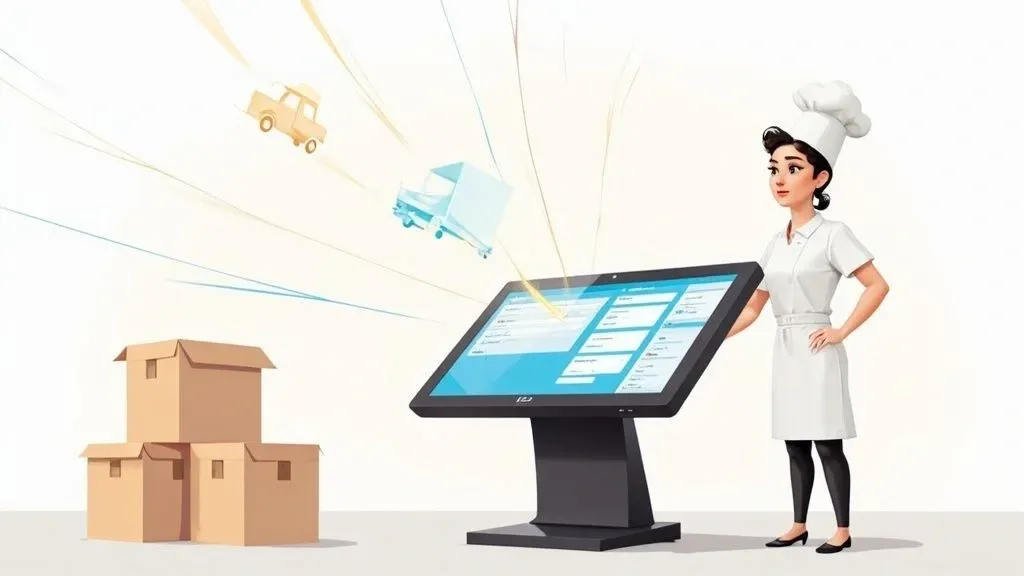
Think of your restaurant’s Point of Sale (POS) system as the central hub of your entire business, not just a digital cash register. POS system integration is the technology that connects all your other essential tools—like delivery apps, online ordering platforms, and inventory software—directly to that central hub.
Why does this matter? Because this connection transforms your POS from a simple transaction tool into the command center for your entire operation. It automates tedious manual work, slashes costly order entry errors, and gives your staff precious time back during a busy service.
What Is POS System Integration for Restaurants?

In simple terms, POS integration gets all your restaurant’s different software systems to talk to each other automatically. Imagine your front-of-house staff, kitchen crew, and delivery apps are all working in separate rooms and can’t communicate. That chaos is what it’s like to run a restaurant without an integrated POS. Integration builds the bridges between them.
Technically speaking, this is done using Application Programming Interfaces (APIs), which are sets of rules that allow different software to share data securely. When a customer places an order on Uber Eats, the API allows that order information to flow directly into your POS system without a human touching it.
From Disconnected Tools to a Unified System
Before integration, a restaurant counter is often cluttered with tablets—one for DoorDash, another for Uber Eats, and maybe a third for your own online ordering. Every time an order comes in, a staff member has to manually re-enter it into the main POS. This slow, repetitive process is a prime source of mistakes, leading to incorrect orders, wasted food, and unhappy customers.
A fully integrated system eliminates this manual step entirely. An order from a delivery app like DoorDash instantly appears in your POS, a ticket prints in the kitchen, and your sales reports update in real-time. This automation is a key part of any modern restaurant digital transformation.
The impact is significant. The global POS software market is projected to grow from USD 12.04 billion in 2025 to USD 24.35 billion by 2033. Restaurants that embrace this tech see tangible results, including sales increases of up to 20% and a 25% improvement in customer retention.
Why it matters for your restaurant: By connecting separate systems, POS integration stops your staff from being data-entry clerks and lets them focus on hospitality. It turns scattered data into clear, actionable insights, helping you make smarter decisions about your menu and operations.
Before and After Integration: A Clear Comparison
To truly understand the impact, it’s helpful to have a solid POS system as your foundation. Reviewing guides on the best POS systems for restaurants can help. Once you have a system like Clover or Square and connect it with an integration partner, the daily operational improvements become undeniable.
Here’s a simple before-and-after look at restaurant operations.
Restaurant Operations Before vs After POS Integration
Operational Area Before Integration (Manual Process) After Integration (Automated Process) Order Entry Staff manually types online orders from multiple tablets into the POS. High risk of error. Orders from all delivery apps (DoorDash, Uber Eats, etc.) appear directly in the POS. Reduces errors. Inventory Managers manually count stock and hope order entry was accurate. Time-consuming and inaccurate. Stock levels for ingredients are updated in real-time with every sale. Saves time and improves accuracy. Reporting Managers spend hours compiling separate sales reports from each platform. Incomplete data. A single dashboard provides a complete, real-time view of sales across all channels. Actionable insights.
The difference is night and day. POS integration is one of the most practical steps you can take to boost restaurant efficiency, reduce costs, and free up your team to focus on what matters most: the guest experience.
Ready to see how integration can transform your restaurant? Start onboarding for Free in a few clicks.
The Real-World Wins of an Integrated Restaurant POS
Connecting your restaurant’s technology isn’t just a technical upgrade; it’s a direct investment in your profitability and sanity. An integrated POS system delivers tangible benefits you can see every day—in your team’s workflow, your operational costs, and your financial reports. Let’s look beyond features and focus on the real-world impact for your restaurant operations.
By exploring various restaurant technology solutions, you can identify the specific integrations that will solve your biggest operational challenges.
Slash Costly Order Errors
Every restaurant manager knows the pain. An order from DoorDash comes in, and in the rush of service, a staff member punches it into the POS incorrectly. They type “no onions” when the customer asked for “extra onions.” The kitchen makes the wrong dish, the customer is disappointed, and you’re left remaking the meal—a clear waste of food, time, and profit.
POS system integration eliminates this problem. When an order is placed on a delivery app, it flows directly into your POS—whether it’s a Square or Clover system—without any manual entry. This direct connection ensures 100% order accuracy, wiping out the costly mistakes that inevitably come with human data entry and saving you money on every order.
Boost Staff Productivity and Morale
Think about the hours your team spends managing tablets. Juggling devices, confirming orders, and re-keying information isn’t just inefficient; it’s a major source of stress during a busy shift. A restaurant with just three delivery apps can easily lose 10-15 hours of labor per week to this “tablet babysitting.”
Why it matters for your restaurant: By funneling all online orders into a single screen, POS integration gives those hours back to your team. Instead of being tablet operators, your staff can focus on high-value tasks like providing excellent customer service or ensuring food quality. This leads to a more productive, less stressful work environment and reduces labor costs.
Elevate the Customer Experience
Ultimately, a great customer experience is built on accuracy and speed. When a delivery order arrives correct and on time, it directly impacts your online reputation and encourages repeat business.
An integrated system improves this in two key ways:
- Accuracy: With automated order entry, the food that arrives at the customer’s door is exactly what they ordered. This reduces complaints and the need for refunds.
- Speed: Kitchen tickets print the moment the order is placed on the app, cutting down preparation and delivery times.
This seamless process translates directly into higher ratings on platforms like Uber Eats and DoorDash, more loyal customers, and a stronger brand image.
Make Smart, Data-Driven Decisions
When your systems are separate, your sales data is fragmented. To find your top-selling item on Uber Eats last month, you’d have to log into their portal, export a report, and manually combine it with your POS data. Most busy managers simply don’t have time for that.
With an integrated POS, all your sales data is unified in one place. You can instantly see which menu items are most popular on each delivery platform, identify sales trends, and make informed decisions about your menu and marketing. For example, you might notice that your lunch specials sell best on DoorDash, allowing you to target promotions more effectively. This turns a mess of data into a powerful tool for growing your business.
Ready to see how integration can transform your restaurant? Start onboarding for Free in a few clicks.
How POS Integration for Restaurant Delivery Works
In simple terms, a POS system integration acts as a universal translator for your restaurant’s technology. Your POS system, third-party delivery apps like Uber Eats, and inventory software often speak different digital “languages.” The integration software translates for them, allowing seamless, real-time communication.
The technical magic behind this is the API (Application Programming Interface). An API is just a set of rules that lets different software programs talk to each other. One system sends a request via the API, and the other system understands it and sends the correct data back. This is what allows an order from DoorDash to appear instantly in your POS without anyone lifting a finger.
From Customer Tap to Kitchen Ticket
Let’s walk through what happens when a customer orders, and see how integration transforms the process.
Without integration, a customer ordering from DoorDash creates a manual task for your staff: find the tablet, accept the order, and re-type everything into the POS. It’s a major bottleneck during a rush.
With POS integration, the entire flow is automated:
- Order Placed: A customer confirms their order on the DoorDash app.
- Instant Translation: The integration software immediately receives that order via DoorDash’s API. It translates the order details into a format your POS system, like Square, can understand.
- Automatic Entry: The translated order is sent directly into your Square POS, appearing exactly as if a server had entered it for a dine-in customer.
- Kitchen Action: Simultaneously, a kitchen ticket with all items and special requests prints out. There are no delays or chances for misinterpretation.
- Inventory Update: The system also signals your inventory software to automatically deduct the ingredients used for that order (e.g., one burger patty, two slices of cheese, one bun).
This entire sequence happens in seconds, with zero manual input. The result is fewer errors, a more efficient team, and a unified view of your sales data.

As you can see, a smooth, automated workflow is a direct path to reducing costly mistakes, increasing staff productivity, and capturing reliable data to grow your business. For more on optimizing this process, our guide on restaurant order management software is a helpful resource.
The Takeaway for Your Restaurant Operations
This automation is what makes modern food tech so powerful. By automating the delivery order cycle, you give your team their most valuable resource back: time. They can stop managing tablets and start focusing on what they do best—creating great food and taking care of customers.
Ready to see how integration can transform your restaurant? Start onboarding for Free in a few clicks.
The Must-Have Integrations for Today’s Restaurants

Now that you understand the “why” behind POS system integration, let’s explore the “what.” Which connections will deliver the biggest impact for your restaurant? The best strategy is to start with the integrations that solve your most pressing daily challenges.
Think of it as building a custom tech toolkit. By focusing on your biggest pain points first—whether it’s delivery chaos or inventory headaches— you’ll see a faster return on investment and build a strong foundation for future growth.
Third-Party Delivery Integration
For any restaurant offering delivery, this integration is non-negotiable. The counter cluttered with tablets from Uber Eats, DoorDash, and Grubhub—often called “tablet hell”—is a major drain on efficiency and a huge source of order errors.
A restaurant delivery integration solves this instantly. It consolidates all orders from every delivery partner and sends them directly into your main POS system. For example, an integration can connect all your delivery apps to your Clover POS, eliminating the need for manual order entry. This single step slashes errors, accelerates kitchen ticket times, and allows your staff to focus on serving guests. To learn more, explore our guide on working with a third-party delivery service.
Inventory Management Integration
Running out of a best-selling dish during the Friday dinner rush is a nightmare. Integrating your POS with your inventory software puts your stock management on autopilot, preventing these costly mistakes.
Here’s how it works: when a server rings up a burger on the POS, the system automatically deducts one patty, one bun, and two slices of cheese from your digital inventory count. This gives you a real-time, accurate view of what you have in stock, which helps prevent stockouts and reduces food waste from over-ordering.
Why it matters for your restaurant: This connection transforms inventory from a tedious manual task into a strategic advantage. You can set up automatic low-stock alerts and even generate suggested purchase orders, saving your managers hours of administrative work each week.
Accounting Software Integration
Reconciling daily sales is a tedious but critical task. Without integration, a manager might spend an hour or more each night exporting sales data and manually entering it into accounting software like QuickBooks or Xero. This process is slow and prone to human error.
By linking your POS directly to your accounting platform, this entire process becomes automated. Every sale, discount, and tax collected is synced in real-time. Your financial records are always accurate and up-to-date, which saves significant labor costs and prevents the kinds of errors that can become a major headache during tax season.
Customer Loyalty and Marketing Integration
Turning a first-time customer into a loyal regular is the key to long-term growth. Integrating your POS with a customer loyalty platform helps you understand guest behavior and automate marketing efforts.
For example, a customer pays with their card on your Square POS. The system recognizes them from a past visit and automatically adds loyalty points to their account. If another customer hasn’t visited in 60 days, the system can trigger an automated “we miss you!” email with a special discount. This is the power of integrated food tech—it helps you build customer relationships and drive repeat business without any extra effort.
Ready to see how integration can transform your restaurant? Start onboarding for Free in a few clicks.
How to Choose the Right POS Integration Partner
Selecting a partner for your POS system integration is a critical business decision. The right partner will streamline your operations and support your growth, while the wrong one can create persistent technical headaches. Let’s cover the key factors to consider so you can choose with confidence.
Your first step should always be to focus on partners that are proven to work with the systems you already have. A flashy feature set is useless if the core connection to your POS is unreliable.
Check for Compatibility and Reliability
This is the most important factor. The integration solution must have a stable, certified connection with your specific POS system and the delivery platforms you rely on.
If you use a common system like Clover or Square, verify that any potential partner has a direct, proven integration. Ask for case studies or references from other restaurants using the same setup.
Restaurant issues don’t happen on a 9-to-5 schedule. A system failure during a dinner rush can be catastrophic. That’s why 24/7 customer support from a real human is non-negotiable. When evaluating providers, ask about their average response times and what their support process looks like during your peak hours. You need a partner who will be there when you need them most.
Why it matters for your restaurant: Your integration partner becomes an essential part of your operations. Their system’s reliability directly affects your restaurant’s performance, profitability, and your team’s stress levels.
The move to cloud-based POS systems has made these integrations more accessible than ever. By 2025, over 72% of retailers had adopted cloud-based POS models, transforming them into comprehensive management platforms. You can discover more insights about retail POS trends here.
Prioritize Ease of Use and Scalability
Your team is already busy. Any new technology you introduce should simplify their work, not complicate it. Look for an integration partner with an intuitive dashboard that makes managing orders, updating menus, and viewing reports feel simple and straightforward. A clean interface reduces training time and minimizes errors.
Our restaurant POS system comparison guide is a great resource if you’re exploring your options.
Finally, think about your future. Will this partner be able to support you as you grow? A scalable solution should easily accommodate new locations, additional delivery platforms, and increasing order volume without requiring a complete overhaul. Choosing a partner that can grow with you is crucial for long-term success.
Feature Checklist for POS Integration Solutions
Use this checklist to compare potential partners and ensure you’re asking the right questions.
Feature/Consideration Why It Matters Questions to Ask Direct POS Compatibility A direct, certified integration is more stable than a third-party workaround, preventing crashes and order errors. Do you have a direct, official integration with my specific POS model? Can you provide a live demo? 24/7 Live Support Tech issues occur at all hours. You need immediate access to a real person, especially during your busiest times. What are your support hours and average response time? Is support handled in-house? Menu Management Updating your menu in one place for all platforms saves hours of work and prevents price discrepancies. Can I update menu items and pricing for all delivery apps from one dashboard? How are 86’d items handled? Financial Reporting Consolidated reports give you a clear financial overview without hours of manual spreadsheet work. What kind of sales reports can I generate? Do you integrate with my accounting software (e.g., QuickBooks)? Scalability Your partner must support your growth, whether you’re adding locations or new delivery services. What is the process for adding a new location or a new delivery app? Are there extra fees? User-Friendly Interface An intuitive dashboard reduces staff training time and makes daily management easier for your team. Can you walk me through the daily workflow for my staff? How long does training typically take? Pricing & Contracts Transparent pricing without hidden fees or long-term lock-ins is essential for managing your budget. What is your pricing model? Are there setup fees, hidden charges, or long-term contract requirements?
By using this checklist, you can make an informed decision and choose a partner that will truly benefit your restaurant operations.
Ready to see how a top-tier integration can transform your restaurant? Start onboarding for Free in a few clicks.
Taking Control: Your Next Steps
Running a restaurant is about managing controlled chaos. As this guide shows, POS system integration is no longer a luxury—it’s the command center for modern restaurant operations. It’s how you connect all the moving parts of your business to work together efficiently.
By integrating your systems, you’re not just automating tasks. You are reducing costly order errors, freeing up your staff to focus on guests, and gaining the data you need to make smarter business decisions. This is how you take back control of your operations.
The goal is streamlining business processes to create a more efficient and profitable restaurant. It’s why the global POS software market is expected to reach $37 billion by 2027, with flexible, cloud-based tools leading the way. You can read more about these key POS software trends here.
Here’s your actionable plan to get started:
- Identify Your Biggest Pain Points: Where are the bottlenecks in your current workflow? Is it managing delivery tablets? Manually updating inventory? Wasting time on accounting?
- Research Compatible Partners: Look for integration providers that have proven, direct integrations with your existing POS system, whether it’s Clover or Square.
- Request a Live Demo: Don’t rely on a sales pitch. Schedule a personalized walkthrough to see exactly how the integration will solve your specific challenges in your restaurant’s environment.
Taking the first step is how you begin building a more efficient, less stressful, and more profitable future for your restaurant.
Ready to see what a truly connected operation looks like? Start onboarding for Free in a few clicks.
Your Top Questions About POS Integration, Answered
Adopting new restaurant technology naturally brings up questions. Here are clear, straightforward answers to the most common concerns we hear from restaurant owners.
Is This Going to Be Expensive?
It’s a common myth that POS integration requires a large upfront investment. Most modern integration partners use a subscription model, meaning you pay a predictable monthly fee instead of a large one-time cost.
The key is to think about the return on investment (ROI). Consider the money you’ll save by eliminating order errors, reducing food waste, and saving hours of paid labor spent on manual data entry. For most restaurants, the integration quickly pays for itself through these direct cost savings and efficiency gains.
Will My Staff Be Able to Learn This Quickly?
Yes, absolutely. A good POS integration is designed to make your team’s job easier, not harder. It streamlines their workflow by eliminating the most frustrating tasks.
For your staff, the change is a significant relief. Instead of juggling multiple tablets, all orders appear in the single POS system they already know how to use, like Clover or Square. The best integration partners provide simple onboarding and training to ensure your team feels confident from day one.
What Happens if the Internet Goes Down?
This is a valid concern for any cloud-based technology. Reputable integration partners and modern POS systems are built with this scenario in mind.
They typically feature an “offline mode” that allows your systems to continue functioning. Orders are stored locally, and once your internet connection is restored, everything automatically syncs back up to the cloud without any lost data or missed orders. Always ask a potential partner to explain their specific offline capabilities.
Ready to stop manual order entry for good? OrderOut makes it simple. Start onboarding for Free in a few clicks.