
A Restaurant Owner's Guide to POS Software Integration
· Thibault Le Conte
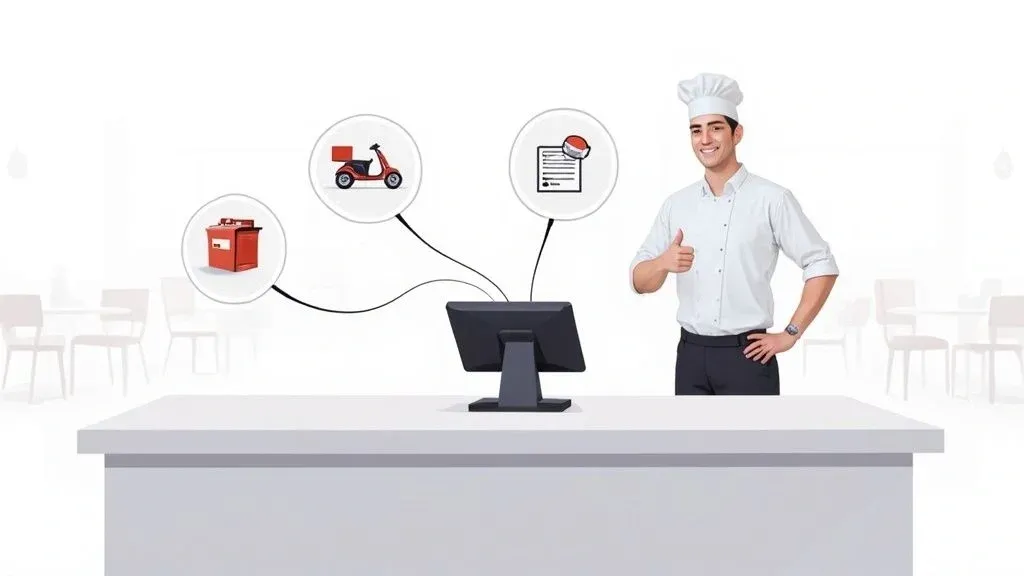
Picture this: it’s Saturday night, your busiest time of the week, and your team isn’t frantically juggling a half-dozen ringing delivery tablets. Instead, orders from every app flow silently and instantly into your kitchen. This isn’t a fantasy; it’s what POS software integration makes possible.
In simple terms, it’s the digital central nervous system for your restaurant. It connects your Point of Sale system directly to your delivery platforms, inventory trackers, and even your accounting software. The “why it matters” is simple: no more staff manually punching in orders—they just appear, error-free, right where they need to be. This saves time, reduces costly mistakes, and boosts staff productivity.
From Tablet Chaos to a Connected Kitchen Command Center
We’ve all seen it. During a hectic dinner service, your front-of-house staff is stretched thin. A DoorDash order pings on one tablet, and an Uber Eats order buzzes on another. An employee has to stop what they’re doing, decipher the order, and then painstakingly re-enter every detail into the POS.
This tiny, repetitive task, when multiplied dozens or even hundreds of times a night, becomes a massive operational bottleneck. It’s a recipe for costly mistakes, slower service, and a stressed-out team. This is exactly where POS software integration changes the game for restaurant operations, transforming your POS from a simple cash register into the true command center of your business.

What’s Happening Under the Hood? The Magic of API in Restaurant Tech
At its core, POS software integration relies on something called an API (Application Programming Interface). You can think of an API as a universal translator that allows different software systems to speak to each other automatically, without any human help.
Here’s the technical side: when a customer places an order on a platform like Uber Eats, the API instantly takes that order data and translates it into a format your POS system, such as Square, can understand. It then shoots that structured information directly to your kitchen printers or display screens. No human intervention needed.
This seamless communication is the key to modernizing your restaurant’s delivery operations. It completely automates the order-to-kitchen workflow, a huge leap forward from the manual, error-prone process of managing a wall of tablets. If you want to understand just how much “tablet hell” can impact a business, we break it down in our guide on the impact of tablets in restaurants.
The numbers tell the story. The global POS software market, valued at USD 11.03 billion, is projected to hit USD 24.35 billion by 2033. And it’s no wonder—studies have shown that restaurants with advanced, integrated POS systems see sales jump by 20%, customer satisfaction rise by 15%, and customer retention improve by a whopping 25%. You can get more details on these POS market trends and their impact.
Why POS Integration Matters for Your Restaurant Operations
The whole point of food tech is to make your business run smoother and more profitably. POS integration hits that nail on the head with some very real, tangible benefits that directly impact your bottom line:
- Fewer Costly Mistakes: When you take manual entry out of the equation, you eliminate typos, missed modifiers, and incorrect orders. That means fewer comped meals and happier customers, reducing food waste and saving money.
- A More Productive Team: Freeing your staff from being data-entry clerks allows them to focus on what really matters: providing great hospitality, upselling drinks, and managing the floor. This improves staff morale and reduces turnover.
- Faster Ticket Times: Orders hit the kitchen the second they’re placed online. This shaves precious minutes off prep times and gets food out the door faster, whether for delivery or dine-in, improving your restaurant delivery efficiency.
- Crystal-Clear Reporting: All your sales data—from every single channel—is consolidated in one place. You get a true, accurate picture of your performance without having to manually patch together reports.
The Bottom Line: POS software integration isn’t just a tech upgrade. It’s a fundamental shift in how you operate that directly boosts your revenue, improves staff morale, and keeps customers coming back. It’s the first real step to taking back control from the chaos of third-party delivery.
To see this in action, imagine a busy pizzeria that uses a POS like Clover integrated with its delivery partners. A complex order comes through Uber Eats with half-and-half toppings, a gluten-free crust, and a side of extra sauce. Instead of being a potential point of failure, it appears perfectly on the kitchen display system, every single time. That kind of reliability is simply impossible to achieve with manual entry during a rush, showing the real-world power of POS integration.
The daily grind of manually managing orders versus letting an integrated system do the work is a night-and-day difference.
The Daily Grind: Manual vs. Integrated POS
Operational Task Manual Process Without Integration Automated Process With Integration Accepting an Order Staff hears a tablet ping, stops their current task, walks over to the tablet to accept. Order is automatically accepted and injected directly into the POS queue. Order Entry Staff manually types every item, modifier, and customer note into the POS. The full order, including all details, appears in the POS and KDS instantly. No typing. Menu Updates Manually update prices or 86 an item on the POS, then on each separate delivery tablet. Update the menu once in the POS, and changes are synced across all platforms automatically. Reconciliation At the end of the night, staff manually compiles sales reports from each tablet and the POS. All sales data is unified in one report, providing a single source of truth for all revenue.
This table just scratches the surface. The accumulated time and stress saved with an integrated system allows you to focus on growing your business, not just surviving the dinner rush.
If you’re ready to stop juggling tablets and start building a more efficient kitchen, the path starts here. You can begin your journey to a fully automated operation by onboarding for Free in just a few clicks at OrderOut.
The Real-World Wins of Integrating Your Restaurant Tech
Let’s move past the technical jargon. What does POS software integration actually look like during a chaotic Saturday night dinner service? The impact is immediate and touches every corner of your restaurant, from the host stand to the kitchen line. We’re talking about turning abstract concepts into real, daily wins that you can see on your bottom line.
The single biggest victory is waving goodbye to manual order entry. When an order from DoorDash or Uber Eats flows directly into your POS, you’ve just cut out the #1 cause of delivery mistakes. No more staff mishearing a custom request, fumbling a modifier, or completely missing an item because they were juggling three other tasks.
This automation pays you back in time, instantly. Think about it: reclaiming just five minutes of an employee’s time for every ten delivery orders adds up fast. Over a week, that’s hours of labor you get back—hours your team can now spend on things that actually make customers happy, like checking on tables or helping run food. This is a direct time-saving and productivity boost that makes restaurant operations more efficient.
A Single Source of Financial Truth
One of the worst parts of a manager’s day is wrestling with reconciliation. Without integration, you’re stuck pulling reports from half a dozen delivery tablets and trying to make them match what’s in your POS. It’s a slow, frustrating puzzle that’s full of errors and can take hours to solve.
An integrated system makes that whole nightmare disappear. Every single sale, whether it’s from a customer at the bar or an order through an app, lands in one central spot. A platform like Square for Restaurants becomes your command center, giving you a clean, accurate snapshot of your total revenue across every channel. This makes accounting simpler, faster, and way more reliable.
When all your transactions live in one place, you get a crystal-clear, real-time view of your restaurant’s financial health. That kind of clarity is gold for making smart decisions on everything from staffing to inventory.
Boosting Staff Morale and Productivity
Nothing burns out a good employee faster than tedious, repetitive work. Forcing your team to listen for the constant chime of tablets and manually punch in orders is a recipe for low morale. When you automate that workflow, you remove a huge point of daily frustration.
This shift lets your crew focus on the higher-value work they were actually hired for. They can stop being data-entry clerks and get back to creating a great atmosphere, upselling drinks, and making sure every guest has a memorable experience. The result? A happier, more engaged team, lower turnover, and better service all around. This isn’t unique to restaurants; many of the same efficiencies are seen in hospitality, where strategies for hotel PMS integration achieve similar operational boosts.
This move toward smarter, connected systems is a huge industry trend. The Point of Sale (POS) software market is expected to more than double, jumping from about USD 14.67 billion to USD 30.45 billion by 2034. That massive growth is happening because restaurants are demanding better tools that talk to each other.
Ultimately, these real-world wins create a powerful cycle of improvement.
- Fewer Errors: This means less food waste and fewer expensive refunds.
- More Time: Frees up your team to handle more volume and give better service.
- Accurate Data: Helps you make smarter calls on menu pricing and promotions.
Each benefit reinforces the others, creating a stronger, more profitable business. As you dig deeper, our guide on on-demand delivery offers more context on why getting this channel right is so important.
The takeaway is simple: POS integration isn’t just a tech upgrade. It’s a strategic business decision that builds a more efficient, less stressful, and more successful restaurant. The next step is figuring out how to make it happen.
Your Practical Guide to a Seamless Integration Launch
Getting started with POS software integration shouldn’t feel like you need an IT degree. With the right game plan, any restaurant operator can connect their systems and finally put an end to operational chaos. Think of this as your roadmap, guiding you from that first “what if” moment to a successful launch that makes life easier for everyone.
This journey starts not with tech, but with a good, honest look at your current operations. Before you even browse an app marketplace, you need to decide what a “win” looks like for your restaurant.
Laying the Groundwork for Success
First, what are you working with? Take a look at your POS system. If you’re running a modern, cloud-based platform like Clover or Square, you’re already ahead of the game. These systems were built with open APIs, which means they’re designed to play nicely with other software. If you have an older, legacy system, don’t worry—it just means you might need a bit more help from a specialized connector to get everything talking.
Next, get specific about your goal. Are you trying to eliminate the frantic “tablet farm” of Uber Eats, DoorDash, and Grubhub devices cluttering your counter? Or is your biggest headache trying to reconcile sales reports from five different places? Nailing down your number one pain point is the key to choosing the right integration partner.
Key Takeaway: A successful integration project is 80% planning and 20% execution. Figure out exactly what problem you’re solving and know your tech’s limitations before you start. It’ll save you a world of headaches down the road.
Navigating the Implementation Process
Once you know what you want to achieve, the actual implementation is surprisingly straightforward. Modern POS systems have app marketplaces that work just like the app store on your phone. You can find pre-built connectors that link your POS to hundreds of other services, often with just a few clicks.
A non-negotiable step here is menu mapping. This is where you connect the dots, making sure every item, price, and modifier on your delivery apps perfectly mirrors what’s in your POS. In simple terms, you are telling the systems that “Large Pepperoni Pizza” on Uber Eats is the exact same thing as “LG Pep Pizza” in your POS. If you miss mapping “extra cheese” or have a price mismatch on the “guacamole,” you’re setting yourself up for order errors and frustrated customers. I can’t stress this enough: take the time to get this right. For a deeper dive into this critical step, check out our OrderOut integration onboarding tutorial.
This whole effort is about creating a simple, powerful workflow. When you cut down on mistakes, you give your team back precious time, which directly leads to better service and stronger sales.

It’s a clear cause-and-effect: smoother operations fuel financial growth by freeing up your staff and ensuring every order is perfect.
To help you stay organized, here’s a simple way to think about your project from start to finish.
Your POS Integration Project Roadmap
Phase Key Actions Primary Goal Preparation Audit your current POS, list all third-party apps, define your main integration goal. Create a clear project scope and success criteria. Setup Choose an integration partner, connect accounts via API or pre-built connectors. Establish a stable technical connection between systems. Configuration Map your menus, modifiers, and pricing between all connected platforms. Ensure 100% data accuracy for all order information. Testing Run multiple test orders (simple, complex, with special notes) and verify they appear correctly. Catch and fix any errors before they impact customers. Go-Live Train your staff on the new workflow, pick a slow day for the official launch. Achieve a smooth, disruption-free transition.
This roadmap turns a big project into a series of manageable steps, keeping you focused on what needs to happen next.
Planning Your Go-Live Strategy
With the technical pieces in place, it’s tempting to just flip the switch. Don’t. The final phase is all about testing, training, and rolling things out without disrupting your business. This is your safety net.
Your go-live plan absolutely must include these things:
- Thorough Testing: Seriously, run more tests than you think you need. Place a complex order with tons of modifiers. Do a simple one-item order. Try one with special instructions. Make sure every single one flows perfectly from the app to your POS and into your kitchen.
- Team Training: Your staff will love this new, simpler workflow, but they still need to know how it works. Walk them through how orders will now appear automatically. More importantly, show them what to do if an order doesn’t appear or if there’s a connection issue. A confident team is your best defense against chaos during a rush.
- Strategic Launch Timing: I’ve seen this go wrong too many times. Never, ever launch a new system on a Friday night. Pick your slowest time—like a Tuesday afternoon—to go live. This gives you and your team a low-stress window to get used to the new process and squash any bugs that pop up.
By following this guide, you can take the mystery out of POS integration. The end goal is simple: a seamless system that helps your team, makes your restaurant more efficient, and lets you get back to focusing on great food and happy customers.
Navigating Common Pitfalls in POS Integration
https://www.youtube.com/embed/UBQnFG5zPP0
Even though today’s POS software integrations are more straightforward than ever, a few potential hurdles can pop up during the rollout. The secret to a smooth launch is knowing what these challenges are ahead of time. When you’re prepared, what could have been a major headache becomes just a minor speed bump.
The Technical Side: Compatibility and Connections
The first thing to check off your list is API compatibility. Simply put, an API is the language two pieces of software use to talk to each other. If your Point of Sale system and a delivery app don’t speak the same API language, they simply can’t share information, and the integration is a non-starter.
This is exactly why you have to confirm that your specific POS model can connect with the apps you use before you commit to anything. The good news? Most modern, cloud-based POS systems are built for this. In fact, cloud-based POS software now accounts for a whopping 59% of the market share, mainly because it’s so flexible and easy to connect with other tools.
Avoiding Critical Implementation Mistakes
Beyond the tech, a few operational missteps can completely derail a perfectly good integration plan. One of the most common I see is incomplete menu mapping. This is what happens when the items, sides, and add-ons in your POS don’t line up perfectly with what you’re offering on delivery platforms.
For example, a customer orders “Extra Ranch” on DoorDash. But if that specific modifier isn’t properly linked to the right item in your POS, the order might fail to punch through, or it’ll show up incomplete. This tiny mistake creates instant confusion for your kitchen staff, leads to wrong orders, and ends with frustrated customers. Meticulously mapping every single item is non-negotiable.
Another classic oversight is forgetting to get your staff up to speed on the new workflow.
Your team needs to understand they no longer have to stare at a wall of tablets waiting for orders. More importantly, they need a crystal-clear process for what to do if the integration hiccups or an order fails to show up in the POS. A well-trained team is your best defense against operational chaos.
Building a Resilient and Secure System
Data security is another massive piece of the puzzle. You’re trusting an integration partner with sensitive business and customer data, so this isn’t something to take lightly. Stick with reputable providers who are transparent about their security protocols and have a solid track record. Look for partners with proven experience working with major POS systems like Clover and Square.
Finally, you absolutely need a backup plan for when things go sideways—because eventually, they will. An internet outage during the dinner rush is every operator’s nightmare. What’s your plan?
Here’s a quick checklist to make sure you’re ready:
- Offline Mode: Does your POS or integration partner have a way to queue up orders during an outage and push them through once you’re back online?
- Manual Override: Make sure your staff knows how to switch back to punching in orders from the tablets if the integration is down for a while.
- Troubleshooting Guide: Keep a simple, one-page guide handy for common issues, like a printer suddenly not responding. Our guide on fixing a printer that says offline is a perfect example of a resource to have on hand for your team.
Getting ahead of these common issues—from API checks and menu mapping to security and backup plans—is what makes the difference between a stressful launch and a successful one. The goal isn’t just to be efficient, but to be resilient.
How to Tell If Your POS Integration Is Actually Working
You’ve invested in new food tech, and the integration is finally live. But how do you prove it was worth it? The good news is you don’t need a data science degree to see the impact. By tracking a few key numbers, you can move from feeling like things are better to knowing you’re saving time, money, and headaches.
This isn’t just about justifying a purchase; it’s about turning a tech project into a smart business decision with a clear return on investment.

Let’s dig into the specific metrics that will show you the real story.
Key Metrics for Your Daily Operations
The true test of a good integration happens in the heat of a busy service. Forget guesswork. Start tracking these specific Key Performance Indicators (KPIs) to see how your restaurant operations have changed for the better.
-
Order Error Rate: This is the big one. Before you integrate, track every single order that gets remade or refunded due to a manual entry mistake over one week. After the integration is running smoothly, do it again. You should see a massive drop. A reduction from a 5% error rate to less than 1% is a common result, and that translates directly into real savings on food waste and labor.
-
Time Saved Per Shift: This is easier to measure than you think. Just have a manager time how long it takes a staff member to manually punch in five different delivery orders. Find the average. Now, multiply that by the number of delivery orders you handle on a typical shift. Suddenly, you’ve found several hours of reclaimed labor each week that can be spent on more important tasks, like helping guests.
-
Order Throughput During Peak Hours: Can you handle more business during the Friday night rush without chaos? With orders firing straight to the KDS, everything moves faster. Compare your total order count between 7 PM and 9 PM on a weekend before and after the integration. If that number is up, you’re serving more customers and making more money without burning out your team.
Analyzing the Financial Impact
Smoother operations are great, but a healthier bottom line is even better. This is where you connect the dots between efficiency and profitability. Your POS integration shouldn’t just be an expense; it needs to be a revenue-driver.
For instance, using a system like Square for Restaurants pulls all your sales data into one place. With every dine-in, takeout, and Uber Eats order accounted for, you can clearly measure the Revenue Lift from Delivery Channels. Are you seeing a 10-15% increase in delivery sales now that your kitchen can keep up with the volume? That’s the kind of hard data that makes the investment a no-brainer.
When you can show exactly how operational improvements lead to better financial results, you’ve built a powerful case for any future technology decisions. It proves that smart automation directly fuels growth.
Getting a handle on these numbers is vital for your long-term strategy. If you want to dive deeper into financial analysis, our guide on building a restaurant profit and loss statement example can help you put these metrics into the bigger picture of your restaurant’s financial health.
When you put it all together—fewer mistakes, more productive staff, and higher order counts—it’s easy to see how your investment in automation is paying for itself and driving real growth.
Ready to see these results for yourself? Start your journey with OrderOut for Free in just a few clicks.
Your Next Step: Automating Your Restaurant
We’ve covered a lot of ground on POS software integration – what it is, why it’s a game-changer for restaurants, and how to actually get it done. The point of all this isn’t just about adding more food tech for the sake of it. It’s about building a restaurant that’s more profitable, runs smoother, and creates a less stressful environment for you and your staff.
I know that taking the first step can feel like a huge project, but it doesn’t have to be. From my experience, the best way to start is by picking one integration that will solve your single biggest headache right now. For most restaurant owners I talk to, that’s finally taming the chaos of delivery apps by connecting them directly to the POS.
Your Next Move: Stop letting a jungle of tablets dictate how you run your business. It’s time to take back control of your operations and start building a smarter, more connected kitchen.
Making this one change can completely transform your restaurant operations. Think about it: no more manual order entry, far fewer costly mistakes, and more time for your staff to focus on the customers right in front of them. POS systems like Clover and Square are built to connect with other platforms, making this process easier than you might think.
The path to a more automated and manageable restaurant delivery system is right there. Don’t wait for another chaotic Friday night to convince you that there has to be a better way.
Ready to see the difference for yourself? You can start onboarding with OrderOut for Free in a few clicks at https://dashboard.orderout.co.
Got Questions About POS Integration? We’ve Got Answers.
Diving into POS software integration often brings up a few key questions. Here are some straightforward answers to the things restaurant owners ask us most, based on our experience helping hundreds of kitchens get connected.
”What If My POS Doesn’t Directly Integrate With Uber Eats Or DoorDash?”
This is a problem we see all the time, especially with older or custom POS systems. If there’s no built-in connection to the big delivery players, you’re not out of luck. The answer is third-party middleware.
Think of a middleware service as a universal adapter for your restaurant tech. It’s a smart piece of software that sits between your POS and platforms like DoorDash, translating their order data into a format your specific system can understand. This gives you all the benefits of automation without having to rip out your existing setup.
These services specialize in building connections. They have huge libraries of existing integrations, so they can almost always link your POS to the delivery apps you need, even when a direct one doesn’t exist. This is a go-to solution for restaurants on popular systems like Clover or Square who want to expand beyond their native options.
”How Much Is This Going To Cost Me?”
The cost really depends on your specific setup. Some of the newer, cloud-based POS systems might bundle a few integrations into their premium subscription plans. More often than not, though, you’ll be looking at a separate monthly fee.
Typically, you can expect to pay anywhere from $30 to over $100 per month. The price often scales with the number of integrations or locations you’re running. When you’re looking at that number, stack it up against what you’re currently spending. How many labor hours are wasted on manual order entry? What’s the real cost of order mistakes each month? Most operators discover the investment pays for itself pretty quickly, sometimes within just a couple of months, thanks to fewer errors and a more efficient team.
”How Do I Handle Menu Changes Once Everything Is Connected?”
This is where the magic really happens for your day-to-day restaurant operations. Once you’re properly integrated, you can say goodbye to the nightmare of logging into four different tablets to update one price.
Your POS becomes your command center—your single source of truth. When you need to raise a price, add a new special, or 86 an item that just sold out, you do it once. Right in your POS. The integration then automatically syncs that update across all your connected delivery apps, usually within minutes. It keeps everything consistent for your customers and frees up a ton of time for your managers.
”How Much Training Will My Staff Need?”
The whole point of this is to make life easier, not harder. So, the training required is almost always minimal. For your front-of-house crew, their jobs actually get simpler. No more tablet-juggling.
The main focus for training is just getting everyone comfortable with the new, automated flow. Your managers should know the basics, like how the system works and what to do if the Wi-Fi blips out for a second. Any good integration partner will give you simple guides and be on standby to help make the switch a total non-issue for your team.
Ready to get your kitchen connected and running smoothly? OrderOut plugs your delivery platforms directly into your POS. You can start onboarding for Free in a few clicks at https://dashboard.orderout.co.