
Unlocking the POS Meaning in Restaurant Operations
· Thibault Le Conte
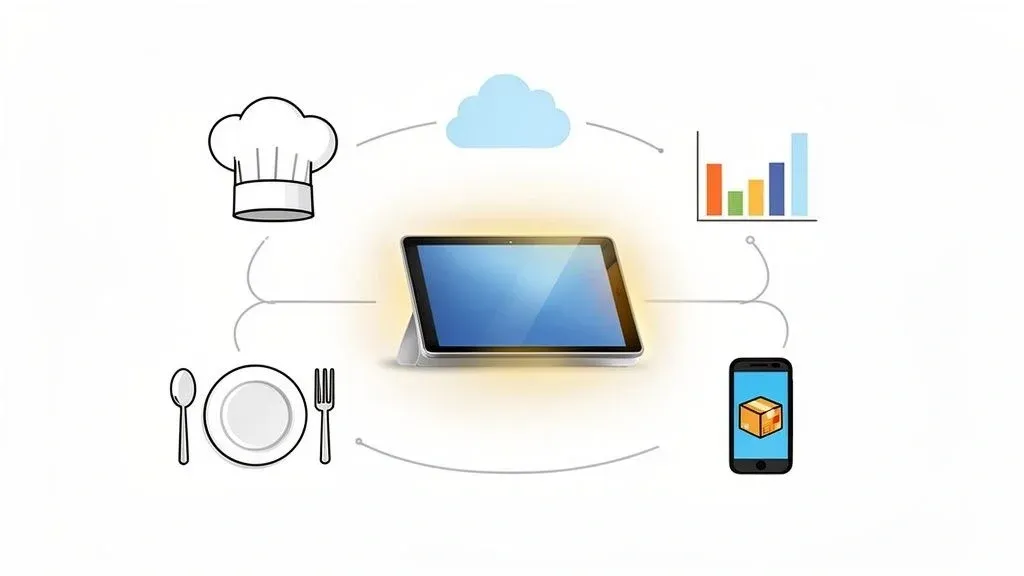
When you hear someone ask about the “pos meaning in restaurant”, they’re looking for a definition that goes way beyond a simple cash register. In a modern restaurant, the Point of Sale (POS) system is the operational heart of the entire business, connecting every single moving part—from the host stand and dining room to the kitchen and the back office.
In simple terms, it’s the central nervous system of your restaurant. It takes a customer’s order, sends it to the kitchen, processes the payment, and keeps track of your sales, all in one seamless process.
What a Restaurant POS System Really Means for Your Business
Let’s put aside the image of a clunky, old cash drawer. A modern POS is the dedicated operating system for your restaurant. It’s a single, unified platform that handles the entire customer journey: a server takes an order tableside, that order instantly zips to a screen in the kitchen, and all the sales data is neatly organized for you to review later.
Why it matters: This streamlined workflow is crucial for restaurant efficiency. Instead of messy handwritten tickets and verbal miscommunications, a POS automates the flow of information, which directly impacts your bottom line and guest experience. A good POS system is built from the ground up to:
- Increase Speed and Reduce Errors: Orders are fired directly from a server’s handheld device or a terminal to the kitchen. This eliminates the risk of messy handwriting, lost tickets, and communication breakdowns, saving you money on comped meals and improving customer satisfaction.
- Improve Staff Productivity: Thanks to intuitive, easy-to-learn interfaces, training new staff becomes much faster. Your seasoned team members can also handle more tables with far less stress, increasing table turnover and sales.
- Boost Sales with Data: The system is constantly tracking what’s selling and what’s not. It shows you your most popular dishes, your busiest hours, and even server performance, giving you the hard data you need to make smarter decisions about menu design and staffing.
To break it down even further, let’s look at what “POS” really represents in the restaurant world.
POS at a Glance What It Stands For and What It Does
Component Meaning Core Function in a Restaurant Point Where a transaction happens The moment a customer order is created or a payment is made (e.g., at the table, counter, or online). Of Connects the point and sale The link between the customer’s choice and the financial transaction. Sale The exchange of goods for money Processing payments, calculating taxes, and finalizing the order in the system.
So, while the acronym is simple, its function has evolved into a comprehensive management tool.
From Simple Payments to a Strategic Hub
A modern POS does so much more than just process credit cards. It’s a strategic hub for your entire operation. For instance, a system like Clover or Square can track your inventory in real-time. It can send you an alert before you’re about to run out of avocados for your best-selling guacamole, preventing disappointed customers and lost revenue.
In the context of the evolving landscape of technology, a POS system represents a vital step towards achieving digital growth for your restaurant.
Ultimately, understanding the true POS meaning in a restaurant is about seeing it not as an expense, but as an investment in growth. It’s a tool that empowers you to automate tedious tasks, reduce waste, and free up time to focus on what truly matters: serving incredible food and creating an unforgettable guest experience. To learn more about how these systems work together, check out our guide on integrated point of sale systems.
Core Components of Modern Restaurant POS Systems
A modern Point of Sale system is a seamless blend of smart hardware and even smarter software. To really grasp what a POS means for a restaurant’s day-to-day operations, let’s break down the essential pieces that make it all work.
The hardware includes all the physical components your team interacts with. These aren’t your typical office electronics; they’re built to withstand the heat, speed, and occasional spills of a busy restaurant. This includes things like durable touchscreen terminals, secure credit card readers, receipt printers, and cash drawers.
One piece of hardware that has truly changed the game for back-of-house efficiency is the Kitchen Display System (KDS). A KDS is a digital screen that completely replaces messy, handwritten paper tickets. When a server punches in an order, it instantly pops up on the KDS screen, eliminating any confusion from sloppy handwriting or lost tickets.
Why it matters: This simple change dramatically reduces ticket times and order mistakes, directly improving kitchen staff productivity and getting food to customers faster. This means happier guests and a more efficient kitchen.
The Software That Drives Restaurant Operations
If the hardware is the body, then the software is the brain. This is where your POS system truly proves its worth, automating tedious tasks and delivering invaluable insights that help you run a smarter, more profitable business.
Here are the key software features you’ll rely on every day:
- Order Management: A clean, easy-to-use interface lets staff fire off orders to the kitchen in just a few taps. This makes training new hires a breeze and keeps your table turnover humming along.
- Integrated Payment Processing: This feature securely handles every way a customer might want to pay—credit and debit cards, contactless payments like Apple Pay, and even gift cards. It makes every transaction quick, secure, and professional.
- Inventory Tracking: Your POS can watch your stock levels in real time. This amazing piece of food tech sends alerts when you’re running low on crucial ingredients, helping you avoid having to “86” a popular dish and cutting down on expensive food waste.
- Reporting and Analytics: This is where the magic happens. Your POS tracks a mountain of sales data and turns it into easy-to-read reports. You can see which menu items are your stars, which days are your busiest, and where you can improve. For example, a system like Square can generate reports that help you schedule the right number of staff for that upcoming holiday weekend, preventing overstaffing and saving on labor costs.
Each of these components is crucial, but their real power comes from working together. To see how these pieces connect to form a cohesive system, check out our guide on what makes an integrated POS system so effective. Once you understand both the hardware and the software, it’s easy to see how a modern POS can truly transform your restaurant.
How a POS System Transforms Restaurant Profitability
Knowing what a POS is is the first step. The real lightbulb moment for any restaurateur, though, is seeing it not as a tool, but as a strategic asset that directly impacts your bottom line. A modern POS isn’t just about taking orders and swiping cards; it’s the engine that drives revenue growth and trims costs across your entire business.
Take table turnover, for instance. When servers use handheld devices to fire orders straight to the kitchen, you shave valuable minutes off every table’s dining time. During a packed dinner rush, those minutes add up quickly, allowing you to seat more guests, serve more meals, and boost your daily revenue.
Turning Data Into Dollars
The true power of a modern POS is unlocked by the data it gathers. Every single order, payment, and menu item sold becomes a breadcrumb of insight that can shape your business strategy. This information is the foundation of menu engineering—a crucial practice for maximizing profit.
With a few clicks, your sales reports can clearly identify:
- Your Stars: High-profit, high-popularity dishes that you should feature and promote.
- Your Puzzles: High-profit items that aren’t selling well. Maybe they need a better menu description or a gentle push from your staff.
- Your Dogs: Low-profit, low-popularity items that are likely costing you money and should probably be cut from the menu.
Why it matters: This data-first approach takes the guesswork out of your decisions. You can stop relying on gut feelings and start making calculated choices that directly improve your margins, leading to significant cost savings and higher profits. For a closer look at this process, check out our guide on how to calculate food cost percentage and put this data to work.
Boosting Efficiency and Slashing Waste
An integrated POS is also your best ally in the fight against waste. By tracking ingredient usage with every order, the system helps you place smarter, more accurate supply orders. This alone can dramatically cut down on food waste, which is a notorious profit killer in the restaurant industry.
This boost in efficiency isn’t just a minor improvement; it has a real, measurable impact on your daily operations.
In fact, studies show an integrated POS can increase operational efficiency by up to 25%. It helps minimize costly labor mistakes and lifts profitability—essential for any manager keeping an eye on the projected 10.8% market growth. You can explore more on this trend in the global restaurant POS software market report.
Think about a mid-sized restaurant using an integration-friendly system like Clover. By pulling all its delivery orders from apps like Uber Eats into one place, what was once scattered data becomes a clear roadmap for smarter inventory management and staffing. This leads to real cost savings and a much healthier bottom line, proving the right POS is truly an investment, not just an expense.
Choosing the Right POS for Your Restaurant Model
Picking the right POS system really starts with knowing what’s out there. The whole idea of a “POS” in a restaurant setting has evolved, and today you’re generally looking at two main flavors: cloud-based and on-premise systems.
In simple terms, a cloud-based POS stores your restaurant’s data online, so you can check reports from anywhere. An on-premise POS stores everything on a physical server in your back office, meaning you have to be at the restaurant to access it.
Cloud vs. On-Premise Food Tech
The industry has definitely picked a favorite, and it’s the cloud. Cloud-based POS systems are absolutely dominant today, expected to drive the market from $2,554.9 million in 2025 in North America alone to even greater heights worldwide. This isn’t just a small trend; it’s a massive shift. We’re seeing that nearly 70% of new restaurants are choosing cloud systems right out of the gate, drawn in by the flexibility and smaller initial investment. You can find more data on the rise of cloud POS systems.
So, what’s the real-world difference for you? It boils down to a few key things:
- Cost: Cloud systems usually work on a monthly subscription model, which means you pay less to get started, saving you capital. On-premise systems demand a big upfront investment in hardware and software licenses.
- Accessibility: With the cloud, you can pull up sales reports on your phone from your living room. With an on-premise system, you typically have to be at the restaurant to access your data.
- Maintenance: Your cloud POS provider takes care of all the updates and security patches, which is a huge weight off your shoulders and saves you time.
Countertop Terminals vs. Mobile POS Systems
Beyond the software, you also have to think about the hardware. Traditional countertop terminals are the stationary workhorses you see at busy quick-service counters or bars. They’re built to be fast, durable, and handle a constant rush.
Then you have mobile POS (mPOS) systems, which run on tablets and other handheld devices. For a food truck owner, being able to run their entire operation from an iPad using a system like Square is a game-changer. This kind of food tech offers incredible freedom for taking orders right at the table, busting long lines, or processing payments anywhere on your property.
Takeaway: The best POS for your restaurant really depends on how you serve your customers. A bustling fine-dining spot might do best with a hybrid approach—stationary terminals at the host stand and mobile devices for servers. A small coffee shop, on the other hand, could run its entire business perfectly with a single tablet.
Choosing the right system is a foundational decision for your business. For a much deeper dive, you can explore our complete guide to the best restaurant POS systems list.
Ready to take the next step and streamline your restaurant’s operations? Start your free onboarding with OrderOut in just a few clicks and see how easy it is to connect your POS with major delivery platforms. Get started for FREE today!
Unlocking Restaurant Efficiency with POS Integration
A standalone POS system gets the job done, but an integrated POS can completely change the way your restaurant operates. This is where you solve one of the biggest headaches in the business today: the chaos of managing third-party delivery apps. If you’re a manager, you know the scene all too well—staff juggling a sea of tablets for Uber Eats, DoorDash, and Grubhub.
An employee hears a ping, figures out which tablet it came from, accepts the order, and then has to manually punch every single item into your main POS. This workflow isn’t just slow; it’s practically begging for expensive mistakes. One wrong modifier or a simple typo leads to a botched order, a frustrated customer, and a direct blow to your bottom line.
The Power of Automated Restaurant Delivery
The answer to this “tablet hell” is POS integration. Think of it as a universal translator that connects all your delivery platforms directly to your restaurant’s central command center. Instead of orders being siloed on different tablets, integration software automatically sends every order from every app straight into your POS.
This graphic outlines the core decisions you’ll face when picking the right POS foundation for your restaurant.
Getting these foundational choices right is what makes powerful integrations possible, ultimately simplifying your entire operation.
This automation is where you see the real power of a modern POS system. When you use a service that connects your delivery channels to your POS, the benefits are immediate and profound.
Key Takeaway: POS integration gets rid of manual order entry from delivery apps, which is the single biggest point of failure in the off-premise ordering process. This one change can save hours of labor daily and drastically cut down on costly mistakes, directly impacting staff productivity and your bottom line.
For instance, whether you’re running on a system like Clover or Square, a proper integration makes every online order show up in your kitchen display system just like it was placed by a server in-house. To get a better handle on how this works, check out our guide on POS integration software.
This unified approach gives you a single, accurate source for all your sales data. Gone are the days of spending hours at the end of the night trying to manually reconcile sales from a dozen different reports. This is how you master restaurant delivery, improve staff productivity, and finally take back control of your technology.
Your Practical Next Step for Better Restaurant Operations
By now, you see that a Point of Sale system is so much more than just a fancy cash register. It’s the nerve center of your entire operation, touching everything from how quickly an order hits the kitchen to the data you use for your next big menu decision. A modern POS is a game-changer.
But let’s be honest, the biggest headache for most restaurants right now is delivery. If your counter is cluttered with a sea of tablets, and your staff are stuck punching in orders by hand, you’re facing a serious operational drag.
This isn’t just about a few wasted minutes. It’s a constant drain on your profits and a breeding ground for mistakes. Think about it: every moment spent toggling between an Uber Eats tablet and your POS is a moment stolen from your dine-in customers. It’s a bottleneck that actively costs you money through lost time, order errors, and lower staff productivity.
Actionable Insight: Don’t let a mess of disconnected apps run your restaurant. The single best way to boost your team’s efficiency and reclaim your profit margins is by automating how you handle delivery through POS integration.
And here’s the good news: this isn’t some massive, six-month overhaul. You can wipe out those manual entry errors and give your team back hours of their time, almost overnight. The solution is connecting all those delivery apps directly to the POS system you already use, whether it’s a powerhouse like Clover or a popular choice like Square.
Ready to see what a truly automated kitchen feels like? Start your free onboarding with OrderOut in just a few clicks and take that first, crucial step.
Got Questions? We’ve Got Answers.
Here are a few of the most common questions we hear from restaurant owners when they’re figuring out what a POS system means for their business.
What’s the Real Cost of a Restaurant POS System?
The price tag on a POS can swing pretty widely, and it usually boils down to two main models. Cloud-based systems are the popular choice today, often starting with a lower upfront cost and a predictable monthly subscription fee. On the other hand, traditional on-premise systems require a much larger initial investment to buy the hardware and software licenses outright.
When you’re mapping out your budget, don’t forget to account for payment processing fees and any add-on costs for essential integrations, like linking up with delivery apps. The final cost really depends on the size and complexity of your restaurant.
How Much Training Will My Staff Actually Need?
Thankfully, the days of clunky, complicated cash registers are over. Most modern POS systems, including big names like Clover and Square, are designed to be as intuitive as a smartphone. Your staff will likely get the hang of it in just an hour or two.
Why it matters: The biggest impact on training comes from POS integration. When orders from platforms like DoorDash or Uber Eats flow directly into your POS, you skip the need to train staff on juggling a half-dozen different tablets. It cleans up your counter, cuts down on mistakes, and makes everyone’s job a whole lot easier, dramatically boosting staff productivity.
What If I Outgrow My POS? Can I Switch?
Absolutely. Switching your POS is entirely possible, especially if you’re using a flexible, cloud-based system. The process usually involves moving your menu, customer database, and sales history over to the new platform.
To make the switch as smooth as possible, it’s a good idea to plan the changeover for a slower time of year. This is exactly why picking a system that can grow with you from the very beginning is such a smart move.
Stop letting manual order entry slow you down and cause errors. OrderOut connects your delivery apps directly to your POS, saving you hours of labor every week.