
Your Guide to POS Integration Software for Restaurants
· Thibault Le Conte
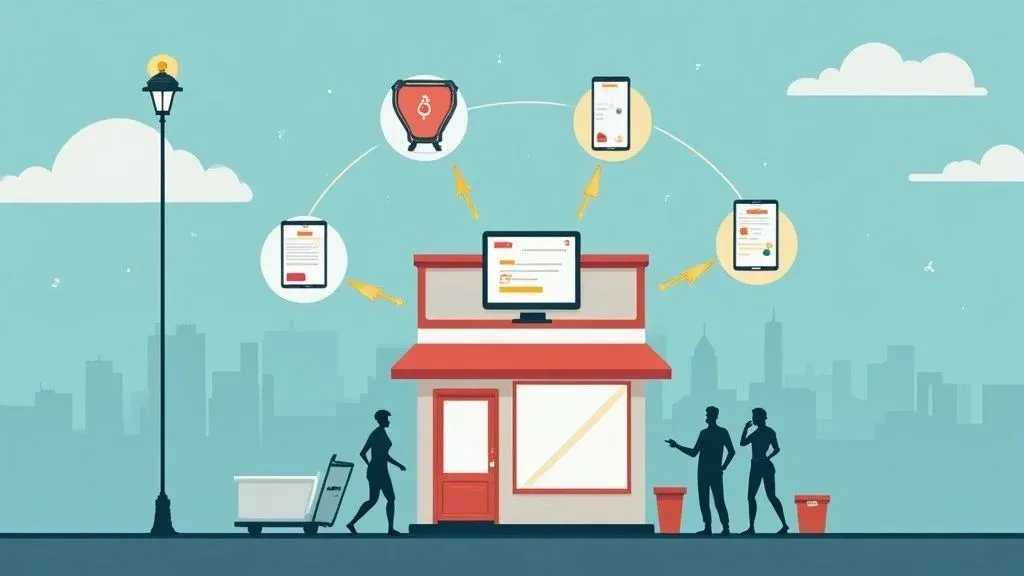
Think of POS integration software as the ultimate translator for your restaurant’s technology. In simple terms, it’s the bridge that connects your Point of Sale (POS) system directly to third-party delivery apps like Uber Eats and DoorDash.
Why does this matter? Instead of your staff manually typing every single online order into the POS, this software automatically sends them straight to your kitchen. The result is a dramatic reduction in costly errors and a significant amount of time saved, freeing up your team to focus on in-house guests.
Unlocking Efficiency with POS Integration Software
Picture a busy Friday night. Your dining room is full, online orders are flooding in, and multiple tablets for different delivery apps are all demanding attention. Without integration, your host is stuck in “tablet hell,” frantically re-entering every order. This is a recipe for mistakes, delays, and a stressed-out team.
This is exactly where POS integration software steps in to streamline your restaurant operations. It builds a digital bridge between systems that don’t naturally communicate. For example, when a customer orders on DoorDash, the integration software grabs it and instantly sends it to your POS, which then prints it in the kitchen or displays it on a KDS. No manual typing, no missed modifiers. Just a smooth, automated workflow that saves time and reduces errors.
The Shift to Smarter Restaurant Operations
This move away from manual work is part of a much bigger industry trend. The global point-of-sale software market is on track to hit a staggering $41.53 billion by 2034. Why the huge growth? Because restaurants are realizing the power of connected technology.
Cloud-based POS systems now make up about 67% of all installations, showing a clear preference for flexible, integrated systems. You can discover more insights about these POS software statistics. For restaurant owners, this means your POS is no longer just a cash register; it’s the central hub for your entire operation, from in-house dining to restaurant delivery.
Modern restaurants need a tech stack where information moves seamlessly. For answers to other common questions, you might be interested in our guide covering frequently asked questions about POS integration.
Why POS Integration Matters for Your Bottom Line
This isn’t just about making life easier for your staff; it’s about building a more profitable, efficient business. When you automate order entry, you unlock significant benefits that directly impact your bottom line.
- Drastically Fewer Errors: Manual entry is prone to mistakes—wrong items, missed special requests, and incorrect addresses. Automation eliminates these errors, meaning fewer comped meals, reduced food waste, and happier customers.
- A More Productive Team: By removing tedious data entry, you free up your staff to focus on high-value tasks like providing excellent service to in-house guests, which boosts satisfaction and sales.
- Faster Order to Kitchen: Orders hit the kitchen the second they’re placed. Shaving minutes off every ticket time boosts your overall throughput, allowing you to handle more orders and get food to customers faster, improving your delivery performance.
Consider a busy pizzeria using a Square POS system. When an Uber Eats order for a large pepperoni pizza with extra cheese comes in, it doesn’t wait on a tablet. It instantly appears on the kitchen display, perfectly formatted. That’s the power of POS integration software in a real-world restaurant.
To truly grasp the difference, let’s compare the two workflows side-by-side.
Manual Order Entry vs Automated Integration
This table breaks down the operational impact of handling delivery orders manually versus using an integrated system.
Operational Task Manual Process (Without Integration) Automated Process (With Integration) Order Reception Staff monitors multiple tablets for new orders, often with loud, distracting alerts. Orders from all apps flow directly into a single system—the POS. No tablets needed. Order Entry A staff member must manually re-type every item and modifier into the POS system. Zero manual entry. The order is automatically created in the POS in seconds. Error Potential High. Typos, missed items, and incorrect modifiers are common, leading to mistakes. Extremely low. The system transfers the customer’s order exactly as it was placed. Kitchen Workflow The kitchen only receives the order after it has been manually entered, causing delays. The kitchen receives the order instantly, allowing them to start preparation immediately. Menu Management Staff must update menus and 86’d items on each delivery platform individually. Update the menu in your POS, and changes can be synced automatically across all platforms. Reporting Financial data is fragmented across different platforms, requiring manual consolidation. All sales data is centralized in the POS, providing a single source of truth for reporting.
The contrast is stark. One path is filled with friction, delays, and potential for error, while the other is smooth, fast, and reliable.
Takeaway: POS integration software is what turns your separate pieces of tech into a single, well-oiled machine. It’s the foundational step toward streamlining your entire operation, cutting hidden costs, and actually keeping up with the demands of modern delivery.
If you are ready to take control of your delivery operations, you can start onboarding for Free in a few clicks.
How POS Integration Works Behind the Scenes
To understand why POS integration software is such a game-changer, it helps to peek under the hood. The core idea is simple: it gets different systems, which weren’t built to speak the same language, to communicate clearly and instantly. This automation is key to modern food tech and efficient restaurant operations.
Think of it this way: without integration, your restaurant is a chaotic scene. You have a handful of tablets for apps like Uber Eats and DoorDash, all dinging at once. Someone has to grab each order, decipher it, and then manually punch it into your main POS system. It’s slow, it’s stressful, and it’s a recipe for mistakes. POS integration software acts as the ultimate translator and organizer, making sure every order is captured perfectly, every single time.
The Role of APIs: Your Digital Messenger
At the heart of all this is something called an API, which stands for Application Programming Interface.
In simple terms, an API is a digital messenger. When a customer places an order on a delivery app, the API grabs all the details—the items, special instructions, and customer info—and carries them directly to your POS system. Your POS then accepts the order, and the API sends a confirmation back to the delivery app.
The real magic of an API is that it acts as a universal translator. The delivery app doesn’t need to know the complex details of your POS system, and your POS doesn’t need to understand the app’s user interface. The API handles the communication, making a seamless connection possible. This process is the technical foundation of POS integration.
This infographic paints a pretty clear picture of the shift from a jumbled manual process to a clean, automated one.
You can see the contrast immediately: the “tablet farm” chaos versus the smooth, direct flow of orders right into your system. This is the foundation of modern, efficient restaurant operations.
Middleware: The Central Traffic Controller
While APIs are the messengers, another piece of the puzzle called middleware often acts as the central traffic controller, especially for busy restaurants.
If you’re juggling orders from multiple delivery services, middleware sits between all your apps and your POS, managing the entire flow of information to prevent a data pile-up. For instance, if a customer orders from your bistro that uses a Clover POS system, the middleware ensures those order details are perfectly formatted before the API delivers them. It directs all the traffic so every order lands safely in one place, keeping things running smoothly during the dinner rush.
Real-Time Sync vs. Batched Data
Another key technical detail in food tech is how quickly the data moves between systems. There are two main approaches:
- Real-Time Sync: This is the gold standard for restaurant delivery. As soon as a customer hits “place order,” the information is sent to your POS instantly. Your kitchen gets the ticket that very second, cutting down prep time and getting food out the door faster.
- Batched Sync: This method gathers orders over a set period—say, every 5 or 15 minutes—and sends them to the POS in a single group. While fine for end-of-day reports, it’s a non-starter for a busy kitchen where every second counts.
For live orders, real-time sync is the only way to ensure efficiency and customer satisfaction.
Error Handling: Protecting Your Revenue
So, what happens when things go wrong? A solid POS integration software comes with built-in safety nets for error handling.
If an order fails to show up in the POS—perhaps due to a network hiccup or a mismatched menu item—the system doesn’t just let it disappear. Instead, a good system will:
- Retry the Order: It will automatically try to send the order through again.
- Send an Alert: If it still fails, your team will get an immediate notification via email, text, or a dashboard alert.
- Provide a Manual Backup: You’ll have a clear record of the failed order so you can punch it in by hand, ensuring you never lose a sale.
This protection is absolutely critical. It safeguards your revenue and keeps customers happy by ensuring every single order is accounted for. The main thing to remember is that integration isn’t magic; it’s a logical, secure process built for reliability. Ready to see this automation in action? You can start onboarding for free in a few clicks at OrderOut.
How POS Integration Actually Helps Your Restaurant Grow
Connecting your delivery apps to your POS system isn’t just an operational tweak; it’s a strategic move that directly fuels your restaurant’s growth. This is where POS integration software transitions from a simple tool to an active partner in building your bottom line. It creates a positive chain reaction, improving efficiency, cutting costs, and keeping customers happy.
It all boils down to three core pillars every restaurant owner cares about: saving money, running a smoother operation, and creating a loyal customer base.
Pillar 1: Boost Staff Productivity and Cut Costs
Manual order entry is a silent killer of productivity and profit. Every minute an employee spends re-typing an order from a delivery tablet is a minute they aren’t spending with in-house guests or upselling. It’s not just clunky; it’s expensive.
POS integration software gives you those hours back. You no longer need someone glued to a “tablet farm,” which means lower labor costs and fewer chances for expensive mistakes. For instance, one wrong modifier can easily lead to a comped meal and a negative online review. Automation eliminates these issues, directly protecting your profitability.
Automation isn’t just a convenience; it’s a direct path to financial health. Slashing order errors by 95% or more and freeing up just one hour of staff time each day can save a restaurant thousands of dollars a year. The software often pays for itself many times over.
Pillar 2: Supercharge Your Operational Efficiency
In a restaurant, efficiency is all about speed and accuracy. When an order from a delivery app instantly appears on your kitchen display system (KDS), you’re shaving precious minutes off every single ticket. That speed is a game-changer for your restaurant operations.
Imagine a busy lunch rush at a cafe that uses a Clover POS system. An order comes in from DoorDash and, instead of sitting on a tablet waiting for someone to notice it, it’s immediately fired into the kitchen’s queue. The cooks can start on it right away. This seamless workflow helps your team handle a much higher order volume without getting buried, which means more revenue during your busiest hours.
This efficiency goes beyond just the kitchen, too. The industry is moving toward smarter tech, with 41% of US retailers upgrading their POS systems to include AI-powered analytics and better inventory management. These advanced tools help you get a handle on stock levels and cut down on food waste, pushing your profit margins even higher. You can dig into more point-of-sale statistics to see how technology is shaping the business.
Pillar 3: Elevate the Customer Experience
At the end of the day, all these operational improvements lead to the one thing that matters most: happier customers. A smooth, automated ordering process means faster deliveries and more accurate orders—two of the biggest factors that determine whether a customer has a good experience.
When a customer gets exactly what they wanted, still hot, and right on time, they’re far more likely to leave a glowing review and become a repeat customer. This positive cycle is the engine of sustainable growth. It’s why effective restaurant loyalty programs that drive revenue are so important; a reliable delivery experience is the foundation for building that kind of loyalty.
A solid marketing plan for your restaurant can even feature the speed and reliability of your delivery service as a key selling point—all made possible by this kind of integration.
Must-Have Features in Your Integration Software
When you start looking for POS integration software, it can feel overwhelming. The key is to focus on the features that solve your biggest operational headaches and directly impact your efficiency and bottom line.
This is your buyer’s guide. We’ll break down the non-negotiable features your restaurant needs to transform a chaotic delivery operation into a smooth, profitable machine.
Multi-Platform Support for Maximum Reach
First and foremost, the software must support all the major delivery apps you use, like Uber Eats and DoorDash. This is the cornerstone feature that finally lets you ditch the “tablet farm” and consolidate all your online orders into one place.
Why it matters: Supporting every major platform maximizes your sales opportunities. It means 100% of your online orders, regardless of where they originate, flow straight into your POS. This creates one single, unified ordering channel, simplifying restaurant operations immensely.
Real-Time Menu Synchronization
It’s a busy night, you’ve just sold your last steak, and someone orders it through an app. Now you have to make an awkward phone call and process a refund. Real-time menu synchronization prevents this from ever happening again.
This feature links your POS menu directly to your online listings. When you 86 an item or update a price in your POS, the change is automatically pushed out to all your delivery apps. For example, a cafe using a Square POS system can update the price of a latte, and that new price appears instantly on its delivery menus. This simple function saves you from countless order errors and customer frustration, saving both time and money.
Order Throttling to Control Kitchen Flow
Ever feel like your kitchen is under siege during a rush? Twenty online orders hit at the same moment your dining room is packed, and suddenly, you’re completely overwhelmed. Order throttling is designed to prevent this chaos.
This critical feature for restaurant operations acts like a traffic cop for your incoming orders. It lets you set a cap on how many online orders your kitchen can accept within a specific period. Once you hit that limit, the software can temporarily pause new orders or automatically add more prep time to delivery estimates on the apps. This gives your kitchen breathing room, ensures food quality never slips, and prevents staff burnout. You can see how this fits into a larger strategy by checking out our guide on restaurant order management software.
Centralized Dashboard and Analytics
Trying to piece together your sales performance by logging into half a dozen different dashboards is a huge time-waster. A top-tier POS integration software brings all that data together into a single, centralized dashboard.
From this one screen, you should get a clear, immediate picture of:
- Sales by Platform: Instantly see which delivery app is driving the most revenue.
- Top-Selling Items: Know exactly what your online customers are craving.
- Order Volume Trends: Pinpoint your busiest days and hours to staff smarter.
- Failed Order Reports: Quickly spot and resolve any issues with orders not making it to the POS.
If you’re running a Clover POS system, this means no more exporting reports from DoorDash and Uber Eats just to reconcile your daily sales. All the information is consolidated, giving you a complete view of your delivery business and saving you hours of administrative work.
As you begin evaluating different software solutions, use this checklist to guide your decision-making. The right platform doesn’t just connect your systems; it gives you the control and insight you need to grow your delivery business on your own terms.
Essential POS Integration Software Feature Checklist
To help you compare your options, we’ve put together a quick checklist. Use these questions when talking to vendors to ensure you’re getting a solution that truly meets your restaurant’s needs.
Feature Why It’s Critical for Your Restaurant Question to Ask Vendors Multi-Platform Support Maximizes your customer reach by connecting to all major delivery apps. “Which specific delivery platforms do you integrate with, and are there any I’d be missing?” Real-Time Menu Sync Prevents order errors and customer frustration by ensuring menu accuracy across all channels. “How quickly do menu updates from my POS reflect on the delivery apps? Is it instantaneous?” Order Throttling Protects your kitchen from being overwhelmed during peak hours, maintaining food and service quality. “Can I set custom order limits by time of day, and what happens when that limit is reached?” Centralized Analytics Provides a single source of truth for all delivery performance data, saving time on reconciliation. “What kind of reports can I pull from the dashboard? Can I see a breakdown by platform and item?” Direct POS Integration Eliminates manual order entry, reducing labor costs and the risk of human error. “Is your integration a direct API connection, or does it rely on a third-party intermediary?” Customer Support Ensures you have help when you need it, especially if an issue arises during a busy service. “What are your support hours, and what is your average response time for a critical issue?”
This table isn’t just a list of features; it’s a framework for a conversation. The goal is to find a partner who understands the realities of running a restaurant, not just a company that sells software.
Ready to see how these features can transform your restaurant? You can start onboarding for Free in a few clicks.
Choosing and Implementing Your Solution
Picking the right POS integration software is a big step, but a successful launch also depends on a solid plan. This roadmap will walk you through the practical steps to get your new system up and running smoothly, from vetting vendors to training your team.
The goal is to connect your delivery apps to your POS without turning your restaurant upside down. Whether you’re linking Uber Eats to your Clover system or getting DoorDash talking to your Square POS, a thoughtful approach is what makes the implementation a success.
The Vendor Selection Checklist
Before signing a contract, you need to do your homework. A great partner provides more than just software; they deliver a service that helps your restaurant operations grow.
Here are the key things to look into:
- POS Compatibility: This is a deal-breaker. Make sure the software integrates flawlessly with the POS you already use. Ask them directly if they support your specific model and software version.
- Transparent Pricing: No one likes surprise fees. Look for vendors who are upfront about their costs, whether it’s a flat monthly rate or a plan based on order volume.
- Responsive Customer Support: When something goes wrong during a Friday night dinner rush, you need help now. Ask about their support hours and typical response times. A good support team who understands restaurants is your safety net.
A great integration partner acts like an extension of your team. They should understand the pressures of the restaurant industry and be ready to provide fast, effective solutions when you need them most.
The Implementation Roadmap A Step by Step Guide
Once you’ve picked your vendor, it’s time for setup. A professional provider will guide you through this process, which is almost always handled remotely to minimize disruption.
Here’s a typical look at how it unfolds:
- Initial Consultation and Onboarding: This starts with a kickoff call where the vendor learns about your restaurant’s unique needs, your menu, and your workflow. You’ll also map out a clear timeline.
- Remote System Setup: The tech team connects the software to your POS and delivery platforms behind the scenes. No on-site technician is usually needed.
- Menu Mapping and Testing: This is a crucial step. The team maps your delivery app menus to the items in your POS to ensure every order and modifier comes through perfectly. They’ll run test orders to confirm everything works.
- Staff Training: Great software is useless if your team doesn’t know how to use it. Training should cover the basics, like how to monitor incoming orders, what to do if an order fails, and how to contact support.
Tips for a Smooth Launch and Common Pitfalls to Avoid
Going live with new food tech can be nerve-wracking, but good preparation makes all the difference.
For a successful launch, remember to:
- Test During Off-Peak Hours: Run several test orders during a slow period, like a Tuesday afternoon. This gives your crew a chance to get comfortable with the new system without the pressure of a rush.
- Involve Your Kitchen Staff: Show your back-of-house team how integrated orders will look on their kitchen printers or KDS screens. Getting them on board is key to a smooth transition.
- Have a Backup Plan: Keep the support number handy and have a clear plan for what to do if an issue arises. Being prepared is always better than panicking.
One of the biggest mistakes restaurants make is picking a system that can’t grow with them. As you weigh your options, it helps to get a feel for the different players out there. You can learn more by exploring our guide on the best POS systems for restaurants. Thinking ahead ensures the investment you make today will continue to pay off in the future.
Your next step is to find a partner who can make this process simple. You can start onboarding for Free in a few clicks.
Measuring Success and Your Return on Investment
Bringing in any new restaurant technology is a big decision. You need to know it’s going to pay off. The proof is in tracking a few key numbers that show a clear impact on your bottom line and overall restaurant operations.
This is about drawing a straight line from the software to tangible improvements in your restaurant. You’ll see its success in fewer mistakes, a more productive team, and a calmer kitchen—all things that translate directly into financial gains.
Calculating Your Tangible ROI
To get a clear picture of your return on investment (ROI), focus on the hard numbers. This means looking at where the software directly saves you money and comparing that to its monthly cost.
Here’s a basic formula to get you started:
(Monthly Savings from Fewer Errors + Reallocated Labor Costs) - Monthly Software Fee = Net Monthly Gain
Let’s break that down with a real-world example:
- Monthly Savings from Fewer Errors: Think about how much you spend on comped meals or refunds because of manual order entry mistakes. With an integration, this number should plummet. Let’s say you were losing $300 a month to these errors.
- Reallocated Labor Costs: How many hours was your staff chained to a tablet, punching in orders? Multiply those hours by their wage. If you save 30 hours a month at $17/hour, that’s over $500 in labor costs you can now put toward serving in-house guests.
In this scenario, you’ve found $800 in monthly savings. If the software costs $100 a month, your net gain is a solid $700.
Tracking Key Performance Indicators
Beyond that simple ROI formula, a few other metrics will really highlight how the software is boosting your restaurant’s efficiency and profitability.
- Reduction in Order Errors: Keep a tally of incorrect orders before and after you make the switch. A good integration partner should help you cut these errors by over 95%, which directly protects your revenue.
- Increased Order Throughput: How many delivery orders can your kitchen actually push out during a Friday night rush? Automation gets orders from the app to the kitchen printer in seconds, letting you handle more volume without breaking a sweat.
- Decrease in Ticket Times: Clock the time it takes from when an order hits to when it’s ready for pickup. Faster ticket times lead to happier customers, better reviews, and drivers who aren’t left waiting.
The real goal here is to connect your investment in food tech to sustainable growth. When you track these metrics, you move from feeling like the software helps to knowing exactly how much it’s contributing to your business.
The Invaluable Qualitative Wins
Of course, not every benefit can be neatly tucked into a balance sheet. These qualitative wins are just as critical for your long-term success, creating a ripple effect that touches your team and your customers.
Think about these improvements:
- Improved Staff Morale: When your team isn’t battling a constant symphony of tablet alerts and juggling manual entry, they’re happier and more focused on the guest experience. This leads to lower staff turnover—a huge cost saving in itself.
- Higher Online Ratings: It’s a simple fact: faster, more accurate service leads to better reviews on platforms like DoorDash and Uber Eats. Those glowing ratings are magnets for new customers.
At the end of the day, measuring success is about seeing the whole picture. The financial data proves the investment is smart, while a happier team and five-star reviews confirm you’ve made a choice that strengthens your entire operation from the inside out.
Ready to see this ROI in your own restaurant? Get started and onboard for Free in just a few clicks.
Ready to Streamline Your Restaurant Operations?
You’ve seen how the right POS integration software can completely change the game for your restaurant. It’s about more than just convenience; it’s about cutting costs, eliminating costly order errors, and giving your team the breathing room they need to focus on what matters—your customers.
This isn’t a futuristic luxury anymore. It’s a foundational tool for any modern restaurant looking to thrive. When you automate the flow of orders from apps like DoorDash and Uber Eats directly into your POS, you’re building a smarter, more profitable, and far less chaotic business.
Of course, for all this to work seamlessly, a stable network is non-negotiable. Technology is only as reliable as the connection it runs on. Taking a few minutes to learn how to troubleshoot common Wi—Fi disconnection issues is a proactive move that can save you a lot of headaches down the line.
When you’re ready to get connected, our guide walks you through every step. Check out the OrderOut integration onboarding tutorial for a clear, straightforward setup process.
It’s time to end the tablet chaos and finally take full control of your delivery operations. The practical next step is to explore a solution that fits your specific POS system and operational needs.
With OrderOut, you can start onboarding for Free in a few clicks and see the difference it makes firsthand.