
A Guide to Point of Sale Integrations for Restaurants
· Thibault Le Conte
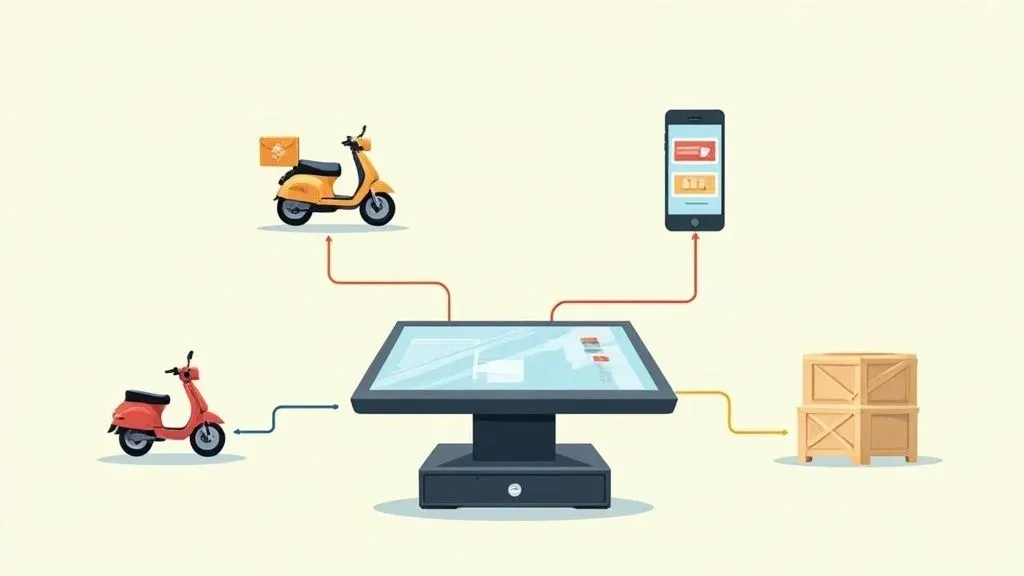
Think of a point of sale integration as a digital bridge connecting your restaurant’s most important tools. In simple terms, it’s a software connection that lets your Point of Sale (POS) system automatically “talk” to other apps you use every day, like Uber Eats, DoorDash, and your inventory software.
So, why does this matter for your restaurant? It means an order placed on a delivery app can flow directly to your kitchen printer or display screen (KDS) without a single person having to manually punch it in. This simple automation saves precious time, boosts staff productivity, and cuts down on frustrating (and costly) order mistakes, directly impacting your bottom line.
Understanding Point of Sale Integrations
Let’s imagine your restaurant’s Point of Sale (POS) system is the command center of your entire operation. It’s where you process payments, track sales, and pull reports. By itself, it’s a great tool, but it’s often operating on an island, disconnected from your other technology.
Point of sale integrations are the communication lines that connect that command center to all the other moving parts of your business—your online ordering website, third-party delivery apps like DoorDash, and even your accounting software.
Simply put, an integration lets different software programs share information automatically. Without it, a staff member has to listen for a tablet to ding, grab it, read the order, and then re-enter that same exact order into the main POS. An integration does that entire task instantly and flawlessly. For example, the second a customer hits “place order” on Uber Eats, it shows up on your kitchen printer just like an order taken at the counter.
From Manual Chaos to Automated Efficiency in Restaurant Operations
We’ve all seen it: the dreaded “tablet farm.” It’s that cluttered counter space piled high with a different device for every single delivery app. This setup is a recipe for chaos, creating constant interruptions for your staff and a huge potential for human error.
A server might mistype an order, miss a special request, or just get completely swamped during the dinner rush. The result? Wrong orders, wasted food, and unhappy customers—all of which hurt your profits.
POS integration eliminates this mess completely. It funnels all your orders into a single, clean workflow where everything—no matter where it comes from—is processed through one system. This is the heart of modern restaurant food tech.
The core idea is to create a central hub where data flows smoothly between all the critical parts of your business. If you want to dive deeper into the technical side of how different systems connect, this guide on what is software integration is a great starting point.
The shift toward powerful, connected POS systems isn’t just a trend; it’s a massive market movement. The global POS terminal market was valued at USD 113.38 billion in 2024 and is expected to soar to USD 181.47 billion by 2030. This explosive growth shows just how essential these systems have become for running a modern hospitality business.
Why It Matters: Every order you enter by hand is a potential mistake and a waste of time. By automating how information moves from a delivery app to your kitchen, you dramatically reduce errors. This directly cuts down on food waste (cost savings!), frees up your staff’s valuable time (productivity!), and protects your profit margin on every single sale.
Let’s take a look at what this difference looks like in the real world.
Manual Entry vs. An Integrated POS System
Operational Task Without Integration (The Old Way) With POS Integration (The Smart Way) Receiving an Online Order A tablet chimes. Staff stops what they’re doing to check it. The order appears instantly on the KDS or prints in the kitchen. No interruption. Entering the Order Staff manually types the order and modifiers into the POS terminal. The order is automatically injected into the POS system. No typing needed. Risk of Error High. Typographical errors and missed modifiers are common. Extremely low. The system transfers the customer’s exact order, error-free. Staff Focus Divided between tablets, the POS, and in-person customers. Focused on preparing food and serving guests in the restaurant. Reporting & Analytics Sales data is fragmented across different platforms, requiring manual consolidation. All sales data is centralized in the POS for easy, accurate reporting.
The difference is night and day. An integrated system like Clover or Square can transform a frantic, chaotic dinner service into a smooth, profitable operation. Your team is free to focus on what they do best: cooking incredible food and taking care of the customers right in front of them.
The Real-World Payoff: Why POS Integration Matters for Restaurant Delivery
Connecting your restaurant’s tech stack isn’t just a “nice-to-have” anymore; it’s a fundamental part of efficient restaurant operations. A truly integrated Point of Sale system directly boosts your bottom line by eliminating mind-numbing manual tasks, reducing costly errors, and giving you a crystal-clear picture of your restaurant’s financial health.
Think of it this way: each benefit feeds into the next, creating a powerful cycle of efficiency and profitability. Let’s dig into the three biggest game-changers you’ll see when you ditch the manual grind.
Slash Order Errors and Food Waste
We’ve all seen it happen. A staff member, swamped during the lunch rush, has to manually punch a delivery order into the POS. It’s a recipe for mistakes—a missed modifier, a wrong item, a simple typo. The result? A costly remake, a disappointed customer, and wasted ingredients. That order’s profit margin just vanished.
POS integration stops this problem at the source. When an order from an app like DoorDash or Uber Eats comes in, it flows directly to your kitchen display system (KDS), looking exactly as the customer placed it. This direct line of communication guarantees accuracy, meaning the kitchen makes the right order the first time, every time.
Why It Matters: Reducing errors saves money on food waste and protects your reputation. A consistent, error-free customer experience is what builds loyalty and keeps people ordering from you instead of a competitor. That means more revenue and better reviews.
Boost Staff Productivity and Morale
Your team’s time is one of your most valuable assets. When they’re constantly pulled away from in-house guests to babysit a symphony of dinging tablets, their real work suffers and service quality drops. This constant context-switching isn’t just inefficient; it’s a fast track to stress and burnout.
By integrating your delivery channels, you turn your staff from tablet-wranglers back into hosts, servers, and chefs. Orders simply appear in the same queue as your dine-in tickets, creating one smooth, unified workflow. This simple change dramatically improves efficiency and fosters a calmer, more organized kitchen, leading to higher staff retention.
For a real-world example, take a restaurant using a system like Square for their POS. By integrating all their delivery partners, they can transform a chaotic counter full of tablets into a single, manageable hub. This allows the team to handle a higher volume of orders without feeling buried, directly increasing sales capacity.
Gain Real-Time Business Insights
How can you make smart decisions when your sales data is siloed across five different platforms? Without integration, getting a complete view of your performance means spending hours manually exporting reports and wrestling with spreadsheets. It’s a tedious process that gives you outdated information.
This is where a unified system truly shines. It’s no surprise that by 2025, it’s expected that more than 72% of retailers will be on cloud-based POS solutions. The reason is simple: real-time data from every single sales channel—dine-in, online, and third-party apps—gets funnelled into one place.
With a proper integration, every sale is consolidated into a single dashboard. You can instantly see which menu items are your top sellers, compare the performance of different delivery apps, and make data-backed decisions about your menu, staffing, and marketing on the fly.
By putting these point of sale integrations to work, you’re not just adding new technology; you’re building a smarter, more resilient restaurant.
Essential POS Integrations for Modern Restaurants
Once you realize how powerful connecting your restaurant’s systems can be, the big question becomes: which integrations will actually solve my biggest headaches? Not all integrations are created equal. Each one is designed to fix a specific operational bottleneck, from taming a flood of delivery orders to simplifying end-of-day accounting.
Think of your POS as the central command center. The right integrations are like spokes on a wheel, connecting that hub to every critical part of your business. This setup lets information flow automatically, so no one has to stop and manually enter data. The global point-of-sale software market is expected to explode from USD 18.3 billion in 2022 to USD 37.0 billion by 2027, showing this is now the standard for efficient operations.
Restaurant Delivery and Online Ordering Integrations
For most restaurants today, this integration is the most critical. A restaurant delivery integration is what links third-party apps like DoorDash and Uber Eats directly into your POS.
Without it, you’re stuck in “tablet hell.” Every time an order comes in, a staff member has to stop what they’re doing, grab a tablet, and manually punch every single item into the POS. It’s slow, prone to errors, and a massive distraction during the dinner rush.
An integration automates the entire process.
- How it works: A customer places an order on a delivery app. In the background, the integration software instantly receives that order and reformats it to be compatible with your POS system.
- The result: The ticket prints in the kitchen or pops up on the KDS just like a dine-in order. No manual entry needed. It just works, saving an estimated 1-2 minutes per order and eliminating nearly all manual errors.
This one connection is foundational to running efficient restaurant operations in the modern era. An online ordering integration does the exact same thing, but for orders placed on your own website, giving you a single, unified workflow for every off-premise sale.
Inventory and Accounting Food Tech Integrations
While delivery is the most visible priority, other integrations work quietly in the background to save you time and money. These food tech tools bring smart automation to your back-of-house.
Why It Matters: Automating back-office tasks frees up your managers from soul-crushing admin work. This gives them the time to focus on what really grows the business—improving service, training the team, and developing new revenue streams.
Here are two of the most impactful back-office integrations:
- Inventory Management: This is a game-changer. The integration automatically subtracts ingredients from your stock as items are sold through the POS. When a customer orders a burger through DoorDash, the integration ensures your POS records the sale, which then tells your inventory system to deduct one patty, one bun, and a slice of cheese from your stock count. This gives you a live, accurate view of your inventory and can be set up to send reorder alerts when you’re running low, preventing stockouts.
- Accounting Software: This is a massive time-saver. Instead of manually exporting sales reports every day and keying them into your accounting software, the integration simply pushes all that data over for you automatically. It eliminates hours of tedious bookkeeping and dramatically reduces the chance of costly human error.
Getting these systems to talk to each other involves some technical steps. For a clearer picture of the mechanics, especially on the payment side, this guide on how to integrate payment gateways offers a great breakdown of the process.
By linking your Clover POS to your delivery, inventory, and accounting software, you create a truly connected ecosystem where every piece of your business communicates seamlessly.
How to Choose the Right Integration Partner
Picking the right company to connect your restaurant’s tech is a huge decision. This partner isn’t just selling you software; they’re building the digital bridge that connects your POS to all your different revenue streams. Getting this choice right from the start saves you from serious headaches down the line.
Think of it less like a simple purchase and more like hiring a critical member of your operations team. A great integration partner ensures the technology actually helps you instead of creating more problems. To feel confident in your choice, you have to ask the right questions upfront.
Compatibility and Reliability
First things first: does it actually work with the systems you already have? A solution that forces you to rip out and replace your current setup isn’t a solution at all. The entire point of a POS integration is to enhance your workflow, not reinvent it from scratch.
You need to be absolutely sure the integration is fully compatible with your specific POS system. For example, if your restaurant runs on Square, you need a partner that offers a certified, ready-to-go connection for it.
Why It Matters: Compatibility isn’t just about getting set up. A certified integration means fewer bugs, quicker updates, and a system you can truly depend on when you’re slammed on a Friday night. It’s about long-term stability for your restaurant operations.
Beyond just working together, you have to think about reliability. What’s the plan if the connection drops during a chaotic dinner rush? A solid partner will have round-the-clock monitoring and a support team you can actually reach to fix problems as they happen. For any serious restaurant, that kind of support isn’t just a nice-to-have; it’s a must-have.
Future-Proof Scalability and Transparent Pricing
Your restaurant is going to evolve, and your tech stack needs to be able to keep up. As you grow—maybe by opening another location or adding a new delivery service—your integration partner has to scale right alongside you.
Ask potential providers how they handle adding new delivery channels or locations. A scalable solution means you can expand without the pain of finding a new partner every time you make a business move. Thinking ahead like this will save you a ton of time and money.
Finally, let’s talk about cost. The pricing structure should be straightforward and predictable. Be cautious of partners who present you with confusing contracts, hidden setup fees, or lock you into long-term commitments.
The best partners for point of sale integrations are upfront with their pricing, usually offering a flat monthly fee so you know exactly what to budget for. For instance, a provider that works with your Clover system should be able to give you a clear, all-in price without any surprises.
To make this process easier, we’ve put together a checklist of questions to ask any integration provider you’re considering. This will help you systematically evaluate each option.
Integration Provider Evaluation Checklist
Evaluation Criteria Key Questions to Ask Why It Matters for Your Restaurant POS Compatibility Is your integration officially certified for my specific POS model and software version? Have you worked with other restaurants using my setup? Uncertified integrations are a recipe for glitches and crashes during busy service hours. You need a proven, stable connection. System Reliability What is your guaranteed uptime? What happens if the system goes down? What does your monitoring process look like? Your revenue depends on this connection. An outage means lost orders and unhappy customers. You need a partner with a plan for stability. Customer Support Is your support team available 24/7? What are your average response times? Will I be talking to a real person who understands restaurant operations? Tech issues don’t wait for business hours. You need immediate access to expert help, especially during a dinner rush. Scalability & Growth How easy is it to add new delivery platforms or restaurant locations? Are there extra costs for expansion? Your business will grow. Your tech partner should make that process seamless, not create another expensive hurdle. Pricing Transparency Can you provide a simple, all-inclusive price? Are there any setup fees, hidden charges, or long-term contracts required? Predictable costs are essential for budgeting. You should never be surprised by your bill. A flat fee simplifies everything. Onboarding & Training What does the setup process involve? Do you provide training for my staff on how to use the system? A smooth onboarding experience ensures your team can use the new tools effectively from day one, minimizing disruption.
Using a checklist like this turns a complicated decision into a clear, step-by-step process. By asking every potential partner these same tough questions, you’ll quickly see who is truly equipped to support your restaurant’s success.
Navigating the Bumps in the Road: Solving Common POS Integration Challenges
Even the best technology can have its moments. While bringing new point of sale integrations into your restaurant operations is a game-changer, it’s smart to anticipate a few potential bumps along the way. Knowing what to look for helps you smooth them out before they cause any real headaches for your team or customers.
Think of this as being prepared, not reactive. When you know how to handle these common hurdles, your team stays confident, and your service never misses a beat.
Keeping Your Menus in Sync
One of the most common issues is a menu mismatch. This happens when the menu on a delivery app like Uber Eats is different from what’s actually in your POS. An old price, a sold-out item, or an expired special can create chaos, leading to canceled orders and staff having to spend valuable time fixing the problem.
The solution is to establish a single source of truth for your menu. Your main POS system, whether it’s a Clover terminal or something else, must be the master menu.
- Actionable Tip: Create a simple rule for your managers: all menu changes (pricing, 86’ing an item, adding a special) must be made in the POS first. A solid integration partner will then automatically push those updates to all your connected delivery platforms. This simple discipline ensures consistency everywhere and saves hours of manual work.
Preventing Lost Orders and Delays
There’s nothing worse for your reputation than an order that never makes it to the kitchen. It’s not just a lost sale; it’s a recipe for a bad review. These order failures often come down to a shaky internet connection or a temporary glitch with a third-party service. While you can’t control everything, you can build a more resilient system.
First, a stable, business-grade internet connection is non-negotiable for modern food tech. Beyond that, your integration partner should act as your safety net, offering real-time monitoring and instant alerts if an order fails to inject into your POS.
Why It Matters: During a dinner rush, every second counts. If an order fails, you need to know about it immediately, not ten minutes later when a hungry customer calls. A reliable partner sends alerts the moment something goes wrong and has a support team on standby to help, minimizing downtime and protecting your revenue.
Getting Your Team On Board
The final, and most critical, piece of the puzzle is your staff. New technology can feel intimidating, but a good POS integration should make their jobs easier, not more complicated. The key to adoption is simple, clear training that focuses on the benefits for them.
Forget thick manuals. Focus on practical, hands-on training. For instance, when you connect your delivery apps to a system like Square POS, the entire workflow is simplified.
- Actionable Tip: Create a one-page “cheat sheet” that visually shows how a new order appears on the KDS. Post it near the terminal. During a team meeting, demonstrate how they no longer need to touch the tablets. Frame it as a tool to reduce stress and errors, which helps them earn better tips from happier in-house guests. This gives your team the confidence to manage the new system from day one.
Your Practical Next Step Toward an Integrated Restaurant
Running a restaurant today means juggling a dozen different things at once. Point-of-sale integrations have moved from a “nice-to-have” luxury to an absolute necessity for staying competitive and efficient.
When your systems talk to each other, you slash costly manual errors, reduce food waste, and free up your staff to focus on what they do best: creating great food and taking care of your guests. On top of that, you finally get the clear, consolidated data you need to make smarter business decisions. This isn’t just about technology; it’s about building a stronger, more profitable operation.
So, what is the practical next step? It’s simpler than you think.
Take a look at your current workflow and pinpoint your single biggest headache. Is it the chaos of manually punching in delivery orders? Or the nightmare of reconciling your books at the end of the month? Whatever it is, start there.
Once you’ve identified that friction point, you can look for a solution built specifically to solve it. For a great example of how this works in practice, check out our OrderOut integration onboarding tutorial.
Ready to make your life easier and your restaurant more profitable? The first step is to see how it works for yourself.
You can start by onboarding for Free in a few clicks.
Frequently Asked Questions About POS Integrations
Thinking about connecting your delivery apps to your point of sale system usually brings up a lot of questions. Getting clear, honest answers is the only way to feel confident in the decision you’re making for your restaurant. Let’s tackle the big questions we hear from operators all the time.
How Much Do POS Integrations Cost?
Pricing can feel all over the map, but the most straightforward and restaurant-friendly model is a flat monthly subscription. This way, you know exactly what you’ll pay each month, which makes budgeting simple and predictable.
Be cautious of providers that charge per order. Those fees might seem small at first, but they can take a serious bite out of your profits, especially during busy times. Look for partners who are upfront about their costs—no surprise setup fees or long-term contracts. The right solution should pay for itself by saving labor costs and eliminating order mistakes.
Is It Difficult to Set Up an Integration?
For any busy restaurant owner, the idea of a painful tech project is a non-starter. The good news is that modern integration platforms are designed to be plug-and-play. Most of the time, you’re looking at a simple, guided setup that you can complete yourself in just a few minutes.
For example, connecting your delivery apps to a major POS like Square or Clover is often just a matter of logging into your accounts and authorizing the connection with a few clicks. The technical work of building the connection has already been done, so you don’t need to worry about custom code or IT headaches.
Why It Matters: A quick and easy setup means you start getting the benefits—like automated order entry and less chaos—almost immediately. You can free up your team’s time from day one without disrupting your restaurant operations.
Will My Staff Need Extensive Training?
This is a big concern for managers, but the answer should be a resounding no. The best point of sale integrations don’t add another complicated system for your staff to learn; they make the one you already have work better.
A well-designed integration funnels every single order directly into the POS your team already knows how to use. An order from DoorDash simply shows up on the kitchen display or prints on the ticket printer, looking just like an order placed in-house. Because it fits right into your existing workflow, there’s practically no learning curve.
Want to dig a little deeper? We’ve put together a guide that answers more frequently asked questions about POS integration.
Ready to get your restaurant’s operations running smoothly and say goodbye to punching in orders by hand? With OrderOut, you can connect all your delivery platforms directly to your POS system in minutes.