
Streamline Your Restaurant With Order Status Software
· Thibault Le Conte
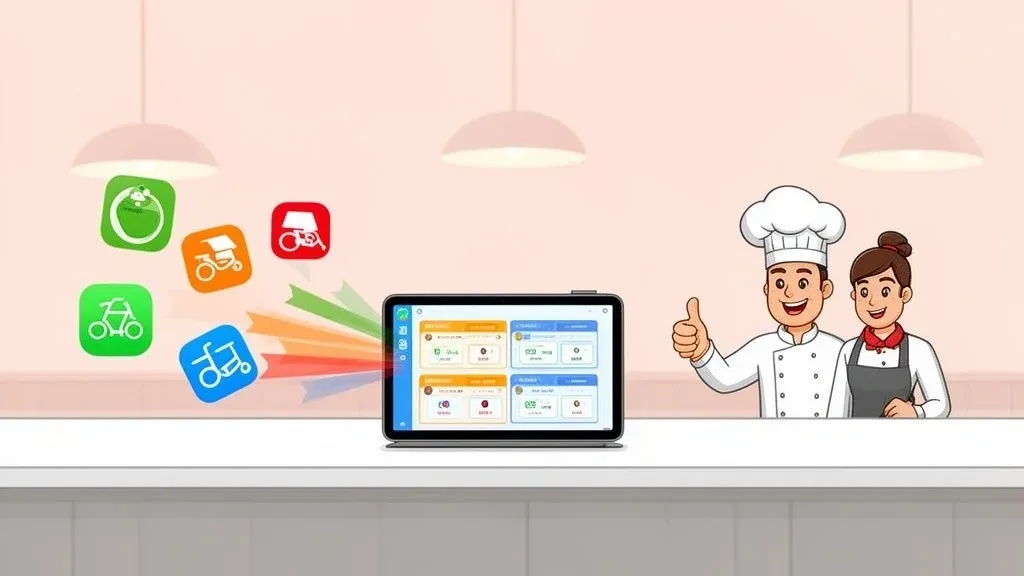
Think of order status software as the central command center for your restaurant’s delivery operations. In simple terms, it’s a tool that automatically grabs every single order from apps like Uber Eats and DoorDash and organizes them into one clean, manageable dashboard. For a restaurant owner, this is a game-changer. It eliminates the need for an army of tablets (“tablet hell”) and gets rid of manual order entry, which saves a ton of time, prevents costly mistakes, and lets your staff focus on the food.
What Is Order Status Software and Why Does It Matter for Restaurant Operations?
Picture a busy Friday night. Orders are pouring in from a half-dozen delivery platforms, and each one has its own tablet beeping and demanding attention. Your staff is frantically trying to punch every order into your Point of Sale (POS) system, creating a massive bottleneck that slows down the kitchen. This chaos is a huge source of stress and inefficiency.
Order status software was built to solve this exact problem. It acts like an air traffic controller for your food orders. Instead of juggling chaotic requests from different delivery apps, you get one orderly system that directs everything seamlessly right into your POS. This direct POS integration is the key to turning a messy process into a smooth, profitable operation.
Taming Restaurant Delivery Chaos with Food Tech
At its core, this food tech is all about consolidation. It automatically pulls orders from every delivery service you work with and injects them straight into your existing workflow. This means no more missed orders, no more frantic typing, and far fewer errors. The whole process becomes organized and predictable, even during your busiest rush. This automation creates a single source of truth for your entire team. From the second an order is placed to the moment it’s handed off to a driver, everyone knows exactly where it is. To get a better sense of what customers see, it helps to understand common shipping statuses like ‘in transit’ and other updates that keep everyone in the loop.
The rise of this technology is a direct result of the online ordering boom. The global market for these kinds of delivery management tools was valued at a staggering USD 5.79 billion. Experts are projecting this specific sector to grow at a massive 19.6% CAGR from 2025 to 2030, which really drives home how crucial it’s become for modern restaurant efficiency.
Boosting Efficiency and Staff Productivity
When you automate the first—and most error-prone—step of the restaurant delivery process, you free up your team to focus on what they do best: making incredible food and taking care of customers. All that time once spent on tedious data entry can be redirected to quality control, double-checking orders, or helping your in-house guests. This directly translates to cost savings on labor and error reduction. If you’re interested in the bigger picture, you can learn more from our guide on what an order management system is and how it benefits restaurants.
The real power of order status software is its ability to turn a reactive, chaotic environment into a proactive, controlled operation. It reduces staff stress, minimizes mistakes, and lays the foundation for a scalable delivery business.
Here’s a real-world example: A busy pizzeria using a Clover or Square POS. With integrated order status software, an order from DoorDash instantly appears on their kitchen display screen just like an order from a walk-in customer. No one has to touch a separate tablet, which is a game-changer when dozens of orders are hitting every hour, dramatically improving staff productivity.
Ultimately, this software isn’t just a nice-to-have—it’s an essential tool for any restaurant serious about competing in the incredibly demanding world of food delivery.
The Core Benefits Driving Restaurant Efficiency
Putting order status software to work in your restaurant isn’t just a minor tech upgrade; it’s a fundamental shift in how you operate. By connecting your delivery apps directly to your POS, you unlock powerful benefits in four key areas: efficiency, accuracy, customer satisfaction, and ultimately, your bottom line. Moving away from manual processes is how your restaurant navigates the chaotic world of food delivery and wins.
Instead of your staff juggling a half-dozen ringing tablets, the software handles the entire order flow automatically. This instantly frees up your team to focus on what really matters—engaging with in-house guests, double-checking takeout bags, and keeping the kitchen running smoothly. It’s a direct path to higher staff productivity and lower stress.
Streamlining Restaurant Operations for Maximum Output
The first thing you’ll notice is a huge leap in operational speed. Picture the typical dinner rush: a tablet dings, a team member stops what they’re doing, walks over, reads the order, then manually punches it into the POS. That process can easily take two to three minutes per order and is a prime time for mistakes.
Order status software completely cuts out this manual bottleneck. An order from Uber Eats flows straight from the customer’s app into your kitchen, just as if they’d ordered at the counter. This level of automation is a must-have for any modern restaurant, letting you handle more orders without adding more staff. This translates directly into time savings and reduced labor costs. To see just how deep these benefits go, check out our guide on automation in restaurants.
All that reclaimed time adds up fast, translating into real labor cost savings and quicker service for every single customer.
Eliminating Errors and Boosting Order Accuracy
The secret to getting orders right nearly 100% of the time is direct POS integration. When your staff is forced to re-key orders, mistakes are inevitable. A forgotten “no onions” modifier or a simple typo leads to the wrong meal, an unhappy customer, and wasted food. These small errors eat away at your profits and reputation.
By creating a direct digital pathway from the delivery app to your kitchen, integrated software acts as a safeguard. The order that the customer places is the exact order your kitchen receives, with a 0% chance of manual entry error.
Let’s look at a real-world example. Imagine a local pizzeria that uses a Square POS system. On a busy Friday night, orders are flooding in. With an integrated system, each order from DoorDash—complete with every customization like “extra cheese” or “gluten-free crust”—pops up instantly on the kitchen display. The cooks don’t have to guess; they just make what’s on the screen, ensuring every pizza goes out correctly. This massive error reduction cuts down on food waste and protects your bottom line.
This kind of precision drastically cuts down on food waste from remakes and directly protects your bottom line.
Enhancing the Customer Journey and Building Loyalty
Fewer mistakes and faster service are the magic ingredients for happy customers. In today’s crowded food delivery market, the customer’s experience is everything. Giving them an accurate ETA, getting the food right, and avoiding delays are what earn you those five-star reviews and repeat business. It’s not just about what happens in the kitchen; tools like this are essential to improve ecommerce customer experience as a whole.
When your restaurant operations are a well-oiled machine behind the scenes, the customer feels it. They get their food faster, it’s exactly what they wanted, and the whole process feels reliable. That consistency builds trust, which is what turns a first-time buyer into a loyal regular.
Here’s a quick look at how the two approaches stack up.
Manual Entry Vs. Integrated Order Status Software
This table breaks down the difference between sticking with manual processes and making the switch to an automated, integrated system. The contrast is stark.
Operational Area Manual Process (Without Software) Automated Process (With Software) Order Entry Staff manually types orders from tablets into the POS, risking errors. Orders inject directly into the POS and KDS automatically. Staff Focus Team is distracted by beeping tablets and tedious data entry. Team can focus on food quality and in-person guest experience. Order Accuracy High potential for missed modifiers and incorrect items. Virtually eliminates manual entry mistakes for 99.9% accuracy. Service Speed Bottlenecks form as staff struggle to keep up with order entry. Orders reach the kitchen instantly, accelerating prep times. Profitability Increased food waste from remakes and potential for lost sales. Reduced waste, optimized labor costs, and higher order capacity.
The takeaway is clear: Shifting from a manual system to an automated one is one of the smartest moves a restaurant can make. It takes your biggest operational headaches and turns them into strengths, setting you up for sustainable growth.
How POS Integration Unlocks Peak Performance
Think of your POS as the brain of your restaurant—it handles everything. Now, imagine every delivery app like DoorDash or Uber Eats is speaking a different language. Without a good translator, your staff is stuck in the middle, trying to decipher every order, which leads to confusion and mistakes.
This is where order status software with POS integration comes in, acting as that essential translator. It takes every single order from every delivery platform and instantly converts it into the exact format your POS system understands. An order from Grubhub gets sent directly to your kitchen display system (KDS), looking identical to an order from a customer standing at the counter. No more manual entry.
Technically, this happens through what’s called an Application Programming Interface, or API. You can just think of an API as a secure digital bridge that lets different software programs talk to each other automatically. The result? A smooth, unified workflow where technology handles the tedious stuff, freeing up your team to focus on what matters: great food and happy customers. We dive even deeper into how this works in our guide to POS integration software.
Creating a Single Source of Truth for Restaurant Operations
One of the biggest wins from direct POS integration is creating a single source of truth for your entire business. When your staff manually punches in every online order, your sales data becomes a mess. It’s nearly impossible to separate delivery revenue from in-house sales or figure out which platforms are actually making you money without hours of spreadsheet work.
Integrated software fixes this by automatically tagging and sorting every order as it comes in. This leaves you with clean, reliable data you can actually use to make smart business decisions.
- Accurate Sales Reporting: See a perfect breakdown of your revenue by source—in-house, Uber Eats, DoorDash, etc.—without manual effort.
- Synced Inventory Management: As orders come in, your POS automatically updates your stock levels in real time. This means you stop selling items you’ve run out of, preventing canceled orders.
- Simplified Accounting: End-of-day reconciliation becomes a quick, error-free task, saving your managers hours of headache.
This visual really brings home how these core benefits work together to fuel your restaurant’s success.
As you can see, boosting your efficiency and accuracy has a direct impact on customer satisfaction, which in turn creates a powerful cycle of growth and loyalty.
A Real-World Example of Seamless POS Integration
Let’s picture a busy cafe that runs on a Clover POS system. Before integration, their morning rush was pure chaos. The staff was juggling in-person orders while frantically trying to punch in a nonstop stream of mobile orders. By adding an integrated solution from the Clover App Market, they completely changed their restaurant operations.
Now, when an order for a latte comes through a delivery app like Uber Eats, it instantly pops up on the barista’s screen. The payment is logged, the item is deducted from inventory, and the sale is recorded perfectly. The process is identical for every order, no matter the source, bringing calm to the chaos and dramatically increasing staff productivity.
The ultimate goal of POS integration is to make third-party delivery feel like a natural extension of your in-house operations, not a separate, chaotic business you have to manage on the side.
With delivery now accounting for over 40% of revenue for many restaurants, this kind of control isn’t a luxury—it’s a necessity. The market for these tools is exploding, projected to grow at a 19.6% compound annual rate and hit USD 14.70 billion by 2030. This growth is driven by customers who now expect live ETAs and real-time tracking, features shown to boost satisfaction by 25%. You can dig into the numbers in the full Grand View Research report.
By connecting your order status software directly to your POS, you’re not just adding another tool. You’re fundamentally upgrading your restaurant’s entire operational nervous system for peak performance.
Key Features to Look For in Order Status Software
Picking the right order status software is a critical decision. Not all platforms are created equal, so you need to know what to look for. Think of this as a practical buyer’s guide for restaurant owners—we’re sorting the essential “must-have” features from the nice extras.
The goal isn’t just to add more tech. It’s to find a solution that genuinely simplifies your workflow, cuts costs through error reduction and time savings, and makes life easier for your staff. The right software should feel like hiring the most efficient employee you’ve ever had.
Let’s dig into the core features that really matter for your restaurant.
Must-Have 1: Multi-Platform Consolidation
This is non-negotiable. Multi-platform consolidation is the feature that pulls all of your orders—from Uber Eats, DoorDash, Grubhub, and others—into a single, unified dashboard. It’s the feature that ends “tablet hell” for good.
Instead of your staff juggling a half-dozen ringing tablets, they have one screen to watch. This instantly cuts through the chaos, slashes the risk of missed orders, and gives you a single, clear view of your entire restaurant delivery operation. If you want to dive deeper into taming orders from every direction, our guide on multi-channel order management software has some great insights.
Must-Have 2: Direct POS Integration
Consolidating orders is the first step, but direct POS integration is what truly unlocks the system’s power. This feature automatically sends every order straight into your Point of Sale system, treating it just like an order placed at the counter. This is crucial because it eliminates the biggest source of errors in the entire delivery process: manual data entry.
Look for software that works seamlessly with major POS providers. A quality solution will have solid, reliable integrations with systems like Clover or Square.
Why It Matters: Think about the cost savings. Direct integration stops your staff from being data-entry clerks. It guarantees 99.9% order accuracy, which means fewer comped meals, less food waste, and happier customers who get what they actually paid for.
Must-Have 3: Automated Menu Management
For any busy kitchen, this is a total game-changer. Often called menu syncing, this feature lets you update your menu in one place—your POS—and pushes those changes out to all your delivery platforms instantly.
Here’s a practical example: you run out of brisket during the Friday night rush. With this feature, you just 86 the item in your POS. The order status software immediately marks it as “sold out” on DoorDash, Uber Eats, and everywhere else.
That one simple action has a huge ripple effect on restaurant efficiency:
- It Prevents Canceled Orders: You stop taking money for food you don’t have. No more awkward phone calls or processing refunds.
- It Improves Customer Satisfaction: Nobody likes ordering their favorite dish only to find out it’s unavailable.
- It Frees Up Your Staff: Your team can stop managing failed orders and focus on getting active ones out the door, improving staff productivity.
Ultimately, picking the right food tech boils down to these core functions. A system with strong consolidation, deep POS integration, and automated menu controls will give you a clear and immediate return on your investment by boosting productivity and eliminating errors.
Your Step-by-Step Implementation Guide
Getting new software up and running might sound like a headache, but it’s surprisingly straightforward. Modern, cloud-based solutions are designed for restaurant owners, not IT experts. They allow you to get set up with minimal fuss so you can see a return on your investment almost immediately.
This simple, four-step roadmap shows how a major upgrade to your restaurant operations can happen in just a few clicks.
Step 1: Assess Your Current Tech Stack
First, take a quick inventory of the technology you’re already using. What is the brain of your operation?
Start with your Point of Sale (POS) system. Are you using a platform like Square or Clover? Then, list all the third-party delivery services you’ve partnered with—like Uber Eats, DoorDash, and Grubhub.
Having this list ready is the key to finding a partner that plugs right into your existing setup, guaranteeing a smooth connection from day one.
Step 2: Choose a Compatible Integration Partner
With your list of tech in hand, the next move is to find an order status software that works with both your POS and your delivery apps. Compatibility is everything. The right partner acts as a universal translator, letting all your different systems communicate seamlessly.
This is the most critical decision in the process. You need a solution built to connect the specific tools you rely on every day. For a closer look at why this connection is a game-changer for restaurant efficiency, check out our guide on the benefits of integration with a POS system.
Step 3: Connect Your Accounts and Onboard
Once you’ve picked your partner, it’s time to link everything up. This is usually a simple, guided process that only takes a few minutes. Most platforms have a user-friendly dashboard where you securely log in to your delivery and POS accounts one by one.
It’s a lot like connecting a new app to your Google account—you grant permission, and the software does the rest.
This isn’t built for IT experts; it’s designed for busy restaurant owners. The entire connection process often takes less time than prepping your line for the dinner rush.
Once the accounts are linked, the system automatically pulls in your menu, location details, and other key data.
Step 4: Train Your Team on the New Workflow
The last step is getting your team on board. The best part? The training is incredibly simple because the software makes their jobs easier. Instead of teaching a complex new process, you’re mostly just showing them what they no longer have to do.
Here’s what the new reality looks like for your staff:
- Orders Appear Automatically: Every restaurant delivery order now pops up directly in the POS and on your kitchen display screen (KDS), just like a walk-in order.
- No More Manual Entry: Staff can finally stop staring at tablets and re-punching orders. The chaos is over.
- Focus on the Food: Your team can now put 100% of their focus on making great food and getting it out the door fast, boosting staff productivity.
By automating the most tedious part of online ordering, you immediately cut down on staff stress and free up their time, leading to significant cost and time savings.
It’s Time to Take Control of Your Restaurant’s Operations
Let’s be honest. In a world dominated by third-party delivery apps, trying to juggle online orders by hand is a surefire way to create chaos. It leads to mistakes, frustrated staff, and lost money. This is where order status software comes in—it’s the missing link that connects the digital flood of orders from apps like DoorDash and Uber Eats directly to your kitchen’s real-world workflow.
Think of it as the ultimate operational upgrade. By automating how orders hit your POS, you immediately cut down on costly manual entry errors, free up your team’s time, and get food out the door faster. This isn’t just about efficiency; it boosts staff morale by eliminating a major source of stress and builds customer loyalty one accurate order at a time.
Your Next Step Toward a More Profitable Restaurant
If you’re already running a great POS system like Square or Clover, you’ve already done the heavy lifting. The next logical step is integrating software that syncs everything together. It might just be the single most impactful decision you make for your restaurant this year.
Moving from manual entry to full automation isn’t just a time-saver. It’s about building a stronger, more scalable business that can handle whatever the future of food delivery throws at it.
Modern solutions are built to plug in and work seamlessly, so you can start seeing a real difference from day one. You’re not just buying a piece of software; you’re investing in a calmer, smarter, and more profitable way to run your restaurant.
The path to a streamlined operation is clearer than you think. Start your free onboarding and discover what it feels like to have a true command center for your restaurant operations. Ready to see the difference for yourself? Begin your journey at https://dashboard.orderout.co.
Frequently Asked Questions About Order Status Software
Jumping into new restaurant tech can feel like a big leap, so it’s only natural to have a few questions. To help you get a clearer picture, we’ve pulled together the most common things we hear from restaurant owners about order status software and answered them in plain English.
How Much Time Can My Restaurant Realistically Save?
This is the big one, and the answer is: a lot. By eliminating the need for staff to manually punch delivery orders into your POS, you can reclaim several hours of labor every week.
Think about it this way: if each manual order takes just 90 seconds to handle—from hearing the tablet ping to double-checking the entry—and you’re doing 100 delivery orders a day, that’s 2.5 hours of labor spent just on data entry. This software gives that time back to your team, freeing them up to focus on guests and food quality. That’s a direct impact on your bottom line through time savings and improved staff productivity.
Will This Software Work With My Specific POS?
Compatibility is a huge concern, but today’s order status software is built to be flexible. In simple terms, these systems are designed to “talk” to other software without any drama.
The best solutions are designed to work with the most popular restaurant POS systems. For example, you can find powerful apps that plug right into platforms like Clover or fit perfectly within the Square ecosystem. The goal is finding a partner that connects directly to the tech you already use, which makes getting started quick and painless. The technical magic behind this is an API, or a digital bridge that lets the software communicate.
The beauty of a well-integrated system is that it makes third-party delivery orders feel native to your existing workflow. An Uber Eats order should look and act exactly like an order from an in-house customer.
Is It Difficult to Train My Staff?
Believe it or not, training is incredibly straightforward because the software is designed to remove a complicated step, not add one. Your team already knows how to read tickets on your POS and kitchen display system (KDS). This software just makes sure every order from DoorDash, Uber Eats, and Grubhub shows up there automatically.
There’s no new, clunky interface for your kitchen crew to learn. You’re simply telling them, “You can ignore the tablets now.” This simplification of restaurant operations is usually a huge relief for staff. It gets rid of a tedious task they probably hate, which means less stress, fewer mistakes, and a much happier team.
Ready to eliminate manual entry errors and reclaim hours of valuable time? With OrderOut, you can connect your delivery apps directly to your POS for a seamless, automated workflow. Get started for Free in just a few clicks at https://dashboard.orderout.co.