
The Ultimate Guide to Order Ready Screen Systems
· Thibault Le Conte
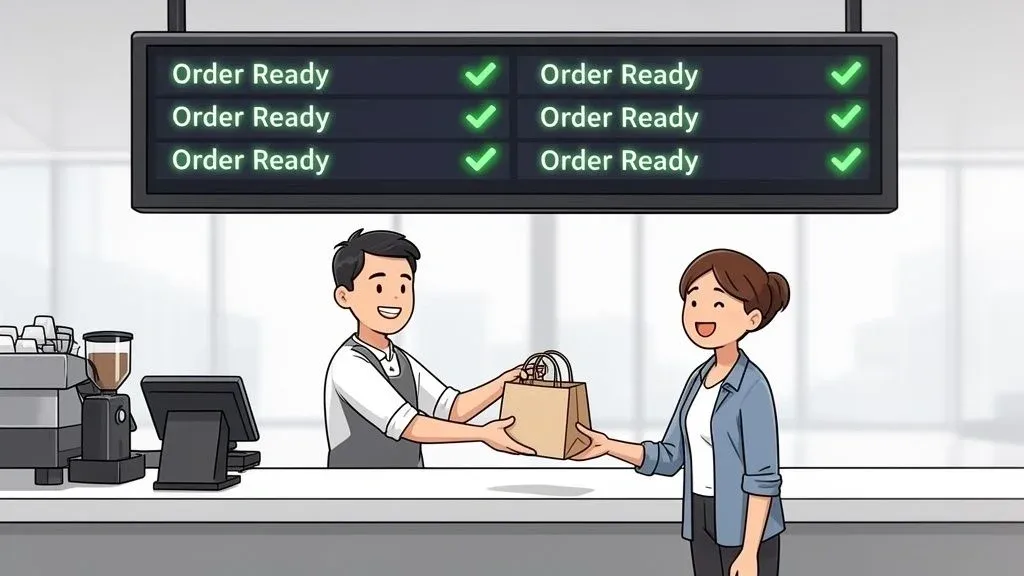
Picture your restaurant’s pickup area on a chaotic Friday night. Now, imagine an airport departure board, but for food. That’s essentially what an order ready screen is—a simple display that turns the usual pickup chaos into a smooth, organized flow for both customers and delivery drivers. It’s a simple piece of food tech that acts as your front-of-house’s new secret weapon for improving restaurant operations.
What Is an Order Ready Screen and Why Does It Matter for Your Restaurant?
In simple terms, an order ready screen is a digital display that shows everyone which orders are being made and which are ready to go. Instead of your staff yelling out names or ticket numbers over the noise, the screen provides a clear, quiet, and constant update. It’s the single source of truth connecting your kitchen, your staff, and your hungry customers.
Why it matters: This isn’t just about looking modern. It’s a practical tool that solves some of the most common headaches in the restaurant business, directly impacting restaurant efficiency. By creating a calm and orderly pickup counter, you’re not just making things easier for your team; you’re directly improving the customer experience and speeding up restaurant delivery times.
Improving Restaurant Operations and Efficiency
The main job of an order ready screen is to make the handoff process incredibly efficient. Think about how much time your staff wastes answering “Is my food ready yet?” or trying to match an order with the right person in a crowded lobby. This screen gives all that time back, a clear win for staff productivity.
With an automated screen doing the communication, your team can focus on what they do best: getting orders out the door and helping customers. This efficiency boost is a game-changer during peak hours when every single second matters. It helps manage the flow of walk-in customers and third-party drivers from services like Uber Eats and DoorDash, ensuring everyone gets their food faster.
Actionable Insight: By digitizing this final step, you eliminate the anxiety and guesswork that often define a busy pickup counter. This projects professionalism and creates a seamless experience that customers will remember, leading to better reviews and repeat business.
The Power of POS Integration and Automation
The real magic happens when your order ready screen connects directly to your restaurant’s Point of Sale (POS) system. This is the technical part that makes it all work. This POS integration is what makes the whole thing run on autopilot. When a cook marks an order as “complete” on the kitchen display system (KDS), the order ready screen updates instantly. No one has to lift a finger.
This hands-free automation delivers some huge wins:
- Fewer Mistakes (Error Reduction): It eliminates the errors that come from misheard names or trying to read tiny ticket numbers. This means less wasted food and fewer costly remakes.
- More Time Saved (Staff Productivity): Your staff is completely freed from having to manually update a whiteboard or shout out order numbers.
- Greater Customer Trust: Customers feel more at ease when they can see their order’s progress, which makes the wait feel shorter.
For instance, popular POS platforms like Clover and Square have entire app marketplaces that make this kind of powerful POS integration possible. If you want to get into the nitty-gritty, you can explore a full breakdown of how order status software works in our detailed guide.
The Core Benefits for Modern Restaurant Operations
Sure, an order ready screen helps quiet down the front of your restaurant. But the real magic is how it directly solves some of the most persistent headaches in the business, hitting your bottom line where it counts. We’re talking about real, measurable gains in accuracy, team productivity, and service speed that directly improve your restaurant operations.
These aren’t just small tweaks. They’re fundamental upgrades that reinforce your entire operation. By automating that final, often chaotic, step of getting food to the customer, you can plug operational leaks and build a much more reliable experience.
Slash Order Errors and Costly Remakes
We’ve all seen it happen. A staff member shouts a name that gets misheard in the noise, or a hurried customer accidentally grabs the wrong bag. These manual handoffs are breeding grounds for mistakes, leading directly to wasted food, costly remakes, and a frustrated customer you might never see again.
Why it matters: An order ready screen puts a stop to that. When an order is ready, a unique name or number pops up on the display for everyone to see. It’s a clear, digital handshake that ensures the right food gets to the right person, every single time. This simple change has a massive impact on error reduction, protecting both your profits and your reputation from costly mistakes.
Boost Staff Productivity and Control Labor Costs
Take a minute and think about how much time your front-of-house team spends just managing the pickup area. They’re constantly answering “Is my order ready yet?”, shouting out names, and digging through bags to find the right ticket. That’s precious time they could be using to help dine-in guests, double-check orders, or upsell a drink.
Actionable Insight: An order ready screen essentially becomes an automated traffic controller for your pickup zone. It empowers your team to stop playing crowd control and get back to their actual jobs, which directly improves staff productivity and reduces stress.
This is more important than ever with labor costs on the rise. When you make your current team more efficient, you can handle rushes with less stress and get more value from the payroll you already have, saving significant time and money.
Speed Up Service and Increase Throughput
Every restaurant owner wants to get food out the door faster. When it comes to takeout and restaurant delivery, speed is the name of the game. An order ready screen makes sure that the second an order is bagged and ready, the customer or delivery driver knows.
- Faster Handoffs: A driver for DoorDash can glance at the screen the moment they walk in. They find their order number, grab the bag, and go—slashing their wait times and getting food to your customers faster and hotter.
- Quicker Table Turns: If you’re juggling a busy dine-in service alongside takeout, a smooth pickup process is crucial. It prevents logjams at the host stand, freeing up your staff to seat new guests and serve tables more effectively.
This kind of food tech is becoming the new standard. The global market for self-service systems in restaurants is projected to climb past $16 billion in 2026. As industry analysts point out, customers are coming to expect this level of efficiency. If you want to dive deeper, you can explore more research about the rise of self-service tech in restaurants.
Key Features to Look For in an Order Ready Screen
When you start shopping for an order ready screen, you’ll quickly realize not all systems are built the same. It’s easy to get bogged down in technical specs, but what really matters is finding a system with the right features to make your life easier and your restaurant run smoother.
Think of it this way: you’re not just buying a TV screen; you’re investing in the central hub for your entire pickup operation. The right features will slash confusion, free up your staff, and give both customers and delivery drivers a much better experience.
Must-Have System Capabilities
First things first, your screen absolutely must provide clear, real-time status updates. At a bare minimum, it needs to show whether an order is being prepared or is ready for pickup. This single feature is the foundation for everything else—it cuts down on the constant “Is my order ready yet?” questions and lets everyone know exactly where things stand.
Your order ready screen is also a direct reflection of your brand, so customization is key. You need the ability to add your logo and use your brand’s colors. A generic, unbranded screen just looks cheap. A screen that matches your restaurant’s aesthetic, however, feels like a seamless and professional part of the experience.
Why it Matters: A well-branded screen reinforces your restaurant’s identity and professionalism. It shows customers you’ve invested in their experience, which builds trust and encourages repeat business, boosting both customer loyalty and your bottom line.
Now, let’s talk about the features that separate the basic systems from the true workhorses. We’ll compare the absolute essentials with the more advanced options that can really elevate your restaurant operations.
Essential vs. Advanced Order Ready Screen Features
Feature What It Does Why It’s Important for Your Restaurant Real-Time Status Updates Displays “Preparing” or “Ready” statuses automatically. This is the core function. It reduces customer anxiety and frees up staff from answering questions. Branding & Customization Allows you to add your logo, brand colors, and custom layouts. Creates a professional, cohesive experience that builds brand trust and reinforces your identity. POS & Delivery Integration Syncs directly with your Point of Sale and third-party delivery apps. The single most critical feature for automation. Eliminates manual entry, human error, and saves labor. SMS/Text Notifications Automatically sends a text message to the customer when their order is ready. An advanced feature that offers a premium customer experience and clears out crowded waiting areas. Multi-Screen Support Pushes order statuses to multiple screens in different locations. Ideal for larger restaurants with separate pickup zones for customers and delivery drivers. Performance Analytics Tracks key metrics like average wait times and order volume by hour. Provides valuable data to help you identify bottlenecks and optimize your workflow for peak efficiency.
While a basic screen can get the job done, features like POS integration are what truly unlock efficiency. Without it, you’re just creating more work for your team, which defeats the purpose of investing in new food tech.
Connecting Your POS for a Seamless Restaurant Delivery Workflow
An order ready screen is a great tool on its own, but its real magic is unlocked when it talks directly to the heart of your restaurant: your Point of Sale (POS) system. Think of POS integration as the central nervous system connecting your entire operation. It lets every piece of your restaurant tech communicate instantly and automatically, cutting out tedious manual tasks.
When your kitchen marks an order as ‘complete,’ a properly integrated system updates the order ready screen in that exact same moment. No more shouting across a noisy kitchen. No extra button presses. Most importantly, no room for human error. This is the automation that truly delivers a return on your investment by reducing errors and saving labor costs.
Creating One Smooth Workflow for Restaurant Operations
Let’s paint a picture. It’s the middle of a chaotic dinner rush, and an order from DoorDash pops up. Without integration, a staff member has to stop what they’re doing, grab the tablet, and manually punch that entire order into your POS. It’s slow, and every manual entry is a chance to get an order wrong.
Now, imagine this instead: that same DoorDash order flows directly into your POS the second it’s placed. Your kitchen staff sees it on their kitchen display system (KDS), they make the food, and they tap a button to mark it “complete.” Instantly, that order number appears on the customer-facing order ready screen.
This single, connected process is the cure for what restaurant folks call “tablet hell”—that dreaded clutter of tablets for every single delivery service hogging your counter space. Instead of juggling a half-dozen different systems, your team manages everything from one central hub.
Actionable Insight: This kind of automation is what really levels up a restaurant’s operations. It isn’t just about adding another screen; it’s about making your entire food tech stack work together to save labor and stop costly mistakes before they happen.
How to Find the Right POS Integration
The good news is that you don’t need a custom-built solution to make this happen. Most modern POS systems are built with flexibility in mind, often featuring app marketplaces where you can find ready-made tools to connect all your services. For a helping hand, exploring comprehensive Platform Integration Services can ensure your order ready screen connects perfectly with everything else.
For instance, restaurants using some of the most popular POS systems can find apps that bridge the gap between their restaurant delivery platforms and their in-house systems.
- Clover users can find powerful integration tools right on the Clover App Market.
- Square users have a similar ecosystem on the Square App Marketplace with apps designed for this exact purpose.
Connecting these systems ensures data flows automatically from the moment a customer orders to the second their food is handed off. If you want to get into the nitty-gritty of how it all works, our guide on POS software integration is a great next read. This automation is the secret to boosting staff productivity and running a much tighter ship.
A Practical Implementation Checklist for Your Restaurant
Alright, you’re sold on the idea of an order ready screen. So, how do you actually get one installed and working without causing a major headache for your staff and customers? It’s all about having a solid plan.
Think of it like a soft opening for a new piece of equipment. By tackling this step-by-step, you can get everything dialed in during a slow period, avoiding any chaos during your dinner rush.
The magic really happens when your systems talk to each other. An order placed on a phone can flow right through your POS and pop up on the screen automatically, with zero manual entry from your team.
When your POS integration is set up correctly, you create one seamless workflow that keeps everything perfectly in sync, which is essential for efficient restaurant operations.
Your Step-by-Step Guide
Getting started is probably easier than you think. Here’s a quick breakdown of what you need to do for a successful launch:
-
Hardware Selection: Don’t just grab any TV. You need a commercial-grade screen built to handle the heat and hustle of a restaurant. For most spots, a screen between 40-55 inches is the sweet spot—big enough to be seen, but not so big it takes over the whole wall.
-
Software and Integration: Pick a software provider that lets you easily add your branding and—this is critical—offers seamless POS integration. This is the connection that will let you sync with systems like Clover or Square and make the whole process automatic.
-
Screen Placement: Put the order ready screen somewhere obvious, right near your pickup counter. You want to make sure customers waiting inside and restaurant delivery drivers can spot it the second they walk in. Just be sure it won’t be blocked by a queue of people or a poorly placed plant.
-
Display Configuration: Clarity is king. Use big, bold fonts and a simple color scheme that’s easy on the eyes. You only need to show the essentials: the order number or customer name and its status (“Preparing” or “Ready”). Keep it clean.
Actionable Insight: A soft launch is your secret weapon. Roll out your new screen during a traditionally slow period, like a Tuesday afternoon. This gives your staff a low-pressure environment to get comfortable with the new system and allows you to fix any issues before the weekend rush. This simple step can save you massive time and headaches.
Training Your Team and Customers
The tech is only half the battle; you also have to get the people on board. Start with your kitchen crew. Show them how updating an order in the POS or KDS instantly changes the status on the customer-facing screen. For your front-of-house team, their job gets easier. They just need to get in the habit of pointing customers toward the screen instead of shouting names across the room.
To get customers up to speed, a little signage goes a long way. A small, friendly sign at the register that says, “Watch for your name on the screen!” is all you need.
Let’s be honest, customer expectations are changing. Today, 61% of diners say they want more self-service technology because they value speed and control. It’s a clear signal that systems like this are becoming standard practice for modern restaurant operations. You can dig deeper into how guest expectations are evolving to see why this trend is so important. And if you’re curious about connecting different systems in general, our guide on how to manage change order integration is a great resource.
Your Next Step Toward a More Efficient Restaurant
Let’s pull all of this together. An order ready screen isn’t just a nice-to-have for massive chains anymore. It’s quickly becoming an essential piece of food tech for any modern restaurant that wants to run a tighter, more profitable operation.
Why it matters: An order ready screen directly tackles costly mistakes and frees up your staff, which helps lower those persistent labor expenses. More importantly, it completely transforms the customer experience for both pickup and restaurant delivery. When you create a calm, organized, and professional pickup area, you build the kind of trust that keeps people coming back. It’s a simple change that stops operational friction from chipping away at your bottom line.
Taking Action on Food Tech
The first move to upgrade your restaurant operations is to find a solution that neatly connects your delivery apps and POS system to a customer-facing screen. For instance, an order from Uber Eats can appear in your POS and on your order ready screen automatically, creating a single, efficient workflow. This level of POS integration is key to reducing errors and boosting staff productivity.
Of course, investing in new food tech can feel like a big step. To make this happen, understanding your financial options is key, so it’s a good idea to explore available funding for your restaurant.
Actionable Insight: Take that first step toward a smoother, more profitable operation. It’s time to stop wasting money on manual mix-ups and start building a more professional customer experience today.
Common Questions from Restaurant Owners
Thinking about adding an order ready screen? You’re not alone. Here are the answers to the questions we hear most often from owners just like you, explained in simple terms.
How Much Does an Order Ready Screen System Cost?
The cost really comes down to two things: the hardware and the software. The hardware is a one-time purchase, usually a commercial-grade TV that can start at just a few hundred dollars. The software is almost always a manageable monthly subscription.
For instance, many popular POS systems like Clover and Square have integrated apps with very reasonable fees. The best way to think about it is in terms of return on investment. Most owners find the system pays for itself quickly when you factor in the money saved from fewer order mistakes (error reduction) and the reduced staff time spent managing the pickup counter (time savings).
Will My Staff Need a Lot of Training?
That’s a great question, and the answer is surprisingly simple: no. One of the biggest upsides is how easy these systems are to adopt. Because a fully integrated order ready screen pulls information directly from your POS or Kitchen Display System (KDS), there’s almost nothing new for your front-of-house team to learn.
Why it matters: The only real “training” is getting your kitchen staff into the habit of marking orders as ‘ready’ in the system they’re already using. For your cashiers and counter staff, it just means they can finally stop shouting names and instead point customers toward the screen, boosting staff productivity by freeing them up for more valuable tasks.
Can It Work with Apps Like Uber Eats and DoorDash?
Absolutely. In fact, this is where you’ll see some of the biggest benefits, especially for managing restaurant delivery. To get this working, you’ll need an integration platform that acts as a bridge, connecting all your third-party delivery apps directly to your main POS system.
Actionable Insight: Once an Uber Eats order is accepted, any update—like when the kitchen marks it as “ready”—is automatically pushed to the order ready screen through your POS integration. This creates one unified flow for every single order, making life easier for your staff, delivery drivers, and customers.
Is It Worth It for a Lower-Volume Restaurant?
Definitely. An order ready screen isn’t just for managing huge crowds; it’s about running a tighter ship and looking more professional. It frees up your team from the constant mental juggling of tracking every order, which means they can focus on giving customers better, more personal service.
Even with a slower flow of orders, the screen creates a modern, food tech-forward experience that builds trust. It shows customers you’re organized and efficient, which is a great way to build loyalty, no matter your size. This investment in your restaurant operations pays off in customer satisfaction and error reduction.
Practical Next Step: Stop letting pickup chaos and costly order mistakes drain your profits. It’s time to streamline your operations. You can connect all your delivery apps directly to your POS and display order statuses automatically. Get started for Free in just a few clicks.