
On Demand Services A Restaurant Operator's Guide 2026
· Thibault Le Conte
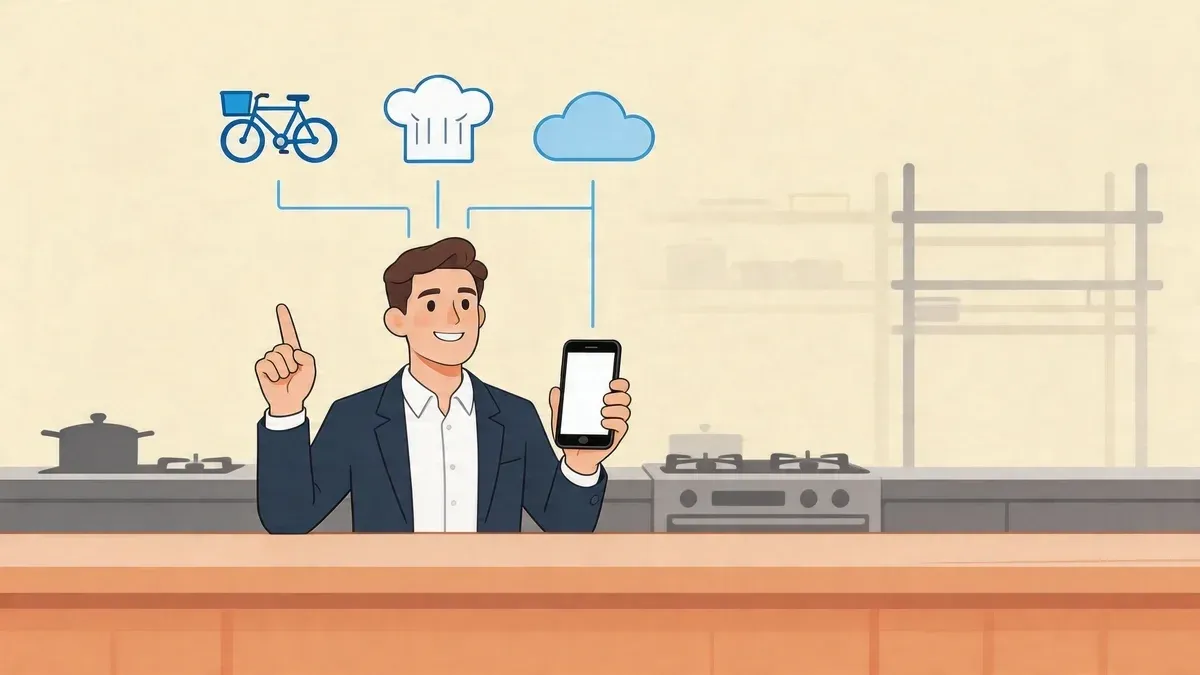
Friday night hits. The dining room is busy, the phone is ringing, and three delivery tablets start chirping at once. Someone on expo is trying to read a DoorDash ticket while another staff member retypes an Uber Eats order into the POS. A modifier gets missed. A side is forgotten. The kitchen blames the front. The front blames the tablets.
Most operators don’t need a definition of chaos. They live it.
What they usually need is a better way to think about on demand services. Not as a trend word, and not as something only big chains can manage. In restaurant operations, on demand services are only valuable when they reduce friction at the printer, at the counter, and in payroll. If the tech adds steps, it’s a problem. If it removes steps, it’s useful.
What Are On-Demand Services for Restaurants
For restaurants, on demand services are services customers or operators can access right when they need them, usually through an app or web platform. The customer taps a screen, places an order, and expects fast fulfillment. The operator taps a screen, requests a driver, a worker, or a supply order, and expects the same.
That model has moved from optional to normal. The global on-demand services market is projected to grow from USD 216 billion in 2026 to USD 346 billion by 2035 at a 5.4% CAGR, according to Business Research Insights. For restaurant owners, that matters because customer expectations have already changed. Convenience is now part of the product.
The category that hits restaurants hardest
The most important on demand service in restaurants is third-party delivery. Uber Eats, DoorDash, and Grubhub don’t just create another sales channel. They create another operational lane.
If that lane isn’t connected to your POS, your team ends up managing separate devices, duplicate workflows, and conflicting records. That’s why many operators eventually realize they don’t just have a delivery problem. They have an order flow problem.
A lot of that falls under what many teams now think of as an order management system. In plain English, that means one process for catching, routing, and tracking orders instead of letting every app create its own little island.
The main types of on demand services restaurants use
Restaurants usually deal with four practical versions of on demand services:
- Delivery marketplaces like Uber Eats and DoorDash. These bring in customers, but they also bring complexity if orders stay trapped on tablets.
- On-demand staffing for shifts that need coverage fast. Useful in a pinch, but not a fix for a bad workflow.
- Inventory and supply ordering through digital vendor systems. Helpful for speed and consistency, especially when managers are ordering across multiple locations.
- Cloud kitchen and virtual brand operations that rely heavily on app-based demand. These models live or die on clean digital order handling.
Each category matters. Only one of them hits your line every few minutes during service.
Practical rule: If an on demand service doesn’t reduce work inside the restaurant, it isn’t helping operations. It’s just moving the work around.
What this looks like in real life
Say a customer orders wings on DoorDash, a burger on Uber Eats, and a family meal through your own online channel within the same minute. The customer sees three simple transactions. Your staff may see three different devices, three different ticket formats, and three different opportunities for error.
That’s why the real conversation isn’t “Should we offer delivery?” Most restaurants already do. The better question is, “How many manual steps are still sitting between the customer click and the kitchen printer?”
When owners answer that candidly, they usually find the same thing. The issue isn’t demand. The issue is how demand enters the building.
The Core Benefits of Adopting On-Demand Food Tech
Restaurants don’t adopt food tech because it’s interesting. They adopt it because labor is tight, speed matters, and customers already order through apps whether the operator likes it or not.
The strongest reason to embrace on demand services is simple. They let a restaurant participate in demand that already exists, without forcing the team to manage that demand badly.
More revenue opportunities without adding seats
A dining room has physical limits. Delivery doesn’t.
When your restaurant appears on apps like Uber Eats or DoorDash, you’re not waiting for a guest to drive over, find parking, and walk in. You’re showing up where people already browse. That changes how often your menu gets seen and how often it gets chosen.
This market isn’t fragile. Driver activity gives a good signal of customer demand. A report cited by Insurtech Insights found that 73% of delivery drivers logged more hours, and 44% doubled their hours to meet demand. Operators don’t need to guess whether customers still want delivery. They do.
Reach that acts like marketing
Delivery platforms aren’t just fulfillment tools. They’re discovery engines.
A neighborhood restaurant can get in front of people who have never passed the storefront. That’s especially useful for lunch concepts, family dinner bundles, and late-night menus. If your food travels well and your prep flow is solid, these apps can extend your reach far beyond your foot traffic pattern.
That said, reach only matters if the operation can absorb it. A bad delivery setup can turn new exposure into bad reviews fast.
Efficiency when the stack is built correctly
Many owners have had a bad experience with restaurant tech because they bought software that added another login, another screen, or another process. That’s not efficiency. That’s administrative clutter.
Useful food tech does three things well:
- It removes duplicate work so staff don’t type the same order twice.
- It keeps the kitchen moving by sending orders where the team already works.
- It makes reporting cleaner so managers can trust the information presented.
More demand only helps when the order enters the same workflow as everything else. Otherwise, sales go up and control goes down.
What works and what doesn’t
A simple comparison makes this easier:
Approach What happens in service Manual tablet management Staff juggle devices, re-enter orders, and lose time during rushes Disconnected delivery setup Sales come in, but the kitchen and reporting stay fragmented Integrated food tech Orders flow into normal operations with less staff friction
Operators usually make money with delivery only after they stop treating it like a side activity. It has to be part of restaurant operations, not a separate desk job someone does between guests.
The Hidden Costs of Manual Delivery Management
The most expensive part of manual delivery management isn’t the tablet itself. It’s everything the tablet causes.
Every time a staff member stops to re-enter a third-party order, you’re paying for delay, distraction, and risk. The work looks small in the moment. Across a week, it adds up fast.
Manual entry creates predictable mistakes
This isn’t a mystery. Restaurants that manage multiple delivery apps without POS integration see manual order entry error rates as high as 15% to 20%, with direct monthly losses of $500 to $1,500 from incorrect orders, refunds, and wasted food, according to this reported data point.
Those aren’t abstract losses. They show up as:
- Wrong modifiers that force remakes
- Missed add-ons that trigger refunds
- Bad handoff information that slows pickup and delivery
- Comped meals when the guest experience falls apart
A lot of owners tolerate this because each error feels isolated. It isn’t. It’s a recurring operating expense.
Labor gets burned on low-value work
No one hires a counter person because they’re great at copying orders from one screen to another. But that’s what manual delivery management turns people into.
Instead of greeting guests, checking bags, or managing the handoff line, someone becomes the tablet watcher. During a rush, that role gets even worse because they have to choose between speed and accuracy, and they rarely get both.
The review damage lasts longer than the refund
A refunded order hurts once. A bad review keeps hurting.
When a customer orders through a delivery app, they don’t care that the issue started with manual re-entry. They just know the order was wrong, late, or incomplete. From their perspective, your restaurant failed.
That creates a second cost many operators underestimate. The first cost is the remake. The second is the future order that never happens.
If your team has to babysit tablets, you’re not running a delivery channel. You’re running a second front counter with worse tools.
Reconciliation becomes a nightly cleanup job
Manual operations don’t just hurt service. They also wreck closing routines.
Managers end up comparing app totals to POS totals, hunting for missing tickets, and trying to explain sales gaps that shouldn’t exist in the first place. If your team is still doing this by hand, it’s worth reviewing how to reconcile the difference between delivery platform records and what landed in the POS.
What looks like “just a few tablets” usually creates four operational leaks:
- More mistakes at the point of entry
- More wasted labor during peak periods
- More customer frustration after handoff
- More admin work after the rush is over
Owners often focus on commission costs because they’re visible. Manual entry costs are harder to spot, which is exactly why they stay in the business too long.
How On-Demand POS Integration Revolutionizes Restaurant Operations
The easiest way to explain POS integration is this. It’s a translator.
DoorDash speaks one format. Uber Eats speaks another. Your POS speaks its own language. A good integration layer translates the order so your system can treat it like a normal sale instead of a foreign object someone has to type in by hand.
What the order flow should look like
In a healthy setup, the process is simple:
- A customer places an order on Uber Eats, DoorDash, or Grubhub.
- The integration catches the order as soon as it comes in.
- The order gets translated into a format your POS can read.
- Your POS receives it automatically and sends it to the kitchen workflow your staff already uses.
That last part matters most. The kitchen shouldn’t need a special routine for third-party delivery. A ticket is a ticket.
For operators comparing POS ecosystems, a broader resource like this Top POS System Shopify Guide can help frame how platform choice affects integrations, reporting, and long-term flexibility.
The plain-English payoff
When owners hear “middleware” or “API,” they often assume the conversation is getting too technical. It doesn’t need to.
In plain English, integration means your team stops copying information from one place to another.
That changes service in immediate ways:
- Cashiers stay focused on guests instead of typing app orders.
- Expo sees cleaner tickets because the order comes through the system directly.
- Managers trust the numbers more because sales aren’t split across disconnected logs.
Automated integration middleware reduces manual order entry by up to 80% and causes a 42% decrease in order errors, according to Bridgehead IT. That is the operational case in one line. Fewer hand-typed steps, fewer mistakes.
What changes in the kitchen
The biggest before-and-after shift usually happens at the printer.
Before integration, the kitchen gets a mix of handwritten notes, verbal callouts, and tickets entered late because someone was busy. After integration, delivery orders land like normal house orders. The team doesn’t need to ask where the ticket came from. They just make the food.
That consistency is what calms the line down.
A kitchen can handle volume better than it can handle confusion.
If you’re evaluating tools in this category, platforms such as OrderOut connect delivery apps directly into POS systems including Clover and Square, so incoming marketplace orders can move into the existing order flow without manual entry.
The technical layer, without the jargon overload
Under the hood, the integration does a few important jobs. It matches menu items, passes modifiers, and routes the order into the correct POS structure. That’s the technical side.
What matters to the operator is the business result. Cleaner order injection means the line gets accurate tickets faster. Staff don’t toggle between devices. Closing reports are less messy. If you want a practical breakdown of what that system relationship looks like, this overview of an integrated POS system is a useful reference.
A short visual helps if you’re showing this to a manager or partner:
The best integrations don’t feel flashy in service. They feel invisible. That is the point.
Your Implementation Guide to Automated Order Management
Most restaurants don’t need a giant tech project. They need a clean rollout with minimal disruption.
The operators who get this right usually treat it like an ops change, not an IT experiment. They check the stack, simplify the menu flow, train the team, and go live with someone accountable for watching the first few shifts closely.
Start with a fast audit
Before connecting anything, write down what you’re using today.
Include:
- Your POS system and version
- Every delivery channel you currently accept orders from
- Who touches each order before it reaches the kitchen
- Where mistakes usually happen such as modifiers, combos, or timing
That quick audit exposes the hidden handoffs. Teams frequently discover they aren’t dealing with one process. They’re dealing with several half-processes stitched together by habit.
If you want a strong baseline for what modern digital order flow should look like, review how an online order management system supports consistency across channels.
Choose a partner based on workflow, not sales talk
A lot of restaurant software demos look good because they focus on features, not service reality. Ask narrower questions.
Look for:
- POS compatibility with systems you already use, especially if you’re on Clover or Square
- Delivery app coverage for the marketplaces that matter to your store
- Menu mapping support because setup quality affects daily accuracy
- Responsive support when a live menu or order issue appears
Owners often get tripped up. They buy based on a promise of automation, then discover they still have to manage exceptions manually all day.
Field note: If the vendor can’t explain what happens to a DoorDash combo meal with modifiers when it hits your POS, the demo isn’t finished.
Clean up the menu before go-live
A weak menu setup causes more pain than most operators expect.
Your in-house menu and delivery menus don’t always need to match exactly. Delivery needs clarity. That can mean simplifying item names, tightening modifier groups, and removing options that confuse the production line.
This is also the right time to review your web presence. Restaurants improving their digital stack often end up revisiting their direct ordering site too, and a practical roundup of best website builders for restaurants can help if your current site doesn’t support that strategy well.
Train for the new workflow, not the old one
When integration is installed, don’t teach staff the old tablet routine “just in case” unless you need a fallback procedure. Otherwise, people revert.
Instead, train around the new normal:
- Where delivery orders appear
- Who checks exception items
- How expo verifies handoff details
- What to do if an order doesn’t flow correctly
Make the first shift simple. Assign one manager to monitor incoming app orders, kitchen tickets, and bag handoff timing. Not because the system should fail, but because launches go better when one person owns visibility.
Watch the first week closely
The first week tells you whether the setup is operationally sound.
Pay attention to:
- Modifier accuracy
- Ticket timing
- Duplicate or missing items
- Staff behavior around tablets
A good implementation often reveals a surprising truth. Once the orders flow correctly, the tablets stop being the center of attention. That alone changes the feel of the shift.
Measuring Success and Best Practices for Profitability
Integration is only worth the effort if it improves the business after go-live. That means tracking the right signals.
A lot of operators look at delivery sales first. That’s fine, but sales alone can hide bad operations. You can grow third-party volume and still lose money if labor, remakes, and confusion rise with it.
The KPIs that actually matter
Start with measures your team can observe and act on.
KPI What to watch Why it matters Order accuracy Wrong items, missing modifiers, remakes Accuracy protects margin and guest trust Time from order to kitchen How quickly third-party orders become production tickets Slow routing creates avoidable delays Labor spent on order entry How much staff time still goes into copying app orders Manual work hides inside payroll Sales by channel Marketplace orders versus other ordering channels Channel mix affects staffing and menu decisions
These metrics are useful because they show whether technology is reducing work or just relocating it.
Throughput is the operational test
Peak periods are where weak setups get exposed.
On-demand integration platforms can boost order throughput by up to 25% during peak hours by removing the manual entry bottleneck, according to the earlier Bridgehead IT finding cited in this article. For a restaurant, that means the lunch rush or Friday dinner push becomes easier to absorb because the team isn’t pausing to type in sales that have already been placed elsewhere.
In practical terms, throughput improves when:
- Orders hit the kitchen faster
- Staff stop switching screens
- Expo works from one cleaner flow
- Managers spend less time fixing preventable mistakes
Read your data like an operator
Data only matters if it changes decisions.
Use your reports to answer questions like these:
- Which delivery items create the most complaints or remakes
- Which dayparts can absorb more app volume without stressing the line
- Which modifier groups confuse customers or staff
- Which channels produce the cleanest, most profitable tickets
If your reporting is finally centralized, this is a good time to get more disciplined about analysis. A practical guide to data analytics for restaurants can help managers move from raw sales views to useful operating decisions.
Best practices that improve profitability
Once the workflow is stable, profitability usually improves from a handful of smart habits rather than one big move.
Tighten the delivery menu
Not every dine-in favorite belongs on a delivery marketplace.
Remove items that travel poorly, create too many modifier errors, or slow the line for little upside. Delivery menus should protect speed and consistency first.
Build promotions around operations
Promotions work best when they match your production capacity.
A mid-afternoon pickup special can help smooth volume. A family bundle can raise average ticket value while simplifying production. The key is to avoid promotions that create a flood of custom builds your kitchen doesn’t handle well.
The most profitable delivery item isn’t always the one with the highest price. It’s often the one your kitchen can produce correctly, quickly, and repeatedly.
Use channel data to make staffing decisions
Once delivery orders flow through the POS properly, managers can stop guessing when app volume spikes happen. That makes scheduling better.
You may find one person is no longer needed for tablet monitoring during a specific daypart. You may also find expo needs stronger coverage during handoff windows. Better data doesn’t replace management judgment. It sharpens it.
What strong before-and-after results look like
The biggest change after integration usually isn’t dramatic from the guest’s perspective. That’s a good sign. Service should feel smoother, not flashy.
Before integration, a store often sees this pattern:
- Orders pile up across separate tablets
- One employee re-enters tickets manually
- Kitchen timing varies by channel
- Managers struggle to trust end-of-day totals
After integration, the pattern changes:
- Orders route into one primary workflow
- Staff spend less time copying information
- The kitchen receives cleaner tickets faster
- Reporting and reconciliation are easier to manage
That operational shift is why integrated delivery becomes more sustainable than ad hoc delivery. The restaurant stops treating third-party volume like an interruption and starts treating it like part of normal production.
What doesn’t work
Some common mistakes show up over and over:
- Keeping every tablet process active after integration, which confuses staff
- Ignoring menu cleanup, then blaming the software for poor mapping
- Skipping manager ownership during launch week
- Tracking only sales, not labor and remake impact
- Adding delivery channels too fast before the first setup is stable
These mistakes aren’t technical. They’re operational. Fixing them usually means narrowing the workflow and deciding which system is the source of truth.
The practical takeaway
On demand services can absolutely grow restaurant revenue. But the money doesn’t come from being listed on another app alone. It comes from handling that demand with less labor drag, fewer mistakes, and cleaner kitchen execution.
For most operators, the before-and-after line is clear. Before integration, delivery creates noise. After integration, delivery becomes process.
That is when the model starts to pay.
If you’re tired of tablet hell and want a simpler way to route Uber Eats, DoorDash, and Grubhub orders into your POS, OrderOut is built for exactly that workflow. Restaurant owners can start onboarding in a few clicks at https://dashboard.orderout.co.