
The Ultimate Guide to an On Demand Delivery Solution for Your Restaurant
· Thibault Le Conte
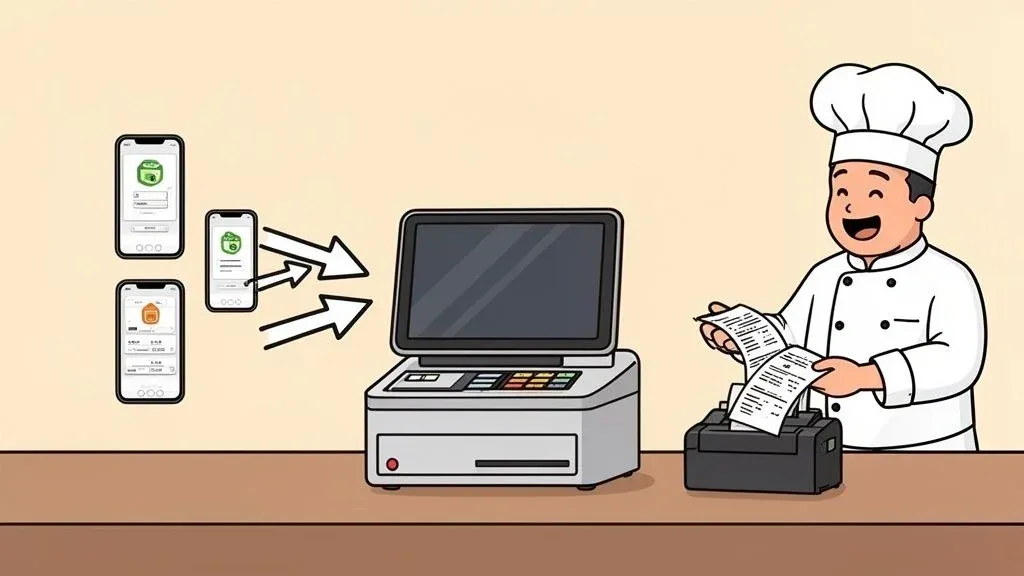
At its core, an on demand delivery solution is the digital glue connecting third-party delivery apps like Uber Eats and DoorDash directly to your restaurant’s Point of Sale (POS) system. In simple terms, it’s the technology that stops your staff from having to juggle a dozen tablets and manually punch in every single order.
Technically, this is achieved through software that uses APIs (Application Programming Interfaces) to create a seamless communication channel between different platforms. This integration automates the entire order flow, from the customer’s tap on their phone to the ticket printing in your kitchen. For restaurant efficiency, this means eliminating the most common source of errors and delays in your delivery operations, directly impacting your bottom line.
What Is An On-Demand Delivery Solution and Why Does It Matter for Restaurant Operations?
Picture your host stand buried under a pile of tablets, all dinging with new orders. A staff member is desperately trying to re-type a complicated Uber Eats order into the POS, makes one tiny mistake, and now the kitchen is making the wrong dish. This is a recipe for costly mistakes, stressed staff, and wasted time.
An on-demand delivery solution is built to end that chaos. It’s software that integrates all your delivery platforms (like DoorDash and Grubhub) directly with your POS, creating one smooth, automated flow of information.
How Food Tech Ends Tablet Hell and Manual Entry Mistakes
The main job of a delivery solution is to automate “order injection.” When a customer orders on DoorDash, the software grabs the details, instantly reformats them for your POS, and shoots the ticket straight to your kitchen printer or Kitchen Display System (KDS). This happens in seconds, with zero human input.
For a restaurant, this automation is a game-changer because it directly improves efficiency and profitability.
- Slash Order Errors: Manual entry is a minefield for mistakes. For example, a missed “no onions” modifier can lead to a returned dish. Automation guarantees that what the customer ordered is exactly what your kitchen sees, reducing food waste, saving money on comps, and improving customer satisfaction.
- Boost Staff Productivity: Free your team from being tablet-watchers. Instead of spending time on tedious data entry, they can focus on what matters: serving in-house guests, upselling drinks, and ensuring a great dining experience. This boosts morale and makes your labor costs more effective.
- Speed Up Every Order: Automated orders hit the kitchen the second they’re placed. This cuts down ticket times, leading to faster handoffs to delivery drivers. The result is hotter food for customers and better ratings on delivery apps like Uber Eats, which in turn drives more business.
This kind of automation is no longer a “nice-to-have” feature. In a world where digital ordering is dominant, it’s a critical tool. It’s worth looking at the latest food service industry trends to see how central this technology has become.
The global on-demand delivery market was recently valued at USD 183.2 billion and is projected to hit USD 899.4 billion by 2033. This growth means a massive increase in online orders for your restaurant. Trying to manage that volume manually is unsustainable.
This is where direct POS integration, like what OrderOut offers for systems such as Clover and Square, becomes essential. These integrations can cut order errors by up to 90%, helping you turn high volume into high profit. For a deeper dive, check out the full Dataintelo report.
To see the difference, let’s compare the old way with the new.
Manual Order Entry vs. Automated Delivery Solution
Operational Task Manual Process (Without Integration) Automated Process (With Integration) Why It Matters for Your Restaurant Accepting an Order Staff hears a tablet alert, finds the device, and manually accepts. The system accepts the order automatically. Faster acceptance times improve your ranking on delivery apps. Entering into POS Staff re-types every item, modifier, and customer note. The order is instantly and accurately sent to the POS. No typing. Eliminates human error, saving money on wasted food and comps. Kitchen Communication A ticket prints only after manual entry is complete. The ticket prints in the kitchen seconds after the customer orders. Reduces ticket times, leading to faster delivery and happier customers. Potential for Errors High. Mismatched items and missed modifiers are common. Extremely low. Data is transferred perfectly every time. Protects your restaurant’s reputation and prevents negative reviews. Staff Time & Focus Staff is distracted, juggling tablets instead of helping guests. Staff can focus on in-house customers and operational flow. Improves service quality for dine-in guests and boosts staff productivity. Reporting & Analytics Sales data is fragmented across different delivery platforms. All sales are consolidated in your POS for unified reporting. Provides a clear financial picture for smarter business decisions.
The difference is night and day. One path leads to constant firefighting, while the other creates a calm, efficient, and scalable operation. Ultimately, an on-demand delivery solution is a vital component of your restaurant’s entire order management system.
Practical Takeaway: By automating the connection between your delivery apps and your POS, you can turn a frantic, error-prone headache into a smooth and profitable revenue stream. Ready to take the next step? You can start onboarding for Free in a few clicks at https://dashboard.orderout.co.
How POS Integration Drives Restaurant Delivery Automation
To understand what an on-demand delivery solution does, you have to look under the hood. In simple terms, this technology builds a secure digital bridge between delivery apps and your restaurant’s POS system. It’s the engine that makes true delivery automation a reality, directly impacting your restaurant’s efficiency.
This connection is made possible by Application Programming Interfaces (APIs). Think of an API as a universal translator that lets different software systems—like DoorDash and your POS—talk to each other flawlessly. When a customer places an order, the integration software uses the API to grab it, translate every detail into a format your POS understands, and feed it directly into your workflow.
The Journey of an Automated Order
The process is over in seconds. Imagine a busy coffee shop using a Square POS system. An order from Uber Eats appears on their kitchen display screen as if a cashier had punched it in at the counter. This removes the risk of a busy barista missing a “no-foam” note or entering the wrong size latte, which protects your bottom line and reputation.
This automated flow dramatically cuts down on the steps—and chances for error—between the customer and your kitchen. Without it, you’re stuck with the old, chaotic manual process.

As you can see, there are too many points of failure. Someone has to watch the tablets and re-enter every order, a huge drain on your kitchen’s efficiency.
Why Direct POS Integration Matters for Restaurant Operations
The single biggest win here is taking human error out of the equation. Having staff manually enter orders isn’t just slow—it’s a massive operational risk. One study found that for every 300 manual data entries, you can expect at least one error. For a busy restaurant, that’s dozens of costly mistakes every week.
An on-demand delivery solution with solid POS integration doesn’t just make life easier. It fundamentally changes your restaurant’s capacity, letting you handle more orders with better accuracy and less stress on your team.
By automating this part of your business, you unlock huge operational wins:
- Boosted Staff Productivity: Your front-of-house team is no longer chained to tablets. They can focus on the guests in front of them, improving service and potentially increasing in-house sales.
- Reduced Labor Costs: Think about the time saved from not having to manually punch in orders. This adds up to hundreds of labor hours a year that go straight back into your pocket.
- Enhanced Order Accuracy: Perfect orders mean a huge drop in food waste, customer complaints, and money lost on refunds.
For example, a pizzeria using a Clover POS can get a complex half-and-half pizza order from Grubhub and know with certainty it will print correctly for the kitchen. No one has to stop what they’re doing to double-check every modifier. That reliability is how you scale a food business today.
This technology is the key to turning delivery from a chaotic necessity into a smooth, profitable part of your operation. To dive deeper, you can learn more about integrated POS systems in our detailed guide.
Practical Takeaway: Automation is a strategic move to run a tighter ship and cut costs. When technology handles tedious work, your team is free to focus on what really matters: incredible food and happy customers.
What to Look For in an On-Demand Delivery Solution: A Guide for Restaurants
Choosing the right on-demand delivery solution is about upgrading your restaurant’s entire operational engine. Let’s cut through the tech-speak and focus on the practical, must-have features that will actually improve your efficiency and bottom line.

These core functions are what separate a simple app from a true operational partner.
Seamless POS Integration: The Non-Negotiable Foundation
This is the big one. POS integration is the bridge that automatically connects delivery apps to your restaurant’s command center: your Point of Sale system. Without it, you’re just swapping one manual task for another.
A true integration means an order from DoorDash flows straight into your POS, prints a kitchen ticket, and gets logged in your sales reports—exactly like an in-house order. This is a game-changer for restaurant efficiency. It eliminates manual entry, a process notorious for causing costly mistakes. For anyone using systems like Clover or Square, this feature is what makes genuine automation a reality, saving time and reducing errors.
Multi-Platform Support for Maximum Reach
Your customers have their favorite delivery apps. Your solution needs to play nice with all of them. Multi-platform support means the software can pull orders from all the major players your customers use, whether it’s Uber Eats, Grubhub, or DoorDash.
Imagine juggling separate tablets for each service. You’d be right back in the chaos. A unified solution funnels all those channels into one place, giving your team a single, clean workflow. This isn’t just about convenience; it’s about meeting customers where they are to maximize your reach without multiplying the headache for your staff.
Centralized Menu Management to Save Time and Reduce Errors
Keeping your menu consistent across multiple delivery apps is an operational nightmare. That’s why a top-tier on-demand delivery solution must have centralized menu management. It gives you one dashboard to rule them all.
Think of it as a master remote for your digital storefront. Instead of logging into five different apps to 86 the salmon or update a price, you do it once. The system instantly pushes that change to all your delivery partners.
This is a massive time-saver and your best defense against order errors. A manager can mark an item “sold out” in one click, and it immediately disappears from both DoorDash and Uber Eats. This prevents disappointed customers, angry reviews, and the operational mess of refunding an order for an item you don’t have. For a deeper dive, it’s worth understanding good restaurant order management software.
Robust Analytics and Reporting for Smarter Decisions
You can’t fix what you can’t see. A powerful delivery solution provides clear, actionable analytics. It should automatically gather data from all your delivery channels and funnel it directly into your main POS reports, right alongside your in-house sales.
This empowers you to answer crucial business questions with real data:
- Which delivery platform is most profitable?
- What are your best-selling items on Uber Eats versus Grubhub?
- Are delivery rushes happening at different times than dine-in peaks?
This insight leads to smarter decisions on marketing, menu design, and staffing. And remember, smooth delivery operations also depend on your team, so exploring the best communication apps for restaurant staff is key to ensuring flawless order fulfillment.
Practical Takeaway: Your next move is to look at your current delivery process. Pinpoint which of these features are missing and make them a priority. By focusing on these four pillars—integration, multi-platform support, menu control, and analytics—you’ll find a partner that truly helps you grow.
The Real-World Impact of Food Tech on Your Restaurant’s Bottom Line
Adopting new technology isn’t just about convenience; it’s about the numbers on your P&L statement. An on demand delivery solution impacts your restaurant’s financial health by plugging three major operational leaks: high costs, wasted staff hours, and expensive order errors.
When you automate the flow of orders from apps like Uber Eats and DoorDash straight into your POS system, you’re eliminating the most time-consuming, error-prone step in the delivery process. This single change boosts efficiency across your entire operation.

Driving Dramatic Cost Savings and Error Reduction
The first thing you’ll see is a serious drop in costs tied to manual mistakes. Every time a staff member fumbles an order entry, it costs you money in wasted food, the labor to remake the dish, and often a comped meal. These “small” losses add up to a massive financial drain.
A fully integrated system makes these mistakes a thing of the past. Some restaurants see order errors plummet by over 90% after implementing delivery automation. This near-perfect accuracy means:
- Less Food Waste: Orders are made right the first time.
- Fewer Comped Meals: Happy customers mean you’re not giving away food for free.
- Stronger Customer Loyalty: Getting orders right builds trust and repeat business.
Reclaiming Valuable Staff Time and Boosting Productivity
Your team’s time is one of your most expensive assets. When they’re manually punching in delivery orders, they aren’t where you need them: talking to guests, upselling items, or ensuring the dining room runs smoothly.
If it takes two minutes to manually enter a delivery order and you do 50 a day, you’re losing nearly 1.7 hours of productive labor every single day. That’s over 600 hours a year of paid time spent on a task a computer can do instantly.
Automating data entry is like adding an employee to your floor without adding a dollar to your payroll. That reclaimed time is a direct boost to productivity and morale.
Achieving Near-Perfect Order Accuracy
Online food delivery isn’t slowing down. The market is set to grow by a staggering USD 470.5 billion in the coming years, with a compound annual growth rate of 26.9%. An integrated on demand delivery solution is the only way to manage this volume profitably.
The proof is in the numbers. Direct POS integration slashes order fulfillment time by 30-50% and virtually eliminates errors. You can learn more about the growth of the on-demand food delivery market to see why automation is no longer optional.
For restaurants using systems like Square or Clover, this level of accuracy means every “no onions, extra sauce” modifier is sent perfectly to the kitchen. Complex orders become just another seamless transaction.
Practical Takeaway: Automation shifts your restaurant from being reactive to proactive, turning delivery channels into powerful, profitable revenue streams. The investment pays for itself almost immediately through lower costs, smarter labor, and a better customer experience. Ready to see these results? Start onboarding for free in just a few clicks.
Getting Started with a Restaurant Delivery Solution: A Simple Checklist
Implementing an on-demand delivery solution is simpler than you think. It’s not a massive IT project but a few straightforward steps to boost your restaurant’s efficiency. This checklist breaks it down into actionable steps.
Think of it like setting up a new smart speaker; you don’t need to be a tech wizard. Connecting your delivery apps to your POS system is a similar guided, user-friendly process.
Step 1: Audit Your Current Tech Stack and Restaurant Delivery Platforms
Before you build a bridge, know what you’re connecting. First, identify your Point of Sale (POS) system. Are you using a modern platform like Square or Clover? Knowing your POS is critical, as it’s the central hub for your restaurant operations.
Second, list all the third-party delivery apps you use, like DoorDash, Uber Eats, and Grubhub. Having this list ready will make the connection process seamless.
Step 2: Connect Your Accounts via POS Integration
This is as easy as logging into a social media app. Once you choose a delivery solution, they’ll guide you through a simple authorization process. You’ll log in to your POS system and delivery platform accounts through the solution’s secure portal.
This authorization gives the software permission to act as a digital messenger, grabbing order details from apps and feeding them directly into your POS. It’s a one-time setup that creates a secure link, ending manual order entry and saving your team time while preventing costly mistakes.
Step 3: Sync Your Menus and Modifiers for Accuracy
With your accounts linked, the next step is to align your menus. A good on-demand delivery solution will automatically pull your menu from your POS and help you “map” it to your delivery app menus. This ensures every item, price, and modifier matches up perfectly.
- Review Items and Prices: Double-check that the price for a burger on DoorDash is what’s in your POS.
- Check Modifiers: Ensure options like “extra cheese” are configured correctly to appear on the kitchen ticket.
- Identify Mismatches: Fix any differences now to prevent order failures and incorrect tickets.
Spending ten minutes on this will prevent months of operational headaches and improve your delivery efficiency.
Step 4: Train Your Team on the New, Simplified Workflow
This is the easiest step because the new workflow is so much simpler. Training is about helping your team unlearn the old, chaotic one. Show them they no longer have to watch tablets or punch in orders by hand.
Explain that new orders will now appear on the kitchen printer or KDS just like an in-house order. Their focus can shift from data entry back to providing great service. This small time investment makes the whole team more productive and less stressed. For more on this, explore the different types of POS integration software and their benefits.
Practical Takeaway: Following these simple steps can quickly turn your delivery operations from a source of frustration into a streamlined, profitable part of your business. Ready to automate? Start onboarding for Free in a few clicks.
Why OrderOut Is the Smart Choice for Your Restaurant
You’ve seen what a solid on-demand delivery solution can do. The next question is which partner to trust. OrderOut was built by people who understand the chaos of modern restaurant operations. We solve the real-world headaches that eat up your time and money: the counter buried under tablets, the expensive mistakes from manual entry, and the clunky workflows that frustrate your staff.
Seamless POS Integration and Deep Industry Know-How
We don’t just add another layer of tech; we connect what you already use. OrderOut plugs directly into major POS systems like Clover and Square. We also link with all the big delivery apps your customers love, from DoorDash to Uber Eats.
This creates a smooth, automated workflow from the delivery app straight to your kitchen, solving several huge problems for your restaurant:
- It kills tablet clutter. All orders flow into one system, giving you your counter space back.
- It cuts down on errors. Automated orders are 100% accurate, meaning less food waste and fewer comped meals.
- It frees up your people. Your team can stop juggling tablets and focus on in-house guests.
Think of OrderOut as a strategy, not just software. It’s designed to save you money, give you back hours in your day, and let your team get back to what they’re passionate about: great food and amazing customer experiences.
To nail modern delivery, you need the right partner. We give you the tools to get ahead. To see how we make your restaurant run smoother, check out the full suite of OrderOut features.
Practical Takeaway: This is your chance to turn one of the most stressful parts of your business into a streamlined and profitable operation. Ready to take control? Start onboarding for Free in just a few clicks at https://dashboard.orderout.co.
Got Questions? We’ve Got Answers.
Diving into new restaurant technology can feel like a big step. Here are some common questions from restaurant owners, with straight answers to help you see how an on-demand delivery solution works.
How Much Tech Know-How Do I Need to Set This Up?
Practically none. In simple terms, these systems are built for busy restaurant operators, not IT experts. The setup is designed to be easy.
Getting started is usually just a few clicks. You’ll create an account, select your POS system from a dropdown menu (like Clover or Square), and log into your delivery apps to authorize the connection. The heavy lifting is done in the background, and you can have your delivery orders automated in minutes. This directly impacts restaurant efficiency by saving you valuable setup time.
Will I Lose Control Over My Online Menus?
No, you’ll gain more control and save a huge amount of time. A good delivery integration provides one central place to manage everything.
Instead of logging into Uber Eats, DoorDash, and Grubhub separately to 86 a sold-out item, you do it once. You make one change on your master menu, and it instantly updates across every delivery app. This prevents customers from ordering something you don’t have, reducing errors and improving the customer experience. For restaurant managers, this means less administrative work and more time for operations.
Is This Actually Affordable for a Small Restaurant?
Absolutely. The real costs are hidden in your daily operations: the staff time spent on manual entry, the food wasted on mistakes, and the business lost from a bad customer experience. For example, preventing just a few costly order mistakes or saving one hour of labor per day often means the system pays for itself.
When you look at it that way, a small monthly fee is a smart investment. It’s one of the most effective ways to reduce operational costs and improve staff productivity, delivering a clear return on investment from day one.
The real question isn’t whether you can afford an on-demand delivery solution. It’s whether you can afford to keep operating without one.
What Happens If My Internet Goes Down?
A well-built platform has fail-safes. While a stable internet connection is crucial, a good delivery solution is designed for real-world scenarios.
If an order can’t push to your POS for some reason, the system will immediately alert you via email or a dashboard notification. Nothing gets lost. As a final backup, the order will always still be on the delivery partner’s tablet. You have multiple layers of protection, so you can focus on cooking, not worrying about lost orders. This reliability is key for maintaining smooth restaurant operations.
Practical Next Step: Ready to stop the manual entry madness and get hours back in your day? OrderOut can get your restaurant delivery operations running smoothly.
Start onboarding for Free in just a few clicks and connect your delivery apps directly to your POS system today!