
Restaurant Guide: Multi-Channel Order Management Software
· Thibault Le Conte
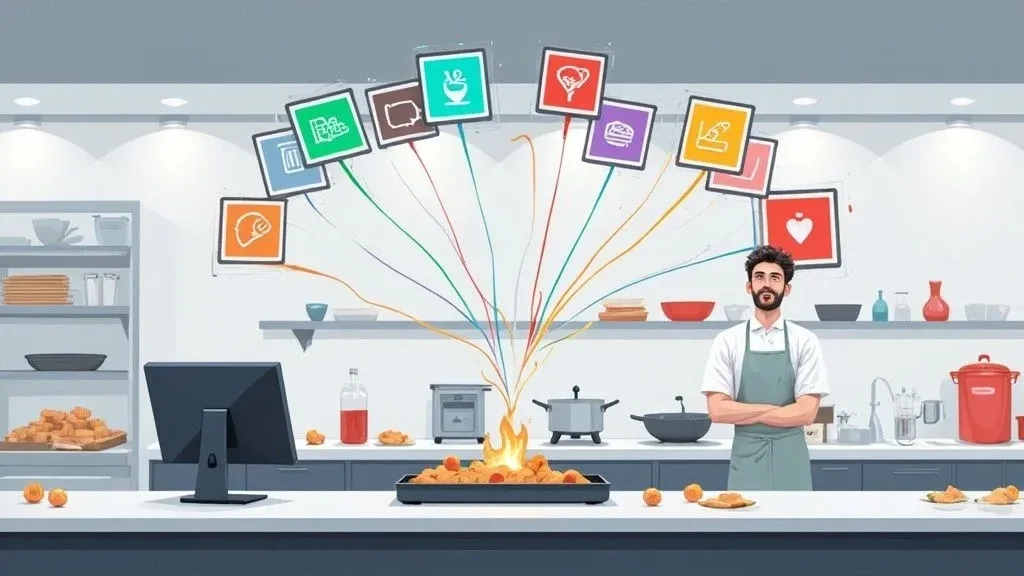
Think of multi-channel order management software as your restaurant’s ultimate traffic controller. In simple terms, it takes all the orders coming in from different places—Uber Eats, DoorDash, your own website—and funnels them into one single, organized stream. Instead of a jumble of incoming requests from multiple tablets, every order gets automatically injected right into your main Point of Sale (POS) system. This means your kitchen gets orders faster, with fewer errors, boosting your restaurant’s overall efficiency.
Why Your Restaurant Is Drowning in Delivery Tablets
We’ve all seen it: the Friday night rush. The counter is littered with tablets, each one chirping, dinging, and demanding attention. One for Uber Eats, another for DoorDash, a third for your direct online orders. It’s a stressful symphony of alerts that disrupts restaurant operations.
Your staff are frantically trying to keep up, manually punching every single order from each tablet into your POS system just to get it to the kitchen. This chaotic scramble is more than just a headache—it’s a recipe for disaster that hurts your restaurant’s efficiency and delivery times. This is the reality of “tablet hell,” and it’s one of the biggest operational nightmares for any restaurant trying to manage a modern delivery business.
The Real Cost of Manual Order Entry
The problem isn’t just about being busy; it’s about the deep-seated inefficiencies that come from this manual process. Every time a staff member has to re-enter an order, it opens the door to a host of problems that ripple through your entire operation, directly impacting your bottom line.
- Sky-High Labor Costs: Think about the minutes spent on mind-numbing data entry. That’s paid time your team could be spending on high-value tasks, like helping guests or double-checking order accuracy. Automating this process frees up staff and increases productivity.
- Costly Order Errors: A simple typo—a missed modifier or wrong address—can lead to the wrong meal being made. That means wasted food, costly redeliveries, and unhappy customers who won’t reorder. Reducing these errors saves you significant time and money.
- Slower Ticket Times: The lag between an order arriving on a tablet and it actually hitting the kitchen display system slows everything down. The result? Cold food and customers who won’t be ordering again. Faster prep leads to better reviews and more repeat business.
- Employee Burnout: Juggling a half-dozen tablets is frustrating and stressful. It burns out your best people and makes for a tense, unproductive work environment, leading to higher staff turnover.
This exact pain point is why the demand for a real solution is exploding. The global multichannel order management market was valued at around $4.13 billion in 2025 and is projected to more than double to $9.12 billion by 2034. That growth is driven by businesses, especially in food and beverage, that are tired of the chaos. You can see the full breakdown of this trend in the market analysis on Straits Research.
To put it into perspective, here’s a quick look at the before-and-after of tackling this issue head-on.
From Tablet Chaos to Centralized Control
This table shows the stark difference between juggling multiple platforms manually and having an integrated system do the heavy lifting for you.
The Problem Without Integration The Solution With Multi-Channel Software Staff waste time manually re-keying orders. Orders are injected directly into the POS—no manual entry. High chance of human error (typos, missed items). Order accuracy is dramatically improved as automation takes over. Kitchen tickets are delayed, slowing down service. Orders appear on the KDS instantly, speeding up prep times. Counter space is cluttered with multiple devices. A single screen or integration point replaces all the tablets. Inconsistent data across different ordering platforms. All sales and order data is centralized for easy reporting.
The move to an integrated system isn’t just a minor improvement; it’s a fundamental shift in how your restaurant operates, turning a point of friction into a source of strength.
A Path Out of Tablet Hell
At its core, multi-channel order management software is designed to completely eliminate that manual bottleneck. It works by connecting directly with your restaurant’s POS. When an order comes in from any platform, it shows up on your kitchen display system just like a ticket from a server on the floor. This direct POS integration is crucial for restaurant efficiency.
Suddenly, you have one clean, streamlined workflow. To get a better sense of how much this manual process really costs, you can dive deeper into our guide on the hidden costs of tablets in restaurants.
The entire goal is to bring a sense of calm back to your operations, slash order mistakes to nearly zero, and give your team the one thing they can never get back: their time. It’s about taking a chaotic process and turning it into a model of efficiency.
How Multi-Channel Order Management Actually Works for Restaurant Delivery
Let’s break down how this technology really operates. Think of it as the ultimate universal translator for your restaurant. Every single ordering platform you use—DoorDash, Uber Eats, your own website—essentially speaks a different language. Without a translator, your team is stuck trying to interpret each one by hand, a process that’s not just slow but also a magnet for mistakes.
Multi-channel order management software is that expert translator. It steps in, automatically converting every order into a single, consistent language that your Point of Sale (POS) system can immediately understand. This all happens in the background, creating a smooth, uninterrupted flow of information from the customer’s app right to your kitchen. The whole process is surprisingly simple and boils down to three core jobs that directly impact your restaurant’s efficiency.
The Three Core Functions of Order Integration
First, the software aggregates all your incoming orders. Instead of a mess of tablets, each one beeping and flashing for attention, it captures every order from every single channel and funnels them into one unified digital queue. This instantly frees your team from having to babysit a dozen different screens, saving valuable time and reducing stress.
Next, it normalizes all the data. An order coming from Uber Eats might format customer details or special requests completely differently than one from your own website. The software cleans this all up, standardizing everything from menu items and modifiers to customer info, so every order looks exactly the same to your POS. This technical step is key to preventing errors.
Finally, the most important step: integration. The software takes that clean, standardized order and injects it directly into your POS. It pops up on your kitchen display screen (KDS) or prints from your ticket printer just as if someone had taken the order right there at the counter. This direct POS integration is what makes the system so powerful.
This simple but incredibly powerful automation is how you reclaim control over your kitchen’s workflow. By getting rid of manual order entry, you eliminate the single biggest source of human error—the very thing responsible for so many incorrect orders, wasted food, and lost revenue.
To see what this looks like, the diagram below shows the all-too-familiar chaos this software is designed to replace.
This image perfectly captures that frantic journey from tablet overload to pure confusion. It highlights the massive bottleneck that forms when your staff has to manually bridge the gap between all those third-party apps and your restaurant’s central POS.
Real-World POS Integration in Action
So, what does this look like during a busy dinner rush? Let’s say a customer places a complicated order through DoorDash with a bunch of special requests.
- Without Software: The DoorDash tablet chimes. A busy employee has to stop what they’re doing, walk over to the tablet, read the order, then manually punch everything into your Square POS system. They’re just hoping they don’t miss a single “no onions” or “extra sauce.” This easily adds minutes to the ticket time and opens the door wide for mistakes.
- With Software: The DoorDash order is placed. The multi-channel software immediately intercepts it, translates it, and fires it straight to your Square POS. The ticket prints in the kitchen with 100% accuracy, all within seconds of the customer hitting “confirm.”
This direct injection of information completely changes the game for your restaurant’s efficiency. The kitchen gets orders faster, your front-of-house team isn’t bogged down with tedious data entry, and managers can finally trust that every online order is accurate. By automating this workflow, you give a direct boost to staff productivity and slash the kitchen delays that often lead to bad customer reviews.
For a deeper look into managing these platforms, you can check out our complete guide on how to work with a third-party delivery service.
The end result is a much calmer, more organized kitchen and a healthier bottom line.
What to Look For: Essential Features for Restaurant Operations
Let’s move past the buzzwords and get down to what this software really does. The true power of a multi-channel order management system is found in a handful of core features that directly solve the biggest headaches in a modern restaurant. These are the tools that stop the operational chaos and save you time, money, and customer goodwill.

We’re going to break down four critical features that deliver real, measurable results. Once you see how they work, you’ll understand exactly why this kind of food tech is no longer a “nice-to-have” but a must-have for running an efficient restaurant.
Direct POS Integration
This is the absolute foundation. An effective order management platform has to plug directly into your Point of Sale (POS) system. Think of it as building a dedicated express lane from your online channels straight to your kitchen.
Without it, you’re stuck manually punching in orders from a half-dozen tablets—a process that’s slow and ripe for human error. With direct POS integration, an order from Uber Eats or DoorDash flows instantly into the same system your staff already knows and uses for in-house diners. The workflow becomes one unified, seamless operation.
For instance, a system that integrates with a Clover POS system means zero retraining for your team. They just keep working as they always have, but now with the huge advantage of perfect order accuracy and faster ticket times. That’s a direct boost to both staff productivity and customer happiness.
Centralized Menu Management
Anyone who’s managed a restaurant’s online presence knows the pain of updating menus. Changing a price, adding a seasonal dish, or 86-ing an item means logging into several different partner portals. It’s a tedious, mind-numbing task that’s easy to mess up.
Centralized menu management completely eliminates this problem. It provides a single command center where you can make a change once and have it automatically update everywhere you’re listed online. This is a game-changer for any busy restaurant manager.
Real-World Impact: Picture this: it’s the middle of a chaotic lunch rush, and you’re almost out of avocados. With a centralized system connected to your Square POS, you can 86 the “Guacamole Burger” right from your terminal. That single click instantly removes it from your menus on DoorDash, Uber Eats, and your own website, preventing anyone from ordering it. You’ve just avoided a disappointed customer and a frantic phone call—all in about five seconds.
This feature ensures your menu is always consistent and accurate, building trust with customers and saving your team from predictable headaches. It’s a perfect example of how good food tech can stop problems before they even start.
Real-Time Order Aggregation
Another make-or-break feature is real-time order aggregation. In simple terms, the software grabs every single order—from delivery apps, your website, even phone calls—and funnels them into one clean, unified list. For your kitchen, this is a breath of fresh air.
No more juggling a mess of tablets, trying to figure out which order came in first. Instead, your cooks see a single, chronological queue of what needs to be made next. This brings a sense of calm and order to even the most intense dinner rush.
This single stream of information is what powers your kitchen display system (KDS), giving the back-of-house a single source of truth to work from. To dive deeper into optimizing that part of your operation, check out our guide on the benefits of modern restaurant kitchen display systems.
Unified Reporting and Analytics
You can’t fix what you can’t see. One of the most powerful aspects of bringing all your orders into one place is the ability to generate unified reports and analytics. With all your sales data flowing through one central hub, you can finally get a clear, big-picture view of your business performance.
This is where you can finally get straight answers to critical business questions:
- Which delivery platform is actually my most profitable?
- What are my best-selling items on DoorDash compared to my own website?
- Are my peak delivery hours on Friday night really at 7 PM, or is it closer to 8:30 PM?
This kind of insight is pure gold for making smarter, data-driven decisions about your menu, marketing spend, and staffing. With online sales growing—by 2023, 20.8% of all retail sales were happening online—the demand for this kind of visibility has exploded. You can discover more insights about multichannel market growth and see why this trend is here to stay.
Your Next Step
By focusing on these four key features—POS integration, menu management, order aggregation, and unified analytics—you can turn daily operational chaos into a real competitive advantage. The goal is to find a solution that nails these fundamentals, freeing you and your staff to focus on what truly matters: making great food and creating amazing experiences for your guests. To see how these features can work for your restaurant, you can start onboarding for free in just a few clicks.
Using AI to Enhance Your Order Workflow and Food Tech Stack
Artificial intelligence isn’t just some far-off concept for tech giants anymore. It’s a practical, powerful tool that’s finding its way into the heart of modern restaurant operations. Think of AI as your most seasoned shift manager—the one who has a sixth sense for when a dinner rush is about to hit, knows what you might run out of, and can spot a tricky order before it trips up the kitchen.
This technology hums along quietly in the background, constantly crunching data to make your entire workflow smarter. When you have AI built into your multi-channel order management software, you stop just reacting to problems and start preventing them altogether. This shift can save an incredible amount of time and make your team far more productive.
Predictive Forecasting for Smarter Staffing
One of the most powerful things AI brings to the table is predictive forecasting. Instead of just guessing based on last Friday’s numbers, the system digs into your historical order data from every single channel—delivery, takeout, dine-in—to make some seriously accurate predictions. Technically, it’s using machine learning algorithms to identify patterns that are nearly impossible for a person to catch.
For example, the AI might notice that every time it rains on a Tuesday, your delivery orders for soup and sandwiches jump by 30%. With that heads-up, you can schedule an extra driver or prep more soup containers ahead of time. You’re ready for the demand, delivery times stay short, and your customers stay happy. This directly improves restaurant efficiency and cuts down on labor waste.
Automated Order Routing and Exception Handling
A truly smart system does more than just take an order; it knows exactly where it needs to go. Automated order routing is an AI-powered feature that zaps menu items to the correct kitchen station the moment the order comes in.
Picture a big family order from DoorDash with salads, pizzas, and milkshakes. The AI instantly sends the salad details to the cold station screen, the pizza to the oven crew, and the shakes to the beverage station. That one simple action cuts down on shouting across the kitchen and shaves minutes off ticket times, which improves staff productivity.
AI is also fantastic at smart exception handling. It can automatically flag an unusually large or complex order for a manager’s immediate attention. This helps prevent expensive mistakes on big catering jobs and ensures special requests are handled with extra care, protecting your reputation and your bottom line.
Artificial intelligence and automation have become key components within multichannel order management software. Leading software providers have increasingly integrated AI-driven features into their platforms, enabling better real-time inventory visibility, predictive demand forecasting, and automated fulfillment workflows. You can read more about these transformative capabilities on Fortune Business Insights to see how this food tech is evolving.
A Real-World Example of AI in Action
Let’s say it’s Saturday afternoon. Your AI, which is hooked into your Clover POS, is analyzing past sales data. It quickly recognizes a pattern and predicts a huge spike in pizza delivery orders starting right at 6:00 PM. An alert pops up on the manager’s dashboard: “High volume of 16-inch pizza orders expected. Recommend prepping 50 additional pizza boxes.”
Because of that alert, your kitchen team gets a jump on the rush, folding boxes and prepping ingredients before the first order even dings. When the peak hits, they’re not scrambling; they’re ready. This is one of many emerging hospitality technology trends that are fundamentally changing how restaurants operate.
Your Clear Takeaway
Here’s the bottom line: AI in your order management system acts as a force multiplier for your staff. By handling the routine decisions and serving up data-backed insights, it frees up your team to do what they do best—cook amazing food and provide great service.
The result is a smoother operation with fewer mistakes, happier employees, and a healthier profit margin.
Ready to see how these features can streamline your workflow? Start onboarding for Free in a few clicks.
Mastering Your Restaurant POS Integration
This is where the real magic happens. The true power of a multi-channel system comes alive when it talks directly to your restaurant’s brain—the Point of Sale (POS) system. Think of your POS as the central nervous system for your entire operation. When online orders can plug right into it, every other process becomes smoother, faster, and far more accurate.
This connection completely gets rid of the biggest headache in modern restaurant delivery: manual order entry. Instead of your staff acting as human copy-paste machines, juggling tablets and punching orders into the POS, the software creates a direct, automated line of communication. This is probably the single most important step you can take toward running a truly efficient restaurant.
The Power of a Flawless Connection
When your multi-channel order management software integrates perfectly with your POS, a ripple effect of powerful benefits spreads through your restaurant. These aren’t just small conveniences; they are game-changing improvements that make your staff more productive, cut down on waste, and directly boost your bottom line.
- Automatic Kitchen Ticket Printing: The second an order is confirmed on DoorDash or Uber Eats, the ticket instantly prints in your kitchen or pops up on your KDS. This shaves precious minutes off every single order, which is a massive advantage during the dinner rush.
- Unified Sales Reporting: Forget spending hours after closing trying to patch together sales reports from five different platforms. Every sale—whether from in-house dining or a third-party app—gets logged in one place: your POS. This gives you a single, accurate source of truth for all your revenue.
- Precise Inventory Tracking: Because every single order item is funneled through the POS, your inventory count is updated automatically in real-time. This dramatically lowers the risk of 86-ing an item after a customer has already paid for it, preventing frustration and costly refunds.
Real-World Integration for Restaurant Operations
The best software solutions are built from the ground up to connect seamlessly with the most popular POS systems out there. We’re not talking about some complicated, custom-coded project; it’s usually as simple as installing an app that connects your systems in minutes. For example, OrderOut offers direct connections for both Clover and Square, two of the most trusted platforms in the restaurant industry.
This screenshot from the Square App Marketplace shows exactly how these integrations are presented to restaurant owners—notice how it highlights ease of use and direct benefits.
The key takeaway here is simplicity. The integration is positioned as a straightforward app, making it clear that this powerful technology is accessible and designed to work with the tools your team already relies on every day.
Picture a manager running a Square POS during a chaotic dinner service. A new DoorDash order appears on their Kitchen Display System with all the right modifiers, looking identical to an order placed by an in-person customer. There’s no confusion, no delay, and no need for extra training—just one streamlined workflow for the entire team. This is the tangible result of a successful POS integration.
This level of cohesion is a game-changer for your front and back of house. Your team isn’t distracted by a chorus of pinging tablets; they can focus entirely on what matters most—food quality and customer service. This direct link between your online channels and your core operations is what separates a restaurant that’s just surviving from one that’s truly thriving.
The Clear Takeaway
Your POS is the heart of your restaurant. Any multi-channel order management software you consider must be able to connect with it perfectly. This single feature eliminates manual errors, provides clear and unified data, and gives your staff precious time back. It’s the most critical investment you can make in optimizing your restaurant for the modern delivery world.
Ready to see how a direct integration can transform your workflow? You can start onboarding for Free in a few clicks right here.
What’s Your Next Move?
Let’s pull it all together. Think of all the nagging headaches that come with modern restaurant operations—the jumble of tablets, the costly mistakes from punching in orders by hand, the constant race against the clock. Multi-channel order management software is designed to tackle exactly those problems head-on.
It acts as a single, central brain for all your sales data. The results aren’t just theoretical; they show up right away in a smoother kitchen flow, a less-stressed team, and healthier profits. In today’s delivery-driven world, this kind of food tech isn’t just a “nice-to-have” anymore. It’s essential for staying in the game.
Your Practical Next Step
So, where do you begin? Start by taking an honest look at how your restaurant runs right now. Find the real bottlenecks—where do things get stuck? I’m willing to bet a lot of it happens when your staff has to manually re-enter delivery orders into the POS. The next step is to find a solution that plugs directly into the POS system your team already knows and uses.
The whole point is to remove a layer of work, not add a new one. The best systems are the ones you forget are even there. They just work, making everyone’s job simpler without a steep learning curve.
Diving in can feel like the hardest part, but getting set up is easier than you might think. If you want to see what that actually looks like, our OrderOut integration onboarding tutorial gives you a clear walkthrough of the process.
A little time spent mapping out your workflow today can save you countless hours and prevent a ton of errors down the road. The right software gives your restaurant the power to handle more orders with far less chaos and much greater accuracy.
Ready to finally get a grip on your delivery operations and make your restaurant run like a well-oiled machine? You can start your free onboarding process in a few clicks.
Got Questions? We’ve Got Answers
Jumping into new restaurant tech always brings up a few “what ifs.” It’s only natural. Here, we’ll tackle the most common questions restaurant owners ask when considering a multi-channel order management system, covering everything from compatibility to cost and getting your team on board.
Will This Software Actually Work With My POS and Delivery Apps?
This is usually the first thing people ask, and for good reason—if it doesn’t connect, nothing else matters. The good news is that top-tier multi-channel order management software is specifically designed to play nice with all the big names in delivery, like DoorDash, Uber Eats, and Grubhub.
The other critical piece of the puzzle is your Point of Sale (POS) system. The integration has to be flawless. For example, if you’re running your restaurant on Clover, you’ll want a solution that’s officially approved and listed right in their app market. Likewise, if your backbone is a Square POS, you should be looking for a partner app you can find in their marketplace.
Actionable Tip: Before you sign on any dotted line, make a quick list of every system you rely on—your delivery services, your POS, your online ordering site. A solid provider can look at your list and give you a straight “yes” or “no” on compatibility for your entire setup, so there are no headaches down the road.
How Hard Is It to Set Up and Train My Staff?
Believe it or not, the best systems are designed to be almost invisible to your team. Since the software simply injects online orders directly into the POS system you already have, there’s very little for your staff to learn. They won’t have to juggle another tablet or learn a new screen; orders just show up in the queue like any other.
The setup itself is usually handled with a support team guiding you through linking your accounts. The entire point is to make your team’s life easier, not to pile on another task.
Think of it this way: when an Uber Eats order comes in through an integrated system like Square, it just appears on the KDS or ticket printer as if a cashier typed it in. This means you can get everything running in no time, with virtually zero training needed. This immediate boost to staff productivity is one of the biggest benefits.
Can I Really Manage All My Menus From One Dashboard?
Absolutely. This is one of the biggest game-changers for any restaurant manager. A core feature of any powerful multi-channel order management software is centralized menu management. This gives you a single place to update an item’s price, change a description, or mark something as sold out.
Once you make that change, the system automatically pushes it out to all your connected delivery platforms.
- Price Update: Change the price of your famous burger in one spot, and it’s instantly updated on DoorDash, Uber Eats, and your own website.
- 86 an Item: When you run out of an ingredient, you can mark the item as “out of stock” from your POS or the central dashboard. It immediately disappears from every online menu, which means no more angry customers or canceled orders.
- Add a Special: Want to launch a weekend-only special? You can push it live across every single platform in seconds.
This feature alone gets rid of the soul-crushing task of logging into five different dashboards to make one small change. It keeps your menus consistent, accurate, and saves you dozens of hours a month while cutting down on errors.
Ready to end the tablet chaos and get your restaurant’s delivery operations running smoothly? With OrderOut, you can pull all your ordering platforms directly into your POS system. You’ll save time, slash errors, and boost your bottom line. Start onboarding for Free in a few clicks and see the difference for yourself.