
Micros Inventory Management: A Restaurant Operator's Guide
· Thibault Le Conte
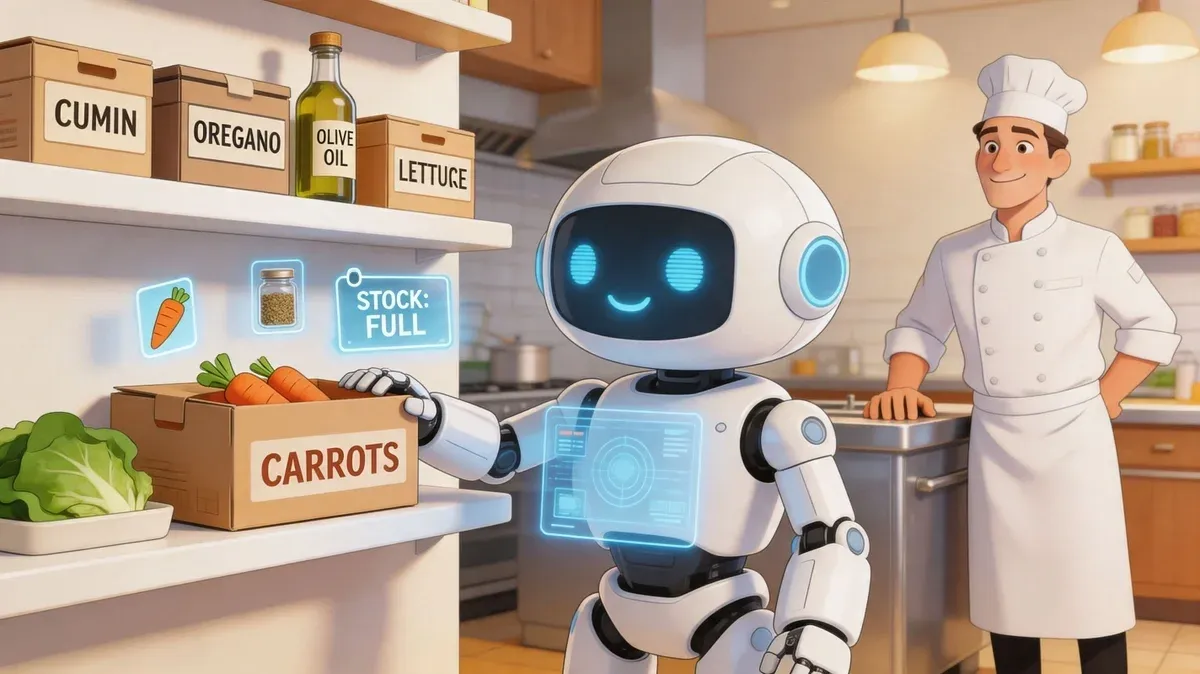
Friday dinner service is humming, the line is already stretched, and your phone keeps buzzing with Uber Eats and DoorDash orders. A server tells you you’re out of avocado. The kitchen says there should be two cases left. The weekly inventory sheet says something else entirely. By close, you’ve sold well, but your margin still feels thinner than it should.
That’s the reality in a lot of multi-location restaurants. The pressure isn’t just volume. It’s disconnected systems, rushed receiving, inconsistent counting, and delivery orders hitting the business faster than operators can track ingredient movement in real time.
That’s where micros inventory management matters. Not as a software buzzword, but as an operating discipline. When it’s set up correctly, MICROS becomes the control layer between what you buy, what you sell, what you waste, and what you keep as profit. For operators managing dine-in, pickup, and restaurant delivery from the same kitchen, that control is no longer optional.
Your Restaurant’s Secret Weapon Against Chaos
A new multi-location manager usually inherits the same mess.
One store counts by case. Another counts by each. One GM updates recipe changes. Another never touches them. Delivery orders flow in all night, but nobody fully trusts whether the POS, prep list, and shelf count match. End-of-week inventory becomes a guessing game, and food cost conversations turn into blame sessions.
The pain shows up in familiar ways:
- Stock-outs during peak periods: A top-selling item disappears right when restaurant delivery demand spikes.
- Over-ordering to feel safe: Managers buy extra because they don’t trust the count.
- Waste that hides in plain sight: Produce spoils, proteins get mishandled, and no one logs it correctly.
- Profit leakage: Sales look solid, but the bank account says the operation isn’t as tight as it should be.
This is why operators start looking for systems, not more spreadsheets. A connected stack matters. If you’re still handling app orders and inventory in separate workflows, it’s worth understanding how an integrated POS system for restaurants changes the day-to-day workload.
Restaurants rarely lose control all at once. They lose it one uncounted item, one bad recipe setup, and one manually entered delivery order at a time.
MICROS inventory management helps bring that control back. It gives managers a single operational truth about what’s on hand, what should be on hand, and where the gaps are coming from. In a delivery-heavy environment, that turns daily decisions from reactive to deliberate.
For a new operator, that’s the core value. Less scrambling. Fewer surprises. Better buying. Cleaner prep. More confidence that the numbers in the office reflect what’s happening in the kitchen.
Understanding the MICROS Perpetual Inventory System
A Friday dinner rush exposes weak inventory setup fast. The dining room is full, Uber Eats and DoorDash tickets keep printing, and one location 86s a high-margin item because the system count never reflected delivery sales correctly. That is the problem a perpetual inventory system is meant to solve. It updates stock based on sales activity as it happens, so managers are not making purchasing and prep decisions from stale numbers.
With micros inventory management, every mapped sale reduces the ingredients tied to that menu item through the POS connection and recipe setup. In a well-configured environment, one cheeseburger sale does not just reduce a generic burger count. It reduces the bun, patty, cheese, sauce, produce, and packaging attached to that item. The result is a live theoretical inventory position that stays useful between physical counts.
What perpetual inventory means in plain language
Perpetual inventory is a running balance. Sales, transfers, waste, prep, and receiving activity all affect what the system says should be on hand.
That sounds simple, but the value is operational. Managers can compare what should be in the walk-in against what is there before the gap turns into a stock-out, an emergency purchase, or an ugly food cost week.
For multi-location operators, the delivery channel makes this more important. If third-party orders reach MICROS through a connector such as OrderOut, those sales can flow into the same transaction stream as in-store orders. That keeps depletion logic consistent across dine-in, pickup, and marketplace demand. If delivery orders sit outside that flow or get entered late, inventory accuracy breaks down fast.
Recipe costing is where control starts
Recipe costing is the discipline behind the system. Each menu item needs the correct ingredients, portions, prep yields, and unit conversions. If that setup is loose, the inventory output will be loose too.
Once recipes are accurate, MICROS can compare theoretical usage to actual usage:
- Theoretical usage is what the restaurant should have used based on recorded sales.
- Actual usage is what counts, waste entries, transfers, and receiving records show was really consumed.
Variance sits in the gap between those two numbers. Over-portioning, missed waste, bad receiving, theft, comped items that never got entered, and recipe drift all show up there. I usually tell new regional managers to treat variance as an investigation queue, not just a reporting line.
Practical rule: Clean recipes beat extra reporting. If the item build, yield, and units are wrong, the software will track the wrong thing with great confidence.
Why perpetual inventory matters more in a delivery-heavy operation
Manual counts still matter. They verify the system and catch setup errors. They do not give operators enough speed on their own.
A store taking heavy app volume can burn through packaging, proteins, sauces, and modifiers much faster than the team realizes. Delivery also adds a layer many generic inventory guides ignore. The menu item sold on DoorDash is often not a perfect match to the menu item built inside the POS unless someone mapped it correctly. If a combo, modifier, or virtual brand item is disconnected from the recipe file, MICROS will understate usage even when sales look strong.
That is why POS and delivery integration is not just an IT project. It is an inventory control issue. Accurate depletion depends on clean menu mapping from every sales channel.
Perpetual inventory also improves ordering discipline. Reorder points and pars work better when sales from all channels are included in the demand pattern. Teams that need a refresher on how par levels should be set and adjusted usually find obvious over-ordering once delivery volume is added back into the picture.
What new managers should check first
For a new store leader or area manager, the first win comes from checking setup quality, not pulling more reports.
Start with these four areas:
- Top-selling items: Confirm the menu items driving the most sales are linked to real ingredients, correct portions, and current packaging.
- Units of measure: Make sure purchase units, prep units, and recipe units convert correctly. A bad case-to-each conversion can distort weeks of reporting.
- Delivery menu mapping: Verify Uber Eats and DoorDash items, modifiers, and virtual brand products feed the right MICROS items through your connector.
- Waste and transfer discipline: Confirm managers record spoilage, breakage, comps, and inter-store movement the same day they happen.
Get those mechanics right first. Then MICROS becomes a control system managers can trust, not another back-office tool that everyone works around.
Core Features That Drive Restaurant Profitability
A profitable MICROS setup does three things well. It reduces routine loss, speeds up manager work, and gives operators cleaner purchasing decisions across every sales channel, including delivery.
Oracle MICROS Inventory Management implementations have been associated with a 42% reduction in food waste, a 28% improvement in inventory turnover, a 94% decrease in stock-outs, a 4.2% boost in gross margins, 65% lower inventory variance, automation of 85% of ordering processes, and annual savings of about $180,000 per location, according to inventory management statistics covering Oracle MICROS.
The reason those gains matter is simple. Restaurant margin leaks from dozens of small failures: over-ordering produce, missing a delivery short, using the wrong pack size in recipes, or undercounting the impact of DoorDash and Uber Eats volume on prep and depletion. MICROS improves profitability when those controls are set up to match real operating conditions, not a clean demo database.
Features that solve the expensive problems
Operators should evaluate MICROS by the problems it prevents and the labor it saves.
- Recipe-level depletion: MICROS ties sales to ingredient usage, which gives managers a much cleaner expected-versus-actual usage picture. This matters most on high-variance items like proteins, sauces, fryer oil, and packaging tied to delivery orders.
- Automated purchasing and reorder control: Purchase suggestions help stores buy closer to actual demand. The payoff is strongest when delivery sales are flowing through the POS correctly, because a Friday night spike from marketplace orders should affect tomorrow’s order.
- Variance reporting: Variance reports surface theft, over-portioning, receiving errors, and bad recipe setup sooner. Good operators review these reports by category and by location, not just as one storewide number.
- Vendor and price management: Standard item masters and vendor records reduce the slow food cost drift that happens when stores buy substitutes, accept price changes without review, or order outside approved specs.
- Mobile inventory counts: Counts happen faster on a tablet or phone, which raises compliance. In practice, that means more cycle counts, fewer skipped line items, and less end-of-period cleanup.
Delivery adds a layer many generic MICROS guides miss. If a combo meal sold through Uber Eats maps badly in the POS, MICROS can deplete the wrong ingredients or miss packaging entirely. That pushes food cost and paper cost off target even if the count team does solid work.
Mobile counting improves compliance
Most count failures are not technical. They are operational.
Managers skip counts when the process takes too long, interrupts service, or forces them back to the office. Mobile workflows fix part of that problem because the count can happen in the walk-in, prep area, or dry storage at the moment the manager has five open minutes. That is a real advantage in multi-unit operations where compliance usually drops first, accuracy second.
Here is the practical difference:
Operational need What works in MICROS What usually fails Fast spot checks Mobile count workflows Waiting for full weekly counts Receiving accuracy Verifying against purchase orders on arrival Accepting deliveries without line checks Menu profitability Recipe-based ingredient mapping Estimating food cost from invoices alone Order consistency Standardized purchasing and vendor setup Each location ordering its own way
Teams that want a tighter link between inventory and margin should also review how to calculate food cost percent using actual menu mix and ingredient depletion, not invoice totals alone.
Ordering automation depends on clean inputs
Automation helps disciplined operators. It punishes sloppy setup.
If pars are inflated, yields are outdated, or pack-size conversions are wrong, MICROS will push bad orders faster than a manual buyer ever could. I see this often after delivery volume increases. A store adds more off-premise sales, packaging usage climbs, modifier patterns change, and nobody updates the item master or recipes. The software keeps ordering from stale assumptions.
That is why platform support matters too. Teams using outside integration help from Wisely platform solutions usually get better results when they treat inventory, POS mapping, and channel data as one operating system instead of separate projects.
A short video overview can help operators visualize how inventory control fits into day-to-day back-of-house work:
The ROI is straightforward. Lower waste, fewer stock-outs, tighter purchasing, and less manager time wasted reconciling avoidable errors.
Connecting MICROS to Your POS and Delivery Platforms
Inventory gets much stronger when it isn’t isolated.
A modern restaurant doesn’t sell through one channel. It sells through the dining room, phone orders, pickup, and third-party delivery marketplaces. If those orders don’t flow cleanly into the POS, inventory accuracy falls apart no matter how good your counting habits are.
How the data flow should work
Here’s the clean version of the workflow.
- A guest places an order on Uber Eats or DoorDash.
- The order flows into the restaurant’s POS instead of being retyped by staff.
- The POS records the sale.
- MICROS uses that sales data to update ingredient depletion based on recipe mapping.
- Managers review usage, reorder needs, and exceptions from one connected workflow.
That flow matters because manual re-entry creates avoidable damage. Staff key in the wrong modifier. They miss an item. They delay entry during a rush. Inventory then reflects a distorted version of what the kitchen produced.
For operators using Square, the OrderOut app for Square shows how delivery orders can be pushed directly into the POS. For operators using Clover, the OrderOut app for Clover plays the same role. In both cases, the operational benefit is simple. Fewer tablets to juggle and fewer hand-entered errors.
Why this matters during restaurant delivery peaks
Delivery demand has a way of exposing weak systems fast. A dining room can be paced. Marketplace traffic can spike with far less warning.
If MICROS is connected to a POS workflow that captures those orders properly, the inventory picture stays grounded in actual sales. If it isn’t, managers start making purchasing and prep decisions from partial information.
That creates familiar problems:
- Popular items look available when they aren’t
- Prep teams produce too much of the wrong product
- 86 decisions happen late
- Managers blame inventory when disconnected order flow is the problem
This is also where integration partners and service firms can matter. If you’re mapping complex platform connections across systems, Wisely platform solutions can be a useful reference for understanding broader integration support options and how businesses connect operational tools cleanly.
A disconnected delivery workflow doesn’t just waste labor. It corrupts inventory data, purchasing decisions, and menu availability.
The practical setup standard for operators
New managers often ask whether POS integration is a convenience or a necessity. In delivery-heavy stores, it’s a necessity.
Use this checklist:
- One source of sales truth: Every order, including marketplace orders, should hit the POS.
- One menu structure: Delivery menus should stay aligned with POS item mapping and modifiers.
- One inventory logic: Recipes in MICROS should reflect what’s sold through every channel.
- One change process: If an item, modifier, or combo changes, update the connected systems together.
If your team still makes menu changes in one place and hopes the rest catches up, that’s where errors creep in. This is especially important when dealing with substitutions, modifier charges, and changed items across channels. A useful operational reference is this article on change order integration.
When MICROS, the POS, and delivery channels operate as one system, inventory becomes trustworthy enough to drive daily action. That’s the threshold operators should aim for.
Essential Reports and KPIs for Smart Decisions
Most managers don’t need more reports. They need a short list of reports that answer real questions before a problem spreads.
That’s how to use micros inventory management well. Don’t start with everything the system can produce. Start with the decisions you need to make this week.
The reports that deserve manager attention
A strong MICROS reporting routine usually revolves around a few practical questions.
Report Name Business Question It Answers Actionable Insight Actual vs. Theoretical Usage Are we using more product than sales justify? Investigate over-portioning, unlogged waste, theft, or recipe setup problems Inventory Variance Report Which items repeatedly drift away from expected counts? Focus cycle counts and coaching on the categories creating noise Purchase and Receiving Report Are we buying and receiving consistently? Catch delivery discrepancies, cost changes, and receiving errors early Waste Report What are we throwing away, and why? Adjust prep levels, shelf-life handling, and ordering habits Menu Item Analysis Which items deserve menu attention? Review pricing, placement, and whether low-profit items should be reworked Stock on Hand Report What’s available right now? Prevent late purchasing decisions and reduce service disruptions
These reports work because each one points to an operational response. If a report doesn’t help someone act, it becomes background noise.
How to read the signals behind the numbers
The most useful report for many operators is actual versus theoretical usage. It answers the question managers ask every day, even if they don’t phrase it this way: “Are we losing product in a way sales can’t explain?”
If chicken usage keeps outpacing chicken sales, something is off. The issue might be portion control, poor trim practices, unrecorded staff meals, missed waste logging, or theft. The system won’t magically tell you which one is happening, but it will tell you where to look.
Good operators don’t chase every variance. They chase repeated variance in high-value items first.
Menu item analysis matters for a different reason. It helps connect inventory to menu decisions. A dish that sells well but consumes costly ingredients or creates a lot of spoilage may deserve a recipe revision, a price review, or a smaller role on third-party delivery menus.
For leadership teams trying to standardize measurement across stores, this guide to the restaurant KPI framework helps organize what deserves weekly review versus what can wait for monthly analysis.
KPIs that actually improve restaurant operations
Every operator will track slightly different metrics, but these are the ones that usually drive the best discussions:
- Inventory turnover: Shows whether stock is moving or sitting too long.
- Food cost percentage: Connects what you spend on food to what you earn from food sales.
- Waste percentage: Highlights how much product leaves the shelf without becoming revenue.
- Variance by category: Helps isolate where counting, prep, or control is weakest.
- Stock-out frequency: Shows whether your ordering rhythm supports service reliably.
What counts as good or bad depends on the concept, menu mix, and service model. A high-volume delivery kitchen behaves differently from a steakhouse with slower-moving premium inventory. The point isn’t chasing one universal target. The point is creating a stable internal benchmark and reacting quickly when a store drifts.
What smart managers do with the reports
Strong managers use reports to ask better follow-up questions:
- Why does one store waste more produce than the others?
- Why did receiving discrepancies spike after a vendor change?
- Why do modifier-heavy delivery items create more unexplained variance?
- Why does one kitchen show stronger food cost with the same menu?
That’s where MICROS becomes a management tool, not just a counting tool. It gives operators a clearer line between activity and accountability.
Best Practices for a Smooth MICROS Implementation
A MICROS rollout succeeds because of process discipline, not because the software was installed.
That’s the blunt truth. I’ve seen well-funded implementations struggle because operators rushed setup, skipped staff training, and treated inventory as an admin function instead of a daily operating system.
Get the foundation right before you automate
The first rule is simple. Clean data first, automation second.
If ingredient names are inconsistent, recipe yields are guessed, and vendor pack sizes are outdated, MICROS will still run. It just won’t tell you the truth. New managers should insist on a structured setup review before trusting any report.
Focus on these items early:
- Recipe accuracy: Build recipes to match actual prep, not idealized prep.
- Unit consistency: Cases, pounds, ounces, eaches, and prepared portions must convert cleanly.
- Vendor detail: Purchase units and received units need to match what the kitchen really gets.
- Waste categories: Spoilage, overproduction, and comped or remade food should not be lumped together.
Train for behavior, not just button clicks
Many restaurants train managers how to use screens but not how to run the process. That’s why implementations stall.
Your team needs to know who owns each step:
- Receiving staff verify deliveries against purchase orders and note discrepancies immediately.
- Kitchen leaders follow standardized prep and portioning.
- Managers complete cycle counts on schedule and review exceptions, not just totals.
- Multi-unit leaders audit whether stores are following the same playbook.
If the team thinks inventory is only the GM’s job, the system will drift within weeks.
Cycle counts are especially important. Don’t wait for one giant weekly or monthly count to tell you something is wrong. Count high-risk categories frequently. Proteins, liquor, expensive produce, and delivery packaging often reveal control problems fastest.
Avoid the common mistakes that kill confidence
Most implementation failures come from a short list of avoidable habits.
- Ignoring recipe changes: A menu update without a recipe update breaks depletion accuracy.
- Missing supplier cost changes: If invoice costs shift and no one updates the system, menu profitability gets distorted.
- Treating waste as optional: If staff don’t record waste, variance reports become less useful.
- Setting unrealistic pars: High pars feel safe, but they often create spoilage and cash drag.
- Rolling out too fast across locations: One store should prove the process before every store copies it.
A better approach is controlled adoption. Lock the recipes. Validate counts. Train the team. Review one category thoroughly. Then expand.
What a good implementation feels like
A healthy implementation usually feels quieter, not busier.
Managers spend less time arguing over whether the count is wrong. Buyers stop ordering from anxiety. Kitchen teams learn what portions cost. Multi-location leaders stop relying on instinct alone when a store’s margin slips.
That’s the target. Not perfect inventory. Reliable inventory that helps operators act sooner and with more confidence.
Take Control of Your Inventory and Boost Profits
Micros inventory management works best when you treat it as part of restaurant operations, not just back-office software. The payoff is control. Better visibility into usage. Better purchasing decisions. Cleaner counts. Faster response when a store starts drifting.
For modern operators, the bigger lesson is this. Inventory cannot stay separate from the rest of the business. If delivery orders, POS transactions, recipe mapping, and purchasing all live in different workflows, profit gets lost in the gaps. A connected system protects margin because it gives managers one version of operational truth.
That’s why delivery integration matters so much now. Uber Eats, DoorDash, and similar channels can drive real volume, but they also increase complexity. If the order flow is clean, inventory stays accurate and service stays stable. If the order flow is messy, every downstream number gets harder to trust.
For operators tightening their broader back-office process, this supply chain automation guide is a useful companion read. It’s a good way to think about how inventory, purchasing, and document workflows fit together beyond a single tool.
The practical next step is straightforward. Audit your recipes. Review your count process. Confirm every sales channel flows cleanly into your POS. Then build from there. The restaurants that do this well don’t just count inventory better. They run calmer, faster, and more profitably.
If you’re ready to simplify restaurant delivery operations and connect your ordering channels to your POS with less manual entry, start with OrderOut. Restaurant owners can get set up in minutes and begin onboarding free through the OrderOut dashboard.