
Menu for a Sushi Bar: A Strategic Guide for 2026
· Thibault Le Conte
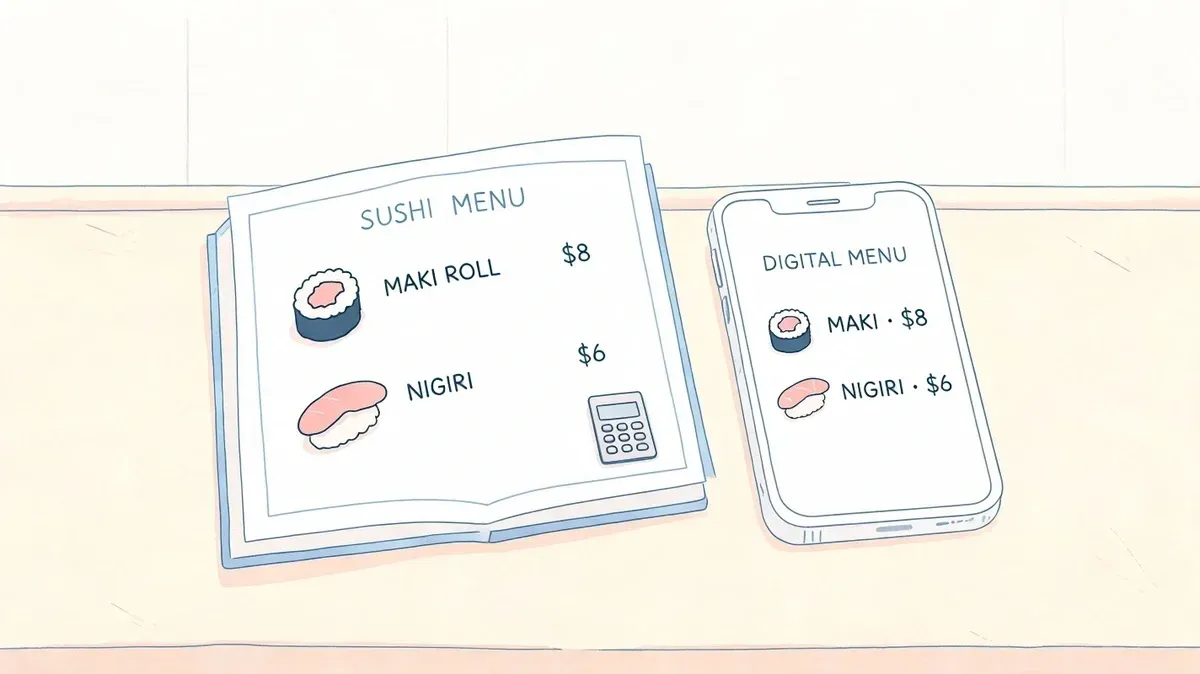
Friday night exposes every weakness in a sushi operation. The counter is full. Uber Eats and DoorDash orders keep landing. A server is retyping a roll with three modifiers into the POS while the sushi chef asks whether the customer wanted eel sauce removed or packed on the side.
That mess usually gets blamed on volume. Most of the time, the actual problem is the menu.
A strong menu for a sushi bar does more than describe food. It controls how fast orders move, how accurately staff enter modifiers, how consistently the kitchen plates items, and how well your restaurant handles delivery without burning out the team. If your menu is vague, oversized, or disconnected from your POS, every rush gets harder than it needs to be.
Modern sushi bars don’t have the luxury of treating menus as a design exercise only. The menu now sits at the center of restaurant delivery, restaurant operations, and POS integration.
Your Sushi Menu Is More Than a List of Food
A sushi menu fails in very predictable ways.
The first failure is complexity without structure. Operators add specialty rolls, custom sauces, premium fish options, lunch combos, omakase language, and app-only items. Nothing is grouped cleanly. Modifiers are written differently on each platform. Staff memorize workarounds. Tickets become translation exercises.
The second failure is treating dine-in and delivery as the same environment. They aren’t. A hand roll that shines at the bar may travel poorly. A beautiful chef’s choice presentation may make sense in-house but create confusion on DoorDash when customers expect strict item definitions and clear substitutions.
Operational truth: If your team has to “interpret” the menu during service, the menu is unfinished.
I’ve seen owners obsess over font, paper stock, and food photography while ignoring the fact that every vague item name creates friction at the register and at the expo line. “House Special Roll” sounds appealing until someone has to answer what protein is included, whether it contains shellfish, and whether spicy mayo is already built in.
This is why menu structure matters more in sushi than in many other formats. Sushi bars deal with raw fish handling, substitution requests, allergen concerns, and prep-sensitive items that don’t leave much room for ordering mistakes. A clean setup reduces stress on both sides of the counter.
A useful reference point is this guide to seafood menu ideas for modern operators, because the same principle applies. The best menu isn’t the one with the most items. It’s the one your staff can execute accurately during a rush.
What a useful menu actually does
A practical sushi menu should do four jobs at once:
- Guide the guest: It should make it obvious what to order, what the item includes, and what can be changed.
- Protect the kitchen: It should reduce custom orders that slow down production or create avoidable errors.
- Support pricing discipline: It should reflect what the item costs to produce, not just what nearby competitors charge.
- Translate cleanly into tech: It should map directly into your POS, kitchen printer flow, and delivery menus.
When owners get this right, the rush feels different. Staff stop asking clarifying questions. Tickets read the same way every time. The menu starts working like an operating system instead of a flyer.
Building Your Menu Foundation Concept and Costing
Before you change layout, photos, or upsells, decide what kind of sushi business you’re running. That’s the foundation of a profitable menu for a sushi bar.
Are you a fast-moving neighborhood spot built around rolls, lunch traffic, and restaurant delivery? Or are you running a premium room where nigiri progression and chef selection shape the experience? Those are different businesses. If you blur them together, your pricing, prep, and staffing all get muddled.
Start with a concept customers can understand
Clear menus come from clear concepts. If you’re delivery-heavy, keep the core tight. Focus on items guests already recognize and reorder easily. If you’re premium, use the menu to reinforce curation and restraint instead of breadth.
In practical terms, most sushi bars should define a core set of categories such as:
- Appetizers: Edamame, tempura, dumplings, salads
- Nigiri and sashimi: The proteins that anchor credibility
- Classic rolls: The volume drivers customers search for by name
- Signature items: A limited set of house differentiators
- Combos or fixed menus: Useful for lunch, delivery bundles, or omakase-lite formats
This doesn’t mean every category needs depth. It means every category needs purpose.
Build pricing from actual item structure
Pricing has to start with ingredient-level costing. There isn’t a shortcut around this. If you don’t know the cost of rice, nori, fish portion, sauces, garnish, and packaging, you don’t know whether the menu is protecting margin or gradually draining it.
The market has become more standardized, which gives operators a useful benchmark. The Sushi Menu 2026 pricing reference from Nutrition Calculators shows appetizers ranging from $3.99 to $7.99, nigiri and sashimi per 2 pieces from $4.99 to $7.99, and classic rolls from $5.99 to $8.99. That same reference notes this standardized structure can help restaurants align with delivery app catalogs and cut manual entry by up to 50% when menus map cleanly into systems like Clover and Square.
That benchmark is useful. It is not a substitute for your own costing.
A spicy tuna roll isn’t one item for costing purposes. It’s rice, nori, tuna, spicy mix, sesame, labor handling, and packaging if it goes out the door.
What to cost before you publish a single price
Many owners cost fish and ignore everything else. That’s a mistake, especially on delivery. Include the hidden pieces that stack up fast.
-
Portion size by weight
Standardize fish cuts, rice weight, and sauce usage. If two cooks build the same roll differently, your costs are drifting before the item even hits the menu. -
Packaging and disposables
Delivery-friendly sushi needs containers, sauce cups, soy packets, napkins, chopsticks, and labeling. Those items belong in the item model. -
Modifier impact
Gluten-free soy sauce, avocado add-ons, extra protein, and sauce-on-the-side all affect cost and production time.
For operators tightening this process, this walkthrough on how to calculate food cost percent for restaurant menus is worth using as a working checklist.
Use the menu as a prep and POS blueprint
Once the concept and costing are right, the rest gets easier. Item names become more consistent. Modifier groups stop sprawling. Staff training gets simpler because menu language matches production language.
A short comparison helps:
Menu approach What happens in service Broad, undefined menu Staff ask clarifying questions and re-enter orders manually Costed, standardized menu Orders move faster and item mapping is easier in POS Concept-mixed menu Premium and value items compete with each other Concept-led menu Guests understand what your restaurant does best
The menu should tell both the guest and the kitchen what kind of restaurant this is. If it doesn’t, every shift turns into improvisation.
Engineer Your Menu for Maximum Profit
Once the menu is costed, stop looking at it as a static document. Start treating it like a performance report.
Menu engineering is the discipline of comparing two things. How often an item sells and how much money it contributes. For sushi bars, this matters because a high-volume roll can look successful while underperforming, and a premium nigiri piece can sit ignored even though it carries strong margin.
Read your menu like an operator, not a chef
The practical workflow is straightforward. Pull 3 to 6 months of POS data, then classify items into four groups based on popularity and contribution margin. Baker Tilly’s menu engineering methodology for restaurants uses the familiar matrix of Stars, Plowhorses, Puzzles, and Dogs. The same guidance recommends repricing Plowhorses by 10% to 15%, promoting Puzzles with tools like “Chef’s Special” badges or DoorDash prompts, and eliminating Dogs when they add complexity without earning their place. Baker Tilly also notes that this work can produce 15% to 25% profit margin gains in Asian concepts.
That framework is especially useful in sushi because menu sprawl is common. Operators keep low-performing items out of habit. Guests rarely miss them. The kitchen doesn’t miss them at all.
What the four categories mean in a sushi bar
Not every category deserves the same treatment.
-
Stars
These are the keepers. They sell well and deliver strong margin. In many sushi bars, a well-priced spicy tuna roll or salmon-focused item lands here. Protect these items. Put them where guests see them first. -
Plowhorses
These move volume but don’t make enough money. California rolls often fall into this bucket. Don’t rush to remove them. Adjust pricing carefully, tighten portioning, or pair them in bundles that improve the overall order mix. -
Puzzles
These are profitable but underordered. Premium nigiri, specialty sashimi, and chef-selected items often land here. They usually need better naming, stronger placement, or more active recommendation from staff. -
Dogs
These sell poorly and contribute little. In sushi, this could be an item added for “variety” that creates extra prep, another sauce, another garnish, and another place for mistakes.
Practical rule: If an item creates production friction and guests don’t seek it out, remove it.
Good engineering changes the menu, not just the spreadsheet
The biggest mistake I see is doing the analysis and changing nothing. The matrix is only useful if it leads to action.
A strong action set might include:
- Repricing a low-margin favorite so it stops acting like a traffic driver with no payoff.
- Renaming a premium item so guests understand why it’s worth ordering.
- Adding a “chef’s special” marker to a profitable but overlooked nigiri selection.
- Cutting a weak seller that forces the kitchen to hold ingredients for too many SKUs.
If you’re trying to improve mix without adding more labor pressure, this playbook on how to increase sales in a restaurant with smarter menu choices pairs well with a menu engineering review.
What doesn’t work
Operators often keep too many weak items because they’re afraid of disappointing a small group of regulars. That fear is usually overstated. A cluttered menu hurts more guests than it helps.
Another common mistake is analyzing sales without looking at channel behavior. Delivery customers often favor rolls and appetizers, while dine-in guests may order more selectively. If you ignore that split, your data can push you toward the wrong conclusions.
Use the matrix to simplify. Sushi bars become more profitable when the menu becomes easier to sell and easier to produce at the same time.
Design a Menu That Sells and Scans Well
Most sushi operators still underestimate how much design changes buying behavior. They treat layout as branding. It isn’t just branding. It’s sales control.
A guest doesn’t read a menu the way an owner does. They scan. They compare. On delivery apps, they scroll even faster. If your best items sit in weak positions, surrounded by clutter and lined up beside a hard price column, you’re making customers work too hard.
The design rules are not guesswork. The menu design analysis published by Lightspeed cites Black Box Intelligence eye-tracking findings showing that placing items in the Golden Triangle can yield a 25% sales increase. It also notes that putting the top two items in the first and last position of a section can boost sales by 30%, while avoiding price columns and using sensory language can raise perceived value by 15% to 20%.
Physical menu design still matters
Printed menus still influence check average, especially in bars and full-service sushi restaurants where guests sit long enough to browse.
The high-value changes are simple:
-
Lead with the best two items in each section
Guests notice edges and corners faster than middle listings. -
Write descriptions that sell the experience
”Buttery toro nigiri” does more work than “Toro.” -
Break oversized categories into digestible groups
Guests decide faster when the menu feels curated instead of crowded.
The menu should guide attention, not document every idea the kitchen has ever had.
Digital menu design matters even more
On Uber Eats and DoorDash, your menu is competing with every other nearby option inside a tiny screen. The customer may never see your dining room, your fish case, or your sushi chef. The screen has to do the selling.
That means the first items in each category matter disproportionately. So do naming consistency, modifier clarity, and photo quality.
A practical toolset for this work starts with how you build and organize digital menus. This guide to restaurant menu design software for operators is useful if you’re trying to keep your in-house and app menus aligned.
What to fix first on a delivery menu
Don’t redesign everything at once. Start with the friction points that cost orders.
Weak digital menu choice Better move Long category lists Tighter sections with fewer distractions Vague roll names Clear names with key ingredients in the title or description Price column mentality Description-led listings with the value built into the copy Random ordering High-margin, high-appeal items placed first
The mechanics matter, but so does pacing. This video gives a useful visual reminder that menu presentation shapes how customers process choices:
What doesn’t sell
Menus packed with novelty rolls, too many icons, and endless add-ons usually underperform. They feel busy, not premium. They also increase the chance that customers abandon the order because choosing becomes work.
The best-looking sushi menus are usually the easiest to scan. That’s what sells.
Improve Restaurant Operations with POS and Delivery Integration
The menu strategy stops being theoretical. A structured menu only pays off when it connects cleanly to your systems.
Sushi bars feel the pain of disconnected systems faster than most restaurants because the menu tends to be modifier-heavy. “No eel sauce.” “Brown rice.” “Gluten-free soy.” “Add salmon.” “No avocado.” When a staff member has to manually translate all of that from a delivery tablet into the POS, mistakes become normal.
A better setup starts with standardized item definitions, consistent modifier groups, and product naming that matches across channels. Once that foundation is in place, POS integration stops being a convenience and starts functioning like labor protection.
Make the menu machine-readable
In plain language, this means every item needs to exist in a format that software can understand without human interpretation.
That usually requires:
-
Standard item names
Use the same naming across in-house menus, POS entries, and delivery channels. -
Clean modifier groups
Group substitutions logically. Sauce changes should not sit inside allergy notes. Protein add-ons should not be hidden in free-text instructions. -
Clear item availability rules
If uni is sold out, staff should be able to remove it from active ordering instead of calling customers after the fact.
This matters directly in systems restaurants already use. Operators working on Clover POS delivery integration or Square app marketplace ordering workflows need the menu to map correctly before automation can remove re-entry work.
Nutrition and allergen tagging are no longer side tasks
For sushi bars, health and allergen details are operational data, not just guest-facing notes.
The sushi nutrition breakdown referenced by Athlean-X and related sources notes that standard rolls average 300 to 400 calories, sushi demand has grown 19.3% year over year, and item tagging can help delivery apps surface lighter options. That same verified guidance points to items like sashimi or naruto-style options as useful ways to serve health-conscious demand, with the potential to reduce average order calories by 20% to 30% while increasing ticket value through premium proteins.
For operators, the takeaway is practical. If your POS holds nutrition and allergen data in a structured way, delivery menus become more useful to customers and easier for staff to manage.
A sushi menu with accurate tags sells better and creates fewer back-and-forth calls about ingredients.
This is also where many sushi menus break down. Delivery platforms often aren’t capable enough to handle all the customization logic a sushi bar wants to offer. If you don’t standardize options, staff end up relying on notes fields and memory. That’s risky for both speed and consistency.
Better integration improves receipts, handoff, and audit trails
Operational clarity doesn’t stop at the kitchen printer. The receipt matters too.
If you’re tightening order flow, it’s worth reviewing the basics of building a professional restaurant receipt. A clean receipt format helps staff confirm modifiers quickly, reduces guest disputes at pickup, and gives managers a cleaner record when they review voids, remakes, and packaging accuracy.
The same principle applies to your broader system map. If you’re evaluating how online ordering, delivery tablets, and the POS should work together, this overview of an integrated POS system for restaurants is a useful operational reference.
What works in practice
The strongest sushi operations use the menu as the source of truth. The item name, description, price, modifier options, nutrition tags, and availability rules all originate from one disciplined structure.
That structure helps teams do the following:
- Reduce manual entry so front-of-house staff aren’t acting like data clerks.
- Cut avoidable remakes because modifiers arrive in a consistent format.
- Speed up kitchen response since tickets read the same way every time.
- Protect staff focus during peak restaurant delivery windows.
What doesn’t work is adding more tablets, more side notes, and more exceptions. If the menu is messy, the tech stack just digitizes the mess.
Your Next Step to a Smarter Sushi Menu
Many operators still think one menu should do everything. That assumption is expensive.
A dine-in sushi guest and a delivery customer don’t buy the same way. The dine-in guest may want pacing, chef guidance, and a broader nigiri experience. The delivery guest wants clarity, speed, travel-friendly packaging, and items that hold up well on the ride. When restaurants force both audiences into a single menu logic, the result is usually compromise on both sides.
The better move is a dual-menu strategy. The verified market view is clear that sushi restaurants increasingly operate one premium in-house experience and a separate value-focused delivery offer, and that this creates friction unless the business can manage different pricing and visibility rules across channels like DoorDash while keeping everything reconciled inside Clover or Square. That operational advantage matters because it removes manual cleanup and gives managers tighter control over what each channel sells.
Where operators should push next
Start challenging old habits.
Maybe your omakase language belongs only in-house. Maybe your delivery menu should lean harder into travel-friendly bowls, sashimi sets, appetizers, and tightly defined roll builds. Maybe a signature item that shines at the counter shouldn’t be sold off-premise at all.
Those choices don’t weaken the brand. They usually strengthen it.
A useful support tool here is Optimizing restaurant QR codes, especially if you’re trying to split dine-in and digital ordering experiences cleanly without overwhelming guests with one giant menu.
Keep the review cycle active
The menu should keep evolving. Quarterly review is a strong discipline because it forces you to look at what sells, what slows the line, and what your staff keeps explaining over and over.
Use that review to ask:
- Which items travel poorly
- Which modifiers create the most confusion
- Which sections are too crowded
- Which delivery items deserve different pricing or visibility
- Which dine-in items should stay exclusive
The old model was one menu for every channel. The smarter model is one brand, multiple menu strategies.
If your current setup still depends on staff retyping app orders and fixing preventable mistakes during the rush, the next step isn’t another training speech. It’s rebuilding the menu so the operation gets simpler.
A smarter sushi menu doesn’t just raise check averages. It cuts manual entry, reduces errors, and gives your team a cleaner service flow across delivery and dine-in. If you’re ready to connect your menus and streamline order management, start onboarding in a few clicks with OrderOut.