
The Ultimate Guide to Menu Design Software
· Thibault Le Conte
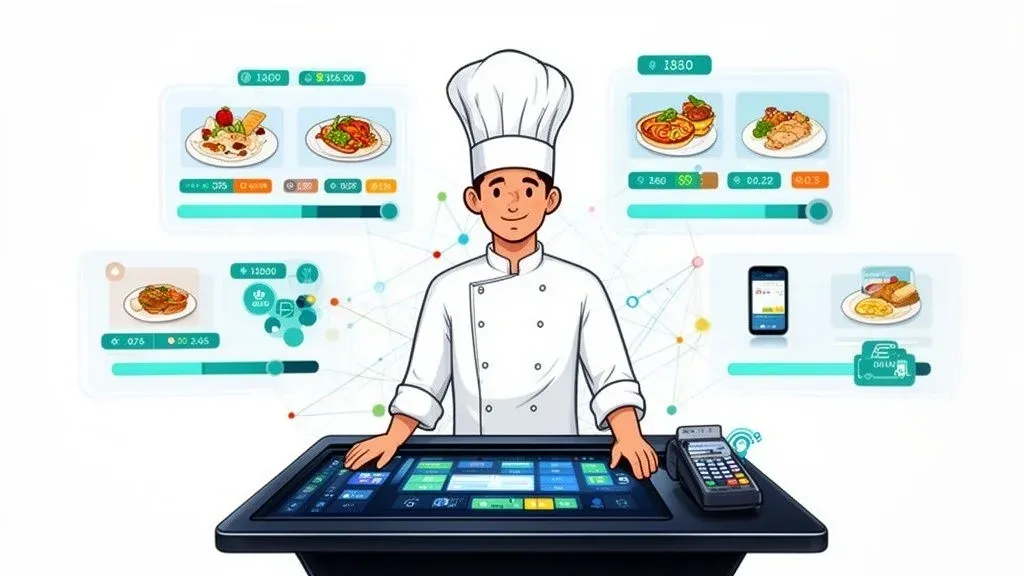
Trying to run a modern restaurant without the right menu software is like trying to coordinate your kitchen, front-of-house, and delivery drivers using a mess of sticky notes. It’s chaotic, inefficient, and leads to costly mistakes. This is exactly what manual menu management feels like. Menu design software steps in to be your central command center, a single source of truth for your most important sales tool.
This guide will show you how this food tech directly boosts your restaurant’s efficiency, integrates with your POS, and improves delivery operations, giving you actionable steps to increase profitability.
What Is Menu Design Software?
At its heart, menu design software is a tool that lets you create, manage, and update your menu in one place, and then automatically sends those updates everywhere you sell food—your website, delivery apps, and in-store POS. It takes your menu from a static document and turns it into a smart, flexible tool that drives sales and simplifies your daily operations.
Why it matters: Think about when you 86 the salmon for the night. Instead of frantically logging into DoorDash, then Uber Eats, then your own website, and then telling the kitchen to update the POS, you make one change in one dashboard. With one click, the salmon is marked “sold out” everywhere. This eliminates incorrect orders, saves your staff’s time, and prevents customer frustration, directly improving restaurant efficiency.
More Than Just a Digital File
To really understand what this software does, it helps to think of it as a central hub for all your menu information. It’s like a specialized PIM system built just for restaurants. In technical terms, it stores every piece of data about your food—pricing, photos, descriptions, calorie counts, and allergy warnings—and synchronizes it across all your sales channels.
This unified approach makes a huge difference in your day-to-day operations and restaurant delivery management:
- Fewer Costly Mistakes: By ensuring your delivery apps and POS are always in sync, you prevent frustrating orders for items you don’t have, reducing food waste and the need for refunds.
- Massive Time Savings: Managers and staff reclaim hours previously spent on the mind-numbing task of updating menus on a dozen different platforms. This boosts staff productivity.
- A More Focused Team: When your menu is in sync with your POS, your team can focus on serving guests instead of trying to fix discrepancies between a delivery tablet and the main system. For a real-world example, when a restaurant using Clover integrates its menu, an order from Uber Eats flows directly to the kitchen printer without any manual entry, reducing errors and speeding up service.
Manual vs. Automated Menu Management
Task Manual Process (Without Software) Automated Process (With Software) Updating an Item Price Log into each delivery app, website CMS, and POS system individually. Update the price on each one. Hope you didn’t miss any. Change the price once in the menu software. The update pushes automatically to all connected channels. 86’ing an Item Staff manually disables the item on each delivery tablet and informs the FOH team. High chance of an order slipping through. A manager or cook marks the item as “out of stock” in the central system. It’s instantly unavailable everywhere. Adding a New Dish Create the item in the POS. Then, manually add it with photos, descriptions, and modifiers to every single online platform. This can take hours. Build the new item once in the menu software with all its details. Publish it to all channels with a single click.
The difference isn’t just about saving a few minutes; it’s about fundamentally improving how your restaurant operates, saving significant time and reducing costly errors.
How Menu Software Fits in Your Restaurant Operations and Food Tech Stack
The real power of menu design software is unlocked when it’s connected to your other technology, especially your Point of Sale (POS) system and third-party delivery platforms. Without that POS integration, a digital menu is just a nice-looking file. With it, your menu becomes an active, intelligent part of your entire operation.
Why it matters: A seamless connection between your menu software and POS means orders from any channel arrive at your kitchen perfectly, without manual re-entry. This is crucial for restaurant efficiency. For instance, a restaurant using a POS like Square can use menu software to ensure that when a customer builds a custom burger on Uber Eats—with extra bacon, no onions, and a gluten-free bun—that exact order prints directly at the kitchen station. This seamless flow is the secret to handling a high volume of delivery orders without overwhelming your team.
This software is the missing link that guarantees consistency and accuracy from the customer’s phone right to your kitchen line. You can also see how this same principle applies to your in-house screens by reading our guide on digital menu boards software.
What Really Makes a Menu System Profitable?
Good menu design software isn’t just a digital version of your paper menu. It’s a command center for your entire operation, built to make you more money. Forget the long lists of techy features; let’s talk about the specific tools that actually stop profit leaks, cut down on order mistakes, and make your restaurant run smoother.
The whole point is to turn your menu from a fixed, printed document into a smart, flexible sales tool. It should let you react instantly to what’s selling, what’s in your inventory, and even what time of day it is—all without a manager having to jump between five different tablets to make a change.
Get Smart About Pricing with Dynamic Adjustments
Simply put, dynamic pricing is the ability to have your prices change automatically based on rules you set. Think of it like surge pricing for your most popular dishes during a rush or hands-free happy hour specials that switch on and off right on schedule.
Why it matters: This is a direct line to higher profits and improved restaurant efficiency. For instance, you can:
- Boost Peak Hour Revenue: Automatically add a small percentage to your best-selling burger during the Friday night rush. It adds up fast.
- Automate Your Specials: Set up “Taco Tuesday” to discount specific items every Tuesday from 5 PM to 9 PM. The system changes the price everywhere—your website, delivery apps like DoorDash, you name it—and then changes it back. This saves significant staff time.
- Run Flash Sales on the Fly: Got too much of an ingredient you need to move? Push a limited-time offer on a dish to clear it out, turning potential food waste into found revenue.
This kind of control means you’re never leaving money on the table. Pricing becomes an automated strategy that moves with the rhythm of your business.
Your menu software acts as the central hub, pushing out any change you make to all your different channels, from your website to your delivery apps.
When everything is connected, you guarantee consistency for every customer, no matter where they order from, which is a cornerstone of modern restaurant operations.
Stop Costly Mistakes with Clear Variants and Modifiers
We all know the “special instructions” box is where orders go to die, leading to errors, wasted food, and frustrated customers. Menu item variants and modifiers are designed to fix this. In simple terms, they are structured choices you give customers, like “Add Bacon (+$2.00)” or “Gluten-Free Bun.”
Why it matters: By giving customers clear options, you guide them to build their perfect order correctly. This dramatically reduces order errors, a critical factor given that an estimated 26% of customer complaints in food delivery are due to incorrect orders. When this is tied into your POS integration, it’s a lifesaver for the kitchen. A customer ordering through a delivery app from a restaurant using a Square POS system, for example, can pick all their customizations, and the ticket prints out perfectly. This reduces waste and boosts staff productivity. For a deeper dive, check out our guide on how restaurant menu data can boost your bottom line.
Keep Your Brand Sharp with Digital Menu Templates
Let’s be honest—you’re running a restaurant, not a design agency. Digital menu templates give you professionally designed layouts that you can quickly customize with your brand.
Why it matters: This is about being fast and consistent, which improves restaurant efficiency. The right software provides templates already optimized for different platforms—a detailed one for your website, a scannable version for Uber Eats, and a visual layout for in-store digital screens. You update a price once, and it populates correctly across every template, saving time and keeping your brand looking sharp everywhere.
The Power of POS Integration for Seamless Operations
Your menu design software is a great tool on its own, but its true potential comes to life when it’s connected directly to your Point of Sale (POS) system. This link is what transforms your menu from a static document into the command center for your entire restaurant. It’s a core component of modern food tech.
Why it matters: We’ve all seen the chaos: you sell the last salmon fillet, and a frantic scramble follows to update every system. With an integrated system, your kitchen manager simply marks the item “out of stock” on one screen. Instantly, the salmon vanishes from your website, digital menu boards, and every third-party app like DoorDash or Uber Eats. This seamless POS integration is how you end the headaches of managing online and in-house orders separately, directly improving restaurant operations.
When everything is connected, you establish a single source of truth for your menu. In technical terms, this means all data flows from one central point, eliminating guesswork and boosting efficiency.
How POS Integration Boosts Restaurant Operations
Hooking your menu software into your POS is a fundamental upgrade to how your restaurant functions, directly tackling some of the most frustrating and expensive points of failure.
The most immediate win is the elimination of manual order entry. Without integration, your front-of-house staff are forced to juggle tablets, manually punching orders from delivery apps into the POS. This is a slow, frustrating task and a recipe for costly mistakes.
Why it matters: A single mistake on a modifier—“no onions” becoming “extra onions”—can cause a chain reaction: a comped meal, wasted ingredients, a bad online review, and a lost customer. POS integration prevents these errors. This direct pipeline ensures every order, whether from a Grubhub customer or a diner at table five, flows into the same kitchen queue with perfect accuracy. It’s essential for any restaurant growing its delivery business. To learn more, check out our guide on what integrated POS systems can do for you.
The Real-World Impact on Staff Productivity and Savings
Think about the hours your team wastes on tablets and reconciling sales. POS integration gives them that time back to focus on what matters: cooking great food and serving guests.
For a concrete example, a restaurant using a Clover POS system can use an integrator to connect their menu software. Now, when the chef creates a new dinner special, it’s instantly live and ready for cashiers to ring up. There’s no delay or miscommunication.
This food tech isn’t a small trend; it’s becoming the standard. The global market for restaurant management software was valued at $5.69 billion in 2024 and is projected to explode to $28.03 billion by 2034. For individual restaurants, integrating menu software can slash manual entry errors by up to 90%. You can read the full research about these market trends.
This connection drives tangible results:
- Cost Savings: Fewer hours spent on data entry and fewer comped meals due to order mistakes.
- Time Savings: Orders move to the kitchen faster, improving ticket times and staff productivity.
- Error Reduction: Orders are transmitted flawlessly, guaranteeing customer satisfaction.
Optimizing Menus for Restaurant Delivery Success
A common mistake is assuming the menu that shines in your dining room will work on a delivery app. It almost never does. To succeed with platforms like Uber Eats and DoorDash, you need to treat them as separate storefronts with carefully crafted menus. This is where menu design software becomes invaluable.
Why it matters: Instead of a simple copy-paste, this software lets you build distinct menus just for delivery. This allows you to engineer a menu that’s easy to navigate on a phone, nudges customers toward profitable choices, and keeps your kitchen running smoothly. This directly impacts your restaurant delivery revenue and efficiency.
Crafting Delivery-Only Combos and High-Margin Items
Your delivery menu is your digital salesperson. One of the smartest plays is creating delivery-only combo meals, like “Lunch for Two” specials or a “Family Movie Night” bundle. These deals increase your average ticket size and simplify the ordering decision for customers.
Why it matters: Good software lets you strategically pair popular entrees with high-margin sides and drinks. You can even pin these high-value combos to the top of your menu on delivery apps. This is huge, as most customers decide quickly. Top placement grabs their attention immediately, boosting sales. For example, a restaurant on DoorDash can create a “Weekend Special” bundle that only appears on Friday and Saturday, pushing higher-margin items during peak hours.
And don’t forget the photos. Your delivery menu must have mouth-watering, professional-quality pictures. An item with no image might as well not exist.
This shift to digital is undeniable. The e-menu market is on track to hit $940.12 million by 2032. With 65% of US consumers now preferring to use an app to view menus, a slick, visual menu is a requirement. For restaurants integrating delivery apps with their Square POS, we’ve seen well-designed e-menus slash customer wait times by an impressive 40%. You can discover more insights about these e-menu trends.
Using Data to Refine Your Restaurant Delivery Menu
The real power of modern food tech is taking the guesswork out of your strategy. Your menu design software should let you run A/B tests on your delivery menus. This means experimenting with different prices, photos, and descriptions to see what actually increases orders and profit.
For instance, you could run a test on a burger for a week:
- Menu A: “Classic Burger” for $12.
- Menu B: “Signature Smash Burger” with a better description for $12.50.
At the end of the week, the data shows which one sold more and generated more revenue. This data-driven approach allows you to constantly fine-tune your menu for peak performance and profitability. Of course, a great menu is useless if no one sees it. To get more eyes on your offerings, it’s worth considering choosing the best SEO company to help you stand out.
Ensuring Flawless Execution from App to Kitchen
A perfectly optimized menu is only half the battle. The other half is making sure every order, no matter how customized, hits your kitchen accurately. This is where solid POS integration becomes non-negotiable for smooth restaurant operations.
Why it matters: A great integrator acts as the bridge between the delivery app and your POS. When a customer on DoorDash orders a burger with five modifications, that integration ensures the ticket prints perfectly at your kitchen station without manual re-entry. This single connection prevents chaos during a rush, eliminates costly mistakes, and boosts staff productivity. You can dive deeper into how this works in our guide on food delivery management software.
Your Menu Is Now the Brains of Your Restaurant
For a long time, a “digital menu” was just a slideshow on a TV. Those days are over. Your menu is quickly becoming the command center for your entire tech setup, a core piece of your food tech strategy.
We’re talking about a menu that does more than just list items—it actively works to sell them. In simple terms, think of a menu that automatically suggests upsells and highlights specials based on real-time data. This isn’t a far-off concept; it’s what modern menu design software does right now.
Why it matters: This shift is powered by AI, which transforms your menu into a silent, effective salesperson. By analyzing sales data in real time, these systems spot trends and make smart suggestions that boost your average check size and improve restaurant efficiency.
Your Menu as an AI-Powered Salesperson
A great server knows to suggest fries with a burger. AI-powered menu software does the same thing but uses data from every single order to make suggestions with pinpoint accuracy. Technically, it uses machine learning algorithms to identify purchasing patterns and optimize recommendations.
Here’s how this automated intelligence boosts your bottom line:
- Suggesting Smart Upsells: The system learns what works. It can automatically prompt a customer with “Add avocado for $2?” because it knows that offer has a high success rate.
- Creating Personalized Promos: For a regular who always orders vegetarian, the software can highlight your new plant-based special on the online ordering page.
- Optimizing Item Placement: The software can analyze your most profitable dishes and automatically push them to the top of your menu on delivery apps like Uber Eats, driving up your average ticket size.
When you sync this with your POS system, like a Clover terminal, the loop closes. Every order provides more data, making the system’s recommendations even smarter. This direct POS integration is crucial for leveraging AI effectively in restaurant operations.
Accessible Food Tech for Every Restaurant
Not long ago, this kind of automation was only for massive chains. That’s changed. The new wave of affordable, cloud-based restaurant software has put these powerful tools in the hands of independent restaurants.
The numbers don’t lie. The digital menu board software market is on track to become a $2.5 billion industry by 2025 and is projected to hit $12.78 billion by 2034. This matters because 70% of diners say visuals influence their ordering decisions, and smart, AI-driven menus can increase sales by as much as 30%. Discover more insights about this food tech market growth.
This change levels the playing field, giving you access to the same technology your biggest competitors use. If you’re curious, our guide on cloud-based restaurant software is a great place to start.
So, Where Do You Go From Here?
It should be clear by now that modern menu design software is a core business move. It’s about taking back control over your most important sales tool, ending staff burnout from manual updates, and directly boosting your restaurant’s profitability.
The old way is broken. Manually changing prices and juggling a dozen platform logins is a surefire way to lose money and create chaos. Every mistake, from a wrong price on a delivery app to a forgotten “out of stock” notice, chips away at customer trust and wears your team down. It’s time to stop letting preventable errors eat into your bottom line.
Your Quick-Start Checklist for Choosing the Right Software
When looking at platforms, cut through the noise by focusing on what actually improves restaurant efficiency and delivery management.
- Rock-Solid POS and Delivery Integration: The software must connect flawlessly with your existing POS, whether that’s Clover or Square, and with major delivery players like Uber Eats and DoorDash. This is the most important feature for reducing errors and saving labor.
- Centralized Control for Multiple Locations: If you have more than one location, you must be able to update menus for all of them from one dashboard. This is non-negotiable for keeping your operations tight as you expand.
- Built for Restaurants, by People Who Get It: The platform should be designed for the chaos of a real kitchen, not a generic tool with a restaurant skin.
The real goal is to build a restaurant that’s more efficient, less stressful, and more profitable. Your food tech stack should work for you, not create more work.
Your Next Step: A Practical Takeaway
Thinking about it is one thing, but doing something is what counts. Every day spent wrestling with old, manual processes is another day of potential mistakes, wasted hours, and lost sales. The path to a smarter menu strategy starts with one simple action.
It’s time to build that more efficient, more profitable restaurant. You can take the first step right now by visiting https://dashboard.orderout.co where restaurant owners can start onboarding for Free in a few clicks.
Frequently Asked Questions
If you’re exploring menu design software, you probably have a few practical questions. Let’s tackle the most common ones.
Is Menu Design Software Expensive for a Small Restaurant?
It’s more affordable than you might think. Most modern systems are cloud-based, so you pay a monthly subscription. The key is to think about the return on investment (ROI). When you add up the time saved, the money saved by reducing order errors, and the extra sales from an optimized menu, the software often pays for itself.
Why it matters: Stopping just a handful of incorrect DoorDash orders each day—a direct result of POS integration—can often cover the entire monthly fee, representing a clear cost saving.
How Difficult Is It to Integrate Menu Software with My POS System?
The best systems are built to connect easily with the tools you already use. Look for software with ready-made connections on popular platforms like the Clover App Market or the Square App Marketplace.
Why it matters: This POS integration is the secret to a smooth operation, letting your menu, orders, and sales data talk to each other automatically. This improves restaurant efficiency by eliminating manual data entry and reducing errors, boosting staff productivity.
Can I Use This Software to Manage Menus for Multiple Locations?
Absolutely. This is one of the biggest reasons growing restaurant groups adopt this software. It gives you one central command center to manage menus for all your locations.
Why it matters: You can roll out a price increase across every store at once or create special menus for certain locations. This improves restaurant efficiency and operational consistency, getting rid of the headache—and inevitable mistakes—of updating each store’s POS one by one.
What Is the Single Biggest Benefit of Menu Design Software?
If you boil it down to one thing, it’s creating a “single source of truth” for your entire menu. This one concept is a game-changer for restaurant operations.
Why it matters: It ends the frustrating differences between your in-house menu, your website, and third-party apps like Uber Eats. When you 86 an item, you do it once, and that change happens everywhere instantly. That dramatically cuts down on order mistakes, reduces costs, and saves staff time, turning your menu into the reliable, powerful tool it’s supposed to be.
Ready to stop letting manual menu mistakes drain your profits? OrderOut connects your delivery apps directly to your POS, creating that single source of truth. Start onboarding for Free in a few clicks at https://dashboard.orderout.co.