
10 Actionable Menu Boards Ideas for 2026
· Thibault Le Conte
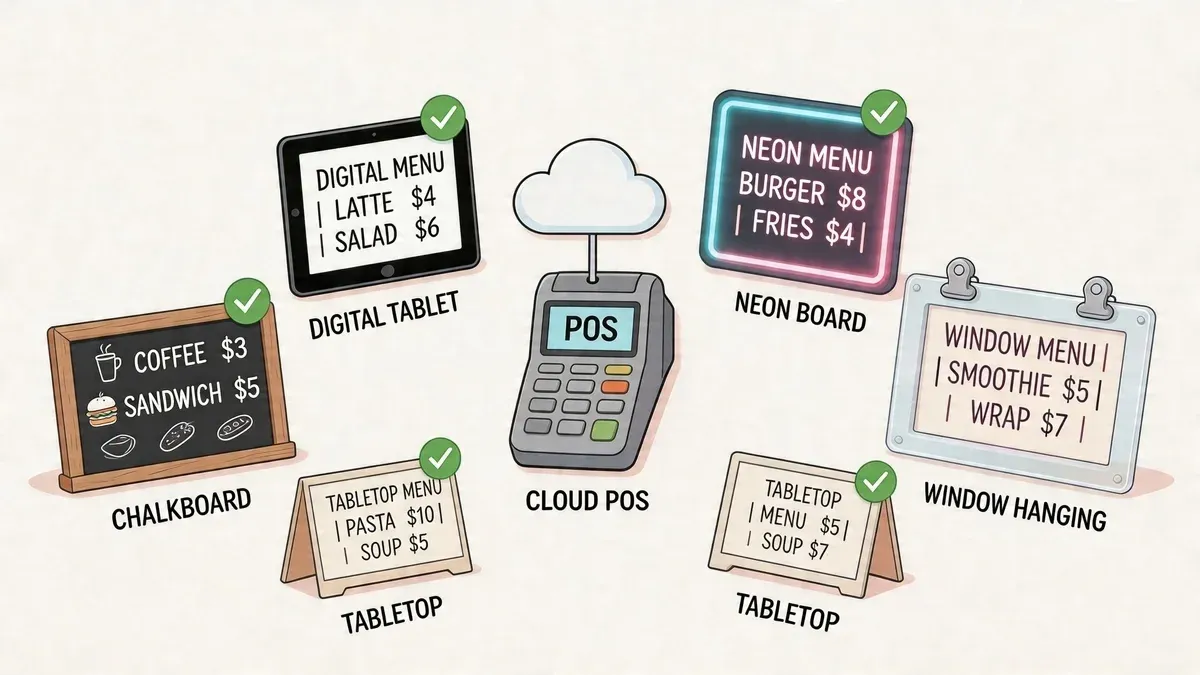
Friday night gets messy fast. You’ve just 86’d the salmon, a server is answering the same question for the fifth time, and someone in the kitchen is trying to remember whether the price changed on DoorDash but not on the board above the register. That’s how small menu problems turn into labor waste, refund requests, and frustrated guests.
A lot of operators still treat menu boards like decor. They’re not. They’re operating tools. The board your customer sees should reflect the same reality your POS, kitchen, and delivery channels are working from. If it doesn’t, your team ends up doing manual cleanup all shift.
That’s why the best menu boards ideas in 2026 aren’t just about fonts, screens, or pretty food photos. They’re about accuracy, speed, and control. They help customers order faster, help staff answer fewer questions, and help managers make one update instead of five. When your board is tied into your POS and delivery stack, a menu change stops being a scramble and becomes a routine click.
The payoff is real. Operators in the Networld Media Group Digital Menu Board ROI Study reported a 3 to 5 percent sales uplift and 29 percent faster content turnaround time with digital menu boards, summarized in this digital menu board sales research roundup. That matters because speed of update is not just a marketing benefit. It’s an operations benefit.
Below are 10 practical menu board ideas that improve restaurant operations. Some are digital. Some are structural. All of them work best when they reduce friction between what customers see, what staff sell, and what your systems can fulfill.
1. Digital Menu Boards with Real-Time POS Integration
The strongest upgrade most restaurants can make is simple. Stop treating the in-store menu, POS, and delivery apps as separate systems.
When your digital menu board pulls live data from the same source as your POS, you cut out the most common error chain in restaurant delivery. An item sells out in-store, but still appears on Uber Eats. A lunch price changes in the POS, but the screen above the counter still shows the old number. Staff then explain, apologize, comp, and manually patch the issue.
Chains like McDonald’s and Panera have invested heavily in coordinated digital menu rollouts because synchronized displays reduce inconsistency across channels. You don’t need an enterprise budget to apply the same principle. A smaller operator using Clover or Square can still build a cleaner workflow by connecting ordering and menu data through an integration layer.
What to set up first
If you’re running Clover, connect OrderOut for Clover. If you’re on Square, use OrderOut for Square. That gives you a practical path to keep delivery orders and menu availability aligned with the POS your team already uses.
For the screen side, keep the setup boring and readable. That’s a compliment.
- Use high contrast layouts: White on dark backgrounds or dark on light backgrounds read better from the back of the line.
- Choose non-glare displays: A board no one can read near a front window becomes expensive wall art.
- Schedule dayparts: Breakfast, lunch, and dinner should switch automatically so staff don’t have to remember.
- Limit manual overrides: The more store-level edits you allow without process, the more inconsistencies creep in.
Practical rule: If a manager has to update the same item in more than one place, your menu system still isn’t integrated.
For a deeper look at the software side, the best starting point is this guide to digital menu board software for restaurants.
2. Tiered Menu Structure
A messy menu board creates operational drag before it creates design problems. Too many items, too many modifiers, and too many low-value choices slow down guests and confuse staff.
A tiered structure fixes that. Split the board into core items, premium upgrades, and limited-time offers. Chipotle does this well with a simple base menu and premium protein add-ons. Starbucks uses a similar pattern with standard drinks, premium customizations, and seasonal features. Customers learn the structure fast, and teams can maintain it without constant rewrites.
Why this works in restaurant operations
The benefit goes beyond easier reading. It is easier control.
Core items stay stable, which helps prep, training, and inventory planning. Premium items give you a deliberate place to feature higher-margin choices. Limited-time offers create movement without forcing a full menu overhaul. If you’ve ever watched a manager try to add a seasonal item across in-store signage, Uber Eats, and DoorDash while keeping modifiers straight, you know why structure matters.
A clean tiered board also helps with restaurant delivery. Delivery menus already compress context. Customers don’t have a cashier guiding them. A board structure that separates everyday items from premium and seasonal options reduces friction on every channel.
Use your POS and app reporting to decide what belongs in each tier. Keep the core stable. Move attention, not chaos.
- Core tier: Put your fastest-moving, easiest-to-execute items here.
- Premium tier: Reserve this for upgrades that raise ticket value without slowing the line.
- Limited-time tier: Use it for seasonal items or promo bundles you can turn off quickly.
- Placement matters: Premium items usually perform better when they sit in natural visual hotspots instead of being buried at the bottom.
Domino’s has long benefited from a clear split between core pizzas and specialty offers. Independent operators can do the same with far less complexity. The board should tell customers what’s standard, what’s special, and what won’t be around for long.
3. Image-Heavy Visual Menu Boards
A customer walks up to the counter, glances at the board for five seconds, and orders the item they can identify fastest. The same thing happens on delivery apps. If the photo is clear, current, and matched to the POS item, ordering speeds up. If the image is missing, inconsistent, or tied to the wrong modifier set, staff spend more time correcting tickets and customers hesitate longer than they should.
Photos work best on items that sell well, carry margin, and benefit from quick visual recognition. That usually means signature sandwiches, pizza builds, combo meals, desserts, and drinks with strong visual appeal. Operators get better results from a few disciplined hero images than from covering every product with mediocre photography.
The operational side matters as much as the design. An image-heavy board should connect to the same item library used by your POS and delivery platforms. That keeps names, prices, availability, and photos aligned across channels. If the board shows one burger, the kiosk shows another, and DoorDash has last season’s image, guests lose confidence and staff inherit the cleanup.
I usually recommend a controlled hero-image system. Pick a small set of featured items and make sure each image maps to the exact SKU or menu button being sold. That approach keeps the board readable and makes updates cheaper. It also supports restaurant pricing strategies that protect margin because the items getting the visual space are the ones you intend to sell more often.
A few standards prevent most of the usual problems:
- Use photos only for priority items: Feature products that are profitable, easy to execute, and visually distinct.
- Match every image to the exact item sold: No generic burger photo for three different builds with different add-ons.
- Keep one visual system across channels: Use the same approved image set on the in-store board, kiosk, app, and delivery marketplaces.
- Test for thumbnail performance: Many guests first see the item on a phone, not a dining room screen.
- Refresh on a schedule: Update seasonal features and discontinued items promptly so the board never sells something the kitchen or app no longer supports.
There is a trade-off. More photos can increase appetite appeal, but they also eat up space, reduce legibility, and make price updates harder to scan. For high-SKU menus, too many images slow decisions instead of speeding them up. A cleaner board with 4 to 8 strong images usually outperforms a crowded board that tries to show everything.
This is also a data problem, not just a creative one. Teams that study how big data in retail drives personalization and forecasting already understand the logic. The same principle applies here. Use sales mix, attachment rates, and order error patterns to decide which items deserve visual real estate.
Good food photography improves conversion when it reduces uncertainty. It also lowers labor drag when integrated systems keep that visual promise accurate across the board, the POS, and delivery channels.
4. Dynamic Pricing Menu Boards
It is 2:15 p.m. The lunch rush has cleared, labor is still on the clock, and the line has disappeared. A static board leaves money on the table in that window. A dynamic board gives operators a controlled way to shift demand, protect margin, and keep the kitchen selling the right items at the right time.
Used well, dynamic pricing is an operations tool first and a marketing tool second. The job is not to change prices constantly. The job is to trigger scheduled offers, daypart menus, and limited bundles that match staffing, inventory, and channel demand without forcing staff to update three systems by hand.
Start with controlled use cases
Time-based pricing is the cleanest place to begin. Guests understand a lunch special, happy hour, or late-night menu because the rule is visible and predictable. Staff can explain it in one sentence. Managers can audit it fast.
The trade-off is clarity versus flexibility. More pricing logic gives you more ways to fill slow periods, but it also raises the risk of mismatched prices, guest disputes, and refund requests if your systems are not synced. If the in-store board flips to a combo at 3:00 and the POS or delivery menu stays on the old price, the promotion creates extra labor at the counter and confusion in the kitchen.
That is why dynamic pricing only works when the menu board, POS, and online ordering stack update together. Restaurants using an online food ordering system that syncs menus across channels have a clear advantage here. They spend less time correcting tickets and less time explaining why one screen says one thing and the app says another.
A few practical use cases work across formats. A college-area store can run an afternoon snack bundle during a slow window. A bar and grill can switch to a tighter late-night menu with prices built for a smaller crew. A quick-service brand can pause low-margin modifiers during peak periods if the kitchen is getting backed up.
Use a short operating checklist:
- Start with daypart pricing: Use fixed times and obvious labels.
- Limit the first test: One or two offers are easier to manage than a full pricing matrix.
- Check channel rules: Delivery marketplaces may restrict how prices and promos appear.
- Sync all systems: The board, POS, website, and delivery menus should update from the same source.
- Review operational fallout: If a pricing rule increases staff explanations, voids, or remakes, revise it.
The logic is the same one behind how big data in retail drives personalization and forecasting. Use sales patterns, order timing, item-level margin, and prep capacity to decide where dynamic pricing helps and where it creates noise. Good operators keep it simple, visible, and fully connected to the systems that run service.
5. QR Code Menu Boards with Mobile Ordering Links
QR codes aren’t exciting anymore. That’s exactly why they work. Customers understand them, and staff don’t need to explain much.
A good QR menu board creates a bridge between the physical store and mobile ordering. Someone waiting in line can scan and order ahead. A guest at a table can reorder without flagging a server. A pickup customer can jump straight to your preferred ordering flow instead of searching for your brand on a marketplace app.
Keep the QR destination clean
The mistake I see most often is linking a QR code to a confusing landing page. Don’t make people choose from six buttons and three delivery partners after they scan. Send them somewhere specific. If the board advertises catering, send them to catering. If it advertises pickup, send them to pickup.
This matters even more in busy restaurant operations. Staff save time when customers can self-serve routine actions. During peak periods, a QR code that routes guests into online ordering can help protect the front counter from becoming a bottleneck.
Use a short, trackable URL behind the code so you can see whether people scan it. Then place the code where it supports a customer decision, not where it looks decorative.
- Place it at eye level: Entrance, ordering area, and table touchpoints tend to work best.
- Label the outcome clearly: “Scan to order pickup” beats a generic code with no instruction.
- Test on iPhone and Android: Broken QR links kill adoption.
- Train staff on the script: A simple “you can scan there if you’d rather order on your phone” is enough.
If you’re building a stronger direct ordering flow, this guide to a restaurant food online ordering system is the right next read.
6. Allergen and Dietary Restriction Labeling System
This is one of the least glamorous menu boards ideas, and one of the most important. Clear allergen and dietary labeling reduces questions, cuts avoidable remakes, and lowers the chance that a guest orders something they can’t eat.
Panera and Chipotle have trained customers to expect visible dietary signals. Independent restaurants should do the same, especially on digital menus and delivery channels where there’s less direct interaction with staff. If your in-store board says one thing and your app listing says another, your team inherits the risk.
Build one labeling language and use it everywhere
Keep the first layer simple. Use recognizable icons or short tags for common dietary needs. Then make sure those tags come from a single source of truth, ideally tied back to your POS or menu management system.
The operational upside is bigger than most owners expect. A labeling system helps cashiers answer fewer repetitive questions. It helps kitchen staff confirm prep faster. It also makes seasonal or supplier-driven ingredient swaps easier to track, as long as someone owns the update process.
The technology baseline is moving in this direction anyway. Real-time data synchronization and allergen information are becoming standard capabilities in modern menu infrastructure, according to this digital menu board market analysis. That’s not just a compliance story. It’s a labor-efficiency story.
Operator note: If your dietary tags live in a manager’s memory instead of your menu system, they’re going to fail during a busy shift.
Keep the board honest. If your kitchen uses shared equipment, say so. If an ingredient changes, update the tags before the next rush, not after the first complaint.
7. Combo and Bundle Menu Board Promotions
It is 12:15, the line is building, and a cashier is explaining the same lunch deal for the tenth time. That is wasted labor. A good combo board removes that conversation, pushes customers toward faster decisions, and sends cleaner tickets to the kitchen.
Bundles sell because they simplify the order. The bigger win is operational. When a combo is defined in your POS and displayed the same way on your in-store board, kiosk, and delivery apps, staff spend less time correcting modifiers, fewer orders need manager intervention, and reporting stays accurate across channels.
McDonald’s value meals are the obvious reference, but the lesson is not branding. It is standardization. Domino’s applies the same discipline with mix-and-match offers. Independent operators can use that model with family packs, lunch combos, or weeknight bundles built from items the line already produces consistently.
Build bundles around ticket flow
Start with what the kitchen can repeat under pressure. The best bundles use items that share stations, packaging, and prep steps. If a combo looks profitable on paper but creates custom requests, slows expo, or forces staff to explain substitutions every other order, it will cost more than it makes.
A strong board does four jobs at once:
- Groups items customers already buy together: Use order history, not guesswork.
- Limits decision points: One protein choice is manageable. Six side swaps are not.
- Sets clear defaults in the POS: Drink, side, and size rules should already be configured before the board goes live.
- Matches offers across channels where it makes sense: If delivery has a bundle, decide whether in-store should mirror it or stay simpler for speed.
Operators often get sloppy. They promote a combo on the board, then build it differently in DoorDash, ring it differently in the POS, and price it differently at the counter. The result is confused staff, inconsistent tickets, and bad margin data. If you want bundles to improve profitability, give them one setup, one naming convention, and one owner.
For teams trying to tighten this process, restaurant reporting practices in this guide to data analytics for restaurants are useful because they connect menu design decisions to actual sales and labor patterns. Teams that are earlier in that process can also use the analytics maturity model to assess how disciplined their promo tracking really is.
One more trade-off matters. Delivery-only bundles can raise average order value, but they also add operational complexity if they are invisible to the in-store team. If you run a third-party promo, your menu board should reflect it only when the kitchen can support it without slowing service. The right bundle is not the one with the biggest discount. It is the one your staff can sell, ring, produce, and fulfill accurately every time.
8. Menu Board Analytics and A/B Testing
Most menu boards stay static because operators are busy, not because the board is already optimized. That’s a mistake. Placement, naming, photos, and bundle position all affect what people order.
The useful way to test menu boards is to change one thing at a time. Don’t rewrite descriptions, move categories, swap photos, and adjust prices all in the same week. You won’t learn anything. Start with a single variable, then compare actual ordering behavior across a meaningful period.
A short explainer on restaurant analytics helps frame the process:
What to test first
Item placement is usually the easiest win. Move a high-margin combo from the bottom of the menu to a primary visual zone and watch whether attach rates improve. After that, test the photo, then the description, then the naming. Keep records so your team isn’t relying on memory and opinions.
This matters in restaurant delivery as much as in-store. Uber Eats and DoorDash already give merchants some visibility into item performance, but a significant advantage is found when you consolidate data instead of checking each dashboard separately. If your Clover or Square setup feeds into one reporting workflow, your menu decisions get faster and less political.
- Test one variable: Photo, name, placement, or price. Not all at once.
- Use enough time: Run the test long enough to account for normal weekly swings.
- Separate channels: Don’t assume the winning in-store layout is the winner on delivery apps.
- Write down outcomes: Build a repeatable menu playbook for your stores.
For teams that want a more disciplined reporting process, this guide to data analytics for restaurants is useful. If you’re thinking more broadly about process maturity, this article on an analytics maturity model gives a good outside-in framework.
9. Sustainability and Local Sourcing Menu Callouts
Sourcing claims only help if they’re specific and operationally supportable. If you buy from a local bakery, say that. If a seasonal salad uses produce from a nearby farm partner, feature it. If your packaging or ingredients change week to week and nobody updates the board, don’t build your brand around a promise you can’t maintain.
Chipotle, Shake Shack, and Sweetgreen have all shown how sourcing language can shape perception. For smaller operators, the win isn’t trying to copy their branding. It’s using menu space to explain why a premium item costs more or why a seasonal item is worth choosing now.
Use sourcing callouts where they support value
A short line on the board can do real work. “Local peaches while in season” tells the customer something useful. “Responsibly sourced” without context tells them almost nothing.
These callouts also help on delivery platforms, where your food sits next to dozens of competitors in a scroll. A well-placed sourcing note can give a guest a reason to choose your restaurant over a cheaper lookalike. But your operations have to back it up. If suppliers change, the board needs to change.
That’s one reason digital systems are so helpful. When menus update from a central source, you can rotate seasonal supply messages more cleanly across locations and channels instead of relying on printed inserts or verbal explanations.
Keep sourcing claims narrow, true, and easy for staff to explain in one sentence.
If sustainability is part of your operating model, not just your marketing, this guide to sustainability in restaurants is a good next step.
10. Smart Menu Recommendation Engine Display
Recommendation engines sound more complicated than they need to be. At the restaurant level, the first version can be very simple. Show the right suggestion at the right time.
That could mean a cold-weather soup callout, a combo recommendation next to a best-selling sandwich, or a delivery-only dessert add-on during evening order peaks. Uber Eats already conditions customers to expect “you might also like” logic. Your in-store and direct-order menu boards can do the same without becoming gimmicky.
Keep recommendations relevant to the moment
Good recommendations reduce effort. Bad ones feel random. If a board suggests three unrelated items every few seconds, customers ignore it. If it suggests a side, drink, or dessert that fits the order context, it feels helpful.
This area is moving quickly. A revenue-focused overview of digital menu boards notes that operators report average check size increases and upsell improvements, and that modern systems are beginning to adjust promotions based on factors like location, weather, daypart demand, and order context in this analysis of digital menu board revenue impact. That kind of personalization won’t make sense for every independent restaurant on day one, but rules-based recommendations already do.
Here are practical starting points:
- Use daypart logic: Breakfast suggestions shouldn’t appear at dinner.
- Match the recommendation to the main item: Fries with burgers beats unrelated upsells.
- Test with repeat customers first: Loyal guests give cleaner feedback through behavior.
- Protect readability: Recommendations should support the menu, not overwhelm it.
For operators working with restaurant delivery, this gets even more valuable when recommendation logic reflects what’s selling across Uber Eats, DoorDash, and your direct channels. The board stops being a static sign and starts acting like a quiet sales assistant.
10-Point Menu Board Ideas Comparison
Item 🔄 Implementation Complexity ⚡ Resource Requirements 📊 Expected Outcomes 💡 Ideal Use Cases ⭐ Key Advantages Digital Menu Boards with Real-Time POS Integration High, hardware + POS & delivery integrations; ongoing maintenance Displays, reliable internet, POS connector (e.g., OrderOut), vendor/IT support Consistent menus, fewer listing errors, faster updates across channels Multi-location QSRs, fast-casual chains, frequent price/availability changes ⭐⭐⭐⭐ Consistent branding; improved order accuracy; faster ops Tiered Menu Structure (Core, Premium, Limited-Time) Low–Medium, POS categorization and periodic restructuring Analytics access, staff time for profit analysis and rotations Better margins, simplified inventory, clearer customer choices Restaurants optimizing profitability and menu clarity ⭐⭐⭐ Promotes high-margin items; easier forecasting Image-Heavy Visual Menu Boards Medium, photography workflow, asset management, mobile optimization Professional food photography, image storage/optimization, periodic shoots Higher AOV, improved click-throughs, faster ordering decisions Delivery-focused listings, premium items, visually driven brands ⭐⭐⭐⭐ Drives impulse buys; elevates brand perception Dynamic Pricing Menu Boards High, advanced POS pricing rules, automation, legal checks Sophisticated POS, real‑time data feeds, monitoring, compliance review Revenue maximization, inventory management, automated discounts Peak/off-peak demand, limited-supply items, data-driven operators ⭐⭐⭐ Maximizes revenue; automates price adjustments QR Code Menu Boards with Mobile Ordering Links Low, generate and place QR codes; maintain links Design/signage, URL shortener/tracking, occasional updates More mobile orders, platform preference data, reduced counter load Cafés, casual diners, locations wanting quick mobile capture ⭐⭐⭐ Low cost; easy deployment; trackable conversions Allergen and Dietary Restriction Labeling System Medium, ingredient audits, POS labeling, ongoing updates Ingredient data, compliance checks, staff training, audits Reduced liability, fewer customization errors, expanded customer base Chains with regulatory needs, allergy-sensitive markets ⭐⭐⭐⭐ Builds trust; regulatory compliance; fewer cancellations Combo and Bundle Menu Board Promotions Low–Medium, create bundles, configure POS pricing Margin analysis, POS setup for combos, marketing placement Higher AOV, simplified customer choices, streamlined kitchen prep Delivery menus targeting families or value shoppers ⭐⭐⭐⭐ Increases AOV; simplifies ordering; improves inventory flow Menu Board Analytics and A/B Testing High, testing framework, analytics integration, experiment design Data integration, analytics tools/platform, analyst time Data-driven menu improvements, higher conversion and AOV over time Businesses pursuing continuous optimization and growth ⭐⭐⭐⭐ Identifies winners; reduces guesswork; actionable insights Sustainability and Local Sourcing Menu Callouts Medium, supplier verification, messaging, seasonal updates Supplier relationships, verification processes, possibly higher costs Brand differentiation, justification for premium pricing, customer loyalty Farm-to-table, premium fast-casual, eco-conscious markets ⭐⭐⭐ Differentiates brand; attracts sustainability-minded customers Smart Menu Recommendation Engine Display High, AI/ML models, personalization integration, privacy controls Customer data, ML expertise or vendor, integration with POS/delivery Personalized upsells, higher AOV, improved repeat ordering Large-volume operators with repeat customers and data capability ⭐⭐⭐⭐ Personalized upsells; reduces decision fatigue; increases retention
From Ideas to Integrated Operations and Your Next Step
A strong menu board doesn’t just look organized. It keeps the whole restaurant more organized.
That’s the big shift many operators are making. They’re moving away from menu boards as isolated signage and treating them as part of restaurant operations. When the board reflects the same live menu data as your POS and delivery channels, your team spends less time correcting mistakes and more time serving guests. That change shows up in fewer awkward counter conversations, fewer sold-out item issues, fewer manual edits, and cleaner handoffs between front of house, kitchen, and off-premise orders.
The practical value is hard to overstate. Digital menu boards have been tied to faster content updates, and that speed matters because restaurant menus change constantly. Dayparts switch. Specials expire. Ingredients run out. Prices change. If each change requires someone to touch multiple systems, errors creep in. If one update flows everywhere, the operation gets lighter.
There’s also a direct revenue case when the system is used well. Visual merchandising, tiered layouts, bundles, recommendation logic, allergen labels, and QR ordering all influence what customers buy and how smoothly they buy it. Some tactics mainly lift sales. Others mainly reduce labor friction. The best ones do both. That’s why menu boards ideas shouldn’t be judged on aesthetics alone. The better question is whether they help your team execute service more accurately and profitably.
For most restaurants, the right order of operations is straightforward. First, make the menu easier to understand. Second, make it easier to update. Third, make sure updates sync across your POS and delivery stack. Once those basics are in place, then it makes sense to get more ambitious with promotions, testing, recommendations, and dynamic pricing.
If you use Clover or Square, integration should be part of the conversation from the start, not something you bolt on later. A disconnected menu board creates duplicate work. A connected one cuts it. That matters whether you’re running one location or trying to standardize procedures across several stores. It also matters for restaurant delivery, where menu mismatches create outsized pain because the customer can’t be corrected in real time before the order hits the kitchen.
The operators who get the most out of menu boards are usually not the ones with the flashiest screens. They’re the ones with the cleanest workflows. Their boards are readable. Their menu architecture is disciplined. Their promos are synchronized. Their staff know the system. And when an item sells out, changes price, or shifts by daypart, the update happens once and the whole operation moves with it.
If your current setup still depends on staff manually changing multiple menus, reconciling delivery apps by hand, or catching errors after customers notice them, start with integration. It’s the clearest way to turn menu boards from a maintenance headache into a true operating advantage.
Ready to make that shift. Start onboarding in a few clicks with OrderOut’s free setup flow.
If you want your menu boards to do more than display prices, OrderOut helps connect delivery apps like Uber Eats, DoorDash, and Grubhub directly into POS systems such as Clover, Square, Pecan and others, so your menu, orders, and operations stay in sync. It’s a practical way to reduce manual entry, cut order errors, save staff time, and run a more profitable restaurant.