
Your Essential List of Restaurant POS Systems for Modern Operations
· Thibault Le Conte
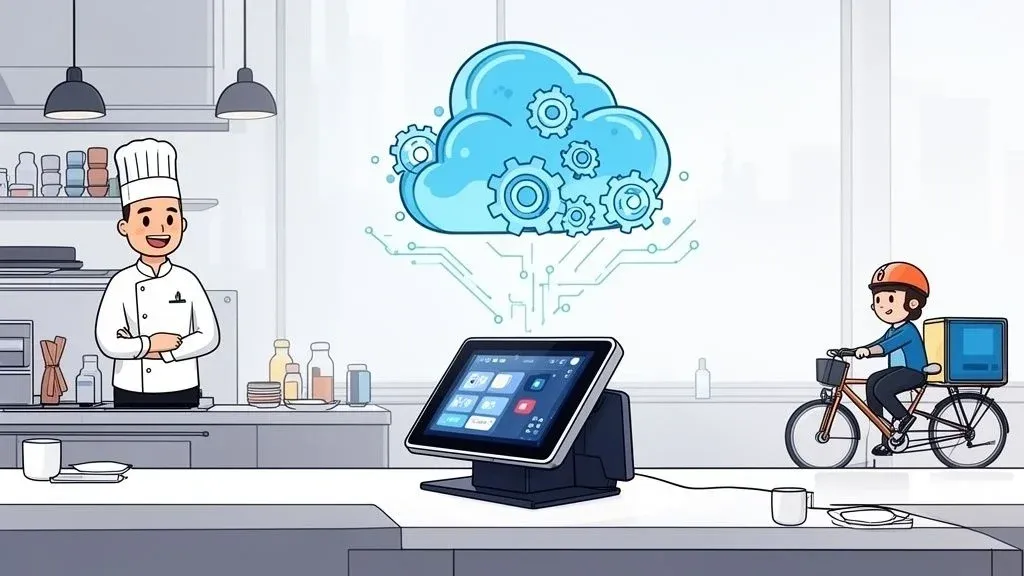
A modern restaurant POS system is so much more than a fancy cash register. Think of it as the central nervous system for your entire operation, connecting every order, payment, and operational task. You’ve got user-friendly platforms like Square that are great for smaller spots, and more powerful, customizable options like Clover for businesses that need more flexibility. The “best” system really comes down to what your restaurant needs, from handling a complex menu to juggling multiple delivery apps.
Why Your POS Is the Heart of Your Restaurant Operations

Imagine your POS as the command center for your restaurant. It’s the single piece of technology that links your front-of-house, kitchen, and back office, making sure every order, payment, and inventory count happens smoothly. Choosing the right one is absolutely essential for running an efficient business, especially now that third-party delivery apps like Uber Eats and DoorDash are a huge part of the equation.
A solid POS platform that’s set up correctly can have a massive impact on your bottom line. It’s not just about taking payments anymore; it’s about making every single part of your business run better. For anyone learning how to start a pizza restaurant business, for example, picking the right POS is one of the most important early decisions you’ll make.
Driving Efficiency and Profitability with Smart POS Integration
The goal of all this food tech is to smooth out the bumps in your daily workflow. The right system is a game-changer. Here’s how it impacts your restaurant efficiency:
- Slashing Order Errors: When your delivery orders flow directly into the POS, you eliminate the need for someone to manually punch them in. This dramatically reduces costly mistakes like typos or missed modifiers, saving money on remade orders.
- Reclaiming Staff Time: Automating that order entry frees up your team. Instead of being chained to a tablet, they can focus on what matters: making great food and taking care of the customers right in front of them, boosting staff productivity.
- Unlocking Crucial Data: A good POS is a goldmine of information. It shows you what’s selling, when you’re busiest, and what your customers love, helping you make smarter business decisions about inventory and staffing.
The global restaurant POS market is absolutely exploding. It’s projected to nearly double from USD 25.1 billion in 2025 to USD 49.3 billion by 2035. Even with all the new tech, traditional fixed POS terminals still hold a massive 61.30% market share, showing just how vital they are in high-volume restaurants.
Getting a handle on why this core technology matters is the first step. To really see how these systems connect and communicate, our guide on integrated point of sale systems breaks it all down. It shows exactly why a smart POS choice is the foundation for a seamless delivery operation.
Cloud-Based vs. On-Premise POS Systems Explained
When you start digging into restaurant POS systems, the first major fork in the road is deciding between a cloud-based or an on-premise setup. In simple terms, this choice determines where your restaurant’s data lives. This isn’t just a technical detail; it’s a choice that will define how you access your data, how much you pay upfront, and how easily your business can grow.
Think of an on-premise POS system like an old-school, heavy-duty file cabinet locked away in your back office. Every piece of your restaurant’s data—every sale, inventory count, and customer note—is stored on a physical server that lives right there in your restaurant. You own the hardware, and the whole system is self-contained.
The Traditional On-Premise System
With an on-premise solution, you’re looking at a big initial investment. You have to buy the server hardware and software licenses all at once. The trade-off is that your monthly fees are usually lower, but the responsibility for everything falls on your shoulders. You have to maintain the server, run manual software updates, and handle all your own data security.
For some owners, this feels safer because the data never leaves the building. The downside? You’re chained to the restaurant. To pull a sales report or manage the system, you have to be physically on-site, which can really limit your flexibility.
On the other hand, a cloud-based POS system works more like Google Drive. Your data is stored securely on remote servers managed by your POS provider. You can log in and see what’s happening from anywhere, on any device with an internet connection. This is the foundation of most modern SaaS for restaurants.
This move to the cloud is completely reshaping how restaurants are run. It’s no surprise that an estimated 83% of US restaurants will be using cloud-based POS systems by 2025. Why the massive shift? It comes down to needing centralized control, real-time data, and the ability to scale up without a headache—especially now that integrating with delivery apps is a must.
Why the Cloud Is Winning for Restaurant Operations
Cloud systems are almost always sold as a subscription, which means lower upfront costs and a predictable monthly fee. This makes it far easier for a new restaurant to get off the ground or for an established one to expand. If you want to open a second location, you just add another terminal to your existing account. It’s that simple.
Imagine this: a manager for a busy downtown eatery using a cloud POS like Square can check live sales reports from their couch on a Saturday night. That kind of remote access is a total game-changer. It lets you make smart decisions on the fly without having to be physically present, saving you time and giving you much better oversight.
This connectivity is also what makes POS integration so powerful. Because they live online, cloud systems are built to talk to other software—like the delivery apps from Uber Eats and DoorDash. This allows for a seamless flow of information, automating order entry and cutting down on the kind of manual mistakes that can cost you money and frustrate your staff.
Cloud POS vs. On-Premise POS: A Quick Comparison
To put it all into perspective, here’s a straightforward breakdown of how these two models stack up against each other.
Feature Cloud-Based POS On-Premise POS Initial Cost Low upfront cost; subscription-based model. High upfront investment in hardware & licenses. Data Access Accessible from any device with an internet connection. Only accessible from the physical restaurant location. Updates Automatic software updates handled by the provider. Manual updates required; owner’s responsibility. Maintenance Managed by the provider; included in the subscription. Owner is responsible for all server maintenance. Integrations Easily connects with third-party apps (delivery, etc.). Integrations can be complex and costly to set up. Scalability Simple to add new locations or terminals. Scaling requires significant new hardware investment.
Ultimately, the right choice really boils down to your budget, your comfort level with technology, and your vision for the future. But for the vast majority of modern restaurants—especially those juggling dine-in, takeout, and a dozen delivery apps—a cloud-based system offers a clear advantage in flexibility and efficiency.
Must-Have POS Features for Modern Restaurant Operations

A modern restaurant POS system is so much more than a fancy cash register. It’s the central nervous system of your entire operation, the hub that connects every part of your business. If you’re just using it to ring up sales, you’re missing the point. The right features can automate the grind, give you sharp business insights, and help you create a base of regulars who keep coming back.
Think about the absolute basics first: a simple, intuitive order management interface. Your team needs to be able to fire orders to the kitchen, split checks, and tack on discounts without a second thought. A system that’s easy to learn means less time training new hires and more time turning tables, which directly impacts your bottom line.
Next up is menu customization. You need to be able to add a new special, 86 an item that just ran out, or handle a “no onions, extra sauce, side of ranch” request without calling a tech support line. That kind of agility is key to keeping your menu accurate, managing inventory, and preventing costly mistakes.
Core Food Tech Tools for Smarter Management
Once you’ve nailed the basics, the real power of a good POS comes from the tools that help you manage the business itself. These are the features that transform your daily sales data into a clear roadmap for growth.
- Detailed Sales Reporting: This is your command center. You should be able to instantly see what’s selling, when you’re busiest, and which servers are crushing it. This data helps you fine-tune your menu, optimize staffing for rush hours, and stop over-prepping dishes that just don’t move.
- Customer Relationship Management (CRM): A built-in CRM lets you collect guest info like phone numbers, emails, and past orders. With that, you can launch loyalty programs and send out targeted marketing offers that turn first-time visitors into devoted regulars.
- Integrated Employee Management: Features like time clocks, scheduling tools, and performance dashboards are a manager’s best friend. They cut down on hours of administrative work and give you a crystal-clear view of your labor costs—one of the biggest expenses in any restaurant.
A powerful point of sale is the cornerstone of a connected restaurant. By bringing together sales, customer, and staff data, you create a single source of truth that simplifies decision-making and reveals opportunities for improvement across your entire operation.
Take a system like Clover, for example. It has an app market that lets you add new functions as your restaurant grows, which is a huge advantage. You can dive deeper into how these pieces fit together in our guide to integrated point of sale systems.
Seamless Payments and Connectivity
Finally, your POS has to make paying the bill a non-issue. It should handle everything from traditional credit cards and EMV chips to the contactless payments (like Apple Pay and Google Pay) that customers now take for granted. Fast, secure, and flexible payment options are non-negotiable for a smooth guest experience.
At the end of the day, each of these features is a tool designed to do one of three things: save you time, eliminate errors, or give you the information you need to run a smarter, more profitable restaurant.
Why POS Integration for Restaurant Delivery is a Game-Changer
In the age of Uber Eats and DoorDash, your Point of Sale system has to do more than just handle in-house payments. It needs to talk—flawlessly—with all your online ordering platforms. That connection is called POS integration, and honestly, it’s the single biggest move you can make for profitable restaurant delivery.
Picture the scene we all know too well: a frantic employee surrounded by a chorus of beeping tablets. A delivery order pops up, and they have to manually punch every single item, every modifier, into the main POS. It’s slow, it’s frustrating, and it’s a perfect recipe for expensive mistakes.
Now, imagine this instead: an order from DoorDash comes in and flows directly into your POS. A ticket instantly prints in the kitchen. No one touched a thing. That’s the magic of a properly integrated system.
Ditch the Errors, Free Up Your Staff
This seamless connection isn’t just a nice-to-have; it completely changes how your restaurant runs. When you cut out manual order entry, you practically eliminate human error. Say goodbye to wrong orders, missed “no onion” requests, or incorrect prices being punched in during a rush.
This automation hits your bottom line in a few powerful ways:
- Real Cost Savings: Fewer mistakes mean fewer comped meals, fewer refunds, and less food waste. The money you save from preventing just a handful of errors each week really adds up.
- More Time for What Matters: Your staff gets back hours they used to spend juggling tablets and typing in orders. They can now focus on what they do best—taking care of dine-in guests and making sure the food going out the door is perfect.
- A Happier, More Productive Team: When your front-of-house isn’t a chaotic mess of tablets, your team is less stressed and more efficient. Technology starts working for them, not against them.
The Secret to Making Restaurant Delivery Profitable
Without integration, every single delivery order carries a hidden labor cost and a huge risk of error. But when you have a system like Square working with a service like OrderOut, all that friction just vanishes. The order data moves from the app to your kitchen perfectly, every single time.
POS integration takes third-party delivery from a necessary headache and turns it into a smooth, profitable part of your business. You’re replacing a chaotic, error-prone manual process with an automated workflow you can actually rely on.
This is about more than just making life easier for your team; it’s about building a delivery operation that can actually scale and make you money. If you want to dive deeper into how these connections work, you can learn more about the mechanics of POS integration software and how it acts as the bridge between your platforms.
The bottom line is simple: if you’re serious about delivery, POS integration isn’t a luxury—it’s a must-have. A great next step is to take a hard look at your current process and pinpoint exactly where manual entry is costing you time, money, and sanity.
Matching POS Features to Your Restaurant Type
It’s a simple truth: a busy coffee shop and a fine-dining restaurant are worlds apart in how they operate. So why would they use the exact same point-of-sale system? The secret isn’t just picking a POS from a generic list; it’s about matching its features directly to your service model. This is how you make sure you’re buying a tool that solves your real-world problems instead of creating new ones.
Quick Service Restaurants (QSRs)
For a QSR, the name of the game is speed and accuracy. Every second you can shave off an order directly impacts how many customers you can serve during a lunch rush. Your POS has to be built for that relentless pace.
Think about features like big, easy-to-read buttons for your top-selling items, simple modifiers for combo meals, and customer-facing displays that let guests confirm their order instantly. That last one alone can slash order errors. Kiosk compatibility is another game-changer, empowering customers to order themselves and freeing up your crew to focus on food prep.
This is especially true when you factor in delivery. A well-integrated POS takes an order from a delivery app and shoots it straight to your kitchen printers without anyone having to touch a thing.

This kind of automation is a lifesaver for any restaurant. It cuts out manual entry, reduces mistakes, and makes your kitchen run a whole lot smoother.
Full-Service Restaurants
In a full-service environment, the priorities shift from pure speed to managing a more complex and drawn-out guest experience. Your POS needs to be the central nervous system for your floor staff.
This means having robust table management tools. We’re talking about a visual layout of your dining room that shows which tables are open, occupied, or need to be bussed. It should track turn times and manage reservations seamlessly. Effortless split-check capabilities are completely non-negotiable, as is the ability to transfer a ticket from the bar to a table when a guest is seated.
The right POS system acts as a silent partner in your operation, supporting your specific workflow without getting in the way. It should feel like a natural extension of how your team already works, only faster and more accurately.
Other Restaurant Models
Of course, different models have even more specific needs:
- Bars and Nightclubs: You need a system that can handle a lightning-fast pace, manage dozens of open bar tabs without breaking a sweat, and track every drop of liquor to keep inventory tight.
- Food Trucks: Here, mobility is everything. A powerful tablet-based POS, like one from Square, with reliable offline functions and mobile payment options is an absolute must-have for serving customers wherever you park.
- Cafes and Coffee Shops: Systems like Clover offer flexible hardware that fits on a crowded counter. Just as important are integrated loyalty programs that make it easy to reward your regulars and keep them coming back.
The process is a lot like choosing commercial equipment based on footfall and menu; you have to understand your volume and what your customers want. To dig deeper into this, take a look at our guide on quick service restaurant software.
To help visualize this, here’s a breakdown of feature priorities for different restaurant types.
POS Feature Priorities by Restaurant Type
Restaurant Type Top Priority Features Example Scenario Quick Service (QSR) Fast order entry, customer-facing display, kiosk integration, drive-thru management A customer at the counter adds three customizations to their burger; the customer-facing screen confirms each one in real-time, preventing errors before payment. Full-Service Dining Table layout management, split/merge checks, reservation system, tableside ordering/payment A party of six wants to split the bill three ways, with one person covering all the appetizers. The server easily splits the check on their handheld terminal at the table. Bar / Nightclub Bar tab management, fast payment processing, deep inventory tracking A bartender serves 50 people in an hour, opening, adding to, and closing tabs with a few taps per transaction without losing track of a single drink. Food Truck Offline mode, mobile payment processing, compact hardware, location-based sales tracking The truck’s internet connection drops during a festival, but the POS continues to take card payments in offline mode, syncing all transactions once reconnected. Cafe / Coffee Shop Integrated loyalty program, modifiers for custom drinks, small footprint hardware A regular customer orders their usual complex latte. The POS automatically applies their loyalty discount and sends the detailed order to the barista.
Ultimately, the best way forward is to pinpoint the top three daily frustrations your staff faces. Then, look for a POS with features specifically designed to eliminate them.
Your Next Steps to Streamlined Restaurant Operations
Picking the right POS system isn’t just a technical decision; it’s a foundational step toward building a more profitable and efficient restaurant. The right tech can completely shift your operations from constantly putting out fires to proactively managing your business. It frees up your team to focus on what really matters—crafting amazing food and creating unforgettable guest experiences.
So, let’s bring it all together. Start by really nailing down your restaurant’s specific needs. From there, it’s almost always best to lean towards a modern, cloud-based system for its flexibility. And above all, make sure your chosen POS has the non-negotiable features for your service type and can provide seamless POS integration with your delivery apps to finally end that manual order-entry chaos.
Take Your First Practical Step
Before you dive into a full POS overhaul, why not tackle the single biggest headache for most modern restaurants? Delivery order management. You can get a feel for how powerful automation is by streamlining your delivery operations first.
This is what it looks like inside the OrderOut dashboard. Notice how every single order from every delivery app is in one clean, simple list.
Instead of your staff juggling a half-dozen tablets, they get one unified view. This simple change drastically cuts down on costly errors and gives your team back precious time during the dinner rush.
You can solve this massive operational bottleneck in just a few clicks. Start the free onboarding process with OrderOut and see for yourself how the right food tech can immediately boost your restaurant’s efficiency. Get started at https://dashboard.orderout.co.
Frequently Asked Questions About Restaurant POS Systems
Jumping into the world of restaurant POS systems can feel overwhelming, and it’s natural to have a lot of questions. Before you make a big investment in your restaurant’s tech backbone, you need clear, no-nonsense answers. Let’s break down some of the most common questions we hear from restaurant owners.
What Is The Average Cost Of A Restaurant POS System
Talking about the “average cost” is tricky because it’s not just about the price tag you see upfront. The real cost depends heavily on the type of system you go with.
Think of cloud-based systems like a subscription service. You’ll typically pay a monthly fee for each terminal, usually somewhere between $50 to $150 or more, plus the usual credit card processing fees. The big advantage here is a much lower initial cash outlay.
On-premise systems are the complete opposite. They demand a significant upfront investment for the hardware and software licenses, which can easily climb into the thousands of dollars. The trade-off is that your ongoing monthly costs are often much lower. No matter which route you take, always factor in the costs for hardware, professional installation, and any ongoing support contracts.
How Difficult Is It To Switch From An Old POS System
The thought of switching your POS can be daunting, but modern providers have made this process far less painful than it once was. A smooth transition all comes down to good planning.
Most quality POS companies will help you with data migration, pulling over crucial info like your menu, customer database, and historical sales data. The best way to avoid chaos is to map out a clear transition plan with your new provider. Get dedicated training sessions on the calendar for your staff. If you can, try running the new system in parallel with the old one for a day or two to iron out any kinks before you make the final switch.
A well-planned migration keeps your downtime to a minimum and saves your staff a ton of stress. You want the new system to feel like a powerful upgrade from day one, not a roadblock in your daily operations.
What Is The Most Important Feature For Future Growth
You’ll see a lot of flashy features, but if you’re thinking long-term, nothing is more important than integration capability. Your restaurant is going to change and grow, and your tech needs to keep up without forcing you to start from scratch.
Look for a POS that has a healthy app marketplace, like the one offered by Clover, or what’s known as an open API. This is what allows your system to “talk” to other software. It means you can easily plug in the next hot delivery app, a sophisticated reservation tool, or a new accounting program as your needs evolve. This flexibility ensures your POS can remain the true command center of your restaurant for years to come.
Ready to streamline your delivery operations and get rid of the tablet chaos? With OrderOut, you can connect all your third-party delivery apps directly into your POS, which means no more manual order entry and no more costly mistakes.
See how it works and start your onboarding for Free in just a few clicks at https://dashboard.orderout.co.