
A Definitive List of POS Systems for Restaurants
· Thibault Le Conte
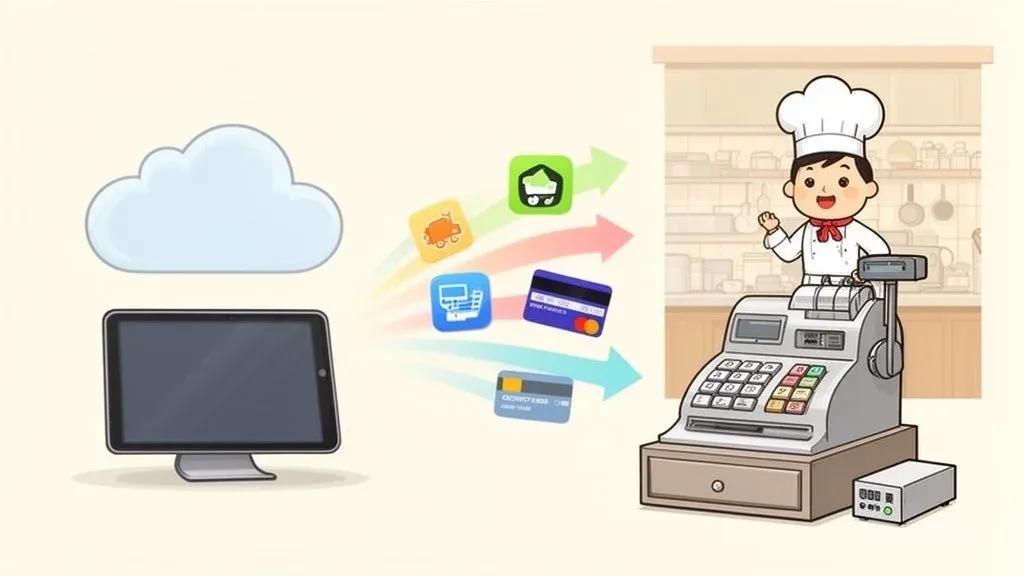
Finding the best POS system for your restaurant is about so much more than just picking a payment processor. It’s about choosing the central hub for your entire operation. There are a lot of great options out there, from the highly adaptable Clover to the incredibly user-friendly Square, each with different strengths for different restaurant types.
The right choice makes daily life easier, from the moment an order is placed to managing your inventory and scheduling your staff. This guide will walk you through how to choose the right system to boost your restaurant’s efficiency, streamline delivery, and make your entire operation run smoother.
How to Choose the Right Restaurant POS System
Deciding on a new Point of Sale (POS) system is one of the most important calls you’ll make for your restaurant’s success. In simple terms, your POS is the central nervous system of your business—it connects your front-of-house, kitchen, and back office, keeping everything in sync. This guide is designed to give you a clear, actionable list of POS systems for restaurants, helping you cut through the noise.

We’ll walk through the critical difference between modern cloud-based systems and the traditional on-premise setups you might be used to. We’ll also cover why seamless POS integration with apps like Uber Eats and DoorDash is now a non-negotiable and how the right food tech saves you time, slashes costly errors, and empowers your team. This first section is your roadmap, complete with a checklist to help you evaluate the top players and make a choice you feel confident in.
Why Your POS Choice Matters for Restaurant Operations
In today’s fast-paced restaurant world, your POS is no longer just a digital cash register. It’s a powerful tool for driving restaurant efficiency and managing the complexities of modern dining, especially with the explosion of online ordering and restaurant delivery.
The data backs this up. Restaurant technology surveys show that investing in a POS is a top priority for owners and operators, with 52% planning to dedicate resources to upgrading their systems. More and more, owners see their POS as a data and integration hub—a staggering 86% of businesses report using POS data to increase their average order value. While credit card processing remains the most crucial function (78%), nearly half (49%) are also planning to invest in contactless ordering and payment options.
Why it matters: A modern POS system doesn’t just process transactions; it generates valuable data that helps you understand what’s working and what isn’t. From identifying your most profitable menu items to tracking peak hours, this information is key to making smarter business decisions that reduce costs and improve staff productivity.
Defining Your Restaurant’s Core Needs
Before you even start looking at a list of POS systems for restaurants, you need to get crystal clear on what your specific operation requires. A bustling coffee shop has completely different needs than a fine-dining spot or a multi-location pizza chain. For a deeper dive into specific options, you can check out our comprehensive guide on the best POS systems for restaurants.
Start by thinking through these key areas:
- Service Style: Do you need lightning-fast, simple order entry for a quick-service restaurant (QSR)? Or do you need advanced table management with split checks and coursing for a full-service dining room?
- Restaurant Delivery and Takeout: How much of your business comes from online orders through apps like DoorDash or Uber Eats? A system that integrates seamlessly with these platforms is essential for keeping your delivery operation efficient.
- Hardware and Mobility: Are stationary terminals at the counter enough, or would handheld tablets for tableside ordering boost your staff’s productivity and improve the guest experience?
By answering these questions first, you can immediately narrow down the field and focus only on the systems that truly align with your goals for growth and smooth operations.
Understanding Your Two Main POS Options
Before we jump into a list of specific POS systems, we need to talk about the most fundamental choice you’ll make: going with a cloud-based system or a traditional on-premise setup. This isn’t just a technical detail—it shapes your restaurant’s daily workflow, your ability to adapt on the fly, and how you handle everything from menu changes to a flood of delivery orders.
Think of an on-premise system like an old-school desktop computer. All your data—every transaction, every order, every staff timesheet—is stored on a physical server sitting in your back office. Its main selling point is that it’s a self-contained unit that can often keep running even if your internet goes down.
But that local approach comes with serious baggage for a modern restaurant. Technically, this means updates are manual, often requiring a technician. From an operational standpoint, if you need to check sales reports from home or tweak a menu item, you have to be physically at the restaurant. That kind of rigidity can really hold you back, especially if you’re juggling multiple locations or a booming delivery business.
The Rise of Cloud-Based Food Tech
Now, let’s flip the script. A cloud-based POS works more like an app on your smartphone. Your data doesn’t live on one machine; it’s stored securely online, ready for you to access from any device, anywhere. This model, usually billed as a monthly subscription, gives you a level of flexibility and power that was unimaginable a decade ago.
This shift to the cloud is what’s really driving efficiency in today’s restaurants. With a cloud POS, you get:
- Automatic Updates: The software provider handles all the updates in the background. You always have the newest features and security fixes without lifting a finger.
- Remote Management: You can dive into sales data from your laptop at home, adjust menu prices on the fly, or manage staff schedules from anywhere.
- Seamless POS Integration: Cloud systems are designed to play nice with other online tools. This makes connecting to delivery apps, accounting software, and loyalty programs much, much simpler.
Why it matters: At its core, the benefit of a cloud system is access. Whether you’re checking the dinner rush numbers from your phone or updating your DoorDash menu from your couch, the power to manage your restaurant from anywhere is a massive time-saver for any operator.
Deciding which deployment model fits your business is a critical first step. For a deeper dive into the technicals, this breakdown of cloud vs on-premises can help you weigh the pros and cons for your specific operational needs.
Why This Matters for Restaurant Delivery
The difference between these two systems becomes crystal clear when online orders start pouring in. Let’s say you need to 86 an item on a chaotic Friday night. With an older on-premise system, you’d have to update the terminal in the restaurant, then grab a bunch of tablets to manually update Uber Eats, DoorDash, and Grubhub one by one. It’s slow, tedious, and a perfect recipe for mistakes.
Now, picture that same scenario with a modern, cloud-based system like Square or Clover. You update the item once in your POS. Because it’s integrated with your delivery platforms, that change can sync across all of them automatically. That single difference can save your staff huge amounts of time and prevent countless order errors.
Actionable Takeaway: While on-premise systems had their day, the realities of modern restaurant operations—especially the necessity of delivery management and remote access—make cloud-based systems the clear winner for almost every operator. Your POS should be a tool that reduces chaos, not one that adds to it.
Next up, let’s look at the essential features every modern POS should have to help your restaurant grow. And when you’re ready to put your delivery workflow on autopilot, you can start onboarding for Free in a few clicks.
What to Look for in a Modern Restaurant POS
A great Point of Sale system does so much more than just take payments; it should be the heart of your entire operation. The best systems on any list of POS systems for restaurants act as a central hub, connecting everything from your host stand to your kitchen line. Let’s break down the features that are non-negotiable for boosting your restaurant’s efficiency and bottom line.

While the basics like punching in orders and managing tables are a given, the real magic happens with the more advanced tools. Think of these features as your secret weapons for not just surviving the dinner rush, but for planning a more profitable future. They give you the data and automation you need to stay ahead of the competition.
Core Functionality Your POS Must Master
Before you get wowed by fancy analytics or third-party integrations, you have to make sure your POS absolutely nails the fundamentals. These are the make-or-break features that directly impact restaurant efficiency and customer happiness.
- Intuitive Order Entry: Your team needs to fire off orders fast and accurately, even on their first day. A clean interface with simple modifications cuts down on mistakes and increases staff productivity.
- Flexible Table Management: A bird’s-eye view of your dining room is a lifesaver. Staff should see at a glance which tables are open, seated, or waiting on a check. The ability to split checks or merge tables without a headache is just as important.
- Seamless Payment Processing: Your POS must accept everything—especially contactless payments like Apple Pay and Google Pay. Every second saved at checkout helps you turn tables faster, which directly impacts your bottom line.
Many of the best systems now run on tablets, giving your servers incredible freedom. You can dig deeper into choosing the right hardware in our guide to selecting an iPad POS for restaurants. This mobility means tableside ordering and payments become a reality, which can dramatically speed up service.
Advanced Features That Drive Growth and Efficiency
With the basics covered, the advanced features are what truly separate a simple cash register from a powerful business tool. These capabilities offer the kind of insights and automation that save you time, slash costs, and free your team from tedious manual work.
Real-Time Inventory Management
Imagine knowing exactly how many portions of your famous lasagna you have left at any given moment. A solid inventory management tool tracks ingredients as orders come in, updating your stock levels automatically. This isn’t just about avoiding an awkward “sold out” moment; it’s a powerful tool for reducing food waste and saving money.
Powerful Reporting and Analytics
Your POS system is sitting on a goldmine of data. The best ones make it easy to understand what it all means with clear, visual reports. At a glance, you should be able to see:
- Your best-selling dishes and which ones are most profitable.
- Your peak hours and busiest days, so you can schedule staff more effectively.
- Server performance metrics to spot and reward your top performers.
This kind of information is what empowers you to make smart, data-driven decisions about your menu, marketing, and staffing—choices that directly boost your profitability.
The Ultimate Requirement: POS Integration
If there’s one thing you can’t compromise on, it’s this: your POS has to play well with others, especially online ordering platforms. Picture an Uber Eats order zipping directly to your Kitchen Display System (KDS) without anyone having to lift a finger. That’s the power of true POS integration.
Why it matters: POS integration is no longer a nice-to-have; it’s the key to handling the flood of off-premise orders without burning out your staff. Automating the flow of orders from delivery apps straight to your kitchen is the single best way to eliminate errors and make your team more productive.
Recent 2024 data shows that the top 10 POS companies are installed in 84.24% of multi-unit restaurants. This means a handful of major players like Clover and Square really set the standard for how third-party tools connect and communicate. You can dive into more of these market share findings on restaurantdata.com.
Actionable Takeaway: As you evaluate any list of POS systems for restaurants, make robust, open integration capabilities your top priority. This is what future-proofs your business and ensures your food tech stack can grow and adapt right alongside you, keeping you out of a restrictive system that holds you back.
Picking the Right POS System: A Look at the Top Contenders
Once you know what you’re looking for, it’s time to dive into the actual systems restaurant owners are using every day. The market is definitely crowded, which can feel a little overwhelming. The trick is to ignore the noise and focus on a few key players known for being reliable and packed with the right features.
Let’s look at two of the most popular platforms out there—Square and Clover. By comparing them, you’ll get a real sense of how different systems are built for different types of restaurants. We’ll break down their core strengths, hardware, and, most importantly, how they enable POS integration with the third-party tools that a modern restaurant can’t live without.
Square for Restaurants: The User-Friendly Powerhouse
Square has earned its reputation for being incredibly straightforward and easy to use. It’s a fantastic choice for new restaurants, bustling food trucks, and neighborhood cafes. Think of it as the “get up and running in a day” system. One of its biggest draws is the transparent pricing and a free entry-level plan, which is a huge help for small businesses just starting out.
But don’t let its simplicity fool you. Square is packed with a powerful set of tools built specifically for restaurant operations.
- So Easy to Use: The interface is famously intuitive. That means you’ll spend way less time training staff, which saves time and boosts productivity from day one.
- Flexible Hardware: You can run Square right on an iPad you already own or opt for their own sleek hardware, like the Square Register or the handheld Terminal. This gives you great options for both your main counter and taking orders tableside.
- Built-in Delivery Sync: A massive win for any restaurant doing delivery is Square’s ability to sync directly with online ordering platforms. Orders from services like DoorDash pop right into the POS, so no one has to manually punch them in from a separate tablet.
Why it matters: This direct connection is a game-changer for restaurant efficiency. It slashes order errors and frees up your team during the busiest rushes. Instead of a staff member being stuck at a tablet re-typing an online order, it just appears on the kitchen display system (KDS) automatically. This is exactly why a solid POS integration with a platform like OrderOut on Square is non-negotiable for modern restaurant operations.
Clover: The Highly Adaptable Ecosystem
If Square is all about simplicity, Clover is all about customization. The best way to think about Clover is like a smartphone—it’s powerful on its own, but its real magic comes from its massive app market. This makes it a perfect fit for more established restaurants or any business with big plans to scale and add more complex features down the road.
The Clover App Market is what truly sets it apart. It lets you add specialized tools for literally everything—from advanced inventory management to loyalty programs and marketing campaigns. You get to build a POS that’s perfectly sculpted to your business.
Because of this ecosystem, Clover can be shaped to fit almost any kind of restaurant, whether it’s a high-volume bar or a full-service dining room.
- Customize with Apps: You can add new functions whenever you need them. This means you only pay for the features you’re actually using, like an advanced employee scheduler or a direct link to your accounting software.
- Sleek, Reliable Hardware: Clover provides a whole suite of durable and good-looking proprietary hardware, including the Clover Station, the handheld Flex, and the compact Mini. It all works together seamlessly and looks professional on your counter.
- Powerful Integrations: Just like Square, Clover is built to connect with other food tech. Its app market is full of integrations for delivery, reservations, and more. Digging into the marketplace for tools like OrderOut on Clover can save you a ton of time by putting your entire restaurant delivery workflow on autopilot.
Actionable Takeaway: The right choice really boils down to your restaurant’s specific needs today and your vision for tomorrow. If you need a powerful, easy-to-learn system to get moving quickly, Square is a fantastic contender. But if you see yourself needing a highly customized setup that can evolve and grow with your business, Clover’s app-based approach is tough to beat. For a more granular breakdown, take a look at our in-depth restaurant POS system comparison.
After you’ve locked in your POS, the very next step should be automating your delivery orders. You can start onboarding for Free in a few clicks and connect your new system to all your delivery apps right away.
Why Your POS System Can’t Be an Island
In the whirlwind of a busy restaurant, a POS system that doesn’t talk to your other tools isn’t just an inconvenience—it’s a massive operational roadblock. The true value of a modern POS is how it connects to your entire suite of restaurant technology, especially when it comes to the constant flood of delivery orders.
Think about the all-too-familiar scene: a counter littered with tablets, each one for DoorDash, Uber Eats, or Grubhub, beeping and demanding attention. Your staff is frantically trying to punch every single order into the main POS system by hand. It’s a recipe for pure chaos, leading to missed tickets, expensive mistakes, and a team on the verge of burnout.
Now, picture this instead: an online order comes in, and it flows directly from the delivery app into your POS. It instantly pops up on the kitchen display screen (KDS) without anyone lifting a finger. That’s the difference POS integration makes.
The Hidden Costs of Manual Order Entry
That old-school method of juggling tablets isn’t just clunky; it’s actively costing you money. Every minute an employee spends manually keying in an order is a minute they aren’t taking care of dine-in guests, running food, or making sure the service runs smoothly. Those minutes add up to hours of wasted labor costs every single week.
Beyond the lost time, manual entry is a breeding ground for errors. A simple typo—like “no onions” accidentally becoming “extra onions”—results in a wrong order, an unhappy customer, and the cost of remaking the dish. These small mistakes chip away at both your profit margin and your reputation.
Why it matters: By automating how information moves from the delivery app to your kitchen, POS integration basically acts as a built-in quality control. It guarantees the order the customer placed is the exact same order your kitchen gets, slashing errors, increasing staff productivity, and making for a much better customer experience.
The diagram below shows how a smart evaluation process—focusing on your specific needs, getting demos, and checking integration options—is the key to picking the right system from the start.

This really drives home the point that integration isn’t an afterthought. It should be one of your core requirements from the moment you start looking for a new POS.
How POS Integration and Automation Changes the Game for Your Restaurant
This is where a solution like OrderOut steps in and completely transforms the daily grind. It acts as the critical bridge connecting all your third-party delivery apps directly to your POS, effectively putting your entire online ordering process on autopilot. This kind of tool is a must-have in any modern food tech stack.
The benefits are immediate and easy to see:
- Massive Time Savings: When you eliminate manual entry, your front-of-house staff is free to focus on what matters most: helping guests and creating a great dining experience.
- Near-Zero Order Errors: Orders are sent to the kitchen perfectly, every single time. That means less food waste, fewer comped meals, and happier customers who get exactly what they paid for.
- A More Productive Team: Your crew can handle a much higher volume of orders without getting overwhelmed. This leads to a calmer, more efficient flow in both the kitchen and the front of house.
- Crystal-Clear Business Data: With every single sale—whether it’s dine-in or delivery—flowing into one central hub, you finally get a complete and accurate picture of your restaurant’s performance, helping you make smarter business decisions.
The industry is clearly moving in this direction. The global restaurant POS systems market is expected to explode, growing from $12.3 billion in 2024 to an incredible $30.48 billion by 2035. This huge jump is being driven by cloud-based systems and the absolute necessity for them to connect seamlessly with delivery giants like Uber Eats and DoorDash.
A key technical part of any modern POS is how it handles payments. To get a better handle on the mechanics, it’s worth understanding the fundamentals of payment gateway integration. This knowledge will be invaluable as you compare different platforms.
What to Do Next
Actionable Takeaway: As you start looking at any list of pos systems for restaurants, don’t just ask vendors if they integrate with other platforms. Ask them how they do it. For a deeper dive into what makes a good integration, check out our full guide on the topic. Make sure to prioritize systems that are built for connectivity from the ground up. Putting integration at the top of your checklist ensures your new POS system will solve your biggest headaches from day one—not create a whole new set of them.
Making Your Final POS Decision
You’ve done the homework. You’ve sifted through the endless lists of restaurant POS systems, figured out which features matter, and you get why integration is a game-changer. Now, it’s time to pull the trigger.
This is where all that research pays off. Let’s move from knowing to doing, using a simple framework to pick the one system that’s truly right for your restaurant.
A Practical Three-Step Selection Framework
First, get brutally honest about what your restaurant actually needs. Are you a quick-service cafe where every second counts at the counter? Or are you a fine-dining establishment that needs detailed table mapping and the ability to split a check ten ways without a headache?
Jot down your top three must-have features. This single action will cut through the noise and narrow your options dramatically.
Second, book live demos with your top two or three choices. Reading a feature list is one thing; seeing the software in action is another thing entirely. This is your chance to feel out the user interface and see if the day-to-day workflow makes sense for you and your staff.
Don’t let them give you the standard, polished sales pitch. Make them show you how the system handles a real, messy situation from your restaurant—like a lunch rush order with a dozen custom modifications.
The Most Important Question to Ask
Third, and this is the big one, grill them on integrations. A simple “yes, we integrate” isn’t good enough. You need to understand precisely how an order from DoorDash or Uber Eats actually flows into their system and gets to your kitchen.
Ask them to show you, screen-by-screen. For a deeper dive on this, check out our guide on finding the right POS system integrators.
Once you’ve made your pick—whether it’s a versatile system like Clover or a streamlined platform like Square—make integration priority number one. Tools like OrderOut can plug your new POS into all your delivery apps right away, so you start saving time and cutting down on manual errors from day one.
Actionable Takeaway: This is how your new POS becomes the true command center of your restaurant, not just a glorified cash register. It’s what sets you up to handle growth without the growing pains. Ready to automate your delivery workflow? You can start onboarding for Free in a few clicks.
Your Top Questions About Restaurant POS Systems, Answered
Jumping into the world of restaurant POS systems can feel overwhelming, and it’s natural to have questions. Getting straight answers is the first step toward picking the right tech for your restaurant and paving the way for smooth restaurant operations.
What’s the Real Difference Between Cloud-Based and On-Premise POS?
In simple terms, an on-premise POS is like a classic desktop computer. All your data lives on a physical server right there in your restaurant. This old-school setup makes it nearly impossible to check on things from home or while you’re running errands.
A cloud-based POS, however, is more like a modern app on your phone. Your data is stored securely online, meaning you can manage your restaurant from literally anywhere you have an internet connection. Technically, this is a SaaS (Software as a Service) model. For a restaurant owner, it means way more flexibility, automatic software updates, and crucial POS integration with services like Uber Eats becomes a breeze.
How Much Should I Expect to Pay for a Restaurant POS?
The price tag can swing wildly, so it’s important to look at the whole picture. Some of the newer systems, like Square, actually offer free software plans where your only real cost is the standard payment processing fees.
Other providers use a monthly subscription model, which can run anywhere from $50 to over $200, and that’s before you even buy the hardware. Actionable Tip: Always ask for a detailed quote that spells out every single cost: software, hardware, payment processing, and any extra fees for support or add-on features.
Why Is POS Integration With Delivery Apps Such a Big Deal?
Here’s the scene without it: an order comes in from DoorDash, and your host has to stop what they’re doing to manually punch every single item into your main POS. This isn’t just slow; it’s a recipe for expensive mistakes and adds a ton of stress during the dinner rush.
Why it matters: Direct POS integration is what solves this chaos. It creates a digital bridge that automatically sends online orders straight from the delivery app to your kitchen printers. For modern restaurant operations, this isn’t just a nice-to-have—it’s essential. It saves hours of labor, slashes order errors down to almost zero, and frees up your staff to focus on in-house guests. For example, when an Uber Eats order comes in, it can appear on your kitchen screen instantly, just like a dine-in ticket, without anyone touching a thing.
This kind of automation is the secret to running a profitable restaurant delivery service without burning out your team. It makes sure every dollar you earn from online orders actually hits your bottom line instead of getting lost in operational friction.
Ready to stop the madness of manual order entry and get your delivery operations running smoothly? OrderOut connects your POS to all the major delivery apps, saving you time and headaches from day one. Start onboarding for Free in a few clicks.