
Unlocking Profit with the Right KPI of Restaurant
· Thibault Le Conte
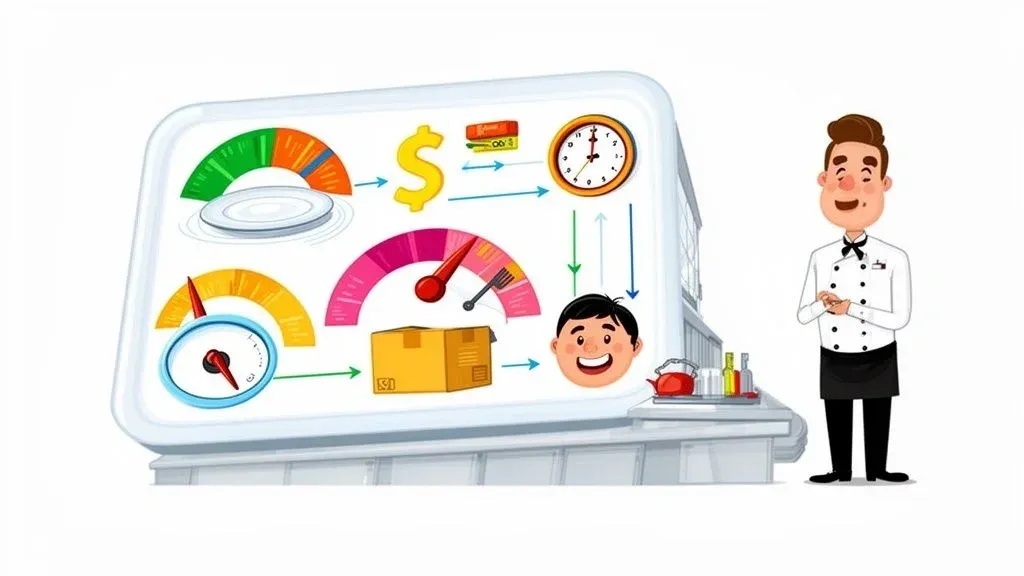
In the restaurant world, we throw around a lot of terms, but “Key Performance Indicator”—or KPI—is one you genuinely need to understand. Put simply, a KPI is a number you can track that tells you how your restaurant is really doing in a specific area. It’s a concrete metric for everything from daily sales and food costs to what your guests think about their experience.
These metrics are not just numbers; they’re the vital signs of your business, telling you if you’re healthy, struggling, or somewhere in between.
Why Restaurant KPIs Are Your Business Dashboard
Ever tried driving a car with the dashboard covered? You’d have no idea how fast you were going, how much gas was left, or if the engine was about to overheat. Running a restaurant without tracking KPIs is exactly like that—you’re flying blind.
These numbers are your control panel. They give you a real-time, objective look at what’s happening, turning that vague gut feeling about a “good night” into solid data you can actually use. This is what it means to move from guesswork to smart, data-driven decisions. Instead of just hoping for better profits, you can see exactly where the problems are. Is your prime cost getting out of control? Are you overstaffed on Tuesday afternoons? Are you even making money on those delivery orders? KPIs give you the real answers.
The Foundation of Modern Restaurant Operations and POS Integration
Today, you’re not just running a dining room; you’re managing a complex operation that includes takeout and multiple delivery apps. This is where your POS integration becomes your best friend. In simple terms, POS integration connects your delivery apps (like Uber Eats and DoorDash) directly to your restaurant’s main computer system, the Point of Sale (POS).
A modern POS from a provider like Clover or Square should be the central nervous system of your restaurant, capturing every single dollar from every channel.
Without that central hub, you’re stuck trying to piece together a puzzle with missing pieces. You’ve got data from DoorDash over here, Grubhub over there, and your in-house sales somewhere else. Trying to manually consolidate all of that is a nightmare—it eats up hours you don’t have and, worse, is filled with errors that can throw off your entire financial picture. This inefficiency directly impacts staff productivity and costs you money.
A truly effective KPI system relies on a single source of truth. When all your sales channels flow into one place, you gain a complete and accurate picture of your business, which is the foundation for improving profitability and efficiency.
The visual below shows how these core areas—sales, costs, and guest experience—all tie together on your business dashboard.
As you can see, these metrics are all connected. A spike in food costs will hit your profitability, and a dip in guest satisfaction will eventually hurt your sales. You have to look at the whole picture.
By letting technology handle the data collection, you get your time back and can trust the numbers you’re seeing. This frees you up to stop being a bookkeeper and start being a strategist, focusing on what really matters: making smart changes that boost your team’s performance, cut waste, and grow your business.
To get started, it helps to organize your metrics into a few key buckets. These five categories cover the most critical aspects of your operation.
The 5 Core Restaurant KPI Categories
A quick overview of the essential KPI categories every restaurant owner should monitor for a healthy business.
KPI Category What It Measures Why It’s Critical Sales Revenue generated from all channels (dine-in, takeout, delivery). Tracks your top-line growth and tells you how much money is coming in the door before expenses. Cost Expenses related to food, beverage, and other goods sold. Directly impacts your profit margins; keeping costs in check is essential for profitability. Labor All costs associated with staffing your restaurant, including wages and taxes. Your biggest controllable expense after food cost. Efficient scheduling is key. Delivery & Online Performance of third-party and first-party online ordering channels. With delivery’s rise, you must know if these channels are profitable or draining resources. Guest Experience Customer satisfaction, loyalty, and feedback. Happy guests become repeat customers and your best marketers. Unhappy guests can sink you.
Focusing on these five areas provides a balanced and comprehensive view of your restaurant’s health, ensuring no critical aspect of the business is overlooked.
Mastering Your Prime Cost for True Profitability
If you could only track one number to gauge your restaurant’s financial health, it should be your Prime Cost. Think of it as the most critical KPI in your entire operational playbook. In simple terms, Prime Cost combines your two biggest expenses: what you pay for ingredients and what you pay your staff.
Technically, Prime Cost is your Cost of Goods Sold (COGS) plus your total labor costs. The formula is easy enough, but the real art is striking the right balance between the two. Every single dollar you can shave off your prime cost goes straight to your bottom line, which makes it an incredibly powerful lever for boosting profits.
Why Prime Cost Matters for Restaurant Efficiency
Picture your total sales as a freshly baked pie. Before you can even think about taking a slice for profit, you have to pay for the ingredients that went into it (COGS) and the people who made and served it (labor). Your Prime Cost is the size of those two slices combined.
In the fast-paced, thin-margin world of restaurants, this number is the ultimate health check. It usually makes up a whopping 60-70% of all your controllable expenses. The pros—the top-performing restaurants—aim for a prime cost between 55-60%. For most others, the industry average sits somewhere between 58-62%.
This metric is so crucial because it’s almost entirely within your control. You get to decide which suppliers to use, how to price your menu, and when to schedule your staff. Getting a handle on your prime cost isn’t just good practice; it’s essential for building a business that lasts. To really get this right, you first need to understand how to calculate operating expenses for your business, since prime cost is the biggest piece of that puzzle.
How Inefficiency Inflates Your Prime Cost in Restaurant Operations
All those little operational hiccups—the ones that feel like minor annoyances—are what slowly kill your margins. This friction quietly drives up your prime cost from both sides.
- Wasted Labor: Ever see a host stop what they’re doing to punch a DoorDash order into the POS? That’s not just a few lost seconds. That’s paid labor being spent on what is basically administrative work. Multiply that across hundreds of orders, and you’re watching your labor percentage creep up.
- Wasted Goods (COGS): Manual order entry is a recipe for mistakes. A wrong modifier or a missed item means an incorrect order, an unhappy customer, and a remake. That entire remade dish—the food, the packaging, the works—goes straight into the trash, taking your COGS up with it.
These problems are a perfect example of how disconnected restaurant operations bleed money. Every time an order has to be manually touched, you create a new opportunity for error and inefficiency, chipping away at your profits. You can get a better grip on these numbers by checking out our guide on creating a restaurant profit and loss statement.
POS Integration: Your Key to Controlling Prime Cost
This is where modern food tech really proves its worth. By integrating your delivery platforms directly with your POS system, you cut out the source of all that expensive friction, leading to significant time savings and error reduction.
Imagine an Uber Eats order flows straight into your Square POS. A few powerful things happen instantly:
- Labor Savings: Your staff is freed from tablet-juggling and manual data entry. They can now focus on what really matters—taking care of dine-in guests or making sure takeout bags are perfect, boosting staff productivity.
- Error Reduction: The chance of human error plummets. Orders are sent to the kitchen with 100% accuracy, which means far fewer costly remakes and much less food waste. This directly lowers your COGS.
- Data Clarity: Suddenly, all your sales data lives in one place. Your POS, whether it’s from a provider like Clover or another, becomes the single source of truth, giving you a clean, real-time look at your sales and costs.
By automating how information flows through your restaurant, POS integration gives you the tight control you need over your biggest expenses. It’s a direct path to getting your prime cost down into that sweet spot of 55-60%.
Your Next Step: Take a hard look at how you’re handling delivery orders. If your team is still manually typing orders from a tablet into your POS, it’s time to seriously consider integration. Fixing this one workflow is one of the fastest, most effective ways to lower your prime cost and pad your bottom line.
Lowering Your Food Cost Percentage for Better Margins
Beyond the big-picture view of Prime Cost, we need to zoom in on a more specific, equally vital metric: your Food Cost Percentage (FCP). This KPI gets right to the heart of your menu’s profitability. Simply put, it tells you what percentage of a dish’s price is spent on its ingredients.
For example, if you sell a burger for $15 and the bun, patty, cheese, and toppings cost you $4.50, your FCP for that item is 30%. A high FCP is a silent profit killer, slowly eating away at your margins through things you might not even notice—like hidden waste, inefficient purchasing, or even just inconsistent portion sizes.
Calculating and Benchmarking Your FCP
Getting this number is fairly straightforward. The formula looks like this:
Food Cost % = (Beginning Inventory + Purchases – Ending Inventory) / Total Food Sales
This shows you the cost of all the ingredients you actually used during a set period, measured against your sales. While the industry benchmark typically hovers between 28-32%, the best operators fight to keep it below 30%. With food prices all over the place lately, it’s easy for this number to creep up toward 35%, which can seriously damage your bottom line.
A few percentage points might not sound like much, but for a restaurant doing $1 million in annual sales, lowering FCP from 35% to 32% means adding $30,000 directly to your profit. Every single point matters.
If you want to get really granular with the numbers and different methods, check out our complete guide on how to calculate your food cost percentage.
How Food Tech and POS Integration Cut Your FCP
Let’s be real: trying to manually track every single onion, tomato, and chicken breast is a nightmare waiting to happen. It’s also incredibly prone to error. This is where modern food tech stops being a “nice-to-have” and becomes a necessity for restaurant efficiency.
When you integrate your online ordering platforms like Uber Eats and DoorDash directly into your POS, you get surgical precision over your inventory.
Think about this all-too-common scenario: a server gets a delivery app order and has to punch it into the POS by hand. They mistype it, and the kitchen makes the wrong dish. That incorrect meal—and all its ingredients—is now pure waste, pushing your FCP up.
Connecting a POS system like Clover directly to your delivery apps eliminates this risk entirely. Here’s how it helps:
- Perfect Order Accuracy: Orders flow directly from the customer’s app to your kitchen printer. No more manual entry means no more fat-finger mistakes, which cuts down on costly remakes and food waste.
- Real-Time Inventory Tracking: Every item sold, whether in your dining room or through delivery, is automatically deducted from your inventory. This gives you a crystal-clear, up-to-the-minute picture of what you have on hand.
- Data-Driven Purchasing: With clean data, you can finally see real consumption trends. You’ll know which ingredients fly off the shelves and which ones are just sitting there, allowing you to fine-tune your ordering and stop throwing money away on spoiled product.
This seamless flow of information takes all the guesswork out of the equation. It empowers you to make smarter decisions about your menu, tighten up your portion control, and buy only what you truly need based on what’s actually selling.
Your Practical Next Step: Pull your order error and waste reports from the last month. Do you see a pattern of remakes tied to punching in orders from delivery tablets? If so, that’s a flashing red light. A lack of integration is directly costing you money by inflating your Food Cost Percentage. Connecting these systems isn’t an expense; it’s a direct investment in higher profit margins on every single sale you make.
Getting More From Your Dining Room: Table Turnover and RevPASH
For any restaurant with tables, your dining room is prime real estate. Two critical numbers tell you exactly how well you’re monetizing that space: Table Turnover Rate and Revenue Per Available Seat Hour (RevPASH). Think of these as the ultimate report card for your dining room’s productivity.
Table Turnover is all about speed—how quickly you can seat a party, serve them, and get that table ready for the next group of guests. RevPASH goes a step further. It combines that speed with your sales data to show you the true profitability of every single seat, for every hour you’re open. Get these two metrics right, and you’re on a direct path to a healthier bottom line.
A Closer Look at Table Turnover and Its Benchmarks
Table Turnover Rate is a simple but powerful calculation: just divide the number of parties served by the number of tables you have over a set period. A higher number is almost always better, showing your operation is running like a well-oiled machine.
Of course, what’s “good” varies wildly. A busy QSR might flip a table every 8-12 minutes. A full-service spot might aim for 35-45 minutes at lunch, stretching to 50-65 minutes for a more relaxed dinner service. Don’t underestimate the power of small improvements here. Some studies show that shaving just 10 minutes off your average turn time can boost revenue per square foot by as much as 7% over a year.
The Real Power of RevPASH
While turnover tracks speed, RevPASH tracks profitability. It answers the question, “How much money is each seat making me per hour?” The formula is straightforward:
RevPASH = Total Revenue / (Number of Seats x Hours Open)
This number is your secret weapon for spotting weak points in your schedule. A consistently low RevPASH on a Tuesday night, for example, might mean you’re overstaffed or that it’s time to run a promotion to get more people in the door. It paints a much clearer picture of your restaurant’s financial health than gross sales alone. You can dig deeper into this by reading our guide on how to calculate average revenue in a restaurant.
How Manual Restaurant Delivery Management Kills These KPIs
Here’s a common bottleneck that absolutely crushes both Table Turnover and RevPASH: the dreaded wall of delivery tablets.
Every single second your host or server spends wrestling with multiple tablets—and then manually punching those orders into the POS—is a second they aren’t focused on the guests sitting right in front of them. It creates a painful domino effect that torpedoes efficiency.
- Slower Greet Times: The host misses the door because they’re confirming a Grubhub order.
- Delayed Order Taking: A server is stuck at the POS terminal typing in an online order instead of checking on table 12.
- Slower Checkouts: The same staff needed to process a credit card are distracted by the ping of another new delivery order.
Each of these little delays stacks up, making every party’s stay just a little bit longer. Your Table Turnover Rate plummets as a result.
When your staff’s attention is split between your dining room and a handful of tablets, the guest experience suffers, service slows down, and you leave money on the table every single shift.
Boost Your Dine-In Efficiency with POS Integration
The solution is to get the technology to do the work for you. By integrating delivery platforms like DoorDash and Uber Eats directly into your POS system—whether it’s a Clover or Square setup—you completely remove that manual data entry.
Online orders flow straight to the kitchen, appearing on the KDS just like any other ticket. It’s a simple change, but it frees up your staff to give 100% of their attention to the guests in your restaurant. The result? Faster service, quicker payments, and happier customers who come back. This directly drives up your Table Turnover Rate and boosts your RevPASH, helping you maximize the revenue from your most valuable asset: your tables.
Your Next Step: Take a minute during your next busy shift and just watch. How much time does your team spend looking at delivery tablets instead of your guests? Every minute is lost revenue, and it’s a clear sign that automation can make a huge difference.
Ready to see how integrating your delivery services can streamline your entire operation? Restaurant owners can get started for free by visiting the OrderOut dashboard and onboarding in just a few clicks.
Winning the Delivery Game with Online Order KPIs
As online ordering and third-party delivery become a core part of your business, they need their own report card. Just looking at total sales won’t tell you the whole story. You need to know if these channels are actually making you money or just keeping your kitchen busy without adding to the bottom line.
This is where delivery-specific KPIs become your most important tools. The three metrics that matter most are Average Order Value (AOV), Order Accuracy Rate, and Delivery Time. Think of them as the three legs of a stool supporting your entire delivery operation. If one is wobbly, the whole thing can come crashing down, costing you money on every single order that leaves your kitchen.
Why Average Order Value is Your First Line of Defense
Average Order Value, or AOV, is simply the average amount of money a customer spends each time they place an online order. A high AOV is your best weapon against the hefty commission fees from apps like DoorDash and Uber Eats. Those fees can take a serious chunk out of your revenue, so you need every order to be large enough to absorb that cost and still leave a healthy profit.
Tracking this KPI helps you answer a crucial question: are my delivery customers spending enough to make this worthwhile? If your AOV is too low, you could be losing money even on a packed night. This is where an integrated POS system really shines.
Instead of guessing, you can pull a quick report from your Square POS and see your exact AOV for each delivery platform. Maybe you discover your Uber Eats AOV is 15% higher than Grubhub’s. That single piece of information is gold. Now you can focus your marketing, create platform-specific combo deals, or tweak your menu to encourage bigger ticket sizes where it counts.
The High Cost of Inaccuracy
Your Order Accuracy Rate is another make-or-break metric in the delivery world. It measures the percentage of orders that get to the customer exactly as they requested them. A low accuracy rate is a silent profit killer, creating a domino effect of expensive problems.
Every wrong order means:
- Wasted Food and Labor: You’re paying to remake the entire order, and that cost comes directly from your margin.
- Refunds and Redelivery Fees: You often have to refund the customer and might even eat extra fees to send the correct order out.
- Damaged Reputation: An unhappy customer is far more likely to leave a negative review, which can scare away future business for good.
The number one culprit? Manually punching orders in from multiple tablets. When your staff is in the weeds, it’s incredibly easy to miss a “no onions” modifier or pick the wrong side. This is a perfect example of how a gap in your tech setup directly hurts your bottom line.
A seamless connection between your delivery apps and your POS system can push your order accuracy rate to nearly 100%. By eliminating manual entry, you remove the single biggest point of failure in the online ordering process, saving significant time and money.
By connecting your delivery apps straight to your Clover POS, every single order is fired to the kitchen perfectly. This not only frees up your team from being tablet-watchers but also stops the costly errors that chip away at your profits. You can learn more about perfecting this workflow in our guide to using an online order management system.
Speed, Prep Time, and Customer Satisfaction
Finally, Delivery Time—broken down into kitchen prep time and driver pickup time—is a key indicator of your operational efficiency. While you can’t control the driver’s route, you have complete control over how quickly you get an order bagged and ready to go.
Slow prep times lead to cold food, frustrated customers, and can even get you deprioritized by the delivery apps’ algorithms. Tracking this KPI helps you pinpoint bottlenecks in your kitchen and streamline your workflow specifically for online orders. An integrated POS captures this data automatically, giving you a clear view of how long each order takes from the moment it hits your system to the second it’s ready for pickup. This lets you set realistic goals and ensure your delivery operation runs just as smoothly as your dine-in service.
To wrap this all up, here’s a quick-glance table of the essential delivery KPIs you should be tracking.
Essential KPIs for Restaurant Delivery Success
This table breaks down the must-track metrics to ensure your delivery operations are profitable and efficient.
Delivery KPI What It Measures Actionable Insight It Provides Average Order Value (AOV) The average dollar amount of each online or delivery order. Helps you see if orders are large enough to offset commission fees and guides menu pricing or promotional strategies. Order Accuracy Rate The percentage of orders delivered without any errors. Highlights issues in your order-to-kitchen workflow and shows the financial impact of mistakes. Kitchen Prep Time The time it takes from when an order is received to when it’s ready for pickup. Identifies kitchen bottlenecks and helps you optimize your workflow to reduce overall delivery time. Delivery Commission Costs The total fees paid to third-party delivery platforms. Shows the true cost of each delivery channel, allowing you to compare profitability between platforms. Online Conversion Rate The percentage of website or app visitors who place an order. Measures the effectiveness of your online menu and ordering experience, showing where you might be losing customers.
Monitoring these metrics isn’t just about collecting data; it’s about turning that data into smarter, more profitable decisions for your restaurant.
Practical Next Step: Pull up your delivery sales from last month. Can you easily see your AOV by platform? Do you know your order error rate? If you can’t answer these questions in a few minutes, it’s a huge red flag that your current process is costing you money. The visibility you get from POS integration is what turns a chaotic delivery business into a predictable and profitable growth engine.
Ready to gain full control over your delivery KPIs? Restaurant owners can get started for free by visiting the OrderOut dashboard and onboarding in just a few clicks.
Turning Your Restaurant Data Into Actionable Insights
Collecting data is one thing; knowing what to do with it is another game entirely. The numbers on your dashboard won’t fix a struggling kitchen or a dip in profits on their own. The magic happens when you turn those metrics into smart, decisive actions that actually improve your bottom line.
This means building a consistent rhythm for checking your numbers and, just as importantly, empowering your team to act on what they see.
Think of it like a chef tasting a sauce. You don’t just taste it once at the very end. You taste it constantly as it simmers, adjusting the salt here, the herbs there. Your KPIs are the same. They need to be checked regularly so you can make small, effective tweaks before a minor hiccup turns into a major problem.
Building a Simple Reporting Rhythm
The secret to not getting buried in data? Don’t look at everything all the time. A structured reporting schedule helps you focus on what truly matters at the right moment, creating a clear framework for making decisions.
A simple yet powerful cadence looks something like this:
- Daily Checks (The 5-Minute Scan): This is all about immediate operational health. A quick glance at daily sales, labor costs from last night’s shift, and order accuracy rates is all you need. It’s your morning pulse check to spot anything urgent, like a sudden flood of incorrect orders or unexpected overtime.
- Weekly Reviews (The 30-Minute Deep Dive): Now you’re looking for trends. Sit down and review your Prime Cost, Food Cost Percentage, and Table Turnover Rate for the week. How does this week compare to last week? Or to the same week last year? This is where you start to see patterns emerge.
- Monthly Meetings (The 1-Hour Strategy Session): Time to zoom out and look at the big picture. Dig into your profit and loss statement, overall guest satisfaction scores, and which delivery channels are actually making you money (e.g., DoorDash vs. Uber Eats AOV). Use this session to set clear, data-backed goals for the month ahead.
Why a Single Source of Truth Matters for Restaurant Operations
This whole process completely falls apart if your data is a mess.
If you’re trying to make sense of numbers by manually adding up sales from your dining room register, takeout phone slips, and three different delivery tablets, you’re flying blind. Your numbers will never be reliable. This is exactly why POS integration is the bedrock of any data-driven restaurant.
By connecting all your sales channels into a single POS system, like one from Clover or Square, you create one unified dashboard. Suddenly, your dine-in, takeout, and delivery data all flow into one place, giving you a complete and honest picture of your restaurant’s performance. For a deeper dive, our guide on leveraging restaurant menu data can show you how to find opportunities you didn’t even know existed.
Without a single source of truth, you’re just comparing apples, oranges, and bananas. An integrated system ensures you’re always looking at clean, reliable data, which is the foundation for making confident decisions that actually move the needle.
This consolidated view empowers you to set clear goals for your team, spot trends as they’re happening, and make informed choices that boost efficiency everywhere. It transforms your POS from a simple cash register into the strategic command center for your entire operation, cutting down on errors and saving you from hours of manual number-crunching.
Your Practical Next Step: Establish a reporting rhythm, no matter how simple. Start by committing to a weekly 30-minute review of your Prime Cost and AOV by delivery platform. Use the clean data from your POS to guide the conversation and identify one specific action you can take to improve those numbers next week.
Start Making Smarter Decisions for Your Restaurant Today
If you want a more profitable restaurant, you have to start measuring what matters. Focusing on the right metrics—things like Prime Cost, Food Cost Percentage, and Table Turnover—lets you get out of the guessing game. It’s about managing your business with real clarity, driven by real data. After all, success isn’t just about fantastic food anymore; it’s about running a tight ship.
In this new reality, juggling a packed dining room with a relentless stream of delivery orders is the key to survival and growth. The good news is that technology is the bridge that makes this balance possible, turning what feels like chaos into a smooth, manageable process.
The True Cost of Manual Operations
Still have your team punching in delivery orders by hand from a sea of tablets? That’s doing more than just slowing you down—it’s actively costing you money. The inefficiencies pile up quickly. Every single order that’s manually keyed in is another chance for a mistake, which leads directly to food waste and eats away at your profit margins.
Worse yet, this manual grind pulls your staff’s attention away from your most important asset: the guests sitting right there in your restaurant. This distraction means slower service, fewer table turns, and a guest experience that suffers. All of this hits your revenue. The data you end up with is scattered and unreliable, making it impossible to see the big picture and make smart decisions.
Relying on manual data entry from a dozen different delivery tablets is like trying to navigate rush hour traffic blindfolded. You might inch forward for a bit, but a costly mistake is just around the corner.
Take Control with Integrated Food Tech
It’s time to take back control. The right tools can bring all your data together, revealing powerful insights that lead to real, sustainable growth. When delivery platforms like DoorDash and Uber Eats feed directly into your Clover or Square POS, you finally get a single source of truth for your entire business.
This kind of integration pays off immediately:
- Time Savings: You’ll reclaim hours spent on manual order entry, freeing up your team for tasks that actually make you money.
- Error Reduction: Orders are sent with perfect accuracy, which means far fewer expensive remakes and a lot less food waste.
- Enhanced Productivity: Your staff can finally give their full attention to your dine-in guests, leading to better service, happier customers, and a more efficient floor.
Ready to get a handle on your restaurant’s operations? It all starts with cleaning up your data. Making smarter, data-driven decisions is only possible when you have reliable information right at your fingertips.
At OrderOut, we help you connect all your delivery channels directly to your POS system, giving you the clarity and control you need to boost profitability. Restaurant owners can start onboarding for free in just a few clicks.