
Unlock Your Restaurant's Potential with an iPad POS System
· Thibault Le Conte
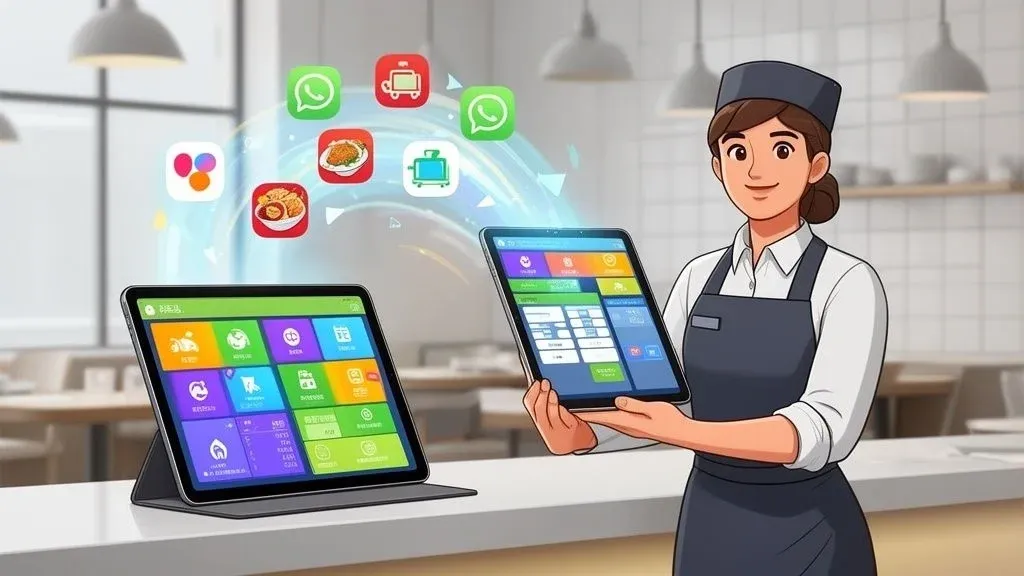
At its core, an iPad POS for restaurants is a system that turns a regular iPad into the nerve center of your entire operation. In simple terms, it’s a modern, mobile cash register that does much more than just take money. It handles everything from taking orders and processing payments to managing inventory and integrating with third-party delivery apps.
Think of it as the brain of your restaurant. It untethers your staff from a fixed terminal and lets them run the show with incredible speed and precision, right from the dining room floor. This isn’t just a new gadget; it’s a fundamental upgrade to your restaurant’s efficiency, delivery operations, and the overall guest experience. Why does it matter? It streamlines your workflow, reduces errors, and helps you turn tables faster, which directly impacts your bottom line.
Why Modern Restaurants Are Switching to iPad POS Systems

If you’ve ever dealt with long lines, messy handwritten order tickets, or a payment terminal that’s always in the wrong place, you know the daily grind. These are the exact pain points that are driving so many restaurant owners to switch to an iPad-based system. This food tech does so much more than just ring up sales—it completely overhauls your workflow for better restaurant operations.
Here’s a real-world example: a server takes a customer’s entire order and their credit card payment right at the table using a system like Square. That order zips directly to the kitchen display system, instantly and accurately. No more deciphering sloppy handwriting. This one change dramatically cuts down on costly mistakes, which means fewer comped meals, less food waste, and happier guests. This is a clear win for both cost savings and staff productivity.
Lower Costs and Simpler Training for Better Restaurant Operations
One of the biggest wins right out of the gate is the lower cost. Traditional POS systems often lock you into expensive, specialized hardware that feels outdated the moment you buy it. An iPad POS, on the other hand, runs on consumer-friendly hardware you’re already familiar with. This makes it a far more accessible and affordable starting point for restaurants of any size, a key benefit for your budget.
On top of that, the intuitive, touch-screen interface of an iPad means your staff can learn it in a fraction of the time. In an industry known for high employee turnover, getting new hires trained and confident on the floor quickly is a massive operational advantage, saving you significant time and resources.
Traditional POS vs iPad POS At a Glance
The differences become pretty clear when you see them laid out.
Feature Traditional POS iPad POS for Restaurants Upfront Cost High: Often requires thousands for proprietary hardware. Low: Uses affordable, off-the-shelf iPads and accessories. Flexibility & Mobility Stationary: Fixed terminals tied to a counter. High: Take orders, payments, and manage tables from anywhere. Ease of Use Clunky: Outdated interfaces, requires extensive training. Intuitive: Familiar touch-screen is easy for staff to learn. Software Updates Difficult: Manual, expensive, and often requires a technician. Automatic: Regular app updates with new features and fixes. POS Integration Limited: Often difficult to connect with modern apps. Seamless: Easily connects to delivery, accounting, and more.
It’s a clear shift from rigid, expensive systems to something far more agile and suited for today’s restaurant environment.
The core benefit is turning a potential bottleneck—order and payment processing—into a seamless part of the dining experience. It empowers your team to turn tables faster while providing more attentive service.
This move toward mobile technology is a huge piece of the larger puzzle for restaurants adapting to new demands. For a closer look at how these tools fit into the bigger picture, it’s worth understanding the essentials of a successful restaurant digital transformation.
The Main Takeaway
Ultimately, switching to an iPad POS for restaurants is a strategic move that pays off in real, measurable ways. It slashes your upfront investment, minimizes order errors, speeds up service, and gives you a flexible platform that can grow right alongside your business—especially as you dive deeper into online ordering and restaurant delivery integrations.
Core Features That Drive Restaurant Efficiency
An iPad POS system does a lot more than just take payments. Think of it as the central nervous system for your entire restaurant, packed with tools designed to solve the daily grind of running a busy kitchen and dining room.
In simple terms, it’s the conductor of your restaurant’s orchestra. From the servers on the floor to the chefs on the line, the POS makes sure everyone is working in perfect harmony. This kind of synchronization cuts through the chaos, slashes mistakes, and lets your team focus on what they do best: creating an incredible guest experience. This is crucial because better efficiency means better profit margins.
Streamlined Order and Table Management with Food Tech
One of the first things you’ll notice is how much better ordering becomes. Servers can punch in complex orders with all sorts of special requests right at the table, which means no more frantic scribbling on a notepad or running back to a clunky, stationary terminal.
Imagine a server using a system like Clover to input an order for a burger with “no onions, extra pickles, and a gluten-free bun.” That hyper-specific order zips directly to the kitchen display system (KDS), eliminating any chance of it being misread from messy handwriting. This simple shift has a huge impact on your restaurant operations:
- Fewer mistakes: Orders are sent exactly as they’re taken, which means fewer incorrect dishes and less food waste. This directly reduces costs.
- Faster service: The kitchen gets the ticket the second it’s entered, so they can fire up the grill immediately. That means faster ticket times, quicker table turns, and higher revenue.
The real win here is accuracy. A single messed-up order costs you food, time, and maybe even a customer. An iPad POS pretty much makes accuracy the default setting.
Real-Time Inventory and Staff Tools
A solid iPad POS doesn’t stop at the dining room; it digs deep into your back-of-house operations with powerful tools for managing inventory and staff. This is where the real cost and time savings kick in.
As servers place orders, the system automatically subtracts ingredients from your stock in real-time. This is the technical side: it’s called live inventory tracking. You always have an accurate, up-to-the-minute look at what’s on the shelves, which helps you dodge that awful moment when you have to 86 an item mid-shift. If you want to get your stock management dialed in, you can learn more from these inventory management best practices.
On top of that, many systems come with built-in staff management tools. You can build schedules, track employee hours, and even monitor sales performance, all from the same dashboard. To see how all these pieces fit together, take a look at our guide on integrated point of sale systems.
A Practical Takeaway on Core Features
When you boil it down, the core features of an iPad POS are all about giving you more control. They automate the tedious tasks, provide data for smarter decisions, and boost staff productivity. By picking a system with strong ordering, inventory, and staff management features, you’re not just buying a gadget—you’re investing in a smoother, more profitable restaurant.
How iPad POS Systems Adapt to Your Restaurant’s Needs
An iPad POS for restaurants isn’t some rigid, off-the-shelf product. Its biggest advantage is its chameleon-like ability to change. This is why you see them everywhere—from tiny coffee shops and bustling food trucks to sprawling multi-location chains. The whole point is to mold the technology to solve your problems, not to force you into a box.
The magic is in how you can set them up. In technical terms, some places go all-in on a cloud-based system, which lets staff take orders and payments from literally anywhere in the building with a Wi-Fi signal. Others go for a hybrid model, mixing iPads with their traditional on-site servers to get the best of both worlds: modern mobility with rock-solid back-office control. This flexibility is no longer a niche trend; it’s a full-blown industry standard. Operators from independent cafes to huge franchise groups are using iPads to fit their specific needs.
From Line Busting to Tableside Service: A Boost for Restaurant Operations
To really see this in action, think about a busy fast-casual spot at noon. The line is starting to snake out the door. Instead of just watching it happen, a manager hands an employee an iPad. That staffer can now walk down the line, taking orders and swiping cards on the spot. They’re “line busting.”
This simple move completely changes the game. Service speeds up, fewer people get frustrated and leave, and customers are happier. The iPad POS bends to fit the chaos of a lunch rush, turning a major bottleneck into a smooth process that puts more money in the register, boosting efficiency and sales.
This is a perfect example of how the right tool can transform restaurant operations. The very same iPad that was used for line busting can shift gears for dinner service, becoming a tableside ordering device. For a deeper dive into how these devices are changing the game, check out our guide on the role of tablets in restaurants.
Tailoring the System to Your Workflow
The bottom line is that an iPad POS should work for you, not the other way around. The trick is finding a system that allows you to customize it to your heart’s content.
- For Quick-Service Restaurants (QSRs): Here, it’s all about speed and getting the order right. An iPad POS acts as a super-fast terminal, usually connected directly to kitchen display systems to fire orders to the line instantly.
- For Full-Service Dining: The focus shifts to the guest experience. Servers use iPads to take orders at the table, punch in special requests without running to a terminal, and process payments right there so guests never have to wait.
- For Bars and Cafes: Mobility is everything. Staff can open and manage tabs from anywhere, take an order in a crowded corner of the bar, and close out checks quickly to keep the drinks and coffee flowing.
Ultimately, the best iPad POS for restaurants is one that can be shaped to fit your unique style of service. Whether you need to obliterate a line at the counter or deliver a more personal, high-touch experience at the table, the technology is there to solve your biggest operational headaches and boost both your team’s efficiency and your profits.
Taming Restaurant Delivery with POS Integration
If you’ve ever worked in a busy restaurant, you know the scene: a counter littered with tablets, each one for a different delivery app, all beeping and flashing at once. This “tablet farm” is a recipe for chaos, leading to missed orders, costly mistakes from punching orders in manually, and a kitchen crew stretched to its breaking point. It’s a huge operational headache that a modern iPad POS for restaurants is built to solve.
The answer is POS integration. Think of it as a universal translator that lets all your delivery apps—like Uber Eats and DoorDash—speak directly to your central iPad POS. An order comes in, and zip—it’s instantly in your system and printing in the kitchen. No more frantic typing or shouting across the pass. This creates a single source of truth, a central command center for your entire operation, from a small coffee shop to a growing chain.

As you can see, the iPad POS becomes the hub that brings order to the unique demands of different restaurant types, especially the complexities of off-premise dining.
How POS Integration Improves Your Operations
At its core, true integration gets rid of the need for a staff member to be glued to the tablets, manually re-entering every single delivery order. That manual process isn’t just slow; it’s a minefield of potential errors. One wrong modifier or a missed “no onions” request can tank a customer’s experience, earn you a one-star review, and force you to remake the dish on your own dime.
Automating this flow with proper food tech delivers massive wins for your restaurant operations:
- Fewer Mistakes: Orders are sent to the kitchen exactly as the customer entered them. This drastically cuts down on costly errors that hurt both your reputation and your profit margin. This is a direct cost saving.
- Faster Service: Orders hit the kitchen line just seconds after being placed. This shaves precious minutes off your prep times and gets food out the door quicker, keeping delivery drivers and hungry customers happy.
- A Happier Team: You free your staff from the soul-crushing task of tablet-wrangling. This improves staff productivity and morale, letting them focus on in-house guests and food quality.
What Seamless POS Integration Looks Like in the Real World
A perfect example is how a service like OrderOut connects a popular POS like Square to all the major delivery apps. A customer places an order on DoorDash, and instead of a tablet beeping, the order details are automatically injected right into the Square POS.
The kitchen gets a standard ticket that looks just like a dine-in or takeout order.
This unified flow is the secret sauce. Your kitchen staff doesn’t need to learn a half-dozen different systems or change their routine. Delivery orders simply become part of the normal rhythm of service, not a constant, disruptive fire drill. This kind of automation is the backbone of any good multi-channel order management software.
A Straight Line to a More Efficient Restaurant
By integrating your delivery apps with your iPad POS, you’re not just adding a new tool—you’re taking back control of a massive part of your business. It’s a direct fix for a major operational bottleneck. You turn that tablet-fueled chaos into a smooth, efficient, and far more profitable process. You save time on every single order, you stop wasting money on remakes, and you create a calmer, more focused environment for your entire team.
Building Your Perfect iPad POS Setup

Think of creating your iPad POS for restaurants like building a custom toolkit for your business. You don’t need every tool on the market; you just need the right ones for your specific operation. Whether you’re running a bustling cafe or a high-volume QSR, the goal is to piece together the right hardware and software that fits your workflow, not the other way around.
On the hardware side, a few core components form the foundation of a reliable station. You’re aiming for a setup that can withstand the chaos of a dinner rush without freezing up or failing, which is crucial for smooth restaurant operations.
Essential Hardware Components
Let’s start with the physical pieces. Each item plays a specific role in keeping service moving, transactions secure, and your staff efficient.
- The iPad: This is the heart of your system. While it’s tempting to get the latest model, many restaurants run perfectly fine on slightly older iPads. If you need serious processing power but want to manage costs, buying a refurbished iPad Pro is a smart way to get top-tier performance without the brand-new price tag.
- Secure Stand: This is a must-have. A solid stand keeps the iPad anchored, protecting it from spills, bumps, and theft. Look for one that swivels so you can easily turn it toward the customer for a signature or tip.
- Cash Drawer: For any cash transactions, you’ll need a durable, printer-driven drawer. It should pop open automatically when a cash sale is rung up, keeping things secure and fast.
- Receipt Printer: A speedy thermal printer is key. Nobody wants to wait for a receipt, so a reliable printer that spits them out instantly helps keep the line moving.
Choosing the Right Software
The software is the brain of your entire POS setup. It has to be powerful enough to handle everything you throw at it but intuitive enough for a brand-new hire to learn quickly. Steer clear of rigid systems that lock you into features you’ll never use. The best software grows with you.
The best software doesn’t just process payments; it acts as a central hub for your entire tech stack. Its ability to integrate with other tools is what turns a simple POS into a powerful business management system.
When you’re vetting different software options, pay close attention to how well it plays with others. In technical terms, this means checking its API capabilities and existing integration marketplace. Does it connect to your accounting software? Your loyalty program? Your online ordering platforms? To get a better handle on how this all works, it’s worth learning about the role of POS system integrators. They’re the ones who make a seamless tech environment possible.
Ultimately, a great iPad POS for restaurants is about making things simpler—from taking an order to managing a dozen delivery tablets. By choosing your hardware and software wisely, you’ll build a system that saves time, cuts down on errors, and frees up your team to focus on what they do best: creating a great guest experience.
The Cost and ROI of an iPad POS for Restaurants
Alright, let’s talk about the money. When you’re looking at a new iPad POS system, the first thing on your mind is probably the price tag. But the real conversation isn’t just about cost—it’s about what you get back for what you put in. A modern POS isn’t just another bill to pay; it’s an investment designed to boost your bottom line through increased efficiency and reduced errors.
The initial setup costs usually break down into a few categories: software subscriptions, the actual hardware like iPads and card readers, and payment processing fees. While that sounds like a lot, it’s almost always a fraction of the cost of those clunky, old-school legacy systems with their proprietary hardware. That accessibility is a huge part of why these mobile systems have taken over the industry.
Breaking Down the Financial Benefits for Your Restaurant Operations
The real power of an iPad POS becomes clear when you see how it sharpens up your day-to-day restaurant operations. The system starts paying you back by making small, smart improvements that add up to significant financial gains and time savings over time.
- Fewer Order Errors: Taking orders right at the table is a game-changer. When a server punches an order in on an iPad and it shoots directly to the kitchen, there’s no chance of someone misreading messy handwriting. This error reduction means fewer comped meals and less food waste.
- Faster Table Turnover: Speed equals revenue. Mobile payments let you close out checks in seconds, right at the table. This gets new guests seated faster during a busy rush, which can easily translate into thousands of extra dollars in sales every month.
- Automated Restaurant Delivery Order Entry: Manually typing in orders from a dozen different delivery app tablets is a recipe for disaster and a massive time suck. A good POS integration handles this automatically, freeing up your staff and cutting out expensive typos.
The Growing Interest in Mobile Food Tech
This move toward mobile isn’t just some passing fad; it’s a proven business strategy. The numbers don’t lie—a whopping 72% of single-location restaurant owners are looking into mobile point of sale systems. This huge interest just underscores how valuable these iPad-based solutions are, especially for smaller spots that need powerful tools without a huge upfront investment. You can discover more insights about restaurant tech adoption to see the full picture.
As a real-world example, a busy cafe using a system like Clover might turn tables 15% faster during the morning rush. It sounds small, but that little bump could mean serving dozens of extra customers every single day.
The ROI isn’t just about saving money on hardware. It’s about creating a more efficient operation that serves more customers, makes fewer mistakes, and empowers your staff to be more productive.
When you look at it from this angle, the financial case for an iPad POS for restaurants is a no-brainer. It keeps initial costs down while delivering real, measurable returns through better accuracy, speed, and automation. By focusing on the long-term gains, you’ll see it’s one of the smartest investments you can make for your restaurant’s future.
Your Next Actionable Step
Think of an iPad POS as more than just a slick, digital cash register. It’s really the command center for your entire restaurant. Getting one on board means you’re signing up for faster service, way fewer mistakes, and a real handle on your business’s performance. The path to a smarter, more profitable restaurant is right in front of you.
Your next step is to seriously look at how an integrated system could solve those restaurant delivery nightmares for good. Picture this: orders from Uber Eats, DoorDash, and all the others pop up directly in your Square or Clover POS. No more staff juggling tablets or frantically punching in orders, which means no more costly mistakes.
It all boils down to this: connecting your systems automates the grunt work. That frees up your staff, smooths out the chaos, and puts money back in your pocket by cutting down on errors and speeding everything up.
Ready to see how it all works? Take the next practical step to get your restaurant’s operations running like a well-oiled machine.
Start onboarding for Free in a few clicks at https://dashboard.orderout.co.