
Using an iPad for POS Systems in Restaurants: A Complete Guide
· Thibault Le Conte
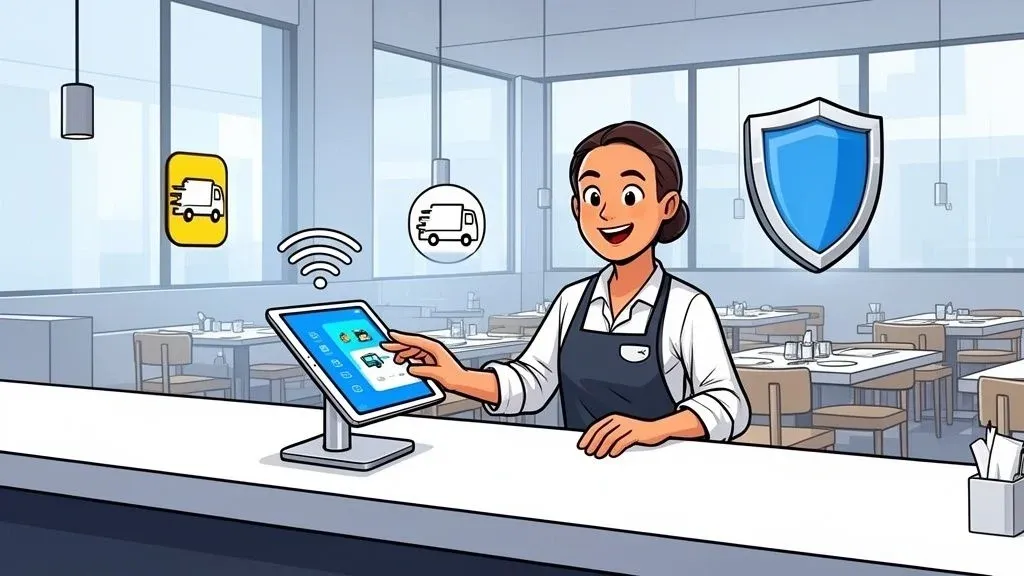
Switching your restaurant’s old, clunky cash register for a sleek, powerful iPad is more than just an upgrade—it’s a complete shift in how you run your business. This move brings immediate wins in speed, cost-savings, and day-to-day flexibility, quickly becoming the command center for a modern restaurant. Why it matters: This simple change directly impacts your restaurant’s efficiency, reducing wait times for customers and simplifying operations for your staff.
Why an iPad POS Is a Must-Have for Today’s Restaurants
Think about the leap from a landline to a smartphone. That’s the kind of change we’re talking about when you swap a stationary cash register for an iPad-based POS system. It’s not just about a fancier screen; it’s about unlocking a whole new level of efficiency and control that older systems just can’t touch.
The numbers tell the story. The tablet POS market, with iPads leading the charge, was valued at $5.16 billion and is expected to hit $7.28 billion by 2030. There’s a good reason for that boom. The biggest immediate advantage is mobility. Servers can walk right up to a table, punch in an order, and send it directly to the kitchen in seconds. This eliminates scribbled notes and frantic dashes to the POS station, directly reducing order errors and speeding up service. This boost in staff productivity means quicker table turns and happier customers.
For a real-world example, look at how major chains have adopted mobile ordering. While they might use custom devices, the principle is the same: bringing the ordering process to the customer. An iPad POS allows any independent restaurant to leverage the same technology, taking orders tableside or line-busting during a rush. This translates to significant cost savings, often starting around $3,000 for a full setup, compared to the $12,000 to $20,000 price tag for a traditional, bolted-to-the-counter system.

A Quick Look: Traditional vs. iPad POS
To really see the difference, it helps to put them side-by-side. Here’s a quick comparison of the old guard versus the new.
Feature Traditional POS System iPad POS System Upfront Cost Very high ($12,000+) Low (starts around $3,000) Hardware Bulky, proprietary, fixed in place Sleek, consumer-grade (iPad), mobile Software Often clunky, difficult to update Intuitive, user-friendly, frequent updates Flexibility Limited; tied to one location Highly flexible; take orders tableside, at events, etc. Training Can be slow and complex Fast and easy; staff often already familiar with iOS Integrations Limited and often expensive to add Seamless with delivery apps, accounting, etc.
As you can see, the shift to an iPad isn’t just a minor tweak—it fundamentally changes your cost structure and operational agility.
Modernizing The Guest Experience with Better Food Tech
An iPad POS system instantly brings your customer experience into the 21st century. Because almost everyone has used a tablet, the interface is incredibly intuitive. This dramatically cuts down on training time for new staff, which is a lifesaver in an industry known for high turnover. New hires can get up to speed in hours, not days, boosting staff productivity from day one.
Faster service and fewer mistakes on orders mean one thing: happier customers. And happy customers come back.
Of course, the tech is only one piece of the puzzle. It’s also smart to have a plan for when things go wrong, which is where having access to essential IT support for small businesses, including point-of-sale systems becomes so important.
The Real Power Is In The POS Integration
Maybe the biggest game-changer is how easily an iPad POS connects with all the other tools you use. It becomes the central hub for your entire tech stack, especially when it comes to managing delivery orders.
Why it matters: instead of a counter cluttered with tablets from Uber Eats, DoorDash, and Grubhub, a proper POS integration allows all those orders to flow directly into one system. This eliminates the chaos and the costly mistakes that come from manually re-entering orders.
Modern systems from companies like Clover and Square are built for this. They turn your POS from a simple payment tool into a true command center for your entire business—both dine-in and delivery. If you want to dive deeper, we have a whole guide on how tablets are transforming restaurant operations.
This kind of connected, streamlined workflow is what allows your team to stop wrestling with technology and start focusing on what they do best: creating amazing food and delivering incredible service.
Building Your Essential iPad POS Hardware and Software Stack
Putting together an iPad POS system is a bit like building a custom toolkit for your restaurant. You start with the absolute essentials and then add specialized tools as you grow. This isn’t about buying the most expensive gear; it’s about choosing the right pieces that fit together and make your life easier.
Think of your iPad POS software as the brain of the whole operation. This is the app, like those from Clover or Square, that runs the show—from taking orders and managing your menu to processing payments and tracking sales. The hardware components are the hands and feet, carrying out the commands the software gives them.

Core Hardware Must-Haves for Restaurant Operations
To get your system up and running, there are a few foundational pieces of hardware every restaurant needs. These are the non-negotiables that let you serve customers and take payments right out of the gate.
- The iPad Itself: This is your command center. You don’t need the top-of-the-line iPad Pro, but a model with at least 64GB of storage and solid Wi-Fi is a smart starting point. A reliable device means no frustrating lags during the dinner rush.
- A Secure Stand: A good stand does more than just prop up the tablet—it protects your investment from the inevitable spills and drops. Look for one that’s sturdy, swivels for customer signatures, and has a lock to prevent it from walking away.
- A Reliable Card Reader: This is how you get paid. Make sure your reader can handle everything: swipe, chip (EMV), and contactless payments (NFC) like Apple Pay. Using a reader from your POS provider ensures every transaction is secure and compliant.
- A Cash Drawer: Even with all the digital payments, cash isn’t going away anytime soon. You’ll want a durable, secure drawer that connects to your printer and pops open automatically after a cash sale. It keeps things fast and accountable.
- A Receipt Printer: Whether it’s for customer receipts or tickets for the kitchen, a thermal printer is a must. Find one that connects easily via Bluetooth, Wi-Fi, or Ethernet to avoid a mess of cables and ensure it talks to your iPad without any hiccups.
Smart Upgrades That Boost Efficiency
Once you have the basics covered, you can start adding components that iron out wrinkles in your workflow. These “nice-to-haves” often pay for themselves surprisingly fast by saving time and cutting down on mistakes.
Why it matters: The goal is to build a system where technology handles the repetitive tasks, freeing up your staff to focus on what matters: delivering a great guest experience. Small hardware additions can have a massive impact on your restaurant’s daily rhythm and reduce costs from errors.
One of the most powerful upgrades you can make is a Kitchen Display System (KDS). Instead of paper tickets that can get lost, smudged, or misread, a KDS screen displays orders digitally right in the kitchen. This simple change dramatically reduces miscommunication between the front and back of house, which means faster ticket times and fewer wrong orders. Fewer mistakes mean less food waste and happier customers. Making sure all your hardware and software play nicely together is crucial, and understanding the role of POS system integrators can help you get everything working in harmony from day one.
The Takeaway
Building your iPad POS stack is a strategic process, not a shopping spree. Start with the five essential hardware components—the iPad, stand, card reader, cash drawer, and printer—and pair them with a powerful POS app. From there, look for additions like a KDS to optimize your kitchen workflow and slash costly errors. The best next step is to audit your current operation. Do you have the core hardware? If not, start there. If you do, pinpoint your biggest bottleneck and find the right piece of tech to solve it. This thoughtful approach ensures your investment directly contributes to a smoother, more profitable restaurant.
Locking Down Your Network for Smooth Restaurant Operations
Imagine your restaurant during the Saturday night dinner rush. Now imagine your POS system crashing. A slow, unreliable, or insecure network can make that nightmare a reality. It’s an easy thing to overlook, but your Wi-Fi network is the digital backbone connecting your iPads, kitchen printers, and payment terminals. If it goes down, your whole operation grinds to a halt.
You wouldn’t let guest traffic wander through your kitchen, and the same principle applies to your network. Your business-critical POS data should never have to compete with customers streaming videos on your public Wi-Fi. That’s why a private, secure network for your iPad POS system isn’t just a good idea—it’s essential for consistent restaurant operations.
Why it matters: A dedicated network keeps payment data secure and ensures orders fly to the kitchen instantly. This simple move boosts your speed, slashes the risk of errors, and protects your customers’ sensitive information, which is fundamental to building trust and efficiency.
Building Your Digital Fortress: An Actionable Guide
You don’t need to be an IT genius to secure your network. It really just comes down to a few practical steps that any restaurant owner can take to build a digital fortress around their POS data.
Here’s what you need to do:
- Create a Dedicated POS Network: This is the golden rule. Never, ever run your iPad POS on the same Wi-Fi you offer to guests. Set up a separate, private network exclusively for your iPads, printers, and card readers.
- Hide Your Network Name (SSID): Make your POS network a ghost. In your router’s settings, you can turn off the “SSID Broadcast.” This means your private network won’t even show up when someone scans for available Wi-Fi, adding a surprisingly effective layer of security.
- Use Strong Encryption: Think of your network’s password as the lock on your front door. You want a good one. Always use WPA3 encryption if your router supports it. If not, WPA2 is the absolute minimum. Pair that with a long, complex password mixing letters, numbers, and symbols.
A more advanced (but highly effective) strategy is implementing network segmentation. In simple terms, this builds digital walls between your different networks—POS, guest Wi-Fi, and back-office computers. If a security issue pops up on one, it can’t spread to the others.
Don’t Forget About Physical Security
A secure network is only half the battle. The iPads themselves are valuable, portable, and a prime target for theft.
Why it matters: Protecting your hardware is just as important as protecting your data. A stolen or broken iPad means lost sales and a major headache until you can get it replaced and set up again. This directly impacts your revenue and restaurant operations.
For iPads that stay put at a register or host stand, use locking stands or enclosures that bolt right to the counter. For servers taking orders tableside, create a simple check-in/check-out process at the start and end of every shift. This keeps every device accounted for.
Give the iPads a quick inspection regularly for damage and make sure they’re locked up safely overnight. It’s also good to remember that what looks like a hardware failure can sometimes be a network glitch in disguise. You can see how this plays out by reading up on how to fix common printer connection issues, which are often network-related.
By blending strong digital security with common-sense physical protection, you build a resilient system that safeguards your revenue, your data, and your customers. This solid foundation ensures your food tech is a tool for growth, not a source of stress.
Improving Restaurant Delivery with POS Integration
Is your front counter a chaotic sea of tablets for Uber Eats, DoorDash, and Grubhub? This common nightmare, known affectionately in the industry as “tablet hell,” forces your staff to become jugglers. They’re constantly re-keying orders from one device to another, praying nothing gets missed during the dinner rush.
Why it matters: This manual process is an inefficient, error-prone mess that quietly eats away at your profits and your team’s sanity. Each mistake costs money in wasted food and refunds, and the time spent on data entry is time taken away from serving in-house guests, hurting overall restaurant efficiency.
The fix? Turn that operational chaos into a smooth, streamlined flow. Instead of juggling a half-dozen devices, you can use an integration platform as a central hub. This hub grabs every single online order and feeds it directly into your primary iPad POS, whether you’re running on Square or Clover. This is where modern restaurant tech really starts to shine.
Why Direct POS Integration Is a Game-Changer
Automating the flow of your delivery orders isn’t just about tidying up the counter; it’s about plugging major leaks in your revenue and productivity. The single biggest win comes from getting rid of the soul-crushing task of manual order re-entry.
For a real-world example, think about every time a staff member has to manually punch an Uber Eats order into your POS. You’re rolling the dice. A missed modifier, the wrong quantity, or a completely overlooked item leads directly to wasted food, unhappy customers, and lost money. Integration makes those kinds of errors virtually disappear.
Imagine a busy Friday night where every online order pops up on your kitchen display system instantly and accurately, just as if a server had entered it tableside. That’s the reality of a fully integrated setup. Services like OrderOut make this happen, directly boosting your bottom line and freeing up your team to focus on what matters most: food quality and service.
Slashing Errors and Saving Time with Automation
The benefits of automation go way beyond just accuracy. The time you get back is a massive operational win. Data shows that when restaurants connect delivery apps to their POS, the iPad becomes a unified dashboard that kills the double-entry problem for good.
This simple change can save hours of labor every day. In fast-casual spots, it can cut order processing time by as much as 50%, turning rush-hour chaos into a smooth, manageable flow.

As the image above shows, securing your network is a critical foundation for all of this. By hiding your network name (SSID), using strong WPA3 encryption, and dedicating a router just for your POS, you create a stable and secure environment for everything, including these essential delivery integrations.
To see just how big of a difference this makes, let’s compare the two approaches side-by-side.
Impact of Manual Entry vs Automated POS Integration
Metric Manual Order Entry Automated with OrderOut Average Order Entry Time 90-120 seconds per order 0 seconds (instant) Error Rate 15-20% of orders have errors <1% error rate Staff Labor per Shift ~45 minutes dedicated to re-entry 0 minutes Monthly Cost of Errors ~$300-500 in comps/waste ~$0-20 Staff Focus On data entry and fixing mistakes On customers and operations
The numbers don’t lie. Automation gives you back time, money, and peace of mind, letting your team focus on hospitality instead of transcription. For a more detailed look at how these systems talk to each other, check out our deep dive on what POS software integration really means.
What You Can Do Next
If you’re still manually punching in delivery orders, you are leaving money on the table and putting unnecessary stress on your team.
The first step is a quick audit. How many mistakes happened last week because of manual entry? How much time does your staff spend just staring at one screen and typing on another? Once you put a number on the problem, the solution becomes obvious.
Implementing a POS integration service is one of the highest-impact changes you can make to your restaurant. It transforms your iPad POS from a simple payment terminal into a true command center for your entire operation.
Best Practices for Maximizing Your iPad POS Investment
Getting your iPad POS up and running is a huge milestone, but the real magic happens when you start using it to its full potential. Think of it like this: anyone can own a fancy guitar, but it takes practice to make music. This is all about turning your POS from a simple cash register into the command center for your entire restaurant operations.
The goal here is to go way beyond just processing payments. We’re going to dive into how to use your system’s smarter features to make your restaurant more efficient, cut down on costly mistakes, and make informed decisions that actually grow your business. This isn’t about piling on more work; it’s about making the work you already do more intelligent.
Creating Confident and Efficient Staff
Your team is on the front lines every single day. Their comfort level with the POS system has a direct impact on your customer’s experience. Nothing slows down service or creates a bad vibe faster than a server fumbling with the tablet.
The great news? Most people have used an iPad before, so you’re already starting with a huge advantage over old, clunky legacy systems.
To make training a breeze, create a simple, one-page guide. Forget the thick manual nobody will read. Build a laminated “cheat sheet” with screenshots covering the five most common tasks:
- Placing a standard order.
- Adding special requests or modifiers.
- Splitting a check multiple ways.
- Processing a refund or voiding an item.
- Applying a discount or comp.
Why it matters: This simple trick empowers your staff to solve common issues on their own, which builds their confidence and keeps service humming along. This directly boosts staff productivity, reduces manager interruptions, and improves restaurant efficiency during busy shifts.
Dynamic Menu Management for Profitability
Your menu isn’t just a list of food; it’s your most important sales tool. And your iPad POS is the remote control for it. Smart menu management is about more than just setting prices—it’s about reacting to the daily reality of your restaurant in real-time.
Why it matters: Think of your POS as the single source of truth for your menu. When an item is updated there, an integrated system pushes that change everywhere—from your in-house system to your online delivery platforms. This consistency is key to preventing customer frustration and operational headaches.
For example, imagine the kitchen is running low on salmon right before the dinner rush. You can instantly “86” that item in the POS. If you have an integrated point of sale system, that change immediately syncs across Uber Eats, DoorDash, and all your other delivery apps.
This one small action prevents online customers from ordering something you don’t have, saving your staff from making that awkward apology call and protecting your restaurant’s reputation. You can also use this to test a price change on a slow-moving dish or run a flash sale on a daily special with just a few taps. To really dig into this, you can learn more about how integrated point of sale systems are the backbone of a modern restaurant’s efficiency.
Using Data to Drive Smarter Decisions
Every single time a customer pays, your iPad POS is collecting valuable data. But data on its own is just noise. You need insight. The good news is that most systems, like Clover or Square, come with powerful but easy-to-read sales reports. You definitely don’t need to be a data analyst to get value from them.
Start by regularly looking at two essential reports:
- Item Sales Report: This is your menu’s report card. It tells you exactly which dishes are your rockstars and which ones are collecting dust. Use this information to re-engineer your menu. Give your popular, high-margin items prime placement and think about revamping or ditching the duds.
- Sales by Hour Report: This report clearly shows your busiest and slowest times of day. Use this to nail down your staff scheduling—no more being short-staffed during a rush or overpaying people to stand around. It also helps you spot the perfect time to run a promotion, like a happy hour, to bring in business during those quiet hours.
Why it matters: By just spending 20 minutes a week reviewing these reports, you can stop guessing and start knowing what works. This is a direct path to higher profits and lower costs, turning your POS data into actionable intelligence that improves your restaurant operations.
Practical Next Step
Your iPad POS is an investment that should be paying you back every single day, but only if you use it to its full potential. The first, most practical step is to get a handle on your sales data. Block out time this week to pull your item sales report and identify your top five sellers. This single action is the start of turning your POS into a true engine for growth.
So, What’s the Bottom Line?
Deciding to use an iPad for your restaurant’s POS system isn’t just about getting new tech. It’s a core business move that has a real, measurable impact on how smoothly your restaurant runs, how much money you make, and how happy your guests are. As we’ve walked through, these systems are more than just a pretty interface; they offer lower startup costs, incredible flexibility, and a straightforward way to connect all your essential food tech through POS integration.
The real magic happens when you get rid of the little, time-consuming tasks that are prone to human error. Think about it: every minute a team member spends manually typing a delivery order into the POS is a minute they’re not on the floor with your guests. Every typo can lead to a wrong order, wasted food, and a refund. When you automate that process, you’re not just saving time—you’re saving serious cash.
Why it matters: The real power of a modern iPad POS isn’t just in processing credit cards. It’s about creating one central, dependable command center for your entire operation, from the front door right through to your delivery partners. This is how you end the “tablet hell” of juggling multiple devices and let your team get back to what they do best: hospitality.
Your Most Impactful Next Move
If you’re tired of the tablet chaos and want to unlock what your POS can really do, the path forward is surprisingly simple. Integrating all your delivery channels is probably the single biggest lever you can pull to tighten up your restaurant operations. This isn’t some massive, six-month overhaul; it’s a quick win that pays for itself almost immediately.
You can see for yourself how a service like OrderOut instantly bridges the gap, feeding orders from all your delivery apps directly into top-tier systems like Clover or Square. This simple connection can save you hours of manual work every single week and virtually eliminate those costly order-entry mistakes.
Ready to run a smarter, more profitable restaurant? You can start the free onboarding process in just a few minutes over at https://dashboard.orderout.co.
Frequently Asked Questions
When you’re thinking about switching to an iPad POS system for your restaurant, a few big questions always come up. Getting straight answers is key before you invest in new food tech. Let’s tackle the most common concerns so you can make a decision with confidence.
What Happens If My Restaurant’s Internet Goes Down?
This is probably the most practical question of them all. Your whole operation can’t just grind to a halt because the internet decides to take a break.
Thankfully, the teams behind leading iPad POS systems like Square and Clover have thought this through. They build an offline mode right into the software, which is a lifesaver.
In simple terms, the app will securely store credit card payments right on the iPad. Once you’re back online, it processes all those saved transactions automatically. The more technical aspect is that these transactions are encrypted and queued locally on the device’s storage until a stable connection is re-established. While you might lose live kitchen syncing or real-time sales reports during the outage, you won’t miss a single sale. It’s a critical safety net that keeps your restaurant operations humming along.
Is an iPad POS System Secure Enough for Payments?
Absolutely. In fact, they are often much more secure than the clunky, older terminals you might be used to. The magic behind this is a process called end-to-end encryption.
Here’s what that means in plain English: the second a customer’s card is swiped, dipped, or tapped, that information gets scrambled into an unreadable code.
Technically speaking, none of that sensitive cardholder data is ever stored on the iPad itself. It’s passed directly to the payment processor, which has to follow strict PCI (Payment Card Industry) security rules. This setup, known as tokenization and encryption, dramatically cuts down your risk of a data breach.
For an extra layer of security, always make sure your POS devices are running on a private, password-protected Wi-Fi network, completely separate from the one your guests use.
How Difficult Is It to Train My Staff on an iPad POS?
This is where you’ll see one of the biggest wins. The learning curve for an iPad-based POS is incredibly short, which is a huge boost for staff productivity.
Think about it: most of your team, especially younger staff, grew up with smartphones and tablets. The whole touch-and-swipe interface of an iPad feels completely natural to them. It’s a world away from old-school systems with their clunky buttons and confusing menus.
Most managers find they can get a new hire fully trained and comfortable using the system in just one shift. That kind of rapid onboarding saves you a ton of time and money and gets new team members contributing right away.
Can I Manage My Restaurant Remotely with an iPad POS?
Yes, and this is a total game-changer for any owner who isn’t chained to the restaurant 24/7. Since modern iPad POS systems are cloud-based, your data doesn’t just sit on one device—it’s accessible from anywhere with an internet connection.
In non-technical terms, this means you can log into a web dashboard from your laptop at home or pull up an app on your phone while running errands. You can check real-time sales, peek at inventory levels, see who’s clocked in, and even update your menu or run a new special on the fly. Technically, this is possible because all your transactional and operational data is synced in near real-time to a secure cloud server, making it accessible through authorized credentials on any web-enabled device. This kind of remote control gives you incredible peace of mind, especially if you’re juggling multiple locations.
At OrderOut, we specialize in making your iPad POS system even more powerful by seamlessly connecting it to all your third-party delivery apps. Ready to eliminate manual entry errors and save hours every week? Get started for Free in just a few clicks.