
Integration with POS System: A Restaurant Owner's Guide to Boosting Operations
· Thibault Le Conte
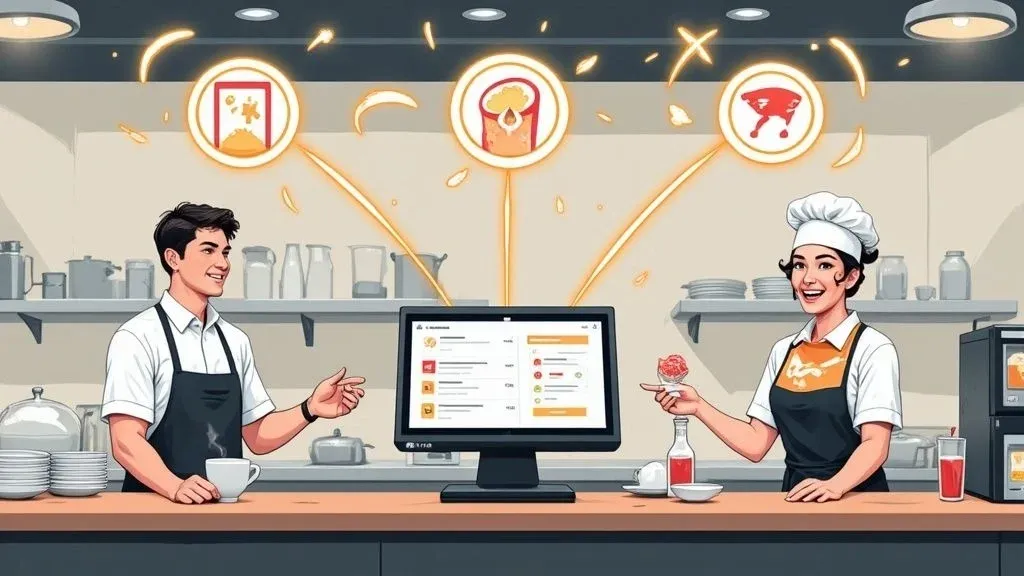
Think of a POS integration as an automated bridge connecting your delivery apps like DoorDash or Uber Eats directly to your restaurant’s main computer system. When a customer orders online, the integration automatically sends that order straight to your kitchen printer, exactly like an in-person order.
Why it matters: This simple connection eliminates the stressful and error-prone task of manually typing delivery orders from a tablet into your point-of-sale (POS) system. It transforms operational chaos into a smooth, efficient process, directly impacting your restaurant efficiency.
Why Your Restaurant Needs POS Integration
Does your counter look like an electronics store, cluttered with tablets from every delivery service imaginable? You’re definitely not alone. This “tablet farm” has become a huge bottleneck for modern restaurants and a major headache for restaurant operations.
It forces your staff to constantly juggle incoming orders, manually re-punch every single detail into the main system, and just hope they don’t make a mistake during the Friday night rush. This process isn’t just slow; it’s a recipe for costly errors and pulls your team away from what they should be doing—serving the guests right in front of them.
A proper integration with a POS system changes this workflow from the ground up. Instead of being a separate, manual chore, online ordering becomes a seamless extension of your existing operations. This isn’t just a minor tech upgrade; it’s a strategic move to reclaim time, cut down on waste, and seriously boost your team’s productivity.

The True Cost of Manual Entry: Time, Money, and Reputation
The real damage of manual order entry goes far beyond the obvious headache. Every minute an employee spends transcribing a delivery order is a minute they aren’t helping a customer, running food, or supporting the kitchen. That lost productivity adds up fast, but the financial risks are even bigger.
A simple typo—like entering “no onions” as “extra onions”—can spiral into a remade dish, a customer complaint, and a full refund. These small, preventable mistakes eat away at your profit margins and can tarnish your restaurant’s reputation over time. By automating the flow of information, a POS integration hits these core challenges head-on, reducing errors and saving money.
It’s no surprise that the global point of sale (POS) market is exploding. Valued at roughly USD 38.56 billion in 2025, it’s projected to surge to USD 110.22 billion by 2032. This incredible growth, tracked in reports like this one from Fortune Business Insights, shows just how essential integrated platforms have become for any business that wants to run efficiently.
Before we dive deeper, let’s look at a quick side-by-side comparison. It really puts the operational impact into perspective.
Restaurant Operations: Manual Entry vs. POS Integration Impact
Operational Area Manual Order Entry With POS Integration Order Accuracy High risk of human error (typos, missed modifiers) 99.9% accuracy, orders are sent as placed Kitchen Speed Delayed; orders wait to be manually entered Instant; tickets print in seconds Staff Focus On data entry and tablet monitoring On customers and core service tasks Sales Reporting Fragmented; requires manual reconciliation Unified; all sales data in one system
The difference is night and day. Automation doesn’t just make things easier; it makes your entire operation smarter and more resilient.
How POS Integration Creates Efficiency in Restaurant Delivery
With a direct connection between your delivery apps and POS system, orders are processed instantly and accurately, every time. This automation delivers a few key benefits right away:
- Error Reduction: Orders are transmitted exactly as the customer placed them. Say goodbye to typos and miscommunications that lead to food waste. This directly saves you money on remakes and refunds.
- Increased Speed: Your kitchen team gets the ticket just seconds after the customer hits “confirm,” which dramatically cuts down on total prep and delivery time. Faster service means happier customers.
- Improved Staff Productivity: Your team can finally stop babysitting tablets and focus on high-value tasks that actually improve the guest experience, boosting morale and staff efficiency.
- Centralized Reporting: All your sales data—whether from dine-in, takeout, or third-party delivery—is consolidated in one place, making it much easier to analyze your business performance.
Once you have all your orders flowing into one place, you can start thinking about more advanced setups. For a deeper look, check out our guide on multi-channel order management software.
Practical Takeaway: POS integration shifts your restaurant from a reactive, manual workflow to a proactive, automated system. It slashes the risk of human error, speeds up service, and frees your staff to focus on what truly matters: creating a great experience for every customer.
Getting Your Restaurant Ready for a Smooth POS Integration
Before you jump into a new tech setup for your restaurant, a little prep work can save you a world of headaches. This isn’t about becoming an IT expert; it’s about laying a solid foundation so your new integration with pos system works perfectly from day one.
First, let’s talk compatibility. It’s a quick, non-technical check that prevents major issues. Think of it like making sure your new phone charger fits your phone—you just need to confirm your POS system can “talk” to the integration software.
Actionable Insight: Most modern POS systems are designed to connect with other software. For a real-world example, if you use Square, you can visit their App Marketplace to see which integrations are officially supported. The same goes for Clover—their marketplace clearly lists approved apps. Taking five minutes to confirm this now gives you total peace of mind.
Matching Your Digital and Physical Menus for Flawless Food Tech
With compatibility confirmed, it’s time to focus on your menu. The secret to a flawless POS integration is making sure the items on your delivery apps are a perfect mirror of what’s in your POS. In the tech world, this is called menu mapping, but for you, it simply means making sure the name of a dish on Uber Eats matches the name in your system.
Actionable Insight: The best way to start is by creating a simple list of all your menu modifiers. This means every single customization a customer could ask for.
- Toppings: Extra Cheese, No Onions, Add Bacon
- Side Dishes: Fries, Salad, Onion Rings
- Cooking Preferences: Rare, Medium Well, Well Done
Having this list handy will make the actual setup a breeze and dramatically cut down on order errors. This one simple step has a direct, positive impact on your restaurant operations by reducing mistakes and saving time. On the technical side, this process is what solutions architects focus on to design systems that handle complexity without a hitch.
Final Checks Before You Go Live
Once your menu details are locked in, there are just a couple of final things to button up. Make sure you have a stable, reliable internet connection. It’s the lifeline for your entire restaurant delivery operation, and spotty service can easily disrupt the flow of orders.
My Two Cents: Pick one person on your team—a manager or maybe just your most tech-savvy employee—to be the “integration champion.” Giving someone ownership helps them coordinate with support and makes the whole rollout much smoother.
This person can oversee the last few steps and be the go-to for any questions. For a complete guide on what to expect, check out our OrderOut integration onboarding tutorial. Taking these few preparatory steps helps you sidestep common pitfalls and sets your restaurant up for success.
Configuring Your Delivery App and POS Integration
With the prep work done, it’s time to connect the dots. This is where you bring your integration with pos system to life. You’re not doing any complex coding; you’re just logically linking the platforms you already use.
The first step is to connect your third-party delivery accounts—like Uber Eats and DoorDash—within the integration platform. This is typically as simple as logging into those accounts. This creates a secure handshake that allows orders to flow automatically from the delivery apps straight into your POS. On a technical level, this connection is made possible through something called an Application Programming Interface (API), which is just a set of rules that lets different software programs communicate securely.
The Critical Task of Menu Mapping
Once the accounts are linked, you’ll dive into the most important part of the setup: menu mapping. This is where you teach the system how an item on your delivery menu translates to an item in your POS. Think of it as building a digital Rosetta Stone for your menu.
Real-World Example: Your DoorDash menu might list a “Classic Burger,” but in your Clover POS, that same item is logged as “Beef Burger.” Menu mapping is you simply drawing a line between the two, telling the system they’re the same thing. When a customer orders the Classic Burger online, your kitchen printer spits out a ticket for a Beef Burger. No confusion, no mistakes, which means less food waste and faster service.
This logic extends to every modifier. You’ll link ‘extra bacon’ on the app to your POS button for ‘Add Bacon.’ Getting this right is the secret sauce to achieving near-perfect order accuracy and eliminating the costly errors of manual entry. This meticulous mapping is precisely why this kind of food tech is so powerful for restaurant operations.
This infographic breaks down the key stages that lead you to a successful configuration.

As the visual shows, a smooth setup comes down to three connected steps: confirming your systems are compatible, getting your menu organized, and prepping your team for the change.
Making Your Integration Work Smarter
Modern tools have made this whole process incredibly straightforward. You can often find integration apps right in your POS system’s app store, like the Square App Marketplace, making installation as easy as adding an app to your phone. At the technical heart of any solid integration are well-designed APIs; having a basic grasp of API design best practices can help you appreciate what makes the connection seamless and reliable.
Pro Tip: Don’t just do a direct 1-to-1 mapping. Use this as a chance to refine what you offer online. If certain modifiers always cause confusion, think about removing them from your delivery menus. Simplifying can be a huge win for kitchen staff and customers.
Customers today expect a smooth experience whether they’re ordering at the counter or through a third-party app. Taking the time to configure your integration properly is what turns your digital storefronts from separate, stressful headaches into one cohesive and efficient sales machine. For a deeper dive into managing these partnerships, our guide on how to work with a third-party delivery service has some great pointers.
Testing and Launching Your New Workflow
Before you let your new automated system face the chaos of a dinner rush, a thorough test run is non-negotiable. This isn’t just about catching bugs; it’s about giving your team—and yourself—the confidence that everything will run smoothly when it counts. Finding a small glitch now is much better than discovering it when you have a line of hungry customers.

Actionable Insight: Place several test orders with varying levels of complexity. Think like your customers. This simple process is your best defense for catching any hitches in the integration with pos system before they impact a real order.
Creating Your Test Scenarios
The goal here is to mimic the kinds of orders your kitchen sees every day. A solid testing plan should cover a few distinct scenarios.
Here’s a good place to start:
- The Simple Order: A single, standard menu item with no changes. Think a “Classic Cheeseburger.” This is your baseline test to make sure the fundamental connection is solid.
- The Modified Order: An item with several specific tweaks. For example, a “Chicken Sandwich, no mayo, add avocado, with a side of fries.” This is crucial for checking that your modifier mapping is perfect.
- The Special Instructions Order: An order that includes a custom note, like “please cut the pizza into squares.” This confirms those important free-text notes are making it to the kitchen staff.
As you place each order, have someone watching the POS and another by the kitchen printer. You’re looking for three things: speed, accuracy, and clarity.
The Pre-Launch Checklist
As the test orders roll in, run through this quick quality control check. Think of this as the final inspection before you go live with your new food tech setup.
- Speed: Did the order pop up on the POS screen almost instantly?
- Accuracy: Were all items and modifiers listed exactly as you entered them?
- Printout: Did the kitchen ticket print out correctly and was it easy to read?
- Confirmation: Did the delivery app get the confirmation message that the restaurant accepted the order?
Actionable Tip: Whatever you do, don’t launch your new system on a Friday night. A much smarter move is to go live during a slow period, like a Tuesday afternoon. This gives your team a low-pressure window to get comfortable with the new process and ensures your automated workflow is humming along perfectly from the very first real order, maximizing restaurant efficiency from the start.
Taking the time to be this methodical removes the guesswork and stress from the equation. It’s the key to a flawless rollout.
Unlocking Advanced Features and Pro Tips for Restaurant Operations
A great POS integration does more than just push orders into your kitchen; it becomes the brain of your business operations. Once you have the basics humming along, it’s time to dig into the advanced tools that will truly fine-tune your restaurant operations. This is where the integration stops being just a time-saver and starts acting as a powerful tool for making smart, data-backed decisions.
Smart Menu Management in Real Time
Picture this: It’s a slammed Saturday night, and you’ve just sold the last plate of your famous slow-cooked brisket. The old way? You’d have to scramble, logging into DoorDash, Uber Eats, and other platforms to 86 that item. With a solid integration, that whole panicked dance is a thing of the past.
Real-World Example: The second you mark the brisket as sold out in your Square POS, the integration instantly updates all your delivery menus. It’s a real-time sync that stops customers from ordering an item you can’t make.
Why it matters for restaurant efficiency:
- Fewer Canceled Orders: You avoid the hit to your platform ratings and frustrating hungry customers.
- Less Staff Stress: Your team isn’t stuck delivering bad news or processing refunds in the middle of a rush.
- Major Time Savings: One click in your POS does the job of logging into multiple websites.
This automated menu control is a game-changer. It keeps your digital storefronts perfectly in sync with your kitchen, making for a smoother night for everyone.
Practical Takeaway: A smart integration syncs your inventory changes from your POS to all delivery apps instantly. This proactive management drastically reduces order cancellations, saves staff time, and protects your restaurant’s reputation.
Using Data and Analytics to Fuel Growth
Beyond the day-to-day operational wins, your integration is sitting on a goldmine of data. Modern platforms have built-in analytics that paint a clear picture of your delivery performance, helping you answer big business questions.
Actionable Insight: You can see which dishes are your delivery superstars versus your in-house favorites. Maybe shareable platters fly out the door on Uber Eats but barely move in the dining room. Armed with that knowledge, you can start tweaking your online menu for maximum profit. You might create delivery-only combos or run specials on your most popular to-go items. To get an even better view inside the kitchen, see how restaurant kitchen display systems can work alongside your POS data.
This shift is all part of a bigger trend in food tech. Artificial Intelligence (AI) is quickly becoming a standard feature in POS systems. In fact, reports show that nearly 47% of retail businesses are planning to add AI-powered POS tools for things like adjusting prices on the fly or offering personalized customer recommendations. You can read more about the innovations shaking up the point-of-sale experience on MobiDev.biz.
When you start using these advanced features, your integration becomes more than just a convenience—it’s a strategic partner in growing your business.
Common Questions About POS Integration
Jumping into a new system always comes with questions. Let’s walk through some of the most common concerns operators have about integrating their POS.
How Much Technical Knowledge Do I Need?
Honestly, not much at all. Modern integration tools are built for restaurant owners, not IT wizards. The process is guided, visual, and intuitive. If you can update your menu on a delivery app, you have all the technical skills you need to manage an integration.
Will This Slow Down My POS System?
This is a big concern, but you can relax. A properly built integration won’t have any noticeable effect on your POS performance. These tools are lightweight and run in the cloud, so they aren’t bogging down your local hardware. Powerful systems like Square and Clover are built to handle multiple apps at once. The data for a single delivery order is minuscule, so it’s not going to jam up your network.
The Bottom Line: A professional integration is designed to be invisible. It won’t interfere with your in-house payment processing or order entry, letting your on-premise restaurant operations run just as smoothly as they always have.
What Happens If an Order Fails to Send?
A critical question. Any reliable integration provider has a backup plan for this exact scenario. If an order gets stuck—maybe your internet blips for a second—you won’t be left hanging.
Here’s what typically happens:
- You get an instant notification, usually via email or text.
- The alert tells you an order needs to be manually entered.
- Your staff can then quickly punch in that one order, and the customer is none the wiser.
These failures are rare, but having that safety net in place is what separates a professional tool from a risky one. It’s all about making sure you never lose a sale. For a deeper dive, check out our full list of OrderOut POS integration frequently asked questions.
How Do I Manage Menus for Different Platforms?
This is where the right food tech really shines. You’re not locked into a one-size-fits-all menu. A good integration platform gives you a central dashboard to control everything. You can easily decide which items show up on which delivery service. Want to offer a lunch special only on Uber Eats or set a slightly different price for your signature burger on DoorDash? You can manage all of that from one place, saving you time and boosting your restaurant efficiency.
Your Next Step: Stop the madness of manual order entry and get your delivery operations running on autopilot. See just how simple and powerful a direct POS integration can be.
Start onboarding for Free in a few clicks.