
A Restaurant Owner’s Guide to Integrated POS Systems
· Thibault Le Conte
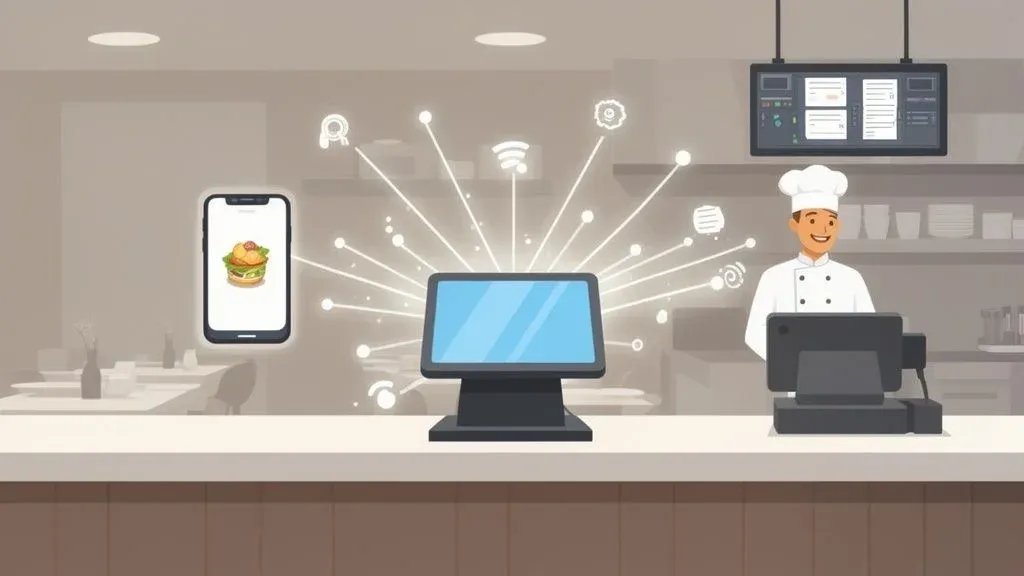
Think of an integrated POS system as your restaurant’s new command center. In simple terms, it connects your main cash register directly to all your delivery apps like Uber Eats and DoorDash. Instead of juggling a dozen tablets, this system automatically pulls every online order into one place. This means no more manually punching in orders, which saves time, reduces errors, and lets your team focus on the food and your customers.
What Are Integrated POS Systems and Why They Matter for Restaurant Operations

Picture a chaotic Saturday night. You’ve got tablets for Uber Eats and DoorDash pinging nonstop. Your host is stuck punching in orders instead of greeting guests. Sound familiar? This is the daily reality for restaurants running on disconnected technology, and it’s a direct hit to your efficiency and bottom line.
An integrated POS system brings sanity back to your restaurant operations. Think of it as the central nervous system for your business. Instead of having separate, siloed tablets for each delivery app, an integrated system acts as a single, smart hub. It uses Application Programming Interfaces (APIs) to automatically receive online orders and inject them directly into your point-of-sale terminal and kitchen display system (KDS).
The Disorganized Kitchen vs. The Streamlined Assembly Line
Without integration, your restaurant is stuck in a state of organized chaos. A host hears a tablet alert, drops what they’re doing, walks over, accepts the order, then manually punches every item and modifier into the main POS. That’s a lot of steps, and each one is a chance for a costly mistake. It’s slow, inefficient, and a breeding ground for errors that lead to wasted food and unhappy customers.
Now, imagine a smooth, streamlined assembly line. An order from DoorDash comes in and instantly appears on your kitchen display screen, just like a ticket from a server. There’s no manual entry. No delay. And zero chance for someone to misread a special request. This automation completely changes the game for your restaurant delivery workflow.
The real magic of an integrated system is creating a single source of truth for all orders, whether they come from a guest at the counter or someone on their couch. This unity is what drives top-tier efficiency and accuracy, directly impacting your restaurant’s profitability.
This isn’t a minor upgrade; it’s a fundamental part of modern food tech. It’s no longer enough to just accept online orders—you have to manage them intelligently. Embracing this automation is a critical step in any successful restaurant digital transformation, building a solid foundation for growth.
Key Benefits of POS Integration
Making the switch to an integrated POS delivers tangible results, fast. This isn’t a luxury; it’s an essential tool for any restaurant that wants to compete.
The biggest wins are clear:
- Significant Time Savings: When your staff doesn’t have to manually transfer orders, you reclaim precious minutes on every order. That time adds up, freeing your team to focus on revenue-generating tasks like taking care of dine-in guests or upselling.
- Drastic Error Reduction: Manual entry leads to mistakes. A forgotten modifier, an incorrect item, a wrong price—these slips lead to wasted food, refunds, and bad reviews. POS integration guarantees 100% order accuracy, protecting your profit margins and reputation.
- Increased Staff Productivity: When your team isn’t drowning in administrative tasks, they can be more present and productive. A less frantic work environment leads to better service, higher morale, and lower employee turnover.
For a real-world example, consider a busy pizzeria using an integrated system like Square. During a dinner rush, orders from Uber Eats and DoorDash flow straight to the kitchen without anyone touching a tablet. This allows the team to focus on making great pizza and serving customers, resulting in faster service, more sales, and significant time savings.
Your Takeaway: An integrated POS system cleans up your tech, smooths out your workflow, and lets your team operate at its absolute best. Ready to consolidate your delivery orders? Start your free onboarding in just a few clicks at https://dashboard.orderout.co.
The Hidden Costs of a Disconnected POS System
Running a restaurant without an integrated POS system is like trying to fill a bucket with a slow, invisible leak. You know you’re losing money, but you can’t quite pinpoint where it’s all going. These hidden costs quietly drain your profits day in and day out, directly impacting your restaurant operations.
The most glaring financial hit comes from manual entry mistakes. Imagine the dinner rush: a server glances at a DoorDash tablet and punches in “no onions” when the order clearly said “extra onions.” It seems trivial, but that tiny error kicks off a costly chain reaction. The kitchen makes the wrong dish, the customer is unhappy, and now you’re stuck paying for a remade meal, issuing a refund, or worse, dealing with a negative review.
The True Price of Punching In Orders by Hand
Let’s break this down with a real-world scenario. A busy neighborhood spot might do 30 delivery orders a day. Without a connected system, let’s say just three of those orders have a minor mistake due to manual entry—a missed side, a wrong modifier, an incorrect item.
If each of those errors costs you an average of $15 in wasted food and comps, the math starts to look pretty grim:
- Daily Loss: 3 errors x $15/error = $45 per day
- Weekly Loss: $45 x 7 days = $315 per week
- Annual Loss: $315 x 52 weeks = $16,380 per year
That’s over $16,000 vanishing into thin air from preventable mistakes. This profit leak is precisely what a well-maintained restaurant profit and loss statement is designed to help you spot. POS integration directly plugs this leak, reducing errors and saving you thousands.
Beyond Wasted Food: The Opportunity Cost
The damage doesn’t stop with tangible losses. The biggest drain is opportunity cost. Every minute your staff spends manually entering an order from an Uber Eats tablet is a minute they aren’t spending with your dine-in guests. That’s precious time they could have used to upsell a bottle of wine or create a welcoming experience that builds loyalty.
An integrated POS system frees your team from being data-entry clerks and empowers them to be hospitality professionals. This shift doesn’t just improve efficiency; it directly drives revenue, staff productivity, and guest loyalty.
Industry data backs this up. Businesses using unified systems have recorded up to 287% higher purchase rates, and those that integrate their POS with other tools are 86% more likely to exceed their sales goals. You can explore detailed findings on the future of POS systems to see the full picture.
By getting rid of the “tablet farm” and the manual order grind, integrations with systems like Clover or Square let your team get back to what they do best. The end result is a more productive staff, a smoother service, and a much healthier bottom line.
Your Takeaway: Plug the leak in your profits. Automating your order entry lets you reclaim lost revenue, slash food waste, and give your team the bandwidth to focus on what truly matters. You can start your free onboarding in just a few clicks at https://dashboard.orderout.co.
How POS Integration Transforms Your Restaurant Delivery
Let’s talk about what actually happens when an online order comes in. In a disconnected setup, a customer opens Uber Eats, orders their favorite meal, and a tablet starts beeping loudly in your restaurant. Someone has to drop what they’re doing and manually punch every single item into the main POS.
With an integrated POS system, that whole chaotic scene disappears. The order flows directly from the app, straight into your POS, and pops up on the kitchen display system (KDS) instantly via an API connection. It looks exactly like an order from a server in the dining room. No manual entry, no delays, and zero chance of mistakes. This is the heart of what integration does—it turns a frantic scramble into a smooth, predictable workflow that boosts your restaurant’s efficiency.
Manual entry doesn’t just waste time; it costs real money. Every mistake, from a wrong topping to a missed allergy note, starts a chain reaction that ends in financial loss.

By automating how orders hit your kitchen, an integrated system breaks this expensive cycle. It protects your bottom line with every single order that comes through, reducing errors and improving staff productivity.
Real-World Impact: The Tale of Two Kitchens
To see the difference, imagine two restaurants on a busy Friday night, both getting slammed with orders from DoorDash.
Restaurant A (Manual Workflow): The host hears the tablet chime, accepts the order, and then types each item into their separate POS. In the rush, they miss a “no cheese” modifier. The kitchen makes the dish wrong, the customer complains, and now the restaurant is dealing with a refund, wasted food, and a nasty online review. The delivery driver also had to wait, creating a bottleneck.
Restaurant B (Integrated Workflow): An order from DoorDash arrives and is instantly injected into their integrated POS. The ticket prints in the kitchen with perfect accuracy. The kitchen staff starts firing the order immediately. For instance, a quick-service restaurant using a Clover system with integration can process dozens of delivery orders per hour without missing a beat, keeping both customers and drivers happy. The result is a calmer, more efficient kitchen.
The difference is night and day. A connected system creates a more predictable, less stressful, and far more profitable operation for your restaurant delivery service.
Manual vs. Integrated Delivery Order Workflow
This side-by-side comparison shows exactly where an integrated system eliminates manual steps, saving time and preventing errors.
Operational Step Manual Workflow (Without Integration) Automated Workflow (With Integrated POS) 1. Order Received Tablet alerts staff with a loud notification. Order is received silently and digitally. 2. Order Acknowledgment Staff must manually accept the order on the tablet. Order is accepted automatically based on preset rules. 3. POS Entry Staff manually types the entire order into the main POS system. Order is injected directly into the POS, no manual entry. 4. Kitchen Ticket POS prints a ticket for the kitchen. POS/KDS displays the ticket instantly. 5. Menu Updates Staff must log into each delivery app to 86 items. “86” an item once in the POS to update all menus. 6. Reporting Staff must manually reconcile sales from each tablet. All sales data is unified in one central report.
Game-Changing Benefits at Every Stage
The advantages of POS integration ripple through your entire delivery service.
Here are the biggest wins:
- Instant Order Transmission: Orders appear in your kitchen seconds after they’re placed. This shaves minutes off your ticket times, leading to happier drivers and better ratings on delivery apps.
- Automated Menu Syncing: Out of avocados? Just “86” it in your POS, and it’s instantly marked as unavailable on Uber Eats and DoorDash. You’ll never have to disappoint a customer again.
- Consolidated Reporting: All your sales data—dine-in, takeout, and every third-party app—flows into a single, unified report. This gives you a crystal-clear view of your business performance.
An integrated POS system does more than just take orders. It becomes the command center for your entire off-premise business, turning a complicated mess into a simple, automated machine that improves efficiency.
Getting your tech stack right is essential, and that includes your food delivery app integration strategies. A connected system lets you handle a huge volume of orders without overwhelming your team, turning restaurant delivery into a powerful revenue engine. For a deeper dive, check out our guide to mastering delivery on-demand.
Your Takeaway: Ditching the manual “tablet farm” for an integrated POS system is one of the most impactful changes you can make. It cuts down on errors, saves time, and creates a better work environment for your crew.
Boosting Your Bottom Line with POS Integration
While a smooth-running kitchen is great, the real question is, “How does this make my restaurant more money?” An integrated POS system directly ties operational upgrades to real financial growth. This isn’t just about making life easier; it’s a strategic move to build a healthier, more profitable business by improving your restaurant operations.
The financial upside is clear: you immediately cut labor costs by eliminating tedious data entry, you stop losing money on costly order mistakes, and you can handle more business without burning out your team, which means more revenue.
Calculating Your Return on Investment
Let’s run some simple math. Imagine your host spends just two minutes manually punching in every online order. If you get 50 delivery orders on a busy night, that’s 100 minutes—over an hour and a half—of paid time spent on a task a machine could do instantly. That’s a direct time and cost saving.
Now, factor in the cost of errors. If a conservative 5% of those 50 orders have a mistake that costs you $15 in wasted food and refunds, that’s another $37.50 walking out the door every single night. These “small” leaks can easily add up to tens of thousands of dollars in lost profit over a year.
An investment in a POS integration solution often pays for itself within a few months, purely from the savings on labor and error reduction alone. The subsequent gains in revenue and efficiency are pure profit.
By automating this workflow, your investment doesn’t just plug a hole; it transforms an ongoing operational cost into a long-term financial asset.
From Data to Decisions: The Profitability Cycle
One of the most powerful benefits of POS integration is having all your data in one place. When every single sale—from a dine-in customer, an Uber Eats order, or a DoorDash delivery—flows into one central system, you finally get a complete picture of your business. This unified data is a goldmine for making smarter, more profitable decisions.
- Smarter Menu Engineering: Instantly see your true bestsellers across all platforms. This insight helps you fine-tune your menu, feature high-margin dishes, and cut items that aren’t selling online.
- Effective Promotional Strategies: By spotting sales trends, you can launch targeted promotions that actually work. For example, if you notice online sales dip on Tuesdays, you can create a delivery-only special to drive traffic.
- Optimized Staffing: With a clear view of your peak order times across every channel, scheduling becomes a science. You can avoid being overstaffed during lulls and ensure you have all hands on deck for the biggest rushes, optimizing your labor costs.
This creates a virtuous cycle of profitability. Better data leads to smarter decisions, which in turn drive higher revenue and lower costs. Integrating your POS is a huge step in implementing smarter strategies to increase profit, cash flow, and business value.
Increasing Your Revenue Capacity
Finally, an integrated system gives you the power to handle more orders without overwhelming your team. Think about a restaurant using a system like Clover or Square with an integration partner. As delivery demand grows, they don’t need to hire more people just to manage tablets; the system absorbs the extra volume automatically. This scalability means you can confidently grow your restaurant delivery service without hitting an operational wall.
Your Takeaway:
POS integration isn’t just an operational nice-to-have; it’s a powerful financial tool. It directly cuts costs, stops profit leaks, and gives you the hard data needed to make intelligent, growth-focused business decisions. Stop the manual grind and start automating your path to higher profits by visiting https://dashboard.orderout.co.
Choosing the Right Integrated POS Solution for Your Food Tech Stack

Picking a technology partner can feel overwhelming, but the secret is to focus on your restaurant’s day-to-day needs. A great integrated system isn’t about having the most features; it’s about having the right features that work flawlessly for your crew.
Think of it this way: You’re hiring a new “digital manager.” You want someone who communicates clearly, clicks with your staff, and has a solid plan for growth. Your integrated POS system deserves that same practical evaluation. The best solution slides into your workflow so smoothly that your team just notices their jobs got a whole lot easier. This is a key component of building a modern food tech stack.
Core Pillars of a Smart Integration Choice
When you start looking at different options, you can cut through the noise by zeroing in on three non-negotiables: compatibility, usability, and support. Get these right, and you’re setting up your restaurant operations for success.
-
Seamless POS Compatibility: This is the most important first step. The integration must work perfectly with your current point-of-sale system. If you’re running a popular platform like Clover or Square, ensure any provider you consider is a validated partner. Ask direct questions: Does it work with my specific hardware and software version? A “solution” that requires constant workarounds isn’t a solution.
-
Effortless User Experience: Your team is already busy. They don’t need another complicated tool. The best systems are intuitive and just run in the background. Setup should be simple, and daily operations should require almost no manual input from your staff, saving time and improving staff productivity.
-
Responsive and Reliable Support: When something goes wrong during the dinner rush, you need help now. Research the provider’s customer support. Are they available 24/7? What’s their average response time? Good support isn’t a bonus—it’s an essential safety net.
Your Evaluation Checklist for Integrated POS Systems
Use this checklist to put any potential integration partner to the test before you sign anything.
-
Delivery App Coverage: Does the solution integrate with all of your third-party delivery partners, like DoorDash and Uber Eats? Can the system handle new apps as you grow?
-
Real-Time Menu Syncing: Can you “86” an item in your POS and have it instantly vanish from every single online platform? This one feature is critical for preventing order errors and unhappy customers.
-
Onboarding and Setup Process: What does getting started look like? A good partner offers a guided, straightforward onboarding you can finish in a few clicks, no IT degree required.
-
Scalability and Growth: The right tool should support your business today and be ready for tomorrow. Can it handle a surge in order volume? Can it expand to new locations? A scalable system grows with you.
The goal is to find a technology partner that simplifies complexity, not one that adds another layer to it. Your integrated POS system should be a silent, reliable engine that powers your growth.
The market for these solutions is booming. Integrated smart POS systems are quickly becoming essential, with the market projected to nearly double from US$9.56 billion to US$19.54 billion. This growth is driven by restaurants needing platforms that connect everything from inventory to online ordering. Read more research on the integrated POS system market to get the full picture.
Making the right choice now puts you in a position to ride this wave. If you’re also evaluating your primary terminal, you might find our list of POS systems for restaurants helpful.
Your Practical Next Step:
Start by auditing your current operation. List your POS system, all your delivery partners, and your biggest daily headaches. With that list, you can use the checklist above to confidently find a solution that solves your problems, reduces errors, and saves you time and money. Restaurant owners can start onboarding for free at https://dashboard.orderout.co.
So, What’s Your Next Move?
The path to a smoother, more profitable, and less chaotic restaurant is right in front of you. Adopting an integrated POS system is the single biggest move you can make to modernize your restaurant operations and take back control of your kitchen and profits.
We’ve walked through how this technology eliminates the tedious task of manual order entry. It slashes expensive mistakes from missed modifiers and frees up your team to focus on what they do best: taking care of your guests. This directly impacts your efficiency, reduces costs, and boosts staff productivity.
Putting It All Together
Okay, theory is great, but now it’s time to take action. The simplest way to get all your systems talking to each other is with a solution built specifically to connect your POS with all of your delivery apps. For a deeper dive into how this all works, check out our guide on the best POS system integrators.
An integrated system doesn’t just make things run better; it makes them run smarter. It turns that messy pile of tablets into a single command center that actively helps you grow your delivery business.
This is no longer a luxury for massive chains. Whether you’re running on a popular POS like Clover or Square, the tools are ready and waiting, and getting set up is surprisingly simple.
Your Clear Takeaway:
Stop letting manual entry bleed your profits and burn out your staff. It’s time to get a handle on your delivery orders, eliminate errors, and see what your restaurant is really capable of. The most practical next step you can take is to automate this process.
Ready to start? You can begin the free onboarding process with just a couple of clicks. Head over to https://dashboard.orderout.co to get going.
Got Questions? We’ve Got Answers.
Stepping into the world of food tech can feel like learning a new language. Don’t worry, it’s simpler than it looks. Here are straightforward answers to the questions we hear most often from restaurant owners about POS integration.
How Hard Is It to Actually Set This Up?
In simple terms, it’s very easy. Modern integration tools are built to be incredibly user-friendly. You don’t need an IT person on staff. The entire process is designed to be quick and intuitive, saving you valuable time.
Technically, the setup involves using a central dashboard to authorize a connection between your POS software and your delivery app accounts via secure APIs. A solution like OrderOut provides a guided, step-by-step onboarding. You can connect your Square POS to your Uber Eats account in just a few clicks, and the software handles all the heavy lifting.
Will I Need to Buy All New Hardware?
Nope, and that’s the beauty of it. Modern POS integration is software-based, not hardware-based. These cloud systems act as a bridge between your existing POS software and the delivery platforms.
You can keep using the terminals, printers, and kitchen display systems you already own. The technology is designed to work seamlessly with hardware from major players like Clover, so your current setup is almost certainly good to go. This makes it a cost-effective upgrade for your restaurant operations.
Can I Still Go In and Manage My Menus on Each Delivery App?
You could, but you won’t want to. One of the biggest game-changers with an integrated system is centralized menu management, which is a huge boost to staff productivity.
Imagine updating a price or 86-ing an item in one place—your main POS—and seeing that change instantly reflected across DoorDash, Uber Eats, and every other platform. That’s what this does. It’s a massive time-saver that cuts down on staff stress and practically guarantees you’ll never sell an item you don’t have in stock, reducing costly errors.
You still have the option to make a special tweak on a single platform, but your daily menu headaches will disappear. This level of automation is a cornerstone of smart restaurant operations.
Ready to ditch the tablet farm and get your restaurant’s delivery operations running smoothly? With OrderOut, you can connect all your apps directly to your POS and finally take back control. Restaurant owners can start onboarding for free in just a few clicks at https://dashboard.orderout.co.