
The Ultimate Guide to an Integrated POS System
· Thibault Le Conte
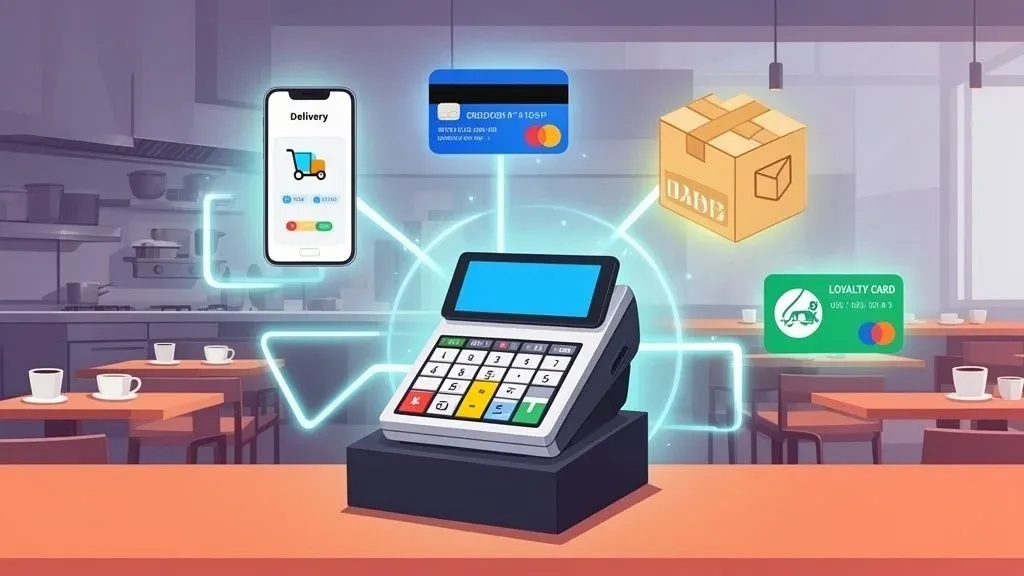
An integrated POS system is the central nervous system of your restaurant. In simple terms, it connects all the individual tools you rely on—delivery apps, payment processors, inventory management, loyalty programs—into a single, cohesive platform.
Think of it like the conductor of an orchestra. Each section (kitchen, front of house, online orders) plays its part, but the conductor ensures they all work together in perfect harmony. This seamless connection gets rid of the soul-crushing manual data entry that leads to mistakes and wastes your team’s valuable time. Why it matters is that this automation frees up your staff to focus on food quality and customer service, directly impacting your bottom line.
Why an Integrated POS System Is No Longer a “Nice-to-Have” for Restaurant Operations
Picture the chaos of a typical Friday night dinner rush. You’ve got tablets for Uber Eats and DoorDash all pinging with new orders. Meanwhile, a line of customers is forming at the counter, and your staff is juggling everything at once. Without an integrated system, someone has to physically stop what they’re doing, grab an order from a delivery tablet, and manually punch it into the main POS terminal. It’s slow, inefficient, and a recipe for disaster. One wrong key press and you’ve got an angry customer, a wasted meal, and a negative online review.
An integrated POS system brings order to that chaos by becoming the central hub that automates how all your different software talks to each other. When a customer orders through a delivery app, that order flows directly into your POS and shoots right to the kitchen printer. No one has to lift a finger. This is a perfect example of how food tech directly improves restaurant efficiency, saving time and reducing errors during your busiest hours.
The Food Tech That Makes It All Work
So, how does this actually happen? The “magic” is something called an Application Programming Interface, or API.
In simple terms, an API is like a universal translator that allows different software programs to communicate with one another, even if they were built by different companies. Technically speaking, it’s a set of rules and protocols that define how software components should interact. For instance, the DoorDash API can “talk” to the API for your Clover or Square POS system. This connection is what lets data move back and forth seamlessly, keeping your whole operation in sync. Understanding the basics of application integration is key to seeing why a unified system is so powerful.
The Proof Is in the Numbers
This move toward connected systems isn’t just a fleeting trend—it’s a fundamental shift in how successful restaurants are run. The global Retail POS System market now has over 7 million active terminals, and more than 70% of retailers are now using strategies that connect their in-store and online sales channels.
The results speak for themselves. Businesses using these integrated setups see a 40% higher sales conversion rate and manage to cut stockouts by an impressive 35%.
Manual Workflow vs Integrated POS Workflow
To see the difference in real-world terms, let’s compare a few daily tasks. The contrast between a manual, disconnected workflow and a smooth, integrated one is stark, directly impacting staff productivity and your bottom line.
Task Manual Workflow (Without Integration) Integrated POS Workflow (With Integration) Take a Restaurant Delivery Order Staff hears a tablet alert, stops their current task, walks over to the tablet, and manually types the entire order into the main POS. The order automatically appears in the POS and is sent directly to the kitchen printer. Zero manual entry. Update a Menu Item Manager has to log into the POS, then log into Uber Eats and DoorDash separately to 86 an item. Manager 86s the item once in the POS, and the change is automatically pushed to all connected delivery platforms. Track Inventory Staff performs manual inventory counts. The POS sales data and delivery platform sales data must be reconciled by hand to get an accurate picture. Every sale—whether in-person or online—automatically deducts items from inventory in real-time. Run Sales Reports Owner has to pull separate reports from the POS and each delivery platform, then combine them in a spreadsheet to see total daily sales. Owner logs into the POS and sees a single, unified report showing all sales from all channels in one place.
It’s pretty clear which workflow saves time, reduces errors, and lets your team focus on serving customers instead of wrestling with technology.
What POS Integration Really Means for Your Restaurant
The core benefit is simple: it transforms a collection of disjointed, manual chores into a smooth, automated process. While a basic POS is just a payment terminal (you can learn more in our guide on what a POS system is), an integrated POS is the true backbone of a modern, efficient restaurant.
The takeaway: An integrated system eliminates the costly, error-prone task of manually re-entering orders. This single change gives your team back hours of their time, cuts down on waste from incorrect orders, and frees up your staff to focus on what actually matters—creating a fantastic experience for your guests. The practical next step is to evaluate your current setup and identify the most painful manual task—for most, it’s delivery order entry—and find an integration solution that fixes it.
The Core Components of a Modern Restaurant POS
Think of your point-of-sale system like a smartphone. The phone itself is a great piece of hardware, but it’s the apps you install that really make it yours and unlock its full potential. An integrated POS system is no different. The core components are the “apps” that turn a simple cash register into the central nervous system of your entire restaurant.
These pieces aren’t just nice-to-haves; they are essential tools for survival and growth in a competitive market. What’s critical for a quick-service spot might differ from a fine-dining establishment, so understanding the specific needs for modern restaurant POS systems is key. For most restaurants today, the most important integrations are the ones that solve the biggest daily headaches.
Delivery App Integration for Restaurant Operations
For any restaurant with an online presence, this is probably the single most important integration you can have. It’s what connects third-party ordering platforms like DoorDash and Uber Eats directly into your POS.
Without it, you’re stuck in the “tablet farm” chaos. A staff member has to manually punch every single online order from a noisy tablet into your main terminal. It’s slow, mind-numbingly repetitive, and a massive source of expensive mistakes. With integration, orders fly from the customer’s phone straight to your kitchen printer in seconds, with zero manual input required. That one change can make a world of difference for your restaurant’s efficiency and accuracy, especially when the dinner rush hits.
Secure and Flexible Payment Processing
At its core, a POS has to take money, and it has to do it well. But a modern system needs to do much more than just swipe a credit card. It should effortlessly accept all the different ways customers want to pay these days:
- Tap-to-pay (NFC for cards and mobile wallets like Apple Pay)
- EMV chip cards for better security
- Online payments for orders coming through your website or app
For instance, when a customer pays on your website, that sale is instantly logged in your Square POS right alongside your dine-in sales. This gives you one clean, unified look at your revenue instead of having to piece it all together later.
Why It Matters: Having flexible payment options isn’t just about customer convenience; it’s also about protecting your business. Modern systems come with security like end-to-end encryption to guard sensitive cardholder data and keep you compliant with industry standards. This protects you from costly data breaches and builds trust with your customers.
Real-Time Inventory and Menu Management
Good inventory management is often the unsung hero of a profitable restaurant. An integrated POS connects every single sale directly to your stock levels. When a customer orders a burger—whether they’re sitting at a table or ordering from their couch via Uber Eats—the system automatically subtracts one patty, one bun, and all the toppings from your inventory count.
This gives you a live, up-to-the-minute view of what you have on hand, which helps you:
- Get low-stock alerts before you run out of a crucial ingredient.
- Cut down on food waste by seeing which items aren’t selling.
- Instantly 86 an item across all your menus (in-store and online) the second it runs out.
This kind of control saves a ton of time on manual stock counts and prevents that awful moment when you have to tell a customer you’re out of their favorite dish, directly improving restaurant efficiency and reducing costs. We dig into some great options that handle this well in our guide to the best restaurant point of sale software.
The screenshot below gives you a glimpse of how a solution like OrderOut works with a system like Square, pulling everything into one place.
This dashboard view is a perfect example of a central hub that gathers data from different services, giving you a single source of truth to run your business.
Takeaway
The most critical parts of an integrated POS—delivery, payments, and inventory—all work together to automate tedious tasks, slash errors, and give you a crystal-clear picture of your business’s health. For most restaurants, the best first step is integrating delivery apps. It solves the immediate and costly headache of manual order entry. You can start that journey today by visiting https://dashboard.orderout.co to begin onboarding for free.
How POS Delivery Integration Boosts Restaurant Efficiency
If you’ve ever worked a dinner rush, you know the sound. That endless, chaotic orchestra of pings and alerts from a half-dozen delivery tablets. Restaurateurs call it “Tablet Hell,” and it’s one of the biggest operational headaches in the business. The best way out of it? POS delivery integration.
This is where you connect platforms like DoorDash and Uber Eats directly into your central point-of-sale system. It’s the key to taking back control of your kitchen and your sanity, representing a major leap forward in your restaurant’s food tech capabilities.
Imagine a Saturday night where no one has to stop what they’re doing, run over to a tablet, and manually punch a delivery order into the POS. With an integrated setup, that whole error-prone process just disappears. The moment a customer orders, the details flow right into your system and print a ticket in the kitchen.
The Journey of an Automated Order
Let’s walk through what this looks like in practice for a restaurant using an integrated POS, like one connected to Clover.
- Customer Places Order: A hungry customer orders their favorite dish through the DoorDash app.
- Instantaneous Transfer: Instead of setting off an alarm on a separate tablet, the order data is instantly pushed to your restaurant’s POS. Technically, DoorDash’s API sends the order information to your POS integration partner, which then translates and injects it directly into your system.
- Automatic Kitchen Ticket: Your POS processes the order and fires it directly to the kitchen printer. No one has to lift a finger.
- Synced Reporting: The sale is immediately logged in your POS right alongside your dine-in and phone orders, giving you a single, accurate view of your daily revenue.
This diagram shows how smoothly an order can move from the customer’s app to your kitchen and inventory systems when everything is connected.
This automated flow completely removes the manual steps that slow down service and invite expensive mistakes, boosting staff productivity and overall restaurant operations.
The Real-World Impact on Restaurant Operations
This isn’t just about convenience; it’s a fundamental upgrade to how your restaurant operates. Your staff can finally focus on what they do best—cooking great food and taking care of in-house guests—instead of moonlighting as data-entry clerks. That shift alone is a huge boost for productivity and morale.
This simple change translates into tangible results: fewer mistakes, faster ticket times, and happier customers. An integrated POS system can reduce order errors by up to 40%, saving significant money on remakes and refunds.
The market data backs this up. In North America, the POS terminals market hit USD 38.67 billion in 2024, with a lot of that growth coming from independent restaurants looking for smarter solutions. Fixed POS systems, prized for their reliability, are still used in 75% of brick-and-mortar restaurants because their integration capabilities are exactly what managers need to handle a high volume of delivery orders.
By integrating your delivery apps, you can transform a major source of stress into a smooth, efficient revenue stream. If you’re looking for more details, check out our guide on how an online order management system works.
The first step is simply connecting the platforms you already use to the POS you already have.
The Financial Impact of Fewer Errors and Saved Time
An integrated POS system isn’t just a small operational tweak; it’s a direct investment in your restaurant’s financial health. When you automate the flow of orders, you’re not just saving a few minutes here and there. You’re turning those minutes and avoided mistakes into actual dollars on your bottom line. Let’s dig into the hidden costs of doing things the old way and see how quickly a POS integration pays for itself.
Think about it. Manually punching in orders from delivery tablets is a massive drain on your most valuable resource: your staff’s time. Every single minute an employee is squinting at a DoorDash tablet and re-typing that order into your Clover or Square POS is a minute they aren’t helping a guest in the dining room, checking an order for quality, or keeping the line moving. This directly impacts staff productivity and service quality.
Calculating the Cost of Wasted Labor
The cost of that lost time adds up way faster than you might think. A simple calculation can really put it into perspective.
Let’s say one employee spends just 90 minutes a day on manual order entry. At an average wage of $15 per hour, your restaurant is burning over $8,200 per year on a task that can be completely automated.
That figure is pure labor cost for a job that brings zero value to the customer experience. An integrated POS system makes that cost vanish by making the process automatic and instant. Your team is immediately freed up to focus on the things that actually make you money.
Uncovering the Hidden Costs of Errors
Beyond the time suck, manual entry is a breeding ground for expensive mistakes. A misread modifier or a simple typo can spiral into a wrong order, a remake, and a refund. These aren’t just one-off annoyances; they’re direct hits to your profit margin and your reputation.
The financial damage comes from a few places:
- Wasted Food: The ingredients for every incorrect order come straight out of your profits.
- Refunds and Credits: You don’t just lose the sale from the wrong order; you often have to offer a credit or a full refund to smooth things over with the customer.
- Reputational Damage: Angry customers leave bad online reviews. Those reviews can scare off future business, leading to lost revenue for months to come.
Even a seemingly small 5% error rate on delivery orders can easily cost you thousands of dollars a year. When you automate the order flow, you take human error out of the equation and drastically cut down on these preventable losses. If you want to see how these numbers show up on your books, take a look at a restaurant income statement example.
The Clear ROI of Food Tech Integration
The return on investment (ROI) for POS integration is incredibly straightforward. By redirecting thousands of dollars away from wasted labor and plugging the leaks from incorrect orders, the system pays for itself—often very quickly. It takes a chaotic, expensive manual process and turns it into a smooth, profitable part of your operation.
Ready to see for yourself? You can get started today by visiting https://dashboard.orderout.co to begin your free onboarding in just a few clicks.
How to Choose and Implement Your Integrated POS System
So, you’re ready to get a handle on the chaos of delivery orders, but you’re not sure where to start. Moving to an integrated POS system is one of the best moves you can make for your restaurant’s sanity and efficiency, and it doesn’t have to be a massive headache.
The trick is to zero in on your biggest problem first. For most restaurants, that’s the endless juggling of delivery tablets. The goal is to find a solution that fixes that problem without forcing you to upend your entire operation.
Making a smart choice boils down to asking a few simple questions before you sign on the dotted line.
- POS Compatibility: Will this work with the POS I already have? You shouldn’t be forced to ditch hardware and software that your team knows and relies on.
- Ease of Use: How fast can my staff get the hang of this? You need a tool that simplifies their jobs from day one, not something that adds another layer of complexity and requires weeks of training.
- Dedicated Support: When things go wrong during a dinner rush, is there a real human I can call for help? Fast, dependable support is non-negotiable.
Full System vs. Smart Integrator
It’s important to understand the two main paths you can take. One option is a complete system overhaul, where you rip out your current POS and replace it with a new, all-in-one platform. This is often expensive, time-consuming, and can seriously disrupt your business.
There’s a much more efficient way: using a POS system integrator.
In simple terms, an integrator is a specialized piece of software that acts as a bridge, connecting the tools you already use. Instead of replacing your trusty Clover or Square system, a solution like OrderOut plugs right in, linking it directly to platforms like Uber Eats and DoorDash. It’s a targeted fix that solves your most immediate problem—restaurant delivery chaos—and starts paying for itself right away through saved time and fewer errors. If you want to dig deeper, you can learn more about finding the best POS system integrators in our guide.
Here’s a great real-world example of what an integration looks like in the Clover App Market. It shows just how simple it can be to add powerful new features to the system you already have.
As you can see, these kinds of powerful integrations are often just a few clicks away and are designed to feel like a natural part of your existing POS.
Your Simple Implementation Plan
This shift toward smarter, connected systems is happening everywhere. The global Intelligent POS market is expected to hit USD 25,229.9 million by 2033, with the Asia-Pacific region leading the charge at 46.72%. This boom is driven by food tech that seamlessly blends things like contactless payments and cloud services into restaurant operations—which is exactly what you need to sync delivery orders without pulling your hair out. You can read more about these intelligent POS market trends here.
Here’s a straightforward, actionable plan for a smooth rollout:
- Back-Up Your Data: Before you do anything else, make sure you have a safe copy of your current menu, sales history, and customer information.
- Train Your Team: This is the fun part. Gather your staff and show them how the new automated workflow means no more manual tablet-punching. A quick 15-minute huddle is usually all it takes.
- Go Live: Flip the switch during a slower part of the day. This gives you a chance to watch the first few orders come in and make sure everything is running perfectly.
The best strategy is to start small by solving your biggest headache first. By connecting your delivery apps to your POS, you score a quick win that immediately makes your kitchen more efficient and your business more profitable.
Ready to see for yourself? You can start the process right now at https://dashboard.orderout.co and begin your free onboarding in just a few minutes.
Putting It All Together: Your Next Steps
So, what’s the big takeaway here? An integrated POS system isn’t just about fancy tech; it’s about making your restaurant run smoother. It saves a ton of time, slashes those frustrating (and costly) order-entry mistakes, and genuinely makes life easier for your team. This matters because a more efficient restaurant is a more profitable one, and a happier staff provides better customer service.
Best of all, you don’t need to rip out your entire system and start from scratch to see a real difference.
The single most impactful change you can make right away is connecting your online delivery platforms. Getting rid of that dreaded “tablet farm” is a game-changer. Imagine orders from DoorDash, Uber Eats, and others flowing directly into your existing Clover or Square POS. No more manual punching, no more chaos—just a clean, automated workflow.
Action Plan for POS Integration
Feeling overwhelmed? Don’t be. Getting started is easier than you think. Here’s a straightforward, actionable plan to guide you through the first few steps.
Step Action Item Key Consideration 1. Find the Bottleneck Identify your single biggest headache. Is it the constant tablet-juggling during a rush? Focusing on the most painful problem first means you’ll see a big, satisfying return almost immediately. 2. Research Your Options Look for an integration partner that plays nicely with the hardware and software you already own. Check for compatibility with your POS, read reviews, and make sure their support team has your back. 3. Get a Live Demo Don’t just read about it—see it work. A demo lets you visualize how it will fit into your daily grind. Come prepared with questions about your specific menu items, modifiers, and how you handle order pacing. 4. Roll It Out & Train Pick a slower day to go live and walk your staff through the new process. The key selling point for your team is simple: “No more typing in delivery orders!” That usually gets them on board fast.
This isn’t just about adding another piece of software; it’s about reclaiming control over a critical part of your business.
Ready to end the delivery chaos for good? You can start the process right now, for free. Head over to the OrderOut Dashboard and get set up in just a few clicks.
Got Questions? We’ve Got Answers
If you’re thinking about moving to a more connected POS setup, you’re not alone. Restaurant owners tend to ask the same kinds of questions when they’re on the fence. Let’s tackle some of the most common ones with clear, non-technical answers.
Do I Have to Rip Out My Current POS System?
Probably not. The good news is that modern integration software isn’t about replacing your entire setup. It’s designed to play nicely with the POS systems most restaurants already know and trust, like Clover or Square.
Think of it as a smart bridge, not a wrecking ball. This software connects apps like DoorDash and Uber Eats directly to your existing POS. You get all the benefits of integration without the cost and chaos of a full hardware replacement.
How Much Time Will I Actually Get Back?
The time savings are real, and they add up faster than you’d think. We consistently hear from restaurants that they save 30 to 60 minutes per employee, per shift. That’s time that used to be spent just punching tablet orders into the POS.
If your restaurant runs two shifts, you could be looking at 2-4 hours of recovered labor every single day. That’s time your team can spend helping customers, double-checking orders, and keeping the front-of-house running smoothly instead of being chained to a tablet. This boost to staff productivity is one of the quickest ways POS integration pays for itself.
Is This Going to Be a Huge Technical Headache to Set Up?
Not at all. The setup process for today’s integration platforms is designed to be incredibly simple—often just a few clicks. The goal is to get you up and running without pulling you away from your restaurant.
For example, getting started with OrderOut is as straightforward as signing up on our dashboard and linking your delivery and POS accounts. Our support team is always on standby to help, making sure the whole process is painless and doesn’t interrupt your daily grind.
Ready to put an end to the tablet chaos and get your kitchen running like a well-oiled machine? With OrderOut, you can take back control of your delivery operations almost overnight. Start onboarding for free in just a few clicks.